lock GMC SIERRA 1995 Owner's Guide
[x] Cancel search | Manufacturer: GMC, Model Year: 1995, Model line: SIERRA, Model: GMC SIERRA 1995Pages: 488, PDF Size: 26.01 MB
Page 98 of 488
Don’t pause in NEUTRAL (N) as you shift the transfer case into 4-WHEEL
LOW (4L), or your gears could clash.
Remember that driving in
&WHEEL HIGH (4H) or 4-WHEEL LOW (4L) may
reduce fuel economy.
Also, driving in four-wheel drive on dry pavement could
cause your tires
to wear faster and make your transfer case harder to shift.
Front Axle Locking Feature
The front axle locks and unlocks automatically when you shift the transfer
case. Some delay for the axle to lock or unlock is normal. If the outside
temperature is very hot, or the vehicle has been used under hard driving
conditions, there may be a slight delay for the axle to unlock.
Windows
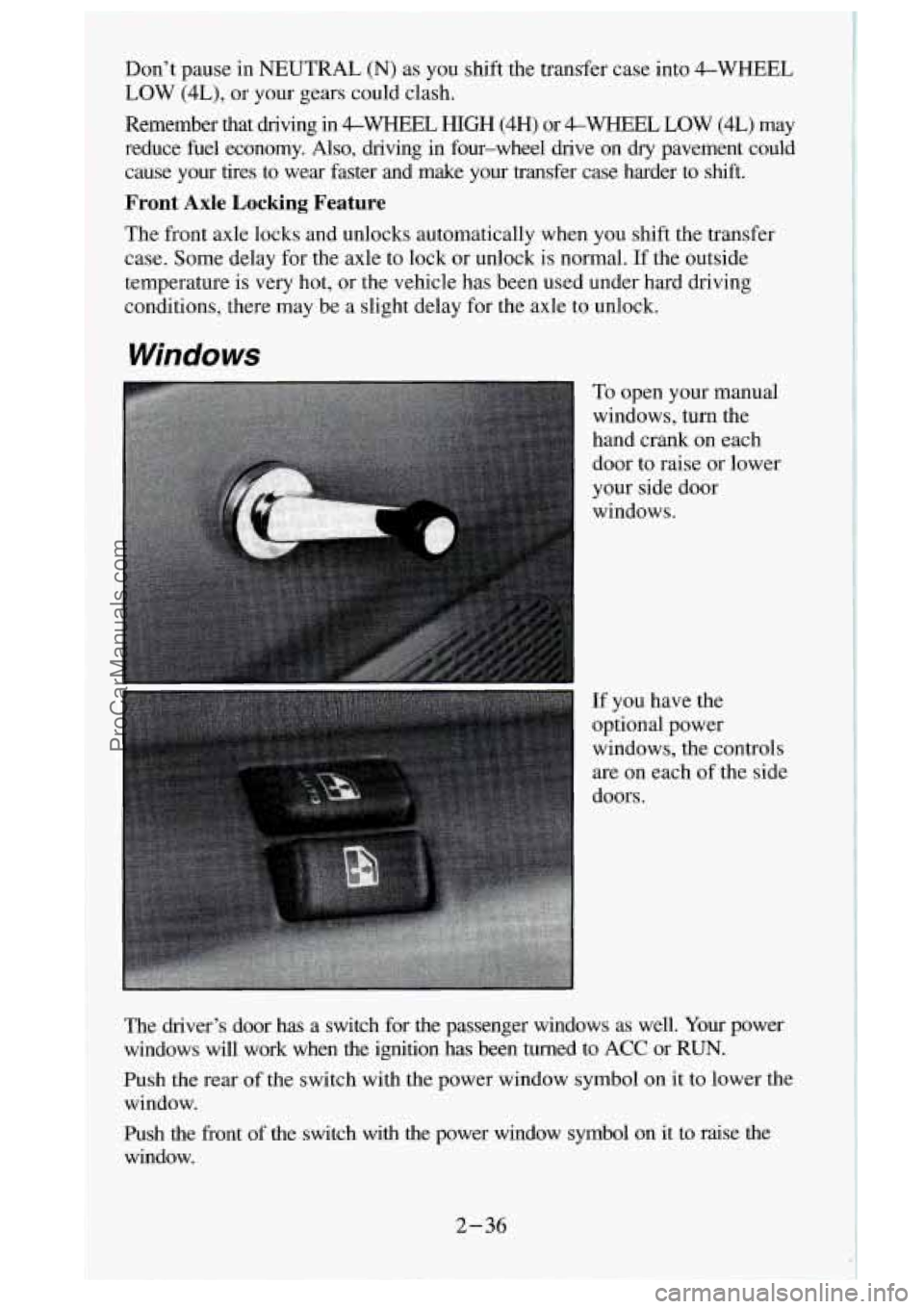
To open your manual
windows, turn the
hand crank on each
door to raise or lower
your side door
windows.
If you have the
optional power
windows, the controls
are on each of the side
doors.
The driver’s door has a switch for the passenger windows as well.
Your power
windows will work when the ignition has been turned to ACC or RUN.
Push the rear
of the switch with the power window symbol on it to lower the
window.
Push the front of the switch with the power window symbol on
it to raise the
window.
2-36
ProCarManuals.com
Page 99 of 488
The driver’s window switch also has an “express down” feature that allows
the window to lower without holding the switch. Press and hold the side
of
the window switch marked AUTO for one second to activate the \
express
down mode. The express down mode can be cancelled at any time by
pressing the opposite side of the switch. To open the window part way,
lightly tap the switch until the window is at the desired pos\
ition.
If you have a Crew Cab and power windows, the power window switch has a
lock-ut feature.
This feature prevents the rear windows from operating when
the front drivers-side switch is in the lock-out position. When the switch is
moved out of the lock-out position, the rear power windows will operate again.
Sliding Rear Window (Option)
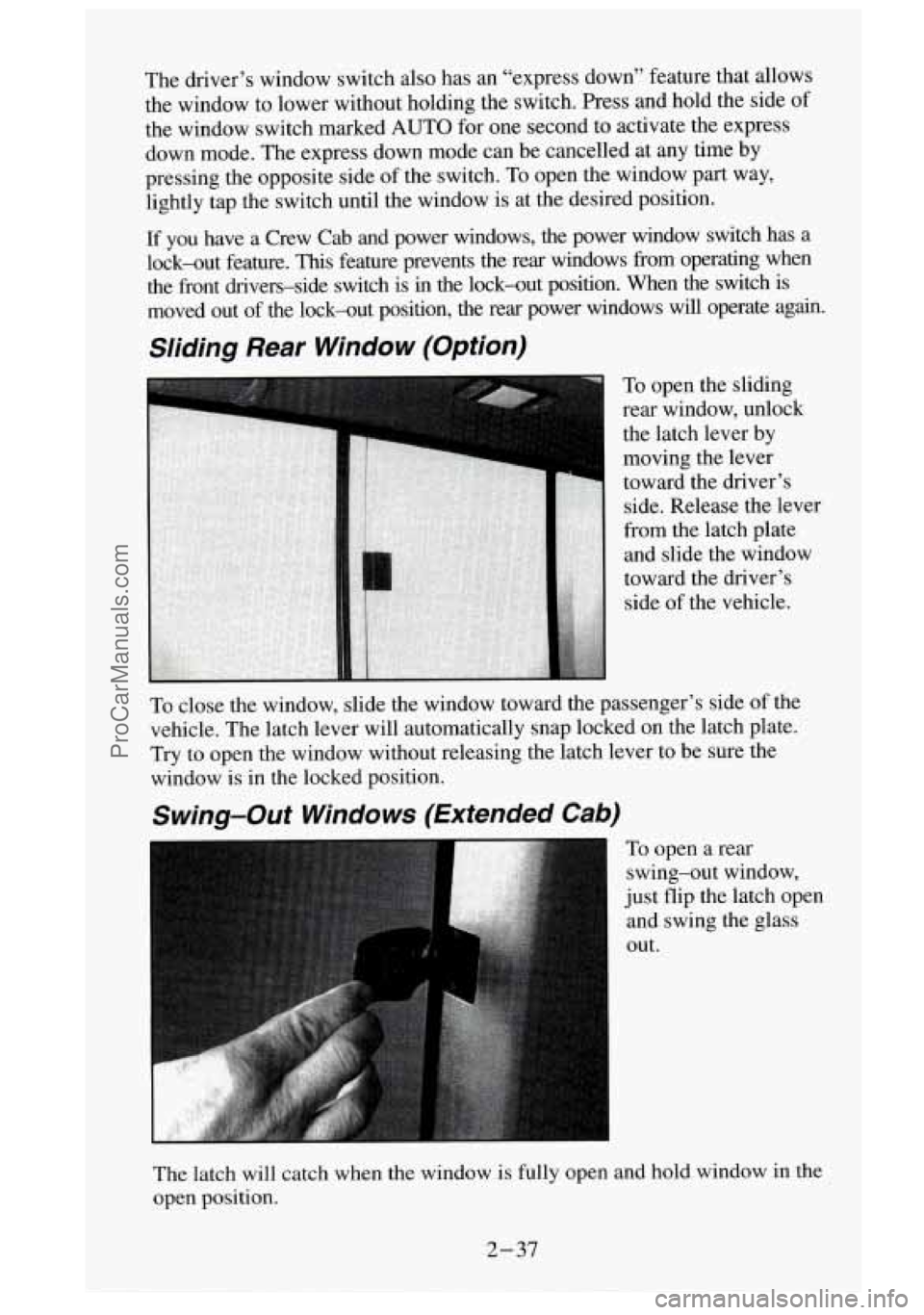
To open the sliding
rear window, unlock
the latch lever by
moving the lever
toward the driver’s side. Release the lever
from the latch plate
and slide the window
toward the driver’s
side of the vehicle.
To close the window, slide the window toward the passenger’s side of the
vehicle. The latch lever will automatically snap locked on the latch plate. \
Try to open the window without releasing the latch lever to be su\
re the
window is in the locked position.
Swing-Out Windows (Extended Cab)
To open a rear
swing-out window,
just flip the latch open
and swing the glass
out.
The latch will catch when the window is fully open and hold window in the
open position.
2-37
ProCarManuals.com
Page 101 of 488
You can also raise it to the highest level to give your legs more room when
you enter and exit the vehicle.
To tilt the wheel, hold the
steefifqj whe&l~~I-~uU the lever. Move the
steering wheel to a comfortable level, then release the lever to lock the
wheel in place.
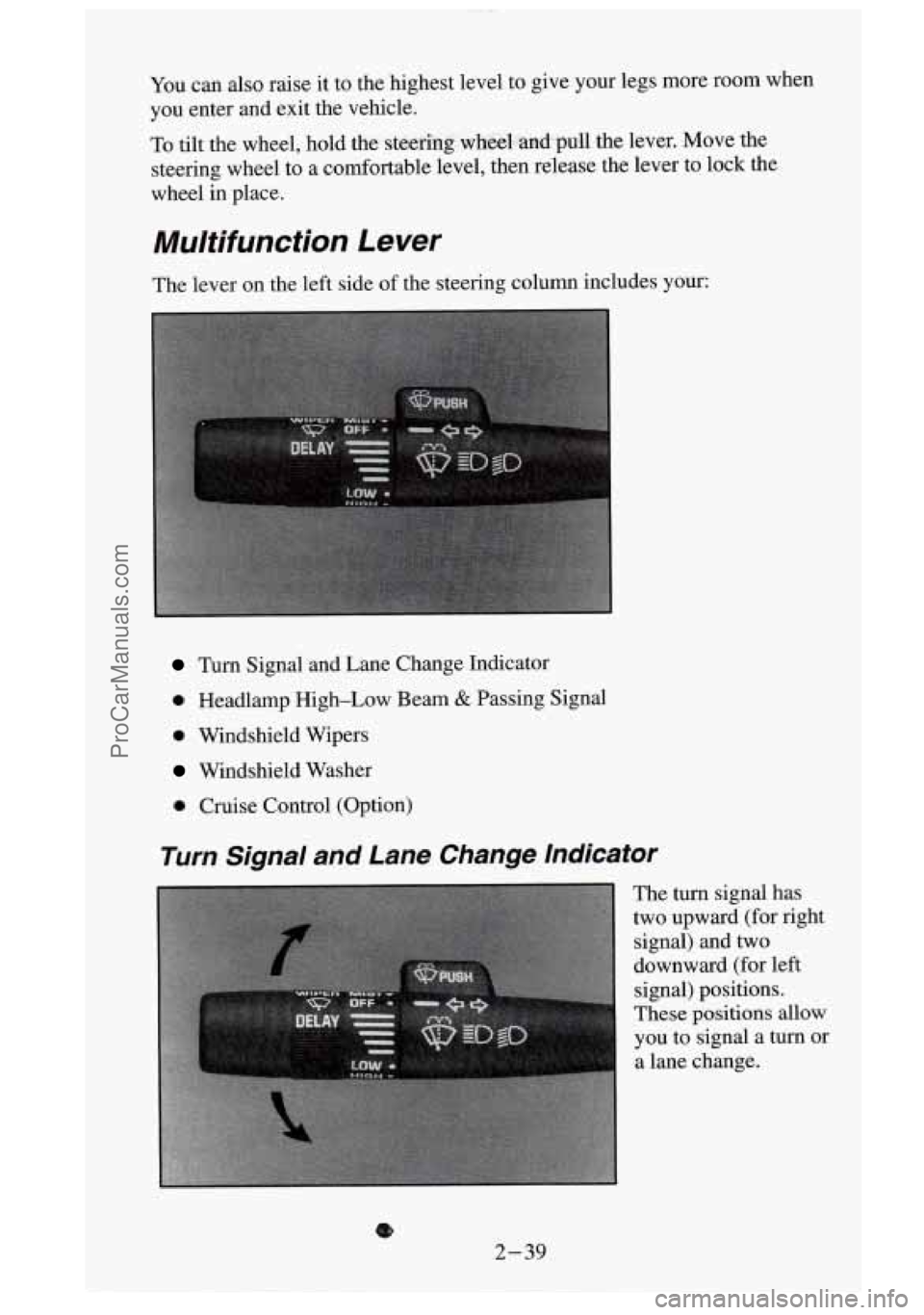
Multifunction Lever
The lever on the left side of the steering column includes your:
Turn Signal and Lane Change Indicator
0 Headlamp High-Low Beam & Passing Signal
0 Windshield Wipers
Windshield Washer
0 Cruise Control (Option)
Turn Signal and Lane Change Indicator
The turn signal has
two upward (for right
signal) and two
downward (for left
signal) positions.
These
positions allow
you to signal a turn or
a lane change.
8
2-39
ProCarManuals.com
Page 104 of 488
Heavy snow or ice can overload your wipers. The windshield wiper motor is
protected from overload by
a circuit breaker and a fuse. If the motor
overheats due to heavy snow, etc., the wiper will stop
until the motor cools.
Although the circuit is protected from electrical overload, overload due
to
heavy snow, etc. may cause wiper linkage damage. Always clear ice and
heavy snow from the windshield before using your windshield wipers.
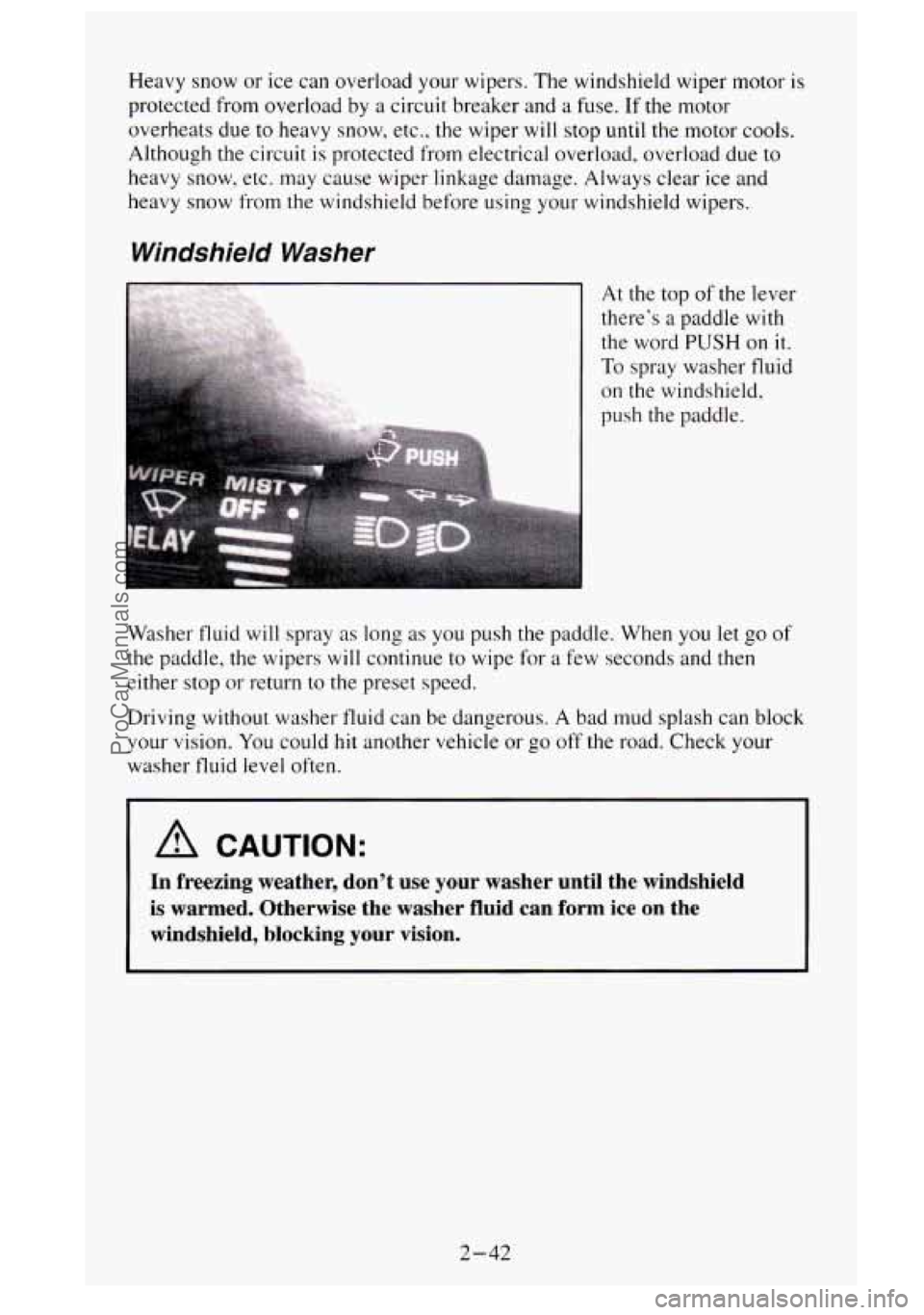
Windshield Washer
At the top of the lever
there’s a paddle with
the word
PUSH on it.
To spray washer fluid
on the windshield,
push the paddle.
Washer fluid will spray
as long as you push the paddle. When you let go of
the paddle, the wipers will continue to wipe for a few seconds and then
either stop
or return to the preset speed.
Driving without washer fluid can be dangerous.
A bad mud splash can block
your vision. You could
hit another vehicle or go off the road. Check your
washer fluid level often.
A CAUTION:
In freezing weather, don’t use your washer until the windshi\
eld
is warmed. Otherwise the washer
fluid can form ice on the
windshield, blocking your vision.
2-42
ProCarManuals.com
Page 110 of 488
To Erase Speed Memory
When you turn off' the Cruise Control or the ignition. your Cruise Control
set speed memory
is erased.
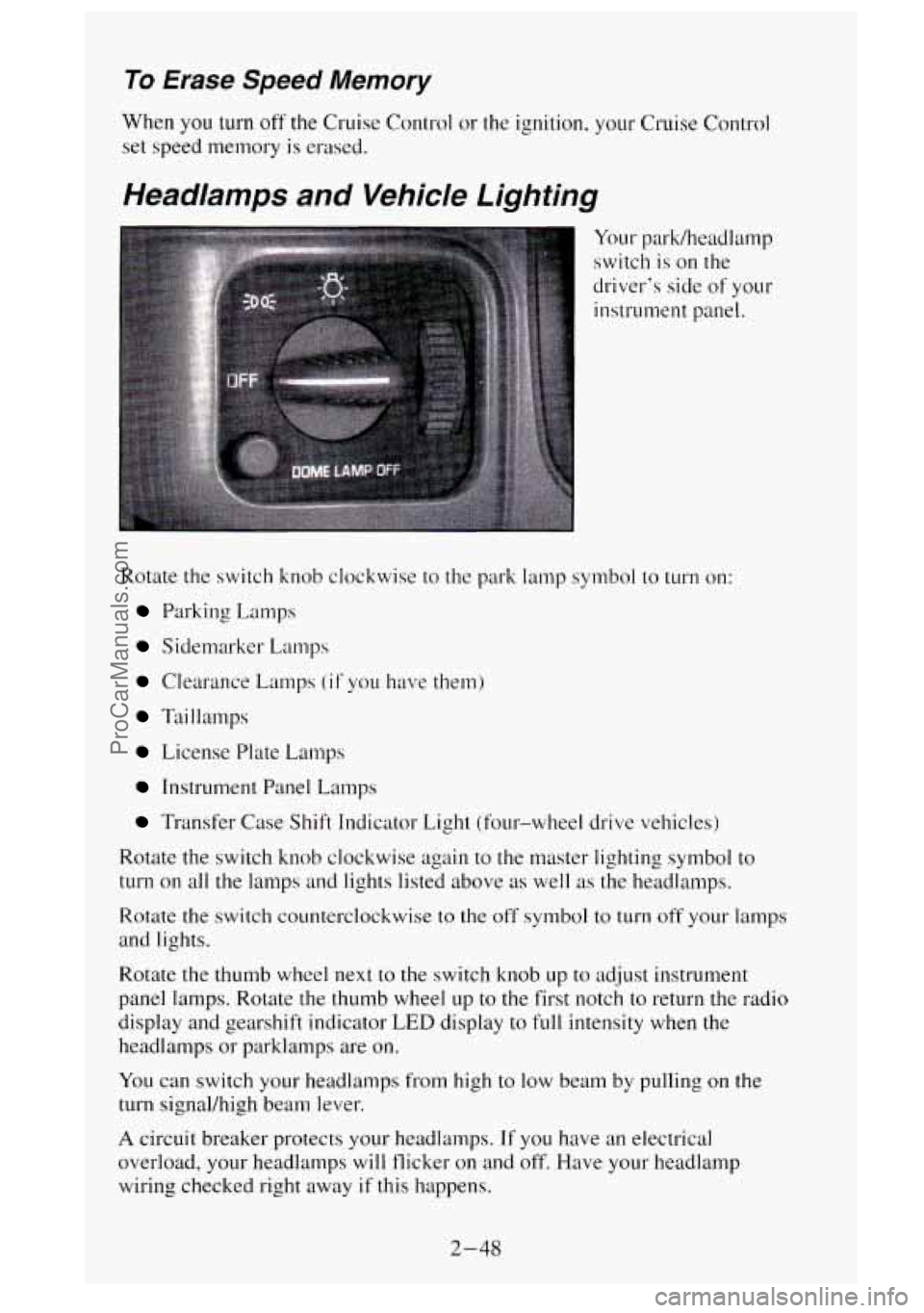
Headlamps and Vehicle Lighting
Your park/headlamp
switch is on the
driver's side of your
instrument panel.
Rotate the switch knob clockwise to the park lamp symbol to
turn on:
Parking Lamps
Sidemarker Lamps
Clearance Lamps (if you have them)
Taillamps
License Plate L.amps
Instrument Panel Lamps
Transfer Case Shift Indicator Light (four-wheel drive vehicles)
Rotate the switch knob clockwise again to the master lighting symbol to
turn on all the lamps and lights listed above as well as the headlamps.
Rotate the switch counterclockwise to the off symbol to turn off your lamps
and lights.
Rotate the thumb wheel next to the switch knob up
to adjust instrument
panel lamps. Rotate
the thumb wheel up to the first notch to return the radio
display and gearshift indicator
LED display to full intensity when the
headlamps or parklamps are
on.
You can switch your headlamps from high to low beam by pulling on the
turn signal/high beam lever.
A circuit breaker protects your headlamps. If you have an electrical
overload, your headlamps will flicker on and off. Have your headlamp
wiring checked right away if this happens.
2-48
ProCarManuals.com
Page 111 of 488
Headlamps-On Reminder
A buzzer will sound when your hedamps are turned on and your ignition
is
in OFF, LOCK or ACC. If you need to use your headlamps when the
ignition switch is
in OFF, LOCK or ACC, the buzzer can be turned off by
turning the thumb wheel next to the park/headlamp switch all the way
down.
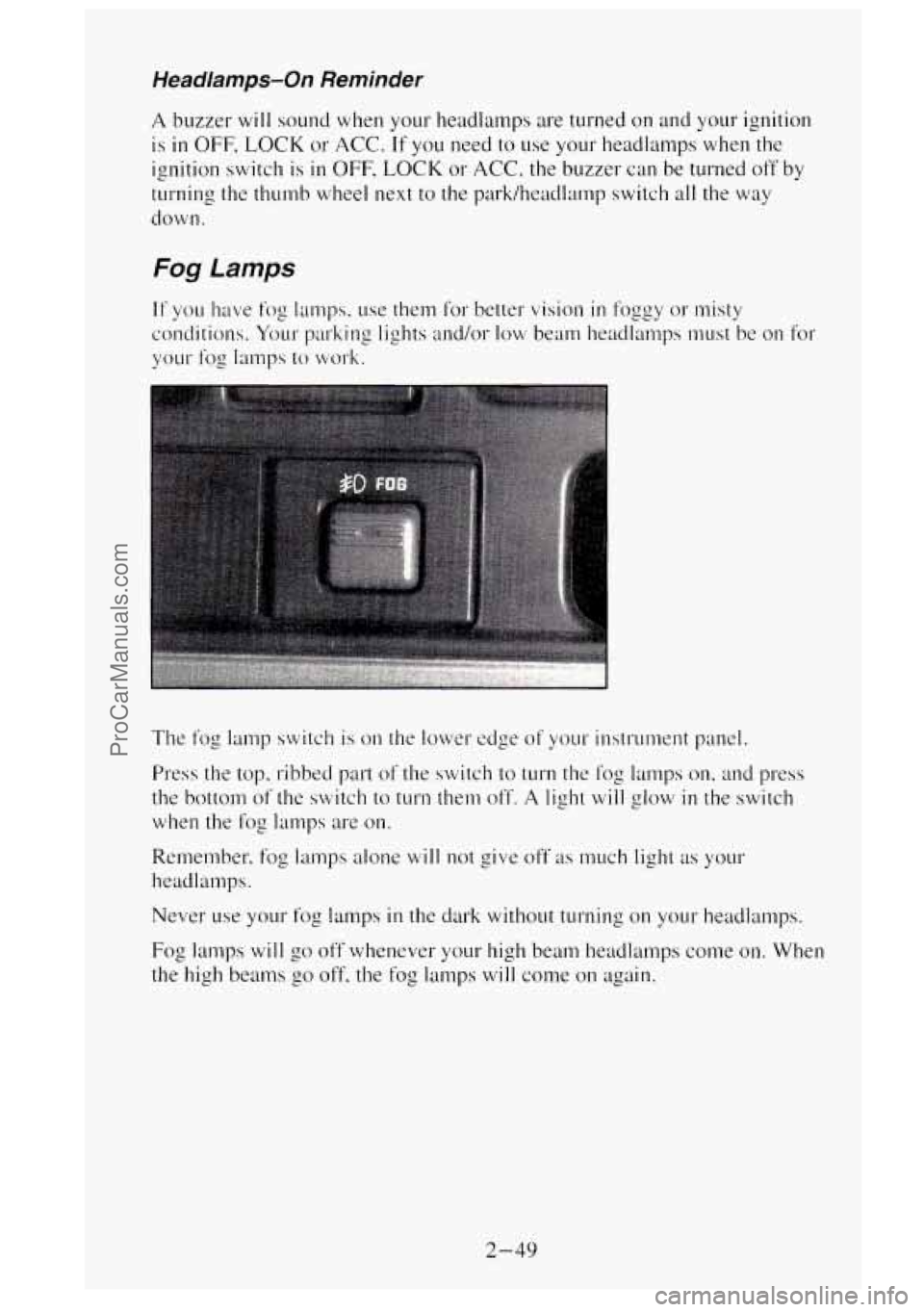
Fog Lamps
The fog lamp switch is on the lower edge of your instrument panel.
Press the top, ribbed part
of the switch to turn the thg lamps on, and press
the bottom of the switch to
turn them off. A light will glow in the switch
when the
fog lamps are on.
Remember, fog lamps alone will not give off as much light as your
headlalnps.
Never
use your fog lamps in the dark without turning on your headlamps.
Fog
lamps will go off whenever your high beam headlamps come on. When
the high
beams go off. the fog lamps will come on again.
2-49
ProCarManuals.com
Page 119 of 488
A CAUTION:
A convex mirror can make things (like other vehicles) look
farther away than they really are.
If you cut too sharply into the
right lane, you could hit a vehicle
on your right. Check your
inside mirror or glance over your shoulder before changing
lanes.
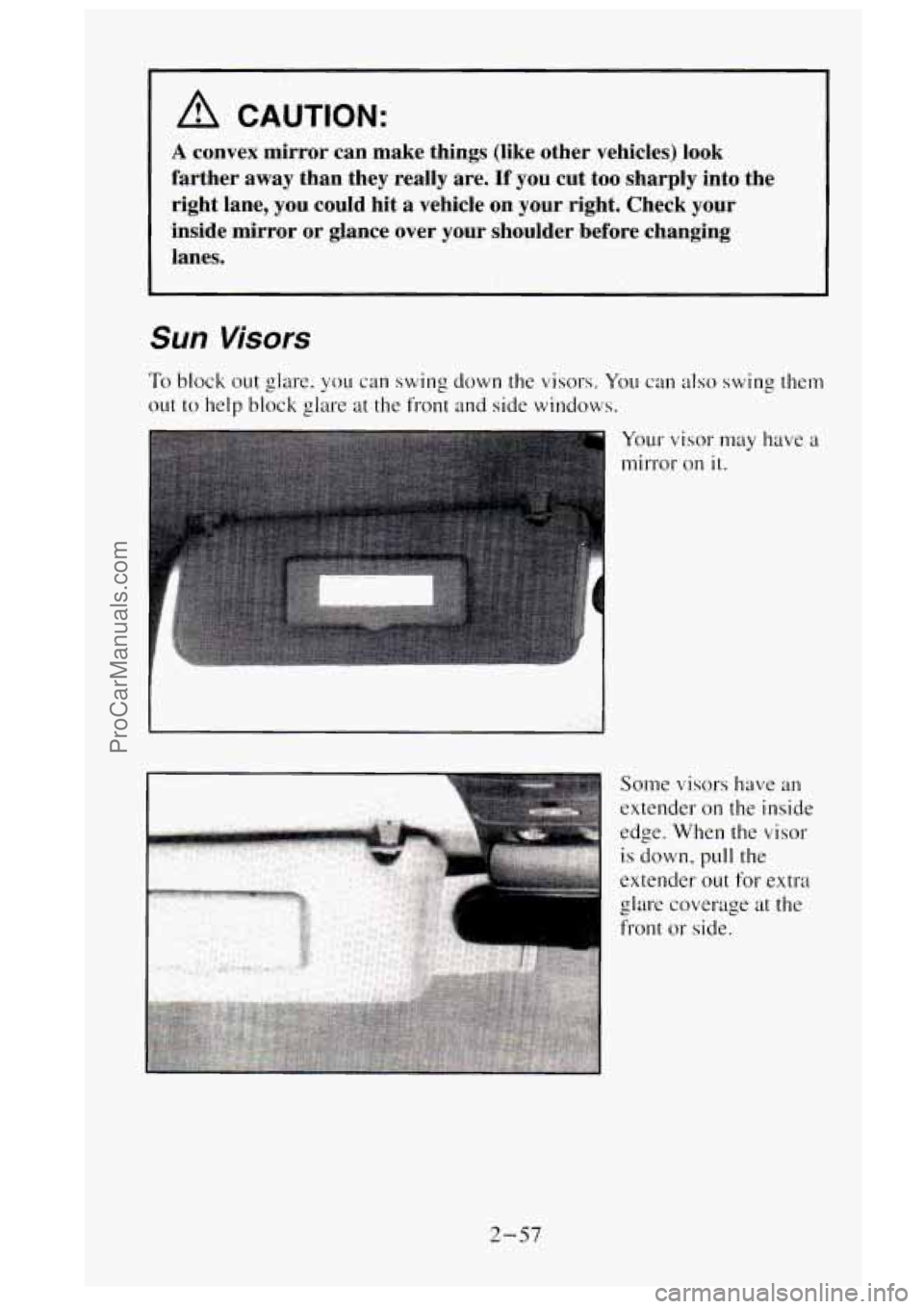
Sun Visors
To block out glare, you can swing down the visors. You can also swing them
out to help block glare at the front and side windows.
Your visor may have a
mirror on it.
2-57
ProCarManuals.com
Page 130 of 488
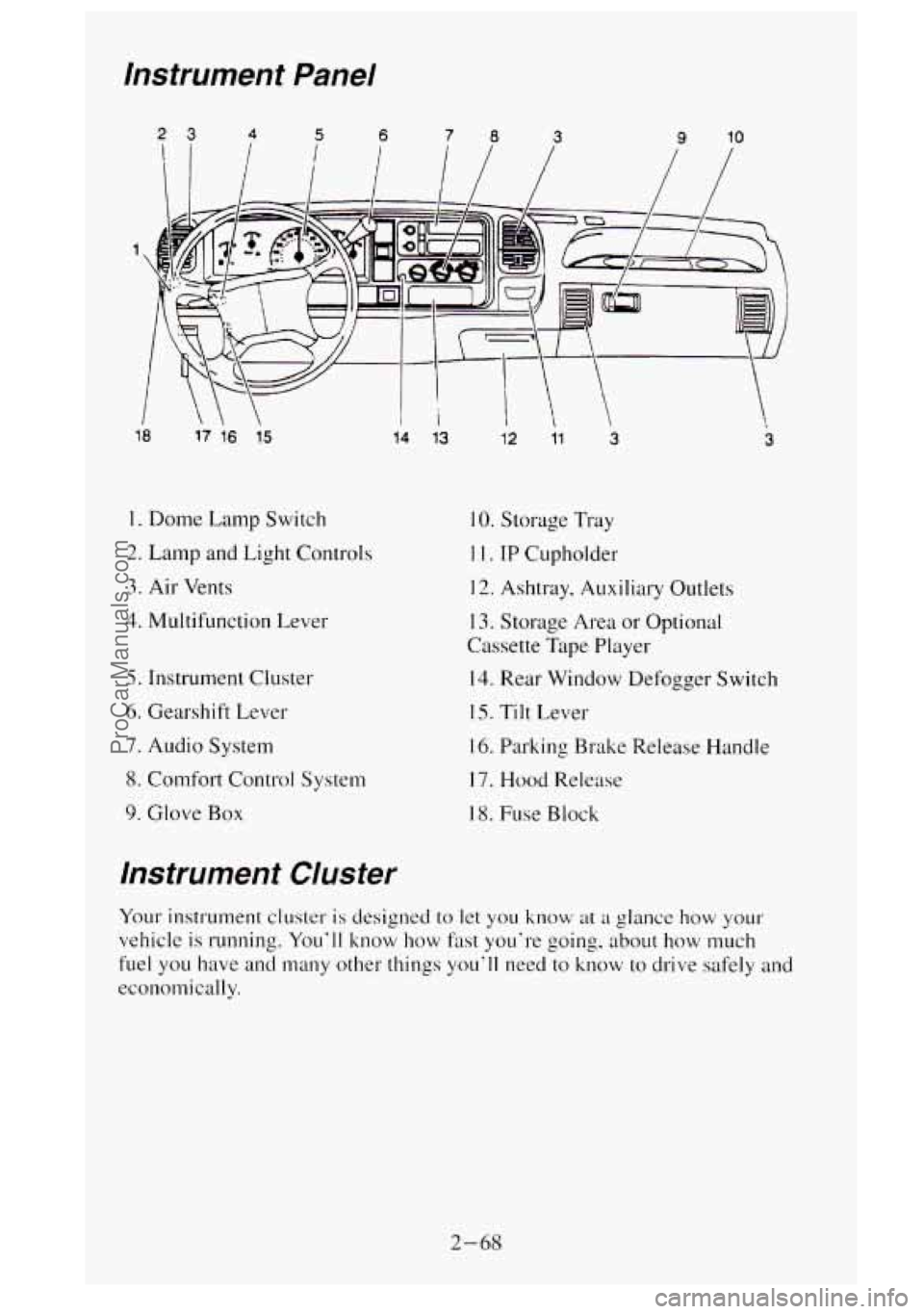
instrument Panel
18 17 16 15
1. Dome Lamp Switch
2. Lamp and Light Controls
3. Air Vents
4. Multifunction Lever
5. Instrument Cluster
6. Gearshift Lever
7. Audio System
8. Comfort Control System
9. Glove
Box
14 13
instrument Cluster
12 1' 3 3
IO. Storage Tray
1 I. IP Cupholder
12. Ashtray, Auxiliary Outlets
I 3. Storage Area or Optional
Cassette Tape Player
14. Rear Window Defogger Switch
IS. Tilt Lever
16. Parking Brake Release Handle
17. Hood Release
18. Fuse
Block
Your instrument cluster is designed to let you know at a glance how your
vehicle is running. You'll
know how fast you're going, about how much
fuel you have and many other things you'll need to know to drive safely and
economically.
2-68
ProCarManuals.com
Page 135 of 488
The brake system warning light will also come on when you set your
parking brake, and
it will stay on if your parking brake doesn’t release fully.
If it stays on after your parking brake is fully released, it means you have a
brake problem.
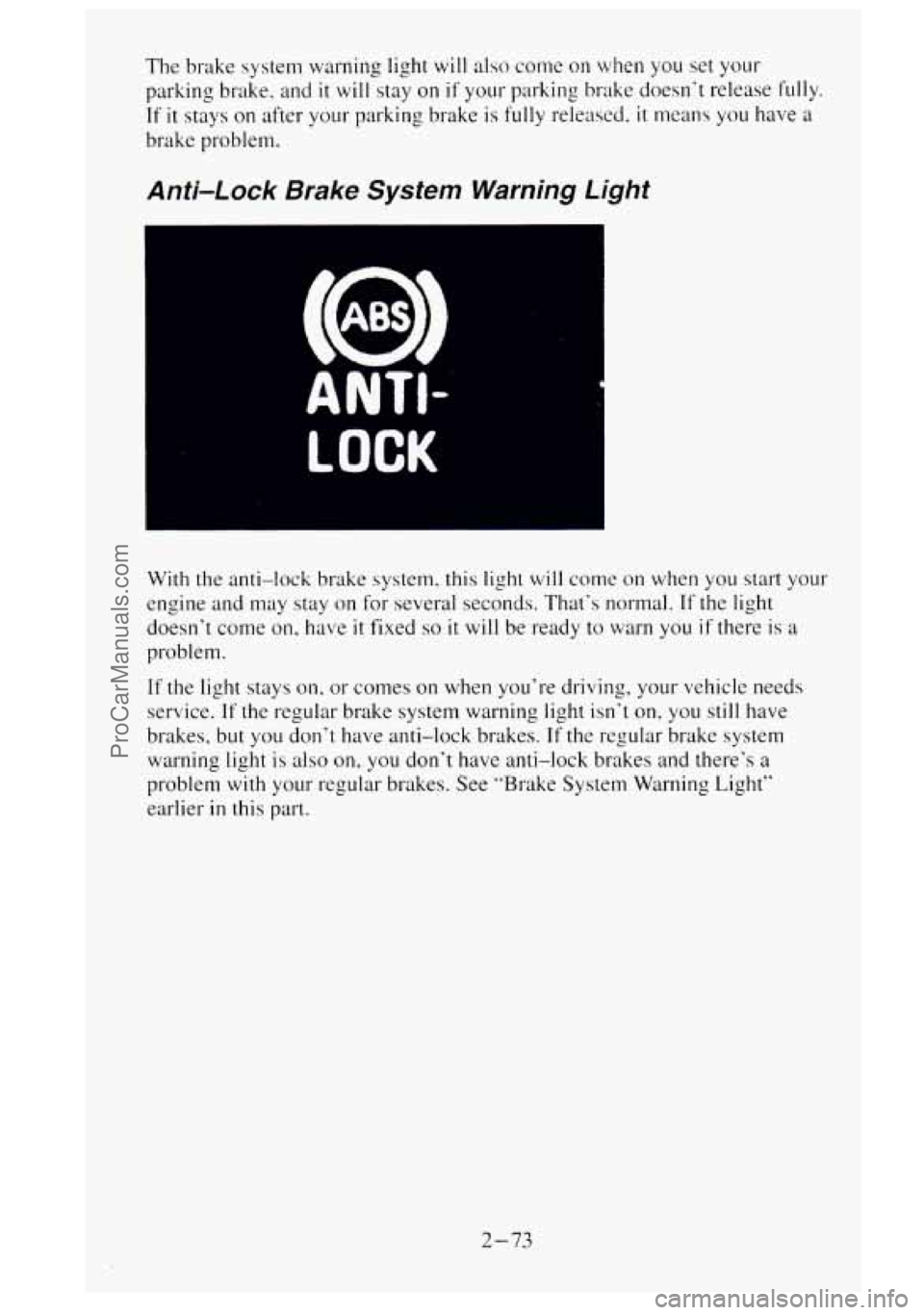
Anti-Lock Brake System Warning Light
ANTI-
LOCK
With the anti-lock brake system, this light will come on when you start your
engine and may stay on for several seconds. That‘s normal.
If the light
doesn’t come on, have
it fixed so it will be ready to warn you if there is a
problem.
If the light stays on. or comes on when you’re driving, your vehicle needs
service.
If the regular brake system warning light isn‘t on, you still have
brakes, but you don‘t have anti-lock brakes.
If the regular brake system
warning light is
also on, you don’t have anti-lock brakes and there’s a
problem with your regular brakes. See “Brake System Warning Light”
earlier
in this part.
2-73
ProCarManuals.com
Page 149 of 488
Before using your vehicle's air conditioning. open the windows to clear the.
vehicle of hot air.
Using the recirculation function can also help. See "Recirculation Buttor:"
in this section for more information.
The knob on the left side of the heating system control panel controls the
fan speed. The knob has four speed positions. To increase the air
flow. move
the knob toward
HI. To decrease the air flow. move it toward LO. To turn
the fan off. move the knob
to OFF. If you have the air conditioner on.
moving the fan knob
to OFF also turns off' the A/C compressor.
The middle knob on the control panel lets you select the relative
temperature of the air flowing into the passenger
area of your vehicle. This
knob
will allow you to adjust the relative air temperature independently of'
the function knob setting. Move the knob right toward the red area for
warmer air. Move the knob left toward the blue area for cooler air. With
A/C
on, move the knob to MAX for maximum cooling.
This setting puts the system
in the recirculation mode and helps to maximize
your air conditioner's performance and your vehicle's fuel economy. This
setting also cools the air the fastest. After the vehicle's interior reaches
a
comfortable temperature, move the knob clockwise to place the air
conditioning system
in the normal mode.
The right knob
on the control panel changes the heatedair conditioning
setting.
VENT - This setting, with the arrow pointing at the figure's head. directs
air through the instrument panel vents.
VENT/HEAT
- Use this setting, with the arrows pointing at the figure's
feet and head, to divide airflow between the heater floor vents and
instrument panel vents.
HEAT
- This setting. with the arrow pointing at the figure's feet. directs air
through the heater floor vents. This setting is useful for cold weather.
HEAT/DEFROST
- Use this setting, with the arrow pointing at the figure's
feet and the defroster symbol near the figure's head. to divide airflow
between the heater floor vents and windshield.
DEFROST
- This setting with the defrost symbol directs air through the
windshield defroster vents. This setting is useful when you have fog
or ice
on the windshield.
The control knob can be placed
in any position between two heatedair
conditioning settings to blend the flow
of air. The closer the knob is to a
setting symbol, the more the air flow will represent that symbol's air flow
arrows.
RECIRCULATION
BUTTON - This button, between the left and middle
knobs, allows the air inside your vehicle
to be recirculated. This setting
helps to maximize your air conditioner's performance and your vehicle's
3-3
ProCarManuals.com