check engine light GMC SIERRA 2011 User Guide
[x] Cancel search | Manufacturer: GMC, Model Year: 2011, Model line: SIERRA, Model: GMC SIERRA 2011Pages: 594, PDF Size: 6.55 MB
Page 194 of 594
Black plate (46,1)GMC Sierra Owner Manual - 2011
5-46 Instruments and Controls
Fuel System Messages
FUEL LEVEL LOW
This message displays and a
chime may sound if the fuel level
is low. Refuel as soon as possible.
SeeFuel Gauge on page 5‑15
and Fuel on page 9‑84 for more
information.
TIGHTEN GAS CAP
This message may display along
with the check engine light on
the instrument panel cluster if the
vehicle's fuel cap is not tightened
properly. See Malfunction Indicator
Lamp on page 5‑25. Reinstall
the fuel cap fully. See Filling the
Tank on page 9‑88. The diagnostic
system can determine if the fuel
cap has been left off or improperly
installed. A loose or missing fuel
cap allows fuel to evaporate into the
atmosphere. A few driving trips with
the cap properly installed should
turn this light and message off.
Key and Lock Messages
REPLACE BATTERY IN
REMOTE KEY
This message displays if a Remote
Keyless Entry (RKE) transmitter
battery is low. The battery needs
to be replaced in the transmitter.
See “Battery Replacement” under
Remote Keyless Entry (RKE)
System Operation on page 2‑3.
Lamp Messages
TURN SIGNAL ON
This message displays and a chime
sounds if a turn signal is left on for
1.2 km (0.75 mile). Move the turn
signal/multifunction lever to the off
position.
Object Detection System
Messages
PARK ASST BLOCKED SEE
OWNERS MANUAL
If the vehicle has the Ultrasonic
Rear Parking Assist (URPA) system,
this message displays if there is
something interfering with the park
assist system. See Ultrasonic
Parking Assist on page 9‑76 for
more information.
PARK ASSIST OFF
If the vehicle has the Ultrasonic
Rear Parking Assist (URPA) system,
after the vehicle has been started,
this message displays to remind the
driver that the URPA system has
been turned off. Press the set/reset
button or the trip odometer reset
stem to acknowledge this message
and clear it from the DIC display.
To turn the URPA system back on,
see Ultrasonic Parking Assist on
page 9‑76.
Page 196 of 594
Black plate (48,1)GMC Sierra Owner Manual - 2011
5-48 Instruments and Controls
There are several conditions that
can cause this message to appear.
.If the vehicle is overheating,
which could occur if StabiliTrak
activates continuously for an
extended period of time.
.If the brake system warning
light is on. SeeBrake System
Warning Light on page 5‑27.
.If the stability system takes
longer than usual to complete its
diagnostic checks due to driving
conditions.
.If an engine or vehicle related
problem has been detected
and the vehicle needs service.
See your dealer.
.If the vehicle is shifted into 4LO.
The message turns off as soon
as the conditions that caused the
message to be displayed are no
longer present.
TRACTION CONTROL OFF
If the vehicle has StabiliTrak, this
message displays when the Traction
Control System (TCS) is turned off.
Adjust your driving accordingly. See
StabiliTrak
®System on page 9‑70
for more information.
Airbag System Messages
SERVICE AIR BAG
This message displays if there is
a problem with the airbag system.
Have your dealer inspect the
system for problems. See Airbag
Readiness Light on page 5‑20 and
Airbag System on page 3‑29 for
more information.
Anti-Theft Alarm System
Messages
SERVICE THEFT DETERRENT
SYSTEM
This message displays when there
is a problem with the theft-deterrent
system. The vehicle may or may not
restart so you may want to take the
vehicle to your dealer before turning
off the engine. See Immobilizer
Operation on page 2‑13 for more
information.
Starting the Vehicle
Messages
FAST IDLE ON
If your vehicle has this feature, this
message displays when the fast idle
feature is on. See Fast Idle System
on page 9‑39 for more information.
Page 331 of 594
Black plate (37,1)GMC Sierra Owner Manual - 2011
Driving and Operating 9-37
C (ON/RUN):This position can
be used to operate the electrical
accessories and to display some
instrument panel cluster warning
and indicator lights. The switch
stays in this position when the
engine is running. The transmission
is also unlocked in this position on
automatic transmission vehicles.
If you leave the key in the
ACC/ACCESSORY or ON/RUN
position with the engine off, the
battery could be drained. You may
not be able to start the vehicle if the
battery is allowed to drain for an
extended period of time.
D (START): This is the position that
starts the engine. When the engine
starts, release the key. The ignition
switch returns to ON/RUN for
driving.
A warning tone will sound when
the driver door is opened and the
ignition is in ACC/ACCESSORY or
LOCK/OFF, and the key is in the
ignition.Starting the Engine
If the vehicle has a Duramax diesel
engine, see the Duramax diesel
supplement for more information.
If the vehicle is a hybrid, see
the hybrid supplement for more
information.
Notice: Do not try to shift to
P (Park) if the vehicle is moving.
If you do, you could damage the
transmission. Shift to P (Park)
only when the vehicle is stopped.
Move the shift lever to P (Park) or
N (Neutral). The engine will not start
in any other position. To restart the
engine when the vehicle is already
moving, use N (Neutral) only.
Notice: The engine is designed to
work with the electronics in the
vehicle. If you add electrical parts
or accessories, you could change
the way the engine operates. Before adding electrical
equipment, check with your
dealer. If you do not, the engine
might not perform properly.
Any resulting damage would
not be covered by the vehicle
warranty.
Starting Procedure
1. With your foot off the accelerator
pedal, turn the ignition key to
START. When the engine starts,
let go of the key. The idle speed
will go down as your engine gets
warm. Do not race the engine
immediately after starting it.
Operate the engine and
transmission gently to allow
the oil to warm up and lubricate
all moving parts.
Page 362 of 594
Black plate (68,1)GMC Sierra Owner Manual - 2011
9-68 Driving and Operating
Brakes
Antilock Brake
System (ABS)
This vehicle has the Antilock
Brake System (ABS), an advanced
electronic braking system that helps
prevent a braking skid.
When the engine is started and the
vehicle begins to drive away, ABS
checks itself. A momentary motor
or clicking noise might be heard
while this test is going on, and
it might even be noticed that
the brake pedal moves a little.
This is normal.If there is a problem with ABS, this
warning light stays on. SeeAntilock
Brake System (ABS) Warning Light
on page 5‑28.
If driving safely on a wet road
and it becomes necessary to
slam on the brakes and continue
braking to avoid a sudden obstacle,
a computer senses that the wheels
are slowing down. If one of the
wheels is about to stop rolling,
the computer will separately
work the brakes at each wheel.
ABS can change the brake pressure
to each wheel, as required, faster
than any driver could. This can help
the driver steer around the obstacle
while braking hard. As the brakes are applied, the
computer keeps receiving updates
on wheel speed and controls
braking pressure accordingly.
Remember: ABS does not change
the time needed to get a foot up to
the brake pedal or always decrease
stopping distance. If you get too
close to the vehicle in front of you,
there will not be enough time to
apply the brakes if that vehicle
suddenly slows or stops. Always
leave enough room up ahead to
stop, even with ABS.
Using ABS
Do not pump the brakes. Just hold
the brake pedal down firmly and let
ABS work. You might hear the ABS
pump or motor operating and feel
the brake pedal pulsate, but this is
normal.
Page 379 of 594
Black plate (85,1)GMC Sierra Owner Manual - 2011
Driving and Operating 9-85
If the vehicle has the 6.2L V8 engine
(VIN Code 2), use premium
unleaded gasoline with a posted
octane rating of 91 or higher.
You can also use regular unleaded
gasoline rated at 87 octane or
higher, but the vehicle's acceleration
could be slightly reduced, and
a slight audible knocking noise,
commonly referred to as spark
knock, might be heard. If the octane
is less than 87, you might notice
a heavy knocking noise when you
drive. If this occurs, use a gasoline
rated at 87 octane or higher as soon
as possible. Otherwise, you could
damage the engine. If heavy
knocking is heard when using
gasoline rated at 87 octane or
higher, the engine needs service.Gasoline Specifications
(U.S. and Canada Only)
At a minimum, gasoline should
meet ASTM specification
D 4814 in the United States
or CAN/CGSB‐3.5 or 3.511 in
Canada. Some gasolines contain
an octane-enhancing additive called
methylcyclopentadienyl manganese
tricarbonyl (MMT). We recommend
against the use of gasolines
containing MMT. SeeFuel Additives
on page 9‑86 for additional
information.
California Fuel
Requirements
If the vehicle is certified to meet
California Emissions Standards,
it is designed to operate on fuels
that meet California specifications.
See the underhood emission control
label. If this fuel is not available in
states adopting California Emissions
Standards, the vehicle will operate
satisfactorily on fuels meeting
federal specifications, but emission
control system performance might
be affected. The malfunction
indicator lamp could turn on and the
vehicle might fail a smog‐check test.
See Malfunction Indicator Lamp on
page 5‑25. If this occurs, return to
your authorized dealer for diagnosis.
If it is determined that the condition
is caused by the type of fuel used,
repairs might not be covered by the
vehicle warranty.
Page 418 of 594
Black plate (124,1)GMC Sierra Owner Manual - 2011
9-124 Driving and Operating
SERVICE TRAILER BRAKE
SYSTEM: This message will be
displayed when there is a problem
with the ITBC system. If this
message persists over multiple
ignition cycles, there is a problem
with the ITBC system. Take the
vehicle to an authorized GM dealer
to have the ITBC system diagnosed
and repaired.
If either the CHECK TRAILER
WIRING or SERVICE TRAILER
BRAKE SYSTEM message is
displayed while driving the vehicle,
power is no longer available
to the trailer brakes. When traffic
conditions allow, carefully pull the
vehicle over to the side of the road
and turn the ignition off. Check the
wiring connection to the trailer and
turn the ignition back on. If either of
these messages continues, either
the vehicle or trailer needs service.An authorized GM dealer may
be able to diagnose and repair
problems with the trailer. However,
any diagnosis and repair of the
trailer is not covered under the
vehicle warranty. Please contact
your trailer dealer for assistance
with trailer repairs and trailer
warranty information.
Trailer Sway
Control (TSC)
Trailer Sway Control (TSC)
2500 and 3500 series vehicles with
StabiliTrak have a Trailer Sway
Control (TSC) feature. If the vehicle
is towing a trailer and the system
detects that the trailer is swaying,
the vehicle's brakes are applied
without the driver pressing the brake
pedal. If the vehicle is equipped with
the Integrated Trailer Brake Control
(ITBC) system, StabiliTrak may also
apply the trailer brakes. The TCS/
StabiliTrak warning light will flash on
the instrument panel cluster to notify
the driver to reduce speed. If the
trailer continues to sway, StabiliTrak
will reduce engine torque to help
slow the vehicle.
Adding non‐dealer accessories can
affect the vehicle's performance.
See
Accessories and Modifications
on page 10‑3 for more information.
Page 443 of 594
Black plate (19,1)GMC Sierra Owner Manual - 2011
Vehicle Care 10-19
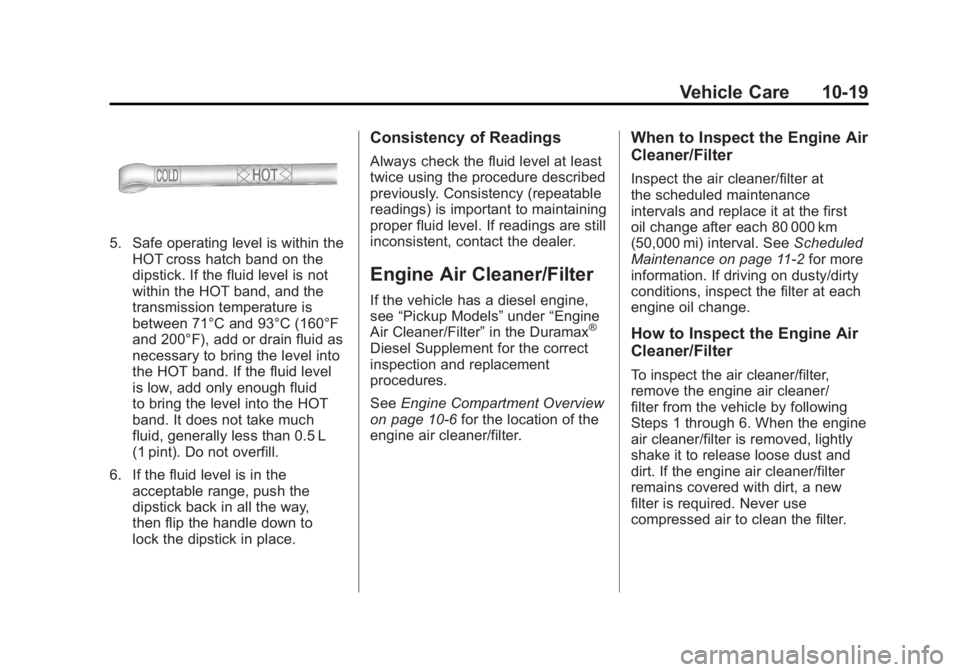
5. Safe operating level is within theHOT cross hatch band on the
dipstick. If the fluid level is not
within the HOT band, and the
transmission temperature is
between 71°C and 93°C (160°F
and 200°F), add or drain fluid as
necessary to bring the level into
the HOT band. If the fluid level
is low, add only enough fluid
to bring the level into the HOT
band. It does not take much
fluid, generally less than 0.5 L
(1 pint). Do not overfill.
6. If the fluid level is in the acceptable range, push the
dipstick back in all the way,
then flip the handle down to
lock the dipstick in place.
Consistency of Readings
Always check the fluid level at least
twice using the procedure described
previously. Consistency (repeatable
readings) is important to maintaining
proper fluid level. If readings are still
inconsistent, contact the dealer.
Engine Air Cleaner/Filter
If the vehicle has a diesel engine,
see “Pickup Models” under“Engine
Air Cleaner/Filter” in the Duramax
®
Diesel Supplement for the correct
inspection and replacement
procedures.
SeeEngine Compartment Overview
on page 10‑6 for the location of the
engine air cleaner/filter.
When to Inspect the Engine Air
Cleaner/Filter
Inspect the air cleaner/filter at
the scheduled maintenance
intervals and replace it at the first
oil change after each 80 000 km
(50,000 mi) interval. See Scheduled
Maintenance on page 11‑2 for more
information. If driving on dusty/dirty
conditions, inspect the filter at each
engine oil change.
How to Inspect the Engine Air
Cleaner/Filter
To inspect the air cleaner/filter,
remove the engine air cleaner/
filter from the vehicle by following
Steps 1 through 6. When the engine
air cleaner/filter is removed, lightly
shake it to release loose dust and
dirt. If the engine air cleaner/filter
remains covered with dirt, a new
filter is required. Never use
compressed air to clean the filter.
Page 456 of 594
Black plate (32,1)GMC Sierra Owner Manual - 2011
10-32 Vehicle Care
Brake Fluid
The brake master cylinder reservoir
is filled with DOT 3 brake fluid.
SeeEngine Compartment Overview
on page 10‑6 for the location of the
reservoir.
There are only two reasons why
the brake fluid level in the reservoir
might go down:
.The brake fluid level goes down
because of normal brake lining
wear. When new linings are
installed, the fluid level goes
back up.
.A fluid leak in the brake
hydraulic system can also
cause a low fluid level. Have
the brake hydraulic system fixed,
since a leak means that sooner
or later the brakes will not
work well.
Do not top off the brake fluid.
Adding fluid does not correct a
leak. If fluid is added when the
linings are worn, there will be too
much fluid when new brake linings
are installed. Add or remove brake
fluid, as necessary, only when work
is done on the brake hydraulic
system.
{WARNING
If too much brake fluid is added,
it can spill on the engine and
burn, if the engine is hot enough.
You or others could be burned, (Continued)
WARNING (Continued)
and the vehicle could be
damaged. Add brake fluid only
when work is done on the brake
hydraulic system. See “Checking
Brake Fluid” in this section.
When the brake fluid falls to a low
level, the brake warning light comes
on. See Brake System Warning
Light on page 5‑27.
Refer to the Maintenance Schedule
to determine when to check the
brake fluid. See Scheduled
Maintenance on page 11‑2.
Page 524 of 594
Black plate (100,1)GMC Sierra Owner Manual - 2011
10-100 Vehicle Care
For more information on
the location of the remote
positive (+) and remote
negative (−) terminals,
seeEngine Compartment
Overview on page 10‑6
{WARNING
An electric fan can start up even
when the engine is not running
and can injure you. Keep hands,
clothing and tools away from any
underhood electric fan.
{WARNING
Using an open flame near a
battery can cause battery gas to
explode. People have been hurt
doing this, and some have been
blinded. Use a flashlight if you
need more light.
(Continued)
WARNING (Continued)
Be sure the battery has enough
water. You do not need to add
water to the battery installed in
your new vehicle. But if a battery
has filler caps, be sure the right
amount of fluid is there. If it is low,
add water to take care of that
first. If you do not, explosive
gas could be present.
Battery fluid contains acid that
can burn you. Do not get it on
you. If you accidentally get it in
your eyes or on your skin, flush
the place with water and get
medical help immediately.
{WARNING
Fans or other moving engine
parts can injure you badly. Keep
your hands away from moving
parts once the engine is running. 6. Check that the jumper cables
do not have loose or missing
insulation. If they do, you could
get a shock. The vehicles could
be damaged too.
Before you connect the cables,
here are some basic things you
should know. Positive (+) will go
to positive (+) or to a remote
positive (+) terminal if the vehicle
has one. Negative (−) will go to a
heavy, unpainted metal engine
part or to a remote negative (−)
terminal if the vehicle has one.
Do not connect positive (+) to
negative (−) or you will get a
short that would damage the
battery and maybe other parts
too. And do not connect the
negative (−) cable to the
negative (−) terminal on the
dead battery because this
can cause sparks.
Page 581 of 594
Black plate (1,1)GMC Sierra Owner Manual - 2011
INDEX i-1
A
Accessories andModifications . . . . . . . . . . . . . . . . . 10-3
Accessory Power . . . . . . . . . . . . . . 9-40
Active Fuel Management
®. . . . . 9-44
Add-On Electrical Equipment . . . . . . . . . . . . . . . . . . 9-125
Adding a Snow Plow or Similar Equipment . . . . . . . . . . . 9-125
Adjustable Throttle and Brake Pedal . . . . . . . . . . . . . . . . . . 9-35
Adjustments Lumbar, Front Seats . . . . . . . . . . . 3-6
Air Cleaner/Filter, Engine . . . . . 10-19
Air Vents . . . . . . . . . . . . . . . . . . . . . . 8-11
Airbag Light On-Off . . . . . . . . . . . . . . . . . . 5-21
Airbag System Check . . . . . . . . . . . . . . . . . . . . . . . . 3-48
How Does an AirbagRestrain? . . . . . . . . . . . . . . . . . . . 3-35
Passenger Sensing System . . . . . . . . . . . . . . . . . . . . . . 3-40
What Makes an Airbag Inflate? . . . . . . . . . . . . . . . . . . . . . . 3-34 Airbag System (cont.)
What Will You See After
an Airbag Inflates? . . . . . . . . . . 3-35
When Should an Airbag
Inflate? . . . . . . . . . . . . . . . . . . . . . . 3-32
Where Are the Airbags? . . . . . . 3-31
Airbags Adding Equipment to theVehicle . . . . . . . . . . . . . . . . . . . . . . 3-46
On-Off Light . . . . . . . . . . . . . . . . . . 5-21
On-Off Switch . . . . . . . . . . . . . . . . 3-37
Passenger Status Indicator . . . 5-23
Readiness Light . . . . . . . . . . . . . . 5-20
Servicing Airbag-Equipped Vehicles . . . . . . . . . . . . . . . . . . . . . 3-46
System Check . . . . . . . . . . . . . . . . 3-29
Alarm System Anti-Theft . . . . . . . . . . . . . . . . . . . . . 2-12
AM-FM Radio . . . . . . . . . . . . . . . . . . . 7-8
Antenna Satellite Radio . . . . . . . . . . . . . . . . 7-15
Anti-Theft Alarm System . . . . . . . . . . . . . . . . 2-12
Alarm System Messages . . . . . 5-48 Antilock Brake
System (ABS) . . . . . . . . . . . . . . . . 9-68
Warning Light . . . . . . . . . . . . . . . . . 5-28
Appearance Care Exterior . . . . . . . . . . . . . . . . . . . . 10-108
Interior . . . . . . . . . . . . . . . . . . . . . 10-112
Armrest Storage . . . . . . . . . . . . . . . . 4-1
Ashtrays . . . . . . . . . . . . . . . . . . . . . . . 5-12
Assistance Program,
Roadside . . . . . . . . . . . . . . 13-8, 13-10
Audio Players . . . . . . . . . . . . . . . . . 7-15
CD . . . . . . . . . . . . . . . . . . . . . . . . . . . 7-15
CD/DVD . . . . . . . . . . . . . . . . . . . . . . 7-22
Audio System Fixed Mast Antenna . . . . . . . . . . 7-15
Radio Reception . . . . . . . . . . . . . . 7-14
Rear Seat (RSA) . . . . . . . . . . . . . 7-48
Theft-Deterrent Feature . . . . . . . . 7-2
Automatic Door Locks . . . . . . . . . . . . . . . . . . . . 2-9
Headlamp System . . . . . . . . . . . . . 6-4
Automatic Transmission . . . . . . . 9-46 Fluid . . . . . . . . . . . . . . . . . 10-13, 10-16
Manual Mode . . . . . . . . . . . . . . . . . 9-50
Shift Lock ControlFunction Check . . . . . . . . . . . 10-40