Console GMC SIERRA 2021 User Guide
[x] Cancel search | Manufacturer: GMC, Model Year: 2021, Model line: SIERRA, Model: GMC SIERRA 2021Pages: 461, PDF Size: 11.84 MB
Page 137 of 461
GMC Sierra/Sierra Denali 1500 Owner Manual (GMNA-Localizing-U.S./
Canada/Mexico-14632426) - 2021 - CRC - 11/5/20
136 Instruments and Controls
Bed View Camera Lighting
This feature specifies if the truck bed rail
lights are turned on when the Bed View
Camera is active. SeeAssistance Systems for
Parking or Backing 0266.
Touch Off or On.
Teen Driver
See “Teen Driver” underSettings 0186.
Valet Mode
This will lock the infotainment system and
steering wheel controls. It may also limit
access to vehicle storage locations,
if equipped.
To enable valet mode:
1. Enter a four-digit code on the keypad.
2. Select Enter to go to the confirmation screen.
3. Re-enter the four-digit code.
Touch Lock or Unlock to lock or unlock the
system. Touch Back to go back to the
previous menu.
Universal Remote System
See Radio Frequency Statement 0436.
Universal Remote System
Programming
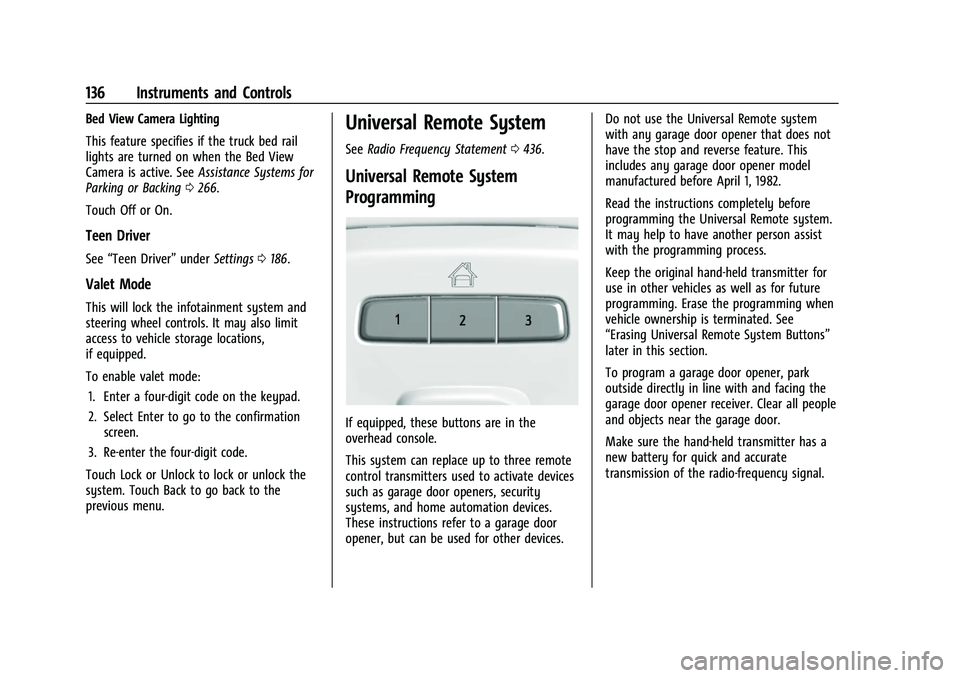
If equipped, these buttons are in the
overhead console.
This system can replace up to three remote
control transmitters used to activate devices
such as garage door openers, security
systems, and home automation devices.
These instructions refer to a garage door
opener, but can be used for other devices. Do not use the Universal Remote system
with any garage door opener that does not
have the stop and reverse feature. This
includes any garage door opener model
manufactured before April 1, 1982.
Read the instructions completely before
programming the Universal Remote system.
It may help to have another person assist
with the programming process.
Keep the original hand-held transmitter for
use in other vehicles as well as for future
programming. Erase the programming when
vehicle ownership is terminated. See
“Erasing Universal Remote System Buttons”
later in this section.
To program a garage door opener, park
outside directly in line with and facing the
garage door opener receiver. Clear all people
and objects near the garage door.
Make sure the hand-held transmitter has a
new battery for quick and accurate
transmission of the radio-frequency signal.
Page 146 of 461
GMC Sierra/Sierra Denali 1500 Owner Manual (GMNA-Localizing-U.S./
Canada/Mexico-14632426) - 2021 - CRC - 11/6/20
Lighting 145
If the vehicle is in P (Park), R (Reverse),
or N (Neutral) the Cargo Lamp Switch causes
the lights to cycle through the following
states for each button press:
- Initial Press:
- CHMSL/Cargo Bed Lights - On
- Cargo Mirror Lights - On
- Cargo Switch Indicator (if equipped) - On
- Next Press: (if with in 5 seconds of the
previous button press):
- CHMSL/Cargo Bed Lights - On
- Cargo Mirror Lights - Off
- Cargo Switch Indicator (if equipped) - On
- Next Press:
- CHMSL/Cargo Bed Lights - Off
- Cargo Mirror Lights - Off
- Cargo Switch Indicator (if equipped) - Off
Become familiar with and follow all state
and local laws that apply to cargo lamp
operation.Interior Lighting
Instrument Panel Illumination
Control
This feature adjusts the brightness of all
illuminated controls. The instrument panel
illumination control is next to the exterior
lamp control.
D:PressD+ to brighten orD− to
dim the lights.
This feature is functional at night, or when
the headlamps or parking lamps are ON.
Dome Lamps
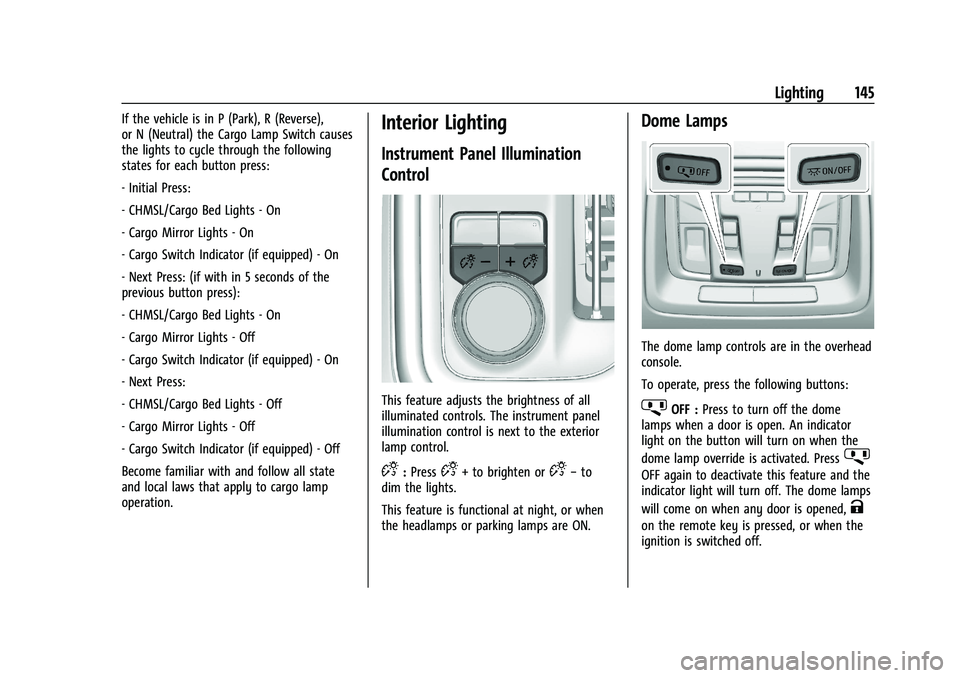
The dome lamp controls are in the overhead
console.
To operate, press the following buttons:
jOFF : Press to turn off the dome
lamps when a door is open. An indicator
light on the button will turn on when the
dome lamp override is activated. Press
j
OFF again to deactivate this feature and the
indicator light will turn off. The dome lamps
will come on when any door is opened,
K
on the remote key is pressed, or when the
ignition is switched off.
Page 147 of 461

GMC Sierra/Sierra Denali 1500 Owner Manual (GMNA-Localizing-U.S./
Canada/Mexico-14632426) - 2021 - CRC - 11/6/20
146 Lighting
+ON/OFF :Press to turn the dome lamps
on manually. Press again to turn the dome
lamps off.
Reading Lamps
There are reading lamps on the overhead
console and over the rear seats. These lamps
come on when any door is opened.
To operate, the ignition must be on, or in
ACC/ACCESSORY, or using Retained Accessory
Power (RAP).
Front Reading Lamps
The front reading lamps are in the overhead
console. Press the lamp lenses to turn the front
reading lamps on or off.
Rear Reading Lamps
The rear reading lamps are over the rear
seats.
Press the lamp lens to turn the rear reading
lamps on or off.
Lighting Features
Entry Lighting
Some exterior lamps turn on briefly at
night, or in areas with limited lighting,
when
Kis pressed on the remote key. After
about 30 seconds the exterior lamps turn
off. When any door is opened or the remote
unlock is pressed, all interior lights turn on
and then interior lamps dim to off after
20 seconds. The entry lighting feature for exterior
lighting can be changed. See
“Vehicle
Locator Lights” underVehicle Personalization
0 131.
Exit Lighting
Some exterior lamps come on at night, or in
areas with limited lighting, when the driver
door is opened after the ignition is turned
off. The dome lamp comes on when any
door is opened or after the ignition is
turned off. The exterior lamps and dome
lamp remain on after the door is closed for
a set amount of time, then automatically
turn off.
The exterior lamps turn off immediately by
turning the exterior lamp control off.
The exit lighting for exterior lights can be
changed. See Vehicle Personalization 0131.
Battery Load Management
The vehicle has Electric Power Management
(EPM), which estimates the battery's
temperature and state of charge. It then
adjusts the voltage for best performance
and extended life of the battery.
Page 159 of 461
GMC Sierra/Sierra Denali 1500 Owner Manual (GMNA-Localizing-U.S./
Canada/Mexico-14632426) - 2021 - CRC - 11/5/20
158 Infotainment System
by model and require a complete working
electrical system, cell reception, and GPS
signal. An active connected plan is required.
Reference the SiriusXM user guide for use
and subscription information.
Radio Reception
Unplug electronic devices from the accessory
power outlets if there is interference or
static in the radio.
FM
FM signals only reach about 16 to 65 km (10
to 40 mi). Although the radio has a built-in
electronic circuit that automatically works to
reduce interference, some static can occur,
especially around tall buildings or hills,
causing the sound to fade in and out.
AM
The range for most AM stations is greater
than for FM, especially at night. The longer
range can cause station frequencies to
interfere with each other. Static can also
occur when things like storms and power
lines interfere with radio reception. When
this happens, try reducing the treble on the
radio.
SiriusXM Satellite Radio Service
If equipped, SiriusXM Satellite Radio Service
provides digital radio reception. Tall
buildings or hills can interfere with satellite
radio signals, causing the sound to fade in
and out. In addition, traveling or standing
under heavy foliage, bridges, garages,
or tunnels may cause loss of the SiriusXM
signal for a period of time. Some cellular
services may interfere with SXM reception
causing loss of signal.
Mobile Device Usage
Mobile device usage, such as making or
receiving calls, charging, or just having the
mobile device on may cause static
interference in the radio. Unplug the mobile
device or turn it off if this happens.
Fixed Mast Antenna
The fixed mast antenna will go through
most car washes as long as it is securely
attached. If the antenna becomes slightly
bent, straighten it out by hand. If it is badly
bent, replace it.
Occasionally check that the antenna is tight
at the base. If tightening is required, protect
the paint from damage.
Multi-Band Antenna
The roof antenna is for SiriusXM Satellite
Radio, OnStar, and GPS (Global Positioning
System), depending on the equipped
options. Keep clear of obstructions for clear
reception. If the vehicle has a sunroof, and it
is open, reception can also be affected.
Audio Players
Avoiding Untrusted Media Devices
When using media devices such as SD cards,
USB devices, and mobile devices, consider
the source. Untrusted media devices could
contain files that affect system operation or
performance. Avoid use if the content or
origin cannot be trusted.
USB Port
This vehicle is equipped with two USB ports
in the center console under the armrest and
another two in the center stack. These ports
are for data and charging.
There may also be two USB ports for
charging only at the rear of the center
console.
Page 162 of 461

GMC Sierra/Sierra Denali 1500 Owner Manual (GMNA-Localizing-U.S./
Canada/Mexico-14632426) - 2021 - CRC - 11/5/20
Infotainment System 161
When a list of songs, albums, artists,
or other types of media display, a vertical
keyboard appears on one side of the list and
a scroll bar on the other side. When using
the vertical keyboard, touch the beginning
character of the desired name to display the
zoom bubble of that character. Release the
finger from the infotainment display and
the zoom bubble disappears.
Touch the scroll bar to move the list up
and down.
File System and Naming
The songs, artists, albums, and genres are
taken from the file’s song information and
are only displayed if present. The radio
displays the file name as the track name if
the song information is not available.Supported Apple Devices
To view supported devices in USA, see
my.gmc.com\learned.
Loss of Audio
If a phone currently paired over Bluetooth is
plugged in with a USB cable, the system will
automatically mute the phone audio.
Playback can be resumed by changing the
audio source from Bluetooth to USB cable.
Source USB from the Media icon on the
infotainment display to resume playback.
Other phones such as Android phones may
have a similar reaction.
Bluetooth Streaming Audio and Voice
Recognition
See
Bluetooth Audio 0162 for information
using voice recognition with Bluetooth
streaming audio.
Make sure all devices have the latest
software downloaded.
Auxiliary Jack
If equipped, this vehicle may have an
auxiliary input jack. This may be located in
the center stack or center console under the
armrest. Possible auxiliary audio sources
include:
.Laptop computer
.Audio music player
This jack is not an audio output. Do not
plug headphones into the auxiliary input
jack. Set up an auxiliary device while the
vehicle is in P (Park).
Connect a 3.5 mm (1/8 in) cable from the
auxiliary device to the auxiliary input jack.
When a device is connected, the system can
play audio from the device over the vehicle
speakers.
If an auxiliary device has already been
connected, but a different source is currently
active, press MEDIA on the center stack or
touch the Media icon on the infotainment
display to scroll through audio source
menus, until the AUX Input source appears.
Playing from the AUX Port
An auxiliary device is played through the
audio system and controlled through the
device itself.
Page 451 of 461
GMC Sierra/Sierra Denali 1500 Owner Manual (GMNA-Localizing-U.S./Cana-
da/Mexico-14632426) - 2021 - CRC - 11/5/20
450 Index
Caution, Danger, and Warning . . . . . . . . . . . . . .2
Center Console Storage . . . . . . . . . . . . . . . . . . . 96
Center High-Mounted Stoplamp(CHMSL) and Cargo Lamp . . . . . . . . . . . . . . 352
Center Seat . . . . . . . . . . . . . . . . . . . . . . . . . . . . . . . 47
Chains, Tire . . . . . . . . . . . . . . . . . . . . . . . . . . . . . . 379
Charging Wireless . . . . . . . . . . . . . . . . . . . . . . . . . . . . . . . 103
Charging System Light . . . . . . . . . . . . . . . . . . . . 115
Check Engine Light (Malfunction Indicator) . . . . 115
Ignition Transmission Lock . . . . . . . . . . . . . 347
Child Restraints Infants and Young Children . . . . . . . . . . . . . 72
Lower Anchors and Tethers forChildren . . . . . . . . . . . . . . . . . . . . . . . . . . . . . . . 77
Older Children . . . . . . . . . . . . . . . . . . . . . . . . . . . 71
Securing . . . . . . . . . . . . . . . . . . . . . . . . . . . . 88, 92
Systems . . . . . . . . . . . . . . . . . . . . . . . . . . . . . . . . 74
Circuit Breakers . . . . . . . . . . . . . . . . . . . . . . . . . . 353
Cleaning Exterior Care . . . . . . . . . . . . . . . . . . . . . . . . . . . 398
Interior Care . . . . . . . . . . . . . . . . . . . . . . . . . . . 403
Climate Control Systems . . . . . . . . . . . . . . . . . 204 Air Conditioning . . . . . . . . . . . . . . . . . . . . . . . 204
Dual Automatic . . . . . . . . . . . . . . . . . . . . . . . . 206
Heating . . . . . . . . . . . . . . . . . . . . . . . . . . . . . . . . 204
Clock . . . . . . . . . . . . . . . . . . . . . . . . . . . . . . . . . . . . 102 Cluster, Instrument . . . . . . . . . . . . . . . . . . . . . . 106
Collision Damage Repair . . . . . . . . . . . . . . . . . 434
Compartments
Storage . . . . . . . . . . . . . . . . . . . . . . . . . . . . . . . . . 95
Compass . . . . . . . . . . . . . . . . . . . . . . . . . . . . . . . . . 102
Connected Services Connections . . . . . . . . . . . . . . . . . . . . . . . . . . . 446
Diagnostics . . . . . . . . . . . . . . . . . . . . . . . . . . . . 447
Navigation . . . . . . . . . . . . . . . . . . . . . . . . . . . . . 445
Connections Connected Services . . . . . . . . . . . . . . . . . . . . 446
Control Hill Descent . . . . . . . . . . . . . . . . . . . . . . . . . . . . 250
Traction and Electronic Stability . . . . . . . 248
Control Light Hill Descent . . . . . . . . . . . . . . . . . . . . . . . . . . . . . 119
Control of a Vehicle . . . . . . . . . . . . . . . . . . . . . . 213
Controls Steering Wheel . . . . . . . . . . . . . . . . . . . . . . . . . 151
Convex Mirrors . . . . . . . . . . . . . . . . . . . . . . . . . . . .33
Coolant Engine Temperature Gauge . . . . . . . . . . . . . 112
Engine Temperature Warning Light . . . . . 121
Cooling . . . . . . . . . . . . . . . . . . . . . . . . . . . . . 204, 206
Cooling System . . . . . . . . . . . . . . . . . . . . . . . . . . 335
Courtesy Transportation Program . . . . . . . . 433
Coverage Explanations . . . . . . . . . . . . . . . . . . . . 175
Cruise Control . . . . . . . . . . . . . . . . . . . . . . . . . . . 254 Cruise Control (cont'd)
Light . . . . . . . . . . . . . . . . . . . . . . . . . . . . . . . . . . . 123
Cruise Control, Adaptive . . . . . . . . . . . . . . . . . 256
Cupholders . . . . . . . . . . . . . . . . . . . . . . . . . . . . . . . 95
Customer Assistance . . . . . . . . . . . . . . . . . . . . . 430 Offices . . . . . . . . . . . . . . . . . . . . . . . . . . . . . . . . . 430
Text Telephone (TTY) Users . . . . . . . . . . . . 430
Customer Information Publications Ordering Information . . . . . 435
Customer Satisfaction Procedure . . . . . . . . . 428
Cybersecurity . . . . . . . . . . . . . . . . . . . . . . . . . . . . 438
D
Damage Repair, Collision . . . . . . . . . . . . . . . . . 434
Danger, Warning, and Caution . . . . . . . . . . . . . .2
Data Collection Infotainment System . . . . . . . . . . . . . . . . . . 439
OnStar . . . . . . . . . . . . . . . . . . . . . . . . . . . . . . . . . 439
Data Recorders, Event . . . . . . . . . . . . . . . . . . . 438
Database Coverage Explanations . . . . . . . . . . 175
Daytime Running Lamps (DRL) . . . . . . . . . . . . 141
Defensive Driving . . . . . . . . . . . . . . . . . . . . . . . . . 213
Delayed Locking . . . . . . . . . . . . . . . . . . . . . . . . . . .22
Destination . . . . . . . . . . . . . . . . . . . . . . . . . . . . . . 167
Diagnostics Connected Services . . . . . . . . . . . . . . . . . . . . 447
Differential, Limited-Slip . . . . . . . . . . . . . . . . . 254
Distracted Driving . . . . . . . . . . . . . . . . . . . . . . . . . 212
Page 453 of 461
GMC Sierra/Sierra Denali 1500 Owner Manual (GMNA-Localizing-U.S./Cana-
da/Mexico-14632426) - 2021 - CRC - 11/5/20
452 Index
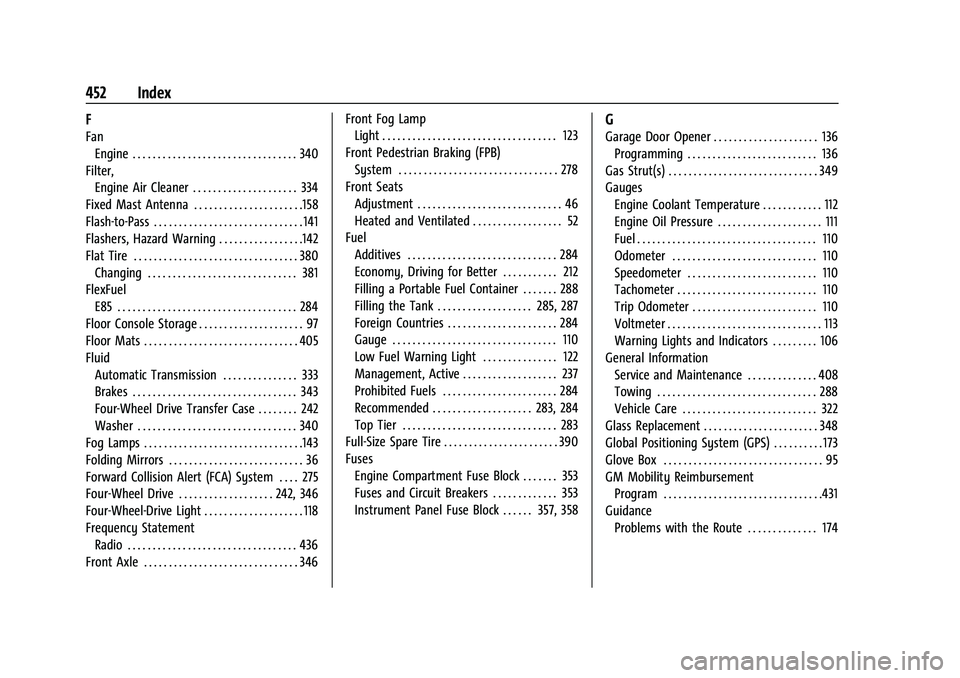
F
FanEngine . . . . . . . . . . . . . . . . . . . . . . . . . . . . . . . . . 340
Filter, Engine Air Cleaner . . . . . . . . . . . . . . . . . . . . . 334
Fixed Mast Antenna . . . . . . . . . . . . . . . . . . . . . .158
Flash-to-Pass . . . . . . . . . . . . . . . . . . . . . . . . . . . . . . 141
Flashers, Hazard Warning . . . . . . . . . . . . . . . . .142
Flat Tire . . . . . . . . . . . . . . . . . . . . . . . . . . . . . . . . . 380 Changing . . . . . . . . . . . . . . . . . . . . . . . . . . . . . . 381
FlexFuel E85 . . . . . . . . . . . . . . . . . . . . . . . . . . . . . . . . . . . . 284
Floor Console Storage . . . . . . . . . . . . . . . . . . . . . 97
Floor Mats . . . . . . . . . . . . . . . . . . . . . . . . . . . . . . . 405
Fluid Automatic Transmission . . . . . . . . . . . . . . . 333
Brakes . . . . . . . . . . . . . . . . . . . . . . . . . . . . . . . . . 343
Four-Wheel Drive Transfer Case . . . . . . . . 242
Washer . . . . . . . . . . . . . . . . . . . . . . . . . . . . . . . . 340
Fog Lamps . . . . . . . . . . . . . . . . . . . . . . . . . . . . . . . .143
Folding Mirrors . . . . . . . . . . . . . . . . . . . . . . . . . . . 36
Forward Collision Alert (FCA) System . . . . 275
Four-Wheel Drive . . . . . . . . . . . . . . . . . . . 242, 346
Four-Wheel-Drive Light . . . . . . . . . . . . . . . . . . . . 118
Frequency Statement Radio . . . . . . . . . . . . . . . . . . . . . . . . . . . . . . . . . . 436
Front Axle . . . . . . . . . . . . . . . . . . . . . . . . . . . . . . . 346 Front Fog Lamp
Light . . . . . . . . . . . . . . . . . . . . . . . . . . . . . . . . . . . 123
Front Pedestrian Braking (FPB) System . . . . . . . . . . . . . . . . . . . . . . . . . . . . . . . . 278
Front Seats Adjustment . . . . . . . . . . . . . . . . . . . . . . . . . . . . . 46
Heated and Ventilated . . . . . . . . . . . . . . . . . . 52
Fuel Additives . . . . . . . . . . . . . . . . . . . . . . . . . . . . . . 284
Economy, Driving for Better . . . . . . . . . . . 212
Filling a Portable Fuel Container . . . . . . . 288
Filling the Tank . . . . . . . . . . . . . . . . . . . 285, 287
Foreign Countries . . . . . . . . . . . . . . . . . . . . . . 284
Gauge . . . . . . . . . . . . . . . . . . . . . . . . . . . . . . . . . 110
Low Fuel Warning Light . . . . . . . . . . . . . . . 122
Management, Active . . . . . . . . . . . . . . . . . . . 237
Prohibited Fuels . . . . . . . . . . . . . . . . . . . . . . . 284
Recommended . . . . . . . . . . . . . . . . . . . . 283, 284
Top Tier . . . . . . . . . . . . . . . . . . . . . . . . . . . . . . . 283
Full-Size Spare Tire . . . . . . . . . . . . . . . . . . . . . . . 390
Fuses Engine Compartment Fuse Block . . . . . . . 353
Fuses and Circuit Breakers . . . . . . . . . . . . . 353
Instrument Panel Fuse Block . . . . . . 357, 358
G
Garage Door Opener . . . . . . . . . . . . . . . . . . . . . 136Programming . . . . . . . . . . . . . . . . . . . . . . . . . . 136
Gas Strut(s) . . . . . . . . . . . . . . . . . . . . . . . . . . . . . . 349
Gauges Engine Coolant Temperature . . . . . . . . . . . . 112
Engine Oil Pressure . . . . . . . . . . . . . . . . . . . . . 111
Fuel . . . . . . . . . . . . . . . . . . . . . . . . . . . . . . . . . . . . 110
Odometer . . . . . . . . . . . . . . . . . . . . . . . . . . . . . 110
Speedometer . . . . . . . . . . . . . . . . . . . . . . . . . . 110
Tachometer . . . . . . . . . . . . . . . . . . . . . . . . . . . . 110
Trip Odometer . . . . . . . . . . . . . . . . . . . . . . . . . 110
Voltmeter . . . . . . . . . . . . . . . . . . . . . . . . . . . . . . . 113
Warning Lights and Indicators . . . . . . . . . 106
General Information Service and Maintenance . . . . . . . . . . . . . . 408
Towing . . . . . . . . . . . . . . . . . . . . . . . . . . . . . . . . 288
Vehicle Care . . . . . . . . . . . . . . . . . . . . . . . . . . . 322
Glass Replacement . . . . . . . . . . . . . . . . . . . . . . . 348
Global Positioning System (GPS) . . . . . . . . . . 173
Glove Box . . . . . . . . . . . . . . . . . . . . . . . . . . . . . . . . 95
GM Mobility Reimbursement
Program . . . . . . . . . . . . . . . . . . . . . . . . . . . . . . . .431
Guidance
Problems with the Route . . . . . . . . . . . . . . 174
Page 458 of 461
GMC Sierra/Sierra Denali 1500 Owner Manual (GMNA-Localizing-U.S./Cana-
da/Mexico-14632426) - 2021 - CRC - 11/5/20
Index 457
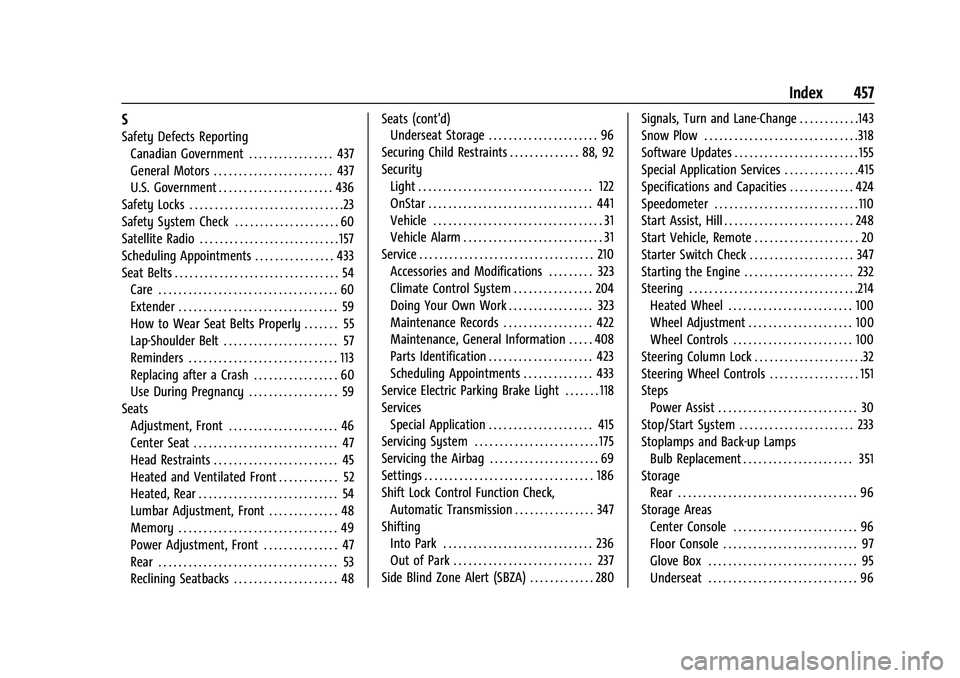
S
Safety Defects ReportingCanadian Government . . . . . . . . . . . . . . . . . 437
General Motors . . . . . . . . . . . . . . . . . . . . . . . . 437
U.S. Government . . . . . . . . . . . . . . . . . . . . . . . 436
Safety Locks . . . . . . . . . . . . . . . . . . . . . . . . . . . . . . .23
Safety System Check . . . . . . . . . . . . . . . . . . . . . 60
Satellite Radio . . . . . . . . . . . . . . . . . . . . . . . . . . . . 157
Scheduling Appointments . . . . . . . . . . . . . . . . 433
Seat Belts . . . . . . . . . . . . . . . . . . . . . . . . . . . . . . . . . 54 Care . . . . . . . . . . . . . . . . . . . . . . . . . . . . . . . . . . . . 60
Extender . . . . . . . . . . . . . . . . . . . . . . . . . . . . . . . . 59
How to Wear Seat Belts Properly . . . . . . . 55
Lap-Shoulder Belt . . . . . . . . . . . . . . . . . . . . . . . 57
Reminders . . . . . . . . . . . . . . . . . . . . . . . . . . . . . . 113
Replacing after a Crash . . . . . . . . . . . . . . . . . 60
Use During Pregnancy . . . . . . . . . . . . . . . . . . 59
Seats Adjustment, Front . . . . . . . . . . . . . . . . . . . . . . 46
Center Seat . . . . . . . . . . . . . . . . . . . . . . . . . . . . . 47
Head Restraints . . . . . . . . . . . . . . . . . . . . . . . . . 45
Heated and Ventilated Front . . . . . . . . . . . . 52
Heated, Rear . . . . . . . . . . . . . . . . . . . . . . . . . . . . 54
Lumbar Adjustment, Front . . . . . . . . . . . . . . 48
Memory . . . . . . . . . . . . . . . . . . . . . . . . . . . . . . . . 49
Power Adjustment, Front . . . . . . . . . . . . . . . 47
Rear . . . . . . . . . . . . . . . . . . . . . . . . . . . . . . . . . . . . 53
Reclining Seatbacks . . . . . . . . . . . . . . . . . . . . . 48 Seats (cont'd)
Underseat Storage . . . . . . . . . . . . . . . . . . . . . . 96
Securing Child Restraints . . . . . . . . . . . . . . 88, 92
Security Light . . . . . . . . . . . . . . . . . . . . . . . . . . . . . . . . . . . 122
OnStar . . . . . . . . . . . . . . . . . . . . . . . . . . . . . . . . . 441
Vehicle . . . . . . . . . . . . . . . . . . . . . . . . . . . . . . . . . . 31
Vehicle Alarm . . . . . . . . . . . . . . . . . . . . . . . . . . . . 31
Service . . . . . . . . . . . . . . . . . . . . . . . . . . . . . . . . . . . 210 Accessories and Modifications . . . . . . . . . 323
Climate Control System . . . . . . . . . . . . . . . . 204
Doing Your Own Work . . . . . . . . . . . . . . . . . 323
Maintenance Records . . . . . . . . . . . . . . . . . . 422
Maintenance, General Information . . . . . 408
Parts Identification . . . . . . . . . . . . . . . . . . . . . 423
Scheduling Appointments . . . . . . . . . . . . . . 433
Service Electric Parking Brake Light . . . . . . . 118
Services Special Application . . . . . . . . . . . . . . . . . . . . . 415
Servicing System . . . . . . . . . . . . . . . . . . . . . . . . . 175
Servicing the Airbag . . . . . . . . . . . . . . . . . . . . . . 69
Settings . . . . . . . . . . . . . . . . . . . . . . . . . . . . . . . . . . 186
Shift Lock Control Function Check, Automatic Transmission . . . . . . . . . . . . . . . . 347
Shifting Into Park . . . . . . . . . . . . . . . . . . . . . . . . . . . . . . 236
Out of Park . . . . . . . . . . . . . . . . . . . . . . . . . . . . 237
Side Blind Zone Alert (SBZA) . . . . . . . . . . . . . 280 Signals, Turn and Lane-Change . . . . . . . . . . . .143
Snow Plow . . . . . . . . . . . . . . . . . . . . . . . . . . . . . . .318
Software Updates . . . . . . . . . . . . . . . . . . . . . . . . . 155
Special Application Services . . . . . . . . . . . . . . .415
Specifications and Capacities . . . . . . . . . . . . . 424
Speedometer . . . . . . . . . . . . . . . . . . . . . . . . . . . . .110
Start Assist, Hill . . . . . . . . . . . . . . . . . . . . . . . . . . 248
Start Vehicle, Remote . . . . . . . . . . . . . . . . . . . . . 20
Starter Switch Check . . . . . . . . . . . . . . . . . . . . . 347
Starting the Engine . . . . . . . . . . . . . . . . . . . . . . 232
Steering . . . . . . . . . . . . . . . . . . . . . . . . . . . . . . . . . .214
Heated Wheel . . . . . . . . . . . . . . . . . . . . . . . . . 100
Wheel Adjustment . . . . . . . . . . . . . . . . . . . . . 100
Wheel Controls . . . . . . . . . . . . . . . . . . . . . . . . 100
Steering Column Lock . . . . . . . . . . . . . . . . . . . . . .32
Steering Wheel Controls . . . . . . . . . . . . . . . . . . 151
Steps Power Assist . . . . . . . . . . . . . . . . . . . . . . . . . . . . 30
Stop/Start System . . . . . . . . . . . . . . . . . . . . . . . 233
Stoplamps and Back-up Lamps Bulb Replacement . . . . . . . . . . . . . . . . . . . . . . 351
Storage Rear . . . . . . . . . . . . . . . . . . . . . . . . . . . . . . . . . . . . 96
Storage Areas Center Console . . . . . . . . . . . . . . . . . . . . . . . . . 96
Floor Console . . . . . . . . . . . . . . . . . . . . . . . . . . . 97
Glove Box . . . . . . . . . . . . . . . . . . . . . . . . . . . . . . 95
Underseat . . . . . . . . . . . . . . . . . . . . . . . . . . . . . . 96