radio settings GMC SIERRA 2021 User Guide
[x] Cancel search | Manufacturer: GMC, Model Year: 2021, Model line: SIERRA, Model: GMC SIERRA 2021Pages: 461, PDF Size: 11.84 MB
Page 213 of 461
GMC Sierra/Sierra Denali 1500 Owner Manual (GMNA-Localizing-U.S./
Canada/Mexico-14632426) - 2021 - CRC - 11/5/20
212 Driving and Operating
Filling a Portable Fuel Container . . . . . . . 288
Trailer Towing
General Towing Information . . . . . . . . . . 288
Driving Characteristics andTowing Tips . . . . . . . . . . . . . . . . . . . . . . . . . 288
Trailer Towing . . . . . . . . . . . . . . . . . . . . . . . . . 293
Towing Equipment . . . . . . . . . . . . . . . . . . . . 296
Trailer Sway Control (TSC) . . . . . . . . . . . . 306
Trailering App . . . . . . . . . . . . . . . . . . . . . . . . . 307
Conversions and Add-Ons
Add-On Electrical Equipment . . . . . . . . . . . 318
Adding a Snow Plow or Similar Equipment . . . . . . . . . . . . . . . . . . . . . . . . . . . 318
Pickup Conversion to Chassis Cab . . . . . 320
Driving Information
Driving for Better Fuel Economy
Driving habits can affect fuel mileage. Here
are some driving tips to get the best fuel
economy possible:
.Set the climate controls to the desired
temperature after the engine is started,
or turn them off when not required.
.Avoid fast starts and accelerate smoothly.
.Brake gradually and avoid abrupt stops.
.Avoid idling the engine for long periods
of time.
.When road and weather conditions are
appropriate, use cruise control.
.Always follow posted speed limits or
drive more slowly when conditions
require.
.Keep vehicle tires properly inflated.
.Combine several trips into a single trip.
.Replace the vehicle's tires with the same
TPC Spec number molded into the tire's
sidewall near the size.
.Follow recommended scheduled
maintenance.
Distracted Driving
Distraction comes in many forms and can
take your focus from the task of driving.
Exercise good judgment and do not let other
activities divert your attention away from
the road. Many local governments have
enacted laws regarding driver distraction.
Become familiar with the local laws in
your area.
To avoid distracted driving, keep your eyes
on the road, keep your hands on the
steering wheel, and focus your attention on
driving.
.Do not use a phone in demanding driving
situations. Use a hands-free method to
place or receive necessary phone calls.
.Watch the road. Do not read, take notes,
or look up information on phones or
other electronic devices.
.Designate a front seat passenger to
handle potential distractions.
.Become familiar with vehicle features
before driving, such as programming
favorite radio stations and adjusting
climate control and seat settings. Program
all trip information into any navigation
device prior to driving.
Page 438 of 461
GMC Sierra/Sierra Denali 1500 Owner Manual (GMNA-Localizing-U.S./
Canada/Mexico-14632426) - 2021 - CRC - 11/5/20
Customer Information 437
Administrator, NHTSA
1200 New Jersey Avenue, S.E.
Washington, D.C. 20590
You can also obtain other information
about motor vehicle safety from
http://www.safercar.gov
.
Reporting Safety Defects to the
Canadian Government
If you live in Canada, and you believe
that the vehicle has a safety defect,
notify Transport Canada immediately,
and notify General Motors of Canada
Company. Call Transport Canada at
1-800-333-0510; go to:
www.tc.gc.ca/recalls (English)
www.tc.gc.ca/rappels (French)
or write to:
Transport Canada
Motor Vehicle Safety Directorate
Defect Investigations and Recalls
Division
80 Noel Street
Gatineau
,QC J8Z 0A1
Reporting Safety Defects to
General Motors
In addition to notifying NHTSA (or Transport
Canada) in a situation like this, notify
General Motors.
In the U.S., call 1-800-462-8782, or write:
GMC Customer Assistance Center
P.O. Box 33172
Detroit, MI 48232-5172
In Canada, call 1-800-263-3777 (English) or
1-800-263-7854 (French), or write:
General Motors of Canada Company
Customer Care Centre, Mail Code:
CA1-163-005
1908 Colonel Sam Drive
Oshawa, Ontario L1H 8P7
In Mexico, call 800-466-0812 or
800-466-0801.
In other Central America and Caribbean
Countries, call 52-555-901-2369.
Vehicle Data Recording and
Privacy
The vehicle has a number of computers that
record information about the vehicle’s
performance and how it is driven or used.
For example, the vehicle uses computer
modules to monitor and control engine and
transmission performance, to monitor the
conditions for airbag deployment and
deploy them in a crash, and, if equipped, to
provide antilock braking to help the driver
control the vehicle. These modules may
store data to help the dealer technician
service the vehicle or to help GM improve
safety or features. Some modules may also
store data about how the vehicle is
operated, such as rate of fuel consumption
or average speed. These modules may retain
personal preferences, such as radio presets,
seat positions, and temperature settings.
Page 443 of 461
GMC Sierra/Sierra Denali 1500 Owner Manual (GMNA-Localizing-U.S./
Canada/Mexico-14632426) - 2021 - CRC - 11/5/20
442 OnStar
Reactivation for Subsequent Owners
PressQand follow the prompts to speak to
an Advisor as soon as possible. The Advisor
will update vehicle records and explain
OnStar or connected service options.
How OnStar Service Works
Automatic Crash Response, Emergency
Services, Crisis Assist, Stolen Vehicle
Assistance, Remote Services, and Roadside
Assistance are available on most vehicles.
Not all OnStar services are available
everywhere or on all vehicles. For more
information, a full description of OnStar
services, system limitations, and OnStar User
Terms, Privacy Statement, and Software
Terms:
.Call 1-888-4ONSTAR (1-888-466-7827).
.See www.onstar.com (U.S.).
.See www.onstar.ca (Canada).
.Call TTY 1-877-248-2080.
.PressQto speak with an Advisor.
OnStar or connected services cannot work
unless the vehicle is in a place where OnStar
has an agreement with a wireless service
provider for service in that area. The
wireless service provider must also have
coverage, network capacity, reception, and technology compatible with OnStar or
connected services. Service involving location
information about the vehicle cannot work
unless GPS signals are available,
unobstructed, and compatible with the
OnStar hardware. OnStar or connected
services may not work if the OnStar
equipment is not properly installed or it has
not been properly maintained. If equipment
or software is added, connected,
or modified, OnStar or connected services
may not work. Other problems beyond the
control of OnStar
—such as hills, tall
buildings, tunnels, weather, electrical system
design and architecture of the vehicle,
damage to the vehicle in a crash, or wireless
phone network congestion or jamming —
may prevent service.
See Radio Frequency Statement 0436.
Services for People with Disabilities
Advisors provide services to help with
physical disabilities and medical conditions.
Press
Qto help:
.Locate a gas station with an attendant to
pump gas.
.Find a hotel, restaurant, etc., that meets
accessibility needs.
.Provide directions to the closest hospital
or pharmacy in urgent situations.
TTY Users
OnStar has the ability to communicate to
deaf, hard-of-hearing, or speech-impaired
customers while in the vehicle. The available
dealer-installed TTY system can provide
in-vehicle access to all OnStar services,
except Virtual Advisor and OnStar
Turn-by-Turn Navigation.
If equipped, TTY mode can be turned on or
off by touching Settings, then Apps, and
then Phone. When TTY mode is on, phone
calls can be made or received with OnStar
using the infotainment display.
OnStar Personal Identification
Number (PIN)
A PIN is needed to access some OnStar
services. The PIN will need to be changed
the first time when speaking with an
Advisor. To change the OnStar PIN, contact
an OnStar Advisor by pressing
Qor calling
1-888-4ONSTAR.
Warranty
OnStar equipment may be warranted as part
of the vehicle warranty.
Page 444 of 461
GMC Sierra/Sierra Denali 1500 Owner Manual (GMNA-Localizing-U.S./
Canada/Mexico-14632426) - 2021 - CRC - 11/5/20
OnStar 443
Languages
The vehicle can be programmed to respond
in multiple languages. Press
Qand ask for
an Advisor. Advisors are available in English,
Spanish, and French. Available languages
may vary by country.
Potential Issues
OnStar cannot perform Remote Door Unlock
or Stolen Vehicle Assistance after the vehicle
has been off continuously for 10 days
without an ignition cycle. If the vehicle has
not been started for 10 days, OnStar can
contact Roadside Assistance or a locksmith
to help gain access to the vehicle.
Global Positioning System (GPS)
.Obstruction of the GPS can occur in a
large city with tall buildings; in parking
garages; around airports; in tunnels and
underpasses; or in an area with very
dense trees. If GPS signals are not
available, the OnStar system should still
operate to call OnStar. However, OnStar
could have difficulty identifying the exact
location.
.In emergency situations, OnStar can use
the last stored GPS location to send to
emergency responders. A temporary loss of GPS can cause loss of
the ability to send a Turn-by-Turn
Navigation route. The Advisor may give a
verbal route or may ask for a call back after
the vehicle is driven into an open area.
Cellular and GPS Antennas
Cellular reception is required for OnStar to
send remote signals to the vehicle. Do not
place items over or near the antenna to
prevent blocking cellular and GPS signal
reception.
Unable to Connect to OnStar Message
If there is limited cellular coverage or the
cellular network has reached maximum
capacity, this message may come on. Press
Qto try the call again or try again after
driving a few miles into another
cellular area.
Vehicle and Power Issues
OnStar services require a vehicle electrical
system, wireless service, and GPS satellite
technologies to be available and operating
for features to function properly. These
systems may not operate if the battery is
discharged or disconnected.
Add-on Electrical Equipment
The OnStar system is integrated into the
electrical architecture of the vehicle. Do not
add any electrical equipment. See Add-On
Electrical Equipment 0318. Added electrical
equipment may interfere with the operation
of the OnStar system and cause it to not
operate.
Vehicle Software Updates
OnStar or GM may remotely deliver
software updates or changes to the vehicle
without further notice or consent. These
updates or changes may enhance or
maintain safety, security, or the operation
of the vehicle or the vehicle systems.
Software updates or changes may affect or
erase data or settings that are stored in the
vehicle, such as saved navigation
destinations or pre-set radio stations.
Neither OnStar nor GM is responsible for
any affected or erased data or settings.
These updates or changes may also collect
personal information. Such collection is
described in the OnStar privacy statement or
separately disclosed at the time of
installation. These updates or changes may
also cause a system to automatically
communicate with GM servers to collect
information about vehicle system status,
Page 458 of 461
GMC Sierra/Sierra Denali 1500 Owner Manual (GMNA-Localizing-U.S./Cana-
da/Mexico-14632426) - 2021 - CRC - 11/5/20
Index 457
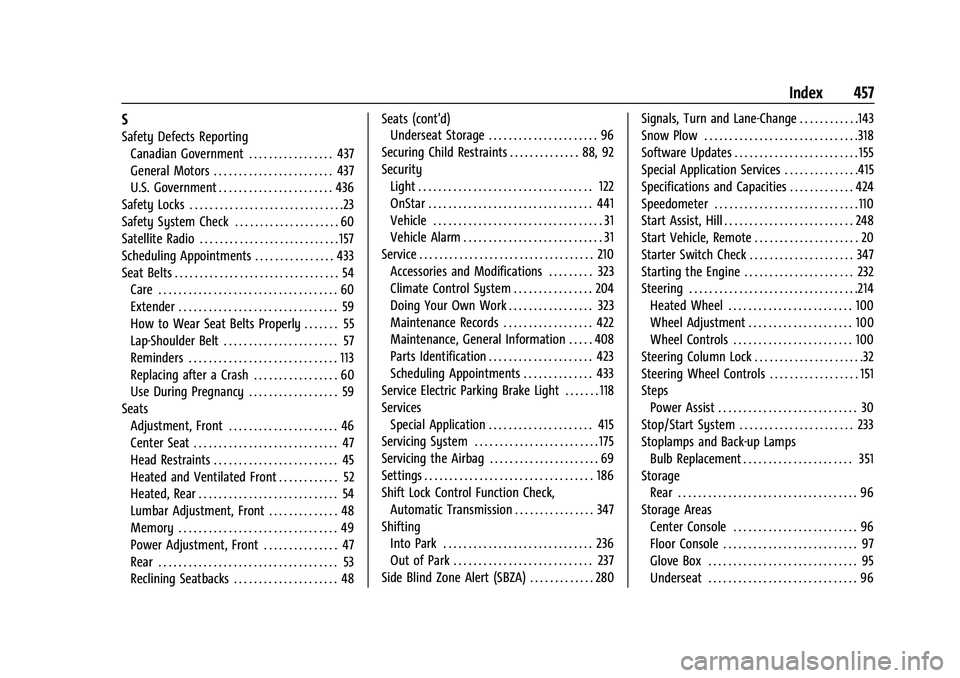
S
Safety Defects ReportingCanadian Government . . . . . . . . . . . . . . . . . 437
General Motors . . . . . . . . . . . . . . . . . . . . . . . . 437
U.S. Government . . . . . . . . . . . . . . . . . . . . . . . 436
Safety Locks . . . . . . . . . . . . . . . . . . . . . . . . . . . . . . .23
Safety System Check . . . . . . . . . . . . . . . . . . . . . 60
Satellite Radio . . . . . . . . . . . . . . . . . . . . . . . . . . . . 157
Scheduling Appointments . . . . . . . . . . . . . . . . 433
Seat Belts . . . . . . . . . . . . . . . . . . . . . . . . . . . . . . . . . 54 Care . . . . . . . . . . . . . . . . . . . . . . . . . . . . . . . . . . . . 60
Extender . . . . . . . . . . . . . . . . . . . . . . . . . . . . . . . . 59
How to Wear Seat Belts Properly . . . . . . . 55
Lap-Shoulder Belt . . . . . . . . . . . . . . . . . . . . . . . 57
Reminders . . . . . . . . . . . . . . . . . . . . . . . . . . . . . . 113
Replacing after a Crash . . . . . . . . . . . . . . . . . 60
Use During Pregnancy . . . . . . . . . . . . . . . . . . 59
Seats Adjustment, Front . . . . . . . . . . . . . . . . . . . . . . 46
Center Seat . . . . . . . . . . . . . . . . . . . . . . . . . . . . . 47
Head Restraints . . . . . . . . . . . . . . . . . . . . . . . . . 45
Heated and Ventilated Front . . . . . . . . . . . . 52
Heated, Rear . . . . . . . . . . . . . . . . . . . . . . . . . . . . 54
Lumbar Adjustment, Front . . . . . . . . . . . . . . 48
Memory . . . . . . . . . . . . . . . . . . . . . . . . . . . . . . . . 49
Power Adjustment, Front . . . . . . . . . . . . . . . 47
Rear . . . . . . . . . . . . . . . . . . . . . . . . . . . . . . . . . . . . 53
Reclining Seatbacks . . . . . . . . . . . . . . . . . . . . . 48 Seats (cont'd)
Underseat Storage . . . . . . . . . . . . . . . . . . . . . . 96
Securing Child Restraints . . . . . . . . . . . . . . 88, 92
Security Light . . . . . . . . . . . . . . . . . . . . . . . . . . . . . . . . . . . 122
OnStar . . . . . . . . . . . . . . . . . . . . . . . . . . . . . . . . . 441
Vehicle . . . . . . . . . . . . . . . . . . . . . . . . . . . . . . . . . . 31
Vehicle Alarm . . . . . . . . . . . . . . . . . . . . . . . . . . . . 31
Service . . . . . . . . . . . . . . . . . . . . . . . . . . . . . . . . . . . 210 Accessories and Modifications . . . . . . . . . 323
Climate Control System . . . . . . . . . . . . . . . . 204
Doing Your Own Work . . . . . . . . . . . . . . . . . 323
Maintenance Records . . . . . . . . . . . . . . . . . . 422
Maintenance, General Information . . . . . 408
Parts Identification . . . . . . . . . . . . . . . . . . . . . 423
Scheduling Appointments . . . . . . . . . . . . . . 433
Service Electric Parking Brake Light . . . . . . . 118
Services Special Application . . . . . . . . . . . . . . . . . . . . . 415
Servicing System . . . . . . . . . . . . . . . . . . . . . . . . . 175
Servicing the Airbag . . . . . . . . . . . . . . . . . . . . . . 69
Settings . . . . . . . . . . . . . . . . . . . . . . . . . . . . . . . . . . 186
Shift Lock Control Function Check, Automatic Transmission . . . . . . . . . . . . . . . . 347
Shifting Into Park . . . . . . . . . . . . . . . . . . . . . . . . . . . . . . 236
Out of Park . . . . . . . . . . . . . . . . . . . . . . . . . . . . 237
Side Blind Zone Alert (SBZA) . . . . . . . . . . . . . 280 Signals, Turn and Lane-Change . . . . . . . . . . . .143
Snow Plow . . . . . . . . . . . . . . . . . . . . . . . . . . . . . . .318
Software Updates . . . . . . . . . . . . . . . . . . . . . . . . . 155
Special Application Services . . . . . . . . . . . . . . .415
Specifications and Capacities . . . . . . . . . . . . . 424
Speedometer . . . . . . . . . . . . . . . . . . . . . . . . . . . . .110
Start Assist, Hill . . . . . . . . . . . . . . . . . . . . . . . . . . 248
Start Vehicle, Remote . . . . . . . . . . . . . . . . . . . . . 20
Starter Switch Check . . . . . . . . . . . . . . . . . . . . . 347
Starting the Engine . . . . . . . . . . . . . . . . . . . . . . 232
Steering . . . . . . . . . . . . . . . . . . . . . . . . . . . . . . . . . .214
Heated Wheel . . . . . . . . . . . . . . . . . . . . . . . . . 100
Wheel Adjustment . . . . . . . . . . . . . . . . . . . . . 100
Wheel Controls . . . . . . . . . . . . . . . . . . . . . . . . 100
Steering Column Lock . . . . . . . . . . . . . . . . . . . . . .32
Steering Wheel Controls . . . . . . . . . . . . . . . . . . 151
Steps Power Assist . . . . . . . . . . . . . . . . . . . . . . . . . . . . 30
Stop/Start System . . . . . . . . . . . . . . . . . . . . . . . 233
Stoplamps and Back-up Lamps Bulb Replacement . . . . . . . . . . . . . . . . . . . . . . 351
Storage Rear . . . . . . . . . . . . . . . . . . . . . . . . . . . . . . . . . . . . 96
Storage Areas Center Console . . . . . . . . . . . . . . . . . . . . . . . . . 96
Floor Console . . . . . . . . . . . . . . . . . . . . . . . . . . . 97
Glove Box . . . . . . . . . . . . . . . . . . . . . . . . . . . . . . 95
Underseat . . . . . . . . . . . . . . . . . . . . . . . . . . . . . . 96