MAP GMC SIERRA 2021 Owner's Guide
[x] Cancel search | Manufacturer: GMC, Model Year: 2021, Model line: SIERRA, Model: GMC SIERRA 2021Pages: 461, PDF Size: 11.84 MB
Page 200 of 461
GMC Sierra/Sierra Denali 1500 Owner Manual (GMNA-Localizing-U.S./
Canada/Mexico-14632426) - 2021 - CRC - 11/5/20
Infotainment System 199
(“VC-1 VIDEO”) AND/OR (ii) DECODE VC-1
VIDEO THAT WAS ENCODED BY A
CONSUMER ENGAGED IN A PERSONAL AND
NON-COMMERCIAL ACTIVITY AND/OR WAS
OBTAINED FROM A VIDEO PROVIDER
LICENSED TO PROVIDE VC-1 VIDEO. NO
LICENSE IS GRANTED OR SHALL BE IMPLIED
FOR ANY OTHER USE. ADDITIONAL
INFORMATION MAY BE OBTAINED
FROM MPEG LA, LLC. SEE
HTTP://WWW.MPEGLA.COM.
MPEG4–Visual
USE OF THIS PRODUCT IN ANY MANNER
THAT COMPLIES WITH THE MPEG-4 VISUAL
STANDARD IS PROHIBITED, EXCEPT FOR USE
BY A CONSUMER ENGAGING IN PERSONAL
AND NON-COMMERCIAL ACTIVITIES.
MP3
MPEG Layer-3 audio coding technology
licensed from Fraunhofer IIS and Thomson.
WMV/WMA
This product includes technology owned by
Microsoft Corporation and under a license
from Microsoft Licensing, GP. Use or
distribution of such technology outside of
this product is prohibited without a license
from Microsoft Corporation and/or Microsoft
Licensing, GP as applicable.Map End User License Agreement
END USER TERMS
The Map Data SD card (“Data”) is provided
for your personal, internal use only and not
for resale. It is protected by copyright, and
is subject to the following terms (this“End
User License Agreement”) and conditions
which are agreed to by you, on the one
hand, and HERE North America, LLC (“HERE”)
and its licensors (including their licensors
and suppliers) on the other hand.
The Data for areas of Canada includes
information taken with permission from
Canadian authorities, including: © Her
Majesty the Queen in Right of Canada, ©
Queen's Printer for Ontario, © Canada Post
Corporation, GeoBase
®.
HERE holds a nonexclusive license from the
United States Postal Service
®to publish and
sell ZIP+4®information.
© United States Postal Service 2013. Prices
are not established, controlled, or approved
by the United States Postal Service. The
following trademarks and registrations are
owned by the USPS: United States Postal
Service, USPS, and ZIP+4. TERMS AND CONDITIONS
Personal Use Only: You agree to use this
Data for the solely personal, noncommercial
purposes for which you were licensed, and
not for service bureau, timesharing or other
similar purposes. Except as otherwise set
forth herein, you agree not to otherwise
reproduce, copy, modify, decompile,
disassemble or reverse engineer any portion
of this Data, and may not transfer or
distribute it in any form, for any purpose,
except to the extent permitted by
mandatory laws. You may transfer the Data
and all accompanying materials on a
permanent basis if you retain no copies and
the recipient agrees to the terms of this End
User License Agreement. Multi-disc sets may
only be transferred or sold as a complete
set as provided to you and not as a subset
thereof.
Restrictions
Except where you have been specifically
licensed to do so by HERE and without
limiting the preceding paragraph, you may
not (a) use this Data with any products,
systems, or applications installed or
otherwise connected to or in communication
with vehicles capable of vehicle navigation,
positioning, dispatch, real time route
Page 253 of 461
GMC Sierra/Sierra Denali 1500 Owner Manual (GMNA-Localizing-U.S./
Canada/Mexico-14632426) - 2021 - CRC - 11/5/20
252 Driving and Operating
When you enter this mode, you will
immediately feel a down shift. In this mode
the vehicle also monitors driving behaviors
and automatically enables Performance Shift
Features when spirited driving is detected.
These features maintain lower transmission
gears to increase available engine braking
and improve acceleration response. The
vehicle will exit these features and return to
normal operation after a short period when
spirited driving is no longer detected. If the
vehicle has Magnetic Ride Control, the
suspension will change to provide better
cornering performance.
6Snow/Ice Mode :Snow/Ice Mode
improves vehicle acceleration on snow and
ice covered roads. When active, Snow/Ice
Mode will adjust acceleration to optimize
traction on slippery surfaces. This can
compromise the acceleration on dry asphalt.
This feature is not intended for use when
the vehicle is stuck in sand, mud, ice, snow,
or gravel. If the vehicle becomes stuck, see If
the Vehicle Is Stuck 0221.
7Off-Road Mode : Use this mode for
off-road recreational driving. Off-Road Mode
should be used to improve driving at
moderate speeds, on grass, gravel, dirt,
unpaved roads, or snow-covered roads. The accelerator pedal is tuned for off-road use.
This mode modifies pedal mapping,
All-Wheel Drive (AWD), ride height, Antilock
Brake System (ABS), StabiliTrak/Electronic
Stability Control (ESC), and Traction Control
System (TCS) performance.
For more information on off-road driving see
Off-Road Driving
0215.
_Tow/Haul Mode : Use this mode
when hauling heavy loads to provide
increased performance and vehicle control.
Tow/Haul Mode adjusts the transmission
shift pattern, AWD, and ESC performance.
If the vehicle is turned off with Tow/Haul
Mode active and then restarted within four
hours or less, Tow/Haul will remain active.
Otherwise, the vehicle will start in
Normal Mode.
If the vehicle has a diesel engine, exhaust
braking is automatically activated when
Tow/Haul Mode is selected. It maintains
vehicle speed by automatically
implementing a shift pattern that uses the
engine and the transmission to slow the
vehicle. The system will command
downshifts and use the turbocharger on the
engine to reduce vehicle speed when the
brake is applied. The normal tow/haul shift pattern will return once the vehicle is on a
low grade or when the accelerator pedal is
pressed.
While in the Electronic Range Select (ERS)
Mode (see
“manual mode”), grade breaking
is deactivated, allowing the driver to select a
range and limiting the highest gear
available.
For more information on trailer weight
specifications, see Towing Equipment 0296.
gTerrain Mode : Use for finer control
during low speed, off-road driving. When
using this mode it will mimic the
characteristics of four-wheel-drive low (4
n)
without the torque capabilities.
Use when:
.Traveling on very rough roads at very low
speeds, such as a two-track or heavily
rutted road.
.Traveling slowly in grassy fields.
.Pulling a boat out of the water on a
trailer.
.Using the vehicle for public off-road
recreational driving. See Off-Road Driving
0 215 and
Hill and Mountain Roads 0219.
Page 254 of 461
GMC Sierra/Sierra Denali 1500 Owner Manual (GMNA-Localizing-U.S./
Canada/Mexico-14632426) - 2021 - CRC - 11/5/20
Driving and Operating 253
When in Terrain Mode, the vehicle will shift
automatically but may hold a lower gear
longer to maximize engine torque. The
steering will change to provide more precise
control. A unique pedal map, transmission
shift pattern, and rpm control are utilized to
give better control at lower speeds and over
rough terrain. When the vehicle comes to a
stop, Vehicle Hold is engaged. TCS will be
optimized for maximum torque transfer
across axles, and Active Braking During Lift
Throttle will be engaged.
Active Braking During Lift Throttle:
.Automatically applies light braking,
similar to heavy engine braking of
four-wheel-drive low.
.Applies light braking in D (Drive) until the
vehicle is at idle speeds. In Manual L1 and
Manual L2, moderate braking may stop
the vehicle.
.Reduces trailer braking.Terrain Mode Drive
Select Expected Vehicle Behavior Ideal Terrain
Drive (L3-Lx) Minor deceleration when off
throttle and mild ability to
modulate throttle; mimics
performance of 4
nwithout torque
multiplication. Grassy fields,
mild two tracks,
rutted roads,
large rolling hills,
L2 Moderate deceleration when off
throttle and moderate ability to
modulate throttle; will bring vehicle
to a stop in most cases. Mild rock crawling,
heavy ruts,
short, steeper grades,
L1 Significant deceleration when off
throttle and significant ability to
modulate throttle; will bring vehicle
to a stop in most cases. Rock crawling downhill
Active Braking During Lift Throttle will
reduce the back and forth between the
accelerator and brake pedals.
Vehicle Hold Features:
.When the vehicle comes to a stop on an
incline grade in forward gear or on a
decline grade in reverse gear, Vehicle
Hold is engaged until the accelerator
pedal is pressed.
.When the vehicle is in forward gear on a
decline, the vehicle is allowed to creep
down the hill when the brake pedal is
released without pressing the accelerator
pedal. The vehicle will also creep forward
on flat ground.
.If the driver seat belt is removed and the
driver door is opened while the vehicle is
being held, EPB will be engaged.
.EPB will engage if the vehicle is held for
an extended period.
Page 432 of 461
GMC Sierra/Sierra Denali 1500 Owner Manual (GMNA-Localizing-U.S./
Canada/Mexico-14632426) - 2021 - CRC - 11/5/20
Customer Information 431
I:View service records from your
dealership and add your own.
D: Select a dealer and view locations,
maps, phone numbers, and hours.
r: Track your vehicle’s warranty
information.
J: View active recalls by Vehicle
Identification Number (VIN). See Vehicle
Identification Number (VIN) 0423.
H:Manage your profile and payment
information. View your GM Rewards Card
earnings and My GMC Rewards points.
F: Chat live with online help
representatives.
Visit my.gmc.com and create an account
today.
GMC Owner Centre (Canada)
mygmccanada.ca
Visit the GMC Owner Centre at
mygmccanada.ca (English) or
my.gmccanada.ca (French) to access similar
benefits to the U.S. site.
GM Mobility Reimbursement
Program
This program is available to qualified
applicants for cost reimbursement, up to
certain limits, of eligible aftermarket
adaptive equipment required for the vehicle,
such as hand controls or a wheelchair/
scooter lift for the vehicle.
To learn about the GM Mobility program,
see www.gmmobility.com or call the GM
Mobility Assistance Center at 1-800-323-9935.
Text Telephone (TTY) users, call
1-800-833-9935.
General Motors of Canada also has a
Mobility program. See www.gm.ca, or call
1-800-GM-DRIVE (800-463-7483) for details.
TTY users call 1-800-263-3830.
Roadside Assistance Program
For U.S.-purchased vehicles, call
1-888-881-3302; (Text Telephone (TTY):
1-888-889-2438).
For Canadian-purchased vehicles, call
1-800-268-6800.
Service is available 24 hours a day, 365 days
a year.
Calling for Assistance
When calling Roadside Assistance, have the
following information ready:
.Your name, home address, and home
telephone number
.Telephone number of your location
.Location of the vehicle
.Model, year, color, and license plate
number of the vehicle
.Odometer reading, Vehicle Identification
Number (VIN), and delivery date of the
vehicle
.Description of the problem
Coverage
Services are provided for the duration of the
vehicle's powertrain warranty.
Page 447 of 461

GMC Sierra/Sierra Denali 1500 Owner Manual (GMNA-Localizing-U.S./
Canada/Mexico-14632426) - 2021 - CRC - 11/5/20
446 Connected Services
PressQ, then ask the Advisor to download
directions to the vehicle’s navigation system,
if equipped. After the call ends, the
navigation screen will provide prompts to
begin driving directions. Routes that are sent
to the navigation screen can only be
canceled through the navigation system.
See www.onstar.com (U.S.) or www.onstar.ca
(Canada).
Connections
The following services help with staying
connected.
For coverage maps, see www.onstar.com
(U.S.) or www.onstar.ca (Canada).
Ensuring Security
.Change the default passwords for the
Wi-Fi hotspot and myGMC mobile
application. Make these passwords
different from each other and use a
combination of letters and numbers to
increase the security.
.Change the default name of the SSID
(Service Set Identifier). This is your
network’s name that is visible to other
wireless devices. Choose a unique name
and avoid family names or vehicle
descriptions. Wi-Fi Hotspot (If Equipped)
The vehicle may have a built-in Wi-Fi
hotspot that provides access to the Internet
and web content at 4G LTE speed. Up to
seven mobile devices can be connected.
A data plan is required. Use the in-vehicle
controls only when it is safe to do so.
1. To retrieve Wi-Fi hotspot information, press
=to open the OnStar app on the
infotainment display, then select Wi-Fi
Hotspot. On some vehicles, touch Wi-Fi
or Wi-Fi Settings on the screen.
2. The Wi-Fi settings will display the Wi-Fi hotspot name (SSID), password, and on
some vehicles, the connection type (no
Internet connection, 3G, 4G, 4G LTE), and
signal quality (poor, good, excellent). The
LTE icon shows connection to Wi-Fi. It is
possible that the icon may not illuminate
even though the vehicle has an active
connection.
3. To change the SSID or password, press
Qor call 1-888-4ONSTAR to connect
with an Advisor. On some vehicles, the
SSID and password can be changed in
the Wi-Fi Hotspot menu. After initial set-up, your vehicle’s Wi-Fi
hotspot will connect automatically to your
mobile devices. Manage data usage by
turning Wi-Fi on or off on your mobile
device, using the myGMC mobile app, or by
contacting an OnStar Advisor. On some
vehicles, Wi-Fi can also be managed from
the Wi-Fi Hotspot menu.
MyGMC Mobile App (If Available)
Download the myGMC mobile app to
compatible Apple and Android smartphones.
GMC users can access the following services
from a smartphone:
.Remotely start/stop the vehicle,
if factory-equipped.
.Lock/unlock doors, if equipped with
automatic locks.
.Activate the horn and lamps.
.Check the vehicle’s fuel level, oil life,
or tire pressure, if factory-equipped with
the Tire Pressure Monitor System.
.Send destinations to the vehicle.
.Locate the vehicle on a map (U.S.
market only).
.Turn the vehicle's Wi-Fi hotspot on/off,
manage settings, and monitor data
consumption, if equipped.
.Locate a dealer and schedule service.
Page 455 of 461
GMC Sierra/Sierra Denali 1500 Owner Manual (GMNA-Localizing-U.S./Cana-
da/Mexico-14632426) - 2021 - CRC - 11/5/20
454 Index
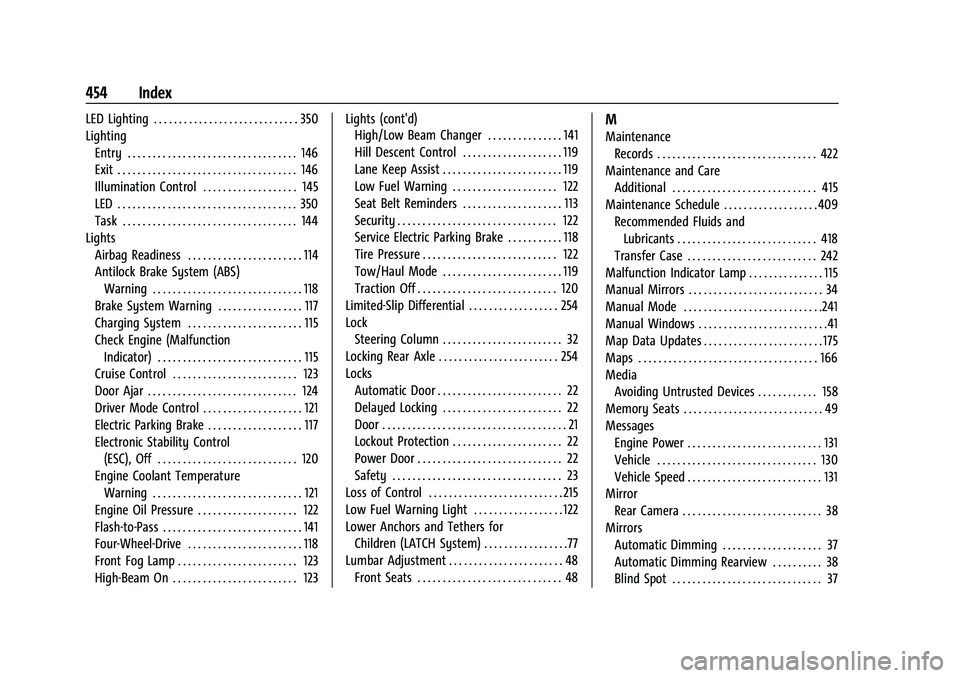
LED Lighting . . . . . . . . . . . . . . . . . . . . . . . . . . . . . 350
LightingEntry . . . . . . . . . . . . . . . . . . . . . . . . . . . . . . . . . . 146
Exit . . . . . . . . . . . . . . . . . . . . . . . . . . . . . . . . . . . . 146
Illumination Control . . . . . . . . . . . . . . . . . . . 145
LED . . . . . . . . . . . . . . . . . . . . . . . . . . . . . . . . . . . . 350
Task . . . . . . . . . . . . . . . . . . . . . . . . . . . . . . . . . . . 144
Lights Airbag Readiness . . . . . . . . . . . . . . . . . . . . . . . 114
Antilock Brake System (ABS)Warning . . . . . . . . . . . . . . . . . . . . . . . . . . . . . . 118
Brake System Warning . . . . . . . . . . . . . . . . . 117
Charging System . . . . . . . . . . . . . . . . . . . . . . . 115
Check Engine (Malfunction Indicator) . . . . . . . . . . . . . . . . . . . . . . . . . . . . . 115
Cruise Control . . . . . . . . . . . . . . . . . . . . . . . . . 123
Door Ajar . . . . . . . . . . . . . . . . . . . . . . . . . . . . . . 124
Driver Mode Control . . . . . . . . . . . . . . . . . . . . 121
Electric Parking Brake . . . . . . . . . . . . . . . . . . . 117
Electronic Stability Control (ESC), Off . . . . . . . . . . . . . . . . . . . . . . . . . . . . 120
Engine Coolant Temperature Warning . . . . . . . . . . . . . . . . . . . . . . . . . . . . . . 121
Engine Oil Pressure . . . . . . . . . . . . . . . . . . . . 122
Flash-to-Pass . . . . . . . . . . . . . . . . . . . . . . . . . . . . 141
Four-Wheel-Drive . . . . . . . . . . . . . . . . . . . . . . . 118
Front Fog Lamp . . . . . . . . . . . . . . . . . . . . . . . . 123
High-Beam On . . . . . . . . . . . . . . . . . . . . . . . . . 123 Lights (cont'd)
High/Low Beam Changer . . . . . . . . . . . . . . . 141
Hill Descent Control . . . . . . . . . . . . . . . . . . . . 119
Lane Keep Assist . . . . . . . . . . . . . . . . . . . . . . . . 119
Low Fuel Warning . . . . . . . . . . . . . . . . . . . . . 122
Seat Belt Reminders . . . . . . . . . . . . . . . . . . . . 113
Security . . . . . . . . . . . . . . . . . . . . . . . . . . . . . . . . 122
Service Electric Parking Brake . . . . . . . . . . . 118
Tire Pressure . . . . . . . . . . . . . . . . . . . . . . . . . . . 122
Tow/Haul Mode . . . . . . . . . . . . . . . . . . . . . . . . 119
Traction Off . . . . . . . . . . . . . . . . . . . . . . . . . . . . 120
Limited-Slip Differential . . . . . . . . . . . . . . . . . . 254
Lock
Steering Column . . . . . . . . . . . . . . . . . . . . . . . . 32
Locking Rear Axle . . . . . . . . . . . . . . . . . . . . . . . . 254
Locks Automatic Door . . . . . . . . . . . . . . . . . . . . . . . . . 22
Delayed Locking . . . . . . . . . . . . . . . . . . . . . . . . 22
Door . . . . . . . . . . . . . . . . . . . . . . . . . . . . . . . . . . . . . 21
Lockout Protection . . . . . . . . . . . . . . . . . . . . . . 22
Power Door . . . . . . . . . . . . . . . . . . . . . . . . . . . . . 22
Safety . . . . . . . . . . . . . . . . . . . . . . . . . . . . . . . . . . 23
Loss of Control . . . . . . . . . . . . . . . . . . . . . . . . . . . 215
Low Fuel Warning Light . . . . . . . . . . . . . . . . . . 122
Lower Anchors and Tethers for Children (LATCH System) . . . . . . . . . . . . . . . . .77
Lumbar Adjustment . . . . . . . . . . . . . . . . . . . . . . . 48 Front Seats . . . . . . . . . . . . . . . . . . . . . . . . . . . . . 48M
MaintenanceRecords . . . . . . . . . . . . . . . . . . . . . . . . . . . . . . . . 422
Maintenance and Care Additional . . . . . . . . . . . . . . . . . . . . . . . . . . . . . 415
Maintenance Schedule . . . . . . . . . . . . . . . . . . . 409 Recommended Fluids andLubricants . . . . . . . . . . . . . . . . . . . . . . . . . . . . 418
Transfer Case . . . . . . . . . . . . . . . . . . . . . . . . . . 242
Malfunction Indicator Lamp . . . . . . . . . . . . . . . 115
Manual Mirrors . . . . . . . . . . . . . . . . . . . . . . . . . . . 34
Manual Mode . . . . . . . . . . . . . . . . . . . . . . . . . . . .241
Manual Windows . . . . . . . . . . . . . . . . . . . . . . . . . .41
Map Data Updates . . . . . . . . . . . . . . . . . . . . . . . . 175
Maps . . . . . . . . . . . . . . . . . . . . . . . . . . . . . . . . . . . . 166
Media
Avoiding Untrusted Devices . . . . . . . . . . . . 158
Memory Seats . . . . . . . . . . . . . . . . . . . . . . . . . . . . 49
Messages Engine Power . . . . . . . . . . . . . . . . . . . . . . . . . . . 131
Vehicle . . . . . . . . . . . . . . . . . . . . . . . . . . . . . . . . 130
Vehicle Speed . . . . . . . . . . . . . . . . . . . . . . . . . . . 131
Mirror Rear Camera . . . . . . . . . . . . . . . . . . . . . . . . . . . . 38
Mirrors Automatic Dimming . . . . . . . . . . . . . . . . . . . . 37
Automatic Dimming Rearview . . . . . . . . . . 38
Blind Spot . . . . . . . . . . . . . . . . . . . . . . . . . . . . . . 37
Page 460 of 461
GMC Sierra/Sierra Denali 1500 Owner Manual (GMNA-Localizing-U.S./Cana-
da/Mexico-14632426) - 2021 - CRC - 11/5/20
Index 459
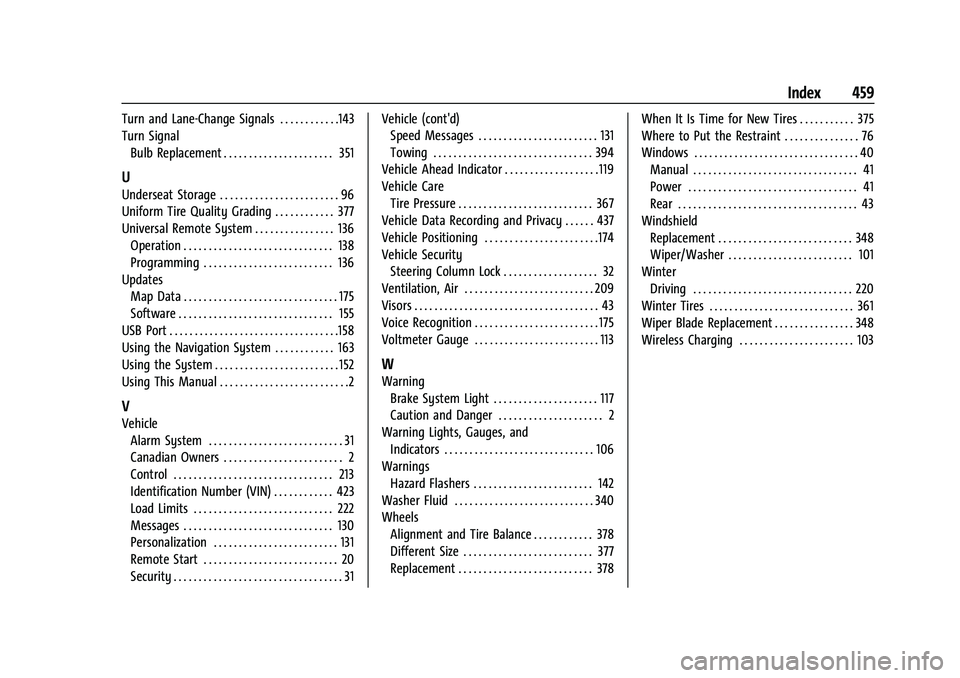
Turn and Lane-Change Signals . . . . . . . . . . . .143
Turn SignalBulb Replacement . . . . . . . . . . . . . . . . . . . . . . 351
U
Underseat Storage . . . . . . . . . . . . . . . . . . . . . . . . 96
Uniform Tire Quality Grading . . . . . . . . . . . . 377
Universal Remote System . . . . . . . . . . . . . . . . 136Operation . . . . . . . . . . . . . . . . . . . . . . . . . . . . . . 138
Programming . . . . . . . . . . . . . . . . . . . . . . . . . . 136
Updates Map Data . . . . . . . . . . . . . . . . . . . . . . . . . . . . . . . 175
Software . . . . . . . . . . . . . . . . . . . . . . . . . . . . . . . 155
USB Port . . . . . . . . . . . . . . . . . . . . . . . . . . . . . . . . . .158
Using the Navigation System . . . . . . . . . . . . 163
Using the System . . . . . . . . . . . . . . . . . . . . . . . . . 152
Using This Manual . . . . . . . . . . . . . . . . . . . . . . . . . .2
V
Vehicle Alarm System . . . . . . . . . . . . . . . . . . . . . . . . . . . 31
Canadian Owners . . . . . . . . . . . . . . . . . . . . . . . . 2
Control . . . . . . . . . . . . . . . . . . . . . . . . . . . . . . . . 213
Identification Number (VIN) . . . . . . . . . . . . 423
Load Limits . . . . . . . . . . . . . . . . . . . . . . . . . . . . 222
Messages . . . . . . . . . . . . . . . . . . . . . . . . . . . . . . 130
Personalization . . . . . . . . . . . . . . . . . . . . . . . . . 131
Remote Start . . . . . . . . . . . . . . . . . . . . . . . . . . . 20
Security . . . . . . . . . . . . . . . . . . . . . . . . . . . . . . . . . . 31 Vehicle (cont'd)
Speed Messages . . . . . . . . . . . . . . . . . . . . . . . . 131
Towing . . . . . . . . . . . . . . . . . . . . . . . . . . . . . . . . 394
Vehicle Ahead Indicator . . . . . . . . . . . . . . . . . . . 119
Vehicle Care Tire Pressure . . . . . . . . . . . . . . . . . . . . . . . . . . . 367
Vehicle Data Recording and Privacy . . . . . . 437
Vehicle Positioning . . . . . . . . . . . . . . . . . . . . . . .174
Vehicle Security
Steering Column Lock . . . . . . . . . . . . . . . . . . . 32
Ventilation, Air . . . . . . . . . . . . . . . . . . . . . . . . . . 209
Visors . . . . . . . . . . . . . . . . . . . . . . . . . . . . . . . . . . . . . 43
Voice Recognition . . . . . . . . . . . . . . . . . . . . . . . . . 175
Voltmeter Gauge . . . . . . . . . . . . . . . . . . . . . . . . . 113
W
Warning Brake System Light . . . . . . . . . . . . . . . . . . . . . 117
Caution and Danger . . . . . . . . . . . . . . . . . . . . . 2
Warning Lights, Gauges, and Indicators . . . . . . . . . . . . . . . . . . . . . . . . . . . . . . 106
Warnings
Hazard Flashers . . . . . . . . . . . . . . . . . . . . . . . . 142
Washer Fluid . . . . . . . . . . . . . . . . . . . . . . . . . . . . 340
Wheels Alignment and Tire Balance . . . . . . . . . . . . 378
Different Size . . . . . . . . . . . . . . . . . . . . . . . . . . 377
Replacement . . . . . . . . . . . . . . . . . . . . . . . . . . . 378 When It Is Time for New Tires . . . . . . . . . . . 375
Where to Put the Restraint . . . . . . . . . . . . . . . 76
Windows . . . . . . . . . . . . . . . . . . . . . . . . . . . . . . . . . 40
Manual . . . . . . . . . . . . . . . . . . . . . . . . . . . . . . . . . 41
Power . . . . . . . . . . . . . . . . . . . . . . . . . . . . . . . . . . 41
Rear . . . . . . . . . . . . . . . . . . . . . . . . . . . . . . . . . . . . 43
Windshield
Replacement . . . . . . . . . . . . . . . . . . . . . . . . . . . 348
Wiper/Washer . . . . . . . . . . . . . . . . . . . . . . . . . 101
Winter Driving . . . . . . . . . . . . . . . . . . . . . . . . . . . . . . . . 220
Winter Tires . . . . . . . . . . . . . . . . . . . . . . . . . . . . . 361
Wiper Blade Replacement . . . . . . . . . . . . . . . . 348
Wireless Charging . . . . . . . . . . . . . . . . . . . . . . . 103