Passenger windows GMC SIERRA 2021 Owner's Manual
[x] Cancel search | Manufacturer: GMC, Model Year: 2021, Model line: SIERRA, Model: GMC SIERRA 2021Pages: 461, PDF Size: 11.84 MB
Page 15 of 461
GMC Sierra/Sierra Denali 1500 Owner Manual (GMNA-Localizing-U.S./
Canada/Mexico-14632426) - 2021 - CRC - 11/5/20
14 Keys, Doors, and Windows
If the driver door is open whenQis
pressed, all doors will lock and then the
driver door will immediately unlock,
if enabled. See Vehicle Personalization 0131.
If the passenger door is open when
Qis
pressed, all doors lock.
Pressing
Qarms the alarm system. See
Vehicle Alarm System 031.
If equipped with remote mirror folding,
pressing and holding
Qfor one second will
fold the mirrors, if enabled. See Vehicle
Personalization 0131.
K:Press once to unlock only the driver
door. If
Kis pressed again within
three seconds, all remaining doors and the
tailgate unlock. The interior lamps may
come on and stay on for 20 seconds or until
the ignition is turned on.
If enabled, the turn signal lamps flash twice
to indicate unlocking has occurred.
If enabled, the exterior lamps may turn on.
See Vehicle Personalization 0131.
Pressing
Kon the RKE transmitter disarms
the alarm system. See Vehicle Alarm System
0 31. If equipped with remote mirror folding,
pressing and holding
Kfor one second will
unfold the mirrors, if enabled. See Vehicle
Personalization 0131.
Press and hold
Kuntil the windows fully
open, if remote window operation is
enabled. See Vehicle Personalization 0131.
x:Press twice quickly to release the
tailgate, if equipped.
7: Press and release to initiate vehicle
locator. The turn signal lamps flash and the
horn sounds three times.
Press and hold
7for more than
three seconds to activate the panic alarm.
The turn signal lamps flash and the horn
sounds repeatedly for 30 seconds. The alarm
turns off when the ignition is turned on or
7is pressed again. The ignition must be off
for the panic alarm to work.
Keyless Access Operation
The Keyless Access system allows for doors
and the tailgate to be accessed without
pressing the RKE transmitter button. The RKE
transmitter must be within 1 m (3 ft) of the tailgate or door being opened. If the vehicle
has this feature, there will be a button on
the outside door handles.
Keyless Access can be programmed to
unlock all doors on the first lock/unlock
press from the driver door. Keyless
Unlocking can also be turned off. See
Vehicle
Personalization 0131.
If equipped with memory seats, RKE
transmitters 1 and 2 are linked to seating
positions of memory 1 or 2. See Memory
Seats 049.
Keyless Unlocking/Locking from the
Driver Door
When the doors are locked and the RKE
transmitter is within 1 m (3 ft) of the door
handle, pressing the lock/unlock button on
the driver door handle will unlock the driver
door. If the lock/unlock button is pressed
again within five seconds, all passenger
doors and the tailgate will unlock.
Page 16 of 461
GMC Sierra/Sierra Denali 1500 Owner Manual (GMNA-Localizing-U.S./
Canada/Mexico-14632426) - 2021 - CRC - 11/5/20
Keys, Doors, and Windows 15
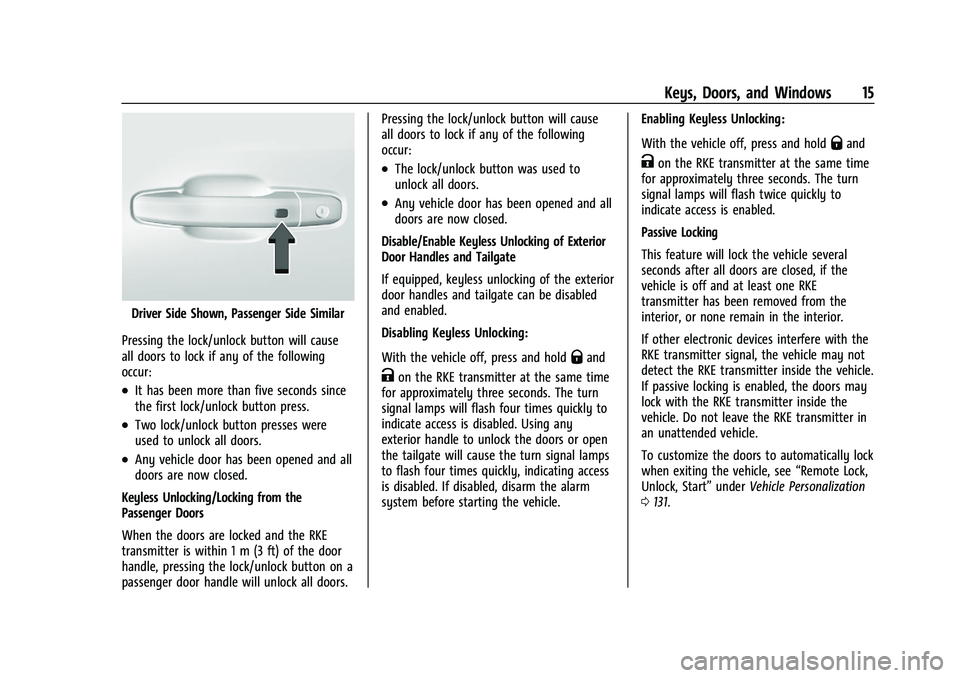
Driver Side Shown, Passenger Side Similar
Pressing the lock/unlock button will cause
all doors to lock if any of the following
occur:
.It has been more than five seconds since
the first lock/unlock button press.
.Two lock/unlock button presses were
used to unlock all doors.
.Any vehicle door has been opened and all
doors are now closed.
Keyless Unlocking/Locking from the
Passenger Doors
When the doors are locked and the RKE
transmitter is within 1 m (3 ft) of the door
handle, pressing the lock/unlock button on a
passenger door handle will unlock all doors. Pressing the lock/unlock button will cause
all doors to lock if any of the following
occur:
.The lock/unlock button was used to
unlock all doors.
.Any vehicle door has been opened and all
doors are now closed.
Disable/Enable Keyless Unlocking of Exterior
Door Handles and Tailgate
If equipped, keyless unlocking of the exterior
door handles and tailgate can be disabled
and enabled.
Disabling Keyless Unlocking:
With the vehicle off, press and hold
Qand
Kon the RKE transmitter at the same time
for approximately three seconds. The turn
signal lamps will flash four times quickly to
indicate access is disabled. Using any
exterior handle to unlock the doors or open
the tailgate will cause the turn signal lamps
to flash four times quickly, indicating access
is disabled. If disabled, disarm the alarm
system before starting the vehicle. Enabling Keyless Unlocking:
With the vehicle off, press and hold
Qand
Kon the RKE transmitter at the same time
for approximately three seconds. The turn
signal lamps will flash twice quickly to
indicate access is enabled.
Passive Locking
This feature will lock the vehicle several
seconds after all doors are closed, if the
vehicle is off and at least one RKE
transmitter has been removed from the
interior, or none remain in the interior.
If other electronic devices interfere with the
RKE transmitter signal, the vehicle may not
detect the RKE transmitter inside the vehicle.
If passive locking is enabled, the doors may
lock with the RKE transmitter inside the
vehicle. Do not leave the RKE transmitter in
an unattended vehicle.
To customize the doors to automatically lock
when exiting the vehicle, see “Remote Lock,
Unlock, Start” underVehicle Personalization
0 131.
Page 17 of 461
GMC Sierra/Sierra Denali 1500 Owner Manual (GMNA-Localizing-U.S./
Canada/Mexico-14632426) - 2021 - CRC - 11/5/20
16 Keys, Doors, and Windows
Temporary Disable of Passive Locking
Temporarily disable passive locking by
pressing and holding
Kon the interior door
switch with a door open for at least
four seconds, or until three chimes are
heard. Passive locking will then remain
disabled until
Qon the interior door is
pressed, or until the vehicle is turned on.
Remote Left in Vehicle Alert
When the vehicle is turned off and an RKE
transmitter is left in the vehicle, the horn
will chirp three times after all doors are
closed. To turn on or off see Vehicle
Personalization 0131.
Remote No Longer in Vehicle Alert
If the vehicle is on with a door open and
then all doors are closed, the vehicle will
check for RKE transmitters inside. If an RKE
transmitter is not detected, the Driver
Information Center (DIC) will display NO
REMOTE DETECTED and the horn will chirp
three times. This occurs only once each time
the vehicle is driven. To turn on or off see
Vehicle Personalization 0131.
Key Access
To access a vehicle with a dead transmitter
battery, see Door Locks021.
Programming Transmitters to the Vehicle
Only RKE transmitters programmed to the
vehicle will work. If a transmitter is lost or
stolen, a replacement can be purchased and
programmed through your dealer. The
vehicle can be reprogrammed so that lost or
stolen transmitters no longer work. Each
vehicle can have up to eight transmitters
matched to it.
Programming with Recognized Transmitters
A new transmitter can be programmed to
the vehicle when there are two recognized
transmitters.
To program, the vehicle must be off and all
transmitters, both currently recognized and
new, must be with you.
1. Remove the key from a recognized transmitter.
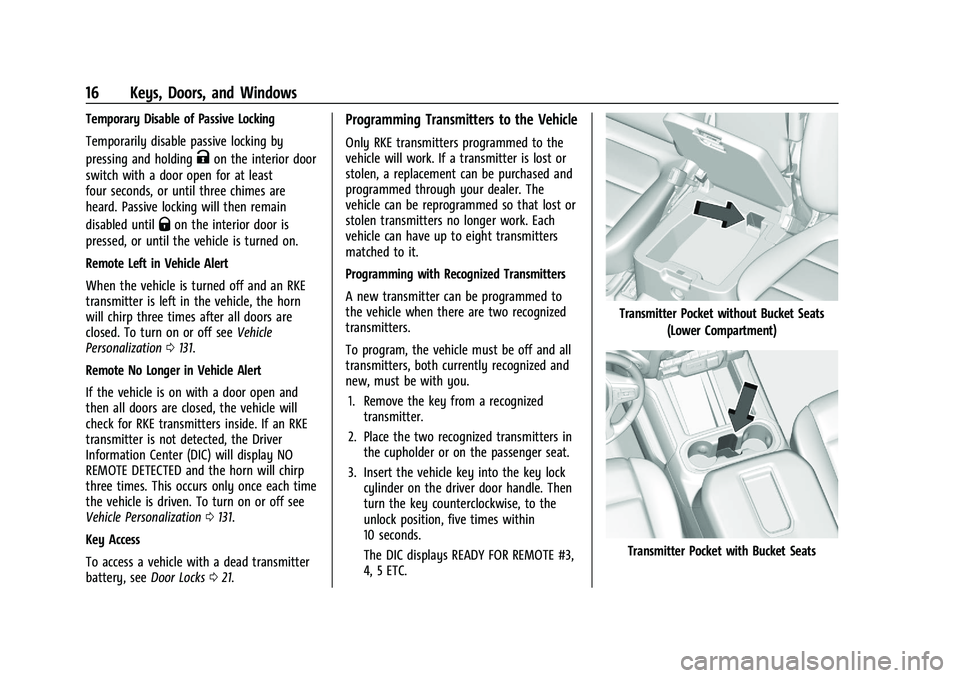
2. Place the two recognized transmitters in the cupholder or on the passenger seat.
3. Insert the vehicle key into the key lock cylinder on the driver door handle. Then
turn the key counterclockwise, to the
unlock position, five times within
10 seconds.
The DIC displays READY FOR REMOTE #3,
4, 5 ETC.
Transmitter Pocket without Bucket Seats
(Lower Compartment)
Transmitter Pocket with Bucket Seats
Page 22 of 461
GMC Sierra/Sierra Denali 1500 Owner Manual (GMNA-Localizing-U.S./
Canada/Mexico-14632426) - 2021 - CRC - 11/5/20
Keys, Doors, and Windows 21
Door Locks
{Warning
Unlocked doors can be dangerous.
.Passengers, especially children, can
easily open the doors and fall out of a
moving vehicle. The doors can be
unlocked and opened while the vehicle
is moving. The chance of being thrown
out of the vehicle in a crash is
increased if the doors are not locked.
So, all passengers should wear seat
belts properly and the doors should be
locked whenever the vehicle is driven.
.Young children who get into unlocked
vehicles may be unable to get out.
A child can be overcome by extreme
heat and can suffer permanent injuries
or even death from heat stroke.
Always lock the vehicle whenever
leaving it.
.Outsiders can easily enter through an
unlocked door when you slow down
or stop the vehicle. Locking the doors
can help prevent this from happening.There are several ways to lock and unlock
the vehicle.
From outside:
.Use the Remote Keyless Entry (RKE)
transmitter.
.Use Keyless Access, if equipped.
.Use the key in the driver door or the
passenger door, if equipped.
From inside, use the power door locks or the
manual door locks. To lock the door with
the manual door locks, push down on the
manual lock knob.
From inside, pull the door handle once to
unlock the door. Pull the handle again to
open the door.
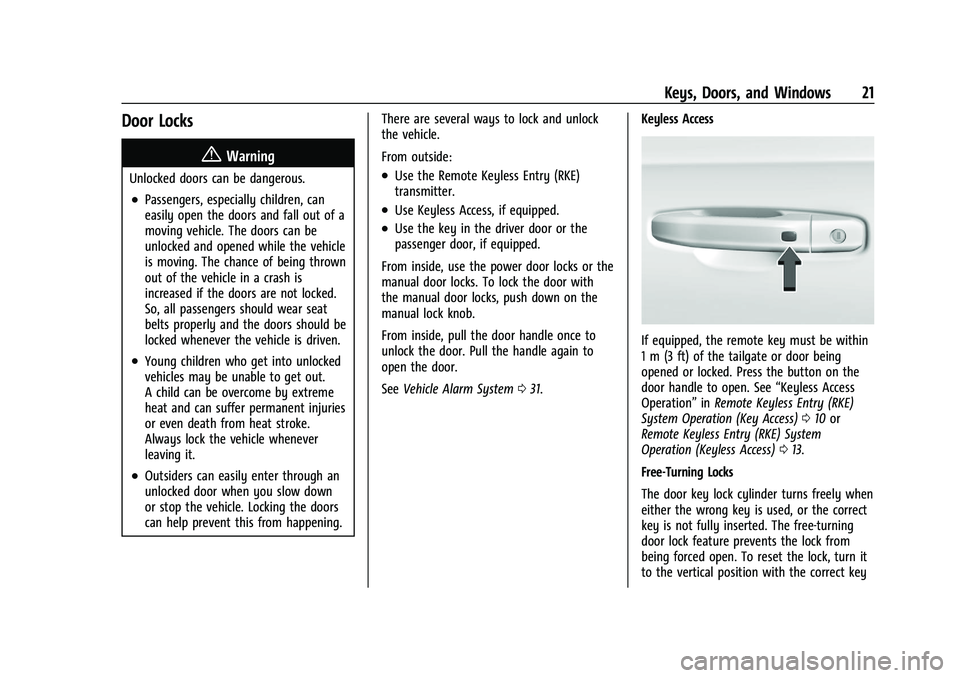
See Vehicle Alarm System 031. Keyless Access
If equipped, the remote key must be within
1 m (3 ft) of the tailgate or door being
opened or locked. Press the button on the
door handle to open. See
“Keyless Access
Operation” inRemote Keyless Entry (RKE)
System Operation (Key Access) 010 or
Remote Keyless Entry (RKE) System
Operation (Keyless Access) 013.
Free-Turning Locks
The door key lock cylinder turns freely when
either the wrong key is used, or the correct
key is not fully inserted. The free-turning
door lock feature prevents the lock from
being forced open. To reset the lock, turn it
to the vertical position with the correct key
Page 24 of 461
GMC Sierra/Sierra Denali 1500 Owner Manual (GMNA-Localizing-U.S./
Canada/Mexico-14632426) - 2021 - CRC - 11/5/20
Keys, Doors, and Windows 23
Lockout Protection can be manually
overridden with the driver door open by
pressing and holding
Qon the power door
lock switch.
Open Door Anti-Lockout
If equipped, the Open Door Anti-Lockout is
turned on and the vehicle is off, the driver
door is open, and locking is requested, all
the doors will lock and the driver door will
unlock. The Open Door Anti-Lockout feature
can be turned on or off. See Vehicle
Personalization 0131.
Safety Locks
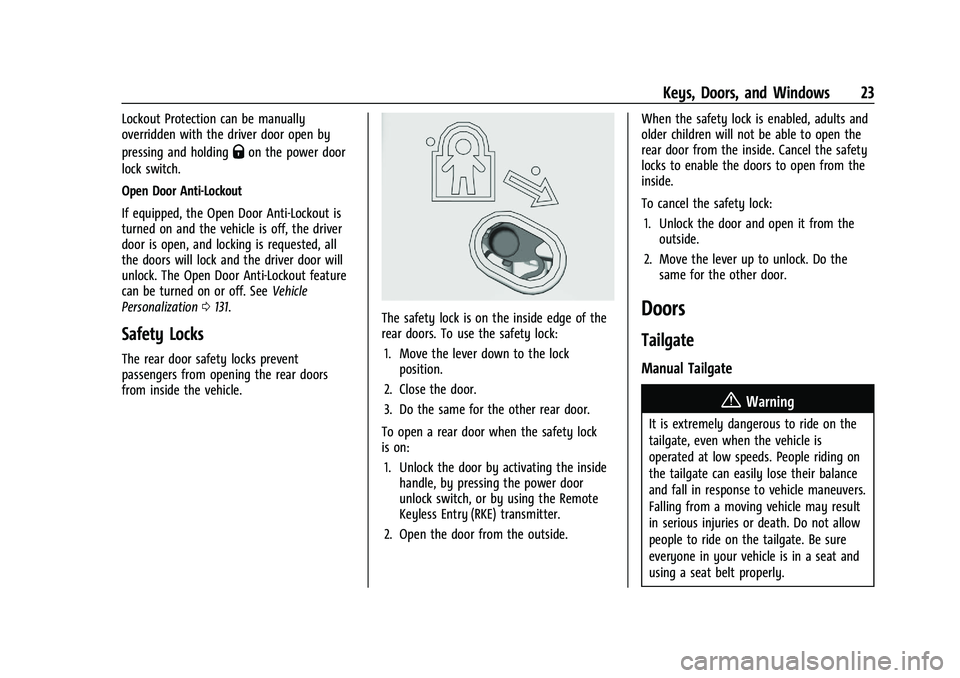
The rear door safety locks prevent
passengers from opening the rear doors
from inside the vehicle.
The safety lock is on the inside edge of the
rear doors. To use the safety lock:
1. Move the lever down to the lock position.
2. Close the door.
3. Do the same for the other rear door.
To open a rear door when the safety lock
is on: 1. Unlock the door by activating the inside handle, by pressing the power door
unlock switch, or by using the Remote
Keyless Entry (RKE) transmitter.
2. Open the door from the outside. When the safety lock is enabled, adults and
older children will not be able to open the
rear door from the inside. Cancel the safety
locks to enable the doors to open from the
inside.
To cancel the safety lock:
1. Unlock the door and open it from the outside.
2. Move the lever up to unlock. Do the same for the other door.Doors
Tailgate
Manual Tailgate
{Warning
It is extremely dangerous to ride on the
tailgate, even when the vehicle is
operated at low speeds. People riding on
the tailgate can easily lose their balance
and fall in response to vehicle maneuvers.
Falling from a moving vehicle may result
in serious injuries or death. Do not allow
people to ride on the tailgate. Be sure
everyone in your vehicle is in a seat and
using a seat belt properly.
Page 32 of 461
GMC Sierra/Sierra Denali 1500 Owner Manual (GMNA-Localizing-U.S./
Canada/Mexico-14632426) - 2021 - CRC - 11/5/20
Keys, Doors, and Windows 31
To extend the steps:
.Pressjto extend both steps. A DIC
message displays.
.Pressjagain to extend to the tire.
A DIC message displays.
.Pressjagain to return to normal
operation.
Enable/Disable
To enable or disable the power assist steps,
press and hold
jfor four seconds. A DIC
message displays.
Cleaning
Clean the power assist steps regularly. For
an automatic car wash, extend the steps
while in N (Neutral) using the center stack
switch. The steps will stow when shifting
into D (Drive).
Vehicle Security
This vehicle has theft-deterrent features;
however, they do not make the vehicle
impossible to steal.
Vehicle Alarm System
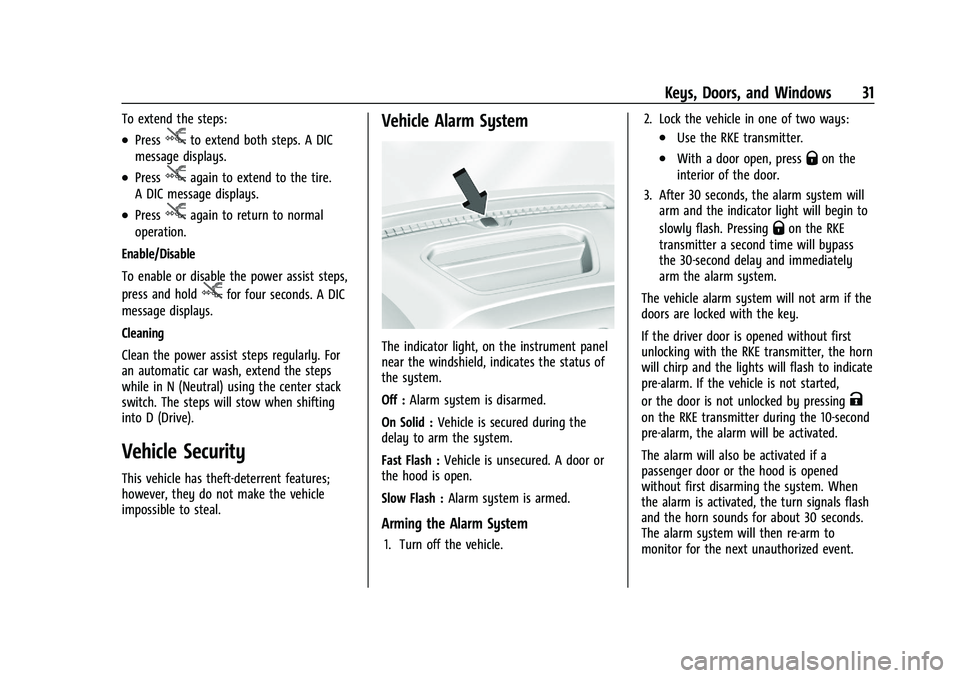
The indicator light, on the instrument panel
near the windshield, indicates the status of
the system.
Off : Alarm system is disarmed.
On Solid : Vehicle is secured during the
delay to arm the system.
Fast Flash : Vehicle is unsecured. A door or
the hood is open.
Slow Flash : Alarm system is armed.
Arming the Alarm System
1. Turn off the vehicle. 2. Lock the vehicle in one of two ways:
.Use the RKE transmitter.
.With a door open, pressQon the
interior of the door.
3. After 30 seconds, the alarm system will arm and the indicator light will begin to
slowly flash. Pressing
Qon the RKE
transmitter a second time will bypass
the 30-second delay and immediately
arm the alarm system.
The vehicle alarm system will not arm if the
doors are locked with the key.
If the driver door is opened without first
unlocking with the RKE transmitter, the horn
will chirp and the lights will flash to indicate
pre-alarm. If the vehicle is not started,
or the door is not unlocked by pressing
K
on the RKE transmitter during the 10-second
pre-alarm, the alarm will be activated.
The alarm will also be activated if a
passenger door or the hood is opened
without first disarming the system. When
the alarm is activated, the turn signals flash
and the horn sounds for about 30 seconds.
The alarm system will then re-arm to
monitor for the next unauthorized event.
Page 34 of 461

GMC Sierra/Sierra Denali 1500 Owner Manual (GMNA-Localizing-U.S./
Canada/Mexico-14632426) - 2021 - CRC - 11/5/20
Keys, Doors, and Windows 33
The security light, in the instrument cluster,
comes on if there is a problem with arming
or disarming the theft-deterrent system.
The system has one or more RKE
transmitters matched to an immobilizer
control unit in your vehicle. Only a correctly
matched RKE transmitter will start the
vehicle. If the transmitter is ever damaged,
you may not be able to start your vehicle.
When trying to start the vehicle, the
security light may come on briefly when the
ignition is turned on. If the engine does not
start and the security light stays on, there is
a problem with the system. Turn the
ignition off and try again.
If the vehicle will not change ignition modes
(ACC/ACCESSORY, on, off), and the RKE
transmitter appears to be undamaged, try
another transmitter. Or, you may try placing
the transmitter in the transmitter pocket
located in the center console. SeeRemote
Keyless Entry (RKE) System Operation (Key
Access) 010 or
Remote Keyless Entry (RKE) System
Operation (Keyless Access) 013.
If the ignition mode will not change with
the other transmitter or with the
transmitter in the transmitter pocket, your
vehicle needs service. If the ignition does change modes, the first transmitter may be
faulty. See your dealer who can service the
theft-deterrent system and have a new RKE
transmitter programmed to the vehicle.
It is possible for the immobilizer system to
learn new or replacement RKE transmitters.
Up to eight transmitters can be
programmed for the vehicle. To program
additional transmitters, see "Programming
Transmitters to the Vehicle" under
Remote
Keyless Entry (RKE) System Operation (Key
Access) 010 or
Remote Keyless Entry (RKE) System
Operation (Keyless Access) 013
Do not leave the transmitter or device that
disarms or deactivates the vehicle theft
system in the vehicle.
When equipped with a key, if the engine
still does not start, and the key appears to
be undamaged, try another ignition key.
It may be necessary to check the fuse. See
Fuses and Circuit Breakers 0353. If the
engine still does not start with the other
key, the vehicle needs service. If the vehicle
does start, the first key may be faulty. See
your dealer. It is possible for the
immobilizer system to learn new or
replacement keys. Up to eight keys can be
programmed for the vehicle. To program additional keys, see
Keys (Key Access)07or
Keys (Keyless Access) 09. Do not leave the
key or device that disarms or deactivates
the vehicle theft system in the vehicle.
See your dealer to get a new key blank cut
exactly as the ignition key that operates the
system.
Exterior Mirrors
Convex Mirrors
{Warning
A convex mirror can make things, like
other vehicles, look farther away than
they really are. If you cut too sharply
into the right lane, you could hit a
vehicle on the right. Check the inside
mirror or glance over your shoulder
before changing lanes.
Standard Mirrors
The passenger side mirror is convex shaped.
A convex mirror's surface is curved so more
can be seen from the driver seat.
Page 35 of 461
GMC Sierra/Sierra Denali 1500 Owner Manual (GMNA-Localizing-U.S./
Canada/Mexico-14632426) - 2021 - CRC - 11/5/20
34 Keys, Doors, and Windows
Trailer-Tow Mirrors
The upper portion of both the driver and
passenger mirrors is flat.
The lower portion of both the driver and
passenger mirrors is convex. A convex
mirror’s surface is curved so more can be
seen from the driver seat. The lower portion
is adjusted manually.
Manual Mirrors
If equipped, adjust manual mirrors by
moving the mirror up and down or left to
right to see a little of the side of the vehicle
and to have a clear view behind the vehicle.
Using hood-mounted air deflectors and
add-on convex mirror attachments could
decrease mirror performance.
Trailer-Tow Mirrors
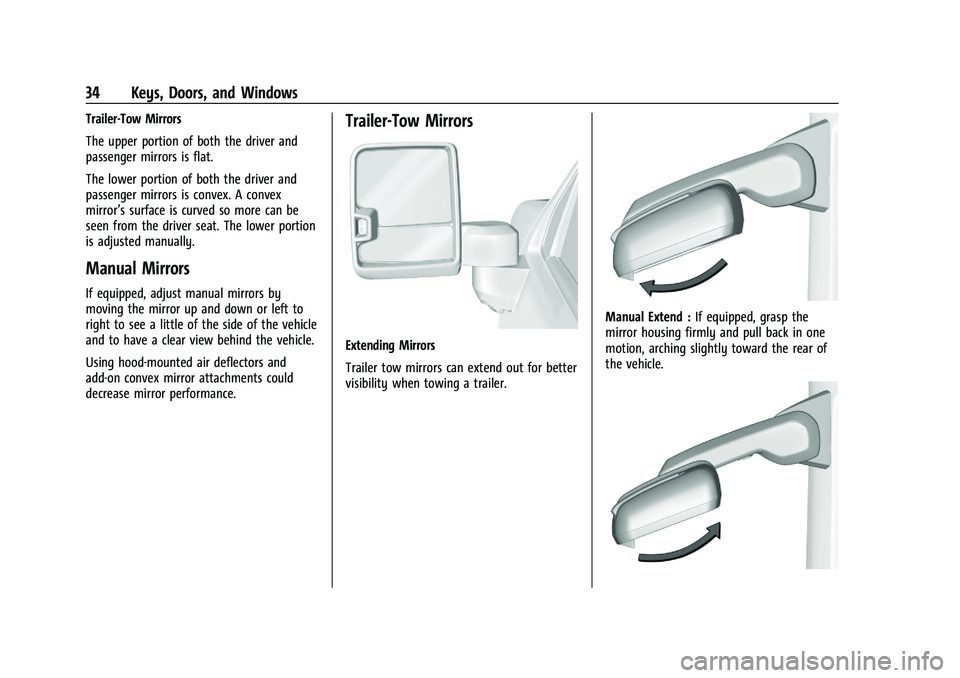
Extending Mirrors
Trailer tow mirrors can extend out for better
visibility when towing a trailer.
Manual Extend :If equipped, grasp the
mirror housing firmly and pull back in one
motion, arching slightly toward the rear of
the vehicle.
Page 36 of 461
GMC Sierra/Sierra Denali 1500 Owner Manual (GMNA-Localizing-U.S./
Canada/Mexico-14632426) - 2021 - CRC - 11/5/20
Keys, Doors, and Windows 35
To return the mirror to its original position,
reverse the motion.
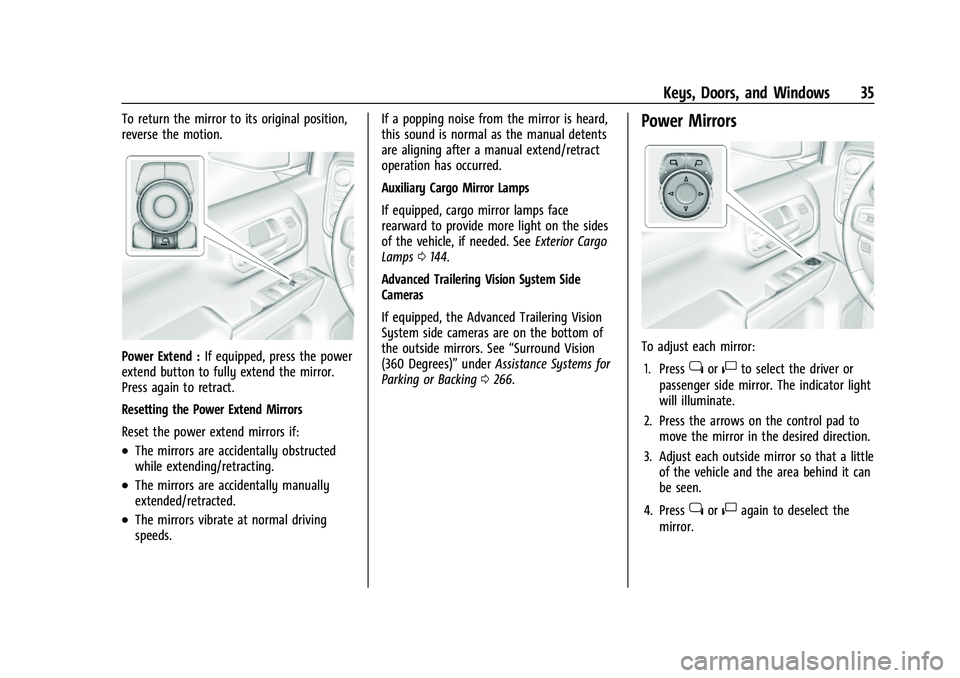
Power Extend :If equipped, press the power
extend button to fully extend the mirror.
Press again to retract.
Resetting the Power Extend Mirrors
Reset the power extend mirrors if:
.The mirrors are accidentally obstructed
while extending/retracting.
.The mirrors are accidentally manually
extended/retracted.
.The mirrors vibrate at normal driving
speeds. If a popping noise from the mirror is heard,
this sound is normal as the manual detents
are aligning after a manual extend/retract
operation has occurred.
Auxiliary Cargo Mirror Lamps
If equipped, cargo mirror lamps face
rearward to provide more light on the sides
of the vehicle, if needed. See
Exterior Cargo
Lamps 0144.
Advanced Trailering Vision System Side
Cameras
If equipped, the Advanced Trailering Vision
System side cameras are on the bottom of
the outside mirrors. See “Surround Vision
(360 Degrees)” underAssistance Systems for
Parking or Backing 0266.
Power Mirrors
To adjust each mirror:
1. Press
jor|to select the driver or
passenger side mirror. The indicator light
will illuminate.
2. Press the arrows on the control pad to move the mirror in the desired direction.
3. Adjust each outside mirror so that a little of the vehicle and the area behind it can
be seen.
4. Press
jor|again to deselect the
mirror.
Page 37 of 461
GMC Sierra/Sierra Denali 1500 Owner Manual (GMNA-Localizing-U.S./
Canada/Mexico-14632426) - 2021 - CRC - 11/5/20
36 Keys, Doors, and Windows
Turn Signal Indicator
If equipped, the mirror has turn signal
indicator lights, which flash in the direction
of the turn or lane change.
Task Lighting
If equipped, task lighting projects light from
the outside mirrors to the sides of the
vehicle. SeeTask Lighting 0144.
Puddle Lamps
If equipped, puddle lamps project light from
the bottom of the mirror to the area of
ground below the driver and passenger
doors. See Entry Lighting 0146 and
Exit Lighting 0146.
Memory Mirrors
The vehicle may have memory mirrors. See
Memory Seats 049.
Lane Change Alert (LCA)
The vehicle may have LCA. See Lane Change
Alert (LCA) 0280.Folding Mirrors
Manual Folding Mirrors
If equipped, push the mirror toward the
vehicle to fold. Push the mirror outward to
return to its original position.
Manually fold the mirrors inward to prevent
damage when going through an automatic
car wash.
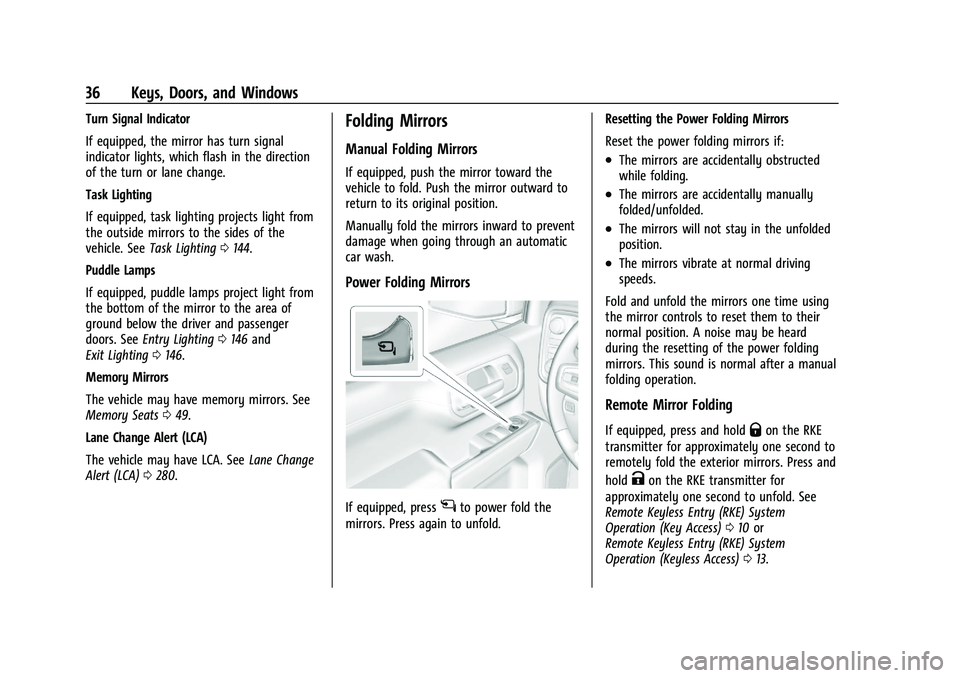
Power Folding Mirrors
If equipped, pressgto power fold the
mirrors. Press again to unfold. Resetting the Power Folding Mirrors
Reset the power folding mirrors if:
.The mirrors are accidentally obstructed
while folding.
.The mirrors are accidentally manually
folded/unfolded.
.The mirrors will not stay in the unfolded
position.
.The mirrors vibrate at normal driving
speeds.
Fold and unfold the mirrors one time using
the mirror controls to reset them to their
normal position. A noise may be heard
during the resetting of the power folding
mirrors. This sound is normal after a manual
folding operation.
Remote Mirror Folding
If equipped, press and holdQon the RKE
transmitter for approximately one second to
remotely fold the exterior mirrors. Press and
hold
Kon the RKE transmitter for
approximately one second to unfold. See
Remote Keyless Entry (RKE) System
Operation (Key Access) 010 or
Remote Keyless Entry (RKE) System
Operation (Keyless Access) 013.