oil change GMC TERRAIN 2020 Owner's Manual
[x] Cancel search | Manufacturer: GMC, Model Year: 2020, Model line: TERRAIN, Model: GMC TERRAIN 2020Pages: 425, PDF Size: 6.59 MB
Page 7 of 425
GMC Terrain/Terrain Denali Owner Manual (GMNA-Localizing-U.S./Canada/
Mexico-13556230) - 2020 - CRC - 9/4/19
4 Introduction
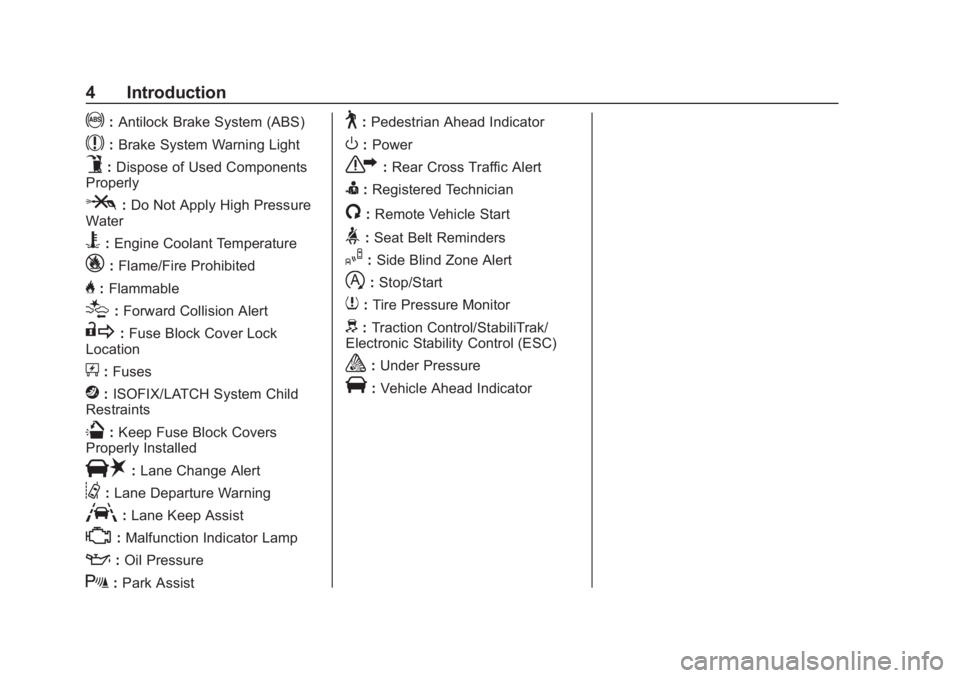
!:Antilock Brake System (ABS)
$:Brake System Warning Light
9:Dispose of Used Components
Properly
P: Do Not Apply High Pressure
Water
B: Engine Coolant Temperature
_: Flame/Fire Prohibited
H:Flammable
[:Forward Collision Alert
R: Fuse Block Cover Lock
Location
+: Fuses
j:ISOFIX/LATCH System Child
Restraints
Q: Keep Fuse Block Covers
Properly Installed
|: Lane Change Alert
@:Lane Departure Warning
A:Lane Keep Assist
*:Malfunction Indicator Lamp
::Oil Pressure
X:Park Assist
~:Pedestrian Ahead Indicator
O:Power
7: Rear Cross Traffic Alert
I:Registered Technician
/:Remote Vehicle Start
>:Seat Belt Reminders
I: Side Blind Zone Alert
h:Stop/Start
7: Tire Pressure Monitor
d:Traction Control/StabiliTrak/
Electronic Stability Control (ESC)
a: Under Pressure
V:Vehicle Ahead Indicator
Page 129 of 425
GMC Terrain/Terrain Denali Owner Manual (GMNA-Localizing-U.S./Canada/
Mexico-13556230) - 2020 - CRC - 9/4/19
126 Instruments and Controls
Blank Display :Displays no
information.
Vehicle Information Menu
(VEHICLE) Items
Units : Choose between Metric or
US when Units is active. Press
Vto
confirm the setting. This will change
the displays on the DIC to the type
of measurements you select.
Speed Warning : This display is
used to set the vehicle speed at
which the speed warning chime
sounds and the alert is displayed.
The speed can be set by pressing
Vwhile the speed warning display
is showing.
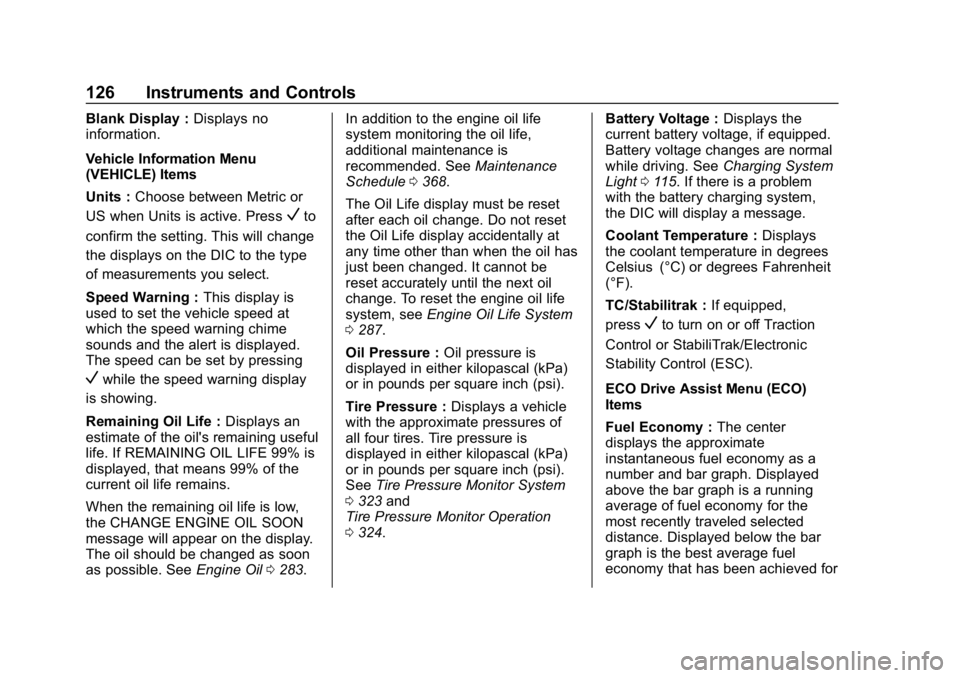
Remaining Oil Life : Displays an
estimate of the oil's remaining useful
life. If REMAINING OIL LIFE 99% is
displayed, that means 99% of the
current oil life remains.
When the remaining oil life is low,
the CHANGE ENGINE OIL SOON
message will appear on the display.
The oil should be changed as soon
as possible. See Engine Oil0283. In addition to the engine oil life
system monitoring the oil life,
additional maintenance is
recommended. See
Maintenance
Schedule 0368.
The Oil Life display must be reset
after each oil change. Do not reset
the Oil Life display accidentally at
any time other than when the oil has
just been changed. It cannot be
reset accurately until the next oil
change. To reset the engine oil life
system, see Engine Oil Life System
0 287.
Oil Pressure : Oil pressure is
displayed in either kilopascal (kPa)
or in pounds per square inch (psi).
Tire Pressure : Displays a vehicle
with the approximate pressures of
all four tires. Tire pressure is
displayed in either kilopascal (kPa)
or in pounds per square inch (psi).
See Tire Pressure Monitor System
0 323 and
Tire Pressure Monitor Operation
0 324. Battery Voltage :
Displays the
current battery voltage, if equipped.
Battery voltage changes are normal
while driving. See Charging System
Light 0115. If there is a problem
with the battery charging system,
the DIC will display a message.
Coolant Temperature : Displays
the coolant temperature in degrees
Celsius (°C) or degrees Fahrenheit
(°F).
TC/Stabilitrak : If equipped,
press
Vto turn on or off Traction
Control or StabiliTrak/Electronic
Stability Control (ESC).
ECO Drive Assist Menu (ECO)
Items
Fuel Economy : The center
displays the approximate
instantaneous fuel economy as a
number and bar graph. Displayed
above the bar graph is a running
average of fuel economy for the
most recently traveled selected
distance. Displayed below the bar
graph is the best average fuel
economy that has been achieved for
Page 131 of 425
GMC Terrain/Terrain Denali Owner Manual (GMNA-Localizing-U.S./Canada/
Mexico-13556230) - 2020 - CRC - 9/4/19
128 Instruments and Controls
Fuel Information or Fuel Range :
Shows the approximate distance the
vehicle can be driven without
refueling. LOW will be displayed
when the vehicle is low on fuel. The
fuel range estimate is based on an
average of the vehicle's fuel
economy over recent driving history
and the amount of fuel remaining in
the fuel tank.
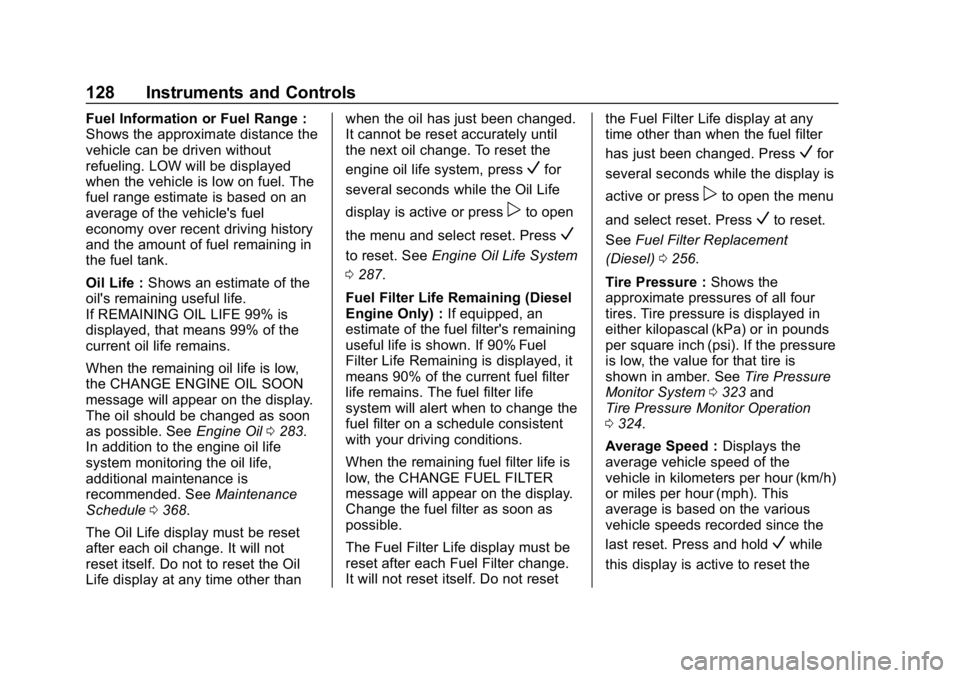
Oil Life :Shows an estimate of the
oil's remaining useful life.
If REMAINING OIL LIFE 99% is
displayed, that means 99% of the
current oil life remains.
When the remaining oil life is low,
the CHANGE ENGINE OIL SOON
message will appear on the display.
The oil should be changed as soon
as possible. See Engine Oil0283.
In addition to the engine oil life
system monitoring the oil life,
additional maintenance is
recommended. See Maintenance
Schedule 0368.
The Oil Life display must be reset
after each oil change. It will not
reset itself. Do not to reset the Oil
Life display at any time other than when the oil has just been changed.
It cannot be reset accurately until
the next oil change. To reset the
engine oil life system, press
Vfor
several seconds while the Oil Life
display is active or press
pto open
the menu and select reset. Press
V
to reset. See Engine Oil Life System
0 287.
Fuel Filter Life Remaining (Diesel
Engine Only) : If equipped, an
estimate of the fuel filter's remaining
useful life is shown. If 90% Fuel
Filter Life Remaining is displayed, it
means 90% of the current fuel filter
life remains. The fuel filter life
system will alert when to change the
fuel filter on a schedule consistent
with your driving conditions.
When the remaining fuel filter life is
low, the CHANGE FUEL FILTER
message will appear on the display.
Change the fuel filter as soon as
possible.
The Fuel Filter Life display must be
reset after each Fuel Filter change.
It will not reset itself. Do not reset the Fuel Filter Life display at any
time other than when the fuel filter
has just been changed. Press
Vfor
several seconds while the display is
active or press
pto open the menu
and select reset. Press
Vto reset.
See Fuel Filter Replacement
(Diesel) 0256.
Tire Pressure : Shows the
approximate pressures of all four
tires. Tire pressure is displayed in
either kilopascal (kPa) or in pounds
per square inch (psi). If the pressure
is low, the value for that tire is
shown in amber. See Tire Pressure
Monitor System 0323 and
Tire Pressure Monitor Operation
0 324.
Average Speed : Displays the
average vehicle speed of the
vehicle in kilometers per hour (km/h)
or miles per hour (mph). This
average is based on the various
vehicle speeds recorded since the
last reset. Press and hold
Vwhile
this display is active to reset the
Page 133 of 425
GMC Terrain/Terrain Denali Owner Manual (GMNA-Localizing-U.S./Canada/
Mexico-13556230) - 2020 - CRC - 9/4/19
130 Instruments and Controls
Oil Pressure :Oil pressure is
displayed in either kilopascal (kPa)
or in pounds per square inch (psi).
Oil pressure can vary with engine
speed, outside temperature, and oil
viscosity. On some models, the oil
pump will vary engine oil pressure
according to engine needs. Oil
pressure may change quickly as the
engine speed or load varies. This is
normal. If the oil pressure warning
light or Driver Information Center
(DIC) message indicates oil
pressure outside the normal
operating range, check the vehicle's
oil as soon as possible.
Driver Information Center
(DIC) (Uplevel)
The DIC displays are shown in the
center of the instrument cluster in
the Info App. See Instrument Cluster
(Base and Midlevel) 0103 or
Instrument Cluster (Uplevel) 0107.
The displays show the status of
many vehicle systems.
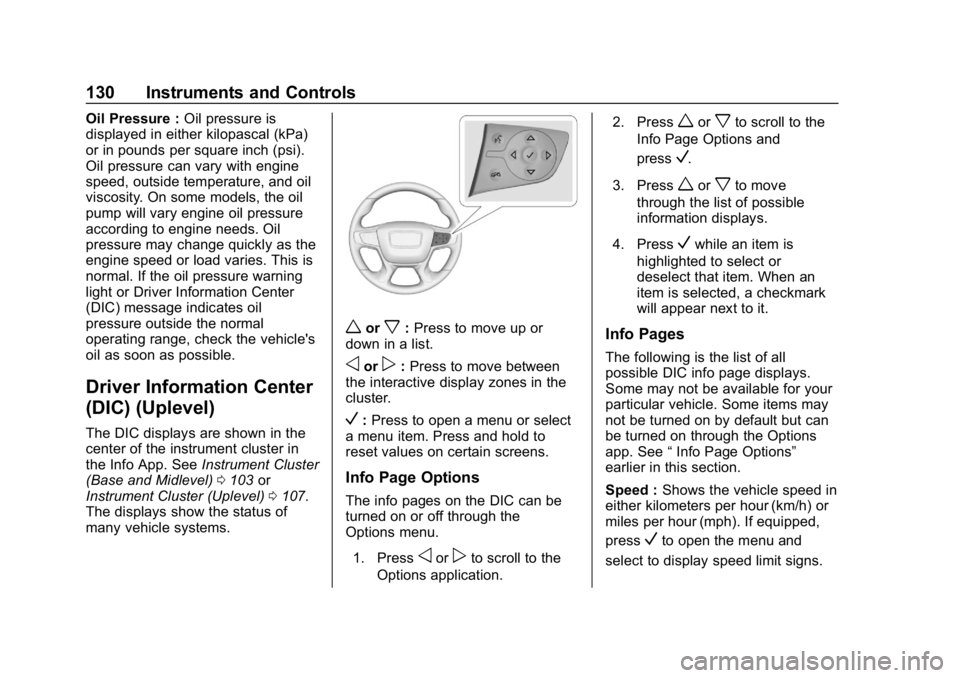
worx: Press to move up or
down in a list.
oorp: Press to move between
the interactive display zones in the
cluster.
V: Press to open a menu or select
a menu item. Press and hold to
reset values on certain screens.
Info Page Options
The info pages on the DIC can be
turned on or off through the
Options menu.
1. Press
oorpto scroll to the
Options application. 2. Press
worxto scroll to the
Info Page Options and
press
V.
3. Press
worxto move
through the list of possible
information displays.
4. Press
Vwhile an item is
highlighted to select or
deselect that item. When an
item is selected, a checkmark
will appear next to it.
Info Pages
The following is the list of all
possible DIC info page displays.
Some may not be available for your
particular vehicle. Some items may
not be turned on by default but can
be turned on through the Options
app. See “Info Page Options”
earlier in this section.
Speed : Shows the vehicle speed in
either kilometers per hour (km/h) or
miles per hour (mph). If equipped,
press
Vto open the menu and
select to display speed limit signs.
Page 134 of 425
GMC Terrain/Terrain Denali Owner Manual (GMNA-Localizing-U.S./Canada/
Mexico-13556230) - 2020 - CRC - 9/4/19
Instruments and Controls 131
The sign will show“− −”when there
is no detected speed limit or the
system is unavailable.
Trip 1 or Trip 2 : Shows the current
distance traveled, in either
kilometers (km) or miles (mi), since
the trip odometer was last reset.
If equipped, shows the average fuel
economy since the last reset. This
number reflects only the
approximate average fuel economy
that the vehicle has right now, and
will change as driving conditions
change. The average fuel economy
can be displayed as mpg, km/L,
or L/100km where applicable.
If equipped, shows the average
speed since the last reset. This
number reflects only the
approximate average speed that the
vehicle has, and will change as
driving conditions change. Average
speed can be displayed as mph
or km/h where applicable. PressVwhile this display is active
to show a confirmation window to
reset all values to zero. Use
oorp
to select yes or no and pressV.
Fuel Information or Fuel Range :
Shows the approximate distance the
vehicle can be driven without
refueling. LOW will be displayed
when the vehicle is low on fuel. The
fuel range estimate is based on an
average of the vehicle's fuel
economy over recent driving history
and the amount of fuel remaining in
the fuel tank. If equipped, may also
show the instantaneous fuel
economy.
Oil Life : Shows an estimate of the
oil's remaining useful life.
If REMAINING OIL LIFE 99% is
displayed, that means 99% of the
current oil life remains.
When the remaining oil life is low,
the CHANGE ENGINE OIL SOON
message will appear on the display.
The oil should be changed as soon
as possible. See Engine Oil0283.
In addition to the engine oil life system monitoring the oil life,
additional maintenance is
recommended in the Maintenance
Schedule. See
Maintenance
Schedule 0368.
The Oil Life display must be reset
after each oil change. It will not
reset itself. Do not reset the Oil Life
display at any time other than when
the oil has just been changed.
It cannot be reset accurately until
the next oil change. To reset the
engine oil life system, press
Vwhile
this display is active to show a
confirmation window. Use
oorpto
select yes or no and press
V. See
Engine Oil Life System 0287.
Fuel Filter Life Remaining (Diesel
Engine Only) : If equipped, an
estimate of the fuel filter's remaining
useful life is shown. If 90% Fuel
Filter Life Remaining is displayed, it
means 90% of the current fuel filter
life remains. The fuel filter life
system will alert when to change the
fuel filter on a schedule consistent
with your driving conditions.
Page 136 of 425
GMC Terrain/Terrain Denali Owner Manual (GMNA-Localizing-U.S./Canada/
Mexico-13556230) - 2020 - CRC - 9/4/19
Instruments and Controls 133
Economy Trend :Shows history of
the Average Fuel Economy from the
last 50 km (30 mi). Each bar
represents about 5 km (3 mi) of
driving. During driving the bars will
shift to always reflect the most
recent distance on the right side.
Press
Vto open the menu while
this display is active to clear the
graph. Select yes or no and
press
V.
Timer : This display can be used as
a timer. To start the timer, press
V
to open the menu while this display
is active. Use
wandxto select
Start Timer or Reset. Press
V. To
stop the timer, press
Vwhile this
display is active. The display will
show the amount of time that has
passed since the timer was last
reset. Speed Limit :
Shows sign
information, which comes from a
roadway database in the onboard
navigation, if equipped. The sign will
show “− −”when there is no
detected speed limit or the system
is unavailable.
Press
Vwhile this display is active
to toggle Speed Limit sign on or off.
Battery Voltage : Displays the
current battery voltage, if equipped.
Battery voltage changes are normal
while driving. See Charging System
Light 0115. If there is a problem
with the battery charging system, a
DIC will display a message.
Oil Pressure : Oil pressure is
displayed in either kilopascal (kPa)
or in pounds per square inch (psi).
Oil pressure can vary with engine
speed, outside temperature, and oil
viscosity. On some models, the oil
pump will vary engine oil pressure
according to engine needs. Oil
pressure may change quickly as the
engine speed or load varies. This is normal. If the oil pressure warning
light or DIC message indicates oil
pressure outside the normal
operating range, check the vehicle's
oil as soon as possible.
Coolant Temperature :
Displays
the coolant temperature in degrees
Celsius (°C) or degrees Fahrenheit
(°F).
Diesel Exhaust Fluid (DEF) Level
Percent (Diesel Engine Only) :
If equipped, the DEF level will be
displayed as either OK, XX%,
or LOW. When LOW appears on the
display, add DEF as soon as
possible. See Diesel Exhaust Fluid
0 195.
Diesel Exhaust Fluid (DEF) Level
Gauge (Diesel Engine Only) :
If equipped, the DEF level displays
as a horizontal bar gauge with E or
0 and F or 1 at both ends. If more of
the bar is filled green, the vehicle
has a higher level of DEF. When the
estimated level is low, the gauge will
turn red and LOW will display above
Page 186 of 425
GMC Terrain/Terrain Denali Owner Manual (GMNA-Localizing-U.S./Canada/
Mexico-13556230) - 2020 - CRC - 9/4/19
Driving and Operating 183
Caution
If the wait-to-start light stays on
after starting the vehicle, the
vehicle may not run properly.
Have the vehicle serviced
right away.
2. If the engine does not start after 15 seconds of cranking,
wait one minute for the
cranking motor to cool, then try
the same steps again.
If you are trying to start the engine
after the vehicle has run out of fuel,
follow the steps in Running Out of
Fuel (Diesel) 0256.
When the engine is cold, let it run
for a few minutes before driving.
This lets oil pressure build up. The
engine will sound louder when it
is cold.
Cold Weather Starting (Diesel
Engine)
Use the recommended engine oil
when the outside temperature drops
below freezing. See Engine Oil
0 283. When the outside
temperature drops below –18°C
(0°F), use of the engine heater is
recommended.
See Fuel for Diesel Engines 0250
for information on what fuel to use in
cold weather.
If the Diesel Engine Will Not
Start
If the vehicle has run out of fuel, see
Running Out of Fuel (Diesel) 0256.
If the vehicle is not out of fuel, and
the engine will not start:
Press ENGINE START/STOP.
Immediately after the wait-to-start
light goes off, press ENGINE
START/STOP to start the vehicle.
If the light does not go off, wait a
few seconds, then try starting the
engine again. See your dealer for a
starting system check. If the light comes on and then goes
off, and it is known that the battery
is charged, but the engine still will
not start, the vehicle needs service.
If the light does not come on when
the engine is cold, the vehicle
needs service.
If the battery does not have enough
charge to start the engine, see
Battery - North America
0298.
Check that the correct engine oil
has been used and changed at
appropriate intervals. If the wrong oil
is used, the engine may be harder
to start.
Be sure to use the proper fuel for
existing weather conditions. See
Fuel for Diesel Engines 0250.
If the engine starts, runs a short
time, then stops, the vehicle needs
service.
Page 253 of 425
GMC Terrain/Terrain Denali Owner Manual (GMNA-Localizing-U.S./Canada/
Mexico-13556230) - 2020 - CRC - 9/4/19
250 Driving and Operating
Fuel Additives (Gasoline)
TOP TIER Detergent Gasoline is
highly recommended for use with
your vehicle. If your country does
not have TOP TIER Detergent
Gasoline, add ACDelco Fuel
System Treatment Plus−Gasoline to
the vehicle’s gasoline fuel tank at
every oil change or 15 000 km
(9,000 mi), whichever occurs first.
TOP TIER Detergent Gasoline and
ACDelco Fuel System Treatment
Plus−Gasoline will help keep your
vehicle’s engine fuel deposit free
and performing optimally.
Fuel Additives (Diesel)
TOP TIER Detergent Diesel is
highly recommended for use with
your vehicle. If your area does not
have TOP TIER Detergent Diesel,
GM recommends the use of
ACDelco Diesel Fuel Conditioner.
This will help maintain optimal
engine performance. GM does not
recommend other aftermarket diesel
additives. If low-quality diesel is used for
refueling, GM recommends adding
ACDelco Fuel System Treatment
Plus-Diesel to help clean engine
deposits. This is available only at
your GM dealer.
Fuel for Diesel Engines
The selection of a high-quality fuel
is important for maintaining optimum
vehicle performance. Diesel fuel
should meet or exceed the minimum
requirements in the most current
versions of the local fuel standards.
Do not use fuel with more than
15 ppm sulfur.
Do not use a diesel blend containing
more than 20% biodiesel by volume.
Caution
Use of fuel that does not comply
with the required technical
standards can lead to engine
(Continued)
Caution (Continued)
power loss, increased wear,
or engine damage and may void
your warranty.
Some improper fuels are:
. Diesel fuel with the addition
of gasoline.
. Diesel fuel mixed with
engine oil or automatic
transmission fluid.
. Triglyceride fuels, such as
raw vegetable oil or animal
fat, in any form, including
with blends of diesel or
biodiesel.
. Marine diesel fuel and
fuel oils.
. Diesel-water emulsions,
such as Aquazole.
. Aftermarket diesel fuel
additives, which contain
alcohols, organo-metallic
additives, or water
emulsifiers.
Page 254 of 425
GMC Terrain/Terrain Denali Owner Manual (GMNA-Localizing-U.S./Canada/
Mexico-13556230) - 2020 - CRC - 9/4/19
Driving and Operating 251
Caution
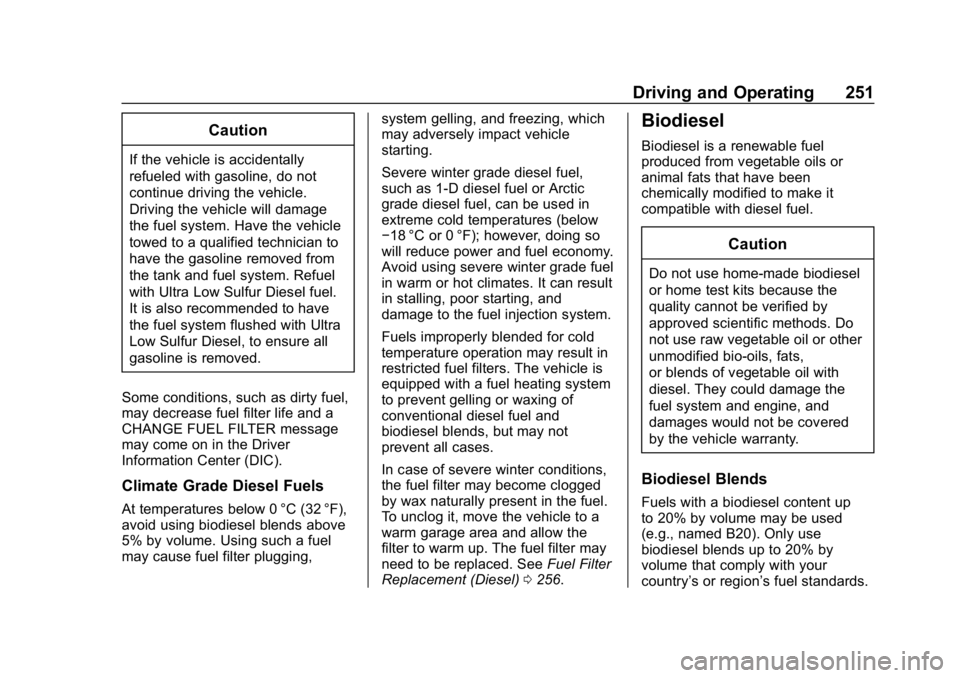
If the vehicle is accidentally
refueled with gasoline, do not
continue driving the vehicle.
Driving the vehicle will damage
the fuel system. Have the vehicle
towed to a qualified technician to
have the gasoline removed from
the tank and fuel system. Refuel
with Ultra Low Sulfur Diesel fuel.
It is also recommended to have
the fuel system flushed with Ultra
Low Sulfur Diesel, to ensure all
gasoline is removed.
Some conditions, such as dirty fuel,
may decrease fuel filter life and a
CHANGE FUEL FILTER message
may come on in the Driver
Information Center (DIC).
Climate Grade Diesel Fuels
At temperatures below 0 °C (32 °F),
avoid using biodiesel blends above
5% by volume. Using such a fuel
may cause fuel filter plugging, system gelling, and freezing, which
may adversely impact vehicle
starting.
Severe winter grade diesel fuel,
such as 1-D diesel fuel or Arctic
grade diesel fuel, can be used in
extreme cold temperatures (below
−18 °C or 0 °F); however, doing so
will reduce power and fuel economy.
Avoid using severe winter grade fuel
in warm or hot climates. It can result
in stalling, poor starting, and
damage to the fuel injection system.
Fuels improperly blended for cold
temperature operation may result in
restricted fuel filters. The vehicle is
equipped with a fuel heating system
to prevent gelling or waxing of
conventional diesel fuel and
biodiesel blends, but may not
prevent all cases.
In case of severe winter conditions,
the fuel filter may become clogged
by wax naturally present in the fuel.
To unclog it, move the vehicle to a
warm garage area and allow the
filter to warm up. The fuel filter may
need to be replaced. See
Fuel Filter
Replacement (Diesel) 0256.
Biodiesel
Biodiesel is a renewable fuel
produced from vegetable oils or
animal fats that have been
chemically modified to make it
compatible with diesel fuel.
Caution
Do not use home-made biodiesel
or home test kits because the
quality cannot be verified by
approved scientific methods. Do
not use raw vegetable oil or other
unmodified bio-oils, fats,
or blends of vegetable oil with
diesel. They could damage the
fuel system and engine, and
damages would not be covered
by the vehicle warranty.
Biodiesel Blends
Fuels with a biodiesel content up
to 20% by volume may be used
(e.g., named B20). Only use
biodiesel blends up to 20% by
volume that comply with your
country’s or region’ s fuel standards.
Page 256 of 425
GMC Terrain/Terrain Denali Owner Manual (GMNA-Localizing-U.S./Canada/
Mexico-13556230) - 2020 - CRC - 9/4/19
Driving and Operating 253
{Warning
Diesel fuel containing water is still
combustible. You or others could
be burned. If the fuel needs to be
drained, keep sparks, flames, and
smoking materials away from the
mixture.
Caution
Water in the diesel fuel can
corrode internal components of
the fuel system and lead to
severe damage. It can also
support fungus or bacteria
growth, which can damage the
fuel system and Fuel Operated
Heater (FOH), if equipped. Even
with a diesel fuel biocide, the fuel
system may still need to be
cleaned. Your dealer can advise
of the appropriate solution.(Continued)
Caution (Continued)
If the fuel tank needs to be
purged to remove water, see your
dealer or a qualified technician.
Improper purging can damage the
fuel system and block the FOH.
As an added precaution, drain the
diesel fuel filter of residual water at
every engine oil change. If the
WATER IN FUEL - CONTACT
SERVICE message comes on
frequently, even after draining water
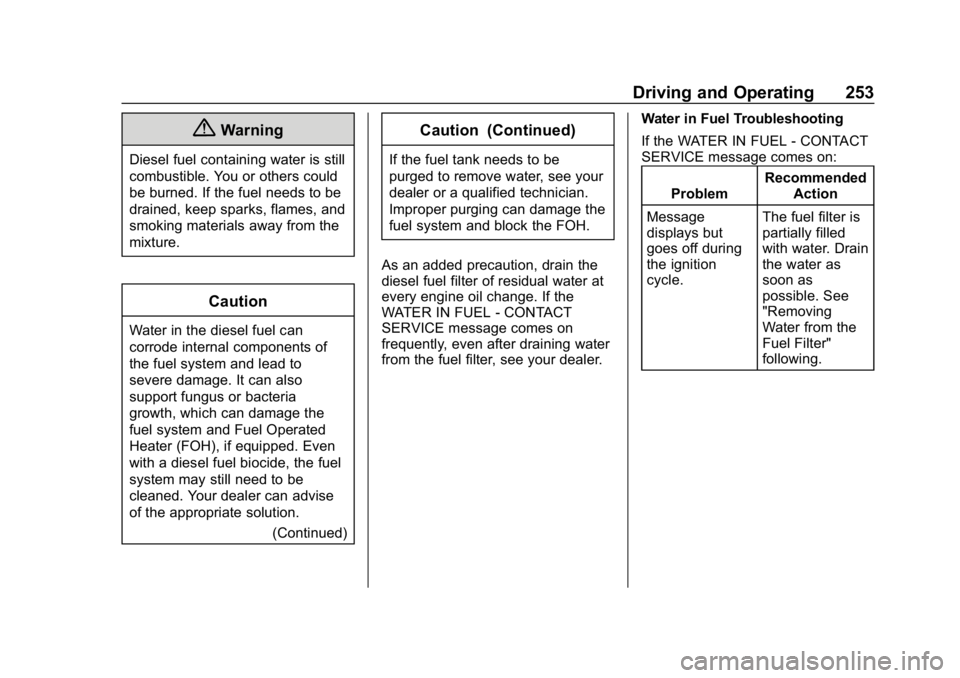
from the fuel filter, see your dealer. Water in Fuel Troubleshooting
If the WATER IN FUEL - CONTACT
SERVICE message comes on:
Problem Recommended
Action
Message
displays but
goes off during
the ignition
cycle. The fuel filter is
partially filled
with water. Drain
the water as
soon as
possible. See
"Removing
Water from the
Fuel Filter"
following.