buttons GMC YUKON DENALI 2003 Owner's Manual
[x] Cancel search | Manufacturer: GMC, Model Year: 2003, Model line: YUKON DENALI, Model: GMC YUKON DENALI 2003Pages: 447, PDF Size: 21.97 MB
Page 218 of 447
Video Screen
The video screen is located in the overhead console. To
use the video screen, push forward on the release
latch ana the screen
will fold down. Adjirsi the screerfs
position as desired. When the video screen is not in
use, push it up into its latched position.
The DVD player and display will continue
to operate
when the screen is in either the up or the down position.
The video screen contains the infrared transmitters for
the wireless headphones and the infrared receiver
for the remote control. If the screen is in the closed
position, the infrared signals will not be available for the
operation of the headphones and the remote control.
Notice: Avoid directly touching the video screen, as
damage may occur. See “Cleaning the Video
Screen” in the Index for more information.
Remote Control
To use the remote control, aim it at the infrared window
below the video screen and press the desired button.
Direct sunlight or very bright light may affect the ability of
the entertainment system
to receive signals from the
remote control. If the remote control does not seem to
be working, the batteries may need
to be replaced.
See “Battery Replacement” later in this section.
Objects blocking the line of sight may also affect the
function of the remote control.
Remote Control Buttons
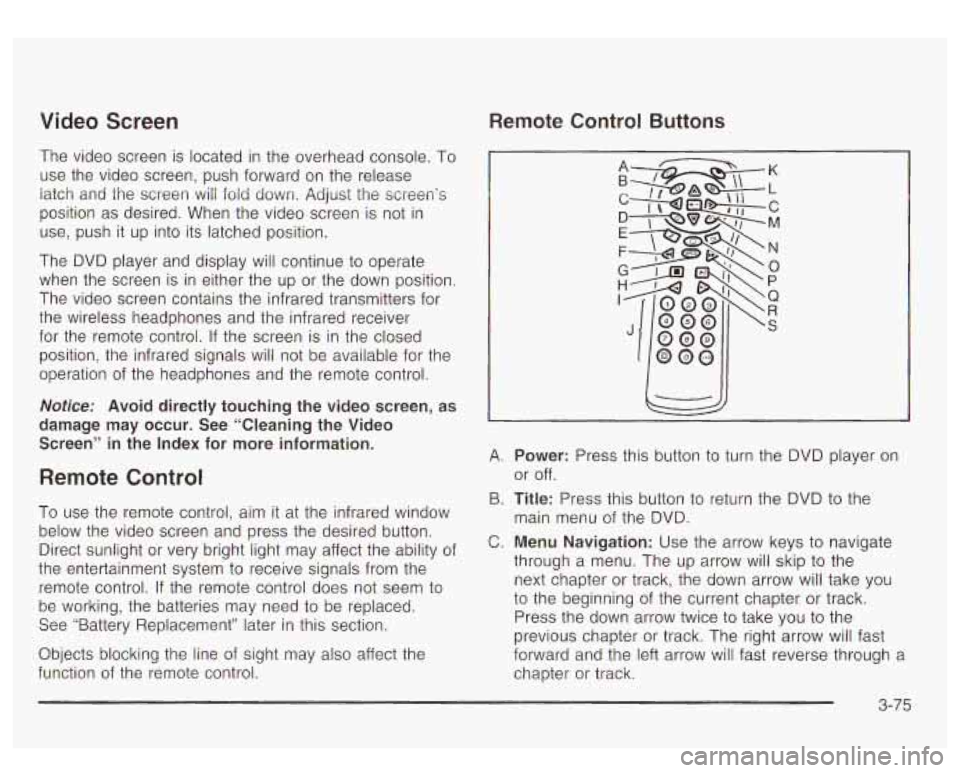
A. Power: Press this button to turn the DVD player on
or off.
B.
Title: Press this button to return the DVD to the
main menu of the DVD.
C. Menu Navigation: Use the arrow keys to navigate
through a menu. The up arrow will skip
to the
next chapter or track, the down arrow will take you
to the beginning of the current chapter or track.
Press the down arrow twice
to take you to the
previous chapter or track. The right arrow will fast
forward and the left arrow will fast reverse through a
chapter or track.
3-75
Page 224 of 447
Rear Seat Audio (RSA) Rear Seat Audio Controls
This feature allows rear seat passengers to listen to any
of the audio sources: radio, cassette tapes,
CDs,
DVDs, XMTM (if equipped), depending on yotir vehicles
options. However, the rear seat passengers can
only control the music sources that the front seat
passengers are not listening to. For example, rear seat
passengers may listen
to a cassette tape through
headphones while the driver listens to the radio through
the front speakers. The rear seat passengers have
control of the volume for each set of headphones. The
front seat audio controls always override the
RSA
controls.
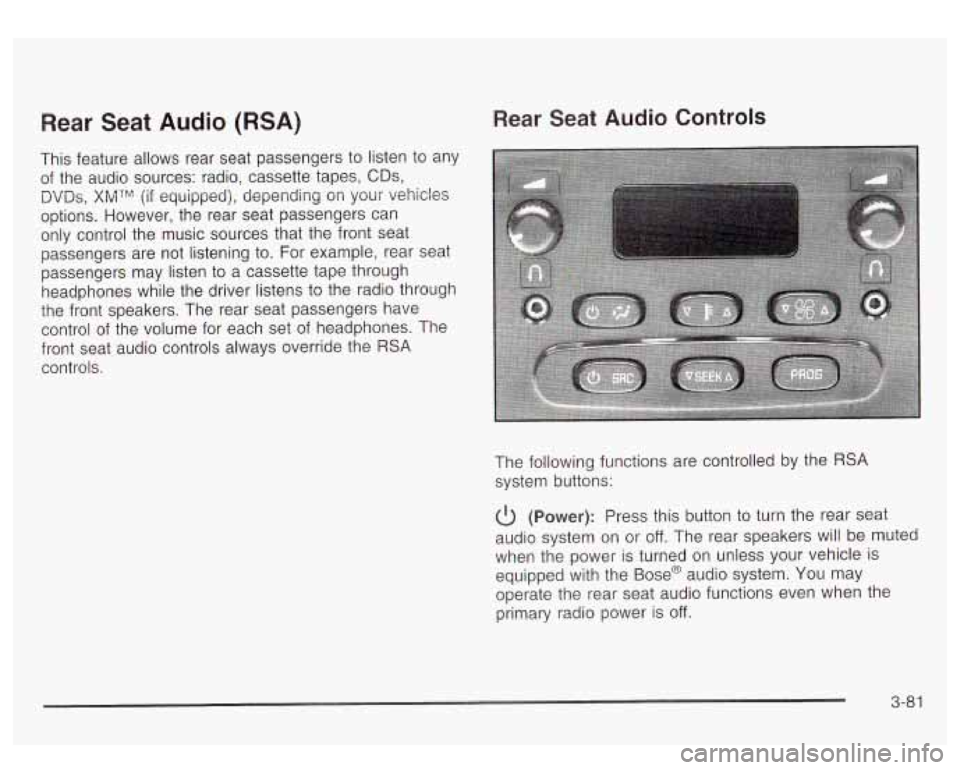
The following functions are controlled by the
RSA
system buttons:
6 (Power): Press this button to turn the rear seat
audio system on or
off. The rear speakers will be muted
when the power is turned on unless your vehicle
is
equipped with the Base@ audio system. You may
operate the rear seat audio functions even when the
primary radio power is
off.
3-81
Page 225 of 447
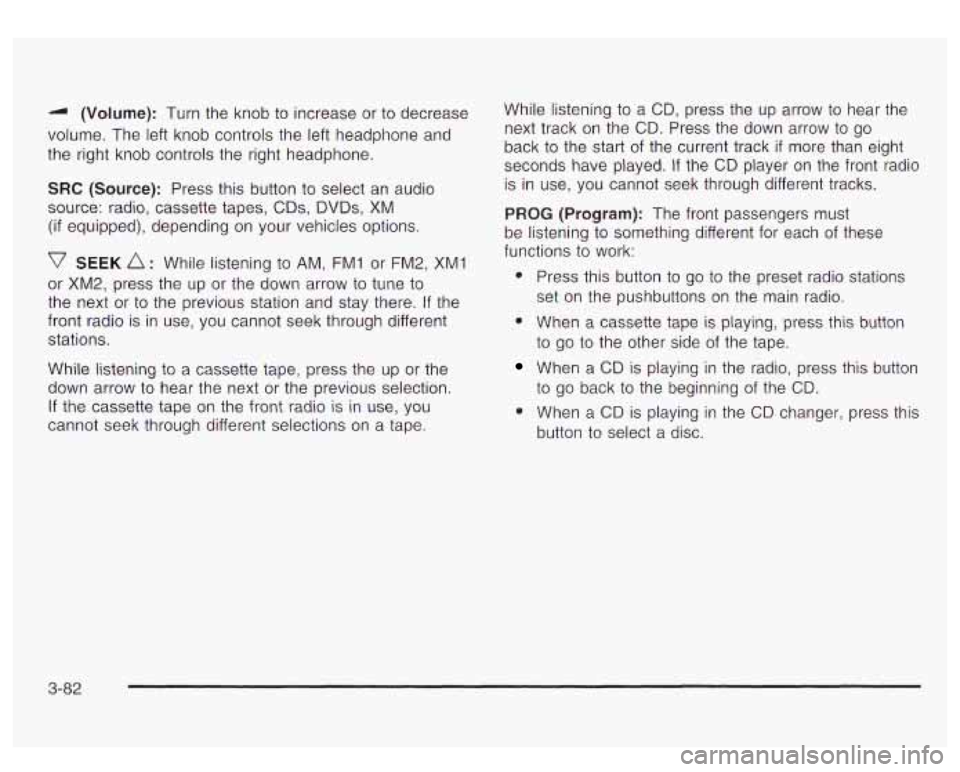
-I (Volume): Turn the knob to increase or to decrease
volume. The left knob controls the left headphone and
the right knob controls the right headphone.
SRC (Source): Press this button to select an audio
source: radio, cassette tapes,
CDs, DVDs, XM
(if equipped), depending on your vehicles options.
v SEEK A : While listening to AM, FMI or FM2, XM1
or XM2, press the up or the down arrow
to tune to
the next or to the previous station and stay there. If the
front radio is in use, you cannot seek through different
stations.
While listening
to a cassette tape, press the up or the
down arrow
to hear the next or the previous selection.
If the cassette tape on the front radio is in use, you
cannot seek through different selections on a tape. While listening
to a
CD, press the up arrow to hear the
next track on the CD. Press the down arrow to go
back to the start
of the current track if more than eight
seconds have played. If the CD player on the front radio
is in use, you cannot seek through different tracks.
PROG (Program): The front passengers must
be listening
to something different for each of these
functions
to work:
e
Press this button to go to the preset radio stations
set on the pushbuttons on the main radio.
When a cassette tape is playing, press this button
to go to the other side of the tape.
When a CD is playing in the radio, press this button
to go back to the beginning of the CD.
When a
CD is playing in the CD changer, press this
button
to select a disc.
3-82
Page 227 of 447
To eject a single CD, perform the following
steps:
1. Press the eject button (upward pointing arrow).
The buttons with loaded CDs will blink amber.
2. Press one of the amber blinking buttons to select
the location of the CD you want to eject. The
changer will move to that location and eject the CD.
If you do not remove the CD from the player
CD Functions
1 PREV (Previous): Press this pushbutton to go to the
previous track
if the current track has been playing
for less than eight seconds. If pressed when the current
track has been playing for more than eight seconds,
it will go
to the beginning of the current track. If you hold
or press this pushbutton more than once, the player
will continue moving back through the CD.
within
10 seconds, it will be reloaded. If the eject
button is pressed and a numbered location button is not pressed within five seconds, the current or
last played CD will be ejected. 2 NEXT: Press this pushbutton to go to the next track.
If you hold this pushbutton or press it more than
once, the player will continue moving forward through
the CD.
To eject all CDs, press and hold the eject button.
There are two ways to play a CD. Perform
one of the following:
With the radio on, press the desired numberea
button with a green indicator light on the CD
changer.
changer will go
to its last played position.
Press the TAPE DISC button on the radio. The CD
3 REV (Reverse): Press and hold this pushbutton to
reverse quickly through a track. Release it to resume
playing.
4 FWD (Forward): Press and hold this pushbutton to
advance quickly through
a track. Release it to resume
playing.
5 0: Press this pushbutton to select a CD. The CD
number and track number will be displayed.
3-84
Page 229 of 447
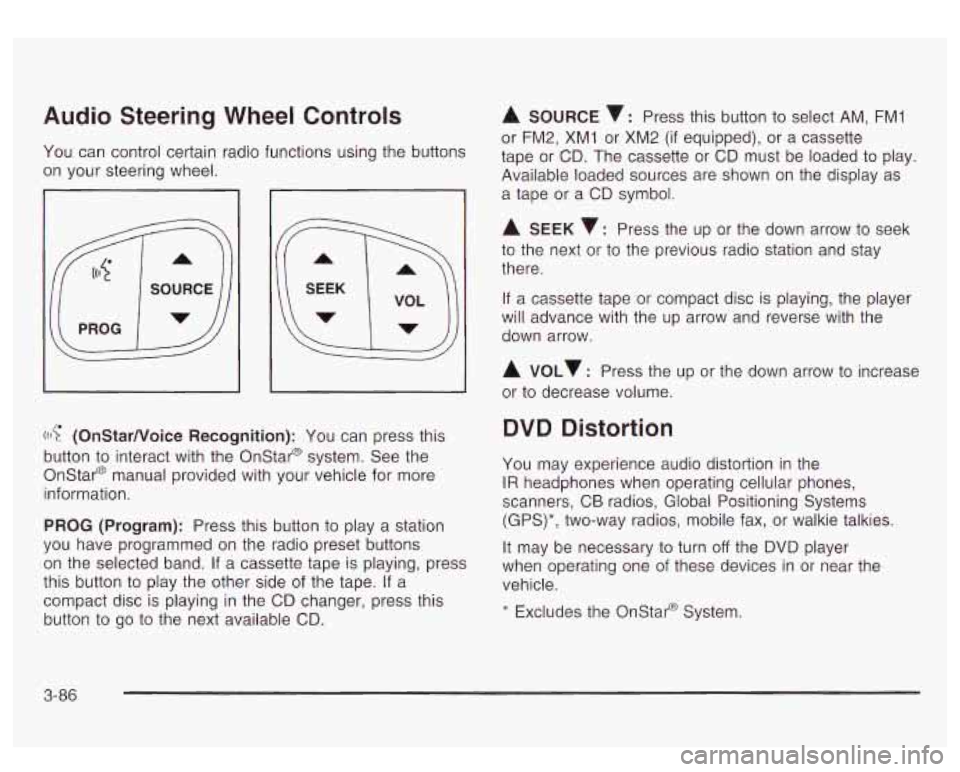
Audio Steering Wheel Controls
You can control certain radio functions using the buttons
on your steering wheel.
I
((I? (OnStarNoice Recognition): You can press this
button
to interact with the Onstar@ system. See the
Onstar@ manual provided with your vehicle for more
information.
PROG (Program): Press this button to play a station
you have programmed on the radio preset buttons
on the selected band. If a cassette tape is playing, press
this button to play the other side of the tape. If a
compact disc is playing
in the CD changer, press this
button to
go to the next available CD.
A SOURCE v: Press this button to select AM, FMI
or FM2, XM1 or XM2 (if equipped), or a cassette
tape or CD. The cassette or CD must be loaded to play.
Available loaded sources are shown on the display as
a tape or a CD symbol.
A SEEK 7: Press the up or the down arrow to seek
to the next or
to the previous radio station and stay
there.
If a cassette tape or compact disc is playing, the player
will advance with the up arrow and reverse with the
down arrow.
A VOLv : Press the up or the down arrow to increase
or to decrease volume.
DVD Distortion
You may experience audio distortion in the
IR headphones when operating cellular phones,
scanners, CB radios, Global Positioning Systems
(GPS)*, two-way radios, mobile fax, or walkie talkies.
It may be necessary to turn
off the DVD player
when operating one of these devices in or near the
vehicle.
* Excludes the Onstat-@ System.
3-86
Page 429 of 447

Driving (cont.)
Freeway
....................... ............ 4-33
Hill and Mountain Roads
..., ................... 4-35
In Rain and on Wet Roads
....................... 4-29
winter ........................................................ 4-37
Driving On Grades .......................................... 4-54
Driving on Snow or Ice
.................................... 4-38
Driving Through Deep Standing Water
............... 4-31
Driving Through Flowing Water
......................... 4-31
DVD Driving with a Trailer
....................................... 4-53
Care
of Your ............................................... 3-88
Care
of Your DVD Player ............................. 3-89
Cleaning the Video Screen
........................... 3-89
Distortion .................................................... 3-86
Rear Seat Entertainment System
................... 3-72
DVD Player
.................................................... 3-72 Engine
Air Cleaner/Filter
......................................... 5-17
Battery
....................................................... 5-39
Check and Service Engine Soon Light
............ 3-38
Coolant ...................................................... 5-22
Coolant Heater
............................................ 2-21
Coolant Temperature Gage
........................... 3-36
Cooling System Inspection
............................ 6-14
Engine Compartment Overview
...................... 5-12
Exhaust
..................................................... 2-29
Fan Noise
.................................................. 5-33
Oil
............................................................. 5-13
Overheating
................................................ 5-25
Starting
...................................................... 2-19
Engine Air Cleaner Filter Restriction
Indicator Check
........................................... 6-11
ENGINE COOLANT HOT
................................. 3-53
Engine Coolant Level Check
............................. 6-10
Engine Oil Additives ........................................ 5-16
Engine Oil Level Check
................................... 6-10
Entering or Exiting the Third Row Seats
.............. 1-7
Engine
Oil and Chassis Lubrication Scheduled
Maintenance
................................................. 6-5
ENGINE OVERHEATED
.................................. 3-53
Entertainment System Cleaning the Video Screen
........................... 3-89
DVD Distortion
............................................ 3-86
Entry Lighting
................................................. 3-16
Erasing HomeLink@ Buttons
.............................. 2-41
E
Easy Exit Seat ............................................... 2-48
Electrical System
............................................ 5-87
Add-on Equipment
...................................... 5-87
Fuses and Circuit Breakers
........................... 5-87
Power Windows and Other Power Options
...... 5-87
Windshield Wiper Fuses
............................... 5-87
Electrochromic Mirror Operation
................ 2-32
Emissions Inspection and Maintenance
Programs
....................................... .... 3-40
5