radio GMC YUKON DENALI 2009 User Guide
[x] Cancel search | Manufacturer: GMC, Model Year: 2009, Model line: YUKON DENALI, Model: GMC YUKON DENALI 2009Pages: 100, PDF Size: 1.41 MB
Page 51 of 100
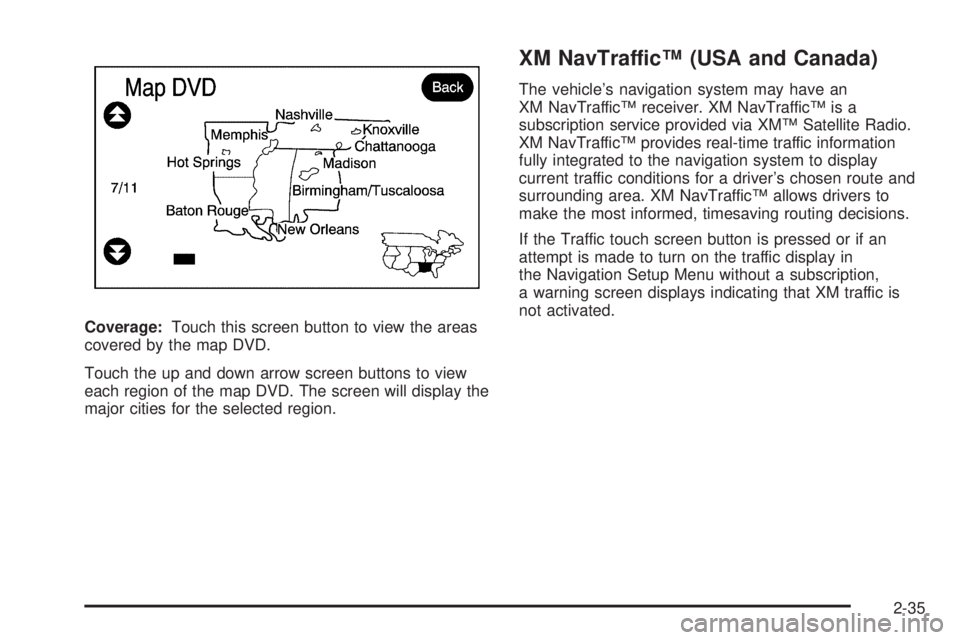
Coverage:Touch this screen button to view the areas
covered by the map DVD.
Touch the up and down arrow screen buttons to view
each region of the map DVD. The screen will display the
major cities for the selected region.
XM NavTraffic™ (USA and Canada)
The vehicle’s navigation system may have an
XM NavTraffic™ receiver. XM NavTraffic™ is a
subscription service provided via XM™ Satellite Radio.
XM NavTraffic™ provides real-time traffic information
fully integrated to the navigation system to display
current traffic conditions for a driver’s chosen route and
surrounding area. XM NavTraffic™ allows drivers to
make the most informed, timesaving routing decisions.
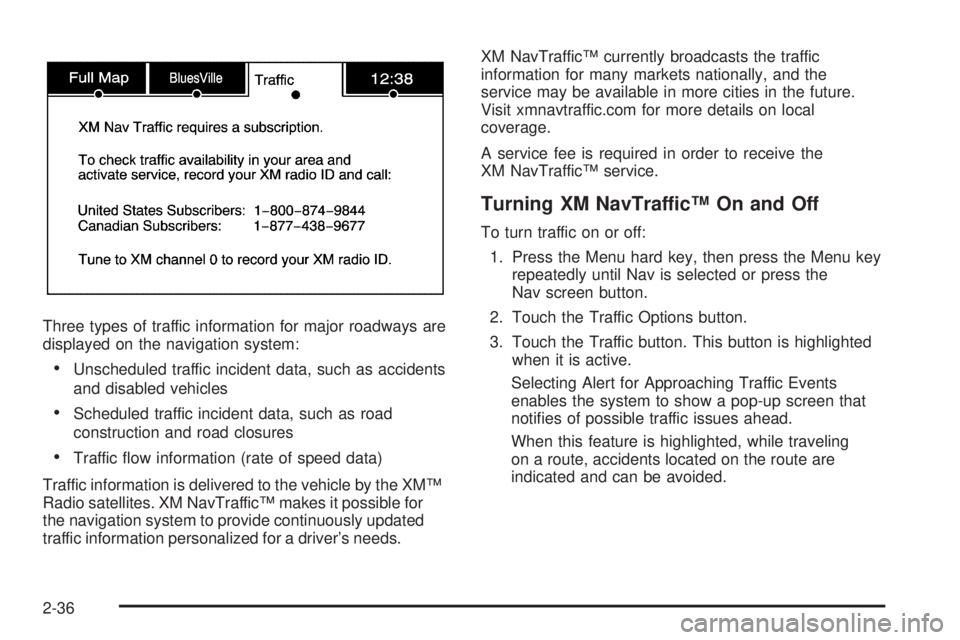
If the Traffic touch screen button is pressed or if an
attempt is made to turn on the traffic display in
the Navigation Setup Menu without a subscription,
a warning screen displays indicating that XM traffic is
not activated.
2-35
Page 52 of 100
Three types of traffic information for major roadways are
displayed on the navigation system:
Unscheduled traffic incident data, such as accidents
and disabled vehicles
Scheduled traffic incident data, such as road
construction and road closures
Traffic ow information (rate of speed data)
Traffic information is delivered to the vehicle by the XM™
Radio satellites. XM NavTraffic™ makes it possible for
the navigation system to provide continuously updated
traffic information personalized for a driver’s needs.XM NavTraffic™ currently broadcasts the traffic
information for many markets nationally, and the
service may be available in more cities in the future.
Visit xmnavtraffic.com for more details on local
coverage.
A service fee is required in order to receive the
XM NavTraffic™ service.
Turning XM NavTraffic™ On and Off
To turn traffic on or off:
1. Press the Menu hard key, then press the Menu key
repeatedly until Nav is selected or press the
Nav screen button.
2. Touch the Traffic Options button.
3. Touch the Traffic button. This button is highlighted
when it is active.
Selecting Alert for Approaching Traffic Events
enables the system to show a pop-up screen that
noties of possible traffic issues ahead.
When this feature is highlighted, while traveling
on a route, accidents located on the route are
indicated and can be avoided.
2-36
Page 68 of 100
Navigation Audio System
Notice:Before adding any sound equipment to
the vehicle, such as an audio system, CD player,
CB radio, mobile telephone, or two-way radio,
make sure that it can be added by checking with
your dealer/retailer. Also, check federal rules
covering mobile radio and telephone units. If sound
equipment can be added, it is very important to
do it properly. Added sound equipment can interfere
with the operation of the vehicle’s engine, radio,
or other systems, and even damage them.
The vehicle’s systems can interfere with the
operation of sound equipment that has been added.
Notice:The chime signals related to safety belts,
parking brake, and other functions of the vehicle
operate through the navigation system. If that
equipment is replaced or additional equipment is
added to the vehicle, the chimes may not work.
Make sure that replacement or additional equipment
is compatible with the vehicle before installing it.
See “Accessories and Modications” in the Index of
the vehicle’s owner manual.
Playing the Radio
O
(Power/Volume):Press this knob to turn the audio
system on and off. Turn the knob to increase or to
decrease the volume.
f(Tuning/Sound Knob):Turn this knob to go to the
next or previous frequency.
Press this knob to display the Sound menu. See “Sound
Menu” later in this section.
AUDIO:Press this key to display the audio screen.
Press the key to switch between AM, FM, or XM,
if equipped, DISC, or AUX (Auxiliary), or touch the
screen button. SeeCD Player on page 3-11,DVD
Player on page 3-17, andAuxiliary Devices on
page 3-23for more information.
3-2
Page 70 of 100
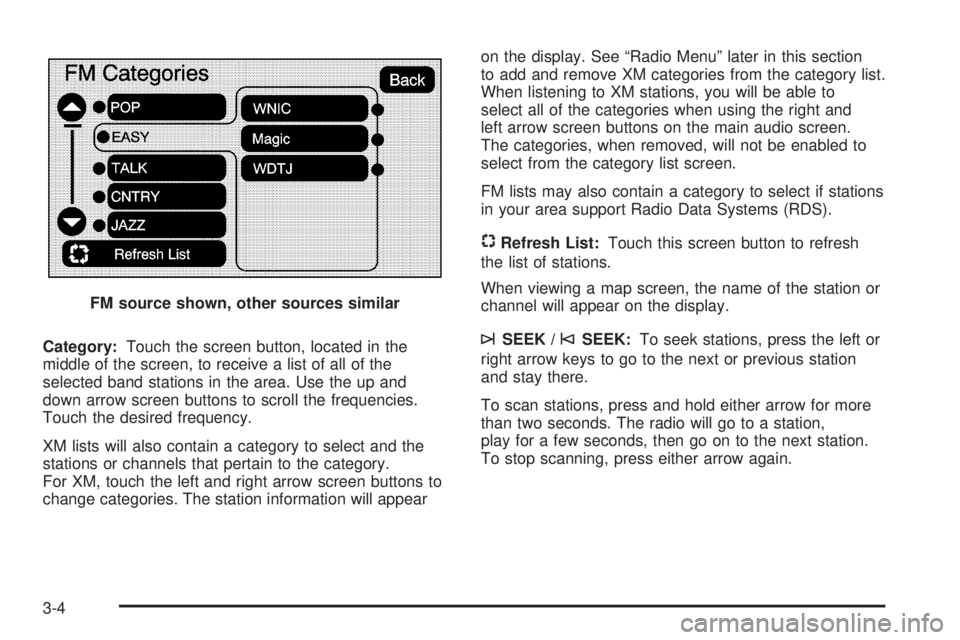
Category:Touch the screen button, located in the
middle of the screen, to receive a list of all of the
selected band stations in the area. Use the up and
down arrow screen buttons to scroll the frequencies.
Touch the desired frequency.
XM lists will also contain a category to select and the
stations or channels that pertain to the category.
For XM, touch the left and right arrow screen buttons to
change categories. The station information will appearon the display. See “Radio Menu” later in this section
to add and remove XM categories from the category list.
When listening to XM stations, you will be able to
select all of the categories when using the right and
left arrow screen buttons on the main audio screen.
The categories, when removed, will not be enabled to
select from the category list screen.
FM lists may also contain a category to select if stations
in your area support Radio Data Systems (RDS).
$Refresh List:Touch this screen button to refresh
the list of stations.
When viewing a map screen, the name of the station or
channel will appear on the display.
¨SEEK /©SEEK:To seek stations, press the left or
right arrow keys to go to the next or previous station
and stay there.
To scan stations, press and hold either arrow for more
than two seconds. The radio will go to a station,
play for a few seconds, then go on to the next station.
To stop scanning, press either arrow again. FM source shown, other sources similar
3-4
Page 71 of 100
Storing Radio Station Presets
This feature allows you to store up to 30 preset stations.
See “Number of Preset Pages” under “Radio Menu”
later in this section for more information. You can mix
AM, FM, and XM (if equipped). To store presets, do the
following:
1. Press the
O(power) knob to turn the system on.
2. If viewing a map screen, touch the source
screen button, press the AUDIO key, or press the
FAV (favorite) key.
3. Select the band.
4. Seek, scan, or tune to the desired station, to select
the station.
5. Press and hold one of the preset screen buttons for
more than two seconds or until you hear a beep.
6. Repeat the steps for each preset.
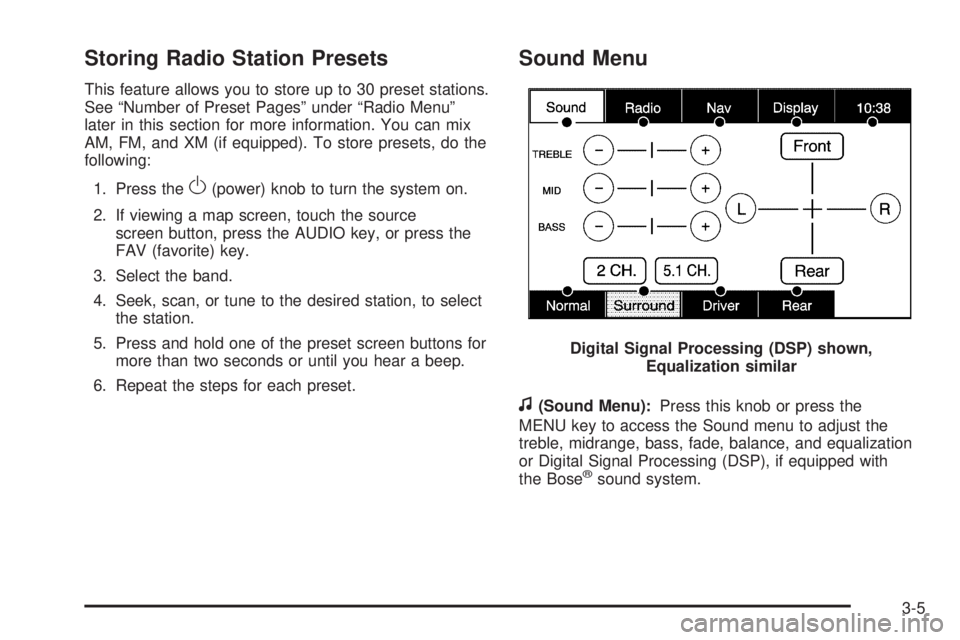
Sound Menu
f
(Sound Menu):Press this knob or press the
MENU key to access the Sound menu to adjust the
treble, midrange, bass, fade, balance, and equalization
or Digital Signal Processing (DSP), if equipped with
the Bose
®sound system. Digital Signal Processing (DSP) shown,
Equalization similar
3-5
Page 73 of 100
Driver:Select this screen button to adjust the audio to
give the driver the best possible sound quality.
Rear:Select this screen button to adjust the audio to
give the rear seat occupants the best possible sound
quality.
The 2 CH and 5.1 CH buttons are available only when a
5.1 CH disk is available and RSA is off.
2 CH (Channel):Select this screen button to enhance
surround sound. The Surround screen button must
be selected to select the 2 CH screen button.
5.1 CH (Channel):Select this screen button, when
listening to a DVD, to give a full affect of surround sound
listening. The Surround screen button must be selected
to select the 5.1 CH screen button.
Downmix:If a 5.1CH disk is playing, and the 2 CH
screen button is selected or RSA is turned on, the
system will downmix the audio from 5.1 CH to 2 CH if
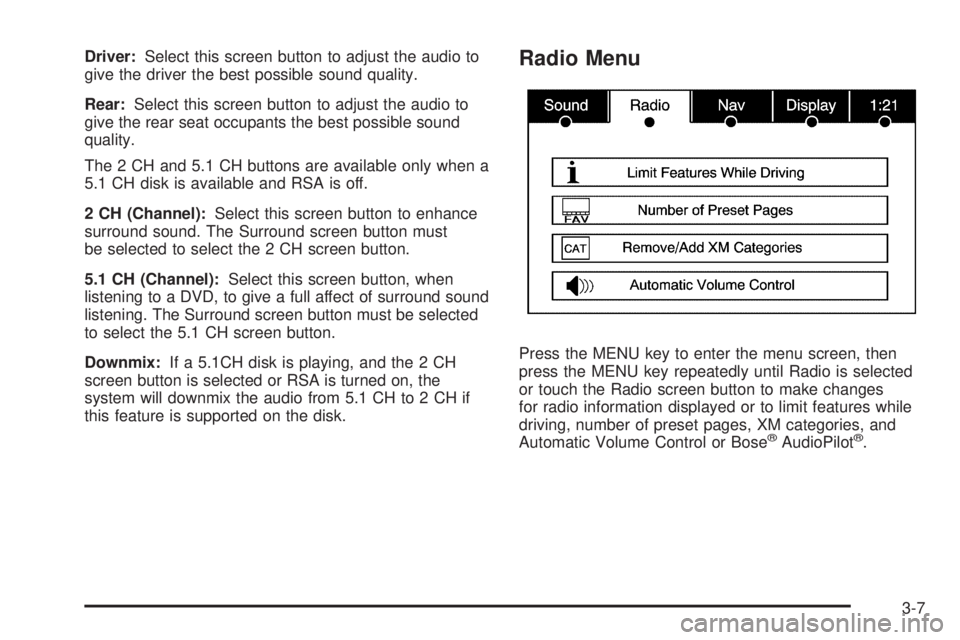
this feature is supported on the disk.Radio Menu
Press the MENU key to enter the menu screen, then
press the MENU key repeatedly until Radio is selected
or touch the Radio screen button to make changes
for radio information displayed or to limit features while
driving, number of preset pages, XM categories, and
Automatic Volume Control or Bose
®AudioPilot®.
3-7
Page 74 of 100
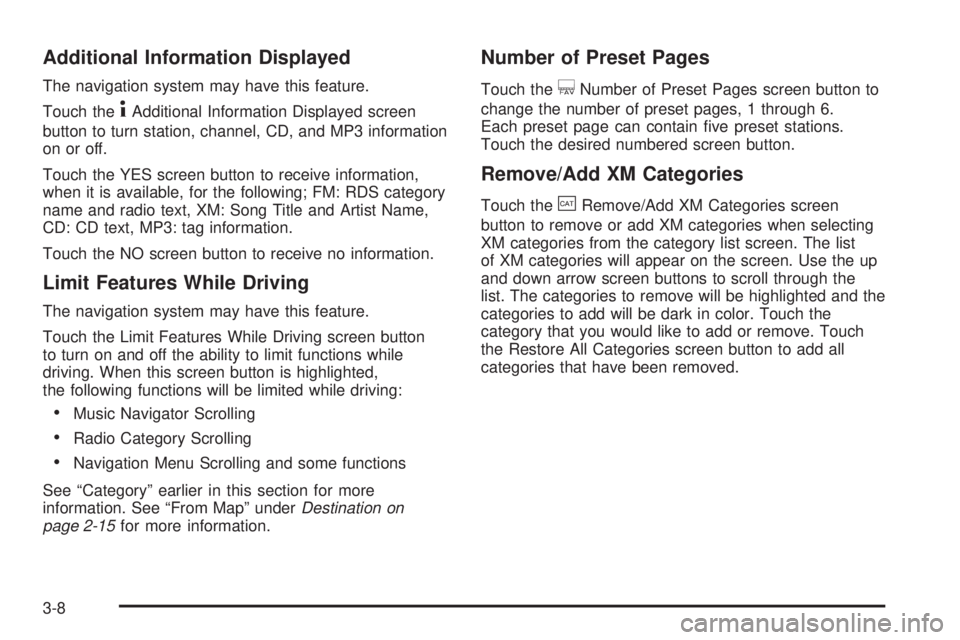
Additional Information Displayed
The navigation system may have this feature.
Touch the
4Additional Information Displayed screen
button to turn station, channel, CD, and MP3 information
on or off.
Touch the YES screen button to receive information,
when it is available, for the following; FM: RDS category
name and radio text, XM: Song Title and Artist Name,
CD: CD text, MP3: tag information.
Touch the NO screen button to receive no information.
Limit Features While Driving
The navigation system may have this feature.
Touch the Limit Features While Driving screen button
to turn on and off the ability to limit functions while
driving. When this screen button is highlighted,
the following functions will be limited while driving:
Music Navigator Scrolling
Radio Category Scrolling
Navigation Menu Scrolling and some functions
See “Category” earlier in this section for more
information. See “From Map” underDestination on
page 2-15for more information.
Number of Preset Pages
Touch the/Number of Preset Pages screen button to
change the number of preset pages, 1 through 6.
Each preset page can contain ve preset stations.
Touch the desired numbered screen button.
Remove/Add XM Categories
Touch the&Remove/Add XM Categories screen
button to remove or add XM categories when selecting
XM categories from the category list screen. The list
of XM categories will appear on the screen. Use the up
and down arrow screen buttons to scroll through the
list. The categories to remove will be highlighted and the
categories to add will be dark in color. Touch the
category that you would like to add or remove. Touch
the Restore All Categories screen button to add all
categories that have been removed.
3-8
Page 75 of 100
Automatic Volume Control or Bose
AudioPilot®
>Automatic Volume Control:With automatic volume
control, your audio system adjusts automatically to
make up for road and wind noise as you drive.
To use Automatic Volume Control:
1. Set the volume at the desired level.
2. Press the MENU key to enter the menu screen,
then press the MENU key repeatedly until Radio
is selected or touch the Radio screen button
3. Press the
>Automatic Volume Control screen
button to access the Speed Compensated Volume
screen.
4. Touch the Low, Medium, or High screen buttons.
Each higher setting allows for more compensation
at faster vehicle speeds.
Then, as you drive, automatic volume control
automatically increases the volume, as necessary,
to overcome noise at any speed. The volume level
should always sound the same to you as you drive.
To turn automatic volume control off, touch the
OFF screen button.AudioPilot:If the system has the Bose
®sound system
it may include Bose AudioPilot®noise compensation
technology.
To use AudioPilot
®:
1. Press the MENU key to enter the menu screen,
then press the MENU key repeatedly until Radio
is selected or touch the Radio screen button
2. Press the
>Automatic Volume Control screen.
button to access the AudioPilot menu.
3. Press the ON screen button.
To turn it off, touch the OFF screen button.
When on, AudioPilot
®continuously adjusts the audio
system equalization, to compensate for background
noise, so that your music always sounds the same at the
set volume level.
This feature is most effective at lower volume settings
where background noise can affect how well you
hear the music being played through your vehicle’s
audio system. At higher volume settings, where
the music is much louder than the background noise,
there may be little or no adjustments by AudioPilot
®.
For more information on AudioPilot®, please visit
bose.com/audiopilot.
3-9
Page 76 of 100
Radio Data System (RDS)
The audio system has a Radio Data System (RDS).
RDS features are available for use only on FM stations
that broadcast RDS information. With RDS, the radio
can do the following:
Seek to stations broadcasting the selected type of
programming
Receive announcements concerning local and
national emergencies
Display messages from radio stations
This system relies on receiving specic information from
these stations and will only work when the information
is available. In rare cases, a radio station may broadcast
incorrect information that will cause the radio features
to work improperly. If this happens, contact the
radio station.
The RDS system is always on. When information is
broadcast from the FM station you are listening to, the
station name or call letters will be displayed on the
audio screen. RDS may provide a program type (PTY)
for current programming and the name of the program
being broadcasted.
XM™ Satellite Radio Service
XM™ is a satellite radio service that is based in the
48 contiguous United States and 10 Canadian provinces.
XM Satellite Radio has a wide variety of programming
and commercial-free music, coast-to-coast, and in
digital-quality sound. During your trial or when you
subscribe, you will get unlimited access to XM Radio
Online for when you are not in the vehicle. A service
fee is required to receive the XM service. For more
information, contact XM at xmradio.com or call
1-800-929-2100 in the U.S. and xmradio.ca or
call 1-877-438-9677 in Canada.
When XM™ is active, the channel name and number,
song title, and artist will display on the screen.
XM™ Radio Messages
See “XM™ Radio Messages” in the vehicle’s owner
manual” for a list of possible XM messages.
3-10
Page 77 of 100
CD Player
The player can be used for CD and MP3. If your vehicle
has RSE, the player can be used for CD, MP3, DVD
audio, and as a DVD video player. SeeDVD Player on
page 3-17for more information about DVD audio
and video.
With the ignition on, insert a CD partway into the slot,
label side up. The player will pull it in and the CD should
begin playing. While playing a CD, the navigation
system is available. If you insert a CD with the system
off and the ignition on, it will start to play.
When you insert a CD, the CD tab will display.
If you turn off the ignition or radio with a CD in the
player, it will stay in the player. When you turn on the
ignition or radio, the CD will start playing where it
stopped, if it was the last selected audio source.As each new track starts to play, the track number will
appear on the display.
The CD player can play the smaller 3 inch (8cm)
single CDs with an adapter ring. Full-size CDs and the
smaller CDs are loaded in the same manner.
If an error appears on the display, see “CD Messages”
later in this section.
If viewing a map screen, touch the CD screen button.
The display will split between the audio screen and
the map screen. If you do not want to view a split screen
or you are not on a map screen, press the AUDIO
key then press the AUDIO key until CD is selected or
touch the CD screen button.
3-11