reset HONDA ACCORD 2013 9.G Owner's Guide
[x] Cancel search | Manufacturer: HONDA, Model Year: 2013, Model line: ACCORD, Model: HONDA ACCORD 2013 9.GPages: 595, PDF Size: 20.67 MB
Page 210 of 595
209
uuAudio System Basic Operation uAudio/Information Screen
Continued
Features
■Info
Shows the Trip Computer or Clock/Wallpaper information.
Press , rotate to select an item, then press .■Trip computer (Current Drive)
Shows the range, and instant and average fuel economy of the current trip, as well
as the average fuel economy from your last trip.■Trip computer (History of Trip A)
Shows the range, average fuel economy and distance traveled for the current trip,
as well as the average fuel economy and distances traveled during the last three
driving cycles.
Each time you reset the trip meter A, the information on the display updates. The
history of the previous three driving cycles is kept.■Deleting the history manually
1. Press on the History of Trip A screen.
2. Rotate to select Delete History, then press .
3. You will receive a confirmation message on the screen. Rotate to select Yes,
then press .■Clock/Wallpaper
Shows a clock screen or an image you import.
Page 215 of 595
214
uuAudio System Basic Operation uPlaying AM/FM Radio
Features
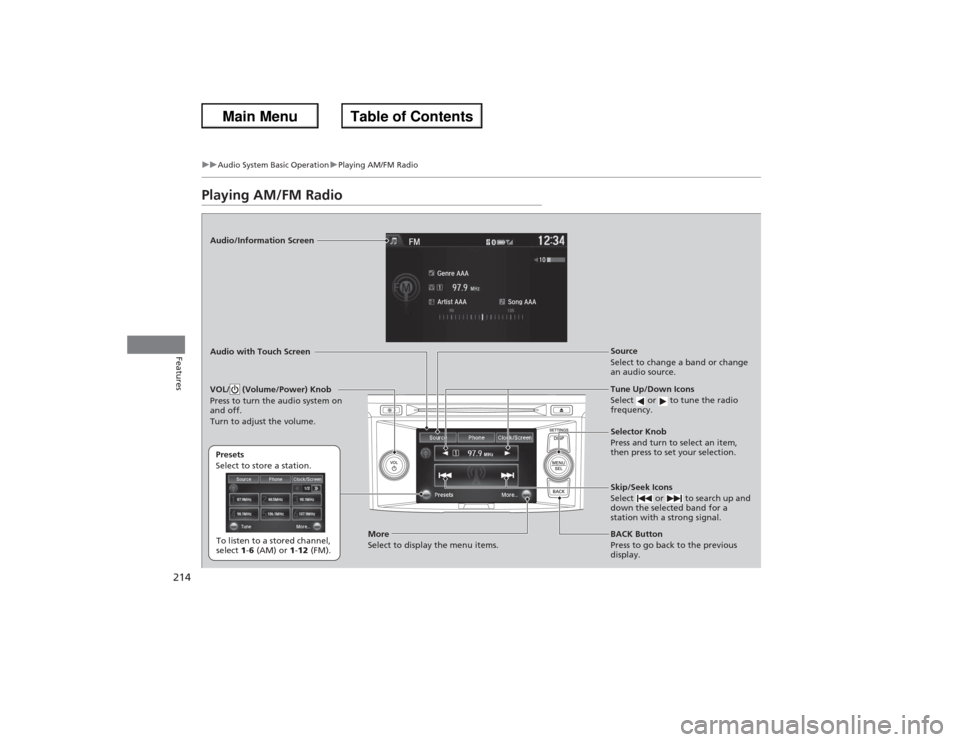
Playing AM/FM RadioAudio/Information Screen
Audio with Touch Screen
Tune Up/Down Icons
Select or to tune the radio
frequency.
BACK Button
Press to go back to the previous
display. Selector Knob
Press and turn to select an item,
then press to set your selection.
VOL/ (Volume/Power) Knob
Press to turn the audio system on
and off.
Turn to adjust the volume.
Source
Select to change a band or change
an audio source.
To listen to a stored channel,
select 1-6 (AM) or 1-12 (FM).
Presets
Select to store a station.
Skip/Seek Icons
Select or to search up and
down the selected band for a
station with a strong signal.
More
Select to display the menu items.
Page 216 of 595
Continued
215
uuAudio System Basic Operation uPlaying AM/FM Radio
Features
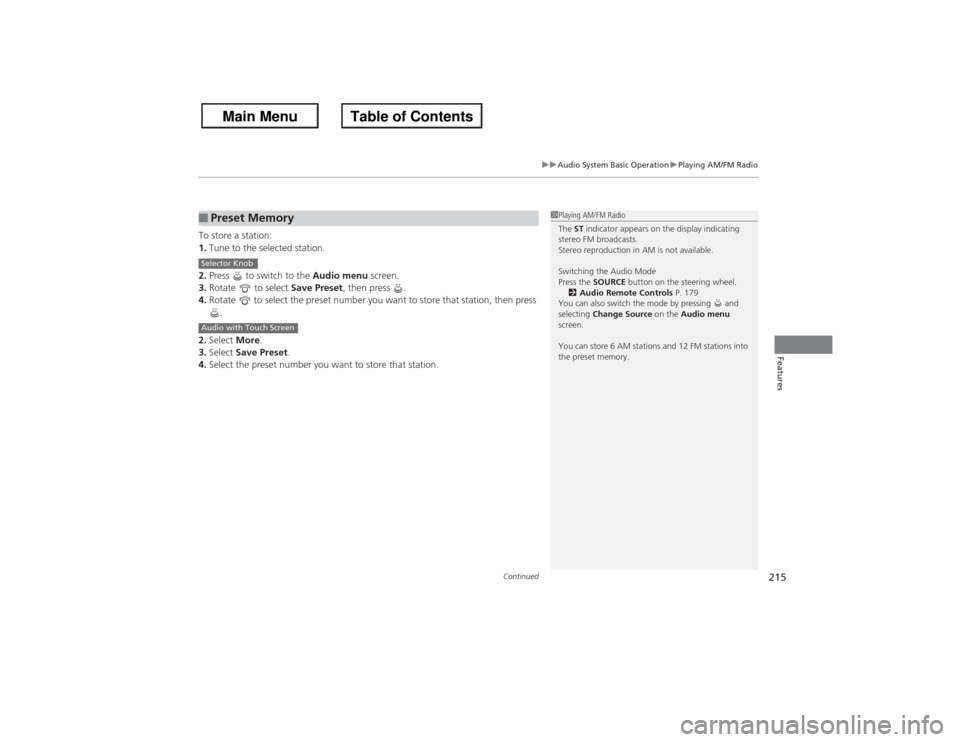
To store a station:
1. Tune to the selected station.
2. Press to switch to the Audio menu screen.
3. Rotate to select Save Preset, then press .
4. Rotate to select the preset number you want to store that station, then press
.
2. Select More.
3. Select Save Preset .
4. Select the preset number you want to store that station.■Preset Memory
1Playing AM/FM Radio
The ST indicator appears on the display indicating
stereo FM broadcasts.
Stereo reproduction in AM is not available.
Switching the Audio Mode
Press the SOURCE button on the steering wheel.
2 Audio Remote Controls P. 179
You can also switch the mode by pressing and
selecting Change Source on the Audio menu
screen.
You can store 6 AM stations and 12 FM stations into
the preset memory.
Selector KnobAudio with Touch Screen
Page 219 of 595
218
uuAudio System Basic Operation uPlaying XM ® Radio
Features
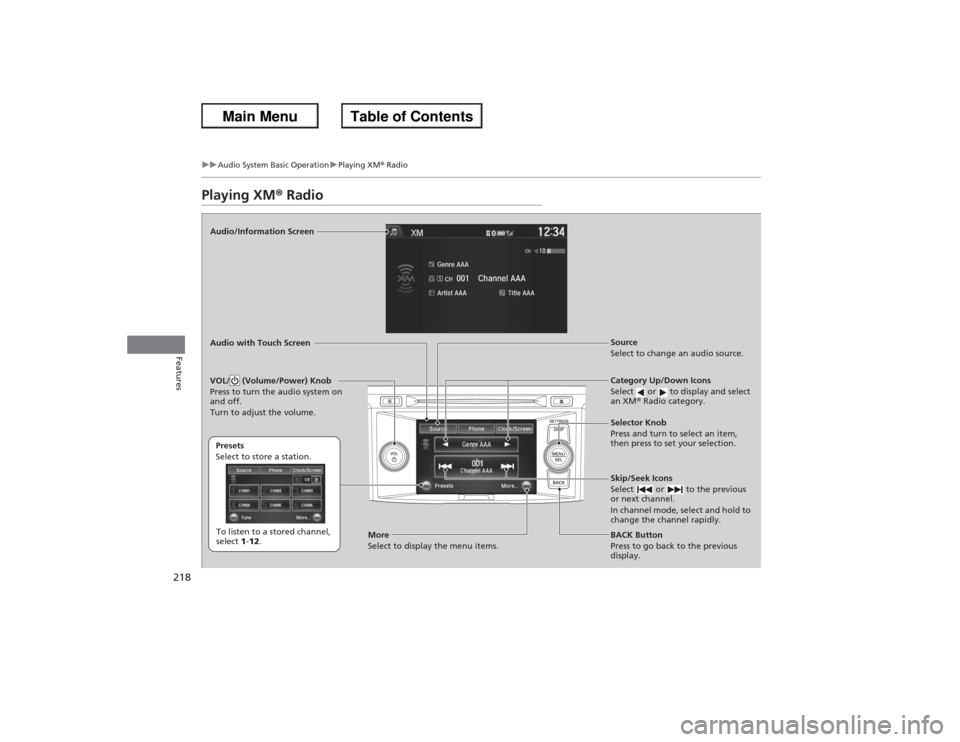
Playing XM ® RadioAudio/Information Screen
Audio with Touch Screen
Category Up/Down Icons
Select or to display and select
an XM® Radio category.
BACK Button
Press to go back to the previous
display. Selector Knob
Press and turn to select an item,
then press to set your selection.
VOL/ (Volume/Power) Knob
Press to turn the audio system on
and off.
Turn to adjust the volume.
Source
Select to change an audio source.
To listen to a stored channel,
select 1-12 .
Presets
Select to store a station.
Skip/Seek Icons
Select or to the previous
or next channel.
In channel mode, select and hold to
change the channel rapidly.
More
Select to display the menu items.
Page 220 of 595
Continued
219
uuAudio System Basic Operation uPlaying XM ® Radio
Features
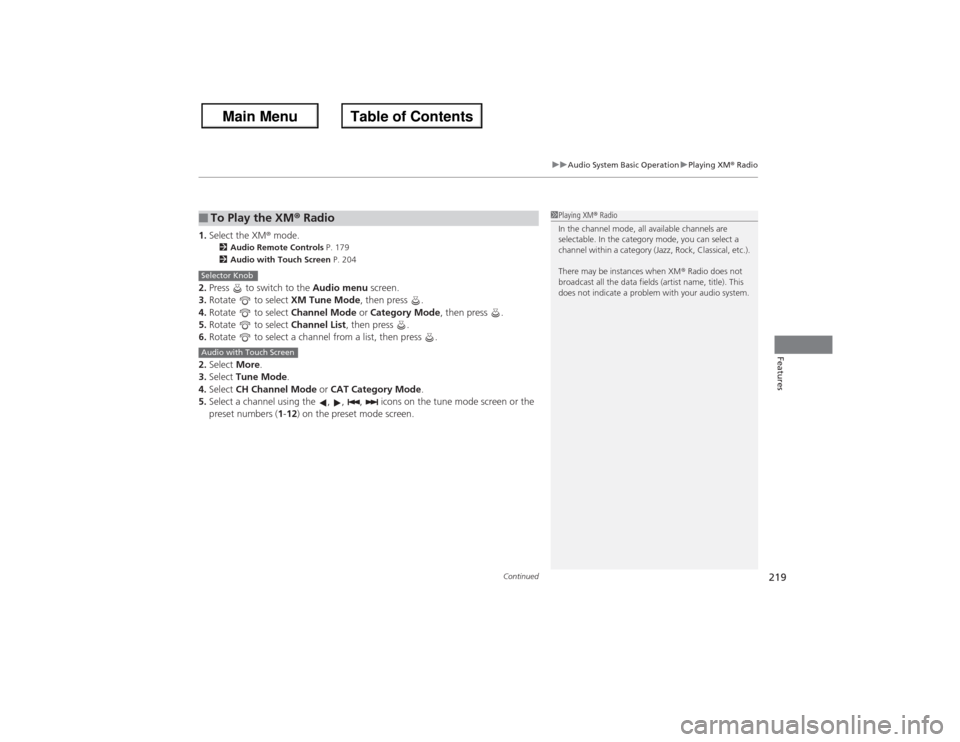
1. Select the XM ® mode.
2 Audio Remote Controls P. 179
2 Audio with Touch Screen P. 204
2.Press to switch to the Audio menu screen.
3. Rotate to select XM Tune Mode, then press .
4. Rotate to select Channel Mode or Category Mode , then press .
5. Rotate to select Channel List, then press .
6. Rotate to select a channel from a list, then press .
2. Select More.
3. Select Tune Mode .
4. Select CH Channel Mode or CAT Category Mode .
5. Select a channel using the , , , icons on the tune mode screen or the
preset numbers ( 1-12 ) on the preset mode screen.■To Play the XM ® Radio
1 Playing XM ® Radio
In the channel mode, all available channels are
selectable. In the category mode, you can select a
channel within a category (Jazz, Rock, Classical, etc.).
There may be instances when XM ® Radio does not
broadcast all the data fields (artist name, title). This
does not indicate a problem with your audio system.
Selector KnobAudio with Touch Screen
Page 221 of 595
uuAudio System Basic Operation uPlaying XM ® Radio
220Features
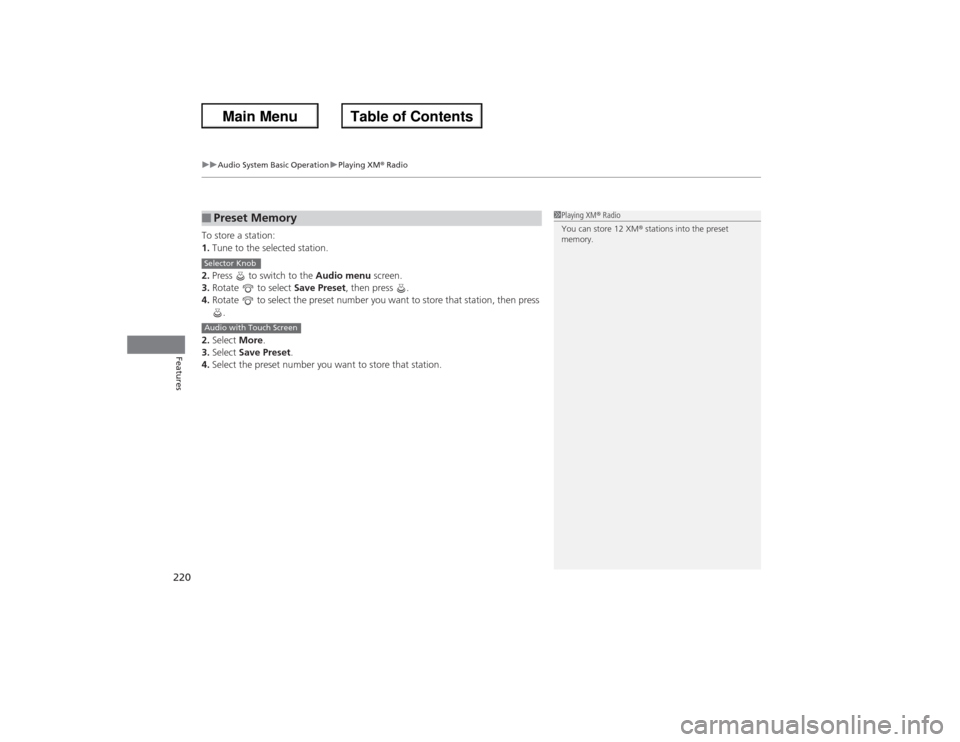
To store a station:
1. Tune to the selected station.
2. Press to switch to the Audio menu screen.
3. Rotate to select Save Preset, then press .
4. Rotate to select the preset number you want to store that station, then press
.
2. Select More.
3. Select Save Preset .
4. Select the preset number you want to store that station.■Preset Memory
1Playing XM ® Radio
You can store 12 XM ® stations into the preset
memory.
Selector KnobAudio with Touch Screen
Page 237 of 595
236Features
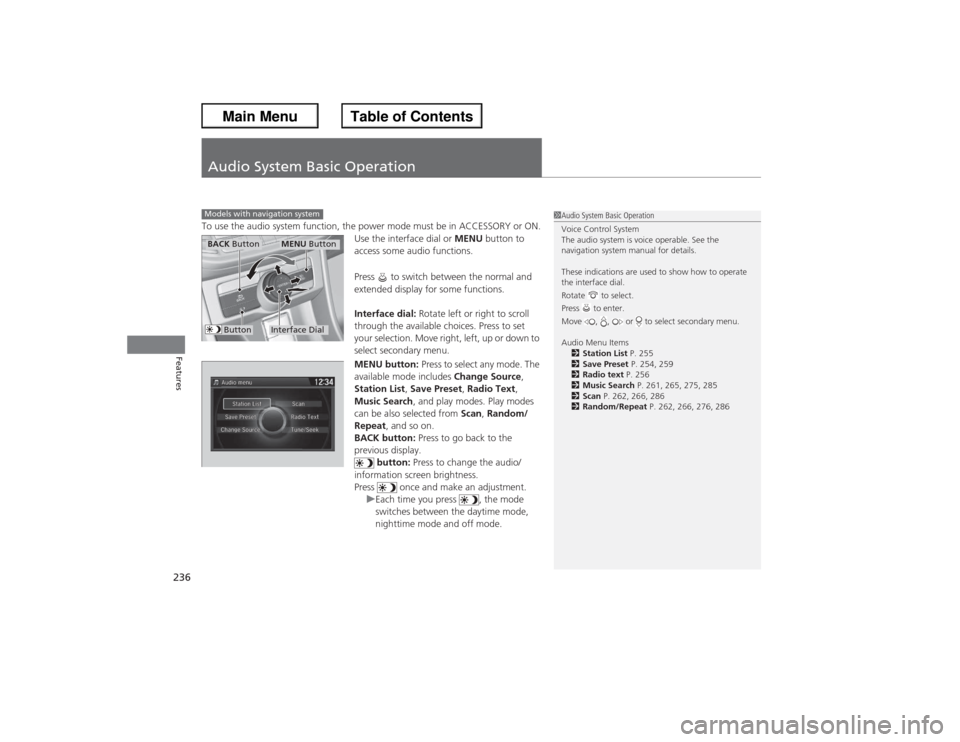
Audio System Basic OperationTo use the audio system function, the power mode must be in ACCESSORY or ON.Use the interface dial or MENU button to
access some audio functions.
Press to switch between the normal and
extended display for some functions.
Interface dial: Rotate left or right to scroll
through the available choices. Press to set
your selection. Move right, left, up or down to
select secondary menu.
MENU button: Press to select any mode. The
available mode includes Change Source,
Station List, Save Preset, Radio Text,
Music Search , and play modes. Play modes
can be also selected from Scan, Random/
Repeat , and so on.
BACK button: Press to go back to the
previous display. button: Press to change the audio/
information screen brightness.
Press once and make an adjustment. uEach time you press , the mode
switches between the daytime mode,
nighttime mode and off mode.Models with navigation system
1Audio System Basic Operation
Voice Control System
The audio system is voice operable. See the
navigation system manual for details.
These indications are used to show how to operate
the interface dial.
Rotate to select.
Press to enter.
Move , , or to select secondary menu.
Audio Menu Items
2 Station List P. 255
2 Save Preset P. 254, 259
2 Radio text P. 256
2 Music Search P. 261, 265, 275, 285
2 Scan P. 262, 266, 286
2 Random/Repeat P. 262, 266, 276, 286
Interface DialMENU Button
BACK Button
Button
Page 241 of 595
240
uuAudio System Basic Operation uAudio/Information Screen
Features
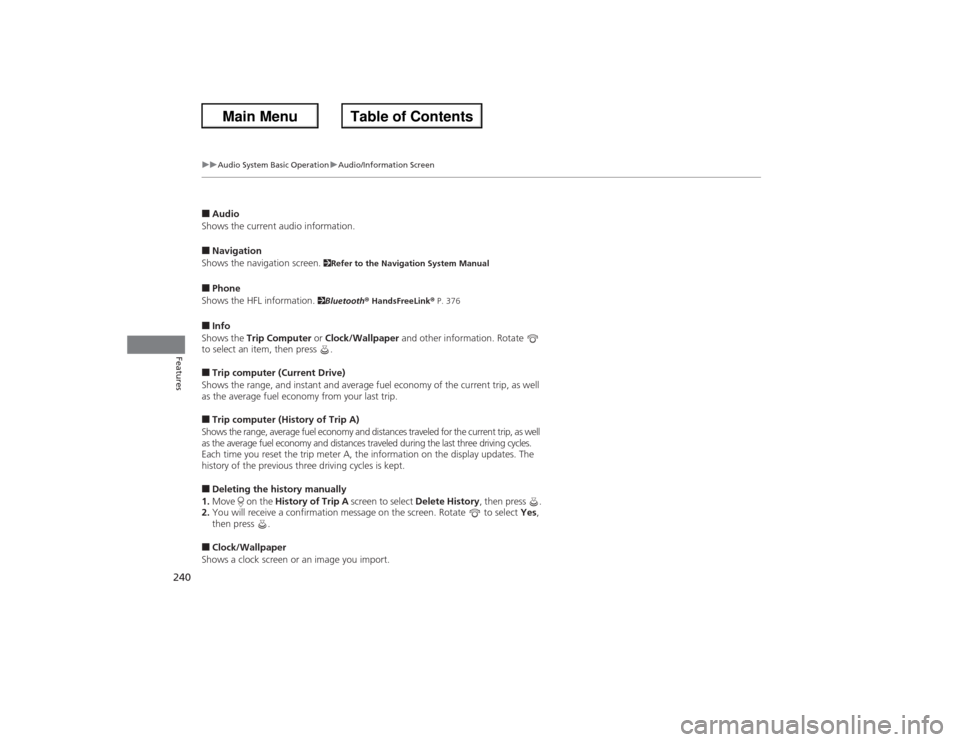
■Audio
Shows the current audio information.■Navigation
Shows the navigation screen.
2 Refer to the Navigation System Manual
■Phone
Shows the HFL information.
2 Bluetooth ® HandsFreeLink ® P. 376
■Info
Shows the Trip Computer or Clock/Wallpaper and other information. Rotate
to select an item, then press .■Trip computer (Current Drive)
Shows the range, and instant and average fuel economy of the current trip, as well
as the average fuel economy from your last trip.■Trip computer (History of Trip A)
Shows the range, average fuel economy and distances traveled for the current trip, as well
as the average fuel economy and distances traveled du ring the last three driving cycles.
Each time you reset the trip meter A, the information on the display updates. The
history of the previous three driving cycles is kept.■Deleting the history manually
1. Move on the History of Trip A screen to select Delete History, then press .
2. You will receive a confirmation message on the screen. Rotate to select Yes,
then press .■Clock/Wallpaper
Shows a clock screen or an image you import.
Page 249 of 595
248
uuAudio System Basic Operation uVoice Control Operation
Features
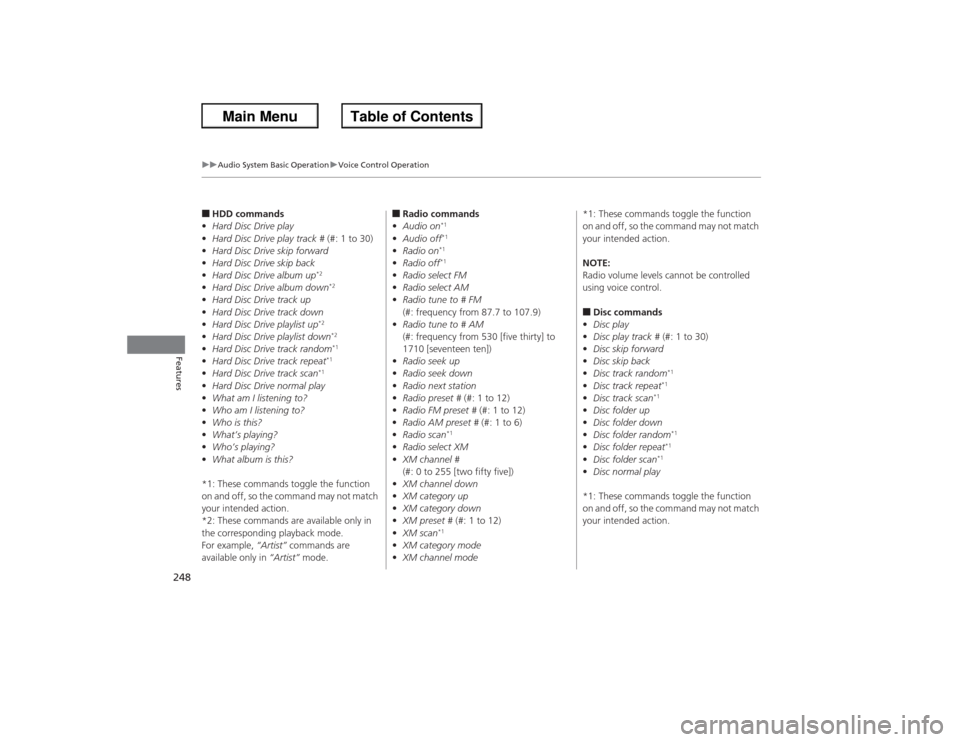
■HDD commands
• Hard Disc Drive play
• Hard Disc Drive play track # (#: 1 to 30)
• Hard Disc Drive skip forward
• Hard Disc Drive skip back
• Hard Disc Drive album up
*2
•Hard Disc Drive album down
*2
•Hard Disc Drive track up
• Hard Disc Drive track down
• Hard Disc Drive playlist up
*2
•Hard Disc Drive playlist down
*2
•Hard Disc Drive track random
*1
•Hard Disc Drive track repeat
*1
•Hard Disc Drive track scan
*1
•Hard Disc Drive normal play
• What am I listening to?
• Who am I listening to?
• Who is this?
• What’s playing?
• Who’s playing?
• What album is this?
*1: These commands toggle the function
on and off, so the command may not match
your intended action.
*2: These commands are available only in
the corresponding playback mode.
For example, “Artist” commands are
available only in “Artist” mode.
■Radio commands
• Audio on
*1
•Audio off
*1
•Radio on
*1
•Radio off
*1
•Radio select FM
• Radio select AM
• Radio tune to # FM
(#: frequency from 87.7 to 107.9)
• Radio tune to # AM
(#: frequency from 530 [five thirty] to
1710 [seventeen ten])
• Radio seek up
• Radio seek down
• Radio next station
• Radio preset # (#: 1 to 12)
• Radio FM preset # (#: 1 to 12)
• Radio AM preset # (#: 1 to 6)
• Radio scan
*1
•Radio select XM
• XM channel #
(#: 0 to 255 [two fifty five])
• XM channel down
• XM category up
• XM category down
• XM preset # (#: 1 to 12)
• XM scan
*1
•XM category mode
• XM channel mode *1: These commands toggle the function
on and off, so the command may not match
your intended action.
NOTE:
Radio volume levels cannot be controlled
using voice control.
■Disc commands
• Disc play
• Disc play track # (#: 1 to 30)
• Disc skip forward
• Disc skip back
• Disc track random
*1
•Disc track repeat
*1
•Disc track scan
*1
•Disc folder up
• Disc folder down
• Disc folder random
*1
•Disc folder repeat
*1
•Disc folder scan
*1
•Disc normal play
*1: These commands toggle the function
on and off, so the command may not match
your intended action.
Page 254 of 595
253
uuAudio System Basic Operation uPlaying AM/FM Radio
Continued
Features
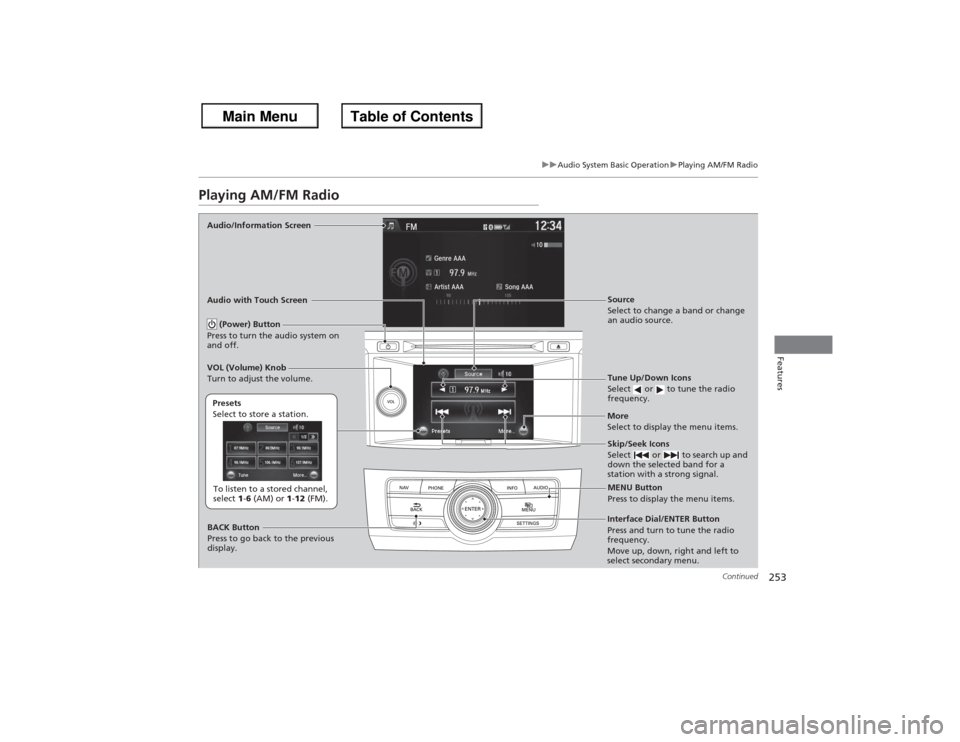
Playing AM/FM RadioAudio/Information Screen
Audio with Touch Screen
Tune Up/Down Icons
Select or to tune the radio
frequency.
MENU Button
Press to display the menu items.
(Power) Button
Press to turn the audio system on
and off.
Source
Select to change a band or change
an audio source.
To listen to a stored channel,
select 1-6 (AM) or 1-12 (FM).
Presets
Select to store a station.
Skip/Seek Icons
Select or to search up and
down the selected band for a
station with a strong signal.
More
Select to display the menu items.
BACK Button
Press to go back to the previous
display.
VOL (Volume) Knob
Turn to adjust the volume.Interface Dial/ENTER Button
Press and turn to tune the radio
frequency.
Move up, down, right and left to
select secondary menu.