VIN HONDA ACCORD 2015 9.G Repair Manual
[x] Cancel search | Manufacturer: HONDA, Model Year: 2015, Model line: ACCORD, Model: HONDA ACCORD 2015 9.GPages: 593
Page 85 of 593
84
uuIndicators uMulti-Information Display Warn ing and Information Messages
*
Instrument Panel
Multi-Information Display Warning and Information Messages
*
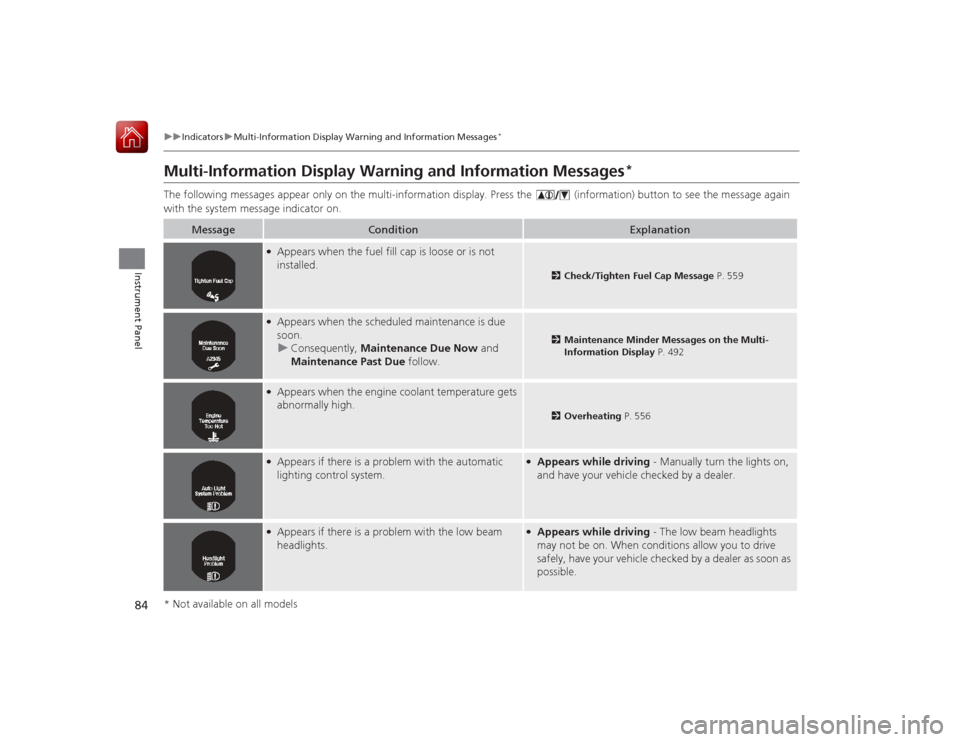
The following messages appear only on the multi-information display. Pres s the (information) button to see the message again
with the system message indicator on.
Message
Condition
Explanation
●Appears when the fuel fill cap is loose or is not
installed.
2 Check/Tighten Fuel Cap Message P. 559
●Appears when the scheduled maintenance is due
soon.
u Consequently, Maintenance Due Now and
Maintenance Past Due follow.
2Maintenance Minder Messages on the Multi-
Information Display P. 492
●Appears when the engine coolant temperature gets
abnormally high.
2Overheating P. 556
●Appears if there is a problem with the automatic
lighting control system.
●Appears while driving - Manually turn the lights on,
and have your vehicle checked by a dealer.
●Appears if there is a problem with the low beam
headlights.
●Appears while driving - The low beam headlights
may not be on. When conditions allow you to drive
safely, have your vehicle checked by a dealer as soon as
possible.
* Not available on all models
Page 90 of 593
89Instrument Panel
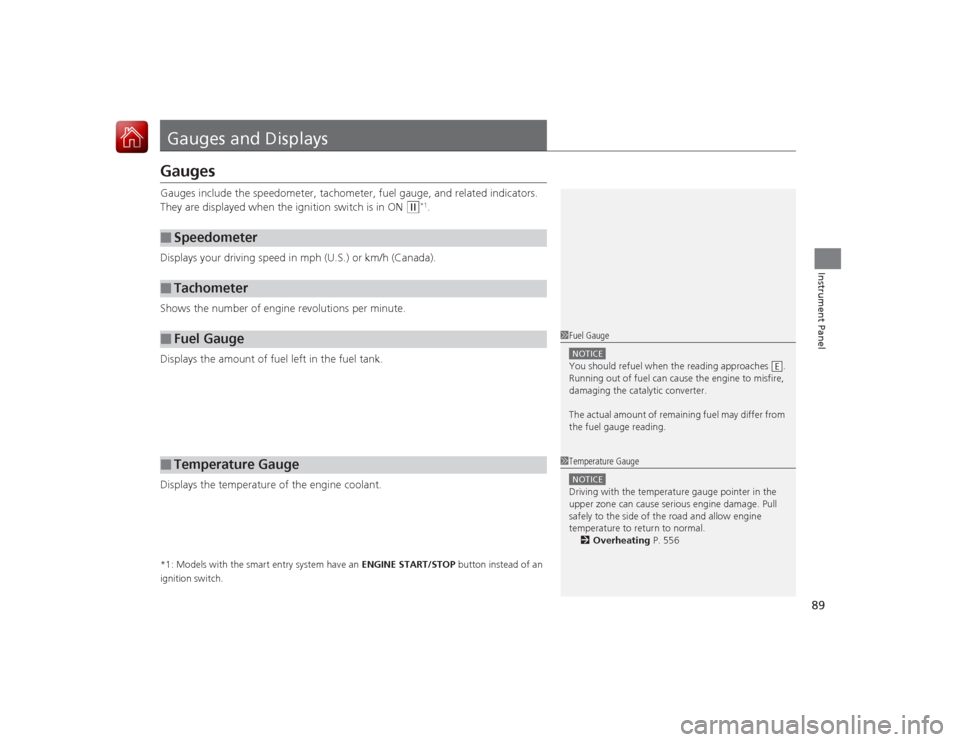
Gauges and DisplaysGaugesGauges include the speedometer, tachometer, fuel gauge, and related indicators.
They are displayed when the ignition switch is in ON
(w
*1.
Displays your driving speed in mph (U.S.) or km/h (Canada).
Shows the number of engine revolutions per minute.
Displays the amount of fuel left in the fuel tank.
Displays the temperature of the engine coolant.
*1: Models with the smart entry system have an ENGINE START/STOP button instead of an
ignition switch.■
Speedometer
■
Tachometer
■
Fuel Gauge
■
Temperature Gauge
1 Fuel GaugeNOTICEYou should refuel when the reading approaches .
Running out of fuel can cause the engine to misfire,
damaging the catalytic converter.
The actual amount of remaining fuel may differ from
the fuel gauge reading.
E
1 Temperature GaugeNOTICEDriving with the temperature gauge pointer in the
upper zone can cause serious engine damage. Pull
safely to the side of the road and allow engine
temperature to return to normal.
2 Overheating P. 556
Page 102 of 593
101
uuGauges and Displays uMulti-Information Display
*
Continued
Instrument Panel
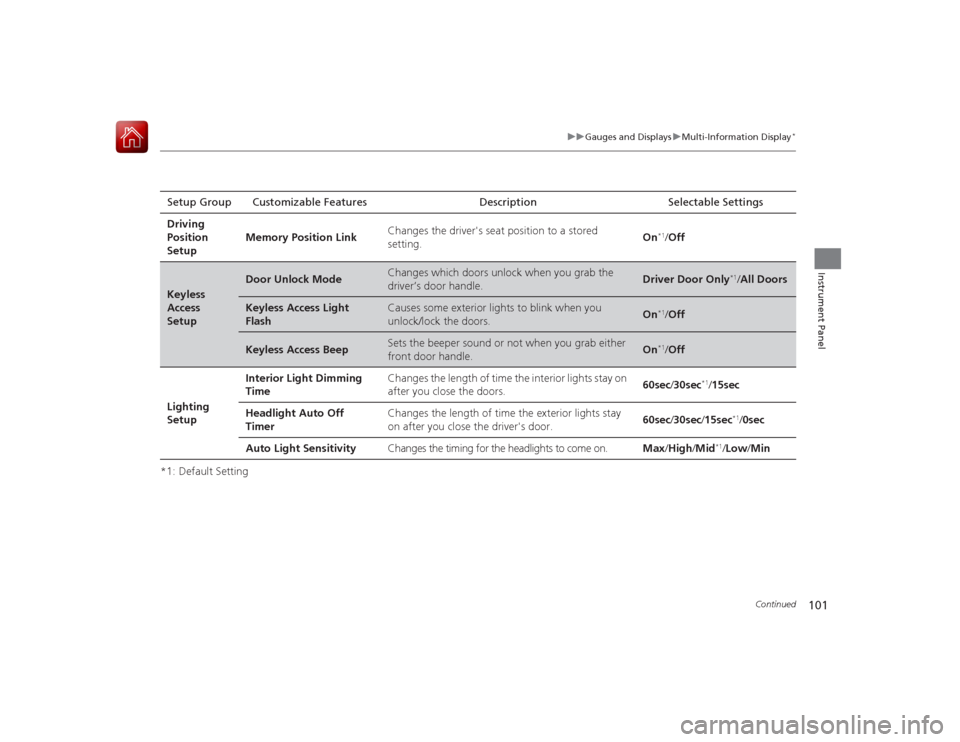
*1: Default SettingSetup Group Customizable Features Description Selectable Settings
Driving
Position
Setup Memory Position Link
Changes the driver's seat position to a stored
setting.
On
*1/
Off
Keyless
Access
Setup
Door Unlock Mode
Changes which doors unlock when you grab the
driver’s door handle.
Driver Door Only
*1/All Doors
Keyless Access Light
Flash
Causes some exterior lights to blink when you
unlock/lock the doors.
On
*1/ Off
Keyless Access Beep
Sets the beeper sound or not when you grab either
front door handle.
On
*1/Off
Lighting
Setup Interior Light Dimming
Time
Changes the length of time the interior lights stay on
after you close the doors.
60sec
/30sec
*1/15sec
Headlight Auto Off
Timer Changes the length of time the exterior lights stay
on after you close the driver's door.
60sec
/30sec /15sec
*1/ 0sec
Auto Light Sensitivity Changes the timing for the headlights to come on. Max/High /Mid
*1/Low /Min
Page 106 of 593
105
Controls
This chapter explains how to operate the various controls necessary for driving.
Clock.................................................. 106
Locking and Unlocking the Doors
Key Types and Functions .................. 108Low Smart Entry Remote Signal Strength
*.................................... 110
Locking/Unlocking the Doors from the
Inside ............................................. 116
Childproof Door Locks ..................... 118
Auto Door Locking/Unlocking .......... 119
Opening and Closing the Trunk ....... 120
Security System Immobilizer System .......................... 124
Security System Alarm ...................... 124Opening and Closing the Windows ..... 127
Opening and Closing the Moonroof
*.. 130
Operating the Switches Around the Steering Wheel
Ignition Switch
*............................... 131
ENGINE START/STOP Button
*........... 132
Ignition Switch and Power Mode
Comparison ................................... 135
Turn Signals ..................................... 136
Light Switches.................................. 136
Fog Lights
*...................................... 138
Daytime Running Lights ................... 139
Wipers and Washers ........................ 140
Brightness Control ........................... 141
Rear Defogger/Heated Door Mirror
*
Button ........................................... 142 Driving Position Memory System
*.... 143
Adjusting the Steering Wheel .......... 145
Adjusting the Mirrors Interior Rearview Mirror ................... 146
Power Door Mirrors ......................... 147
Adjusting the Seats .......................... 148
Interior Lights/Interior Convenience Items ................................................ 156
Heating and Cooling
*
Using Vents, Heating and A/C.......... 166
Climate Control System
*
Using Automatic Climate Control .... 169
Synchronized Mode ......................... 171
Automatic Climate Control Sensors ... 172
* Not available on all models
Page 111 of 593
110
uuLocking and Unlocking the Doors uLow Smart Entry Remote Signal Strength
*
Controls
Low Smart Entry Remote Signal Strength
*
The vehicle transmits radio waves to locate the smart entry remote when locking/
unlocking the doors, opening the trunk, or to start the engine.
In the following cases, locking/unlocking the doors, opening the trunk, or starting
the engine may be inhibited or operation may be unstable:
• Strong radio waves are being transmitted by nearby equipment.
• You are carrying the smart entry remote together with telecommunications
equipment, laptop computers, cell phones, or wireless devices.
• A metallic object is touching or covering the smart entry remote.
1Low Smart Entry Remote Signal Strength
*
Communication between the smart entry remote and
the vehicle consumes the smart entry remote’s
battery.
Battery life is about two years, but this varies
depending on regularity of use.
The battery is consumed whenever the smart entry
remote is receiving strong radio waves. Avoid placing
it near electrica l appliances such as televisions and
personal computers.
* Not available on all models
Page 121 of 593
120Controls
Opening and Closing the TrunkPrecautions for Opening/Closing the Trunk■Opening the trunk
Open the trunk all the way. u If it is not fully opened, the trunk lid may begin to close under its own weight.■Closing the trunk
Keep the trunk lid closed while driving to:
u Avoid possible damage.
u Prevent exhaust gas from leaking into the vehicle.2 Exhaust Gas Hazard P. 64Using the Trunk Opener
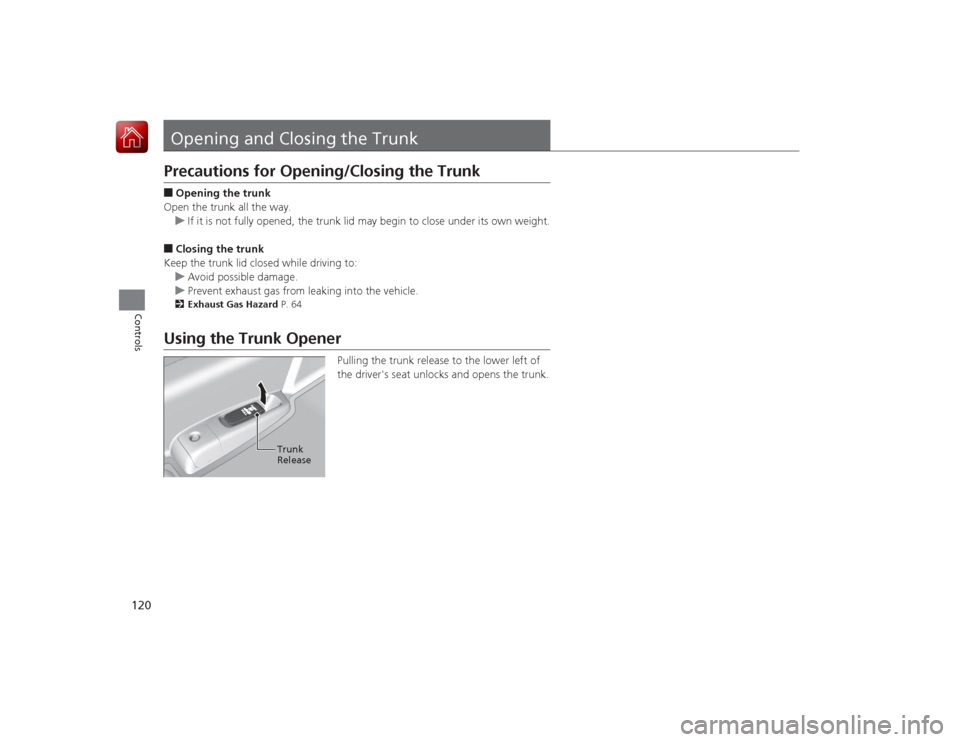
Pulling the trunk release to the lower left of
the driver's seat unlocks and opens the trunk.
Trunk
Release
Page 125 of 593
124Controls
Security SystemImmobilizer SystemThe immobilizer system prevents a key that has not been pre-registered from
starting the engine. Each key contains electronic transmitters that use electronic
signals to verify the key.
Pay attention to the following when inserting the key into the ignition switch or
pressing the ENGINE START/STOP button:
• Do not allow objects that emit strong radio waves near the ignition switch or the
ENGINE START/STOP button.
• Make sure the key is not covered by or touching a metal object.
• Do not bring a key from another ve hicle's immobilizer system near the ignition
switch.Security System AlarmThe security system alarm activates when the trunk, hood or doors are forcibly
opened. The alarm does not go off if th e trunk or doors are opened with the key,
remote transmitter or smart entry system.
However, the alarm goes off when a door is op ened with the key, then the shift
lever is moved out of
(P
(automatic transmission/CVT models) or the hood is
opened before the ignition switch is turned to ON
(w
*1.
■When the security system alarm activates
The horn sounds intermittently and all the exterior lights flash.■To deactivate the security system alarm
Unlock the vehicle using the remote transmitter, or smart entry system. The system,
along with the horn and flashing lights, is deactivated.*1: Models with the smart entry system have an ENGINE START/STOP button instead of an
ignition switch.
1 Immobilizer SystemNOTICELeaving the ignition key in the vehicle can result in
theft or accidental movement of the vehicle.
Always take the ignition key with you whenever you
leave the vehicle unattended.
Do not alter the system or add other devices to it.
Doing so may damage the system and make your
vehicle inoperable.1Security System Alarm
The security alarm continues for a maximum of two
minutes until the security system deactivates.
Page 126 of 593
Continued
125
uuSecurity System uSecurity System Alarm
Controls
■Setting the security system alarm
The security system alarm automatically sets when the following conditions have
been met:
• The ignition switch is in LOCK
(0
*1, and the key has been removed from the
ignition switch.
• The hood and trunk are closed.
• All doors are locked from outside with the key, the remote transmitter, or smart
entry system.
■When the security system alarm sets
The security system alarm indicator in the instrument panel blinks. When the
blinking interval changes after about 15 seconds, the security system is set.■To cancel the security system alarm
The security system alarm is canceled when the vehicle is unlocked using the remote
transmitter, smart entry system, or the ignition switch is turned to ON
(w
*1. The
security system indicator goes off at the same time.
*1: Models with the smart entry system have an ENGINE START/STOP button instead of an
ignition switch.
1 Security System Alarm
Do not set the security system alarm when someone
is in the vehicle or a window is open. The system can
accidentally activate when:•Unlocking the door with the lock tab.•Opening the trunk with th e trunk release or the
emergency trunk opener.•Opening the hood with the hood release.•Moving the shift lever out of
( P.
If the battery goes dead after you have set the
security system alarm, the security alarm may go off
once the battery is recharged or replaced.
If this occurs, deactivate the security system alarm by
unlocking a door using the key or remote transmitter.
Do not attempt to alter this system or add another
device to it.
Automatic transmission/CVT models
Page 132 of 593
131Controls
Operating the Switches Around the Steering WheelIgnition Switch
*
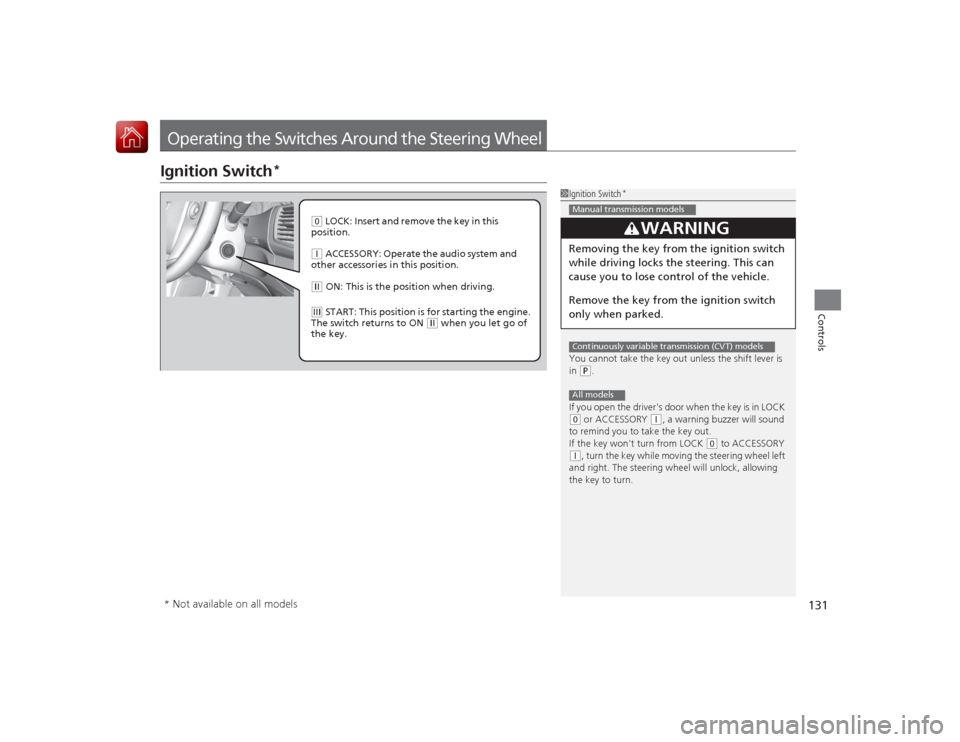
1Ignition Switch
*
You cannot take the key out unless the shift lever is
in (P.
If you open the driver's door when the key is in LOCK
( 0 or ACCESSORY
(q, a warning buzzer will sound
to remind you to take the key out.
If the key won't turn from LOCK
( 0 to ACCESSORY
(q, turn the key while moving the steering wheel left
and right. The steering wheel will unlock, allowing
the key to turn.
3
WARNING
Removing the key from the ignition switch
while driving locks the steering. This can
cause you to lose co ntrol of the vehicle.
Remove the key from the ignition switch
only when parked.Manual transmission modelsContinuously variable transmission (CVT) modelsAll models
( 0 LOCK: Insert and remove the key in this
position.( q ACCESSORY: Operate the audio system and
other accessories in this position.( w ON: This is the pos ition when driving.(e START: This position is for starting the engine.
The switch returns to ON
( w when you let go of
the key.
* Not available on all models
Page 134 of 593
Continued
133
uuOperating the Switches Around the Steering Wheel uENGINE START/STOP Button
*
Controls
If you leave the vehicle for 30 to 60 minutes with the shift lever in
(P
*1 and the
power mode in ACCESSORY, the vehicle automatically goes into the mode similar to
VEHICLE OFF (LOCK) to avoid the battery drain.
When in this mode:
The steering wheel does not lock.
You cannot lock or unlock doors with the remote transmitter or the smart entry
system.
Press the ENGINE START/STOP button to switch the mode to VEHICLE OFF (LOCK).
If you open the driver’s door when the power mode is set to ACCESSORY, a warning
buzzer sounds.
*1: Automatic transmission/CVT models■
Automatic Power Off
■
Power Mode Reminder
1 Changing the Power Mode
If the power mode does not change from VEHICLE
OFF to ACCESSORY, press the ENGINE START/STOP
button while moving the steering wheel left and
right. The steering wheel will unlock, allowing the
mode to change.Except U.S. automatic transmission/CVT models
Except U.S. automatic transmission/CVT modelsAll models