parking brake HONDA ACCORD HYBRID 2019 User Guide
[x] Cancel search | Manufacturer: HONDA, Model Year: 2019, Model line: ACCORD HYBRID, Model: HONDA ACCORD HYBRID 2019Pages: 727, PDF Size: 24.78 MB
Page 112 of 727
110 uu Indicators u Driver Information Interface Wa rning and Information Messages
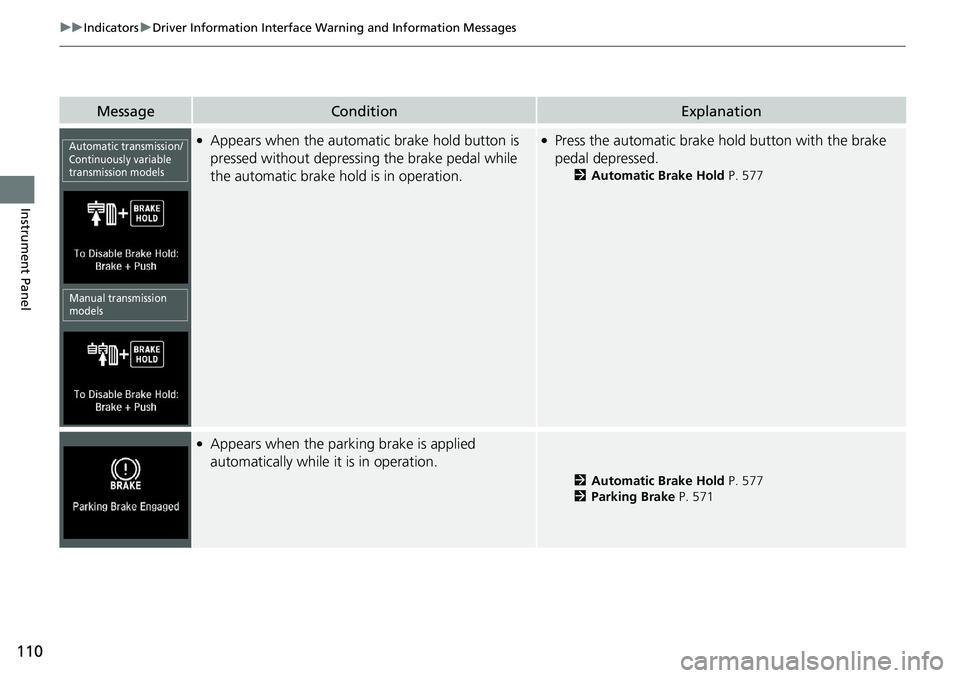
Instrument Panel Message Condition Explanation●
Appears when the automa tic brake hold button is
pressed without depressing the brake pedal while
the automatic brake hold is in operation. ●
Press the automatic brake ho ld button with the brake
pedal depressed. 2 Automatic Brake Hold P. 577
●
Appears when the parking brake is applied
automatically while it is in operation. 2 Automatic Brake Hold P. 577
2 Parking Brake P. 571Automatic transmission/
Continuously variable
transmission models
Manual transmission
models
Page 113 of 727
111uu Indicators u Driver Information Interface Wa rning and Information Messages
Continued
Instrument Panel
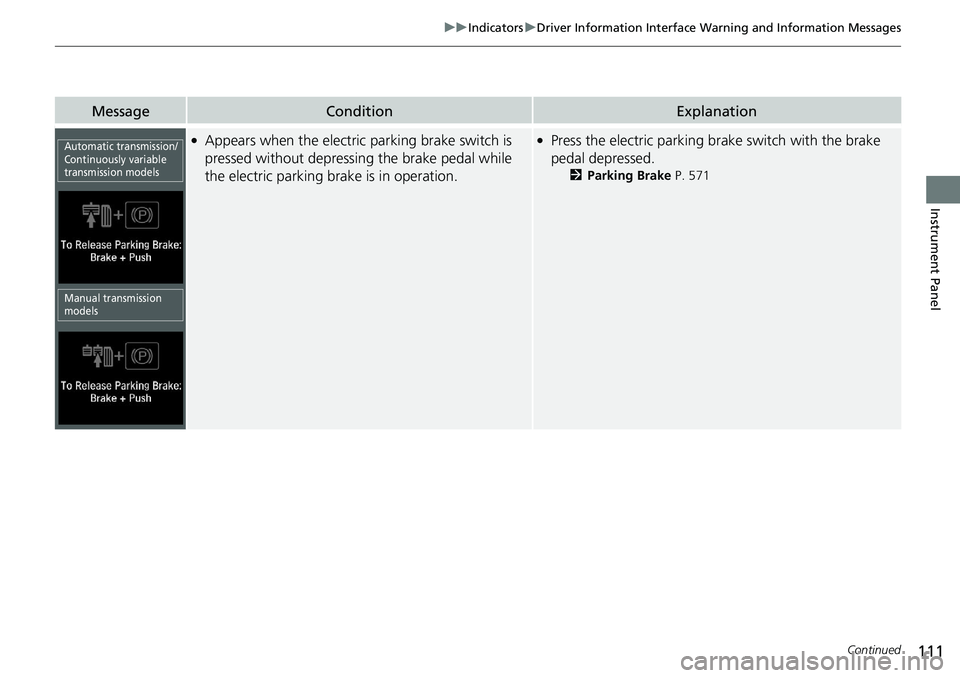
Message Condition Explanation●
Appears when the electric parking brake switch is
pressed without depressing the brake pedal while
the electric parking brake is in operation. ●
Press the electric parking brake switch with the brake
pedal depressed. 2 Parking Brake P. 571Automatic transmission/
Continuously variable
transmission models
Manual transmission
models
Page 116 of 727
114 uu Indicators u Driver Information Interface Wa rning and Information Messages
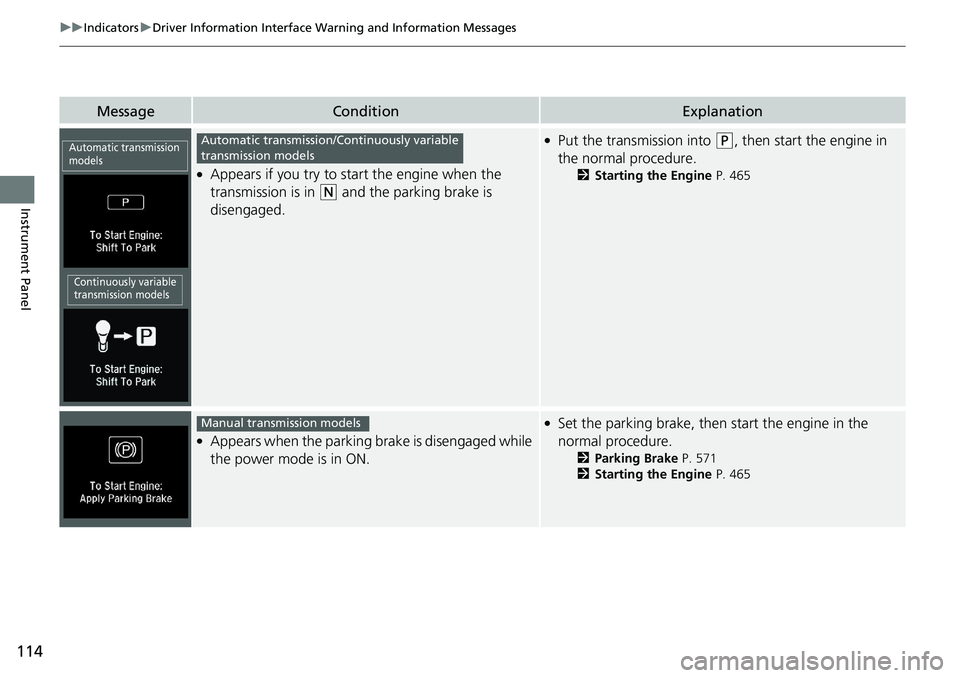
Instrument Panel Message Condition Explanation●
Appears if you try to start the engine when the
transmission is in ( N
and the parking brake is
disengaged. ●
Put the transmission into ( P
, then start the engine in
the normal procedure. 2 Starting the Engine P. 465
●
Appears when the parking brake is disengaged while
the power mode is in ON. ●
Set the parking brake, then start the engine in the
normal procedure. 2 Parking Brake P. 571
2 Starting the Engine P. 465Automatic transmission
models
Continuously variable
transmission models Automatic transmission/Continuously variable
transmission models
Manual transmission models
Page 119 of 727
117uu Indicators u Driver Information Interface Wa rning and Information Messages
Continued
Instrument Panel
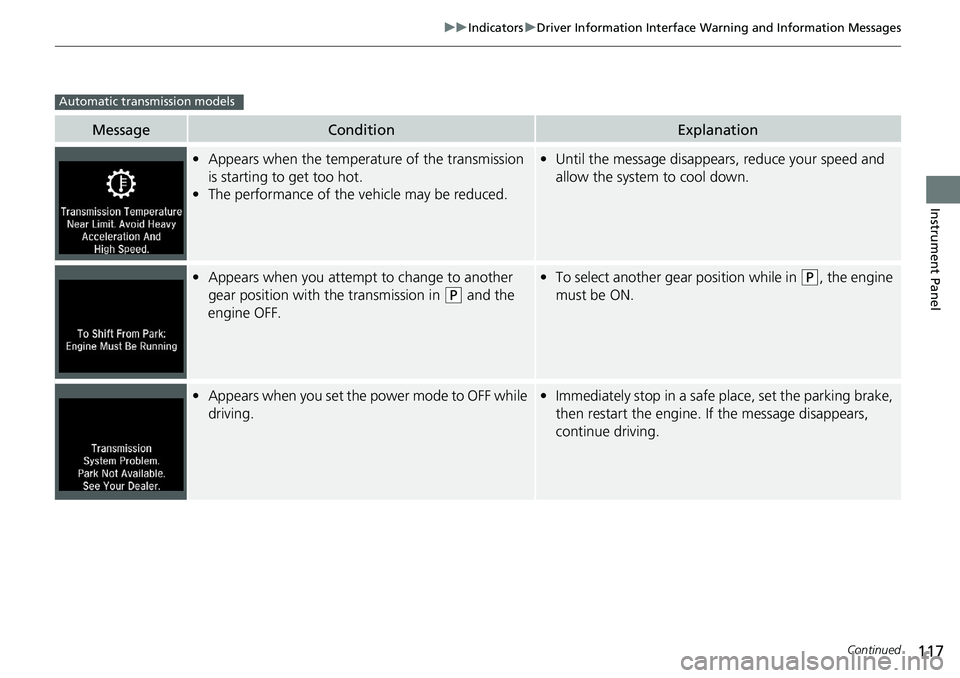
Message Condition Explanation
• Appears when the temperature of the transmission
is starting to get too hot.
• The performance of the vehicle may be reduced. • Until the message disappears, reduce your speed and
allow the system to cool down.
• Appears when you attempt to change to another
gear position with the transmission in ( P
and the
engine OFF. • To select another gear position while in ( P
, the engine
must be ON.
• Appears when you set the power mode to OFF while
driving. • Immediately stop in a safe place, set the parking brake,
then restart the engine. If the message disappears,
continue driving.Automatic transmission models
Page 120 of 727
118 uu Indicators u Driver Information Interface Wa rning and Information Messages
Instrument Panel Message Condition Explanation
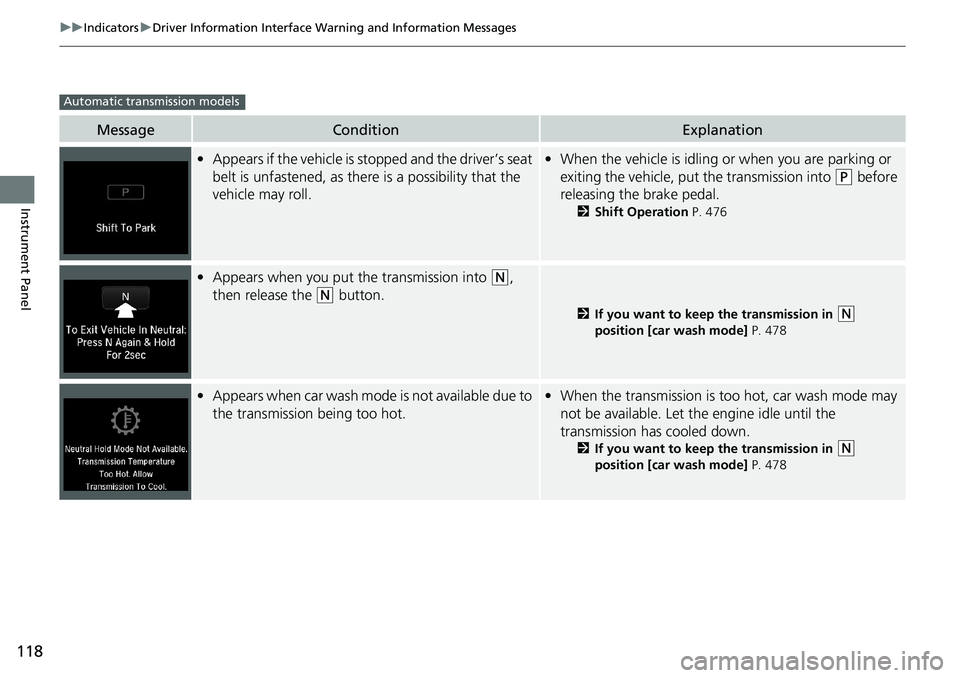
• Appears if the vehicle is stopped and the driver’s seat
belt is unfastened, as ther e is a possibility that the
vehicle may roll. • When the vehicle is idling or when you are parking or
exiting the vehicle, put the transmission into ( P
before
releasing the brake pedal. 2 Shift Operation P. 476
• Appears when you put the transmission into ( N
,
then release the ( N
button. 2 If you want to keep the transmission in
( N
position [car wash mode] P. 478
• Appears when car wash mode is not available due to
the transmission being too hot. • When the transmission is t oo hot, car wash mode may
not be available. Let the engine idle until the
transmission has cooled down. 2 If you want to keep the transmission in
( N
position [car wash mode] P. 478Automatic transmission models
Page 127 of 727
125uu Indicators u Driver Information Interface Wa rning and Information Messages
Continued
Instrument Panel
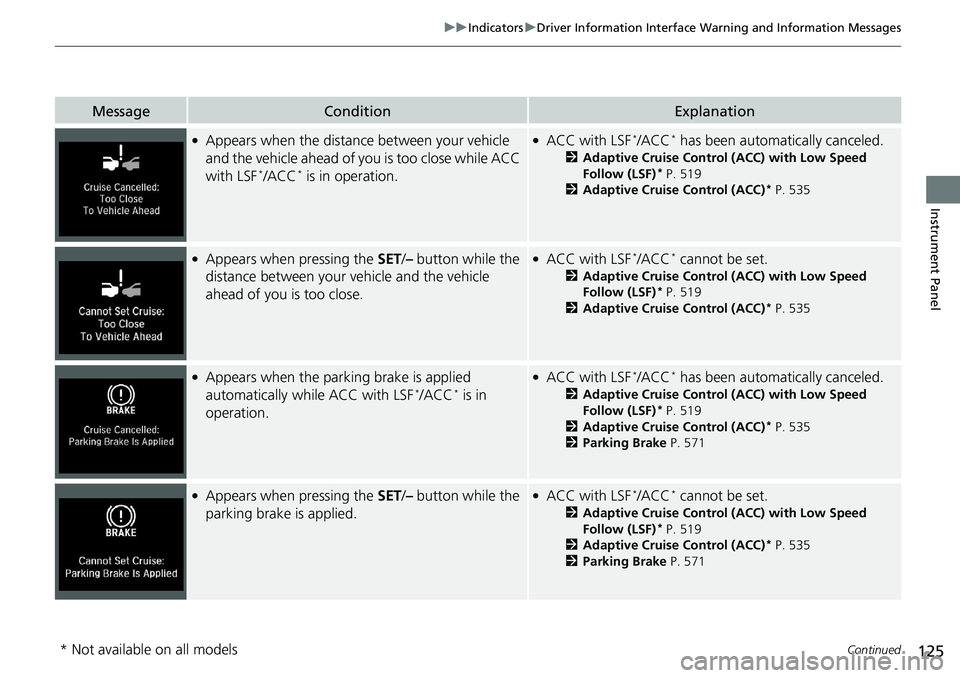
Message Condition Explanation●
Appears when the distance between your vehicle
and the vehicle ahead of you is too close while ACC
with LSF *
/ACC *
is in operation. ●
ACC with LSF *
/ACC *
has been automatically canceled.2 Adaptive Cruise Control (ACC) with Low Speed
Follow (LSF) *
P. 519
2 Adaptive Cruise Control (ACC) *
P. 535●
Appears when pressing the SET / – button while the
distance between your vehicle and the vehicle
ahead of you is too close. ●
ACC with LSF *
/ACC *
cannot be set.2 Adaptive Cruise Control (ACC) with Low Speed
Follow (LSF) *
P. 519
2 Adaptive Cruise Control (ACC) *
P. 535●
Appears when the park ing brake is applied
automatically while ACC with LSF *
/ACC *
is in
operation. ●
ACC with LSF *
/ACC *
has been automatically canceled.2 Adaptive Cruise Control (ACC) with Low Speed
Follow (LSF) *
P. 519
2 Adaptive Cruise Control (ACC) *
P. 535
2 Parking Brake P. 571●
Appears when pressing the SET / – button while the
parking brake is applied. ●
ACC with LSF *
/ACC *
cannot be set.2 Adaptive Cruise Control (ACC) with Low Speed
Follow (LSF) *
P. 519
2 Adaptive Cruise Control (ACC) *
P. 535
2 Parking Brake P. 571
* Not available on all models
Page 198 of 727
196 uu Operating the Switches Around the Steering Wheel u Daytime Running Lights
Controls Daytime Running Lights The parking/daytime running lights come on when the following conditions have
been met:
• The power mode is in ON.
• The headlight switch is off, or in .
• The parking brake is released.
The lights remain on even if you set the parking brake. Setting the power mode to
VEHICLE OFF will turn off the daytime running lights.
The daytime running lights are off once the headlight switch is turned on, or when
the head light switch is in AUTO and it is getting darker outside. 1 Daytime Running Lights
The parking lights serve as daytime running lights.
Page 208 of 727
uu Operating the Switches Around the Steering Wheel u Driving Position Memory System *
206
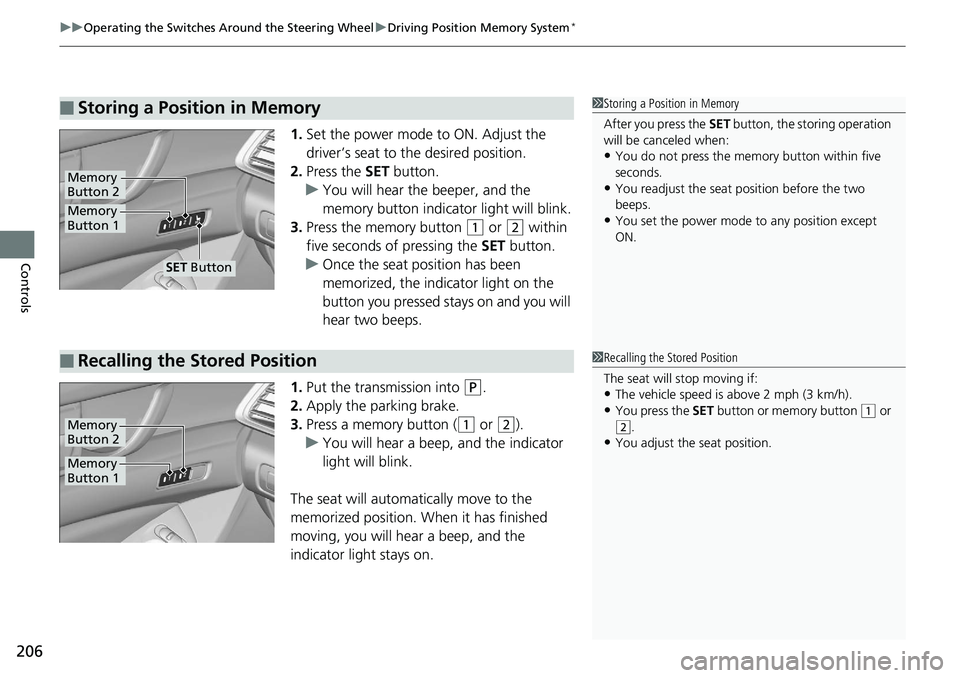
Controls 1. Set the power mode to ON. Adjust the
driver’s seat to the desired position.
2. Press the SET button.
u You will hear the beeper, and the
memory button indicator light will blink.
3. Press the memory button ( 1
or ( 2
within
five seconds of pressing the SET button.
u Once the seat position has been
memorized, the indicator light on the
button you pressed stays on and you will
hear two beeps.
1. Put the transmission into ( P
.
2. Apply the parking brake.
3. Press a memory button ( ( 1
or ( 2
).
u You will hear a beep, and the indicator
light will blink.
The seat will automatically move to the
memorized position. When it has finished
moving, you will hear a beep, and the
indicator light stays on.■ Storing a Position in Memory 1 Storing a Position in Memory
After you press the SET button, the storing operation
will be canceled when:
• You do not press the memory button within five
seconds.
• You readjust the seat position before the two
beeps.
• You set the power mode to any position except
ON.Memory
Button 1Memory
Button 2
SET Button
■ Recalling the Stored Position 1 Recalling the Stored Position
The seat will stop moving if:
• The vehicle speed is above 2 mph (3 km/h).
• You press the SET button or memory button ( 1
or
( 2
.
• You adjust the seat position.
Memory
Button 1Memory
Button 2
Page 383 of 727
381Continued
Features
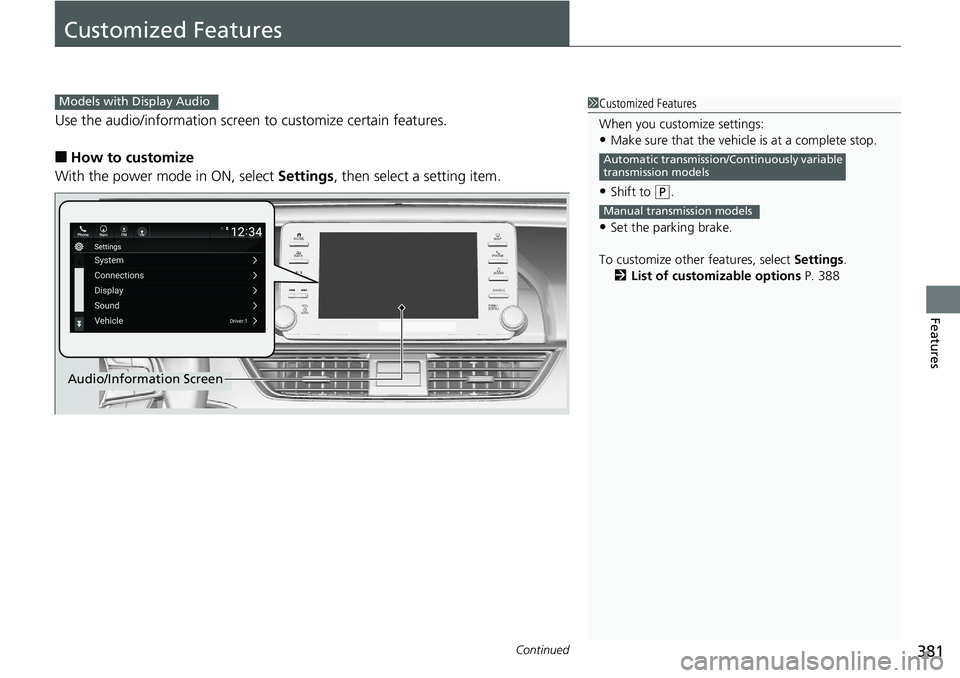
Customized Features Use the audio/information screen to customize certain features.
■ How to customize
With the power mode in ON, select Settings , then select a setting item. 1 Customized Features
When you customize settings:
• Make sure that the vehicle is at a complete stop.
• Shift to ( P
.
• Set the parking brake.
To customize other features, select Settings .
2 List of customizable options P. 388Automatic transmission/Continuously variable
transmission models
Manual transmission modelsModels with Display Audio
Audio/Information Screen
Page 455 of 727
453Driving This chapter discusses driving and refueling.
Before Driving ................................... 454
Towing a Trailer ................................ 459
When Driving
Starting the Engine .......................... 465
Precautions While Driving................. 473
Automatic Transmission *
/Continuously
Variable Transmission *
................... 474
Shifting .................... 475, 482, 484, 488
SPORT Mode *
.................................. 491
ECON Button ................................... 492
Adaptive Damper System *
............... 493
Vehicle Stability Assist ® (VSA ® ), aka
Electronic Stability Control (ESC),
System.......................................... 494 Agile Handling Assist ............................. 496 Tire Pressure Monitoring System (TPMS)..... 497
Tire Pressure Monitoring System (TPMS) -
Required Federal Explanation ......... 500
Blind spot information System *
........... 502
LaneWatch TM
*
.................................. 505
Honda Sensing ® ................................ 507
Collision Mitigati on Braking System TM
(CMBS TM
) ....................................... 510
Adaptive Cruise Control (ACC) with Low
Speed Follow (LSF) *
....................... 519
Adaptive Cruise Control (ACC) *
....... 535
Lane Keeping Assist System (LKAS).... 550 Road Departure Mi tigation (RDM)
System ........................................ 558
Traffic Sign Recognition System ....... 562
Front Sensor Camera ....................... 568
Radar Sensor ................................... 570
Braking
Brake System ................................... 571
Anti-lock Brake System (ABS) ........... 581
Brake Assist System ......................... 582
Parking Your Vehicle ........................ 583
Multi-View Rear Camera .................. 594
Refueling ........................................... 597
Fuel Economy and CO 2
Emissions .... 600
Turbo Engine Vehicle ....................... 601
* Not available on all models