manual transmission HONDA ACCORD HYBRID 2019 Owner's Manual
[x] Cancel search | Manufacturer: HONDA, Model Year: 2019, Model line: ACCORD HYBRID, Model: HONDA ACCORD HYBRID 2019Pages: 727, PDF Size: 24.78 MB
Page 192 of 727
190
Controls Operating the Switches Around the Steering WheelENGINE START/STOP Button
*1 : Manual transmission models
*2 : Continuously variable transmi ssion models for Canadian models
*3 : U.S. models
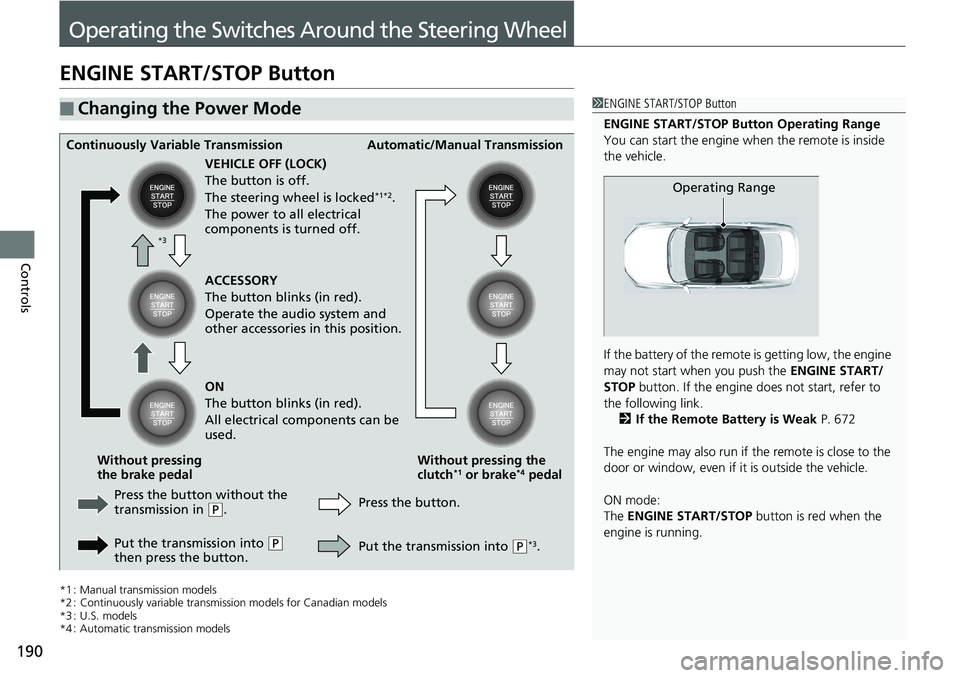
*4 : Automatic transmission models■ Changing the Power Mode 1 ENGINE START/STOP Button
ENGINE START/STOP Button Operating Range
You can start the engine wh en the remote is inside
the vehicle.
If the battery of the remote is getting low, the engine
may not start when you push the ENGINE START/
STOP button. If the engine do es not start, refer to
the following link.
2 If the Remote Battery is Weak P. 672
The engine may also run if the remote is close to the
door or window, even if it is outside the vehicle.
ON mode:
The ENGINE START/STOP button is red when the
engine is running. Operating RangeContinuously Variable Transmission Automatic/Manual Transmission
VEHICLE OFF (LOCK)
The button is off.
The steering wheel is locked *1*2
.
The power to all electrical
components is turned off.
Press the button without the
transmission in ( P
.
Put the transmission into ( P
then press the button. Press the button. Without pressing the
clutch *1
or brake *4
pedalWithout pressing
the brake pedal ACCESSORY
The button blinks (in red).
Operate the audio system and
other accessories in this position.
ON
The button blinks (in red).
All electrical components can be
used.
Put the transmission into ( P *3
.*3
Page 193 of 727
Continued
191uu Operating the Switches Around the Steering Wheel u ENGINE START/STOP Button
Controls
If you leave the vehicle for 30 to 60 minutes with the transmission in ( P *1
and the
power mode in ACCESSORY, the vehicle automa tically goes into the mode similar to
VEHICLE OFF (LOCK) to avoid draining the battery.
When in this mode:
The steering wheel does not lock.
You cannot lock or unlock doors with the re mote transmitter or the smart entry with
push button start system *
.
Press the ENGINE START/STOP button twice to switch the mode to VEHICLE OFF
(LOCK).
If you open the driver’s door when the power mode is set to ACCESSORY, a warning
buzzer sounds.
*1 : Automatic transmission/Continuously variable transmission models■ Automatic Power Off
■ Power Mode Reminder 1 Changing the Power Mode
If the power mode does not change from VEHICLE
OFF to ACCESSORY, press the ENGINE START/STOP
button while moving the st eering wheel left and
right. The steering wheel will unlock, allowing the
mode to change.
Do not leave the power mode in ACCESSORY or ON
when you get out. Manual transmission models
Continuously variable transmission models
for Canadian models
Manual transmission models
Continuously variable transmission models
for Canadian models
* Not available on all models
Page 221 of 727
219 uu Adjusting the Seats u Armrest
Continued
Controls
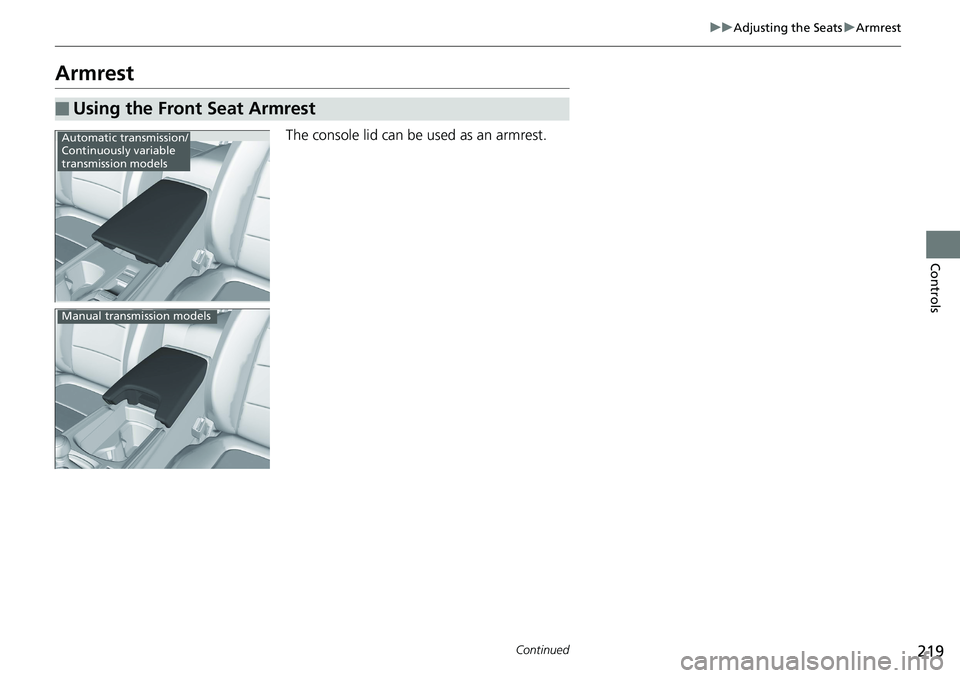
Armrest The console lid can be used as an armrest.
■ Using the Front Seat Armrest Automatic transmission/
Continuously variable
transmission models
Manual transmission models
Page 226 of 727
224 uu Interior Lights/Interior Convenience Items u Interior Convenience Items
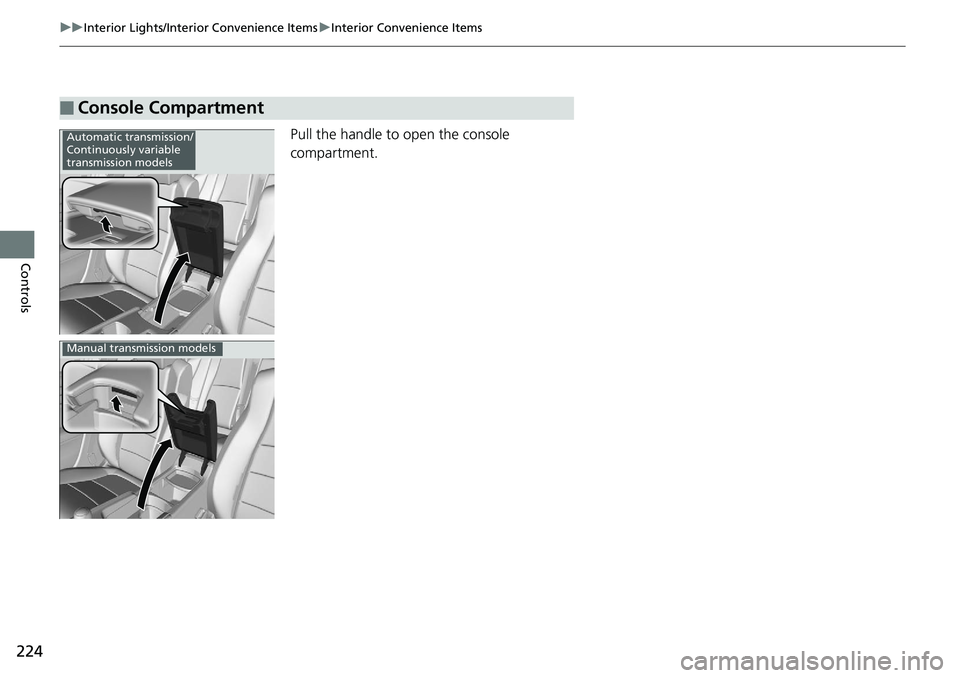
Controls Pull the handle to open the console
compartment.
■ Console Compartment Automatic transmission/
Continuously variable
transmission models
Manual transmission models
Page 227 of 727
225uu Interior Lights/Interior Convenience Items u Interior Convenience Items
Continued
Controls
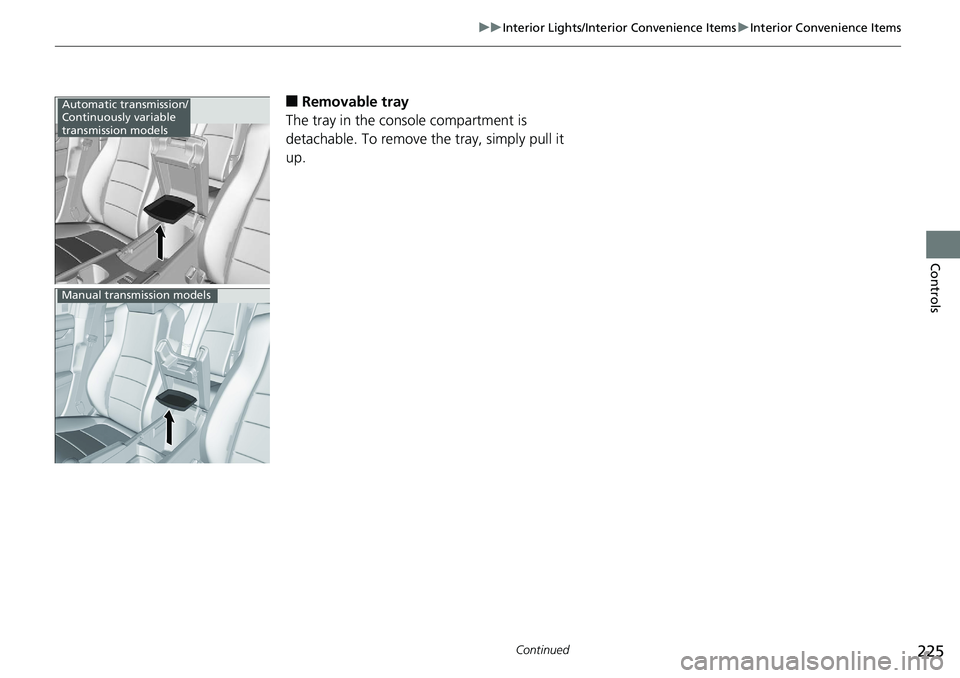
■ Removable tray
The tray in the console compartment is
detachable. To remove the tray, simply pull it
up.Automatic transmission/
Continuously variable
transmission models
Manual transmission models
Page 228 of 727
uu Interior Lights/Interior Convenience Items u Interior Convenience Items
226
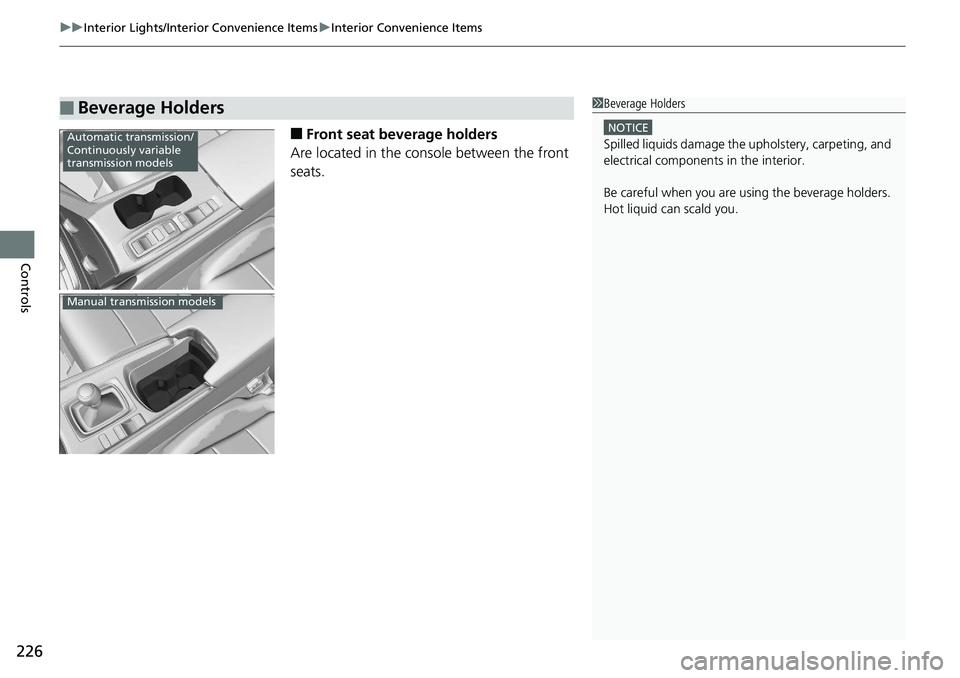
Controls ■ Front seat beverage holders
Are located in the console between the front
seats.
■ Beverage Holders 1 Beverage Holders NOTICE
Spilled liquids damage the upholstery, carpeting, and
electrical components in the interior.
Be careful when you are us ing the beverage holders.
Hot liquid can scald you.Automatic transmission/
Continuously variable
transmission models
Manual transmission models
Page 231 of 727
229uu Interior Lights/Interior Convenience Items u Interior Convenience Items
Continued
Controls
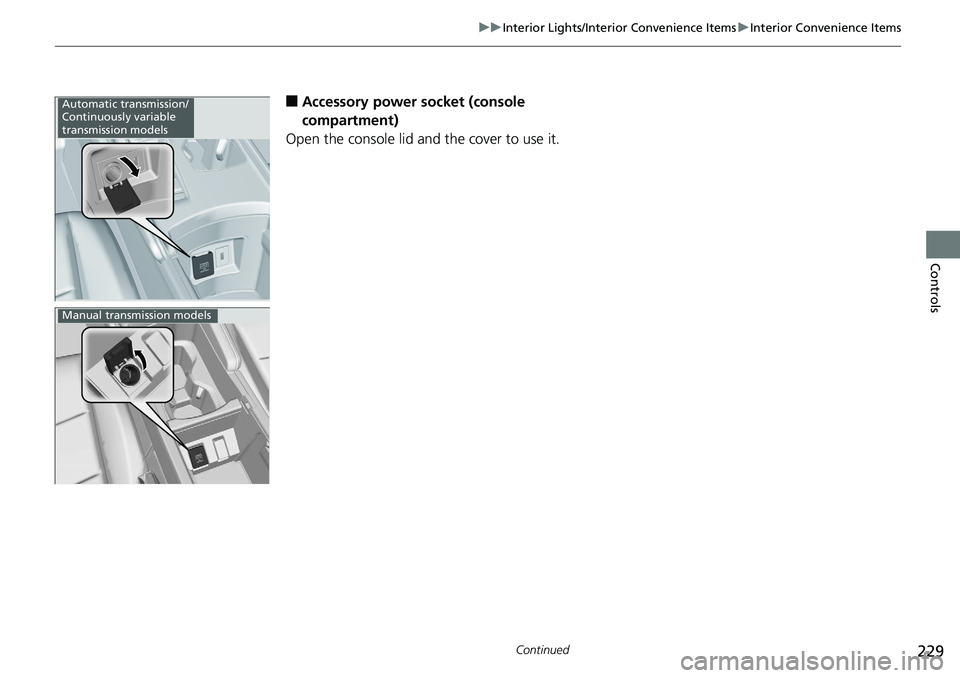
■ Accessory power socket (console
compartment)
Open the console lid and the cover to use it.Automatic transmission/
Continuously variable
transmission models
Manual transmission models
Page 248 of 727
uu Audio System u USB Port(s)
246
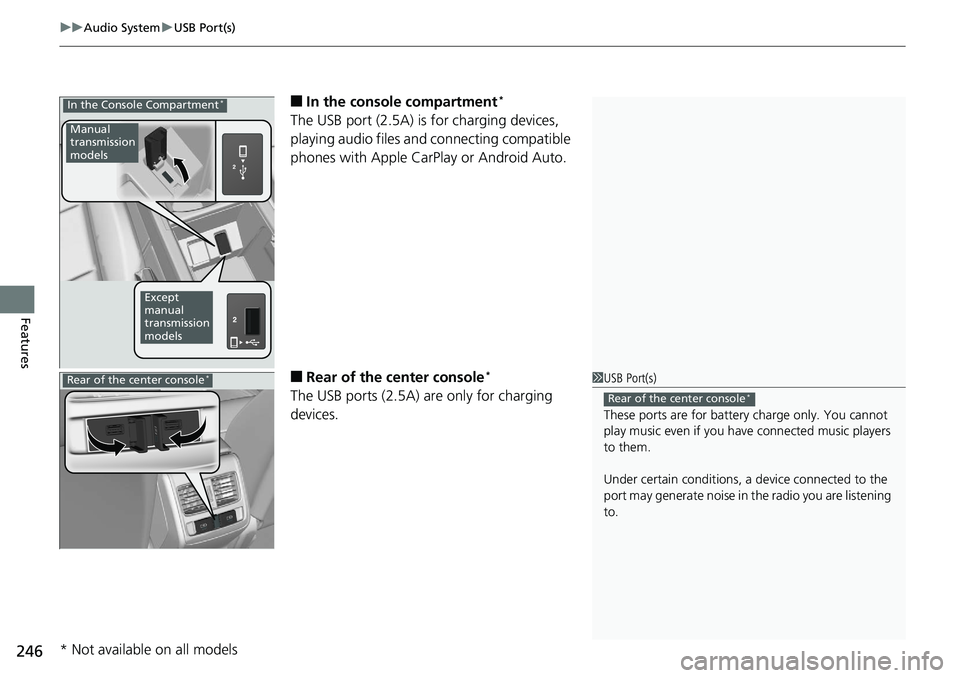
Features ■ In the consol e compartment *
The USB port (2.5A) is for charging devices,
playing audio files and connecting compatible
phones with Apple CarPlay or Android Auto.
■ Rear of the center console *
The USB ports (2.5A) are only for charging
devices.In the Console Compartment *
Manual
transmission
models
Except
manual
transmission
models
1 USB Port(s)
These ports are for battery charge only. You cannot
play music even if you ha ve connected music players
to them.
Under certain condi tions, a device connected to the
port may generate noise in the radio you are listening
to. Rear of the center console *
Rear of the center console *
* Not available on all models
Page 332 of 727
330 uu Audio System Basic Operation u Wi-Fi Connection
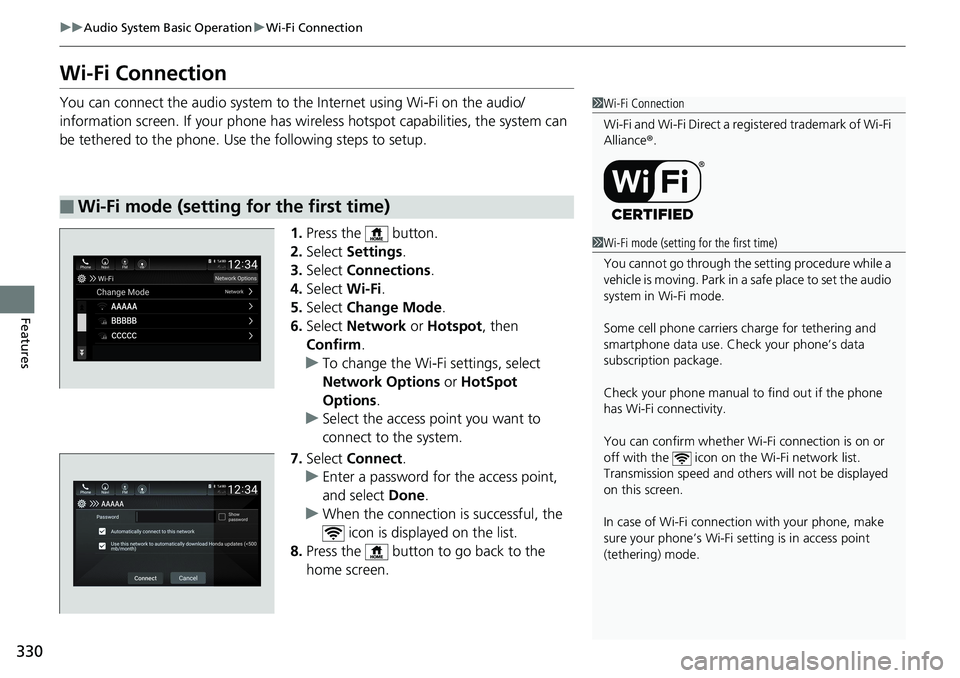
Features Wi-Fi Connection You can connect the audio system to the Internet using Wi-Fi on the audio/
information screen. If your phone has wire less hotspot capabilities, the system can
be tethered to the phone. Use the following steps to setup.
1. Press the button.
2. Select Settings .
3. Select Connections .
4. Select Wi-Fi .
5. Select Change Mode .
6. Select Network or Hotspot , then
Confirm .
u To change the Wi-Fi settings, select
Network Options or HotSpot
Options .
u Select the access point you want to
connect to the system.
7. Select Connect .
u Enter a password for the access point,
and select Done .
u When the connection is successful, the
icon is displayed on the list.
8. Press the button to go back to the
home screen.■ Wi-Fi mode (setting for the first time) 1 Wi-Fi Connection
Wi-Fi and Wi-Fi Direct a registered trademark of Wi-Fi
Alliance ® .
1 Wi-Fi mode (setting for the first time)
You cannot go through the setting procedure while a
vehicle is moving. Park in a safe place to set the audio
system in Wi-Fi mode.
Some cell phone carriers charge for tethering and
smartphone data use. Check your phone’s data
subscription package.
Check your phone manual to find out if the phone
has Wi-Fi connectivity.
You can confirm whether Wi -Fi connection is on or
off with the icon on the Wi-Fi network list.
Transmission speed and others will not be displayed
on this screen.
In case of Wi-Fi connect ion with your phone, make
sure your phone’s Wi-Fi se tting is in access point
(tethering) mode.
Page 383 of 727
381Continued
Features
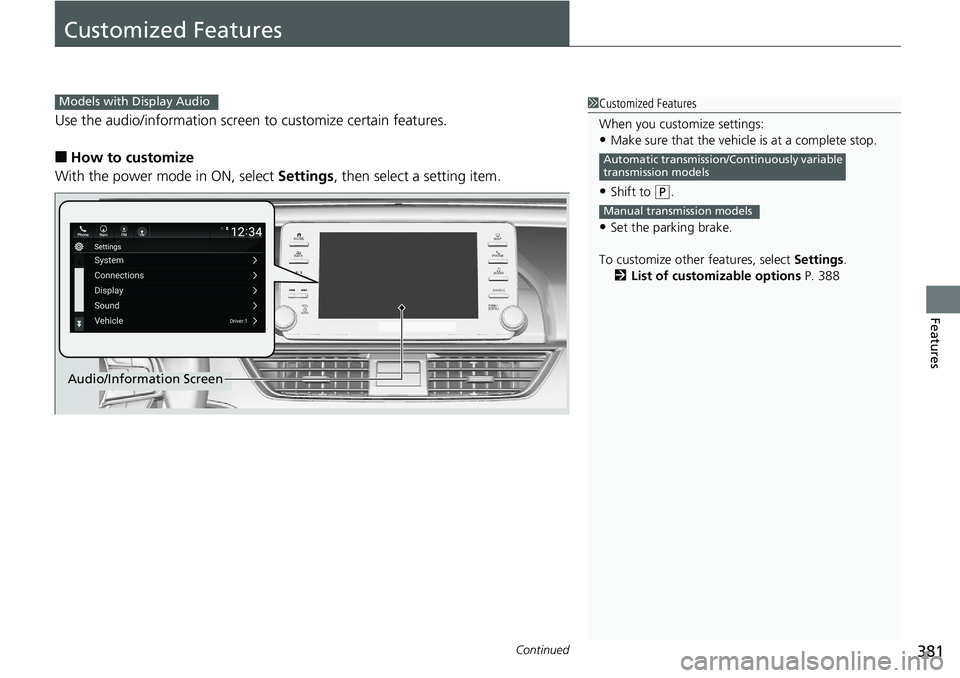
Customized Features Use the audio/information screen to customize certain features.
■ How to customize
With the power mode in ON, select Settings , then select a setting item. 1 Customized Features
When you customize settings:
• Make sure that the vehicle is at a complete stop.
• Shift to ( P
.
• Set the parking brake.
To customize other features, select Settings .
2 List of customizable options P. 388Automatic transmission/Continuously variable
transmission models
Manual transmission modelsModels with Display Audio
Audio/Information Screen