engine HONDA ACCORD HYBRID 2019 Owner's Guide
[x] Cancel search | Manufacturer: HONDA, Model Year: 2019, Model line: ACCORD HYBRID, Model: HONDA ACCORD HYBRID 2019Pages: 727, PDF Size: 24.78 MB
Page 139 of 727
137
Instrument Panel
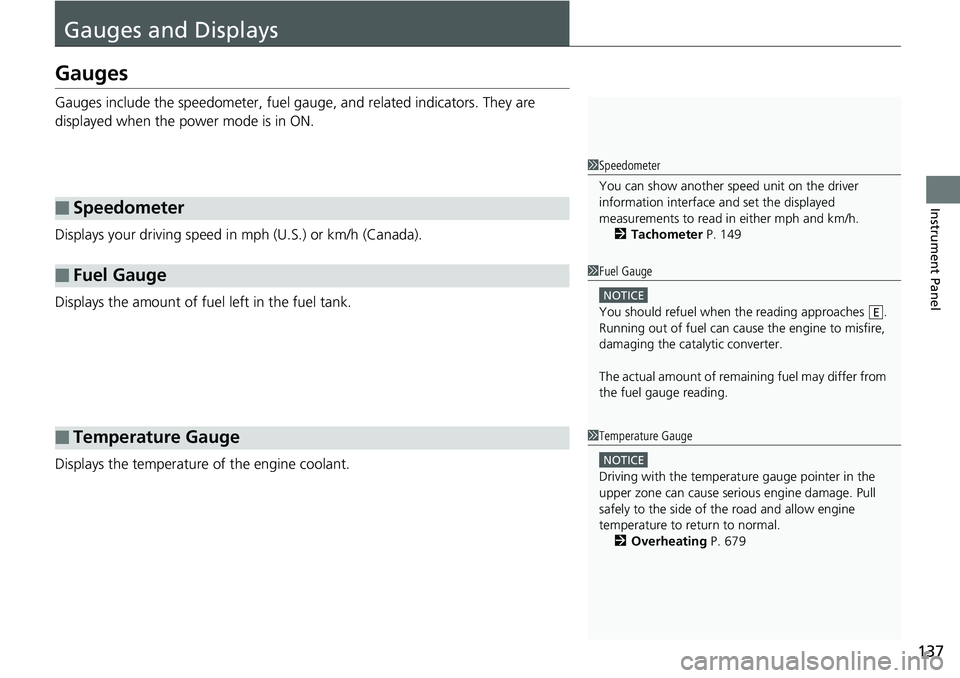
Gauges and DisplaysGauges Gauges include the speedometer, fuel gaug e, and related indicators. They are
displayed when the power mode is in ON.
Displays your driving speed in mph (U.S.) or km/h (Canada).
Displays the amount of fuel left in the fuel tank.
Displays the temperature of the engine coolant.■ Speedometer
■ Fuel Gauge
■ Temperature Gauge 1 Speedometer
You can show another speed unit on the driver
information interface and set the displayed
measurements to read in either mph and km/h.
2 Tachometer P. 149
1 Fuel Gauge NOTICE
You should refuel when the reading approaches .
Running out of fuel can cause the engine to misfire,
damaging the cata lytic converter.
The actual amount of remain ing fuel may differ from
the fuel gauge reading. E
1 Temperature Gauge
NOTICE
Driving with the temperat ure gauge pointer in the
upper zone can cause serious engine damage. Pull
safely to the side of th e road and allow engine
temperature to return to normal.
2 Overheating P. 679
Page 151 of 727
Continued
149uu Gauges and Displays u Driver Information Interface
Instrument Panel
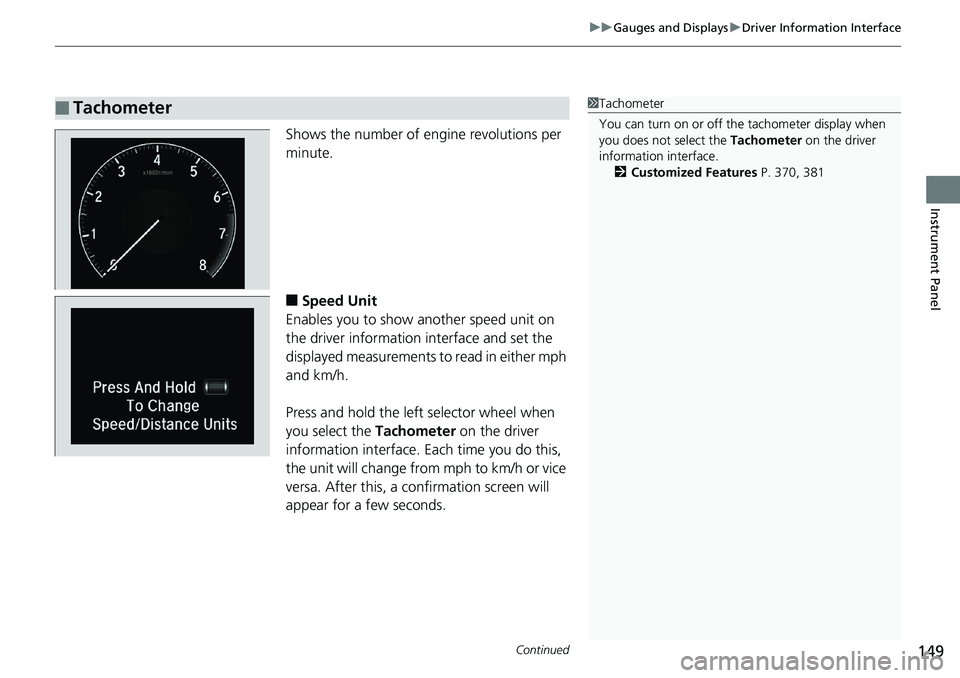
Shows the number of engine revolutions per
minute.
■ Speed Unit
Enables you to show another speed unit on
the driver information interface and set the
displayed measurements to read in either mph
and km/h.
Press and hold the left selector wheel when
you select the Tachometer on the driver
information interface. Each time you do this,
the unit will change from mph to km/h or vice
versa. After this, a confirmation screen will
appear for a few seconds.■ Tachometer 1 Tachometer
You can turn on or off the tachometer display when
you does not select the Tachometer on the driver
information interface.
2 Customized Features P. 370, 381
Page 156 of 727
uu Gauges and Displays u Driver Information Interface
154
Instrument Panel ■ The Driver Attention Monitor resets when:
• The engine is turned off.
• The driver unfastens the seat belt and op ens the door while the vehicle is stopped.
■ For the Driver Attention Monitor to function:
• The vehicle must be traveling above 25 mph (40 km/h).
• The electric power steering (EPS) system indicator must be off.
■ Depending on driving conditions or other factors, the Driver Attention
Monitor may not function in the following circumstances:
• The steering assist function of the Lane Keeping Assist System (LKAS) is active.2 Lane Keeping Assist System (LKAS) P. 550
• The condition of the road is poor, e.g. the surface is unpaved or bumpy.
• It is windy.
• The driver is frequently op erating the vehicle in an assertive manner such as
changing lanes or accelerating.
■ Customizing
You can change the Driver Atte ntion Monitor settings. Select Tactile and Audible
Alert *1
/ Tactile And Audible Alert *2
, Tactile Alert , or Off *1
/ OFF *2
.2 Customized Features P. 370, 381
*1 : Models with color audio
*2 : Models with Display Audio 1 For the Driver Attention Monitor to function:
The bars on the driver information interface remain
grayed out unless the Driv er Attention Monitor is
functioning.
Page 162 of 727
uu Gauges and Displays u Head-Up Display *
160
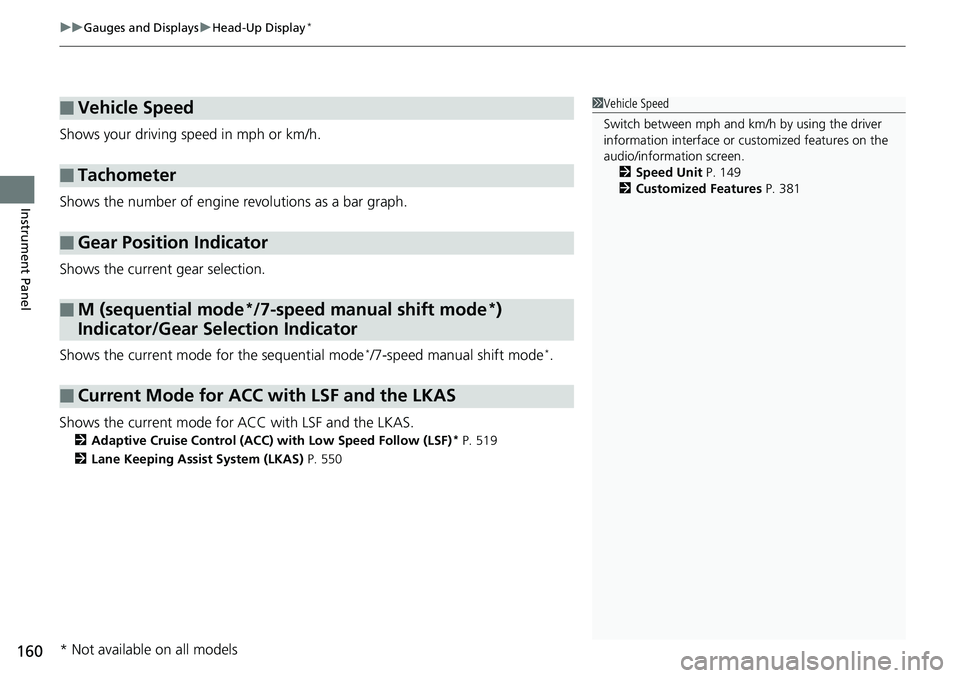
Instrument Panel Shows your driving speed in mph or km/h.
Shows the number of engine revolutions as a bar graph.
Shows the current gear selection.
Shows the current mode for the sequential mode *
/7-speed manual shift mode *
.
Shows the current mode for ACC with LSF and the LKAS. 2 Adaptive Cruise Control (ACC) with Low Speed Follow (LSF) *
P. 519
2 Lane Keeping Assist System (LKAS) P. 550■ Vehicle Speed
■ Tachometer
■ Gear Position Indicator
■ M (sequential mode *
/7-speed manual shift mode *
)
Indicator/Gear Selection Indicator
■ Current Mode for ACC with LSF and the LKAS 1 Vehicle Speed
Switch between mph and km/h by using the driver
information interface or cu stomized features on the
audio/information screen.
2 Speed Unit P. 149
2 Customized Features P. 381
* Not available on all models
Page 165 of 727
163Controls This chapter explains how to operate th e various controls necessary for driving.
Clock .................................................. 164
Locking and Unlocking the Doors
Key Types and Functions .................. 166
Low Remote Signal Strength ............ 168
Locking/Unlocking the Doors from the
Outside .......................................... 169
Locking/Unlocking the Doors from the
Inside ............................................. 176
Childproof Door Locks ..................... 178
Auto Door Locking/Unlocking .......... 179
Opening and Closing the Trunk ....... 180
Security System
Immobilizer System .......................... 183
Security System Alarm ...................... 184
Opening and Closing the Windows ..... 186 Opening and Closing the Moonroof *
..... 189
Operating the Switches Around the
Steering Wheel
ENGINE START/STOP Button............. 190
Turn Signals ..................................... 193
Light Switches.................................. 193
Fog Lights *
...................................... 195
Daytime Running Lights ................... 196
Auto High-Beam .............................. 197
Wipers and Washers ........................ 200
Rear Defogger/Heat ed Door Mirror *
Button ........................................... 202 Heated Windshield Button ............... 202
Brightness Control ........................... 203
Driving Position Memory System *
.... 205
Adjusting the Steering Wheel .......... 207
Adjusting the Mirrors
Interior Rearview Mirror ................... 208
Power Door Mirrors ......................... 209
Adjusting the Seats .......................... 210
Interior Lights/Interior Convenience
Items ................................................ 221
Climate Control System
Using Automatic Climate Control .... 239
Automatic Climate Control Sensors ... 242 Canadian models
* Not available on all models
Page 168 of 727
166
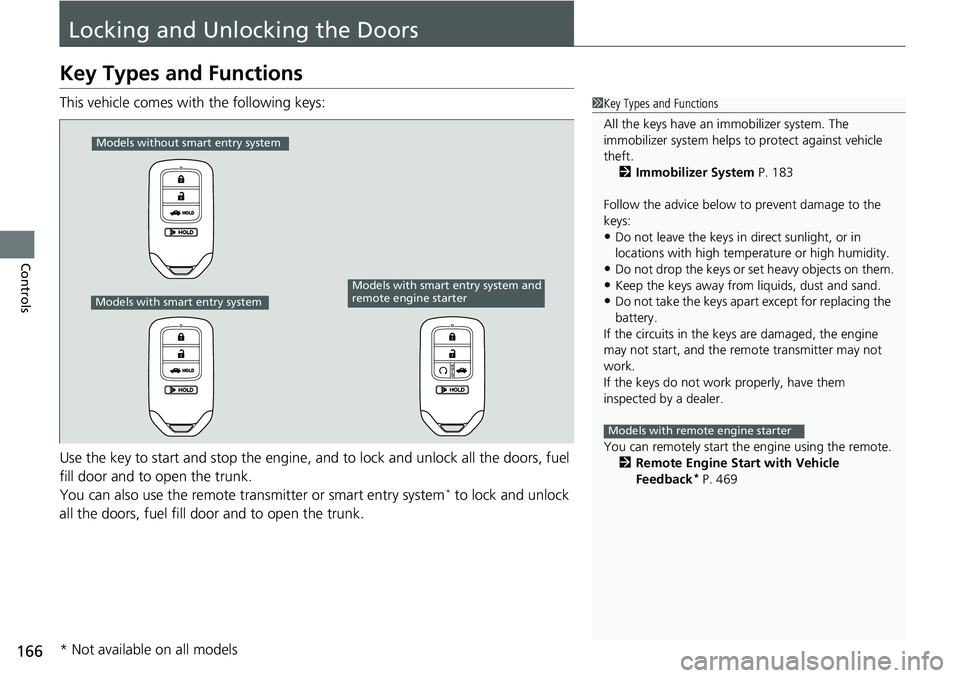
Controls Locking and Unlocking the DoorsKey Types and Functions This vehicle comes with the following keys:
Use the key to start and stop the engine, and to lock and unlock all the doors, fuel
fill door and to open the trunk.
You can also use the remote tra nsmitter or smart entry system *
to lock and unlock
all the doors, fuel fill door and to open the trunk. 1 Key Types and Functions
All the keys have an immobilizer system. The
immobilizer system helps to protect against vehicle
theft.
2 Immobilizer System P. 183
Follow the advice below to prevent damage to the
keys:
• Do not leave the keys in direct sunlight, or in
locations with high temperature or high humidity.
• Do not drop the keys or set heavy objects on them.
• Keep the keys away from liquids, dust and sand.
• Do not take the keys apart except for replacing the
battery.
If the circuits in the keys are damaged, the engine
may not start, and the remote transmitter may not
work.
If the keys do not work properly, have them
inspected by a dealer.
You can remotely start the engine using the remote.
2 Remote Engine Start with Vehicle
Feedback *
P. 469Models with remote engine starterModels without smart entry system
Models with smart entry system Models with smart entry system and
remote engine starter
* Not available on all models
Page 169 of 727
167uu Locking and Unlocking the Doors u Key Types and Functions
Controls
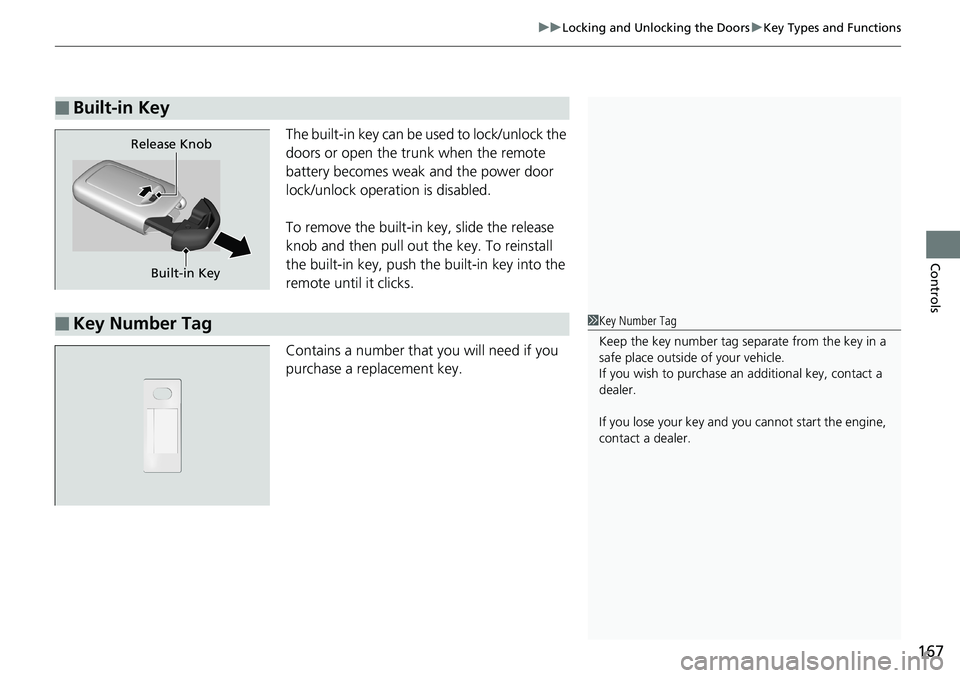
The built-in key can be us ed to lock/unlock the
doors or open the trunk when the remote
battery becomes weak and the power door
lock/unlock operation is disabled.
To remove the built-in key, slide the release
knob and then pull out the key. To reinstall
the built-in key, push th e built-in key into the
remote until it clicks.
Contains a number that you will need if you
purchase a replacement key.■ Built-in Key
Built-in KeyRelease Knob
■ Key Number Tag 1 Key Number Tag
Keep the key number tag separate from the key in a
safe place outside of your vehicle.
If you wish to purchase an additional key, contact a
dealer.
If you lose your key and you cannot start the engine,
contact a dealer.
Page 170 of 727
168 uu Locking and Unlocking the Doors u Low Remote Signal Strength
Controls Low Remote Signal Strength The vehicle transmits radio waves to locate the remote when locking/unlocking the
doors *
, and fuel fill door *
, opening the trunk *
, or to start the engine.
In the following cases, locking/unlocking the doors *
, and fuel fill door *
, opening the
trunk *
, or to start the engine may be inhi bited or operation may be unstable:
• Strong radio waves are being tra nsmitted by nearby equipment.
• You are carrying the remote together with telecommunications equipment,
laptop computers, cell phone s, or wireless devices.
• A metallic object is touchi ng or covering the remote. 1 Low Remote Signal Strength
Communication between the remote and the vehicle
consumes the remote’s battery.
Battery life is about two years, but this varies
depending on regularity of use.
The battery is consumed whenever the remote is
receiving strong radio waves. Avoid placing it near
electrical appliances such as televisions and personal
computers.
* Not available on all models
Page 185 of 727
183
Controls
Security SystemImmobilizer System The immobilizer system prevents a key th at has not been pre-registered from
starting the engine. Each key contains electronic transmitters that use electronic
signals to verify the key.
Pay attention to the follo wing when pressing the ENGINE START/STOP button:
• Do not allow objects that emit strong radio waves near the ENGINE START/
STOP button.
• Make sure the key is not covered by or touching a metal object.
• Do not bring a key from another vehicle’s immobilizer system near the ENGINE
START/STOP button.
• Do not put the key near magnetic items. El ectronic device, such as televisions and
audio systems emit strong magnetic fiel ds. Note that even a key chain can
become magnetic. 1 Immobilizer System NOTICE
Leaving the key in the vehicl e can result in theft or
accidental movement of the vehicle.
Always take the key with you whenever you leave the
vehicle unattended.
Do not alter the system or add other devices to it.
Doing so may damage the system and make your
vehicle inoperable.
Apply and hold the brake pedal before turning the
vehicle on the first time after the battery has been
disconnected. Canadian models
Page 192 of 727
190
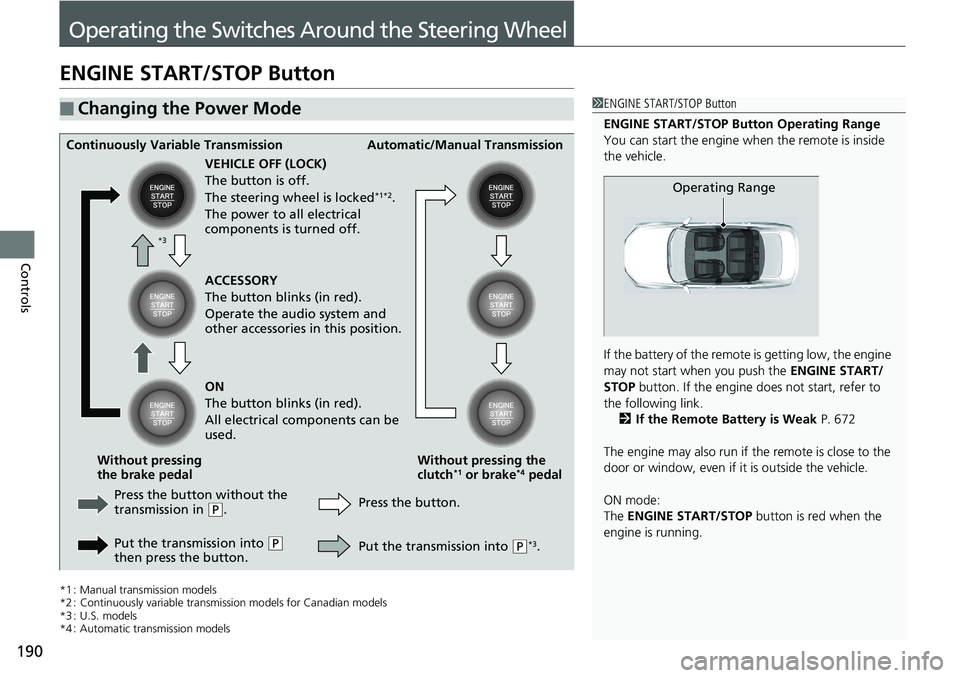
Controls Operating the Switches Around the Steering WheelENGINE START/STOP Button
*1 : Manual transmission models
*2 : Continuously variable transmi ssion models for Canadian models
*3 : U.S. models
*4 : Automatic transmission models■ Changing the Power Mode 1 ENGINE START/STOP Button
ENGINE START/STOP Button Operating Range
You can start the engine wh en the remote is inside
the vehicle.
If the battery of the remote is getting low, the engine
may not start when you push the ENGINE START/
STOP button. If the engine do es not start, refer to
the following link.
2 If the Remote Battery is Weak P. 672
The engine may also run if the remote is close to the
door or window, even if it is outside the vehicle.
ON mode:
The ENGINE START/STOP button is red when the
engine is running. Operating RangeContinuously Variable Transmission Automatic/Manual Transmission
VEHICLE OFF (LOCK)
The button is off.
The steering wheel is locked *1*2
.
The power to all electrical
components is turned off.
Press the button without the
transmission in ( P
.
Put the transmission into ( P
then press the button. Press the button. Without pressing the
clutch *1
or brake *4
pedalWithout pressing
the brake pedal ACCESSORY
The button blinks (in red).
Operate the audio system and
other accessories in this position.
ON
The button blinks (in red).
All electrical components can be
used.
Put the transmission into ( P *3
.*3