warning HONDA ACCORD HYBRID 2019 Owner's Guide
[x] Cancel search | Manufacturer: HONDA, Model Year: 2019, Model line: ACCORD HYBRID, Model: HONDA ACCORD HYBRID 2019Pages: 727, PDF Size: 24.78 MB
Page 191 of 727
189
Controls
Opening and Closing the Moonroof *
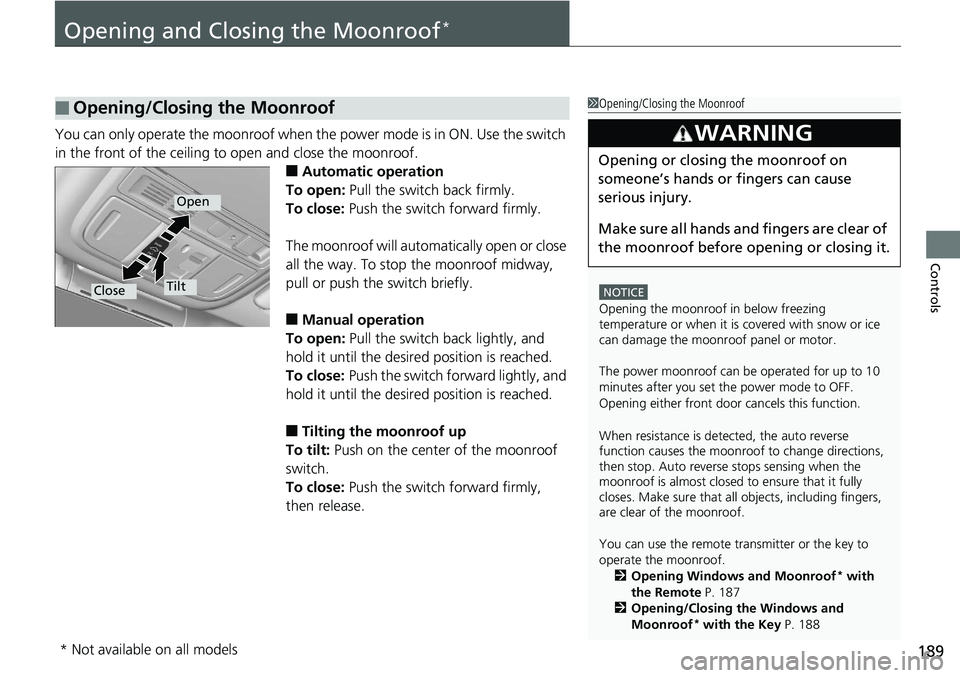
You can only operate the moonroof when th e power mode is in ON. Use the switch
in the front of the ceiling to open and close the moonroof.
■ Automatic operation
To open: Pull the switch back firmly.
To close: Push the switch forward firmly.
The moonroof will automa tically open or close
all the way. To stop the moonroof midway,
pull or push the switch briefly.
■ Manual operation
To open: Pull the switch back lightly, and
hold it until the desired position is reached.
To close: Push the switch fo rward lightly, and
hold it until the desired position is reached.
■ Tilting the moonroof up
To tilt: Push on the center of the moonroof
switch.
To close: Push the switch forward firmly,
then release.■ Opening/Closing the Moonroof 1 Opening/Closing the Moonroof
NOTICE
Opening the moonroof in below freezing
temperature or when it is covered with snow or ice
can damage the moonr oof panel or motor.
The power moonroof can be operated for up to 10
minutes after you set the power mode to OFF.
Opening either front door cancels this function.
When resistance is detected, the auto reverse
function causes the moonroof to change directions,
then stop. Auto reverse stops sensing when the
moonroof is almost closed to ensure that it fully
closes. Make sure that al l objects, including fingers,
are clear of the moonroof.
You can use the remote transmitter or the key to
operate the moonroof.
2 Opening Windows and Moonroof *
with
the Remote P. 187
2 Opening/Closing the Windows and
Moonroof *
with the Key P. 1883
WARNING Opening or closing the moonroof on
someone’s hands or fingers can cause
serious injury.
Make sure all hands and fingers are clear of
the moonroof before opening or closing it.Open
Close Tilt
* Not available on all models
Page 193 of 727
Continued
191uu Operating the Switches Around the Steering Wheel u ENGINE START/STOP Button
Controls
If you leave the vehicle for 30 to 60 minutes with the transmission in ( P *1
and the
power mode in ACCESSORY, the vehicle automa tically goes into the mode similar to
VEHICLE OFF (LOCK) to avoid draining the battery.
When in this mode:
The steering wheel does not lock.
You cannot lock or unlock doors with the re mote transmitter or the smart entry with
push button start system *
.
Press the ENGINE START/STOP button twice to switch the mode to VEHICLE OFF
(LOCK).
If you open the driver’s door when the power mode is set to ACCESSORY, a warning
buzzer sounds.
*1 : Automatic transmission/Continuously variable transmission models■ Automatic Power Off
■ Power Mode Reminder 1 Changing the Power Mode
If the power mode does not change from VEHICLE
OFF to ACCESSORY, press the ENGINE START/STOP
button while moving the st eering wheel left and
right. The steering wheel will unlock, allowing the
mode to change.
Do not leave the power mode in ACCESSORY or ON
when you get out. Manual transmission models
Continuously variable transmission models
for Canadian models
Manual transmission models
Continuously variable transmission models
for Canadian models
* Not available on all models
Page 194 of 727
uu Operating the Switches Around the Steering Wheel u ENGINE START/STOP Button
192
Controls Warning buzzers may sound from inside and/
or outside the vehicle to remind you that the
remote is out of the vehicle. If the buzzer
continues even after the remote is put back
inside, place it to be within its operational
range.
■ When the power mode is in ON
If the remote is taken out of the vehicle, and
the driver’s door is closed, a warning buzzer
sounds from both inside and outside the
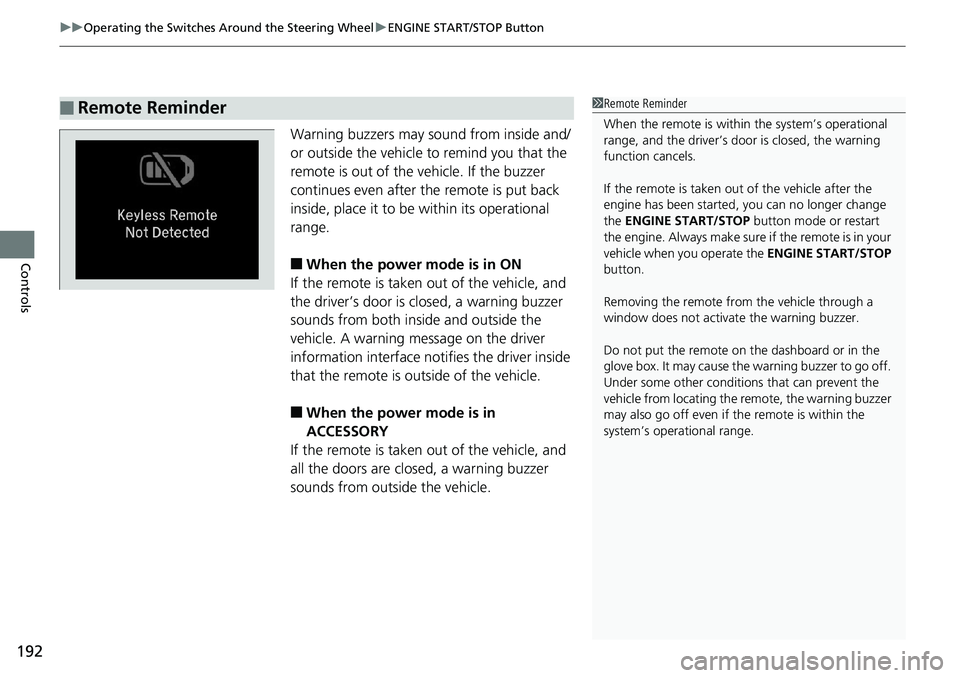
vehicle. A warning me ssage on the driver
information interface noti fies the driver inside
that the remote is outside of the vehicle.
■ When the power mode is in
ACCESSORY
If the remote is taken out of the vehicle, and
all the doors are closed, a warning buzzer
sounds from outside the vehicle.■ Remote Reminder 1 Remote Reminder
When the remote is within the system’s operational
range, and the driver’s door is closed, the warning
function cancels.
If the remote is taken out of the vehicle after the
engine has been started, you can no longer change
the ENGINE START/STOP button mode or restart
the engin e. Always make sure if the remote is in your
vehicle when you operate the ENGINE START/STOP
button.
Removing the remote fr om the vehicle through a
window does not activate the warning buzzer.
Do not put the remote on the dashboard or in the
glove box. It may cause the warning buzzer to go off.
Under some other conditions that can prevent the
vehicle from locating the remote, the warning buzzer
may also go off even if the remote is within the
system’s operational range.
Page 209 of 727
207uu Operating the Switches Around the Steering Wheel u Adjusting the Steering Wheel
Controls
Adjusting the Steering Wheel The steering wheel height and distance from your body can be adjusted so that you
can comfortably grip the steering wheel in an appropriate driving posture.
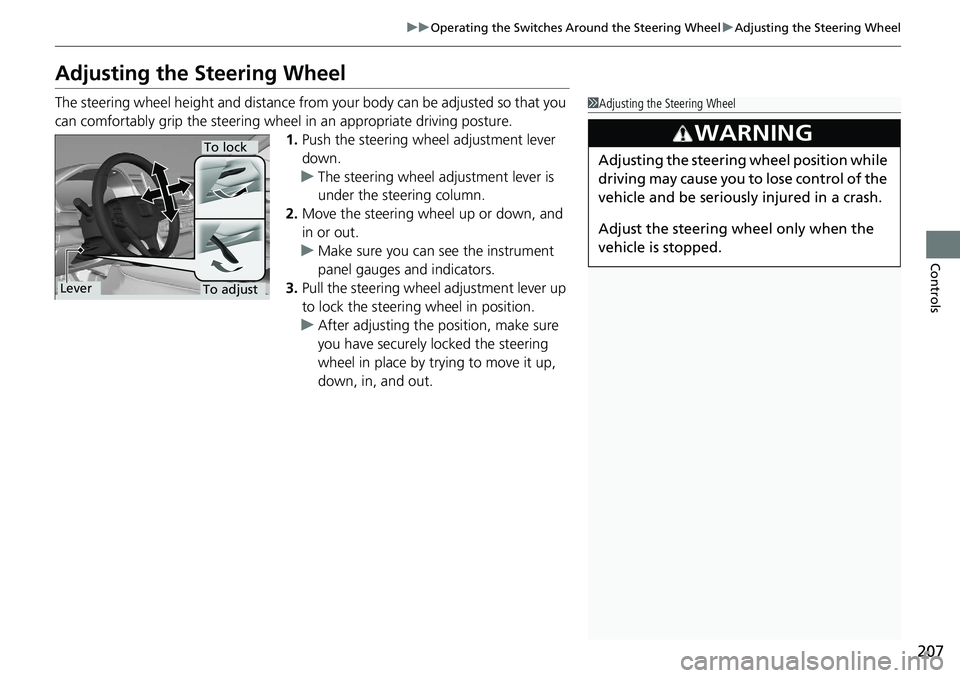
1. Push the steering wheel adjustment lever
down.
u The steering wheel adjustment lever is
under the steering column.
2. Move the steering wheel up or down, and
in or out.
u Make sure you can see the instrument
panel gauges and indicators.
3. Pull the steering wheel adjustment lever up
to lock the steering wheel in position.
u After adjusting the position, make sure
you have securely locked the steering
wheel in place by trying to move it up,
down, in, and out. 1 Adjusting the Steering Wheel
3
WARNING Adjusting the steering wheel position while
driving may cause you to lose control of the
vehicle and be seriously injured in a crash.
Adjust the steering wheel only when the
vehicle is stopped.To adjust To lock
Lever
Page 212 of 727
210
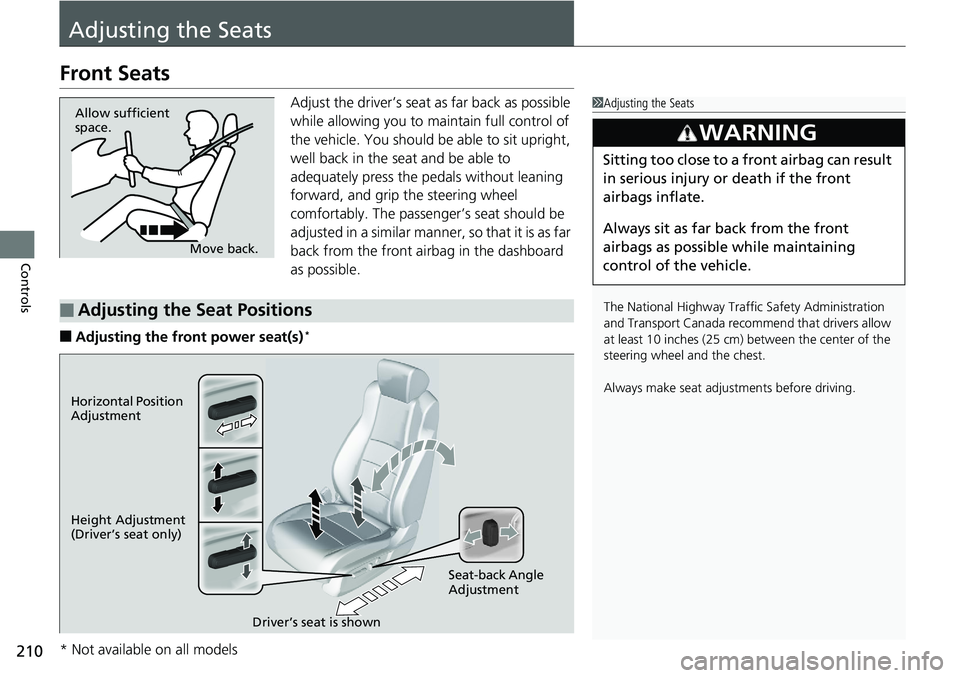
Controls Adjusting the SeatsFront Seats Adjust the driver’s seat as far back as possible
while allowing you to maintain full control of
the vehicle. You should be able to sit upright,
well back in the seat and be able to
adequately press the pedals without leaning
forward, and grip the steering wheel
comfortably. The passenger’s seat should be
adjusted in a similar manner, so that it is as far
back from the front airbag in the dashboard
as possible.
■ Adjusting the front power seat(s) * 1 Adjusting the Seats
The National Highway Traffic Safety Administration
and Transport Cana da recommend that drivers allow
at least 10 inches (25 cm) between the center of the
steering wheel and the chest.
Always make seat adjustments before driving.3
WARNING Sitting too close to a front airbag can result
in serious injury or death if the front
airbags inflate.
Always sit as far back from the front
airbags as possible while maintaining
control of the vehicle.Move back.Allow sufficient
space.
■ Adjusting the Seat Positions Horizontal Position
Adjustment
Height Adjustment
(Driver’s seat only)
Seat-back Angle
Adjustment
Driver’s seat is shown
* Not available on all models
Page 215 of 727
213 uu Adjusting the Seats u Front Seats
Controls
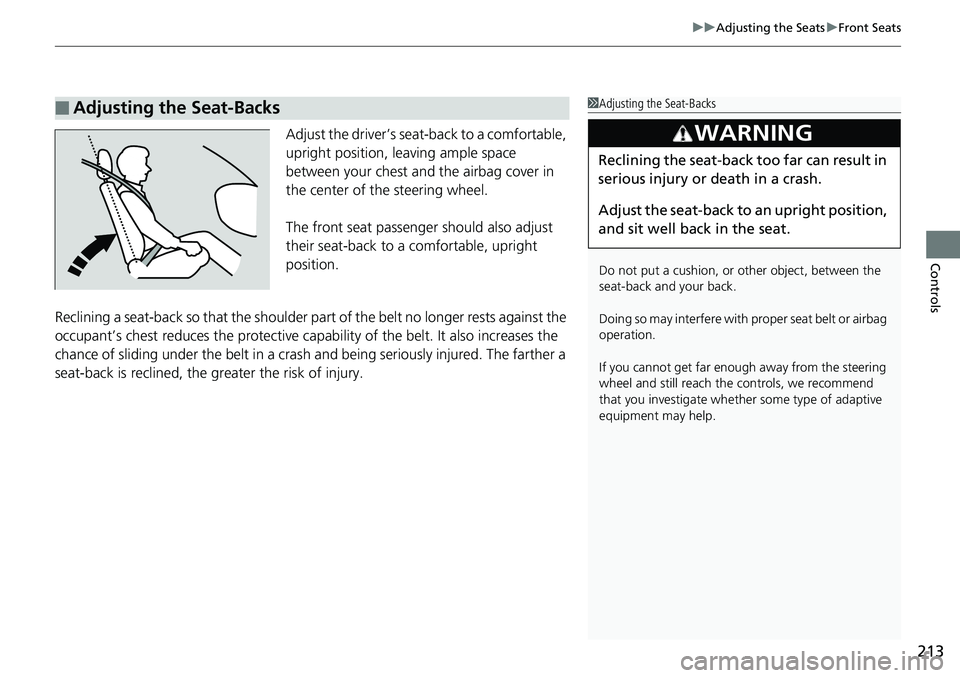
Adjust the driver’s seat -back to a comfortable,
upright position, leaving ample space
between your chest and the airbag cover in
the center of the steering wheel.
The front seat passenger should also adjust
their seat-back to a comfortable, upright
position.
Reclining a seat-back so that the shoulder part of the belt no longer rests against the
occupant’s chest reduces the protective capa bility of the belt. It also increases the
chance of sliding under the belt in a crash and being seriously injured. The farther a
seat-back is reclined, the gr eater the risk of injury.■ Adjusting the Seat-Backs 1 Adjusting the Seat-Backs
Do not put a cushion, or other object, between the
seat-back and your back.
Doing so may interfere with proper seat belt or airbag
operation.
If you cannot get far e nough away from the steering
wheel and still reach th e controls, we recommend
that you investigate whether some type of adaptive
equipment may help.3
WARNING Reclining the seat-back too far can result in
serious injury or death in a crash.
Adjust the seat-back to an upright position,
and sit well back in the seat.
Page 217 of 727
215uu Adjusting the Seats u Maintain a Proper Sitting Position
Controls
Maintain a Proper Sitting Position After all occupants have adjusted their s eats and head restrain ts, and put on their
seat belts, it is very important that they continue to sit uprigh t, well back in their
seats, with their feet on the floor, until the vehicle is safely parked and the power
mode is off.
Sitting improperly can increase the chance of injury during a crash. For example, if
an occupant slouches, lies down, turns si deways, sits forward, leans forward or
sideways, or puts one or both feet up, the chance of injury during a crash is greatly
increased.
In addition, an occupant who is out of posi tion in the front seat can be seriously or
fatally injured in a crash by striking interior parts of the vehicle or being struck by an
inflating front airbag. 1 Maintain a Proper Sitting Position
3
WARNING Sitting improperly or out of position can
result in serious injury or death in a crash.
Always sit upright, well back in the seat,
with your feet on the floor.
Page 218 of 727
216 uu Adjusting the Seats u Head Restraints
Controls Head Restraints Your vehicle is equipped with head restraints in all seating positions.
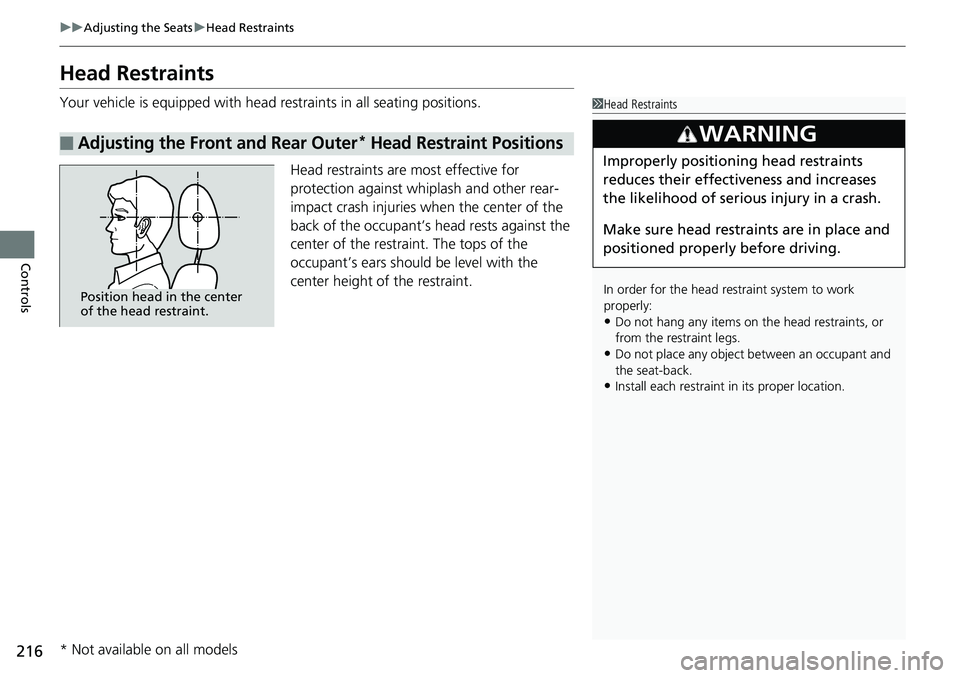
Head restraints are most effective for
protection against whiplash and other rear-
impact crash injuries when the center of the
back of the occupant’s head rests against the
center of the restraint. The tops of the
occupant’s ears should be level with the
center height of the restraint.■ Adjusting the Front and Rear Outer *
Head Restraint Positions 1 Head Restraints
In order for the head restraint system to work
properly:
• Do not hang any items on the head restraints, or
from the restraint legs.
• Do not place any object be tween an occupant and
the seat-back.
• Install each restraint in its proper location.3
WARNING Improperly positioning head restraints
reduces their effectiveness and increases
the likelihood of serious injury in a crash.
Make sure head restraints are in place and
positioned properly before driving.Position head in the center
of the head restraint.
* Not available on all models
Page 220 of 727
uu Adjusting the Seats u Head Restraints
218
Controls Head restraints can be removed for cleaning or repair.
To remove a head restraint:
Pull the restraint up as far as it will go. Then push the release button, and pull the
restraint up and out.
To reinstall a head restraint:
Insert the legs back in place, then adjust the head restraint to an appropriate height
while pressing the release butto n. Pull up on the restraint to make sure it is locked
in position.■ Removing and Reinstalling the Head Restraints 1 Removing and Reinstalling the Head Restraints
3
WARNING Failure to reinstall, or correctly reinstall, the
head restraints can result in severe injury
during a crash.
Always replace the he ad restraints before
driving.
Page 225 of 727
223uu Interior Lights/Interior Convenience Items u Interior Convenience Items
Continued
Controls
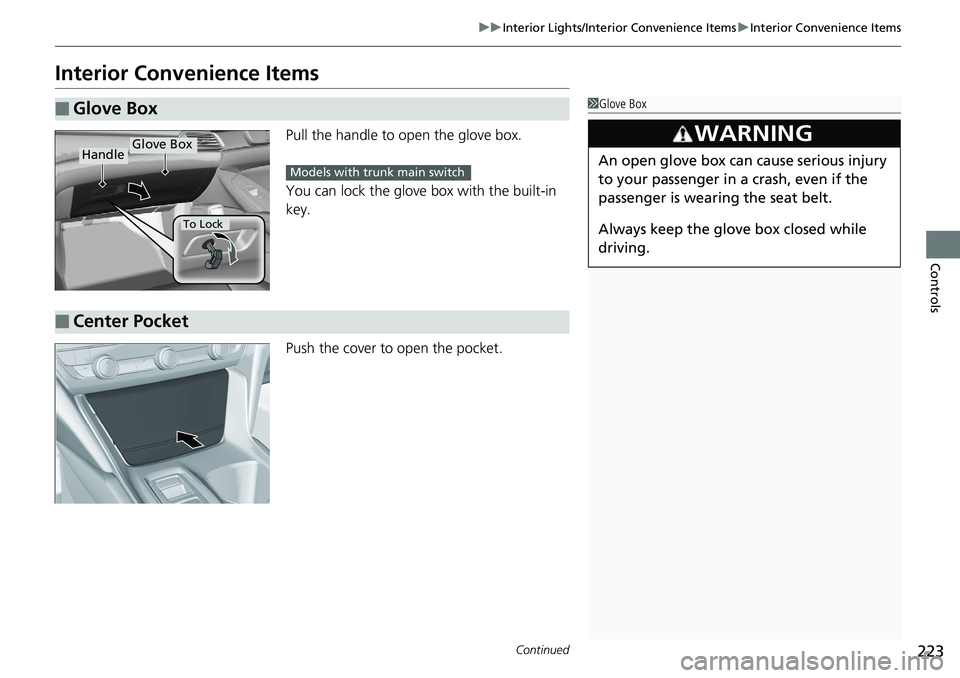
Interior Convenience Items Pull the handle to op en the glove box.
You can lock the glove box with the built-in
key.
Push the cover to open the pocket.■ Glove Box 1 Glove Box
3
WARNING An open glove box can cause serious injury
to your passenger in a crash, even if the
passenger is wearing the seat belt.
Always keep the glove box closed while
driving.Glove Box
Handle
To Lock Models with trunk main switch
■ Center Pocket