driver seat adjustment HONDA ACCORD HYBRID 2019 Owners Manual
[x] Cancel search | Manufacturer: HONDA, Model Year: 2019, Model line: ACCORD HYBRID, Model: HONDA ACCORD HYBRID 2019Pages: 727, PDF Size: 24.78 MB
Page 207 of 727
205uu Operating the Switches Around the Steering Wheel u Driving Position Memory System *
Continued
Controls
Driving Position Memory System *You can store two driver’s seat positions (except for power lumbar) with the driving
position memory system.
When you unlock and open the driver's door with a remote transmitter, or smart
entry system to one of the two preset po sitions and the seat adjusts to retracted
positions of one of the two preset positions automatically.
The seat will move to the stored position when you set the power mode to
ACCESSORY.
When you enter the vehicle, the driver in formation interface briefly shows you which
remote transmitter you used to unlock the vehicle.
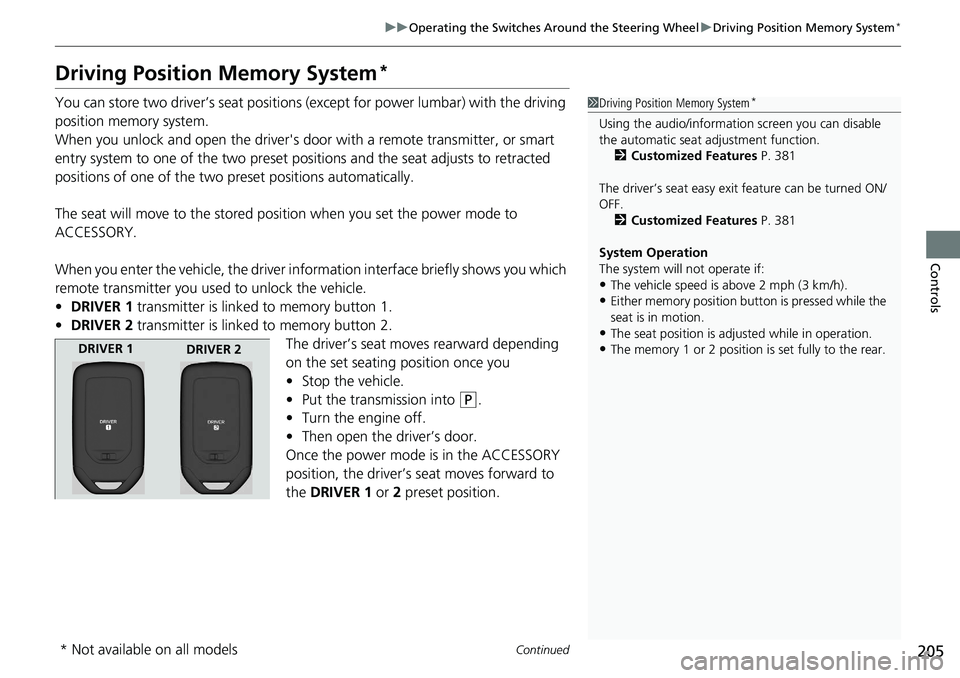
• DRIVER 1 transmitter is linked to memory button 1.
• DRIVER 2 transmitter is linked to memory button 2.
The driver’s seat moves rearward depending
on the set seating position once you
• Stop the vehicle.
• Put the transmission into ( P
.
• Turn the engine off.
• Then open the driver’s door.
Once the power mode is in the ACCESSORY
position, the driver’s seat moves forward to
the DRIVER 1 or 2 preset position. 1 Driving Position Memory System *
Using the audio/informati on screen you can disable
the automatic seat adjustment function.
2 Customized Features P. 381
The driver’s seat easy exit feature can be turned ON/
OFF.
2 Customized Features P. 381
System Operation
The system will not operate if:
• The vehicle speed is above 2 mph (3 km/h).
• Either memory position but ton is pressed while the
seat is in motion.
• The seat position is adju sted while in operation.
• The memory 1 or 2 position is set fully to the rear.DRIVER 1
DRIVER 2
* Not available on all models
Page 212 of 727
210
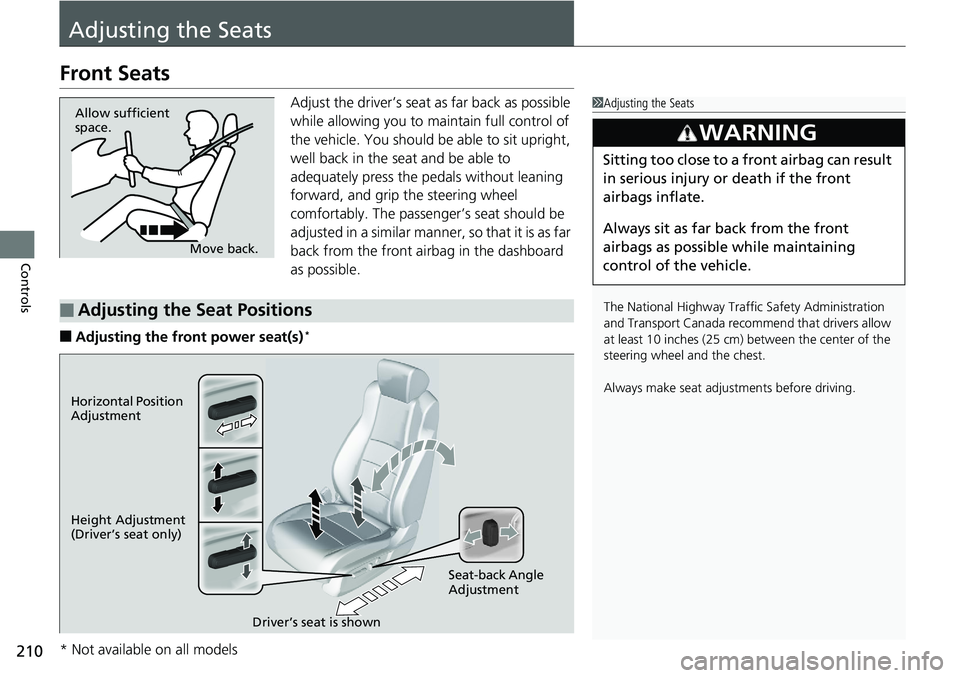
Controls Adjusting the SeatsFront Seats Adjust the driver’s seat as far back as possible
while allowing you to maintain full control of
the vehicle. You should be able to sit upright,
well back in the seat and be able to
adequately press the pedals without leaning
forward, and grip the steering wheel
comfortably. The passenger’s seat should be
adjusted in a similar manner, so that it is as far
back from the front airbag in the dashboard
as possible.
■ Adjusting the front power seat(s) * 1 Adjusting the Seats
The National Highway Traffic Safety Administration
and Transport Cana da recommend that drivers allow
at least 10 inches (25 cm) between the center of the
steering wheel and the chest.
Always make seat adjustments before driving.3
WARNING Sitting too close to a front airbag can result
in serious injury or death if the front
airbags inflate.
Always sit as far back from the front
airbags as possible while maintaining
control of the vehicle.Move back.Allow sufficient
space.
■ Adjusting the Seat Positions Horizontal Position
Adjustment
Height Adjustment
(Driver’s seat only)
Seat-back Angle
Adjustment
Driver’s seat is shown
* Not available on all models
Page 214 of 727
uu Adjusting the Seats u Front Seats
212
Controls ■ Adjusting the front manual seat(s) *
1 Adjusting the front manual seat(s) *
Once a seat is adjusted co rrectly, rock it back and
forth to make sure it is locked in position.
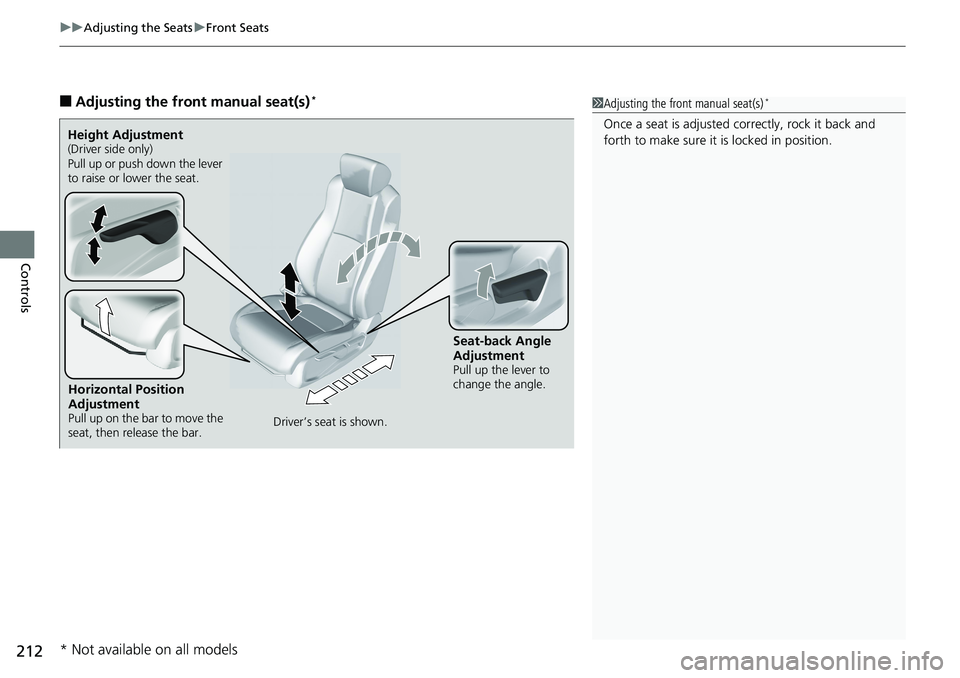
Horizontal Position
Adjustment Pull up on the bar to move the
seat, then release the bar.Height Adjustment (Driver side only)
Pull up or push down the lever
to raise or lower the seat.
Seat-back Angle
Adjustment Pull up the lever to
change the angle.
Driver’s seat is shown.
* Not available on all models