flat tire HONDA ACCORD HYBRID 2019 Owners Manual
[x] Cancel search | Manufacturer: HONDA, Model Year: 2019, Model line: ACCORD HYBRID, Model: HONDA ACCORD HYBRID 2019Pages: 727, PDF Size: 24.78 MB
Page 4 of 727
Contents
This owner’s manual should be considered a permanent part of the
vehicle and should remain with the vehicle when it is sold.
This owner’s manual covers all models of your vehicle. You may find
descriptions of equipment and features that are not on your
particular model.
Images throughout this owner’s ma nual (including the front cover)
represent features and equipment that are available on some, but
not all, models. Your particular mo del may not have some of these
features.
This owner’s manual is for vehicles sold in the United States and
Canada.
The information and specifications in cluded in this publication were
in effect at the time of approval for printing. Honda Motor Co., Ltd.
reserves the right, however, to discontinue or change specifications
or design at any time without notice and without incurring any
obligation. 2 Safe Driving P. 33For Safe Driving P. 34 Seat Belts P. 38 Airbags P. 45
2 Instrument Panel P. 77Indicators P. 78 Gauges and Displays P. 137
2 Controls P. 163 Clock P. 164 Locking and Unlocking the Doors P. 166
Opening and Closing the Moonroof *
P. 189
Adjusting the Seats P. 210
2 Features P. 243 Audio System P. 244 Audio System Basic Operation P. 252, 273
Customized Features P. 370, 381 HomeLink ® Universal Transceiver *
P. 400
2 Driving P. 453 Before Driving P. 454 Towing a Trailer P. 459
Multi-View Rear Camera P. 594 Refueling P. 597
2 Maintenance P. 603Before Performing Maintenance P. 604 Maintenance Minder TM
P. 607
Checking and Maintaining Wiper Blades P. 639
Climate Control System Maintenance P. 654
2 Handling the Unexpected P. 663Tools P. 664 If a Tire Goes Flat P. 665
Overheating P. 679 Indicator, Coming On/Blinking P. 681
When You Cannot Op en the Trunk P. 695
2 Information P. 699Specifications P. 700 Identi fication Numbers P. 704
Emissions Testing P. 707 Warranty Coverages P. 709
Page 30 of 727
28
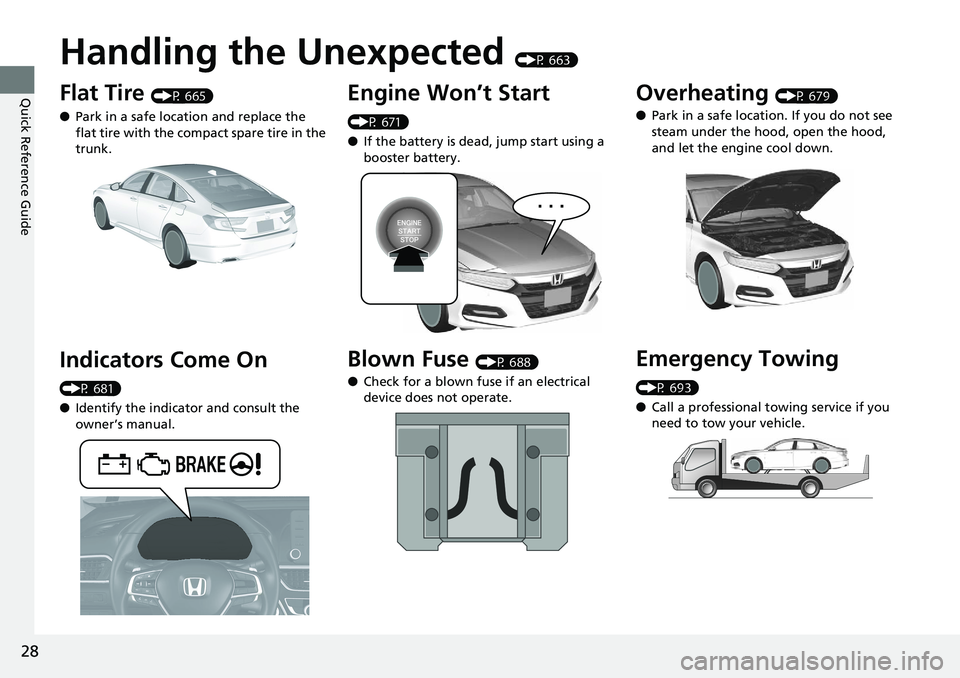
Quick Reference Guide Handling the Unexpected (P 663)
Flat Tire (P 665)
● Park in a safe location and replace the
flat tire with the compact spare tire in the
trunk.
Indicators Come On (P 681)
● Identify the indicator and consult the
owner’s manual. Engine Won’t Start (P 671)
● If the battery is dead, jump start using a
booster battery.
Blown Fuse (P 688)
● Check for a blown fuse if an electrical
device does not operate.Overheating (P 679)
● Park in a safe location. If you do not see
steam under the hood, open the hood,
and let the engine cool down.
Emergency Towing (P 693)
● Call a professional towing service if you
need to tow your vehicle.
Page 33 of 727
31
Quick Reference Guide
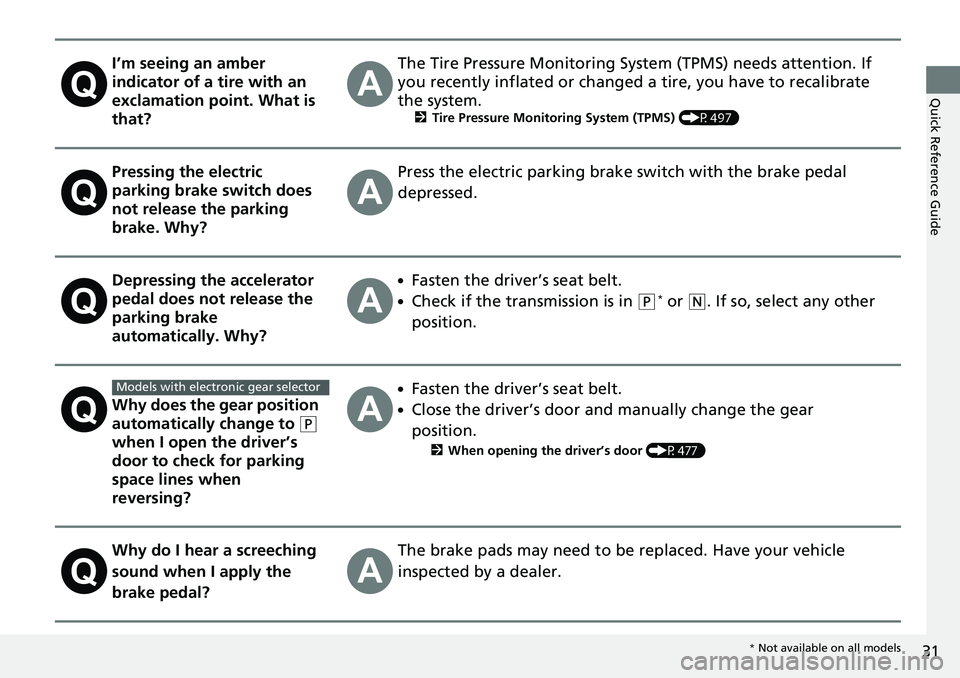
I’m seeing an amber
indicator of a tire with an
exclamation point. What is
that? The Tire Pressure Monitoring Syst em (TPMS) needs attention. If
you recently inflated or changed a tire, you have to recalibrate
the system. 2 Tire Pressure Monitoring System (TPMS) (P497)
Pressing the electric
parking brake switch does
not release the parking
brake. Why? Press the electric parking brake switch with the brake pedal
depressed.
Depressing the accelerator
pedal does not release the
parking brake
automatically. Why? ●
Fasten the driver’s seat belt. ●
Check if the transmission is in ( P *
or ( N
. If so, select any other
position.
Why does the gear position
automatically change to ( P
when I open the driver’s
door to check for parking
space lines when
reversing? ●
Fasten the driver’s seat belt. ●
Close the driver’s door and manually change the gear
position. 2 When opening the driver’s door (P477)
Why do I hear a screeching
sound when I apply the
brake pedal? The brake pads may need to be replaced. Have your vehicle
inspected by a dealer.Models with electronic gear selector
* Not available on all models
Page 95 of 727
93 uu Indicators u
Continued
Instrument Panel
Indicator Name On/Blinking Explanation Message
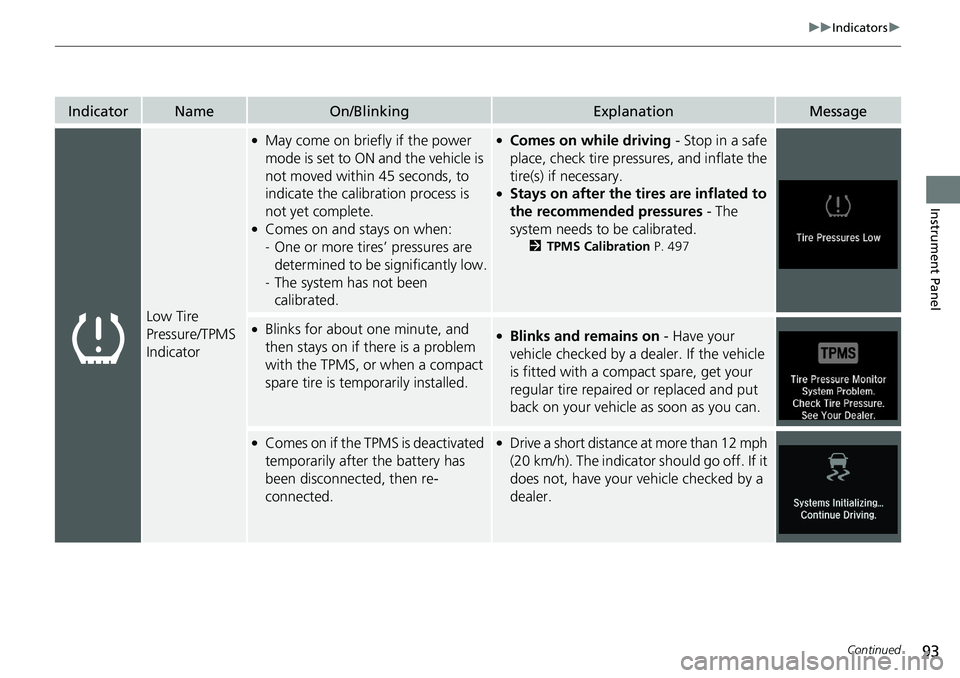
Low Tire
Pressure/TPMS
Indicator ●
May come on briefly if the power
mode is set to ON and the vehicle is
not moved within 45 seconds, to
indicate the calibration process is
not yet complete. ●
Comes on and stays on when:
- One or more tires’ pressures are
determined to be significantly low.
- The system has not been
calibrated. ●
Comes on while driving - Stop in a safe
place, check tire pres sures, and inflate the
tire(s) if necessary. ●
Stays on after the tires are inflated to
the recommended pressures - The
system needs to be calibrated. 2 TPMS Calibration P. 497●
Blinks for about one minute, and
then stays on if there is a problem
with the TPMS, or when a compact
spare tire is temporarily installed. ●
Blinks and remains on - Have your
vehicle checked by a dealer. If the vehicle
is fitted with a compact spare, get your
regular tire repaired or replaced and put
back on your vehicle as soon as you can.●
Comes on if the TPMS is deactivated
temporarily after the battery has
been disconnected, then re-
connected. ●
Drive a short distance at more than 12 mph
(20 km/h). The indicator should go off. If it
does not, have your vehicle checked by a
dealer.
Page 499 of 727
497uu When Driving u Tire Pressure Monitoring System (TPMS)
Continued
Driving
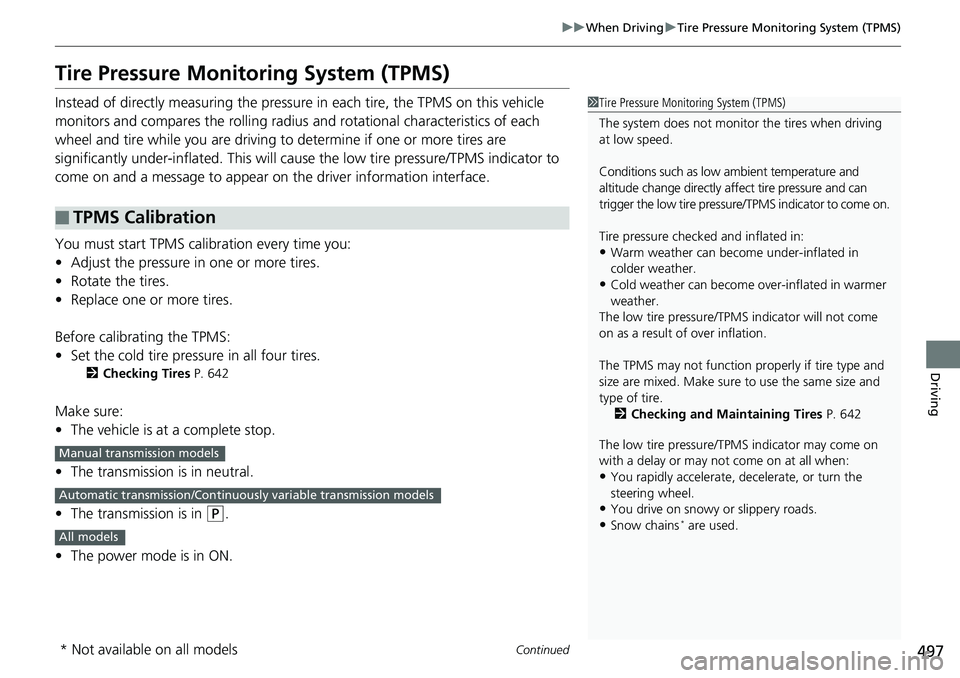
Tire Pressure Monitoring System (TPMS) Instead of directly measuring the pressure in each tire, the TPMS on this vehicle
monitors and compares the rolling radius and rotational characteristics of each
wheel and tire while you are driving to determine if one or more tires are
significantly under-inflated. This will caus e the low tire pressure/TPMS indicator to
come on and a message to appear on the driver information interface.
You must start TPMS calibration every time you:
• Adjust the pressure in one or more tires.
• Rotate the tires.
• Replace one or more tires.
Before calibrating the TPMS:
• Set the cold tire pressure in all four tires. 2 Checking Tires P. 642
Make sure:
• The vehicle is at a complete stop.
• The transmission is in neutral.
• The transmission is in ( P
.
• The power mode is in ON.■ TPMS Calibration 1 Tire Pressure Monitoring System (TPMS)
The system does not monitor the tires when driving
at low speed.
Conditions such as low ambient temperature and
altitude change directly a ffect tire pressure and can
trigger the low tire pressure/TPMS indicator to come on.
Tire pressure checked and inflated in:
• Warm weather can beco me under-inflated in
colder weather.
• Cold weather can become over-inflated in warmer
weather.
The low tire pressure/TPMS indicator will not come
on as a result of over inflation.
The TPMS may not function pr operly if tire type and
size are mixed. Make sure to use the same size and
type of tire.
2 Checking and Maintaining Tires P. 642
The low tire pressure/TPMS indicator may come on
with a delay or may not come on at all when:
• You rapidly accelerate, decelerate, or turn the
steering wheel.
• You drive on snowy or slippery roads.
• Snow chains *
are used.Manual transmission models
Automatic transmission/Continuousl y variable transmission models
All models
* Not available on all models
Page 501 of 727
499uu When Driving u Tire Pressure Monitoring System (TPMS)
Driving
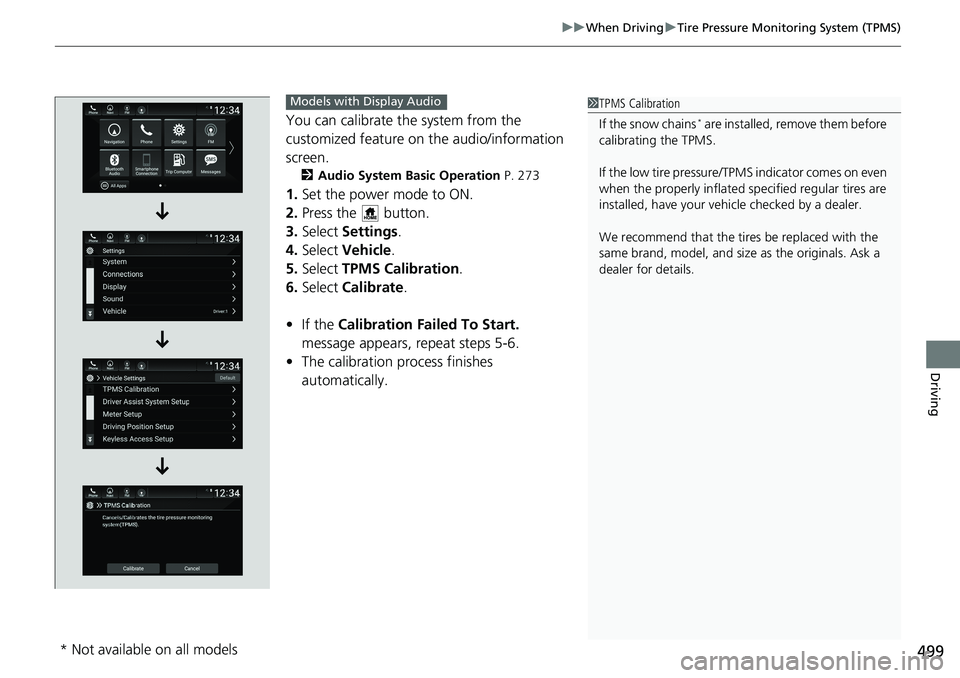
You can calibrate the system from the
customized feature on the audio/information
screen. 2 Audio System Basic Operation P. 273
1. Set the power mode to ON.
2. Press the button.
3. Select Settings .
4. Select Vehicle .
5. Select TPMS Calibration .
6. Select Calibrate .
• If the Calibration Failed To Start.
message appears, repeat steps 5-6.
• The calibration process finishes
automatically. 1 TPMS Calibration
If the snow chains *
are installed, remove them before
calibrating the TPMS.
If the low tire pressure/TPMS indicator comes on even
when the properly inflated specified regular tires are
installed, have your vehi cle checked by a dealer.
We recommend that the tires be replaced with the
same brand, model, and size as the originals. Ask a
dealer for details.Models with Display Audio
* Not available on all models
Page 502 of 727
500 uu When Driving u Tire Pressure Monitoring System (TPMS) - Required Federal Explanation
Driving Tire Pressure Monitoring System (TPMS) - Required
Federal Explanation Each tire, including the spare (i f provided), should be checked
monthly when cold and inflated to the inflation pressure
recommended by the vehicle manufacturer on the vehicle placard
or tire inflation pressure label.
(If your vehicle has tires of a diff erent size than the size indicated
on the vehicle placard or tire infl ation pressure label, you should
determine the proper tire inflat ion pressure for those tires.)
As an added safety feature, your vehicle has been equipped with
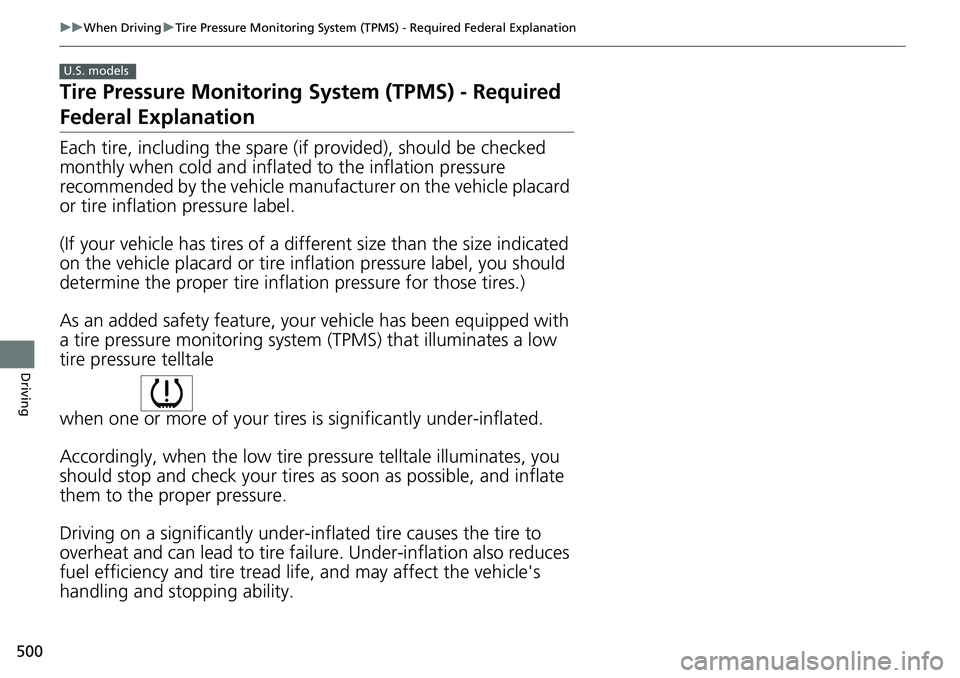
a tire pressure monitoring system (TPMS) that illuminates a low
tire pressure telltale
when one or more of your tire s is significantly under-inflated.
Accordingly, when the low tire pr essure telltale illuminates, you
should stop and check your tires as soon as possible, and inflate
them to the proper pressure.
Driving on a significantly under-in flated tire caus es the tire to
overheat and can lead to tire fail ure. Under-inflat ion also reduces
fuel efficiency and tire tread li fe, and may affect the vehicle's
handling and stopping ability. U.S. models
Page 503 of 727
501uu When Driving u Tire Pressure Monitoring System (TPMS) - Required Federal Explanation
Driving
Please note that the TPMS is no t a substitute for proper tire
maintenance, and it is the driver 's responsibility to maintain
correct tire pressure, even if un der-inflation has not reached the
level to trigger illumination of th e TPMS low tire pressure telltale.
Your vehicle has also been equi pped with a TPMS malfunction
indicator to indicate when the system is not operating properly.
The TPMS malfunction indicator is combined with the low tire
pressure telltale. When the syst em detects a malfunction, the
telltale will flash fo r approximately one minute and then remain
continuously illumina ted. This sequence will continue upon
subsequent vehicle start-ups as long as the malfunction exists.
When the malfunction indicator is illuminated, the system may
not be able to detect or signal low tire pressure as intended.
TPMS malfunctions may occur for a variety of reasons, including
the installation of replacement or alternate tires or wheels on the
vehicle that prevent the TPMS from functioning properly.
Always check the TPMS malfunction telltale after replacing one or
more tires or wheels on your vehicle to ensure that the
replacement or alternate tires and wheels allow the TPMS to
continue to function properly.
Page 507 of 727
505 uu When Driving u LaneWatch TM
*
Continued
Driving
LaneWatch TM
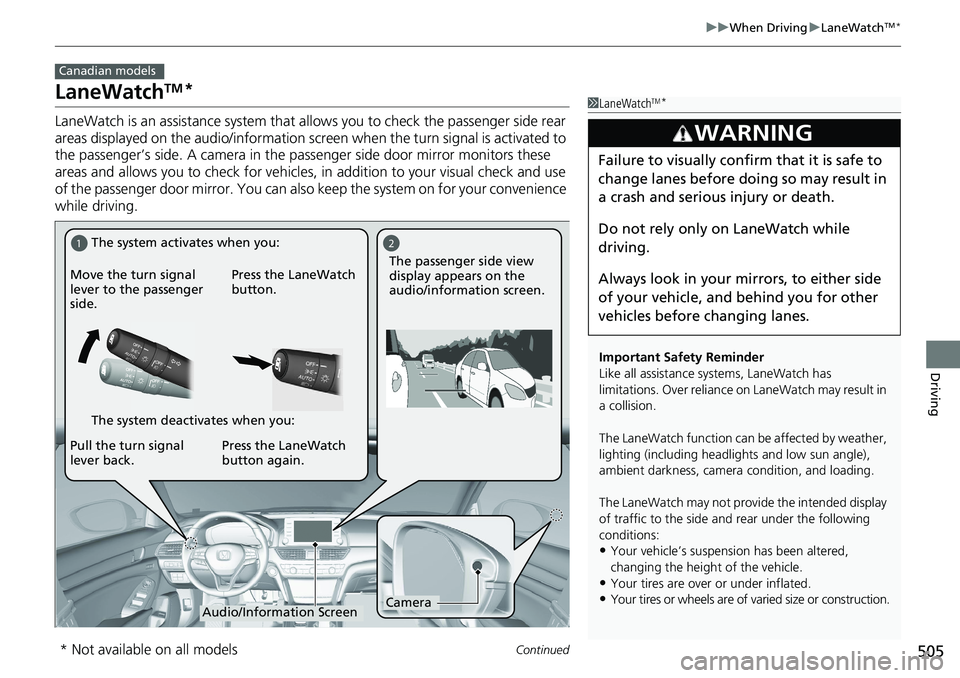
*LaneWatch is an assistance system that al lows you to check the passenger side rear
areas displayed on the audio/information screen when the turn signal is activated to
the passenger’s side. A camera in the pa ssenger side door mirror monitors these
areas and allows you to check for vehicles, in addition to your visual check and use
of the passenger door mirror. You can also keep the system on for your convenience
while driving. Canadian models
1 LaneWatch TM
*
Important Safety Reminder
Like all assistance systems, LaneWatch has
limitations. Over reliance on LaneWatch may result in
a collision.
The LaneWatch func tion can be affect ed by weather,
lighting (including headli ghts and low sun angle),
ambient darkness, camera condition, and loading.
The LaneWatch may not prov ide the intended display
of traffic to the side a nd rear under the following
conditions:
• Your vehicle’s suspension has been altered,
changing the height of the vehicle.
• Your tires are over or under inflated.
• Your tires or wheels are of varied size or construction.3
WARNING Failure to visually confirm that it is safe to
change lanes before doing so may result in
a crash and serious injury or death.
Do not rely only on LaneWatch while
driving.
Always look in your mi rrors, to either side
of your vehicle, and behind you for other
vehicles before changing lanes.1 2
Camera
Audio/Information ScreenMove the turn signal
lever to the passenger
side. Press the LaneWatch
button.
Pull the turn signal
lever back. Press the LaneWatch
button again. The passenger side view
display appears on the
audio/information screen.The system activates when you:
The system deactivates when you:
* Not available on all models
Page 517 of 727
515uu Honda Sensing ® u Collision Mitigation Braking System TM
(CMBS TM
)
Continued
Driving
■ Vehicle conditions
• Headlight lenses are dirty or the h eadlights are not properly adjusted.
• The outside of the windshield is blocked by dirt, mud, leaves, wet snow, etc.
• The inside of the windshield is fogged.
• An abnormal tire or wheel condition (wro ng sized, varied size or construction,
improperly inflated, co mpact spare tire, etc.).
• When tire chains *
are installed.
• The vehicle is tilted du e to a heavy load or suspension modifications.
• The camera temperature gets too high.
• Driving with the parking brake applied.
• When the radar sensor at the lower part of the front bumper gets dirty.
• The vehicle is towing a trailer *
.
■ Detection limitations
• A vehicle or pedestrian suddenly crosses in front of you.
• The distance between your vehicle and the vehicle or pedestrian ahead of you is
too short.
• A vehicle cuts in front of you at a slow speed, and it brakes suddenly.
• When you accelerate rapidly and approach the vehicle or pedestrian ahead of you
at high speed.
• The vehicle ahead of you is a motorcycle, bicycle, mobility scooter or other small
vehicle.
• When there are animals in front of your vehicle.
• When you drive on a curved, winding or und ulating road that makes it difficult for
the sensor to properly detect a vehicle in front of you.
• The speed difference between your vehicle an d a vehicle or pedestrian in front of
you is significantly large.
• An oncoming vehicle suddenly comes in front of you.
• Another vehicle suddenly comes in fr ont of you at an intersection, etc.
• Your vehicle abruptly crosses over in front of an oncoming vehicle.
• When driving through a narrow iron bridge.
• When the lead vehicle suddenly slows down.
* Not available on all models