cruise HONDA CIVIC 2023 Workshop Manual
[x] Cancel search | Manufacturer: HONDA, Model Year: 2023, Model line: CIVIC, Model: HONDA CIVIC 2023Pages: 840, PDF Size: 26.53 MB
Page 612 of 840
uuHonda Sensing ®u Adaptive Cruise Control (ACC)*
610
Driving
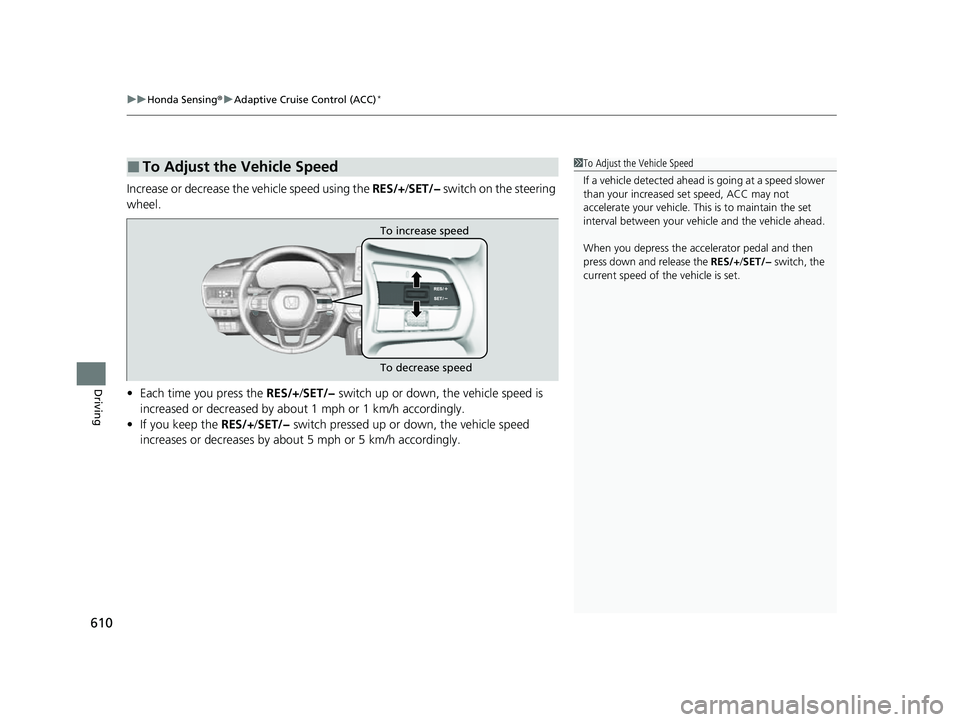
Increase or decrease the vehicle speed using the RES/+/SET/− switch on the steering
wheel.
• Each time you press the RES/+ /SET/− switch up or down, the vehicle speed is
increased or decreased by about 1 mph or 1 km/h accordingly.
• If you keep the RES/+/SET/− switch pressed up or down, the vehicle speed
increases or decreases by about 5 mph or 5 km/h accordingly.
■To Adjust the Vehicle Speed1 To Adjust the Vehicle Speed
If a vehicle detected ahead is going at a speed slower
than your increased set speed, ACC may not
accelerate your vehicle. This is to maintain the set
interval between your vehi cle and the vehicle ahead.
When you depress the accelerator pedal and then
press down and release the RES/+/SET/− switch, the
current speed of the vehicle is set.
To increase speed
To decrease speed
23 CIVIC HATCHBACK TYPE R-31T406100_03.book 610 ページ 2022年6月23日 木曜日 午後9時28分
Page 613 of 840
611
uuHonda Sensing ®u Adaptive Cruise Control (ACC)*
Continued
Driving
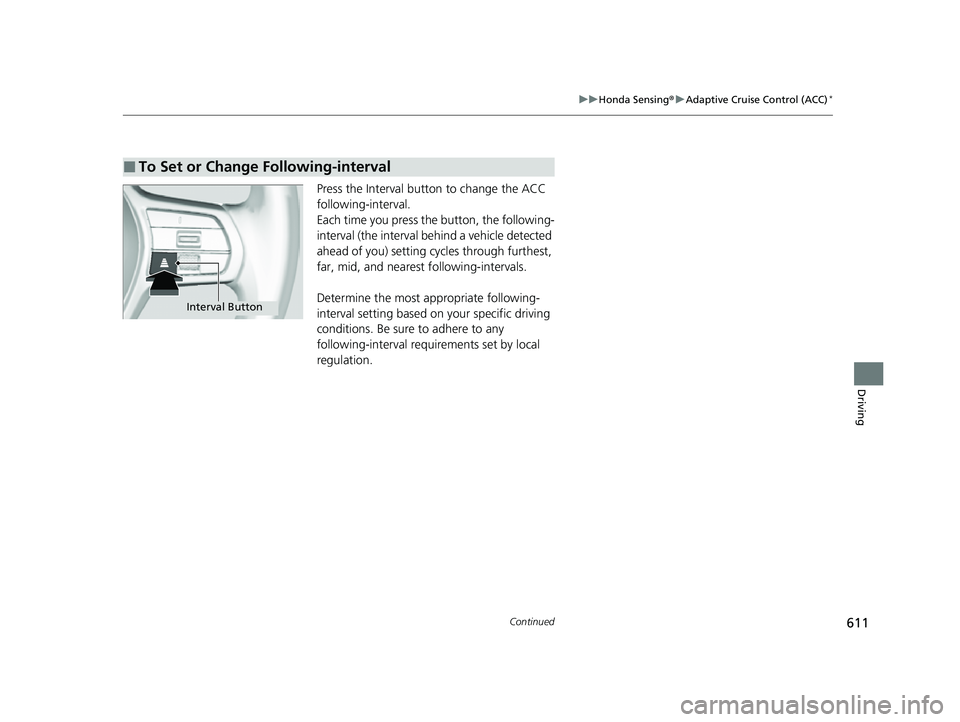
Press the Interval button to change the ACC
following-interval.
Each time you press th e button, the following-
interval (the interval behind a vehicle detected
ahead of you) setting cy cles through furthest,
far, mid, and nearest following-intervals.
Determine the most appropriate following-
interval setting based on your specific driving
conditions. Be sure to adhere to any
following-interval requirements set by local
regulation.
■To Set or Change Following-interval
Interval Button
23 CIVIC HATCHBACK TYPE R-31T406100_03.book 611 ページ 2022年6月23日 木曜日 午後9時28分
Page 614 of 840
612
uuHonda Sensing ®u Adaptive Cruise Control (ACC)*
Driving
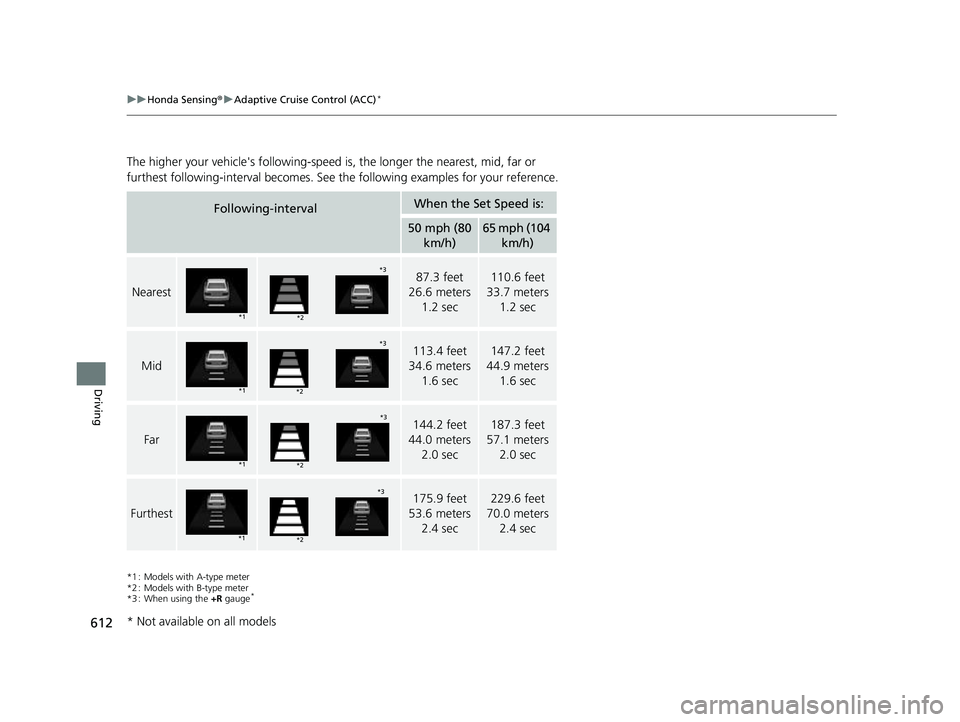
The higher your vehicle's following-speed is, the longer the nearest, mid, far or
furthest following-interval be comes. See the following examples for your reference.
*1 : Models with A-type meter
*2 : Models with B-type meter
*3 : When using the +R gauge
*
Following-intervalWhen the Set Speed is:
50 mph (80
km/h)65 mph (104 km/h)
Nearest
87.3 feet
26.6 meters 1.2 sec110.6 feet
33.7 meters 1.2 sec
Mid
113.4 feet
34.6 meters
1.6 sec147.2 feet
44.9 meters
1.6 sec
Far
144.2 feet
44.0 meters 2.0 sec187.3 feet
57.1 meters 2.0 sec
Furthest
175.9 feet
53.6 meters 2.4 sec229.6 feet
70.0 meters 2.4 sec
*1*2
*3
*1*2
*3
*1*2
*3
*1*2
*3
* Not available on all models
23 CIVIC HATCHBACK TYPE R-31T406100_03.book 612 ページ 2022年6月23日 木曜日 午後9時28分
Page 615 of 840
Continued613
uuHonda Sensing ®u Adaptive Cruise Control (ACC)*
Driving
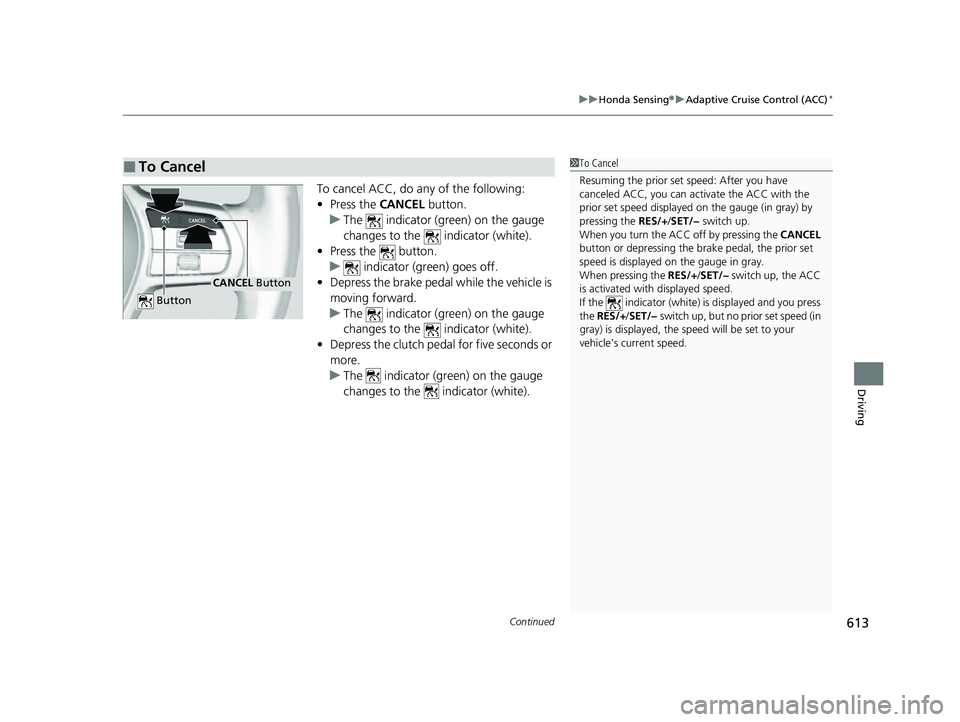
To cancel ACC, do any of the following:
• Press the CANCEL button.
u The indicator (green) on the gauge
changes to the indicator (white).
• Press the button.
u indicator (green) goes off.
• Depress the brake pedal while the vehicle is
moving forward.
u The indicator (green) on the gauge
changes to the indicator (white).
• Depress the clutch pedal for five seconds or
more.
u The indicator (green) on the gauge
changes to the indicator (white).
■To Cancel1To Cancel
Resuming the prior set speed: After you have
canceled ACC, you can activate the ACC with the
prior set speed displayed on the gauge (in gray) by
pressing the RES/+/SET/− switch up.
When you turn the ACC off by pressing the CANCEL
button or depressing the br ake pedal, the prior set
speed is displayed on the gauge in gray.
When pressing the RES/+/SET/− switch up, the ACC
is activated with displayed speed.
If the indicator (white) is displayed and you press
the RES/+ /SET/− switch up, but no prior set speed (in
gray) is displayed, the sp eed will be set to your
vehicle's current speed.
CANCEL Button
Button
23 CIVIC HATCHBACK TYPE R-31T406100_03.book 613 ページ 2022年6月23日 木曜日 午後9時28分
Page 616 of 840
uuHonda Sensing ®u Adaptive Cruise Control (ACC)*
614
Driving
■Automatic cancellation
The beeper sounds and a message appears on the driver information interface when
ACC is automatically canceled. Any of these conditions may cause the ACC to
automatically cancel:
• Bad weather (rain, fog, snow, etc.)
• The vehicle ahead of you cannot be detected.
• An abnormal tire condition is detected, or the tires are skidding.
• Driving on a mountainous road for extended periods, or driving off road.
• Abrupt steering wheel movement.
• When the ABS, VSA ®, CMBS
TM, or Low Speed Braking Control* is activated.
• When the VSA ® system indicator comes on.
• When you manually apply the parking brake.
• When vehicle speed is less than 22 mph (35 km/h).
• Water is sprayed by or snow blown from a vehicle ahead.
• Driving into low sunlight (e.g., at dawn or dusk).
• When the detected vehicle within the ACC range is too close to your vehicle.
• When accelerating rapidly.
• The front of the camera is covered by dirt, fog, rain, mud, wet snow, seals,
accessories, stickers, or film on the windshield.
• The engine is turned off.
• The vehicle is loaded heavy load in the cargo area or rear seats.
• When passing through a dark place, such as tunnel.
• When the parking brake and brake system indicator (amber) comes on.
• The vehicle has repeatedly applied the brakes to maintain the set speed (for
example, you are descending a long slope).
• When the system doesn't detect any driv ing actions from the driver for a certain
amount of time while the LKAS is also activated.
• Ignoring shift down indication shown in the gauge will cancel the ACC after
about 10 seconds.
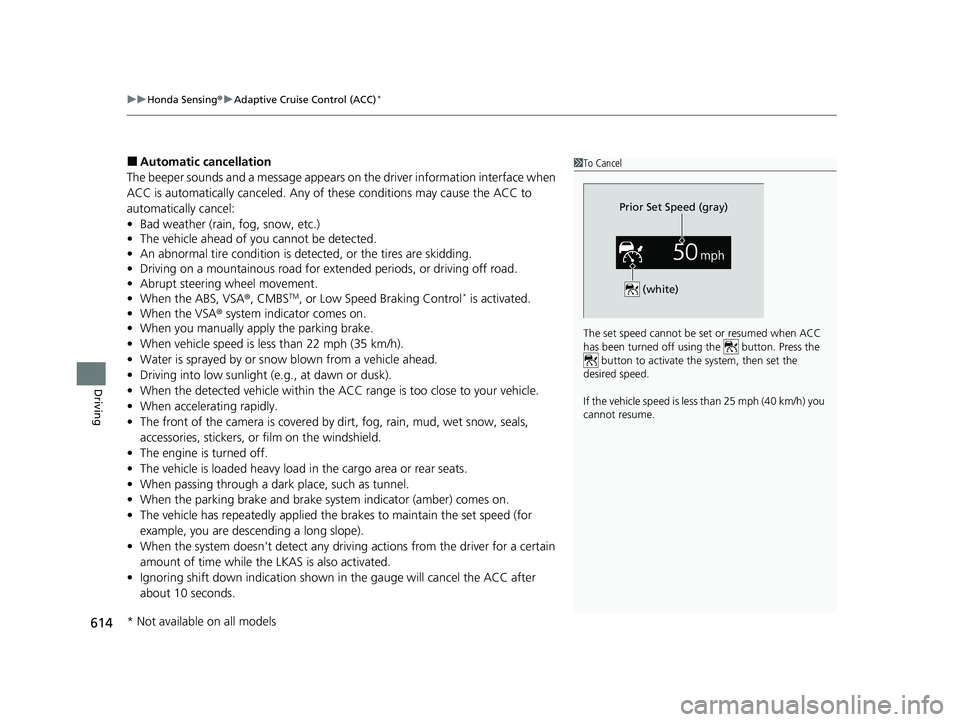
1To Cancel
The set speed cannot be set or resumed when ACC
has been turned off usi ng the button. Press the
button to activate the system, then set the
desired speed.
If the vehicle speed is less than 25 mph (40 km/h) you
cannot resume.
Prior Set Speed (gray)
(white)
* Not available on all models
23 CIVIC HATCHBACK TYPE R-31T406100_03.book 614 ページ 2022年6月23日 木曜日 午後9時28分
Page 617 of 840
615
uuHonda Sensing ®u Adaptive Cruise Control (ACC)*
Continued
Driving
• The engine speed goes into the tachometer red zone.
• The engine speed goes to below 1,000 rpm.
• You shift into neutral temporarily when shifting into a higher or lower gear.
• When the transmission is put into
(N without depressing the clutch pedal.
23 CIVIC HATCHBACK TYPE R-31T406100_03.book 615 ページ 2022年6月23日 木曜日 午後9時28分
Page 618 of 840
uuHonda Sensing ®u Adaptive Cruise Control (ACC)*
616
Driving
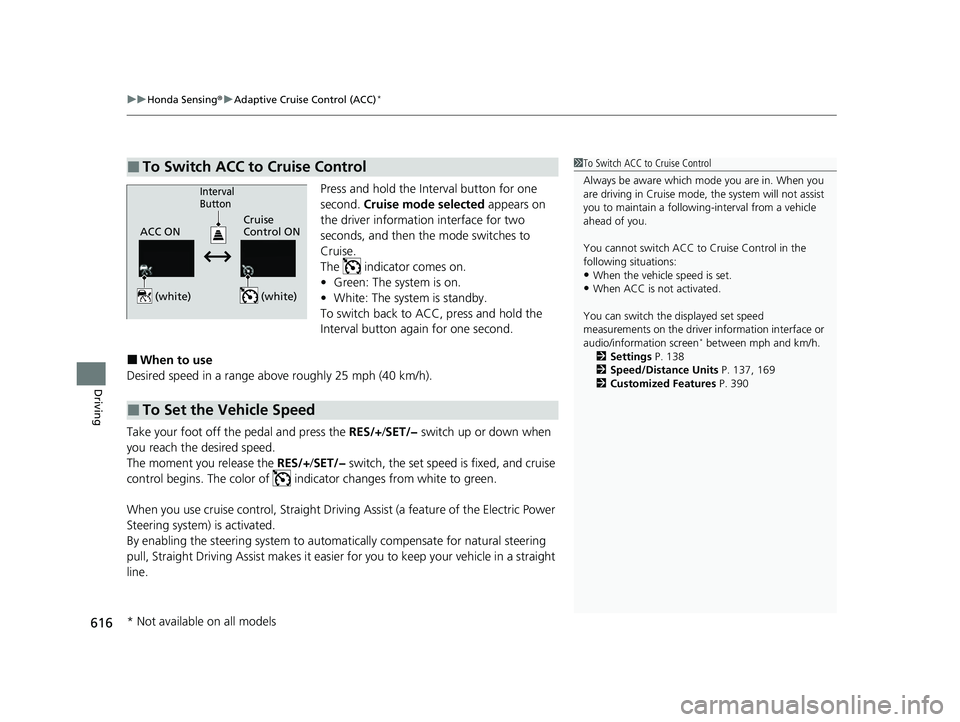
Press and hold the Interval button for one
second. Cruise mode selected appears on
the driver information interface for two
seconds, and then the mode switches to
Cruise.
The indicator comes on.
• Green: The system is on.
• White: The system is standby.
To switch back to ACC, press and hold the
Interval button again for one second.
■When to use
Desired speed in a range above roughly 25 mph (40 km/h).
Take your foot off the pedal and press the RES/+/SET/− switch up or down when
you reach the desired speed.
The moment you release the RES/+/SET/− switch, the set speed is fixed, and cruise
control begins. The color of indicator changes from white to green.
When you use cruise control, Straight Driv ing Assist (a feature of the Electric Power
Steering system) is activated.
By enabling the steering system to automa tically compensate for natural steering
pull, Straight Driving Assist makes it easier for you to keep your vehicle in a straight
line.
■To Switch ACC to Cruise Control1 To Switch ACC to Cruise Control
Always be aware which mode you are in. When you
are driving in Cruise mode, the system will not assist
you to maintain a following-interval from a vehicle
ahead of you.
You cannot switch ACC to Cruise Control in the
following situations:
•When the vehicle speed is set.
•When ACC is not activated.
You can switch the displayed set speed
measurements on the driver information interface or
audio/information screen
* between mph and km/h.
2 Settings P. 138
2 Speed/Distance Units P. 137, 169
2 Customized Features P. 390
ACC ONCruise
Control ON
Interval
Button
(white) (white)
■To Set the Vehicle Speed
* Not available on all models
23 CIVIC HATCHBACK TYPE R-31T406100_03.book 616 ページ 2022年6月23日 木曜日 午後9時28分
Page 619 of 840
617
uuHonda Sensing ®u Adaptive Cruise Control (ACC)*
Driving
• Each time you press the RES/+/SET/− switch up or down, the vehicle speed is
increased or decreased by about 1 mph or 1 km/h accordingly.
• If you keep the RES/+/SET/− switch pressed up or down, the vehicle speed
increases or decreases by about 5 mph or 5 km/h accordingly.
To cancel cruise control, do any of the following:
• Press the CANCEL button.
u The indicator (green) on the gauge changes to the indicator (white).
• Press the button.
u The indicator (green) goes off.
• Depress the brake pedal.
u The indicator (green) on the gauge changes to the indicator (white).
• Depress the clutch pedal for five seconds or more.
u The indicator (green) on the gauge changes to the indicator (white).
■To Adjust the Vehicle Speed
■To Cancel
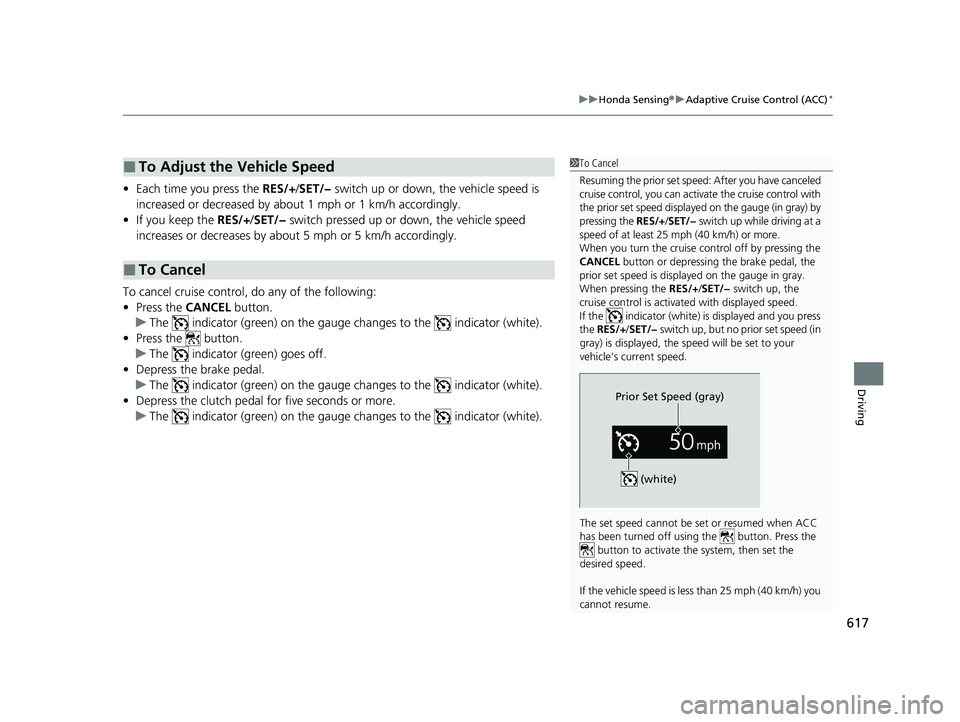
1To Cancel
Resuming the prior set speed: After you have canceled
cruise control, you can activa te the cruise control with
the prior set speed displayed on the gauge (in gray) by
pressing the RES/+/SET/− switch up while driving at a
speed of at least 25 mph (40 km/h) or more.
When you turn the cruise control off by pressing the
CANCEL button or depressing the brake pedal, the
prior set speed is displayed on the gauge in gray.
When pressing the RES/+/SET/− switch up, the
cruise control is activated with displayed speed.
If the indicator (white) is displayed and you press
the RES/+ /SET/− switch up, but no prior set speed (in
gray) is displayed, the sp eed will be set to your
vehicle's current speed.
The set speed cannot be set or resumed when ACC
has been turned off usi ng the button. Press the
button to activate the system, then set the
desired speed.
If the vehicle speed is less than 25 mph (40 km/h) you
cannot resume.
Prior Set Speed (gray)
(white)
23 CIVIC HATCHBACK TYPE R-31T406100_03.book 617 ページ 2022年6月23日 木曜日 午後9時28分
Page 634 of 840
uuHonda Sensing ®u Traffic Jam Assist*
632
Driving
Traffic Jam Assist is activated when all of the following conditions exist:
• LKAS is activated.
• The lane in which you are driving has dete ctable lane markers on both sides, and
your vehicle is in the center of the lane.
• The vehicle is traveling between about 0 and 45mph (0 and 72km/h).
• You are driving on a straight or slightly curved road.
• The driver is gripping the steering wheel.
• The shift position is in
(D, (S* or (L*.
Do not use Traffic Jam Assist in any of the following situations:
• You are traveling on a ro ad with sharp curves.
u The system may not allow your vehicle to respond in a manner best suited for
the road conditions.
• You are entering a toll booth, interchange, service area, or parking area.
• You are driving in adverse weat her (rain, fog, snow, etc.).
• The surface of the road is slippery; for ex ample, it is icy or covered with snow.
u The tires may slip, causing you to lose control of the vehicle.
■Traffic Jam Assist Activation1Traffic Jam Assist Activation
Refer to the following pa ge for proper handling of
the LKAS:
2 Lane Keeping Assist System (LKAS) P. 618
Refer to the following page for steering buttons and
displays: 2 Operation Switches for the Adaptive
Cruise Control (ACC) with Low Speed
Follow
*/Adaptive Cruise Control (ACC)*/
Lane Keeping Assist System (LKAS)/Traffic
Jam Assist
* P. 552
* Not available on all models
23 CIVIC HATCHBACK TYPE R-31T406100_03.book 632 ページ 2022年6月23日 木曜日 午後9時28分
Page 644 of 840
uuHonda Sensing ®u Road Departure Mitigation System
642
Driving
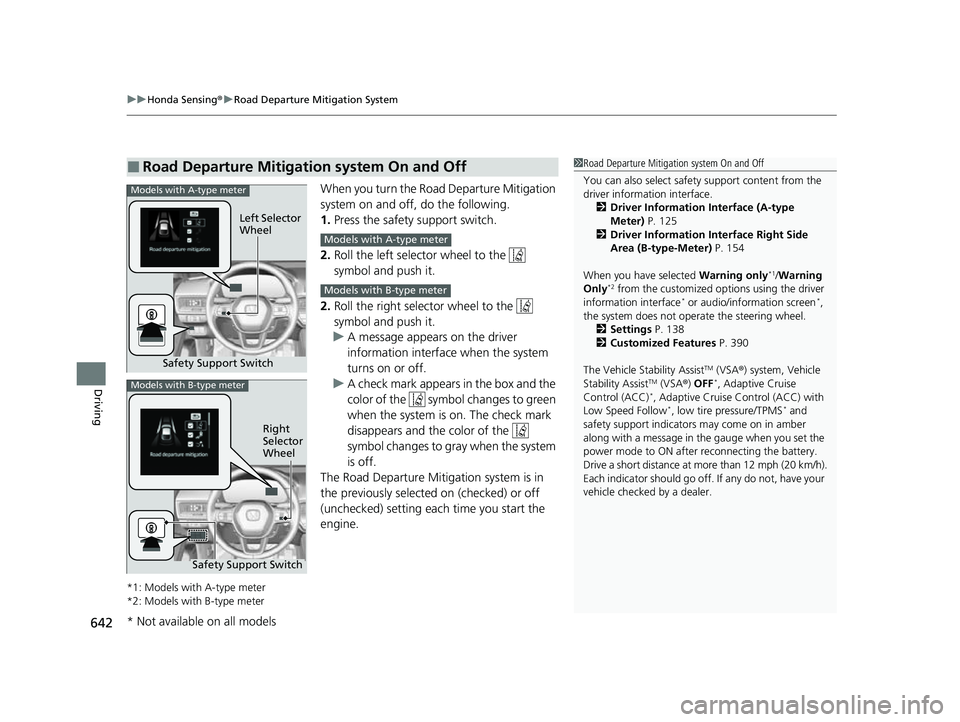
When you turn the Road Departure Mitigation
system on and off, do the following.
1. Press the safety support switch.
2. Roll the left selector wheel to the
symbol and push it.
2. Roll the right selector wheel to the
symbol and push it.
u A message appears on the driver
information interface when the system
turns on or off.
u A check mark appears in the box and the
color of the symbol changes to green
when the system is on. The check mark
disappears and the color of the
symbol changes to gray when the system
is off.
The Road Departure Mitigation system is in
the previously selected on (checked) or off
(unchecked) setting each time you start the
engine.
*1: Models with A-type meter
*2: Models with B-type meter
■Road Departure Mitigation system On and Off1 Road Departure Mitigation system On and Off
You can also sele ct safety support content from the
driver information interface.
2 Driver Information Interface (A-type
Meter) P. 125
2 Driver Information Interface Right Side
Area (B-type-Meter) P. 154
When you have selected Warning only
*1/Warning
Only*2 from the customized options using the driver
information interface* or audio/information screen*,
the system does not opera te the steering wheel.
2 Settings P. 138
2 Customized Features P. 390
The Vehicle Stability Assist
TM (VSA ®) system, Vehicle
Stability AssistTM (VSA ®) OFF*, Adaptive Cruise
Control (ACC)*, Adaptive Cruise Control (ACC) with
Low Speed Follow*, low tire pressure/TPMS* and
safety support indicators may come on in amber
along with a message in the gauge when you set the
power mode to ON after reconnecting the battery.
Drive a short distance at more than 12 mph (20 km/h).
Each indicator should go off. If any do not, have your
vehicle checked by a dealer.
Safety Support Switch Left Selector
Wheel
Models with A-type meter
Models with A-type meter
Models with B-type meter
Models with B-type meter
Right
Selector
Wheel
Safety Support Switch
* Not available on all models
23 CIVIC HATCHBACK TYPE R-31T406100_03.book 642 ページ 2022年6月23日 木曜日 午後9時28分