change time HONDA CIVIC 2023 Repair Manual
[x] Cancel search | Manufacturer: HONDA, Model Year: 2023, Model line: CIVIC, Model: HONDA CIVIC 2023Pages: 840, PDF Size: 26.53 MB
Page 606 of 840
uuHonda Sensing ®u Adaptive Cruise Control (ACC)*
604
Driving
*1 : When using the +R gauge
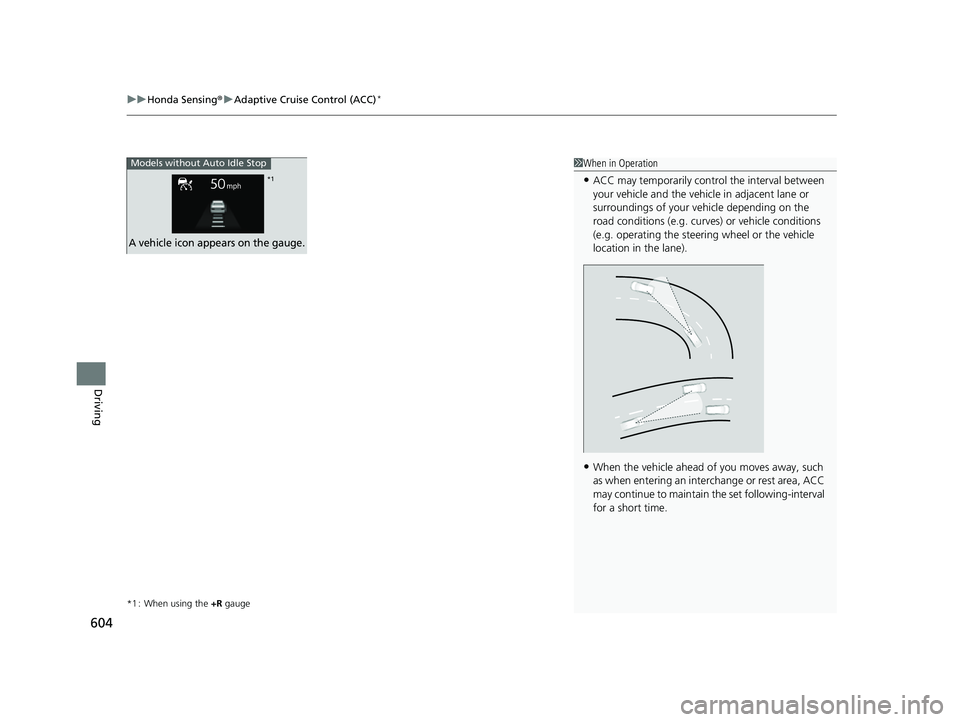
1When in Operation
•ACC may temporarily contro l the interval between
your vehicle and the vehicl e in adjacent lane or
surroundings of your vehicle depending on the
road conditions (e.g. curv es) or vehicle conditions
(e.g. operating the steeri ng wheel or the vehicle
location in the lane).
•When the vehicle ahead of you moves away, such
as when entering an interchange or rest area, ACC
may continue to maintain the set following-interval
for a short time.
Models without Auto Idle Stop
A vehicle icon appears on the gauge.
*1
23 CIVIC HATCHBACK TYPE R-31T406100_03.book 604 ページ 2022年6月23日 木曜日 午後9時28分
Page 608 of 840
606
uuHonda Sensing ®u Adaptive Cruise Control (ACC)*
Driving
■When you depress the accelerator pedal
You can temporarily increase the vehicle speed. In this ca se, there is no audible or
visual alert even if a ve hicle is in the ACC range.
ACC stays on unless you cancel it. Once you release the accelerator pedal, the
system resumes the set speed.
There are times when the vehicle speed will decrease when the accelerator pedal is
lightly applied.
The system may automatically shut off under certain conditions. Some examples of
these conditions are listed below. Other conditions may reduce some of the ACC
functions.
2 Front Wide View Camera P. 653
■Environmental conditions
• Driving in bad weather (rain, fog, snow, etc.).
• Sudden changes between light and dark, such as the entrance or exit of a tunnel
or the shadows of trees, buildings, etc.
• Strong light is reflected onto vehicles or road surfaces.
• Water is sprayed by or snow blown from a vehicle ahead.
• Driving at night or in a dark place such as a tunnel (due to low-light conditions,
the whole vehicle may not be illuminated).
• Driving into low sunlight (e.g., at dawn or dusk).
■ACC Conditions and Limitations
23 CIVIC HATCHBACK TYPE R-31T406100_03.book 606 ページ 2022年6月23日 木曜日 午後9時28分
Page 613 of 840
611
uuHonda Sensing ®u Adaptive Cruise Control (ACC)*
Continued
Driving
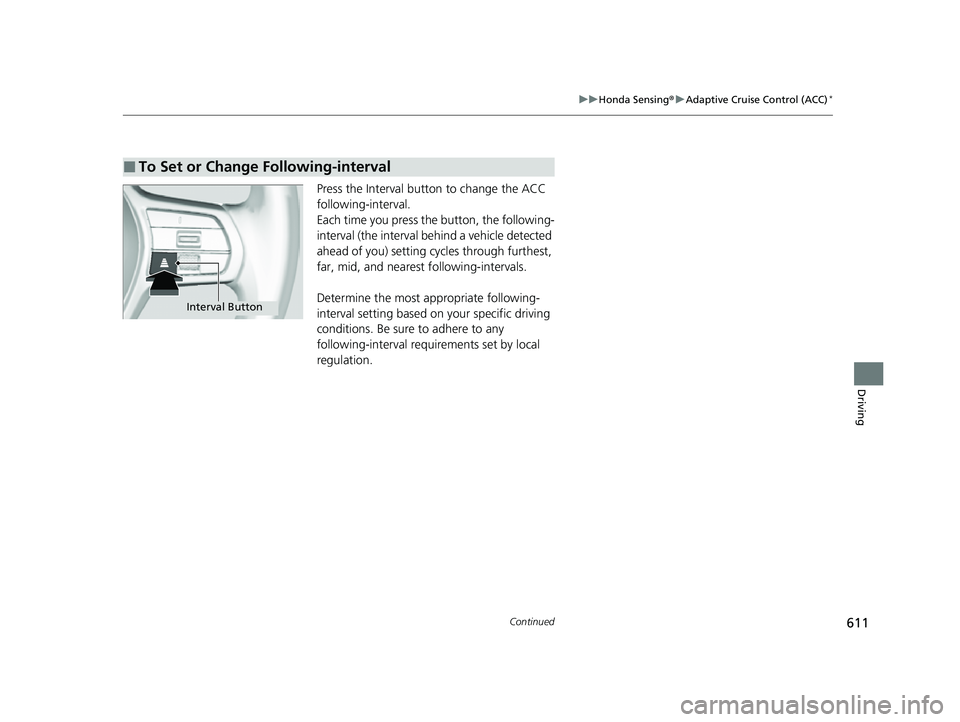
Press the Interval button to change the ACC
following-interval.
Each time you press th e button, the following-
interval (the interval behind a vehicle detected
ahead of you) setting cy cles through furthest,
far, mid, and nearest following-intervals.
Determine the most appropriate following-
interval setting based on your specific driving
conditions. Be sure to adhere to any
following-interval requirements set by local
regulation.
■To Set or Change Following-interval
Interval Button
23 CIVIC HATCHBACK TYPE R-31T406100_03.book 611 ページ 2022年6月23日 木曜日 午後9時28分
Page 619 of 840
617
uuHonda Sensing ®u Adaptive Cruise Control (ACC)*
Driving
• Each time you press the RES/+/SET/− switch up or down, the vehicle speed is
increased or decreased by about 1 mph or 1 km/h accordingly.
• If you keep the RES/+/SET/− switch pressed up or down, the vehicle speed
increases or decreases by about 5 mph or 5 km/h accordingly.
To cancel cruise control, do any of the following:
• Press the CANCEL button.
u The indicator (green) on the gauge changes to the indicator (white).
• Press the button.
u The indicator (green) goes off.
• Depress the brake pedal.
u The indicator (green) on the gauge changes to the indicator (white).
• Depress the clutch pedal for five seconds or more.
u The indicator (green) on the gauge changes to the indicator (white).
■To Adjust the Vehicle Speed
■To Cancel
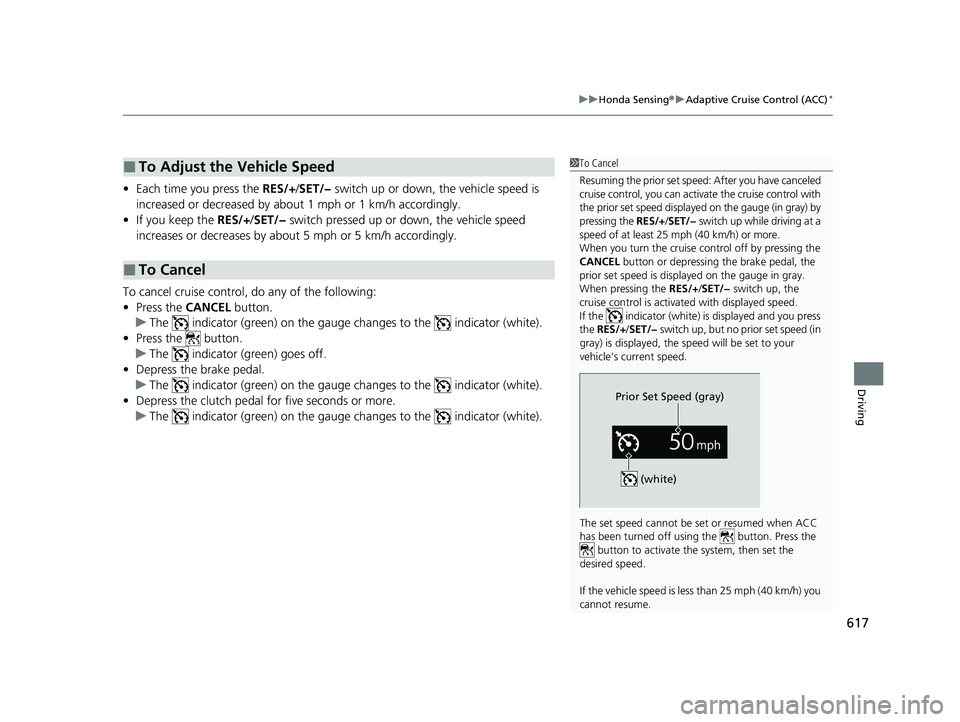
1To Cancel
Resuming the prior set speed: After you have canceled
cruise control, you can activa te the cruise control with
the prior set speed displayed on the gauge (in gray) by
pressing the RES/+/SET/− switch up while driving at a
speed of at least 25 mph (40 km/h) or more.
When you turn the cruise control off by pressing the
CANCEL button or depressing the brake pedal, the
prior set speed is displayed on the gauge in gray.
When pressing the RES/+/SET/− switch up, the
cruise control is activated with displayed speed.
If the indicator (white) is displayed and you press
the RES/+ /SET/− switch up, but no prior set speed (in
gray) is displayed, the sp eed will be set to your
vehicle's current speed.
The set speed cannot be set or resumed when ACC
has been turned off usi ng the button. Press the
button to activate the system, then set the
desired speed.
If the vehicle speed is less than 25 mph (40 km/h) you
cannot resume.
Prior Set Speed (gray)
(white)
23 CIVIC HATCHBACK TYPE R-31T406100_03.book 617 ページ 2022年6月23日 木曜日 午後9時28分
Page 642 of 840
uuHonda Sensing ®u Road Departure Mitigation System
640
Driving
The system cancels assisting operations when you turn th e steering wheel to avoid
crossing over detected lane markings or approaching the outer edge of the
pavement (into grass or gravel border) or an oncoming vehicle.
If the system operates several times without detecting driver response, the system
beeps to alert you.1 Road Departure Mitigation System
The Road Departure Miti gation system does not
function while VSA ® is completely disabled.
There are times when you may not notice the Road
Departure Mitigation system functions due to your
operation of the vehicle, or road surface conditions.
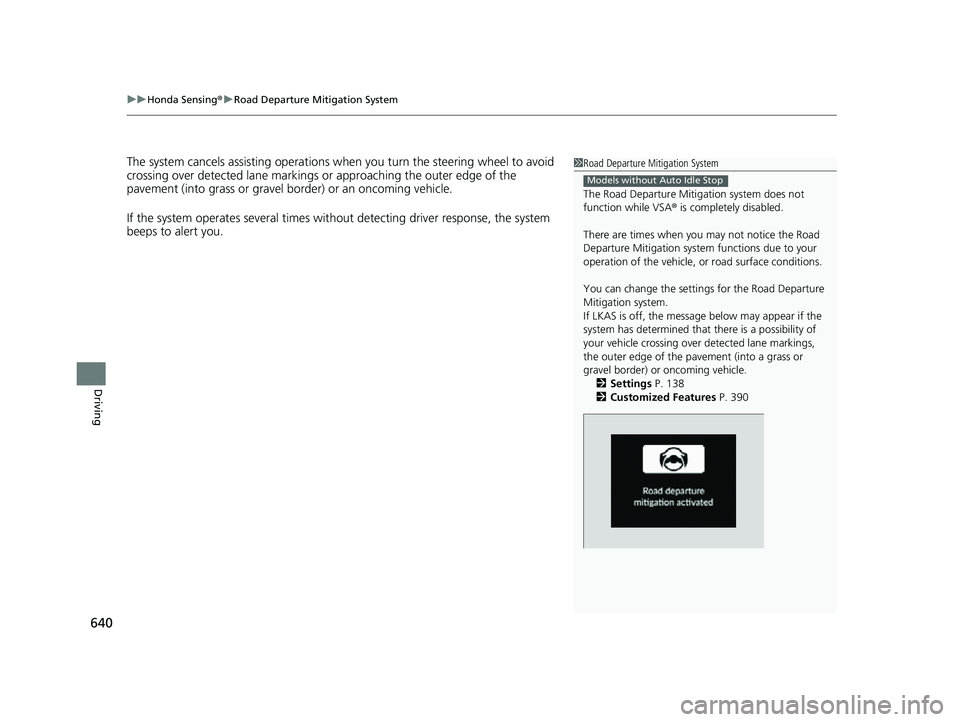
You can change the settin gs for the Road Departure
Mitigation system.
If LKAS is off, the message below may appear if the
system has determined that there is a possibility of
your vehicle crossing over detected lane markings,
the outer edge of the pavement (into a grass or
gravel border) or oncoming vehicle.
2 Settings P. 138
2 Customized Features P. 390
Models without Auto Idle Stop
23 CIVIC HATCHBACK TYPE R-31T406100_03.book 640 ページ 2022年6月23日 木曜日 午後9時28分
Page 644 of 840
uuHonda Sensing ®u Road Departure Mitigation System
642
Driving
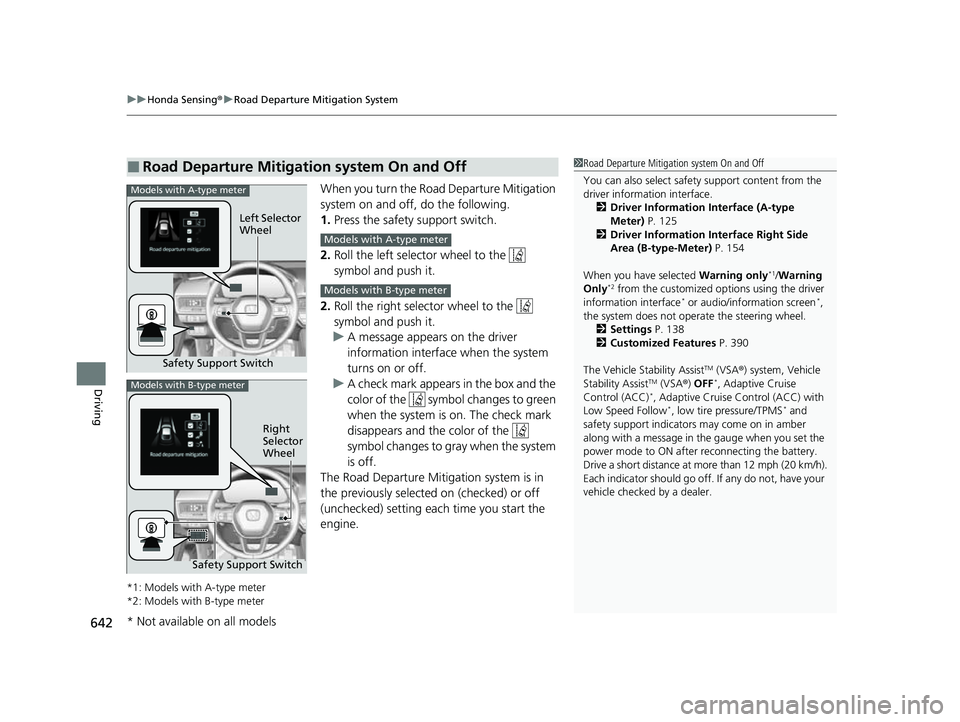
When you turn the Road Departure Mitigation
system on and off, do the following.
1. Press the safety support switch.
2. Roll the left selector wheel to the
symbol and push it.
2. Roll the right selector wheel to the
symbol and push it.
u A message appears on the driver
information interface when the system
turns on or off.
u A check mark appears in the box and the
color of the symbol changes to green
when the system is on. The check mark
disappears and the color of the
symbol changes to gray when the system
is off.
The Road Departure Mitigation system is in
the previously selected on (checked) or off
(unchecked) setting each time you start the
engine.
*1: Models with A-type meter
*2: Models with B-type meter
■Road Departure Mitigation system On and Off1 Road Departure Mitigation system On and Off
You can also sele ct safety support content from the
driver information interface.
2 Driver Information Interface (A-type
Meter) P. 125
2 Driver Information Interface Right Side
Area (B-type-Meter) P. 154
When you have selected Warning only
*1/Warning
Only*2 from the customized options using the driver
information interface* or audio/information screen*,
the system does not opera te the steering wheel.
2 Settings P. 138
2 Customized Features P. 390
The Vehicle Stability Assist
TM (VSA ®) system, Vehicle
Stability AssistTM (VSA ®) OFF*, Adaptive Cruise
Control (ACC)*, Adaptive Cruise Control (ACC) with
Low Speed Follow*, low tire pressure/TPMS* and
safety support indicators may come on in amber
along with a message in the gauge when you set the
power mode to ON after reconnecting the battery.
Drive a short distance at more than 12 mph (20 km/h).
Each indicator should go off. If any do not, have your
vehicle checked by a dealer.
Safety Support Switch Left Selector
Wheel
Models with A-type meter
Models with A-type meter
Models with B-type meter
Models with B-type meter
Right
Selector
Wheel
Safety Support Switch
* Not available on all models
23 CIVIC HATCHBACK TYPE R-31T406100_03.book 642 ページ 2022年6月23日 木曜日 午後9時28分
Page 697 of 840
695
Maintenance
Maintenance MinderTM
If the engine oil life is less than 15%, you will see the Maintenance Minder messages
appear on the driver inform ation interface every time you set the power mode to
ON. The messages notify you when to change the engine oil, or when to bring your
vehicle to a dealer for indicated maintenance services.
23 CIVIC HATCHBACK TYPE R-31T406100_03.book 695 ページ 2022年6月23日 木曜日 午後9時28分
Page 787 of 840
785
uuEngine Does Not StartuEmergency Engine Stop
Handling the Unexpected
Emergency Engine Stop
The ENGINE START/STOP button may be used to stop the engine due to an
emergency situation even while driving. If you must stop the engine, do either of the
following operations:
• Press and hold the ENGINE START/STOP button for about two seconds.
• Firmly press the ENGINE START/STOP button three times.
The steering wheel will not lock. However, because turning off the engine disables
the power assist the engine provides to the steering and braking systems, it will
require significantly more physical effort an d time to steer and slow the vehicle. Use
both feet on the brake pedal to slow down the vehicle and stop immediately in a
safe place. With manual transmission models you can also downshift the
transmission to utilize engine braking.
The power mode is in ACCESSORY when the engine is stopped.
To change the mode to VEHICLE OFF, put the transmission into
(P after the vehicle
comes to a complete stop.
The power mode changes to VEHICLE OFF.
1 Emergency Engine Stop
NOTICE
Do not press the ENGINE START/STOP button while
driving unless it is absolute ly necessary for the engine
to be turned off.
If you press the ENGINE START/STOP button while
driving, the beeper sounds.
Continuously variable transmission models
Manual transmission models
23 CIVIC HATCHBACK TYPE R-31T406100_03.book 785 ページ 2022年6月23日 木曜日 午後9時28分