sport mode HONDA CLARITY ELECTRIC 2017 Owner's Manual (in English)
[x] Cancel search | Manufacturer: HONDA, Model Year: 2017, Model line: CLARITY ELECTRIC, Model: HONDA CLARITY ELECTRIC 2017Pages: 543, PDF Size: 24.2 MB
Page 20 of 543
18
Quick Reference Guide
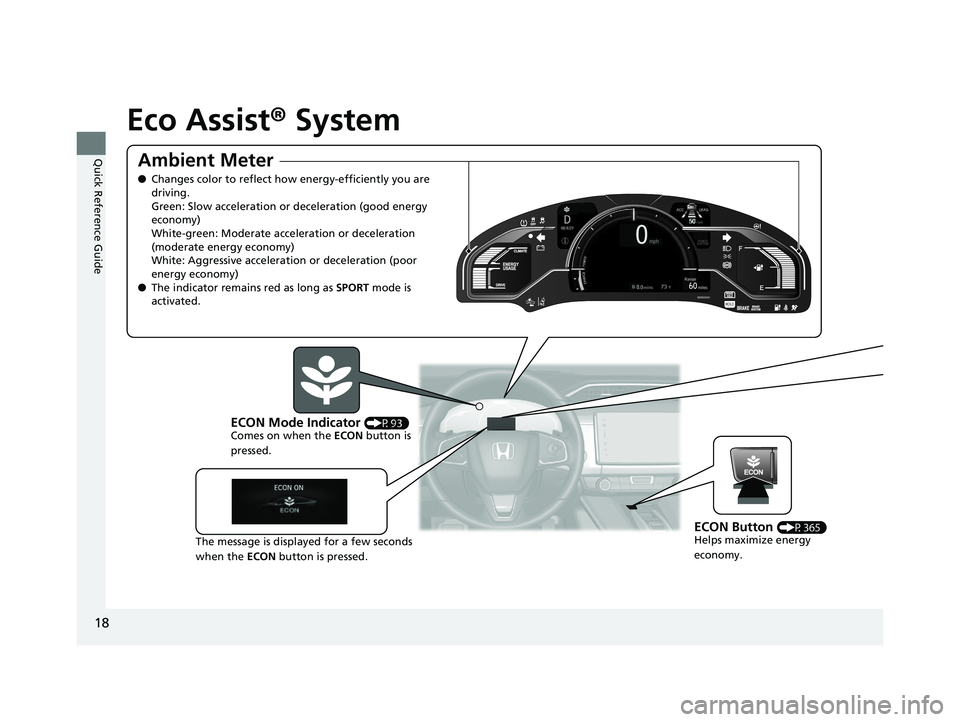
Eco Assist® System
Ambient Meter
●Changes color to reflect ho w energy-efficiently you are
driving.
Green: Slow acceleration or deceleration (good energy
economy)
White-green: Moderate acceleration or deceleration
(moderate energy economy)
White: Aggressive acceleration or deceleration (poor
energy economy)
● The indicator remains red as long as SPORT mode is
activated.
ECON Mode Indicator (P93)
Comes on when the ECON button is
pressed.
The message is displayed for a few seconds
when the ECON button is pressed.
ECON Button (P365)
Helps maximize energy
economy.
17 CLARITY BEV CSS-31TRV6000.book 18 ページ 2017年4月14日 金曜日 午前11時 8分
Page 23 of 543
21
Quick Reference Guide
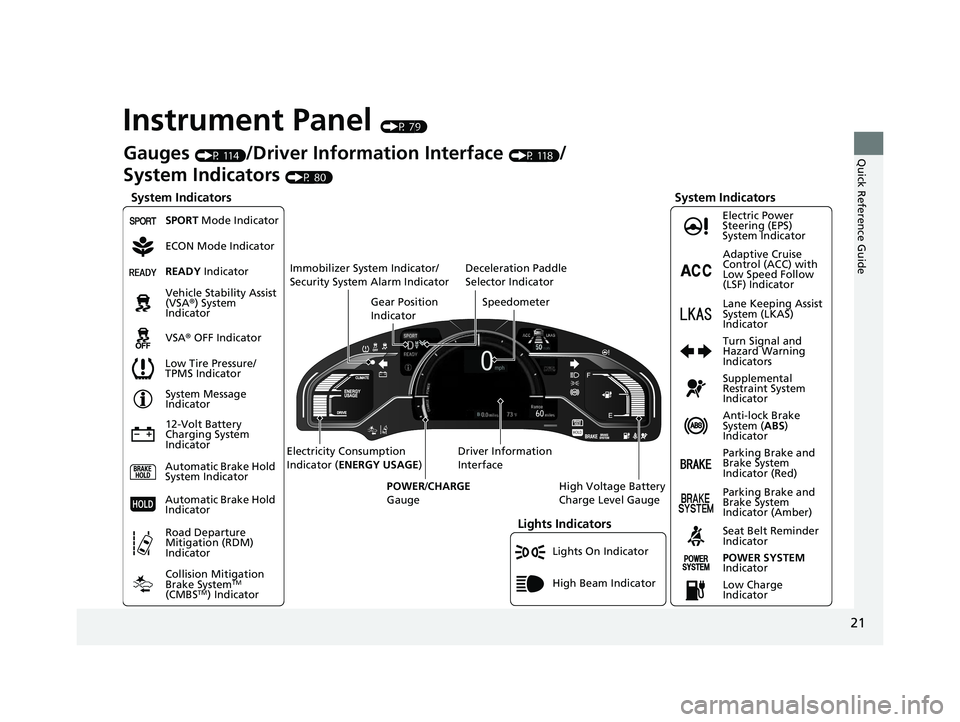
Instrument Panel (P 79)
Lights On Indicator
System Indicators
12-Volt Battery
Charging System
IndicatorAnti-lock Brake
System (
ABS)
Indicator
Vehicle Stability Assist
(VSA®
) System
Indicator
VSA ® OFF Indicator Electric Power
Steering (EPS)
System Indicator
Lights Indicators
High Beam Indicator
Seat Belt Reminder
Indicator
System Indicators
System Message
Indicator
Parking Brake and
Brake System
Indicator (Red) Supplemental
Restraint System
Indicator
Gauges (P 114)/Driver Information Interface (P 118)/
System Indicators
(P 80)
Low Tire Pressure/
TPMS Indicator Turn Signal and
Hazard Warning
Indicators
Speedometer
Automatic Brake Hold
System Indicator Parking Brake and
Brake System
Indicator (Amber)
SPORT Mode Indicator
Collision Mitigation
Brake System
TM
(CMBSTM) Indicator
Road Departure
Mitigation (RDM)
Indicator
Immobilizer System Indicator/
Security System Alarm Indicator
Automatic Brake Hold
IndicatorREADY Indicator
POWER SYSTEM
Indicator
Gear Position
Indicator
High Voltage Battery
Charge Level Gauge
Driver Information
Interface
Electricity Consumption
Indicator (
ENERGY USAGE )
POWER /CHARGE
Gauge
Low Charge
Indicator Adaptive Cruise
Control (ACC) with
Low Speed Follow
(LSF) Indicator
Lane Keeping Assist
System (LKAS)
Indicator
Deceleration Paddle
Selector Indicator
ECON Mode Indicator
17 CLARITY BEV CSS-31TRV6000.book 21 ページ 2017年4月14日 金曜日 午前11時
8分
Page 31 of 543
29
Quick Reference Guide
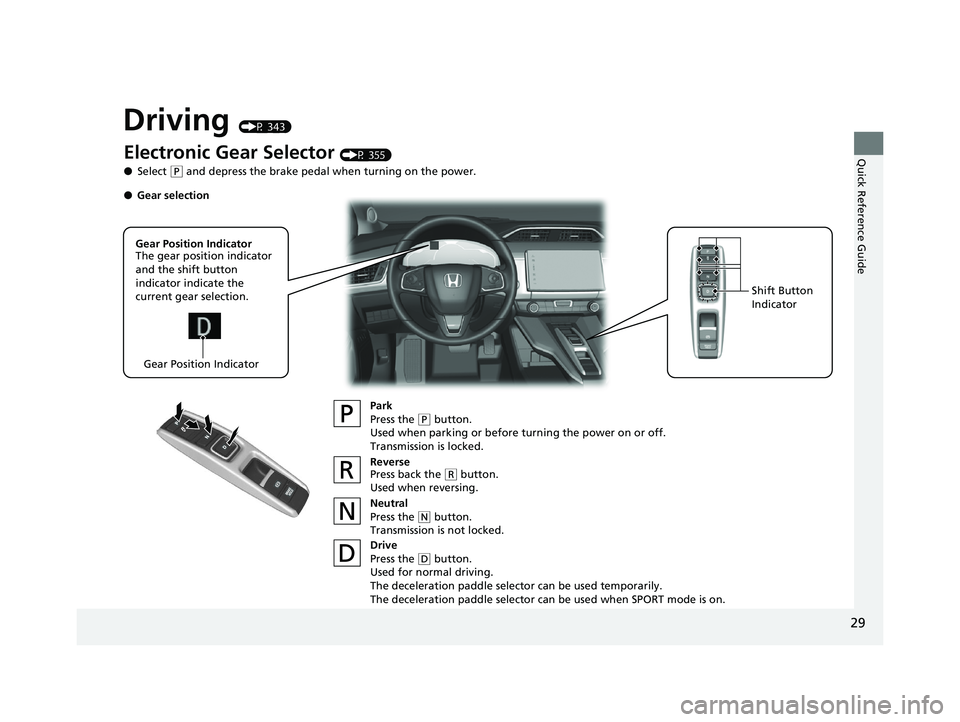
Driving (P 343)
Electronic Gear Selector (P 355)
● Select
(P and depress the brake pedal when turning on the power.
Park
Press the
(P button.
Used when parking or before turning the power on or off.
Transmission is locked.
Reverse
Press back the
( R button.
Used when reversing.
Neutral
Press the
( N button.
Transmission is not locked.
Drive
Press the
( D button.
Used for normal driving.
The deceleration paddle selector can be used temporarily.
The deceleration paddle selector can be used when SPORT mode is on.
Gear Position Indicator
The gear position indicator
and the shift button
indicator indicate the
current gear selection.
Gear Position Indicator Shift Button
Indicator
●
Gear selection
17 CLARITY BEV CSS-31TRV6000.book 29 ページ 2017年4月14日 金曜日 午前11時 8分
Page 32 of 543
30
Quick Reference Guide
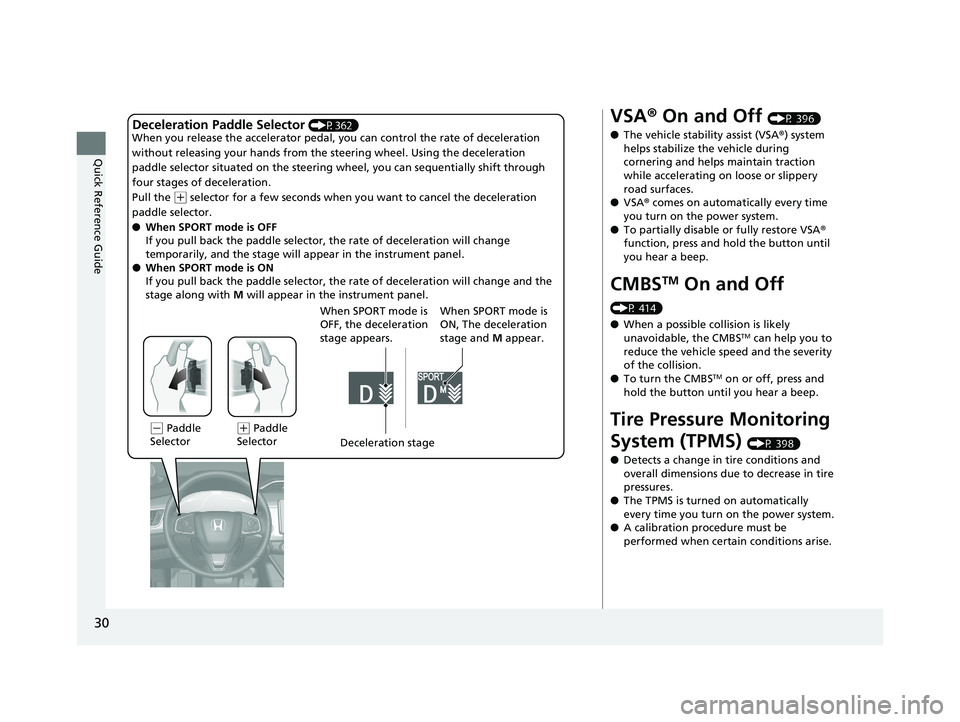
Deceleration Paddle Selector (P362)
When you release the accelerator pedal, yo u can control the rate of deceleration
without releasing your hands from the steering wheel. Using the deceleration
paddle selector situated on the steering wheel, you can sequentially shift through
four stages of deceleration.
Pull the
( + selector for a few seconds when yo u want to cancel the deceleration
paddle selector.
● When SPORT mode is OFF
If you pull back the paddle selector, the rate of deceleration will change
temporarily, and the stage will ap pear in the instrument panel.
● When SPORT mode is ON
If you pull back the paddle selector, the rate of deceleration will change and the
stage along with M will appear in the instrument panel.
(- Paddle
Selector Deceleration stage
When SPORT mode is
OFF, the deceleration
stage appears.(
+ Paddle
Selector When SPORT mode is
ON, The deceleration
stage and
M appear.
VSA ® On and Off (P 396)
● The vehicle stability assist (VSA® ) system
helps stabilize the vehicle during
cornering and helps maintain traction
while accelerating on loose or slippery
road surfaces.
● VSA ® comes on automatically every time
you turn on the power system.
● To partially disable or fully restore VSA ®
function, press and hold the button until
you hear a beep.
CMBSTM On and Off
(P 414)
● When a possible collision is likely
unavoidable, the CMBS
TM can help you to
reduce the vehicle sp eed and the severity
of the collision.
● To turn the CMBS
TM on or off, press and
hold the button until you hear a beep.
Tire Pressure Monitoring
System (TPMS)
(P 398)
● Detects a change in tire conditions and
overall dimensions due to decrease in tire
pressures.
● The TPMS is turned on automatically
every time you turn on the power system.
● A calibration procedure must be
performed when certain conditions arise.
17 CLARITY BEV CSS-31TRV6000.book 30 ページ 2017年4月14日 金曜日 午前11時 8分
Page 88 of 543
86
uuIndicators u
Instrument Panel
IndicatorNameOn/BlinkingExplanationMessage
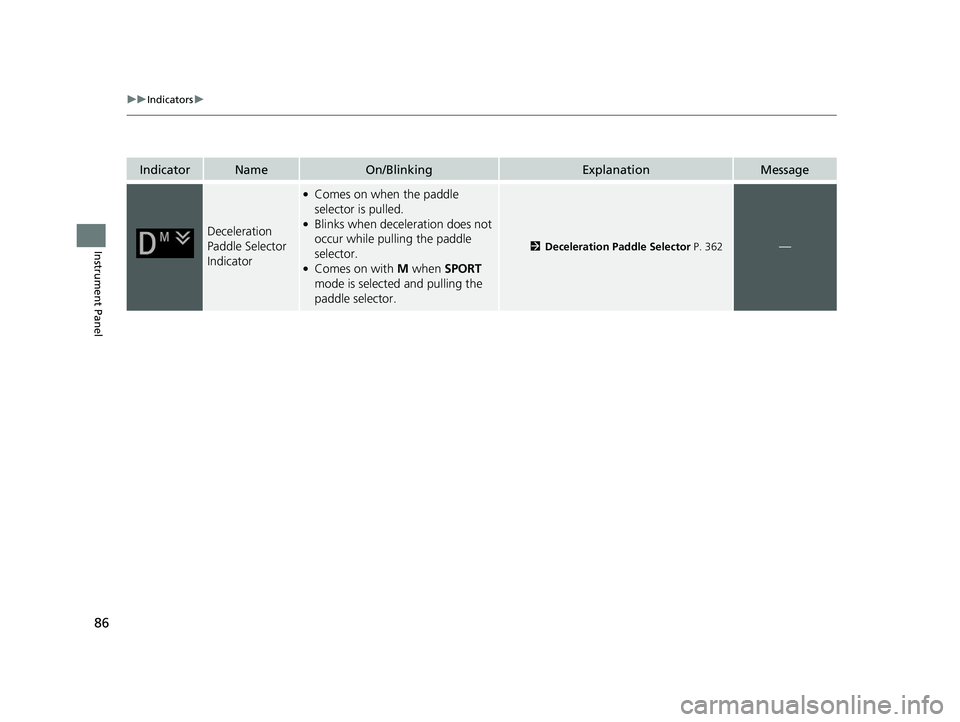
Deceleration
Paddle Selector
Indicator
●Comes on when the paddle
selector is pulled.
●Blinks when deceleration does not
occur while pulling the paddle
selector.
●Comes on with M when SPORT
mode is selected and pulling the
paddle selector.
2 Deceleration Paddle Selector P. 362—
17 CLARITY BEV CSS-31TRV6000.book 86 ページ 2017年4月14日 金曜日 午前11時 8分
Page 95 of 543
93
uuIndicators u
Continued
Instrument Panel
IndicatorNameOn/BlinkingExplanationMessage
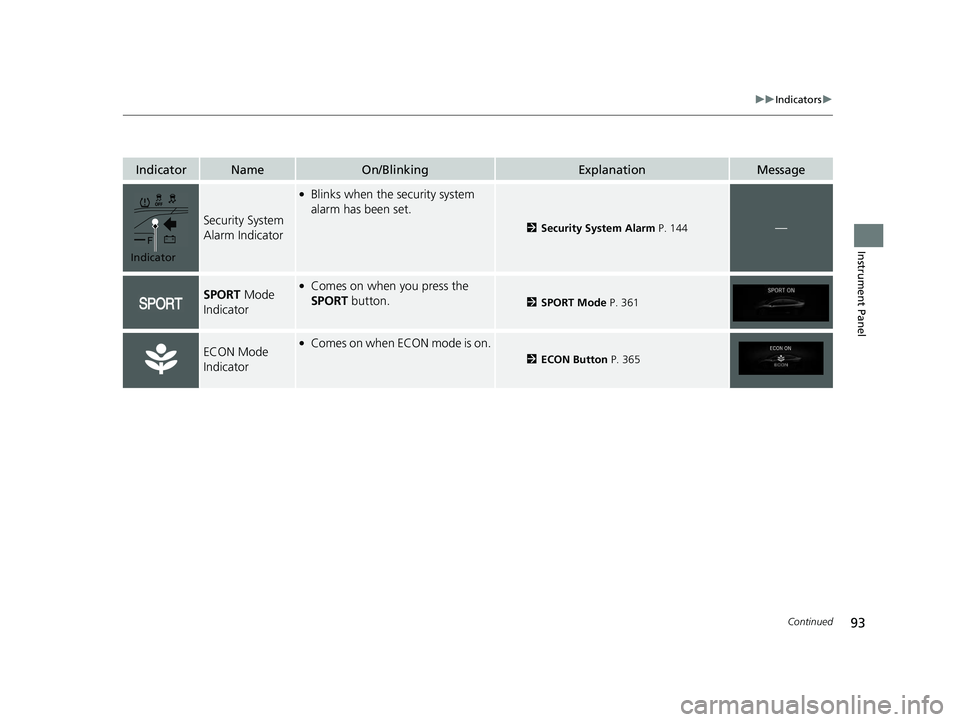
Security System
Alarm Indicator
●Blinks when the security system
alarm has been set.
2Security System Alarm P. 144—
SPORT Mode
Indicator●Comes on when you press the
SPORT button.
2 SPORT Mode P. 361
ECON Mode
Indicator●Comes on when ECON mode is on.
2ECON Button P. 365
Indicator
17 CLARITY BEV CSS-31TRV6000.book 93 ページ 2017年4月14日 金曜日 午前11時 8分
Page 240 of 543
uuAudio System Basic Operation uPlaying SiriusXM ® Radio
238
Features
■Returning to real-time broadcast
1. Select .
2. Select Go to Live .
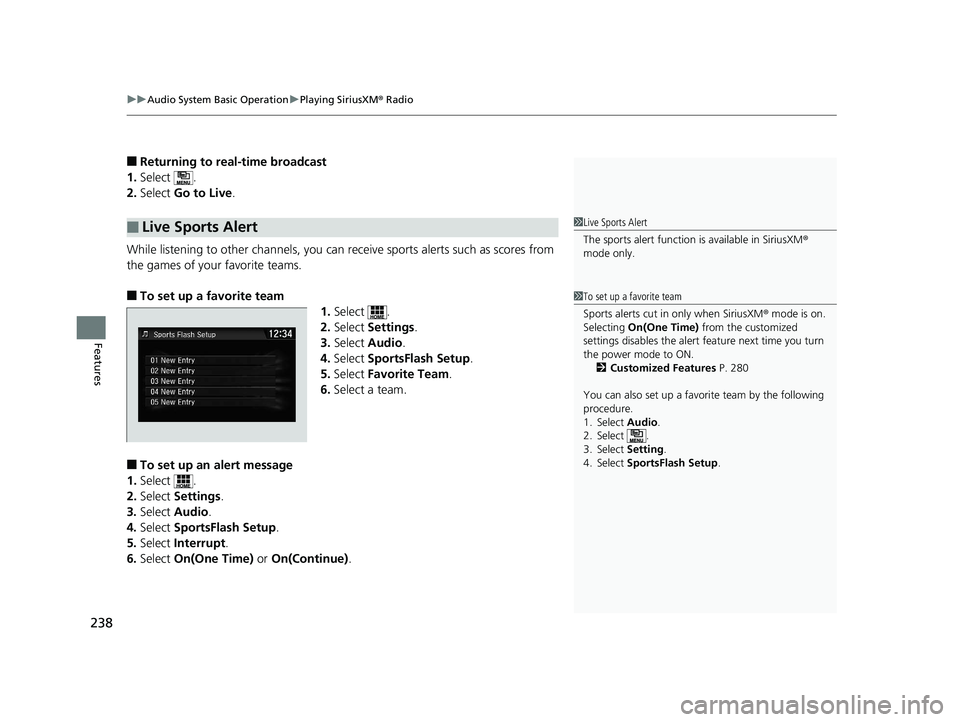
While listening to other channels, you can receive sports alerts such as scores from
the games of your favorite teams.
■To set up a favorite team 1.Select .
2. Select Settings .
3. Select Audio .
4. Select SportsFlash Setup .
5. Select Favorite Team .
6. Select a team.
■To set up an alert message
1. Select .
2. Select Settings .
3. Select Audio .
4. Select SportsFlash Setup .
5. Select Interrupt .
6. Select On(One Time) or On(Continue) .
■Live Sports Alert1Live Sports Alert
The sports alert function is available in SiriusXM®
mode only.
1 To set up a favorite team
Sports alerts cut in only when SiriusXM ® mode is on.
Selecting On(One Time) from the customized
settings disables the alert feature next time you turn
the power mode to ON. 2 Customized Features P. 280
You can also set up a favori te team by the following
procedure.
1. Select Audio.
2. Select .
3. Select Setting .
4. Select SportsFlash Setup .
17 CLARITY BEV CSS-31TRV6000.book 238 ページ 2017年4月14日 金曜日 午前11 時8分
Page 241 of 543
Continued239
uuAudio System Basic Operation uPlaying SiriusXM ® Radio
Features
■To set up an alert beep
1. Select .
2. Select Settings .
3. Select Audio .
4. Select SportsFlash Setup .
5. Select Interrupt Beep .
6. Select On.
■Receiving a sports alert
1. A pop-up appears and notifies you of a sports alert.
2. Select Listen.
u You can use the same items as the playback mode pop-up screen.
2 Replay Function P. 237
To go back to the previous screen, select Back.
■Listening to a missed sports alert
If you have missed a sports alert:
1. Select .
2. Select SportsFlash List .
3. Select alert.
1To set up an alert beep
You can also set up a alert beep by the following
procedure.
1. Select Audio .
2. Select .
3. Select Setting .
4. Select SportsFlash Setup .
17 CLARITY BEV CSS-31TRV6000.book 239 ページ 2017年4月14日 金曜日 午前11 時8分
Page 296 of 543

294
uuCustomized Features u
Features
*1:Default SettingSetup
Group Customizable Features Description Selectable Settings
Audio
FM/AM
HD Radio Mode
Selects whether the audi
o system automatically
switches to the digital radio waves or receives the
analog waves only.
Auto*1/ Analog Only
RDS INFOTurns on and off the RDS information.On*1/Off
SXM
Tune StartTurns on and off, sta rts the song from the
beginning as you change preset stations.On*1/ Off
SportsFlash
Setup
InterruptTurns on and off the sp orts alert function.Off/On(One Time) /
On(Continue)*1
Favorite
TeamSelects your favorite sports teams.
2 Live Sports Alert P. 238—
Interrupt
BeepCauses the system to beep when the sports alert
is notified.On*1/ Off
Traffic & Weather SetupSelects the region you want to receive the
information.—
Multiple Channel Mix
PresetTurns multiple channel mix preset on and off.On /Off*1
FM/AM mode
SiriusXM® mode
17 CLARITY BEV CSS-31TRV6000.book 294 ページ 2017年4月14日 金曜日 午前11 時8分
Page 345 of 543
343
Driving
This chapter discusses driving and charging.
Before Driving................................... 344
Towing a Trailer ................................ 349
When Driving Turning on the Power ...................... 350
Precautions While Driving................. 353
Transmission .................................... 354
Shifting ............................................ 355
SPORT Mode.................................... 361
Deceleration Paddle Selector ............ 362
ECON Button ................................... 365
Acoustic Vehicle Al erting System ...... 366
Front Sensor Camera ....................... 367
Road Departure Mi tigation (RDM)
System ........................................ 369
Adaptive Cruise Control (ACC) with Low
Speed Follow (LSF) ......................... 373
Lane Keeping Assist System (LKAS)...... 388Vehicle Stability Assist (VSA ®), aka Electronic
Stability Control (ESC), System ............. 395
Agile Handling Assist ....................... 397Tire Pressure Monitoring System (TPMS) .. 398Tire Pressure Monitoring System (TPMS) - Required Federal Explanation ......... 400
LaneWatchTM....................................... 402Braking Brake System ................................... 404
Anti-lock Brake System (ABS) ........... 409
Brake Assist System.......................... 410 Collision Mitigation Braking System
TM
(CMBSTM) ....................................... 411
Parking Your Vehicle When Stopped ................................ 419
Multi-View Rear Camera .................. 421
Charging ............................................ 423
Before Charging .............................. 423
Charge the High Voltage battery using a Level 1, 2 or SAE J1772 DC charger ...424
Control Box ..................................... 431
High Voltage Battery........................ 436
Using a Timer .................................. 437
Energy Economy ............................... 439
17 CLARITY BEV CSS-31TRV6000.book 343 ページ 2017年4月14日 金曜日 午前11 時8分