start stop button HONDA CLARITY FUEL CELL 2017 Owner's Manual (in English)
[x] Cancel search | Manufacturer: HONDA, Model Year: 2017, Model line: CLARITY FUEL CELL, Model: HONDA CLARITY FUEL CELL 2017Pages: 527, PDF Size: 17.62 MB
Page 355 of 527
Continued353
uuWhen Driving uTurning on the Power
Driving
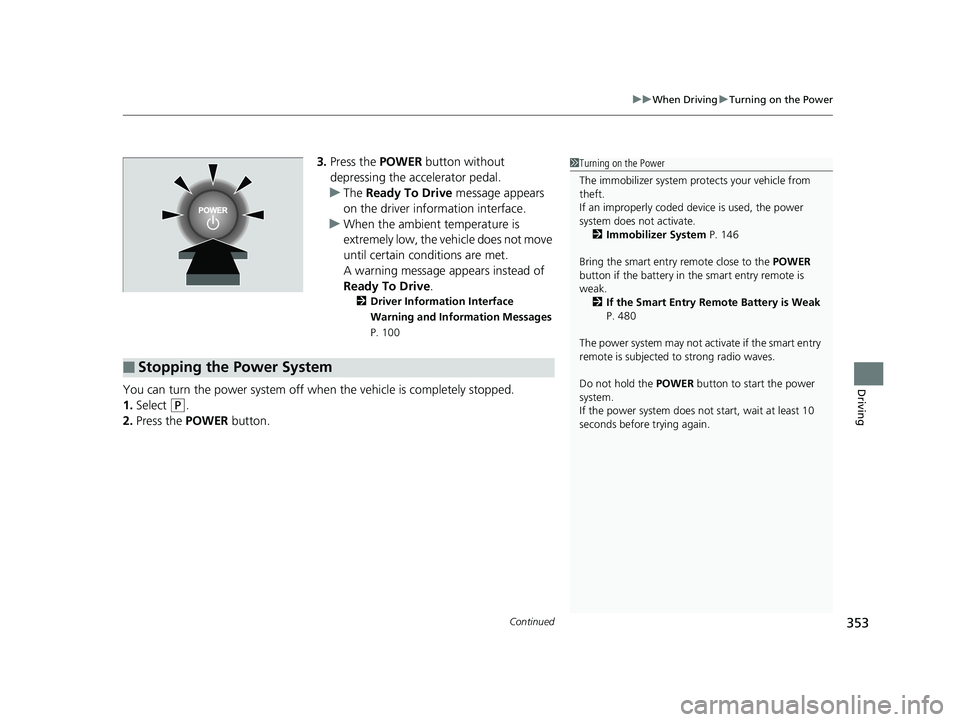
3. Press the POWER button without
depressing the accelerator pedal.
u The Ready To Drive message appears
on the driver info rmation interface.
u When the ambient temperature is
extremely low, the vehicle does not move
until certain conditions are met.
A warning message appears instead of
Ready To Drive .
2Driver Information Interface
Warning and Information Messages
P. 100
You can turn the power system off when the vehicle is completely stopped.
1. Select
(P.
2. Press the POWER button.
1Turning on the Power
The immobilizer system pr otects your vehicle from
theft.
If an improperly coded de vice is used, the power
system does not activate. 2 Immobilizer System P. 146
Bring the smart entry remote close to the POWER
button if the battery in the smart entry remote is
weak.
2 If the Smart Entry Remote Battery is Weak
P. 480
The power system may not activate if the smart entry
remote is subjected to strong radio waves.
Do not hold the POWER button to start the power
system.
If the power system does not start, wait at least 10
seconds before trying again.
■Stopping the Power System
17 CLARITY FCV PPO-31TRT6000.book 353 ページ 2016年10月27日 木曜日 午後3 時11分
Page 377 of 527
Continued375
uuWhen Driving uAdaptive Cruise Control (ACC) with Low Speed Follow (LSF)
Driving
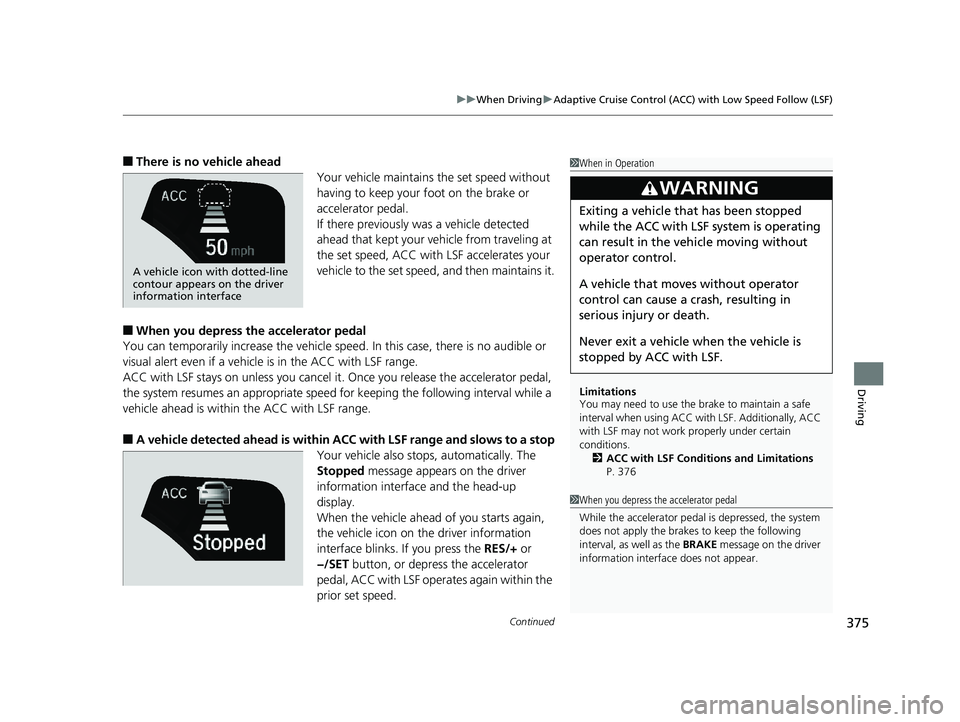
■There is no vehicle ahead
Your vehicle maintains the set speed without
having to keep your foot on the brake or
accelerator pedal.
If there previously was a vehicle detected
ahead that kept your vehicle from traveling at
the set speed, ACC with LSF accelerates your
vehicle to the set speed, and then maintains it.
■When you depress the accelerator pedal
You can temporarily increase the vehicle speed . In this case, there is no audible or
visual alert even if a vehicl e is in the ACC with LSF range.
ACC with LSF stays on unless you cancel it . Once you release the accelerator pedal,
the system resumes an appropriate speed for keeping the following interval while a
vehicle ahead is within the ACC with LSF range.
■A vehicle detected ahead is within ACC with LSF range and slows to a stop
Your vehicle also stops, automatically. The
Stopped message appears on the driver
information interfac e and the head-up
display.
When the vehicle ahead of you starts again,
the vehicle icon on the driver information
interface blinks. If you press the RES/+ or
−/SET button, or depress the accelerator
pedal, ACC with LSF operates again within the
prior set speed.
1 When in Operation
Limitations
You may need to use the brake to maintain a safe
interval when using ACC wi th LSF. Additionally, ACC
with LSF may not work properly under certain
conditions. 2 ACC with LSF Conditions and Limitations
P. 376
3WARNING
Exiting a vehicle that has been stopped
while the ACC with LSF system is operating
can result in the ve hicle moving without
operator control.
A vehicle that moves without operator
control can cause a crash, resulting in
serious injury or death.
Never exit a ve hicle when the vehicle is
stopped by ACC with LSF.
A vehicle icon with dotted-line
contour appears on the driver
information interface
1 When you depress the accelerator pedal
While the accelerator pedal is depressed, the system
does not apply the brakes to keep the following
interval, as well as the BRAKE message on the driver
information interface does not appear.
17 CLARITY FCV PPO-31TRT6000.book 375 ページ 2016年10月27日 木曜日 午後3 時11分
Page 409 of 527
Continued407
uuBraking uBrake System
Driving
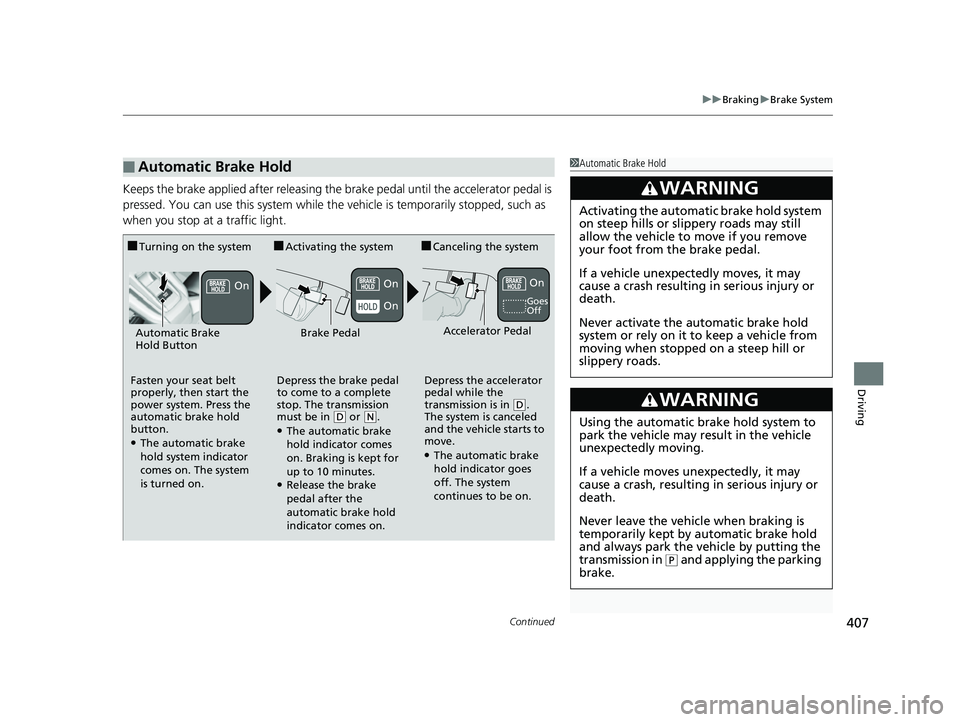
Keeps the brake applied after releasing the brake pedal until the accelerator pedal is
pressed. You can use this system while the vehicle is temporarily stopped, such as
when you stop at a traffic light.
■Automatic Brake Hold1 Automatic Brake Hold
3WARNING
Activating the automatic brake hold system
on steep hills or slippery roads may still
allow the vehicle to move if you remove
your foot from the brake pedal.
If a vehicle unexpectedly moves, it may
cause a crash resulting in serious injury or
death.
Never activate the automatic brake hold
system or rely on it to keep a vehicle from
moving when stopped on a steep hill or
slippery roads.
3WARNING
Using the automatic brake hold system to
park the vehicle may result in the vehicle
unexpectedly moving.
If a vehicle moves unexpectedly, it may
cause a crash, resulting in serious injury or
death.
Never leave the vehicle when braking is
temporarily kept by automatic brake hold
and always park the vehicle by putting the
transmission in
( P and applying the parking
brake.
■Turning on the system
Fasten your seat belt
properly, then start the
power system. Press the
automatic brake hold
button.
●The automatic brake
hold system indicator
comes on. The system
is turned on.
■Activating the system
Depress the brake pedal
to come to a complete
stop. The transmission
must be in
( D or (N.●The automatic brake
hold indicator comes
on. Braking is kept for
up to 10 minutes.
●Release the brake
pedal after the
automatic brake hold
indicator comes on.
■Canceling the system
Depress the accelerator
pedal while the
transmission is in
( D.
The system is canceled
and the vehicle starts to
move.
●The automatic brake
hold indicator goes
off. The system
continues to be on.
Accelerator PedalBrake PedalAutomatic Brake
Hold Button
Goes
Off
On On
On
On
17 CLARITY FCV PPO-31TRT6000.book 407 ページ 2016年10月27日 木曜日 午後3 時11分
Page 483 of 527
481
uuPower System Won’t StartuEmergency Power System Off
Handling the Unexpected
Emergency Power System Off
The POWER button may be used to turn the power system off due to an emergency
situation even while driving. If you must tu rn the power system off, do either of the
following operations:
• Press and hold the POWER button for about two seconds.
• Firmly press the POWER button three times.
The steering wheel will not lock. However, because turning off the power system
disables the power assist the power system provides to the steering and braking
systems, it will require significantly more physical effort and time to steer and slow
the vehicle. Use both feet on the brake pe dal to slow down the vehicle and stop
immediately in a safe place.
The gear position auto matically changes to
(P after the vehicle comes to a complete
stop. Then, the power mode changes to VEHICLE OFF.
1 Emergency Power System Off
Do not press the button while driving unless it is
absolutely necessary for the power system to be
turned off.
17 CLARITY FCV PPO-31TRT6000.book 481 ページ 2016年10月27日 木曜日 午後3 時11分
Page 524 of 527
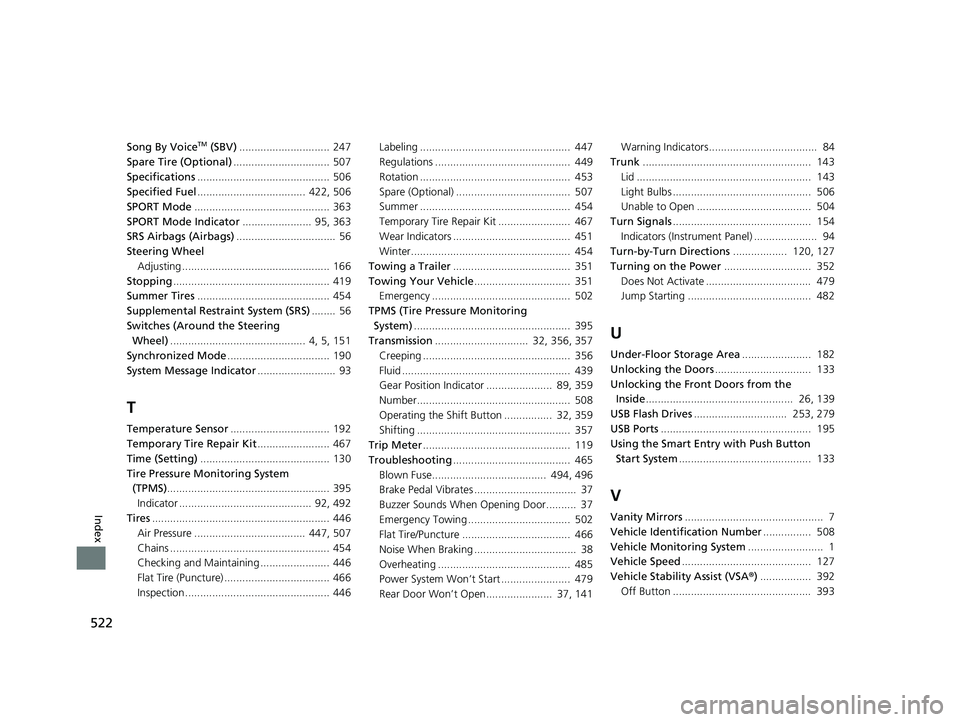
522
Index
Song By VoiceTM (SBV).............................. 247
Spare Tire (Optional) ................................ 507
Specifications ............................................ 506
Specified Fuel .................................... 422, 506
SPORT Mode ............................................. 363
SPORT Mode Indicator ....................... 95, 363
SRS Airbags (Airbags) ................................. 56
Steering Wheel
Adjusting ................................................. 166
Stopping .................................................... 419
Summer Tires ............................................ 454
Supplemental Restraint System (SRS) ........ 56
Switches (Around the Steering Wheel) ............................................. 4, 5, 151
Synchronized Mode .................................. 190
System Message Indicator .......................... 93
T
Temperature Sensor................................. 192
Temporary Tire Repair Kit ........................ 467
Time (Setting) ........................................... 130
Tire Pressure Monitoring System (TPMS) ...................................................... 395
Indicator ............................................ 92, 492
Tires ........................................................... 446
Air Pressure ..................................... 447, 507
Chains ..................................................... 454
Checking and Maintaining ....................... 446
Flat Tire (Puncture) ................................... 466
Inspection ................................................ 446 Labeling .................................................. 447
Regulations ............................................. 449
Rotation .................................................. 453
Spare (Optional) ...................................... 507
Summer .................................................. 454
Temporary Tire Re
pair Kit ........................ 467
Wear Indicators ....................................... 451
Winter..................................................... 454
Towing a Trailer ....................................... 351
Towing Your Vehicle ................................ 351
Emergency .............................................. 502
TPMS (Tire Pressure Monitoring System) .................................................... 395
Transmission ............................... 32, 356, 357
Creeping ................................................. 356
Fluid ........................................................ 439
Gear Position Indicator ...................... 89, 359
Number................................................... 508
Operating the Shift Button ................ 32, 359
Shifting ................................................... 357
Trip Meter ................................................. 119
Troubleshooting ....................................... 465
Blown Fuse...................................... 494, 496
Brake Pedal Vibrates .................................. 37
Buzzer Sounds When Opening Door.......... 37
Emergency Towing .................................. 502
Flat Tire/Puncture .................................... 466
Noise When Braking .................................. 38
Overheating ............................................ 485
Power System Won’t Start ....................... 479
Rear Door Won’t Open...................... 37, 141 Warning Indicators.................................... 84
Trunk ........................................................ 143
Lid .......................................................... 143
Light Bulbs .............................................. 506
Unable to Open ...................................... 504
Turn Signals .............................................. 154
Indicators (Instru ment Panel) ..................... 94
Turn-by-Turn Directions .................. 120, 127
Turning on the Power ............................. 352
Does Not Activate ................................... 479
Jump Starting ......................................... 482
U
Under-Floor Storage Area ....................... 182
Unlocking the Doors ................................ 133
Unlocking the Fron t Doors from the
Inside ................................................. 26, 139
USB Flash Drives ............................... 253, 279
USB Ports .................................................. 195
Using the Smart Entr y with Push Button
Start System ............................................ 133
V
Vanity Mirrors .............................................. 7
Vehicle Identification Number ................ 508
Vehicle Monitoring System ......................... 1
Vehicle Speed ........................................... 127
Vehicle Stability Assist (VSA ®) ................. 392
Off Button .............................................. 393
17 CLARITY FCV PPO-31TRT6000.book 522 ページ 2016年10月27日 木曜日 午後3 時11分