ad blue HONDA CR-V 2013 RM1, RM3, RM4 / 4.G Owner's Guide
[x] Cancel search | Manufacturer: HONDA, Model Year: 2013, Model line: CR-V, Model: HONDA CR-V 2013 RM1, RM3, RM4 / 4.GPages: 361, PDF Size: 6.58 MB
Page 214 of 361
Continued213
uuBluetooth® HandsFreeLink®uHFL Menus
Features
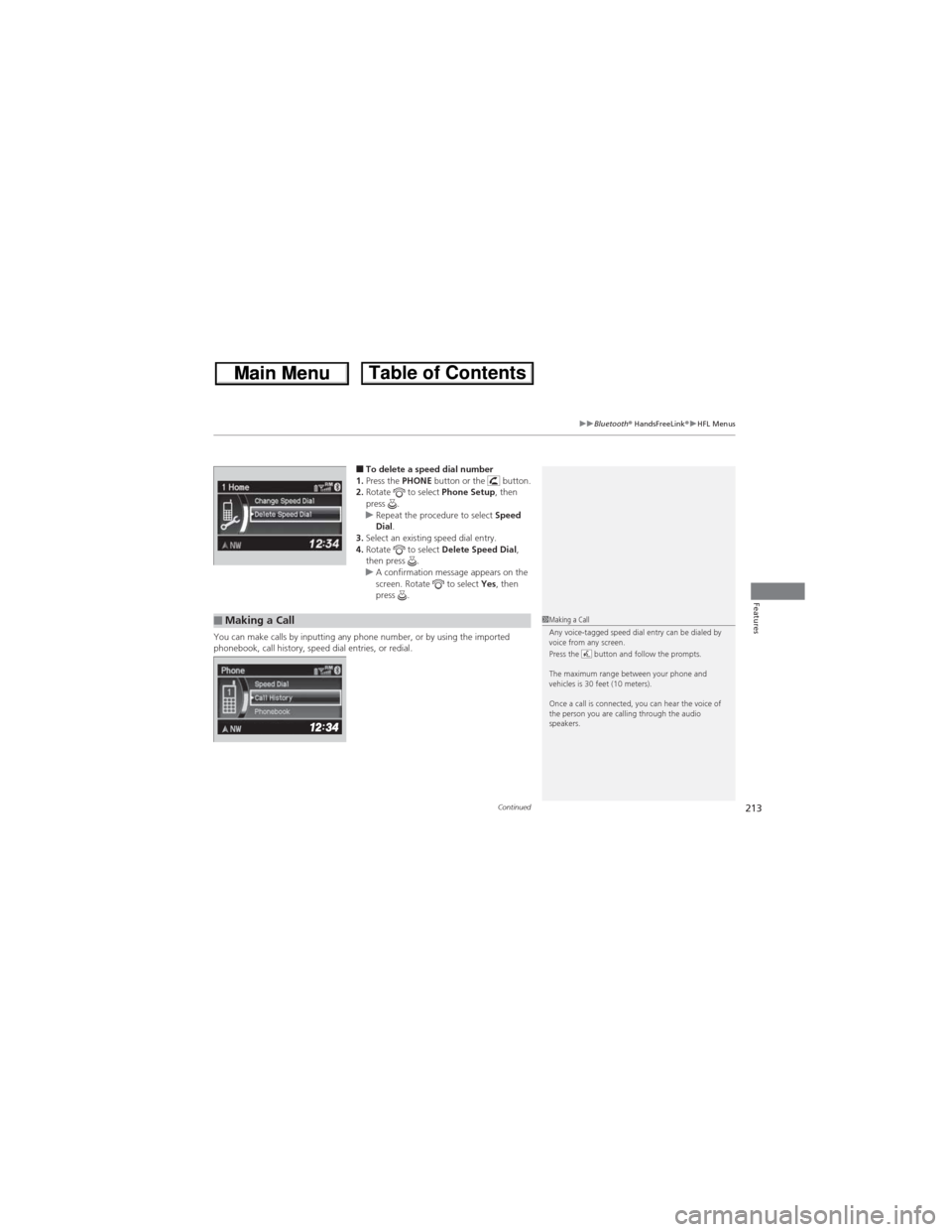
■To delete a speed dial number
1.Press the PHONE button or the button.
2.Rotate to select Phone Setup, then
press .
uRepeat the procedure to select Speed
Dial.
3.Select an existing speed dial entry.
4.Rotate to select Delete Speed Dial,
then press .
uA confirmation message appears on the
screen. Rotate to select Yes, then
press .
You can make calls by inputting any phone number, or by using the imported
phonebook, call history, speed dial entries, or redial.
■Making a Call1Making a Call
Any voice-tagged speed dial entry can be dialed by
voice from any screen.
Press the button and follow the prompts.
The maximum range between your phone and
vehicles is 30 feet (10 meters).
Once a call is connected, you can hear the voice of
the person you are calling through the audio
speakers.
Page 215 of 361
uuBluetooth® HandsFreeLink®uHFL Menus
214
Features
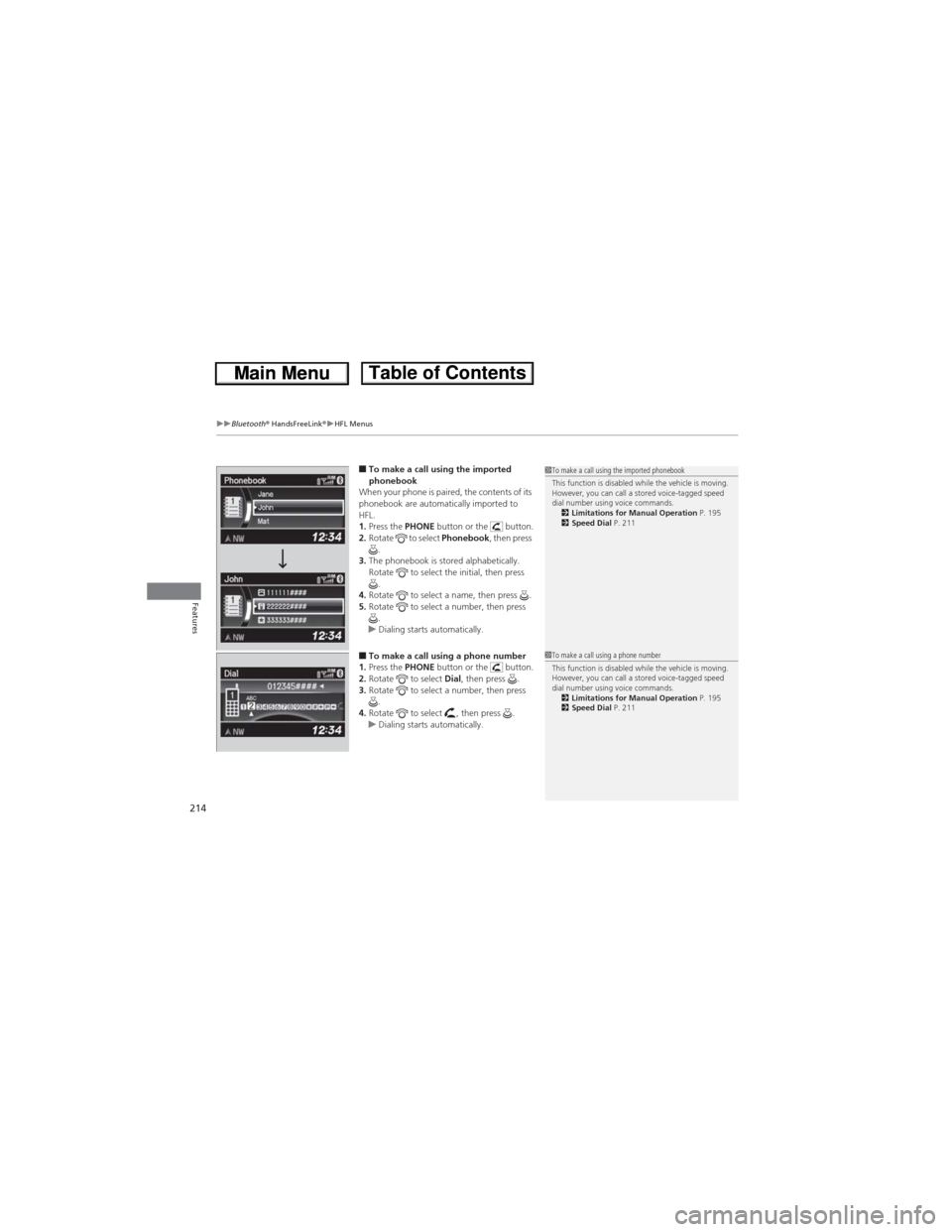
■To make a call using the imported
phonebook
When your phone is paired, the contents of its
phonebook are automatically imported to
HFL.
1.Press the PHONE button or the button.
2.Rotate to select Phonebook, then press
.
3.The phonebook is stored alphabetically.
Rotate to select the initial, then press
.
4.Rotate to select a name, then press .
5.Rotate to select a number, then press
.
uDialing starts automatically.
■To make a call using a phone number
1.Press the PHONE button or the button.
2.Rotate to select Dial, then press .
3.Rotate to select a number, then press
.
4.Rotate to select , then press .
uDialing starts automatically.
1To make a call using the imported phonebook
This function is disabled while the vehicle is moving.
However, you can call a stored voice-tagged speed
dial number using voice commands.
2Limitations for Manual Operation P. 195
2Speed Dial P. 211
1To make a call using a phone number
This function is disabled while the vehicle is moving.
However, you can call a stored voice-tagged speed
dial number using voice commands.
2Limitations for Manual Operation P. 195
2Speed Dial P. 211
Page 216 of 361
Continued215
uuBluetooth® HandsFreeLink®uHFL Menus
Features
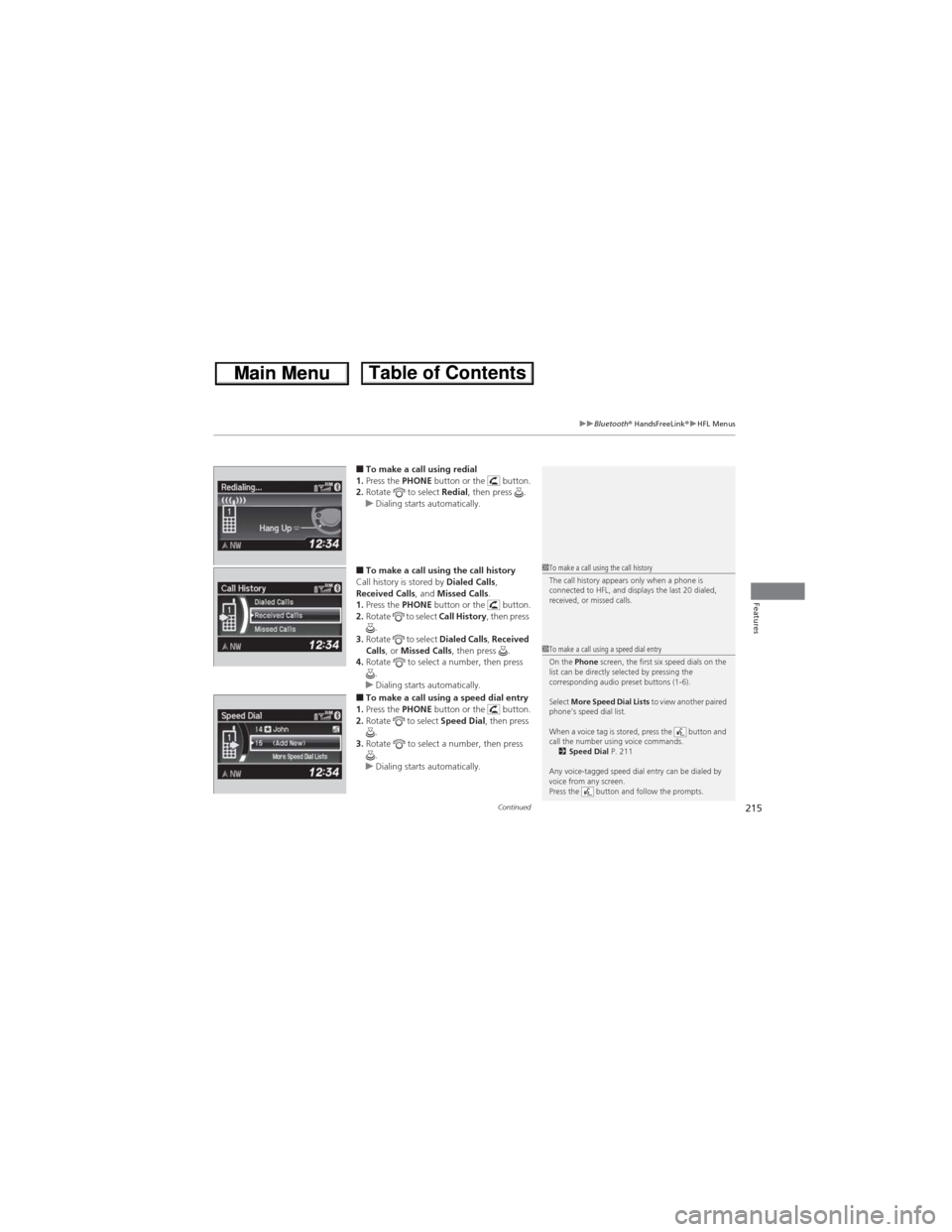
■To make a call using redial
1.Press the PHONE button or the button.
2.Rotate to select Redial, then press .
uDialing starts automatically.
■To make a call using the call history
Call history is stored by Dialed Calls,
Received Calls, and Missed Calls.
1.Press the PHONE button or the button.
2.Rotate to select Call History, then press
.
3.Rotate to select Dialed Calls, Received
Calls, or Missed Calls, then press .
4.Rotate to select a number, then press
.
uDialing starts automatically.
■To make a call using a speed dial entry
1.Press the PHONE button or the button.
2.Rotate to select Speed Dial, then press
.
3.Rotate to select a number, then press
.
uDialing starts automatically.
1To make a call using the call history
The call history appears only when a phone is
connected to HFL, and displays the last 20 dialed,
received, or missed calls.
1To make a call using a speed dial entry
On the Phone screen, the first six speed dials on the
list can be directly selected by pressing the
corresponding audio preset buttons (1-6).
Select More Speed Dial Lists to view another paired
phone’s speed dial list.
When a voice tag is stored, press the button and
call the number using voice commands.
2Speed Dial P. 211
Any voice-tagged speed dial entry can be dialed by
voice from any screen.
Press the button and follow the prompts.
Page 217 of 361
uuBluetooth® HandsFreeLink®uHFL Menus
216
Features
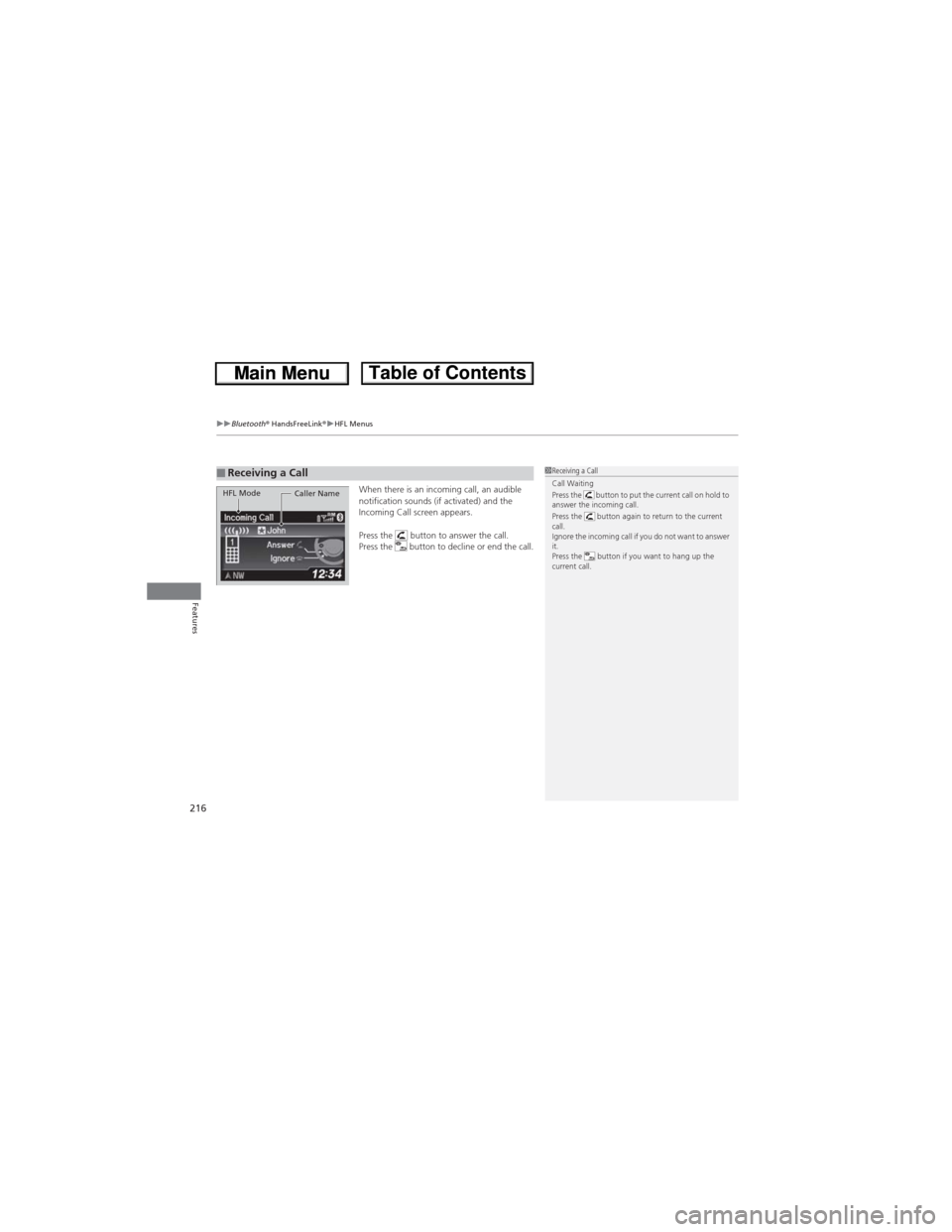
When there is an incoming call, an audible
notification sounds (if activated) and the
Incoming Call screen appears.
Press the button to answer the call.
Press the button to decline or end the call.■Receiving a Call1Receiving a Call
Call Waiting
Press the button to put the current call on hold to
answer the incoming call.
Press the button again to return to the current
call.
Ignore the incoming call if you do not want to answer
it.
Press the button if you want to hang up the
current call.
HFL Mode
Caller Name
Page 218 of 361
Continued217
uuBluetooth® HandsFreeLink®uHFL Menus
Features
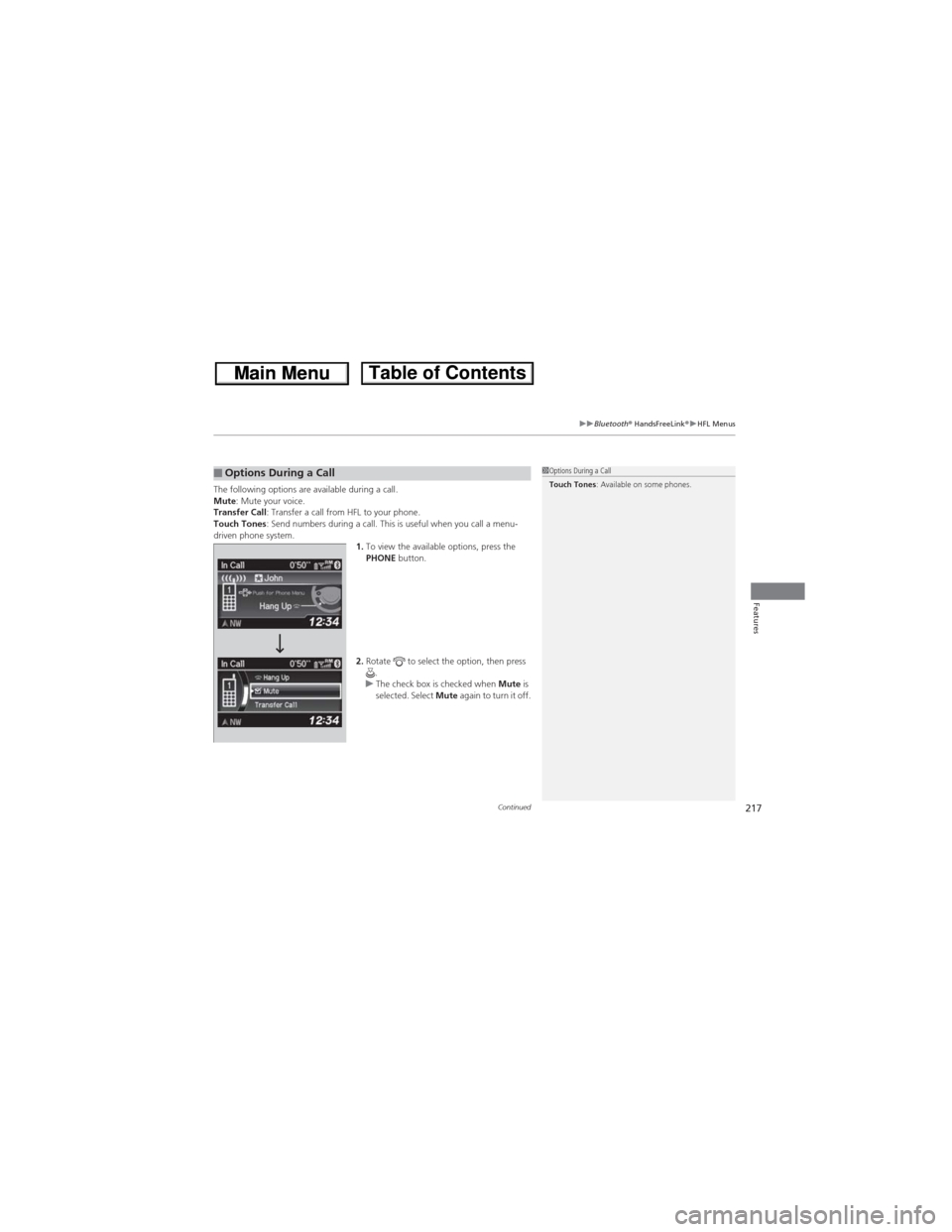
The following options are available during a call.
Mute: Mute your voice.
Transfer Call: Transfer a call from HFL to your phone.
Touch Tones: Send numbers during a call. This is useful when you call a menu-
driven phone system.
1.To view the available options, press the
PHONE button.
2.Rotate to select the option, then press
.
uThe check box is checked when Mute is
selected. Select Mute again to turn it off.■Options During a Call1Options During a Call
Touch Tones: Available on some phones.
Page 219 of 361
uuBluetooth® HandsFreeLink®uHFL Menus
218
Features
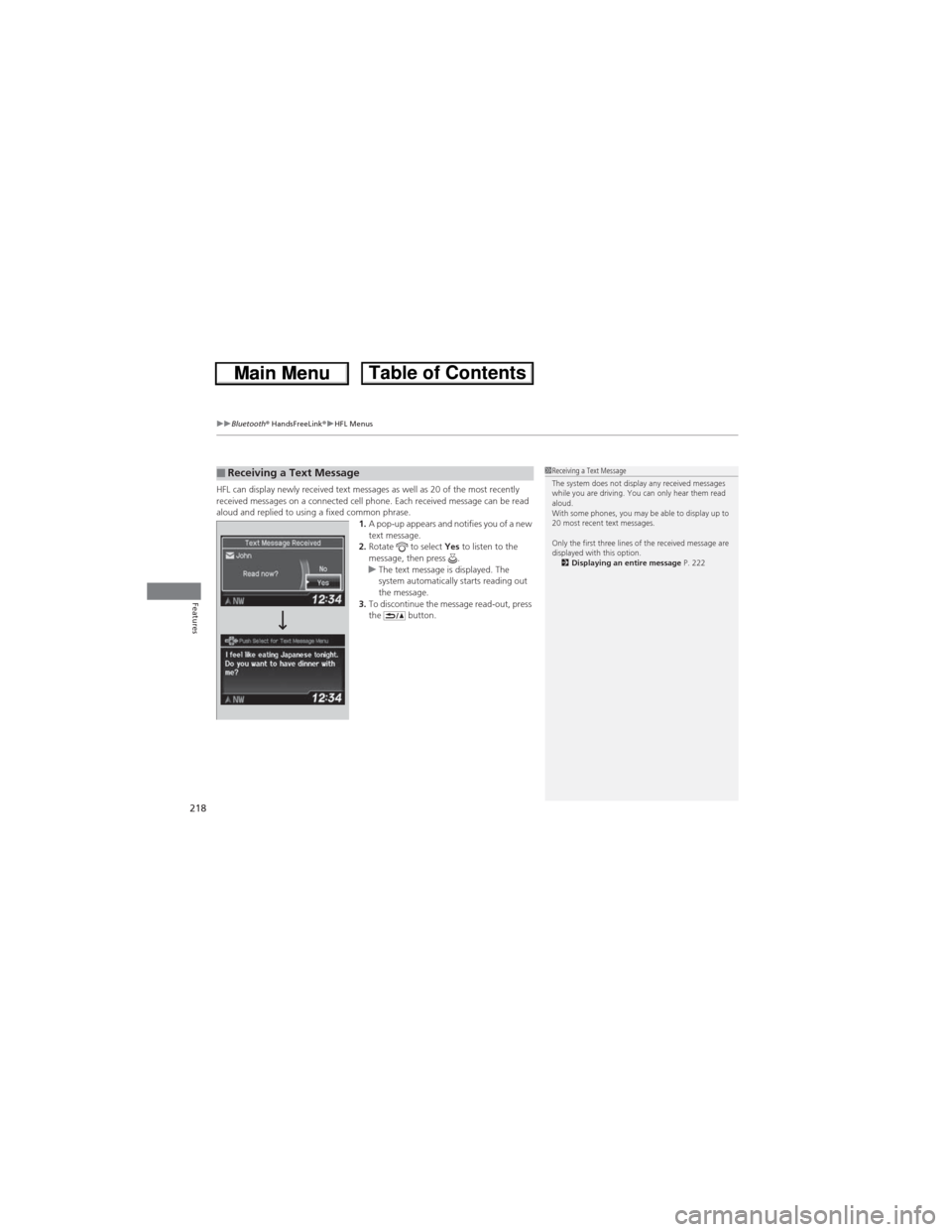
HFL can display newly received text messages as well as 20 of the most recently
received messages on a connected cell phone. Each received message can be read
aloud and replied to using a fixed common phrase.
1.A pop-up appears and notifies you of a new
text message.
2.Rotate to select Yes to listen to the
message, then press .
uThe text message is displayed. The
system automatically starts reading out
the message.
3.To discontinue the message read-out, press
the button.■Receiving a Text Message1Receiving a Text Message
The system does not display any received messages
while you are driving. You can only hear them read
aloud.
With some phones, you may be able to display up to
20 most recent text messages.
Only the first three lines of the received message are
displayed with this option.
2Displaying an entire message P. 222
Page 220 of 361
Continued219
uuBluetooth® HandsFreeLink®uHFL Menus
Features
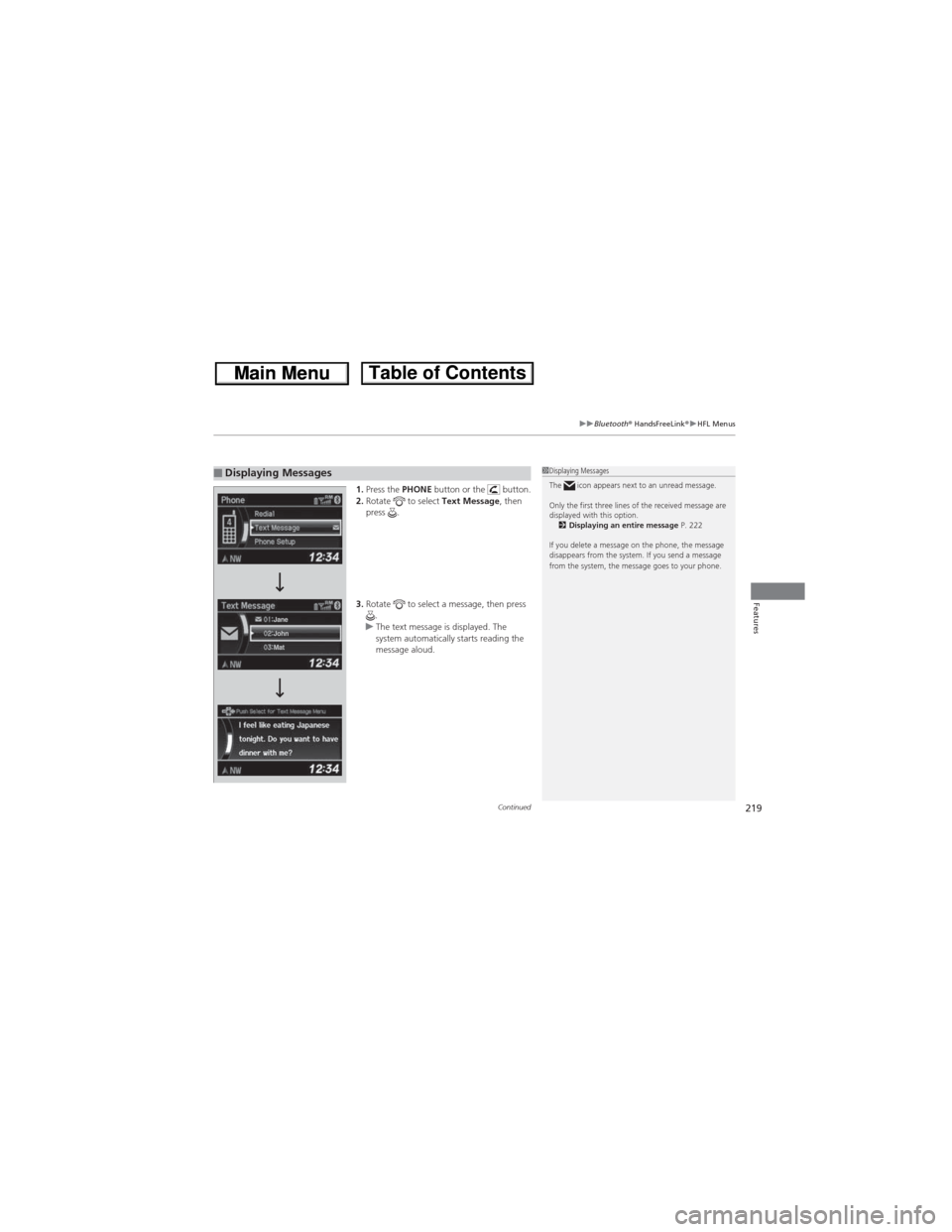
1.Press the PHONE button or the button.
2.Rotate to select Text Message, then
press .
3.Rotate to select a message, then press
.
uThe text message is displayed. The
system automatically starts reading the
message aloud. ■Displaying Messages1Displaying Messages
The icon appears next to an unread message.
Only the first three lines of the received message are
displayed with this option.
2Displaying an entire message P. 222
If you delete a message on the phone, the message
disappears from the system. If you send a message
from the system, the message goes to your phone.
Page 221 of 361
uuBluetooth® HandsFreeLink®uHFL Menus
220
Features
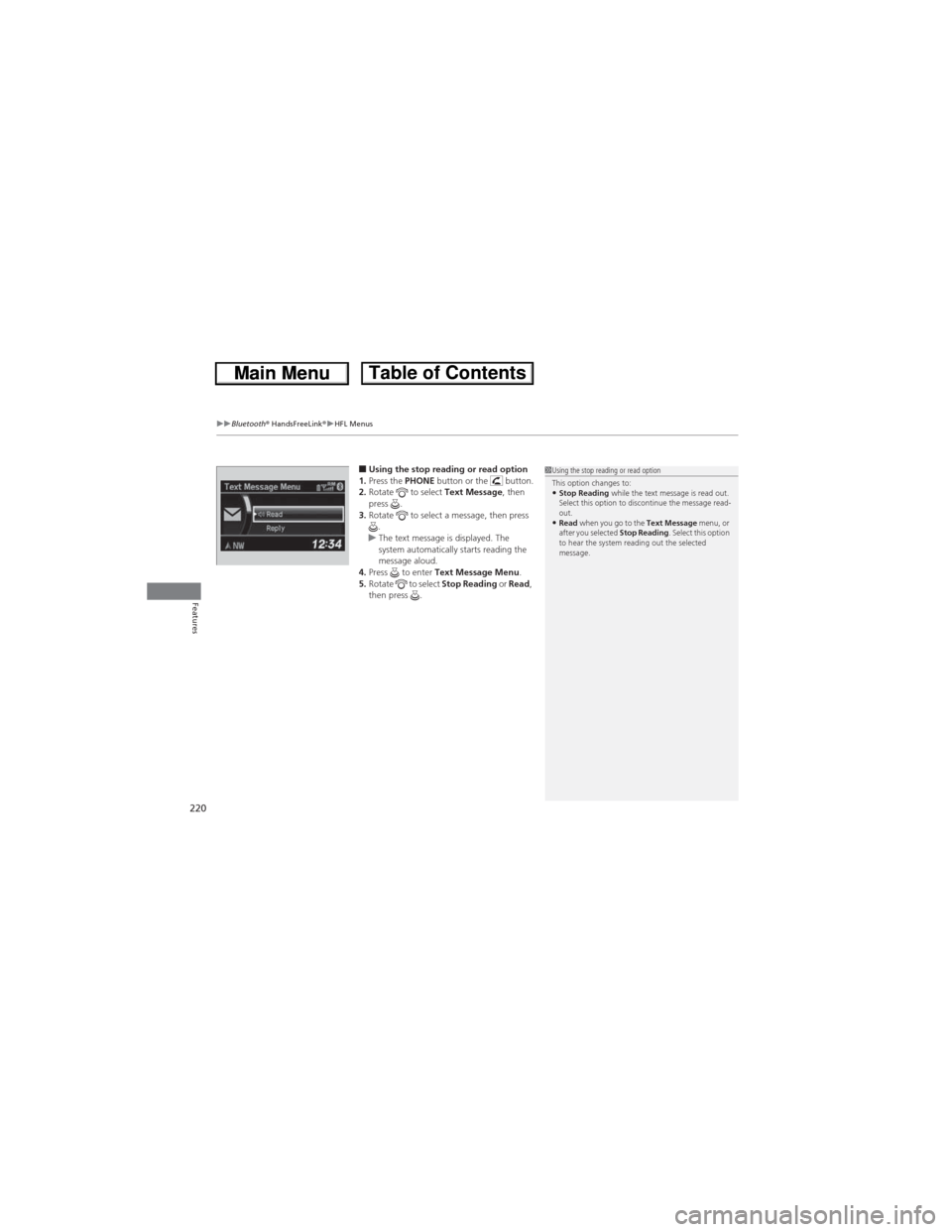
■Using the stop reading or read option
1.Press the PHONE button or the button.
2.Rotate to select Text Message, then
press .
3.Rotate to select a message, then press
.
uThe text message is displayed. The
system automatically starts reading the
message aloud.
4.Press to enter Text Message Menu.
5.Rotate to select Stop Reading or Read,
then press .1Using the stop reading or read option
This option changes to:
•Stop Reading while the text message is read out.
Select this option to discontinue the message read-
out.
•Read when you go to the Text Message menu, or
after you selected Stop Reading. Select this option
to hear the system reading out the selected
message.
Page 222 of 361
Continued221
uuBluetooth® HandsFreeLink®uHFL Menus
Features
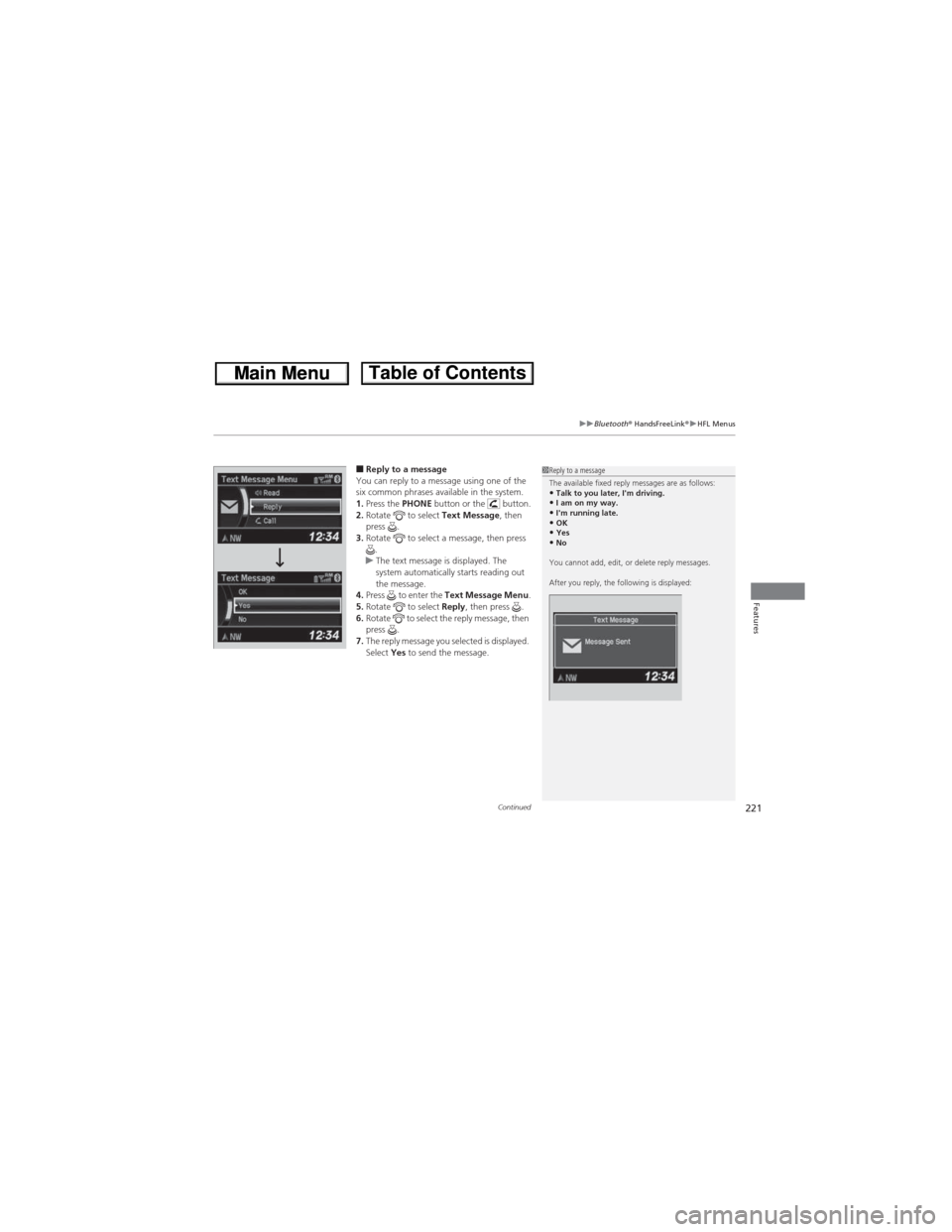
■Reply to a message
You can reply to a message using one of the
six common phrases available in the system.
1.Press the PHONE button or the button.
2.Rotate to select Text Message, then
press .
3.Rotate to select a message, then press
.
uThe text message is displayed. The
system automatically starts reading out
the message.
4.Press to enter the Text Message Menu.
5.Rotate to select Reply, then press .
6.Rotate to select the reply message, then
press .
7.The reply message you selected is displayed.
Select Yes to send the message.1Reply to a message
The available fixed reply messages are as follows:
•Talk to you later, I'm driving.•I am on my way.•I'm running late.•OK•Yes•No
You cannot add, edit, or delete reply messages.
After you reply, the following is displayed:
Page 223 of 361
222
uuBluetooth® HandsFreeLink®uHFL Menus
Features
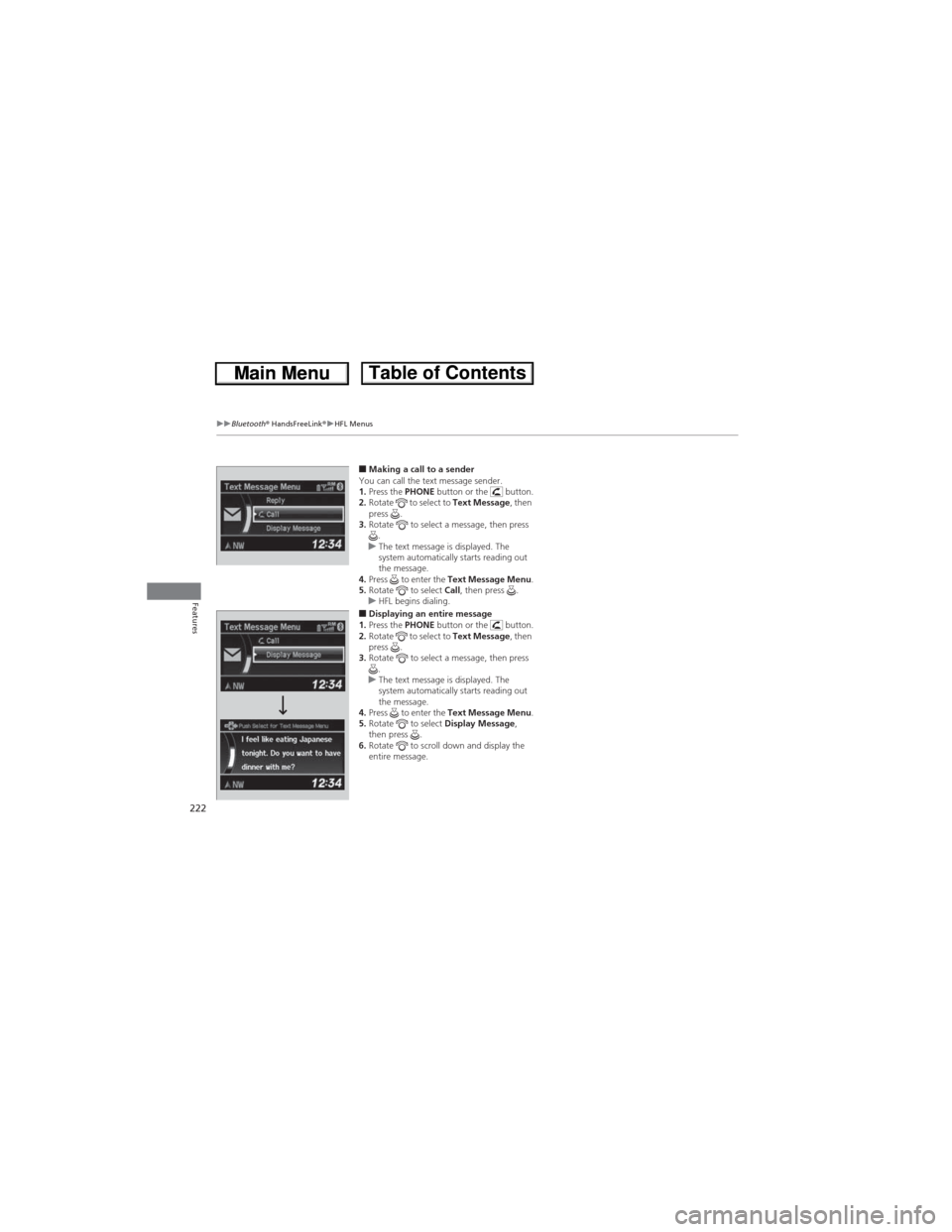
■Making a call to a sender
You can call the text message sender.
1.Press the PHONE button or the button.
2.Rotate to select to Text Message, then
press .
3.Rotate to select a message, then press
.
uThe text message is displayed. The
system automatically starts reading out
the message.
4.Press to enter the Text Message Menu.
5.Rotate to select Call, then press .
uHFL begins dialing.
■Displaying an entire message
1.Press the PHONE button or the button.
2.Rotate to select to Text Message, then
press .
3.Rotate to select a message, then press
.
uThe text message is displayed. The
system automatically starts reading out
the message.
4.Press to enter the Text Message Menu.
5.Rotate to select Display Message,
then press .
6.Rotate to scroll down and display the
entire message.