head HONDA CR-Z 2011 1.G User Guide
[x] Cancel search | Manufacturer: HONDA, Model Year: 2011, Model line: CR-Z, Model: HONDA CR-Z 2011 1.GPages: 333, PDF Size: 9.97 MB
Page 111 of 333
110
Controls
Operating the Switches Around the Steering Wheel Turn Signals Light Switches
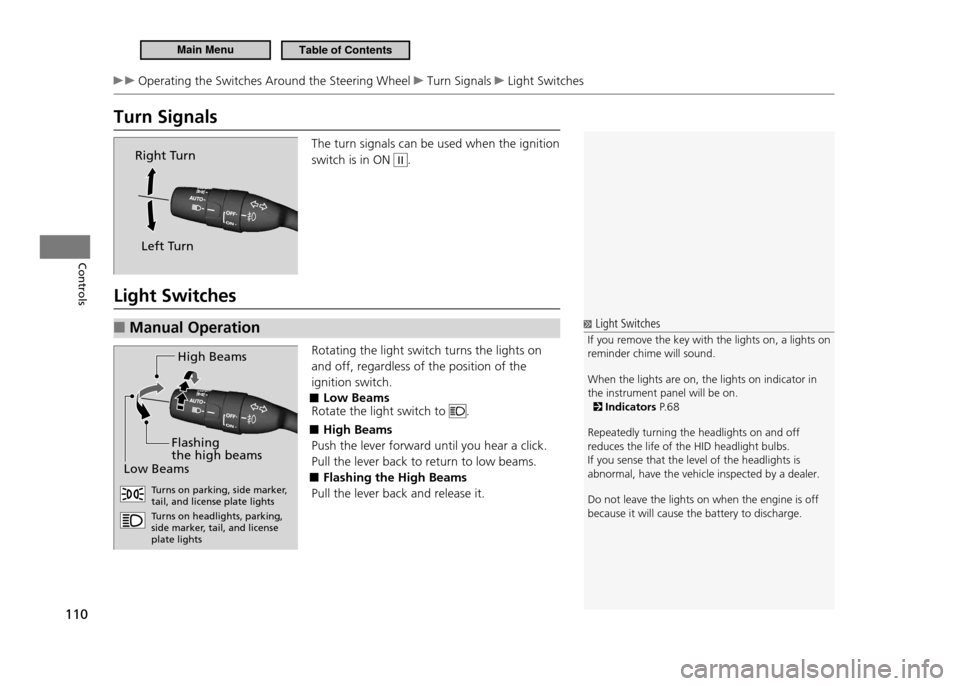
Turn Signals
The turn signals can be used when the ignition switch is in ON
II.
Light Switches Manual Operation
■
Rotating the light switch turns the lights on and off, regardless of the position of the ignition switch.
Low Beams
■
Rotate the light switch to
.
High Beams
■
Push the lever forward until you hear a click. Pull the lever back to return to low beams.
Flashing the High Beams
■
Pull the lever back and release it.
Right Turn
Left Turn
Light Switches
If you remove the key with the lights on, a lights on
reminder chime will sound. When the lights are on, the lights on indicator in the instrument panel will be on.
Indicators P. 6 8
Repeatedly turning the headlights on and off reduces the life of the HID headlight bulbs.If you sense that the level of the headlights is abnormal, have the vehicle inspected by a dealer. Do not leave the lights on when the engine is off because it will cause the battery to discharge.
H igh Beam s
Lo w B eam s
Flashing
the high beam s
Turns on parking, side marke r,
tail, and license plate lights Tu rns on headlights, parking,
side marker, tail, and license plate lights
Main MenuTable of Contents
Page 112 of 333
111
Controls
Operating the Switches Around the Steering Wheel Light Switches
Automatic Operation (automatic lighting control)
■*
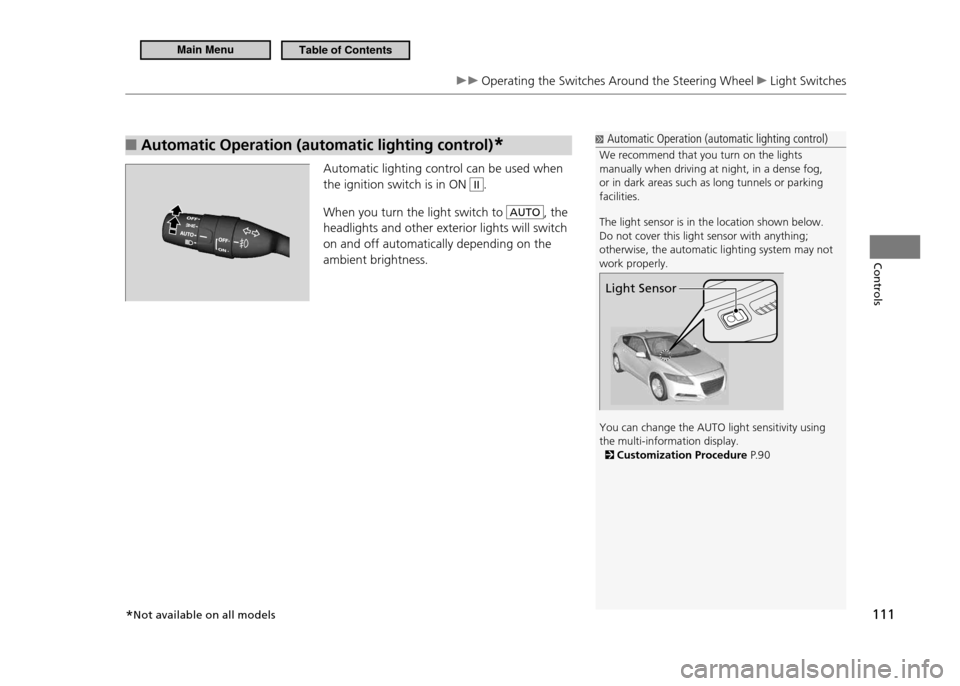
Automatic lighting control can be used when the ignition switch is in ON
II.
When you turn the light switch to
AUTO, the
headlights and other exterior lights will switch on and off automatically depending on the ambient brightness.
Automatic Operation (automatic lighting control)
We recommend that you turn on the lights manually when driving at night, in a dense fog, or in dark areas such as long tunnels or parking facilities. The light sensor is in the location shown below. Do not cover this light sensor with anything; otherwise, the automatic lighting system may not work properly. You can change the AUTO light sensitivity using the multi-information display.
Customization Procedure P. 9 0
Light Sensor
*Not available on all models
Main MenuTable of Contents
Page 113 of 333
112
Controls
Operating the Switches Around the Steering Wheel Fog Lights Daytime Running Lights
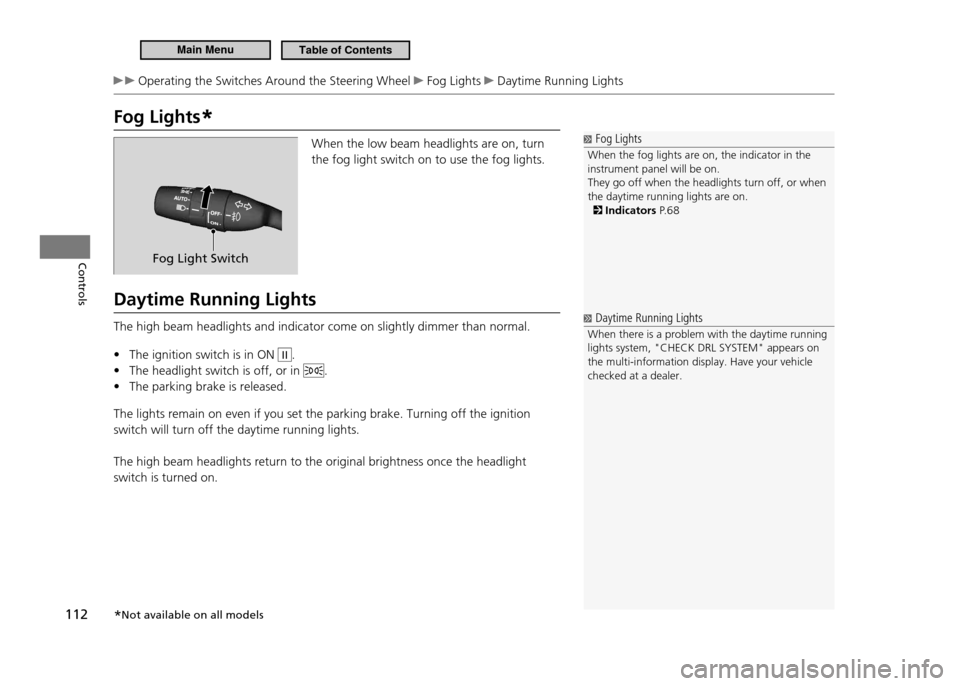
Fog Lights*
Fog Lights
When the fog lights are on, the indicator in the instrument panel will be on.They go off when the headlights turn off, or when the daytime running lights are on.
Indicators P. 6 8
When the low beam headlights are on, turn the fog light switch on to use the fog lights.
Daytime Running Lights The high beam headlights and indicator come on slightly dimmer than normal. The ignition switch is in ON
•
II.
The headlight switch is off, or in
•
.
The parking brake is released.
•
The lights remain on even if you set the parking brake. Turning off the ignition switch will turn off the daytime running lights. The high beam headlights return to the original brightness once the headlight switch is turned on.
Fog Light Switch
Daytime Running Lights
When there is a problem with the daytime running lights system, "CHECK DRL SYSTEM" appears on the multi-information display. Have your vehicle checked at a dealer.
* Not available on all models
Main MenuTable of Contents
Page 116 of 333
115
Controls
Operating the Switches Around the Steering Wheel Brightness Control
Brightness Control
Brightness Control
The brightness of the instrument panel varies according to whether the headlights are on or off.The instrument panel dims to reduce glare when you turn the light switch to
or , or the
exterior lights are on with the light switch in AUTO position. Pressing either
(information) button
switches the display.
If you turn the knob to the right until the brightn ess
display is up to max, the beeper sounds. This cancels the reduced instrument panel brightness when the parking lights are on. The brightness can be set differently for when the exterior lights are on, and when they are off.
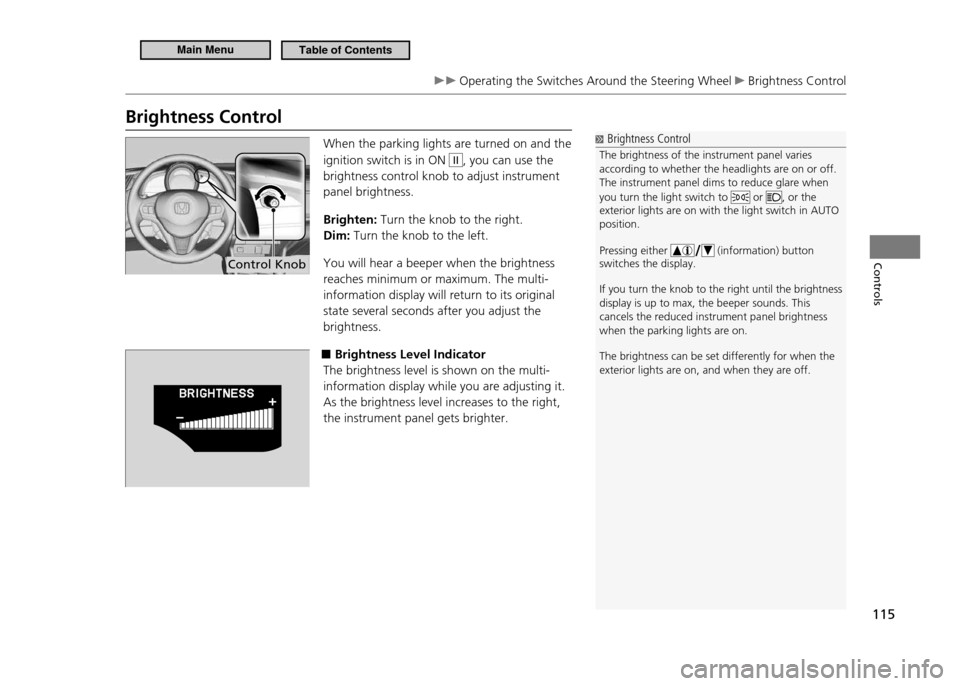
When the parking lights are turned on and the ignition switch is in ON
II, you can use the
brightness control knob to adjust instrument panel brightness. Brighten: Turn the knob to the right.
Dim: Turn the knob to the left.
You will hear a beeper when the brightness reaches minimum or maximum. The multi-information display will return to its original state several seconds after you adjust the brightness.
■Brightness Level Indicator
The brightness level is shown on the multi-information display while you are adjusting it.As the brightness level increases to the right, the instrument panel gets brighter.
Control Knob
Main MenuTable of Contents
Page 119 of 333
118
Controls
Adjusting the Mirror
Interior Rearview Mirror
Adjust the angle of the rearview mirror when you are sitting in the correct driving posture.Rearview Mirror with Day and Night Positions
■
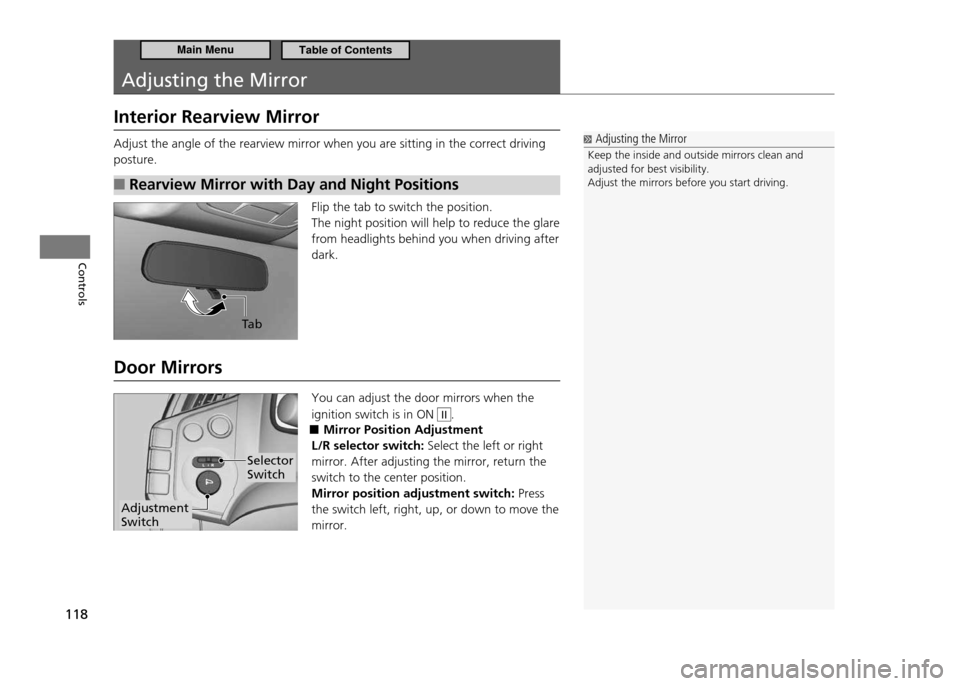
Flip the tab to switch the position. The night position will help to reduce the glare from headlights behind you when driving after dark.
Door Mirrors You can adjust the door mirrors when the ignition switch is in ON
II.
Mirror Position Adjustment
■
L/R selector switch: Select the left or right
mirror. After adjusting the mirror, return the switch to the center position. Mirror position adjustment switch: Press
the switch left, right, up, or down to move the mirror.
Adjusting the Mirror
Keep the inside and outside mirrors clean and adjusted for best visibility.Adjust the mirrors before you start driving.
Ta b
Adjustment Switch
Selector Switch
Main MenuTable of Contents
Page 122 of 333
121
Controls
Adjusting the Seats Adjusting the Seat Position
Head Restraints
■
Your vehicle is equipped with head restraints in both seating positions. However, they are non-adjustable.Head restraints are effective for protection against whiplash and other rear-impact crash injuries.
Removing and Installing the Head Restraint for Cleaning
■
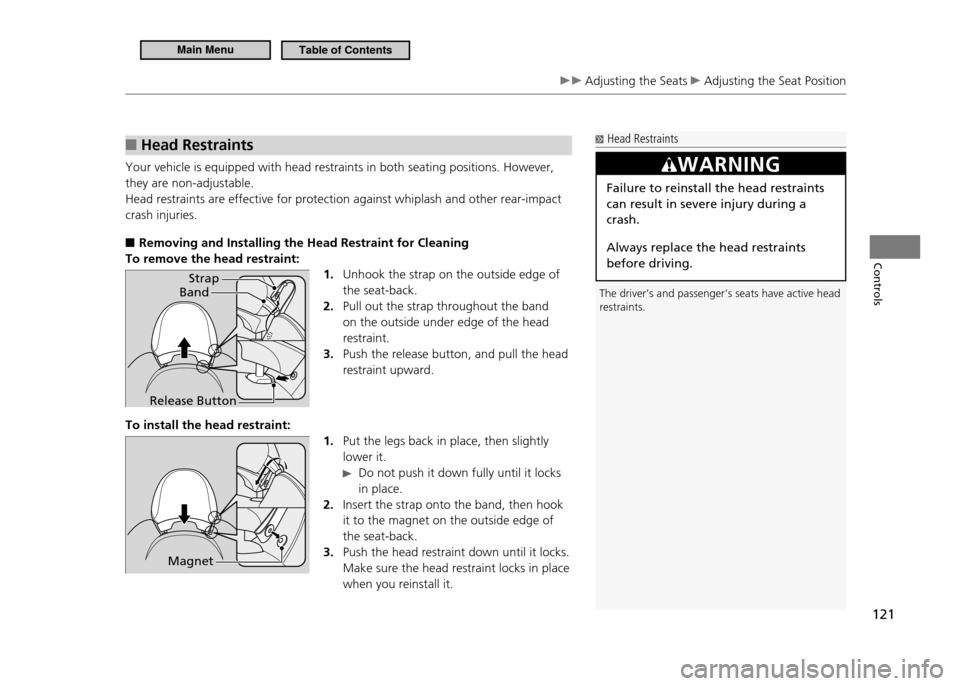
To remove the head restraint:
1. Unhook the strap on the outside edge of the seat-back.Pull out the strap throughout the band
2.
on the outside under edge of the head restraint.Push the release button, and pull the head
3.
restraint upward.
To install the head restraint: 1. Put the legs back in place, then slightly lower it.
Do not push it down fully until it locks
in place.
Insert the strap onto the band, then hook
2.
it to the magnet on the outside edge of the seat-back.Push the head restraint down until it locks.
3.
Make sure the head restraint locks in place when you reinstall it.
Head Restraints
The driver’s and passenger’s seats have active head restraints.
WARNING
Failure to reinstall the head restraints can result in severe injury during a crash. Always replace the head restraints before driving.
Band Strap
Release Button
Magnet
Main MenuTable of Contents
Page 123 of 333
122
Controls
Adjusting the Seats Adjusting the Seat Position
Maintain a Proper Sitting Position
■
After all occupants have adjusted their seats, and put on their seat belts, it is very important that they continue to sit upright, well back in their seats, with their feet on the floor, until the vehicle is safely parked and the engine is off. Sitting improperly can increase the chance of injury during a crash. For example, if an occupant slouches, lies down, turns sideways, sits forward, leans forward or sideways, or puts one or both feet up, the chance of injury during a crash is greatly increased. In addition, an occupant who is out of position in the seat can be seriously or fatally injured in a crash by striking interior parts of the vehicle or being struck by an inflating front airbag.
Active Head Restraints
■
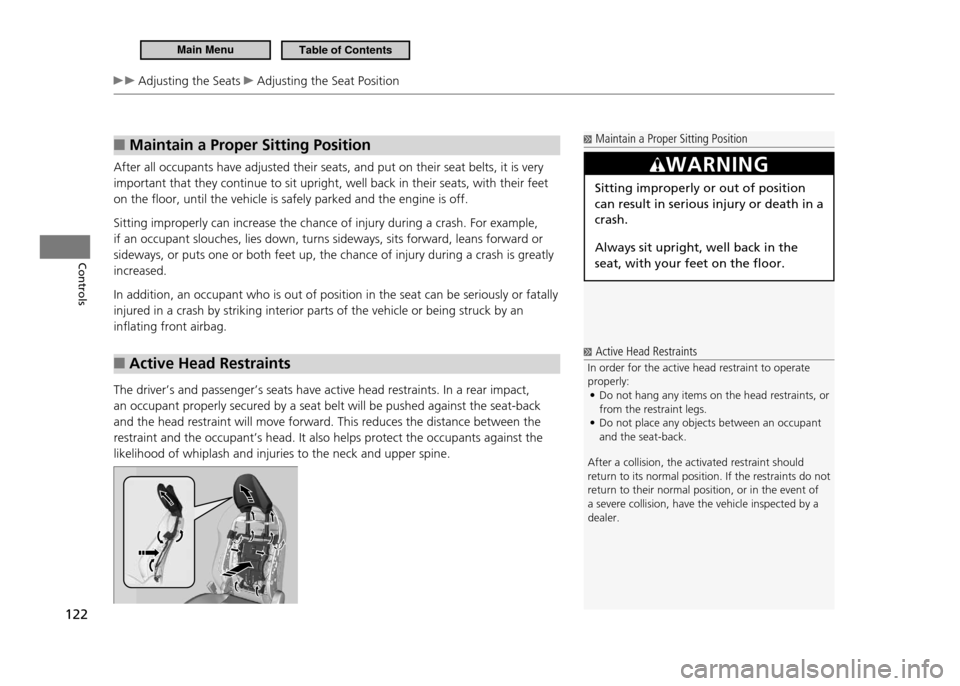
The driver’s and passenger’s seats have active head restraints. In a rear impact, an occupant properly secured by a seat belt will be pushed against the seat-back and the head restraint will move forward. This reduces the distance between the restraint and the occupant’s head. It also helps protect the occupants against the likelihood of whiplash and injuries to the neck and upper spine.
Maintain a Proper Sitting Position
WARNING
Sitting improperly or out of position can result in serious injury or death in a crash. Always sit upright, well back in the seat, with your feet on the floor.
Active Head Restraints
In order for the active head restraint to operate properly: Do not hang any items on the head restraints, or
•
from the restraint legs.Do not place any objects between an occupant
•
and the seat-back.
After a collision, the activated restraint should
return to its normal position. If the restraints do not
return to their normal position, or in the event of a severe collision, have the vehicle inspected by a dealer.
Main MenuTable of Contents
Page 193 of 333
192
Driving
Before Driving
Driving Preparation
Check the following items before you start driving.Check Items Before Getting In the Vehicle
■
Make sure there is no obstruction on the windows, door mirrors, exterior lights,
•
or other parts of the vehicle.
Remove any frost, snow, or ice.
Remove any snow on the roof, as this can slip down and obstruct your field of
vision while driving. When frozen hard, remove ice once it has softened.
When removing ice from around the wheels, be sure not to damage the wheel or wheel components.
Make sure the hood is securely closed.
•
If the hood opens while driving, your front view will be blocked.
Make sure the tires are in good condition.
•
Check air pressures, and check for damage and excessive wear.
Checking and Maintaining Tires P.269
Make sure there is no person or object behind or around the vehicle.
•
There are blind spots from the inside.
Check Items in the Compartment
■
Store or secure all items on board properly.
•
Carrying too much cargo, or improperly storing it, can affect your vehicle’s
handling, stability, stopping distance, and tires, and make it unsafe.
Maximum Load Limit P.194
Do not pile items higher than the seat height.
•
They can block your view and may be thrown forward in the event of sudden
braking.
Check Items Before Getting On the Vehicle
NOTICE If the doors are frozen shut, use warm water around the door edges to melt any ice. Do not try to force them open, as this can damage the rubber trim around the doors. When done, wipe dry to avoid further freezing. Do not pour warm water into the key cylinder. You will be unable to insert key if the hole freezes.
Check Items in the Compartment
The headlight aim is set by the factory, and typically does not need to be adjusted. However, if you regularly carry heavy items in the cargo area, have the aiming readjusted at your dealer or by a qualiied technician.
Main MenuTable of Contents
Page 239 of 333
238
Maintenance
Before Performing Maintenance
Inspection and Maintenance
For your safety, perform all listed inspections and maintenance to keep your vehicle
in good condition. If you become aware of any abnormality (noise, smell, insufficient brake fluid, oil residue on the ground, etc.), have your vehicle inspected by a dealer. (Note, however, that service at a dealer is not mandatory to keep your warranties in effect.) Refer to the separate maintenance booklet for detailed maintenance and inspection information.Types of Inspection and Maintenance
■
Daily Inspections
■
Perform inspections before long distance trips, when washing the vehicle, or when refueling.
Periodic Inspections
■
Check the automatic transmission fluid level monthly.
•
Automatic Transmission Fluid P.254
Check the brake fluid level monthly.
•
Brake/Clutch Fluid P.256
Check the tire pressure monthly. Examine the tread for wear and foreign objects.
•
Checking and Maintaining Tires P.269
Check the operation of the headlights, parking lights, taillights, high-mount
•
brake light, and license plate lights monthly.
Replacing Light Bulbs P.258
Check the condition of the wiper blades at least every six months.
•
Checking and Maintaining Wiper Blades P.266
Inspection and Maintenance
U.S. models only Maintenance, replacement, or repair of emissions control devices and systems may be done by any automotive repair establishment or individual using parts that are "certiied" to EPA standards. According to state and federal regulations, failure to perform maintenance on the items marked with # will not void your emissions warranties. However, all maintenance services should be performed in accordance with the intervals indicated by the multi-information display.
Maintenance Service Items P. 2 4 3
If you want to perform complex maintenance tasks that require more skills and tools, purchase the service manual.
Authorized Manuals P. 3 1 9
If you want to perform maintenance yourself, make sure that you have the necessary tools and skills irst.After performing maintenance, complete the records in the separate maintenance booklet.
Main MenuTable of Contents
Page 259 of 333
258
Maintenance
Replacing Light Bulbs
Headlight Bulbs
When replacing, use the following bulbs.
High beam headlight: 60W (HB3)
Low beam headlight: 55W (H11 for halogen bulb type)
35W (D4S for high voltage discharge)High Beam Headlight
■
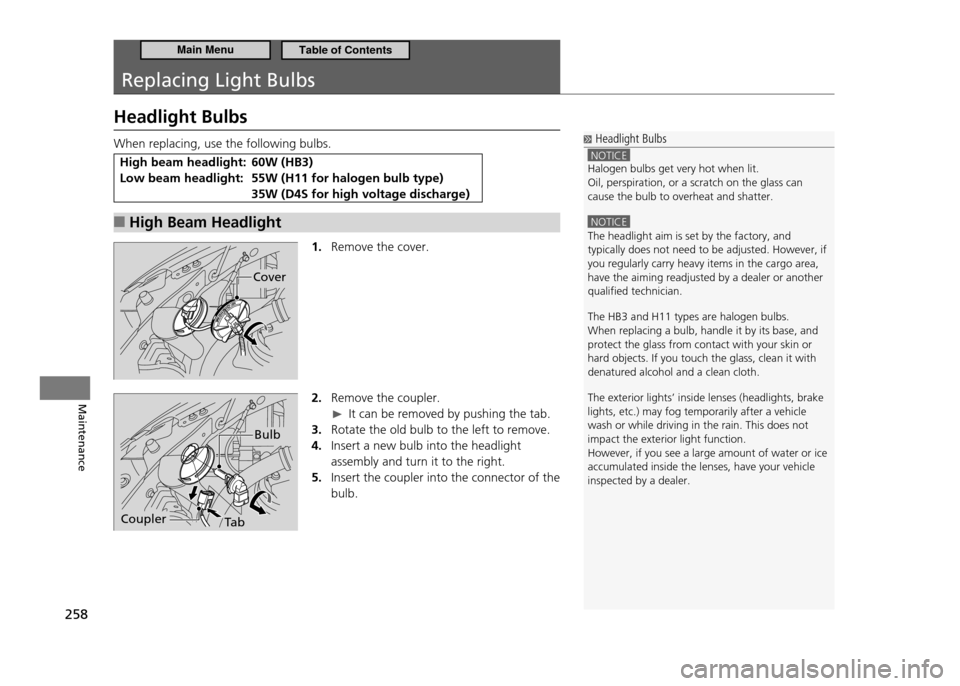
1. Remove the cover.
2. Remove the coupler.
It can be removed by pushing the tab.
Rotate the old bulb to the left to remove.
3.
Insert a new bulb into the headlight
4.
assembly and turn it to the right.
Insert the coupler into the connector of the
5.
bulb.
Headlight Bulbs
NOTICE Halogen bulbs get very hot when lit. Oil, perspiration, or a scratch on the glass can cause the bulb to overheat and shatter.
NOTICE The headlight aim is set by the factory, and typically does not need to be adjusted. However, if you regularly carry heavy items in the cargo area, have the aiming readjusted by a dealer or another qualiied technician. The HB3 and H11 types are halogen bulbs. When replacing a bulb, handle it by its base, and protect the glass from contact with your skin or hard objects. If you touch the glass, clean it with denatured alcohol and a clean cloth. The exterior lights’ inside lenses (headlights, brake lights, etc.) may fog temporarily after a vehicle wash or while driving in the rain. This does not impact the exterior light function.However, if you see a large amount of water or ice accumulated inside the lenses, have your vehicle inspected by a dealer.
Cover
Bulb
TabCoupler
Main MenuTable of Contents