key HONDA CR-Z 2011 1.G User Guide
[x] Cancel search | Manufacturer: HONDA, Model Year: 2011, Model line: CR-Z, Model: HONDA CR-Z 2011 1.GPages: 333, PDF Size: 9.97 MB
Page 106 of 333
105
Controls
Security System
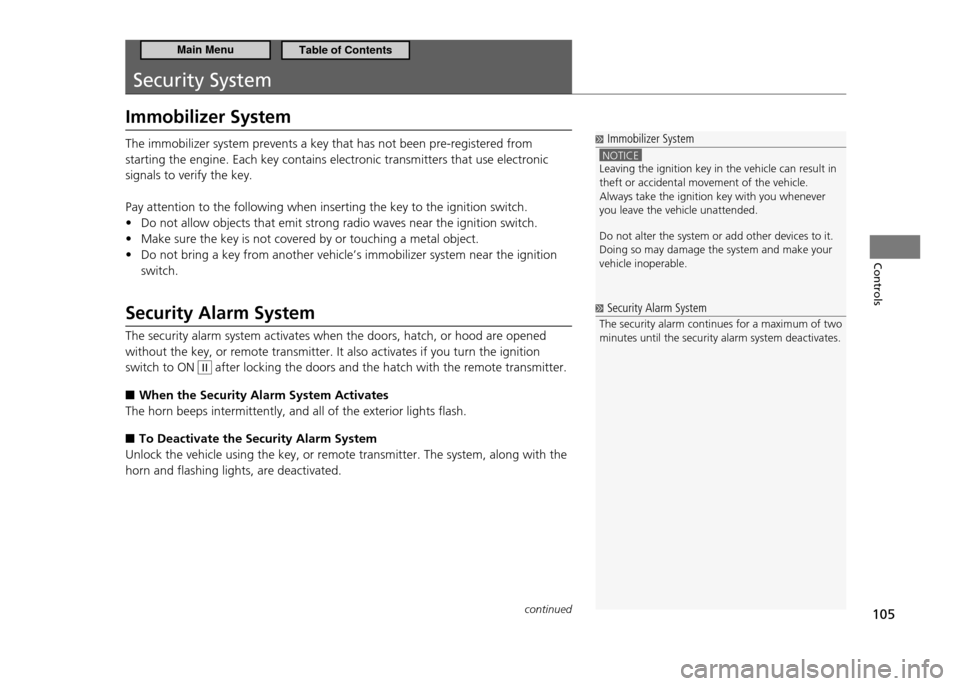
Immobilizer System
Immobilizer System
NOTICE Leaving the ignition key in the vehicle can result in theft or accidental movement of the vehicle.Always take the ignition key with you whenever you leave the vehicle unattended. Do not alter the system or add other devices to it. Doing so may damage the system and make your vehicle inoperable.
The immobilizer system prevents a key that has not been pre-registered from starting the engine. Each key contains electronic transmitters that use electronic signals to verify the key. Pay attention to the following when inserting the key to the ignition switch.Do not allow objects that emit strong radio waves near the ignition switch.
•
Make sure the key is not covered by or touching a metal object.
•
Do not bring a key from another vehicle’s immobilizer system near the ignition
•
switch.
Security Alarm System The security alarm system activates when the doors, hatch, or hood are opened without the key, or remote transmitter. It also activates if you turn the ignition switch to ON
II after locking the doors and the hatch with the remote transmitter.
When the Security Alarm System Activates
■
The horn beeps intermittently, and all of the exterior lights flash.
To Deactivate the Security Alarm System
■
Unlock the vehicle using the key, or remote transmitter. The system, along with the horn and flashing lights, are deactivated.
Security Alarm System
The security alarm continues for a maximum of two minutes until the security alarm system deactivates.
continued
Main MenuTable of Contents
Page 107 of 333
106
Controls
Security System Security Alarm System
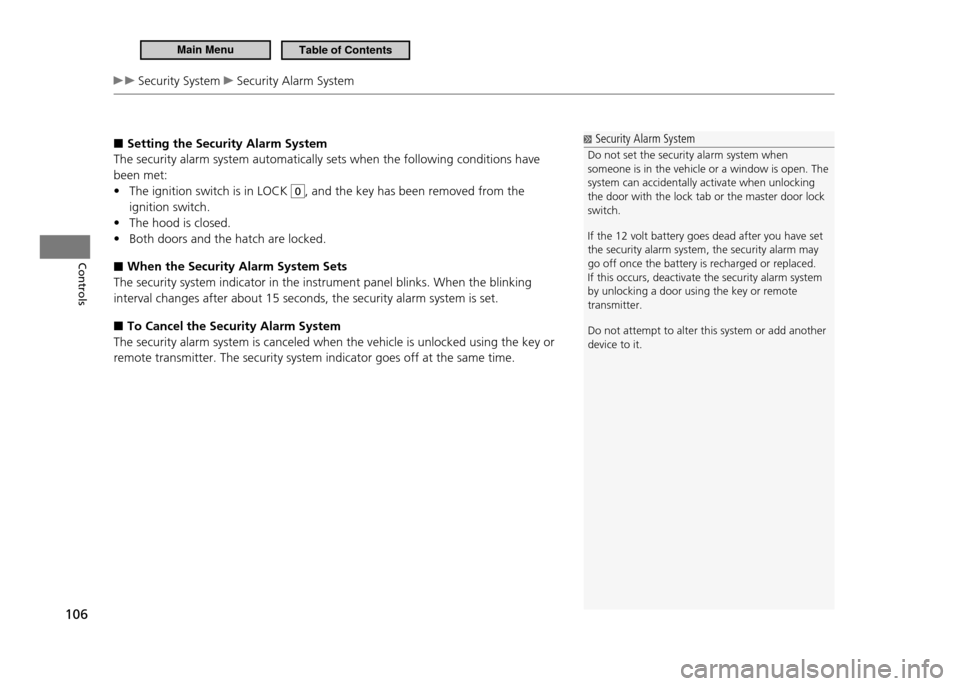
Setting the Security Alarm System
■
The security alarm system automatically sets when the following conditions have been met:
The ignition switch is in LOCK
•
0, and the key has been removed from the
ignition switch. The hood is closed.
•
Both doors and the hatch are locked.
•
When the Security Alarm System Sets
■
The security system indicator in the instrument panel blinks. When the blinking interval changes after about 15 seconds, the security alarm system is set.
To Cancel the Security Alarm System
■
The security alarm system is canceled when the vehicle is unlocked using the key or remote transmitter. The security system indicator goes off at the same time.
Security Alarm System
Do not set the security alarm system when someone is in the vehicle or a window is open. The system can accidentally activate when unlocking the door with the lock tab or the master door lock switch. If the 12 volt battery goes dead after you have set the security alarm system, the security alarm may go off once the battery is recharged or replaced.If this occurs, deactivate the security alarm system by unlocking a door using the key or remote transmitter. Do not attempt to alter this system or add another device to it.
Main MenuTable of Contents
Page 110 of 333
109
Controls
Operating the Switches Around the Steering Wheel
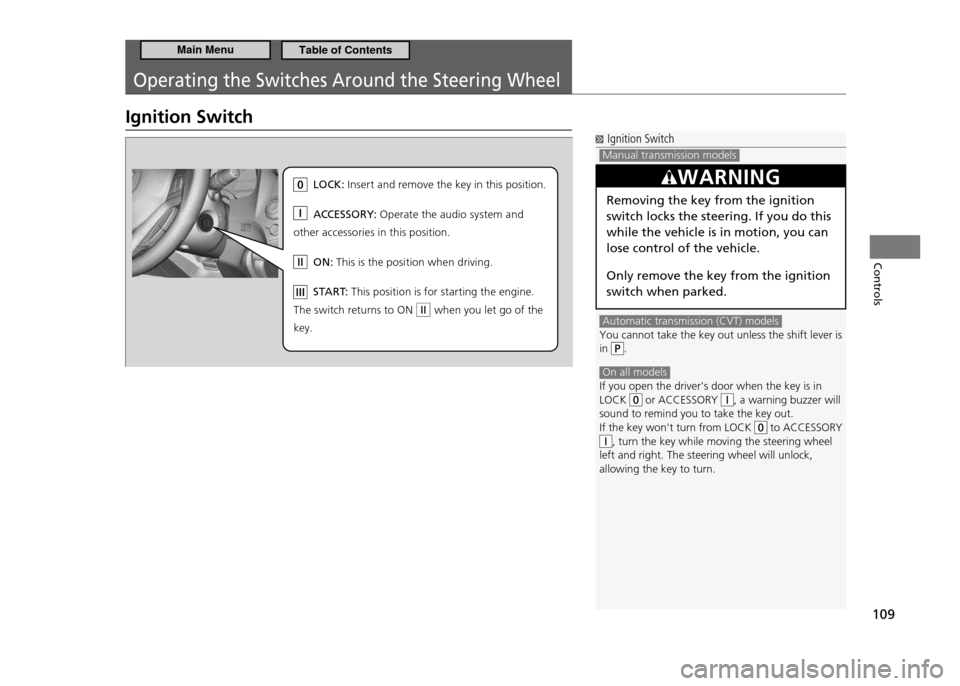
Ignition Switch
Ignition Switch
Manual transmission models Automatic transmission (CVT) models
You cannot take the key out unless the shift lever is
in .
On all models If you open the driver's door when the key is in LOCK or ACCESSORY , a warning buzzer will
sound to remind you to take the key out. If the key won't turn from LOCK
to ACCESSORY , turn the key while moving the steering wheel
left and right. The steering wheel will unlock, allowing the key to turn.
WARNING
Removing the key from the ignition switch locks the steering. If you do this while the vehicle is in motion, you can lose control of the vehicle. Only remove the key from the ignition switch when parked.
LO CK: In se rt and re move the key in this position.
AC CESSOR Y: Op erate the audio system and
other acce ssories in this position.
ON : Th is is the position when driving.
ST AR T: Th is position is for starting the engine .
Th e sw itch returns to ON when you let go of the
key.
Main MenuTable of Contents
Page 111 of 333
110
Controls
Operating the Switches Around the Steering Wheel Turn Signals Light Switches
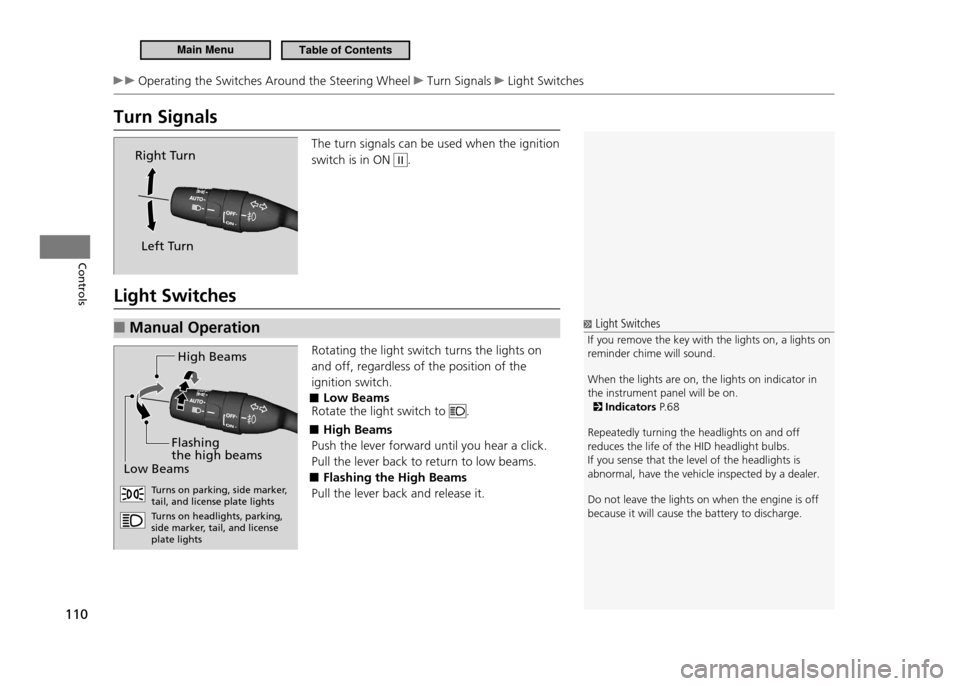
Turn Signals
The turn signals can be used when the ignition switch is in ON
II.
Light Switches Manual Operation
■
Rotating the light switch turns the lights on and off, regardless of the position of the ignition switch.
Low Beams
■
Rotate the light switch to
.
High Beams
■
Push the lever forward until you hear a click. Pull the lever back to return to low beams.
Flashing the High Beams
■
Pull the lever back and release it.
Right Turn
Left Turn
Light Switches
If you remove the key with the lights on, a lights on
reminder chime will sound. When the lights are on, the lights on indicator in the instrument panel will be on.
Indicators P. 6 8
Repeatedly turning the headlights on and off reduces the life of the HID headlight bulbs.If you sense that the level of the headlights is abnormal, have the vehicle inspected by a dealer. Do not leave the lights on when the engine is off because it will cause the battery to discharge.
H igh Beam s
Lo w B eam s
Flashing
the high beam s
Turns on parking, side marke r,
tail, and license plate lights Tu rns on headlights, parking,
side marker, tail, and license plate lights
Main MenuTable of Contents
Page 124 of 333
123
Controls
Interior Lights/Interior Convenience Items
Interior Lights
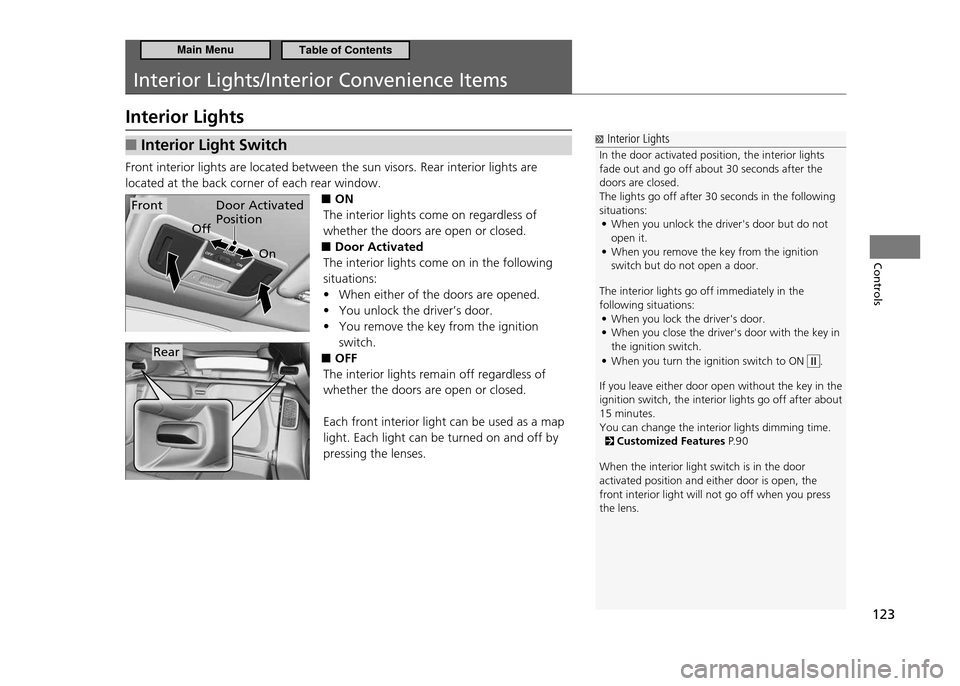
Interior Light Switch
■
Front interior lights are located between the sun visors. Rear interior lights are located at the back corner of each rear window.
■ON
The interior lights come on regardless of whether the doors are open or closed. Door Activated
■
The interior lights come on in the following situations:
When either of the doors are opened.
•
You unlock the driver’s door.
•
You remove the key from the ignition
•
switch.
OFF
■
The interior lights remain off regardless of whether the doors are open or closed. Each front interior light can be used as a map light. Each light can be turned on and off by pressing the lenses.
Interior Lights
In the door activated position, the interior lights fade out and go off about 30 seconds after the doors are closed.The lights go off after 30 seconds in the following situations: When you unlock the driver's door but do not
•
open it.When you remove the key from the ignition
•
switch but do not open a door.
The interior lights go off immediately in the following situations: When you lock the driver's door.
•
When you close the driver's door with the key in
•
the ignition switch. When you turn the ignition switch to ON
•
.
If you leave either door open without the key in th e
ignition switch, the interior lights go off after a bout
15 minutes. You can change the interior lights dimming time.
Customized Features P. 9 0
When the interior light switch is in the door activated position and either door is open, the front interior light will not go off when you press the lens.
Door Activated Position
On
OffFront
Rear
Main MenuTable of Contents
Page 162 of 333
161
Features
Audio with Navigation System Playing a PC Card
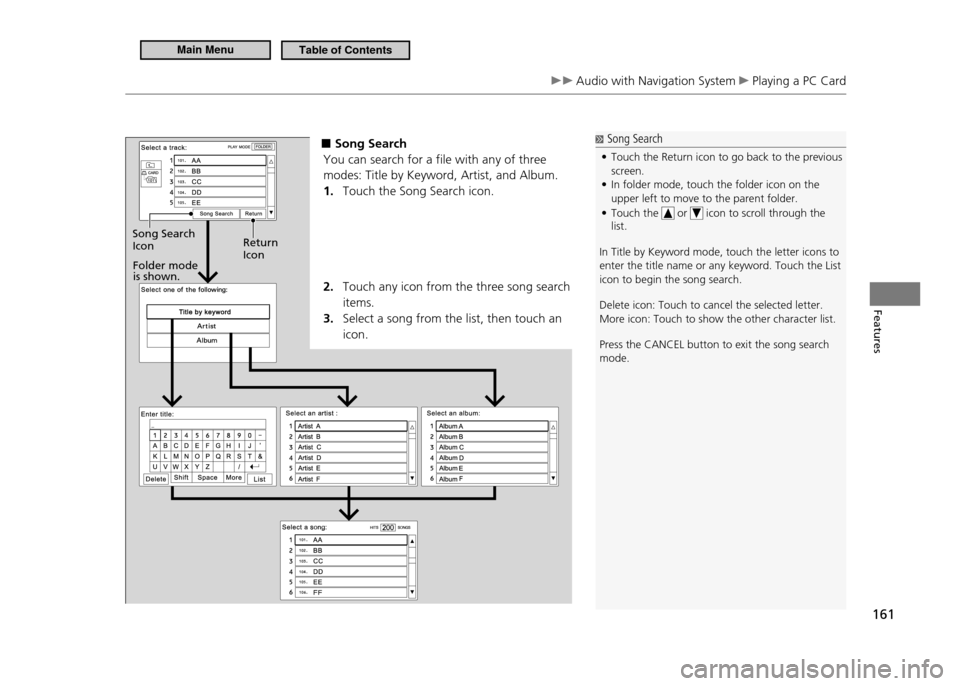
■ Song Search
You can search for a file with any of three modes: Title by Keyword, Artist, and Album. Touch the Song Search icon.
1.
Touch any icon from the three song search
2.
items.Select a song from the list, then touch an
3.
icon.
Folder mode is shown.
Return Icon
Song Search Icon
Song Search
Touch the Return icon to go back to the previous
•
screen. In folder mode, touch the folder icon on the
•
upper left to move to the parent folder. Touch the
•
or icon to scroll through the
list.
In Title by Keyword mode, touch the letter icons to enter the title name or any keyword. Touch the List icon to begin the song search. Delete icon: Touch to cancel the selected letter. More icon: Touch to show the other character list. Press the CANCEL button to exit the song search mode.
Main MenuTable of Contents
Page 180 of 333
179
Features
Bluetooth ®
HandsFreeLink ®
HFL Menus
Making a Call
■
You can make calls using any phone number or a name in the HFL phonebook, and redial the last number called.
Models with navigation system
You can make calls using the Cellular Phonebook (if your phone is compatible with this feature), or entering the phone number on the screen.
Direct Dialing a Phone Number
■
Say “Call” or “Dial.”
1.
Say the number you want to dial after the prompts.
2.
Say “Call” or “Dial” after the prompts.
3.
From the HFL Phonebook
■
Say “Call” or “Dial.”
1.
Say the name stored in the HFL phonebook after the prompts.
2.
Follow the HFL prompts.
3.
To Redial the Last Number Called by HFL
■
Say “Redial.”
To End a Call
■
Press the
button.
Making a Call
Press the
button and wait for a beep before
giving a command. The maximum range between your phone and vehicle is 30 feet (10 meters). HFL allows you to talk up to 30 minutes after you remove the key from the ignition switch. However, this may weaken the vehicle's 12 volt battery. Once a call is connected, you can hear the voice of the person you are calling through the audio speakers.
continued
Main MenuTable of Contents
Page 181 of 333
180
Features
Bluetooth ®
HandsFreeLink ®
HFL Menus
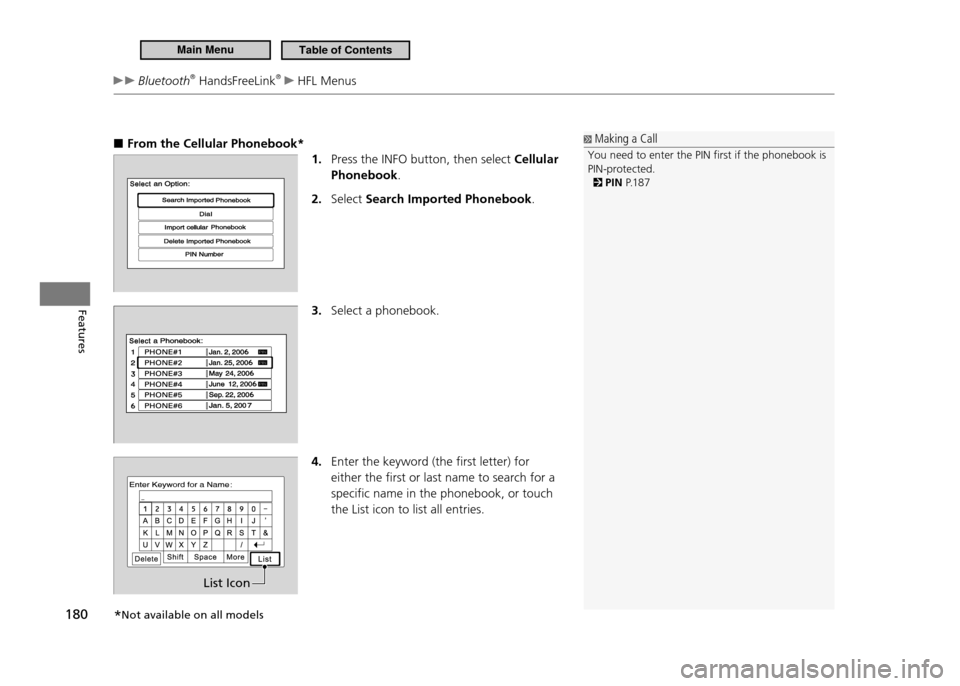
From the Cellular Phonebook*
■
1. Press the INFO button, then select Cellular
Phonebook .
Select
2. Search Imported Phonebook .
3. Select a phonebook.
4. Enter the keyword (the first letter) for either the first or last name to search for a specific name in the phonebook, or touch the List icon to list all entries.
Making a Call
You need to enter the PIN irst if the phonebook is PIN-protected.
PIN P.1 8 7
List Icon
*Not available on all models
Main MenuTable of Contents
Page 187 of 333
186
Features
Bluetooth ®
HandsFreeLink ®
HFL Menus
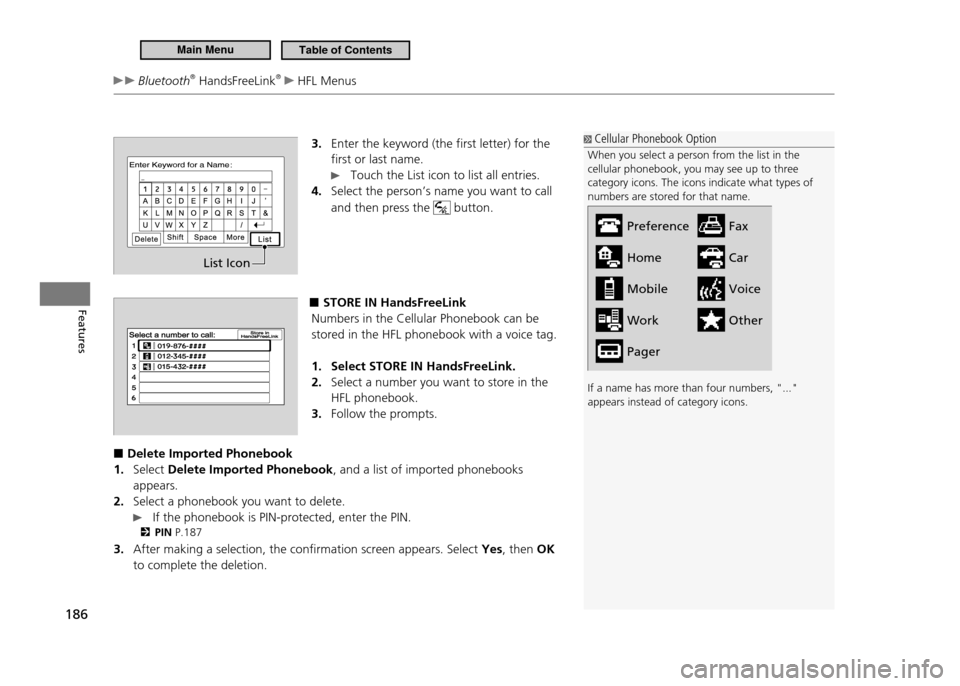
3. Enter the keyword (the first letter) for the first or last name.
Touch the List icon to list all entries.
Select the person’s name you want to call
4.
and then press the
button.
■ STORE IN HandsFreeLink
Numbers in the Cellular Phonebook can be stored in the HFL phonebook with a voice tag.
Select STORE IN HandsFreeLink.
1.
Select a number you want to store in the
2.
HFL phonebook.Follow the prompts.
3.
Delete Imported Phonebook
■
Select
1. Delete Imported Phonebook , and a list of imported phonebooks
appears.Select a phonebook you want to delete.
2.
If the phonebook is PIN-protected, enter the PIN.
PIN P.187
After making a selection, the confirmation screen appears. Select
3. Yes, then OK
to complete the deletion.
List Icon
Cellular Phonebook Option
When you select a person from the list in the cellular phonebook, you may see up to three category icons. The icons indicate what types of numbers are stored for that name. If a name has more than four numbers, "..." appears instead of category icons.
Preference HomeMobileWork FaxCarVoiceOther
Pager
Main MenuTable of Contents
Page 189 of 333
188
Features
Bluetooth ®
HandsFreeLink ®
HFL Menus
System Setup
■
This command group allows you to change or customize HFL basic settings.
To Set a Four-digit Passcode to Lock the HFL System for Security
■
Say “System Setup.”
1.
Say “Security.”
2.
Follow the HFL prompts and say the four-digit number of your choice.
3.
Follow the HFL prompts and confirm the number.
4.
To Change the Security Passcode
■
Say “System Setup.”
1.
Say “Change Passcode” after the prompts.
2.
Say the new four-digit passcode after the HFL prompts.
3.
Follow the HFL prompts.
4.
To Select a Ring Tone or a Prompt as the Incoming Call Notification
■
Say “System Setup.”
1.
Say “Call Notification” after the prompts.
2.
Say “Ring Tone” or “Prompt” after the prompts. For no audible notification, say
3.
“Off.”
System Setup
Press the
button before a command.
Once a passcode is set, you are required to enter the passcode with every new key cycle to use HFL.If you forget the code, go to your dealer to have the passcode reset. You can also cancel the passcode by clearing all the data stored in the HFL system.
To Clear the System P.1 8 9
The default setting of the incoming notiication is a prompt.
Main MenuTable of Contents