check engine HONDA CR-Z 2011 1.G Owner's Guide
[x] Cancel search | Manufacturer: HONDA, Model Year: 2011, Model line: CR-Z, Model: HONDA CR-Z 2011 1.GPages: 333, PDF Size: 9.97 MB
Page 294 of 333
293
Handling the Unexpected
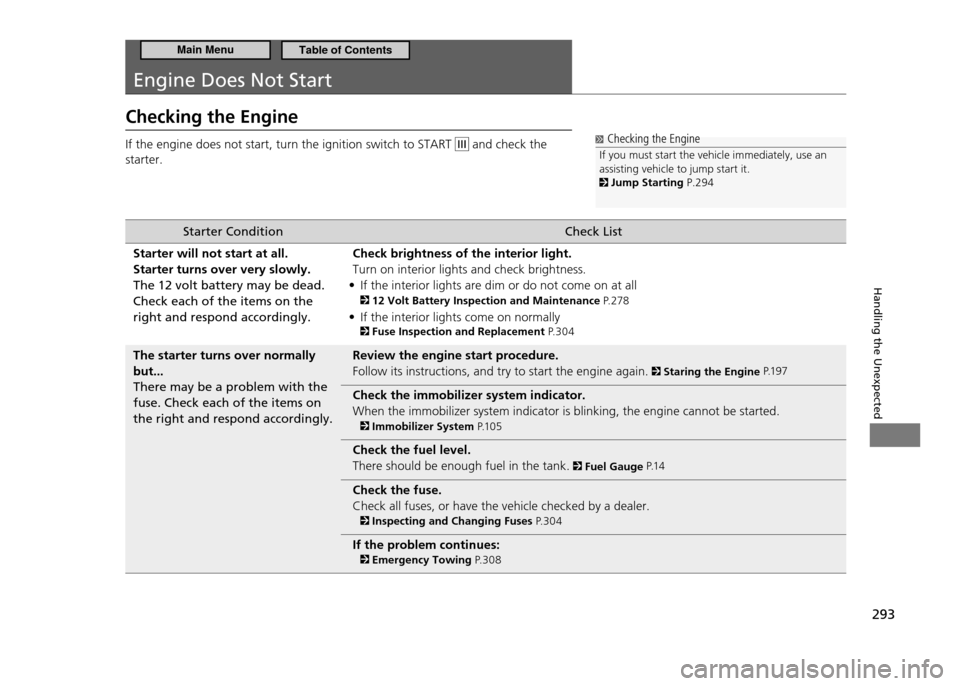
Engine Does Not Start
Checking the Engine If the engine does not start, turn the ignition switch to START
and check the
starter. Checking the Engine
If you must start the vehicle immediately, use an assisting vehicle to jump start it.
Jump Starting P.294
Starter Condition Check List
Starter will not start at all. Starter turns over very slowly.The 12 volt battery may be dead. Check each of the items on the right and respond accordingly. Check brightness of the interior light.Turn on interior lights and check brightness.
If the interior lights are dim or do not come on at all
•
12 Volt Battery Inspection and Maintenance P. 2 7 8
If the interior lights come on normally
•
Fuse Inspection and Replacement P. 3 0 4
The starter turns over normally but...There may be a problem with the fuse. Check each of the items on the right and respond accordingly. Review the engine start procedure.Follow its instructions, and try to start the engine again.
Staring the Engine
P.1 9 7
Check the immobilizer system indicator. When the immobilizer system indicator is blinking, the engine cannot be started.
Immobilizer System P.1 0 5
Check the fuel level. There should be enough fuel in the tank.
Fuel Gauge P.1 4
Check the fuse. Check all fuses, or have the vehicle checked by a dealer.
Inspecting and Changing Fuses P. 3 0 4
If the problem continues:
Emergency Towing P. 3 0 8
Main MenuTable of Contents
Page 295 of 333
294
Handling the Unexpected
Jump Starting
Jump Starting Procedure
■
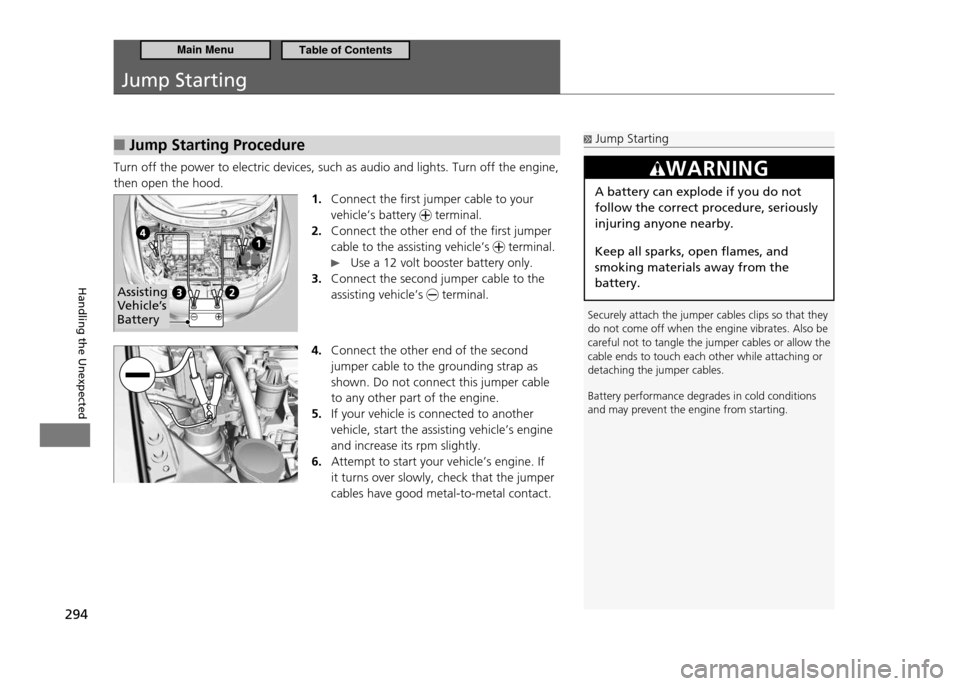
Turn off the power to electric devices, such as audio and lights. Turn off the engine, then open the hood.
1. Connect the first jumper cable to your vehicle’s battery
terminal.
Connect the other end of the first jumper
2.
cable to the assisting vehicle’s
terminal.
Use a 12 volt booster battery only.
Connect the second jumper cable to the
3.
assisting vehicle’s
terminal.
4. Connect the other end of the second jumper cable to the grounding strap as shown. Do not connect this jumper cable to any other part of the engine. If your vehicle is connected to another
5.
vehicle, start the assisting vehicle’s engine and increase its rpm slightly. Attempt to start your vehicle’s engine. If
6.
it turns over slowly, check that the jumper cables have good metal-to-metal contact.
Jump Starting
Securely attach the jumper cables clips so that they do not come off when the engine vibrates. Also be careful not to tangle the jumper cables or allow the cable ends to touch each other while attaching or detaching the jumper cables. Battery performance degrades in cold conditions and may prevent the engine from starting.
WARNING
A battery can explode if you do not follow the correct procedure, seriously injuring anyone nearby. Keep all sparks, open flames, and smoking materials away from the battery.
Assisting
Vehicle’s Battery
Main MenuTable of Contents
Page 299 of 333
298
Handling the Unexpected
Overheating How to Handle Overheating
Next Thing to Do
■
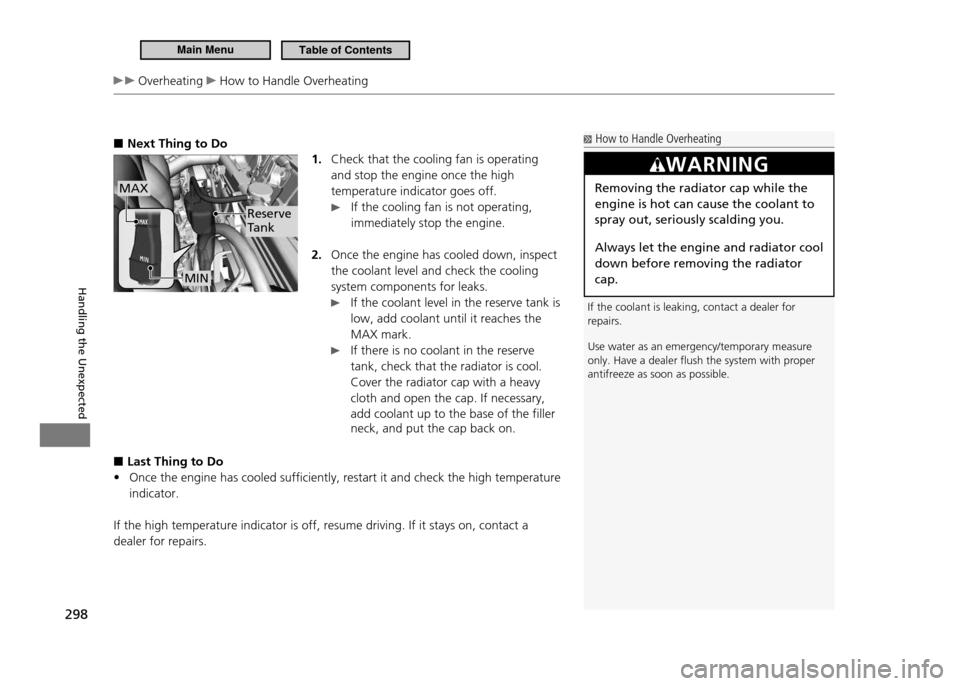
1. Check that the cooling fan is operating and stop the engine once the high temperature indicator goes off.
If the cooling fan is not operating,
immediately stop the engine.
Once the engine has cooled down, inspect
2.
the coolant level and check the cooling system components for leaks.
If the coolant level in the reserve tank is
low, add coolant until it reaches the MAX mark.
If there is no coolant in the reserve tank, check that the radiator is cool. Cover the radiator cap with a heavy cloth and open the cap. If necessary, add coolant up to the base of the filler neck, and put the cap back on.
Last Thing to Do
■
Once the engine has cooled sufficiently, restart it and check the high temperature
•
indicator.
If the high temperature indicator is off, resume driving. If it stays on, contact a dealer for repairs.
Reserve
Tank
MIN
MAX
How to Handle Overheating
If the coolant is leaking, contact a dealer for repairs. Use water as an emergency/temporary measure only. Have a dealer lush the system with proper antifreeze as soon as possible.
WARNING
Removing the radiator cap while the engine is hot can cause the coolant to spray out, seriously scalding you.
Always let the engine and radiator cool down before removing the radiator cap.
Main MenuTable of Contents
Page 300 of 333
299
Handling the Unexpected
Indicator, Coming On/Blinking
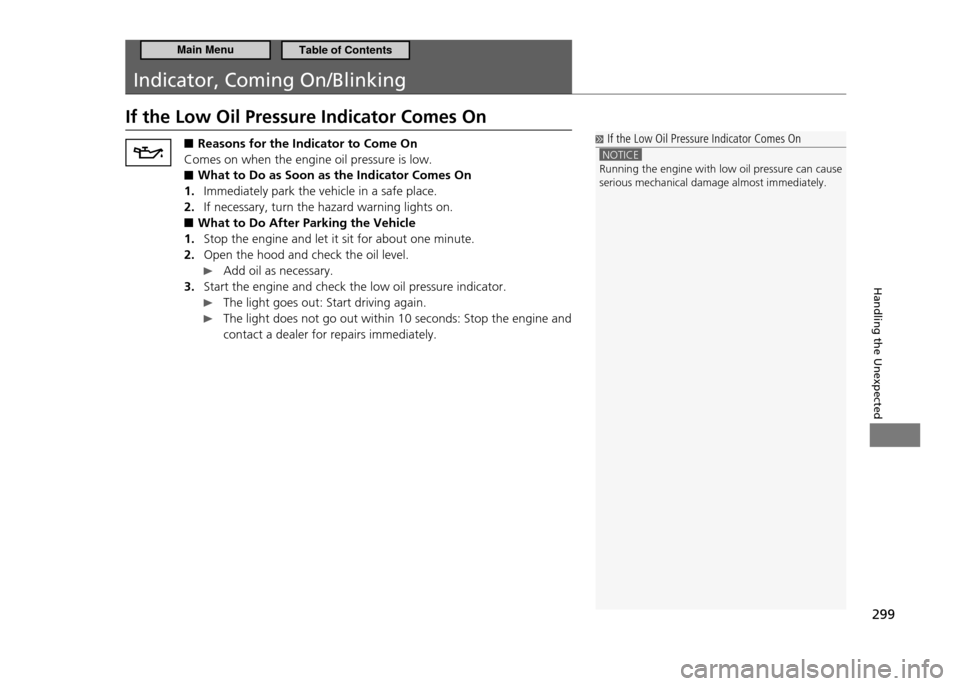
If the Low Oil Pressure Indicator Comes On
If the Low Oil Pressure Indicator Comes On
NOTICE Running the engine with low oil pressure can cause serious mechanical damage almost immediately.
■
Reasons for the Indicator to Come On
Comes on when the engine oil pressure is low.
What to Do as Soon as the Indicator Comes On
■
Immediately park the vehicle in a safe place.
1.
If necessary, turn the hazard warning lights on.
2.
What to Do After Parking the Vehicle
■
Stop the engine and let it sit for about one minute.
1.
Open the hood and check the oil level.
2.
Add oil as necessary.
Start the engine and check the low oil pressure indicator.
3.
The light goes out: Start driving again.
The light does not go out within 10 seconds: Stop the engine and
contact a dealer for repairs immediately.
Main MenuTable of Contents
Page 302 of 333
301
Handling the Unexpected
Indicator, Coming On/Blinking If the Malfunction Indicator Lamp Comes On or Blinks
If the Malfunction Indicator Lamp Comes On or Blinks ■Reasons for the Indicator Lamp to Come On or Blink
Comes on when there is a problem with the engine emissions control
•
system, or the fuel fill cap is missing or loose. Blinks when engine misfiring is detected.
•
What to Do When the Indicator Lamp Comes On
■
Avoid high speeds and immediately get your vehicle inspected at a dealer.
What to Do When the Indicator Lamp Blinks
■
Park the vehicle in a safe place with no flammable items and wait at least ten minutes or more with the engine stopped until it cools.
Tighten Fuel Fill Cap Message
■
The Message Appears on When:
■
An evaporative system leak is detected. This may be caused by the fuel fill cap being loose or not being installed.
What to Do When the Message Appears:
■
Stop the engine.
1.
Check that the fuel fill cap is fully installed.
2.
If not, loosen the cap, and then retighten it until it clicks at least once.
Drive for several days of normal driving.
3.
The message should go off.
When the Malfunction Indicator Lamp Comes On
■
Malfunction indicator lamp comes on if the system continues to detect a leak of gasoline vapor. If this happens, check the fuel fill cap using the procedures described above.
If the Malfunction Indicator Lamp Comes On or Blinks
NOTICE If you drive with the malfunction indicator lamp on ,
the emissions control system and the engine could be damaged.
If the malfunction indicator lamp blinks again when restarting the engine, drive to the nearest dealer at 31 mph (50 km/h) or less. Have your vehicle inspected.
Main MenuTable of Contents
Page 303 of 333
302
Handling the Unexpected
Indicator, Coming On/Blinking If the Brake System Indicator Comes On If the EPS Indicator Comes On
If the Brake System Indicator Comes On
■Reasons for the Indicator to Come On
The brake fluid is low.
•
There is a malfunction in the brake system.
•
What to Do When the Indicator Comes On While Driving
■
Press the brake pedal lightly to check pedal pressure.
If normal, check the brake fluid level the next time you stop.
•
If abnormal, take immediate action. If necessary, downshift the
•
transmission to slow the vehicle using engine braking.
If the EPS Indicator Comes On
■Reasons for the Indicator to Come On
Comes on when there is a problem with EPS.
•
If you depress the accelerator pedal repeatedly to increase the
•
engine speed while the engine is idling, the indicator comes on, and sometimes the steering wheel becomes harder to operate.
What to Do When the Indicator Comes On
■
Stop the vehicle in a safe place and restart the engine.
• If the indicator comes on and stays on, immediately have your vehicle inspected by a dealer.
U.S.
Canada If the Brake System Indicator Comes On
Have your vehicle repaired immediately. It is dangerous to drive with low brake luid. If there is no resistance from the brake pedal, stop immediately in a safe place. If necessary downshift the gears. If the brake system indicator and ABS indicator come on simultaneously, the brake distribution system is not working. This can result in vehicle instability under sudden braking. Have your vehicle inspected by a dealer immediately.
If the EPS Indicator Comes On
NOTICE If the steering wheel is operated repeatedly or at an extremely low speed, or you hold the steering wheel on the full left or right position for a while, the system heats up. The system goes into a protective mode, and limits its performance. The steering wheel becomes harder and harder to operate. Once the system cools down, EPS is restored. Repeated operation under these conditions can eventually result in a damage to the system.
Main MenuTable of Contents
Page 305 of 333
304
Handling the Unexpected
Fuses
Fuse Locations
If any electrical devices are not working, turn the ignition switch to LOCK 0 and
check to see if any applicable fuse is blown.
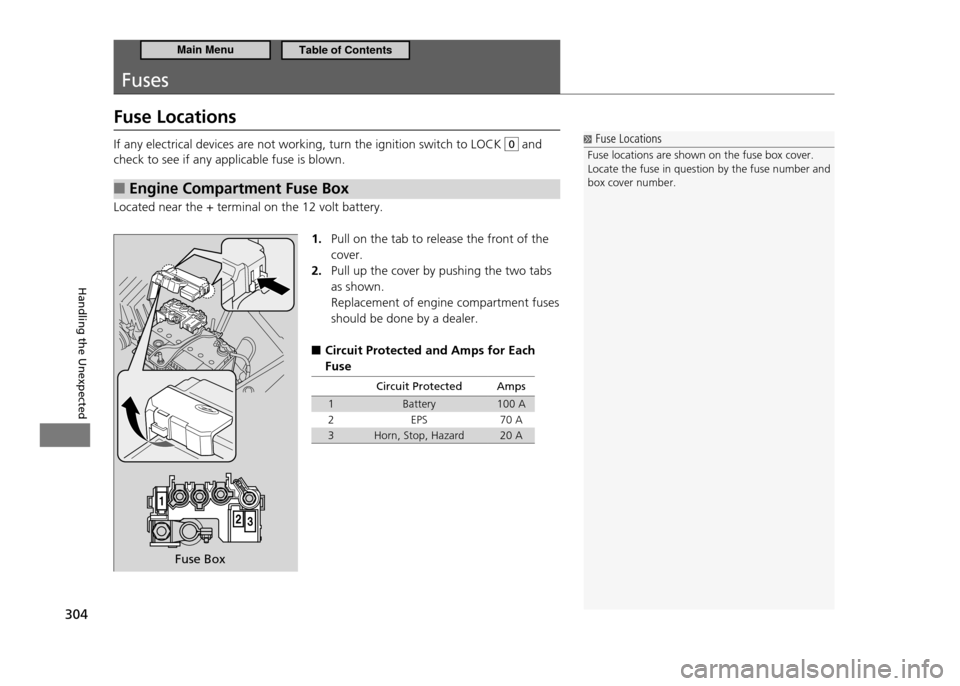
Engine Compartment Fuse Box
■
Located near the + terminal on the 12 volt battery.
1. Pull on the tab to release the front of the cover.Pull up the cover by pushing the two tabs
2.
as shown. Replacement of engine compartment fuses should be done by a dealer.
Circuit Protected and Amps for Each
■
Fuse
Circuit Protected Amps
1 Battery 100 A
2 EPS 70 A
3 Horn, Stop, Hazard 20 A
Fuse Locations
Fuse locations are shown on the fuse box cover.
Locate the fuse in question by the fuse number and box cover number.
Fuse Box
Main MenuTable of Contents
Page 308 of 333
307
Handling the Unexpected
Fuses Inspecting and Changing Fuses
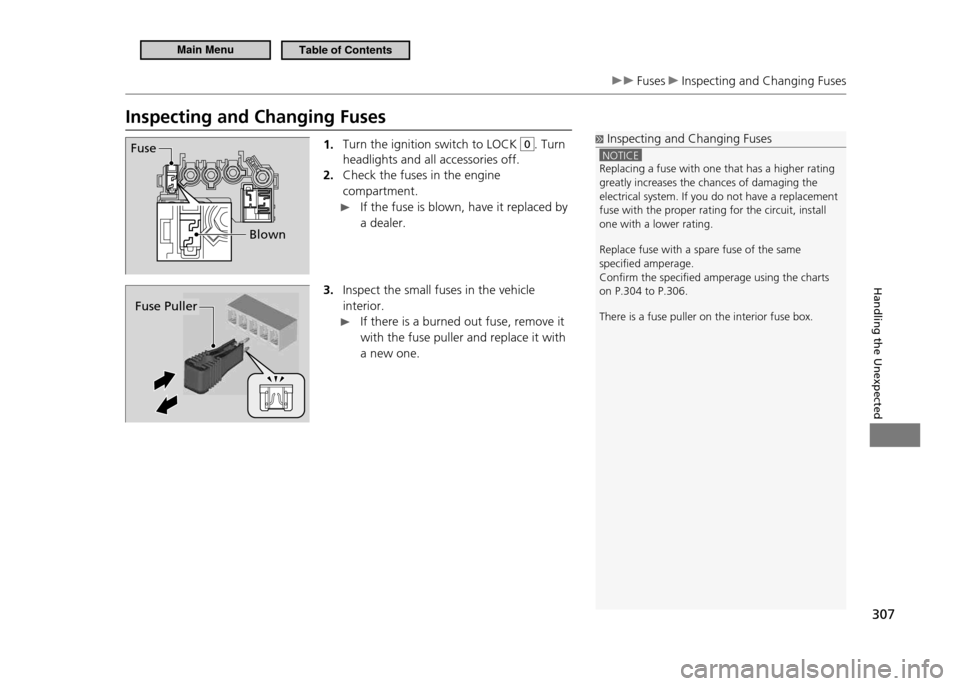
Inspecting and Changing Fuses1. Turn the ignition switch to LOCK
0. Turn
headlights and all accessories off. Check the fuses in the engine
2.
compartment.
If the fuse is blown, have it replaced by a dealer.
3. Inspect the small fuses in the vehicle interior.
If there is a burned out fuse, remove it
with the fuse puller and replace it with a new one.
Fuse
Blown
Inspecting and Changing Fuses
NOTICE Replacing a fuse with one that has a higher rating greatly increases the chances of damaging the electrical system. If you do not have a replacement fuse with the proper rating for the circuit, install one with a lower rating. Replace fuse with a spare fuse of the same speciied amperage.Conirm the speciied amperage using the charts on P.304 to P.306. There is a fuse puller on the interior fuse box.
Fuse Puller
Main MenuTable of Contents
Page 318 of 333
317
Information
Emissions Testing
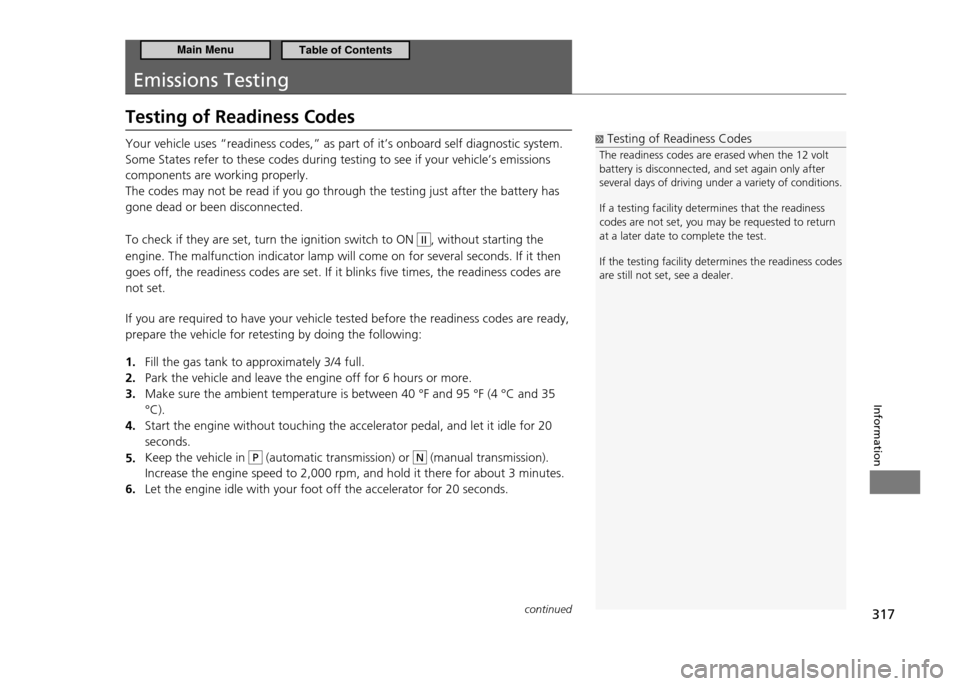
Testing of Readiness Codes
Testing of Readiness Codes
The readiness codes are erased when the 12 volt battery is disconnected, and set again only after several days of driving under a variety of conditions. If a testing facility determines that the readiness codes are not set, you may be requested to return at a later date to complete the test.
If the testing facility determines the readiness co des
are still not set, see a dealer.
Your vehicle uses “readiness codes,” as part of it’s onboard self diagnostic system. Some States refer to these codes during testing to see if your vehicle’s emissions components are working properly. The codes may not be read if you go through the testing just after the battery has gone dead or been disconnected. To check if they are set, turn the ignition switch to ON
II, without starting the
engine. The malfunction indicator lamp will come on for several seconds. If it then goes off, the readiness codes are set. If it blinks five times, the readiness codes are not set. If you are required to have your vehicle tested before the readiness codes are ready, prepare the vehicle for retesting by doing the following:
Fill the gas tank to approximately 3/4 full.
1.
Park the vehicle and leave the engine off for 6 hours or more.
2.
Make sure the ambient temperature is between 40 °F and 95 °F (4 °C and 35
3.
°C).Start the engine without touching the accelerator pedal, and let it idle for 20
4.
seconds.Keep the vehicle in
5.
P (automatic transmission) or N (manual transmission).
Increase the engine speed to 2,000 rpm, and hold it there for about 3 minutes. Let the engine idle with your foot off the accelerator for 20 seconds.
6.
continued
Main MenuTable of Contents
Page 324 of 333
Index
323
Index
continued
A
ABS (Anti-lock Brake System) ..........................221
Accessories and Modifications
........................235
Accessory Power Socket
.......................................127
Active Head Restraints
..........................................12 2
Adding
...............................................................................249
Engine Coolant ..........................................................
252
Engine Oil .....................................................................
249
Window Washer .......................................................
257
Additives, Engine Oil
..............................................247
Adjusting
.........................................................................117
Headlights ....................................................................
258
Mirrors ...........................................................................
11 8
Seats ................................................................................
119
Steering Wheel ..........................................................
117
Temperature (Climate Control) ........................
131
Airbags
.................................................................................41
Advanced Airbags ......................................................
47
After a Collision ..........................................................
45
Airbag Care ....................................................................
55
Event Data Recorder .................................................
26
Front Airbags (SRS) ...................................................
44
Indicator .............................................................
52,71,74
Passenger Airbag Off Indicator .........................
53
Sensors ..............................................................................
41
Side Airbag ....................................................................
48
Side Airbag Cutoff System ...................................
50
Side Airbag Off Indicator ......................................
50
Side Curtain Airbag ...................................................
51Air Conditioning System
(Climate Control System)
..................................131
Changing the Mode ...............................................
131
Defrosting the Windshield and Windows .
132
Dust and Pollen Filter .............................................
280
Recirculation/Fresh Air Mode ...........................
131
Sensors ...........................................................................
133
Using Automatic Climate Control ..................
131
Air Pressure
..........................................................270 , 313
Ambient Meter
..........................................................8 ,14
AM/FM Audio
....................................................14 3 ,15 4
Anti-lock Brake System (ABS)
..........................221
Indicator ...........................................................................
70
ASST (Electric Motor Assist) Indicator
.........82
Auto Door Lock /Unlock
........................................103
Automatic Lighting
..................................................111
Audio System
...............................................................13 6
Auxiliary Input Jack .................................................
13 9
Error Messages ..........................................................
167
General Information ...............................................
170
MP3/ WMA /AAC ............................................
14 9 ,16 5
Recommended Devices ........................................
17 2
Recommended Discs ..............................................
170
Remote Controls ......................................................
169
Security Code .............................................................
14 0
Theft Protection ........................................................
14 0
USB Adapter Cable .................................................
13 8
USB Flash Memory Devices ................................
137
Audio with Navigation System
.......................151
Audio without Navigation System
..............141
Authorized Manual .................................................319
Auto Idle Stop
....................................................224,227
Automatic Transmission (CV T) .........................
224
Manual Transmission .............................................
227
Auto Idle Stop Indicator
.........................................76
Automatic Transmission (CV T)
........................201
Creep Aid System ....................................................
19 9
Creeping .......................................................................
201
Fluid .................................................................................
254
Kickdown .....................................................................
201
Operating the Shift Lever .............................
20,202
7-Speed Manual Shift Mode ............................
204
Shifting ..........................................................................
202
Shift Lever Does Not Move ...............................
296
Auxiliary Input Jack
.................................................13 9
Average Fuel Economy
...........................................87
Average Fuel Economy Records
.......................87
Average Speed
..............................................................87
B
Battery...............................................................................278
Charging System Indicator .........................
69,300
Jump Starting ............................................................
294
Maintenance (Checking the 12 volt Battery) .......................
278
Replacing ......................................................................
279
Battery Charge in Progress (CHRG) Indicator .......................................................................
82
Main Menu