ignition HONDA CR-Z 2011 1.G Service Manual
[x] Cancel search | Manufacturer: HONDA, Model Year: 2011, Model line: CR-Z, Model: HONDA CR-Z 2011 1.GPages: 333, PDF Size: 9.97 MB
Page 116 of 333
115
Controls
Operating the Switches Around the Steering Wheel Brightness Control
Brightness Control
Brightness Control
The brightness of the instrument panel varies according to whether the headlights are on or off.The instrument panel dims to reduce glare when you turn the light switch to
or , or the
exterior lights are on with the light switch in AUTO position. Pressing either
(information) button
switches the display.
If you turn the knob to the right until the brightn ess
display is up to max, the beeper sounds. This cancels the reduced instrument panel brightness when the parking lights are on. The brightness can be set differently for when the exterior lights are on, and when they are off.
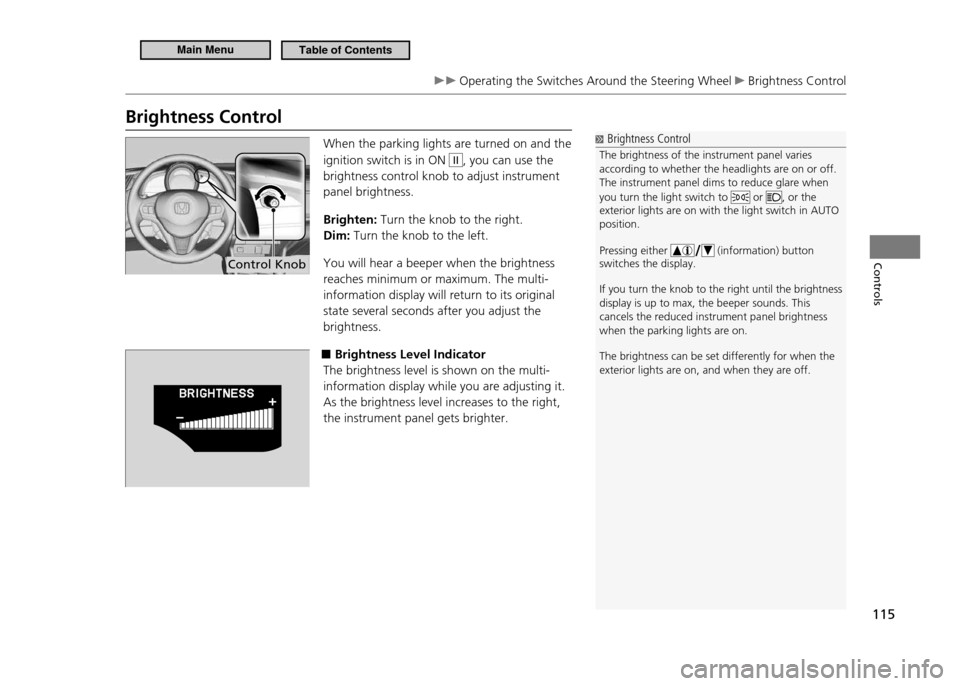
When the parking lights are turned on and the ignition switch is in ON
II, you can use the
brightness control knob to adjust instrument panel brightness. Brighten: Turn the knob to the right.
Dim: Turn the knob to the left.
You will hear a beeper when the brightness reaches minimum or maximum. The multi-information display will return to its original state several seconds after you adjust the brightness.
■Brightness Level Indicator
The brightness level is shown on the multi-information display while you are adjusting it.As the brightness level increases to the right, the instrument panel gets brighter.
Control Knob
Main MenuTable of Contents
Page 117 of 333
116
Controls
Operating the Switches Around the Steering Wheel Rear Defogger/Heated Door Mirror Button
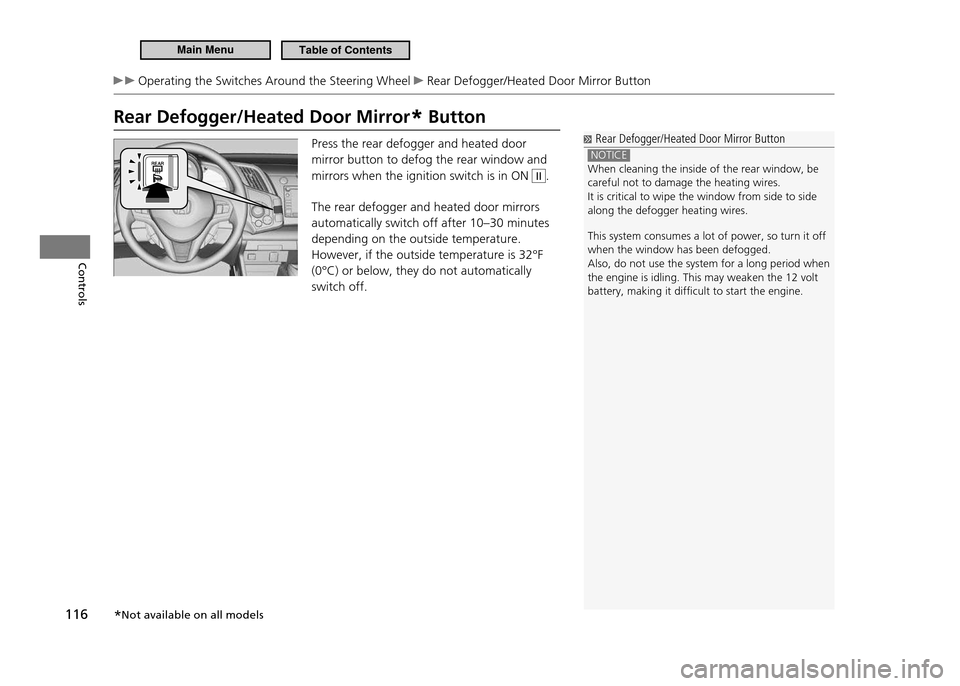
Rear Defogger/Heated Door Mirror* Button
Rear Defogger/Heated Door Mirror Button
NOTICE When cleaning the inside of the rear window, be careful not to damage the heating wires.It is critical to wipe the window from side to side along the defogger heating wires. This system consumes a lot of power, so turn it off when the window has been defogged.Also, do not use the system for a long period when the engine is idling. This may weaken the 12 volt battery, making it dificult to start the engine.
Press the rear defogger and heated door mirror button to defog the rear window and mirrors when the ignition switch is in ON II.
The rear defogger and heated door mirrors automatically switch off after 10–30 minutes depending on the outside temperature. However, if the outside temperature is 32°F (0°C) or below, they do not automatically switch off.
* Not available on all models
Main MenuTable of Contents
Page 119 of 333
118
Controls
Adjusting the Mirror
Interior Rearview Mirror
Adjust the angle of the rearview mirror when you are sitting in the correct driving posture.Rearview Mirror with Day and Night Positions
■
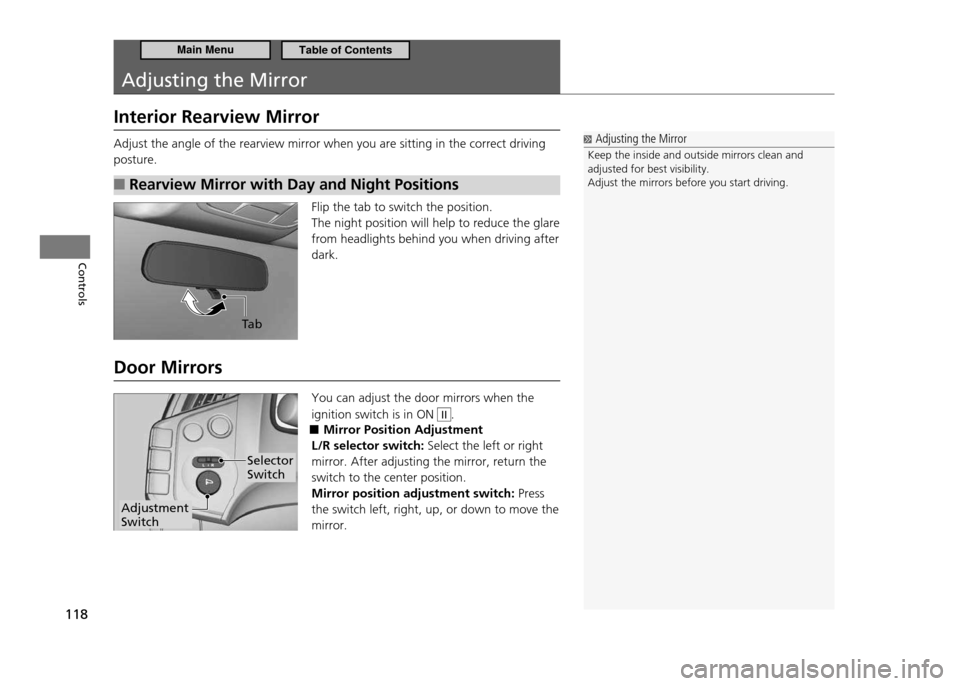
Flip the tab to switch the position. The night position will help to reduce the glare from headlights behind you when driving after dark.
Door Mirrors You can adjust the door mirrors when the ignition switch is in ON
II.
Mirror Position Adjustment
■
L/R selector switch: Select the left or right
mirror. After adjusting the mirror, return the switch to the center position. Mirror position adjustment switch: Press
the switch left, right, up, or down to move the mirror.
Adjusting the Mirror
Keep the inside and outside mirrors clean and adjusted for best visibility.Adjust the mirrors before you start driving.
Ta b
Adjustment Switch
Selector Switch
Main MenuTable of Contents
Page 124 of 333
123
Controls
Interior Lights/Interior Convenience Items
Interior Lights
Interior Light Switch
■
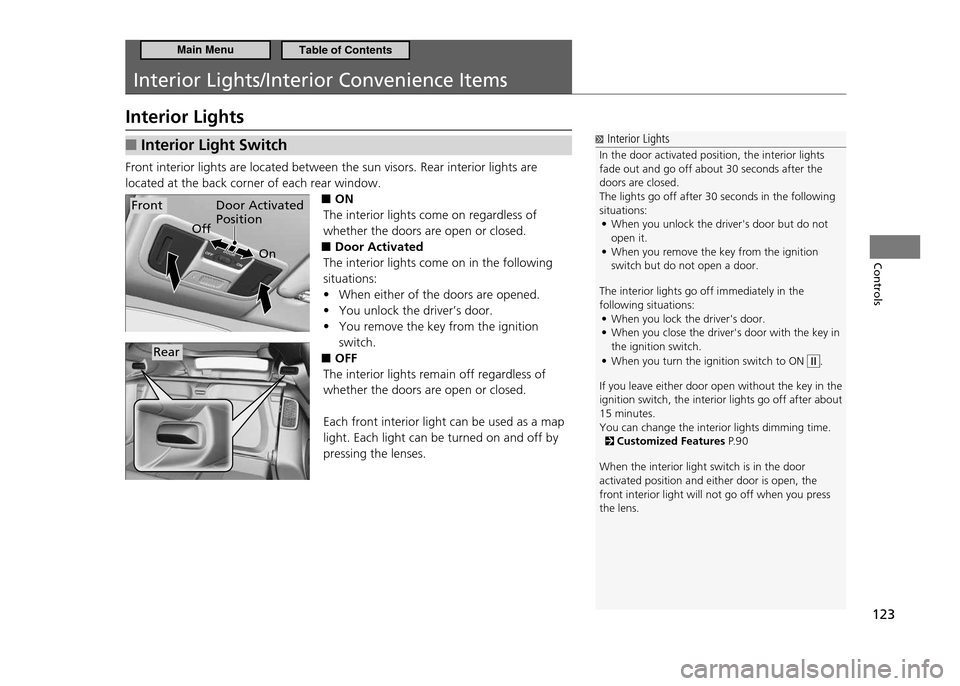
Front interior lights are located between the sun visors. Rear interior lights are located at the back corner of each rear window.
■ON
The interior lights come on regardless of whether the doors are open or closed. Door Activated
■
The interior lights come on in the following situations:
When either of the doors are opened.
•
You unlock the driver’s door.
•
You remove the key from the ignition
•
switch.
OFF
■
The interior lights remain off regardless of whether the doors are open or closed. Each front interior light can be used as a map light. Each light can be turned on and off by pressing the lenses.
Interior Lights
In the door activated position, the interior lights fade out and go off about 30 seconds after the doors are closed.The lights go off after 30 seconds in the following situations: When you unlock the driver's door but do not
•
open it.When you remove the key from the ignition
•
switch but do not open a door.
The interior lights go off immediately in the following situations: When you lock the driver's door.
•
When you close the driver's door with the key in
•
the ignition switch. When you turn the ignition switch to ON
•
.
If you leave either door open without the key in th e
ignition switch, the interior lights go off after a bout
15 minutes. You can change the interior lights dimming time.
Customized Features P. 9 0
When the interior light switch is in the door activated position and either door is open, the front interior light will not go off when you press the lens.
Door Activated Position
On
OffFront
Rear
Main MenuTable of Contents
Page 128 of 333
127
Controls
Interior Lights/Interior Convenience Items Interior Convenience Items
Accessory Power Socket
■
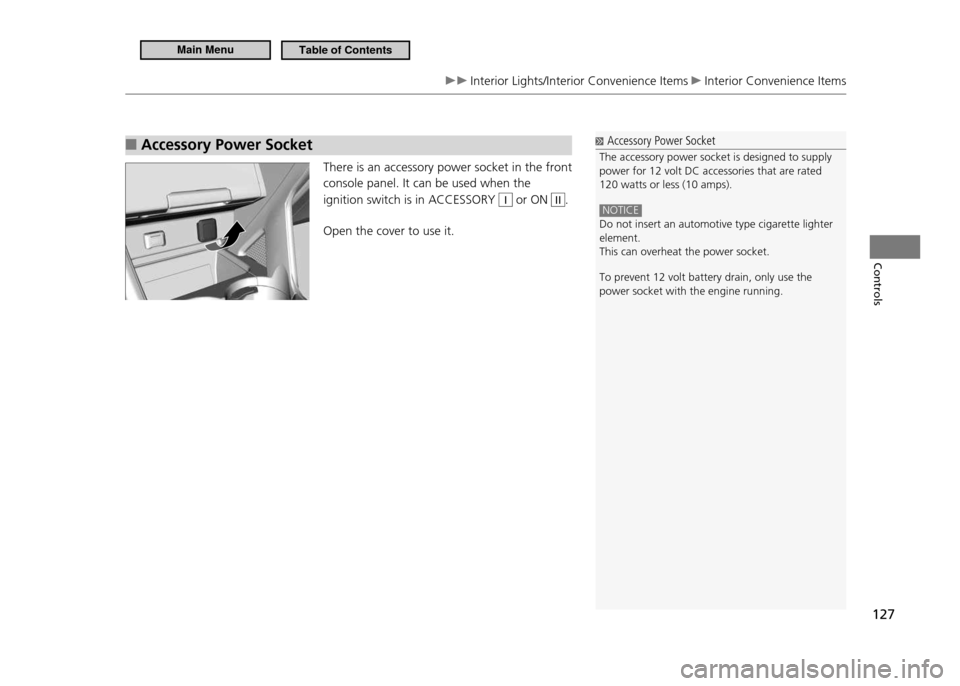
There is an accessory power socket in the front console panel. It can be used when the ignition switch is in ACCESSORY
I or ON II.
Open the cover to use it.
Accessory Power Socket
The accessory power socket is designed to supply power for 12 volt DC accessories that are rated 120 watts or less (10 amps).
NOTICE Do not insert an automotive type cigarette lighter element.This can overheat the power socket. To prevent 12 volt battery drain, only use the power socket with the engine running.
Main MenuTable of Contents
Page 142 of 333
141
Features
Audio without Navigation System
Audio System Basic Operation To use the audio system function, the ignition switch must be in ACCESSORY
I or
ON
II.
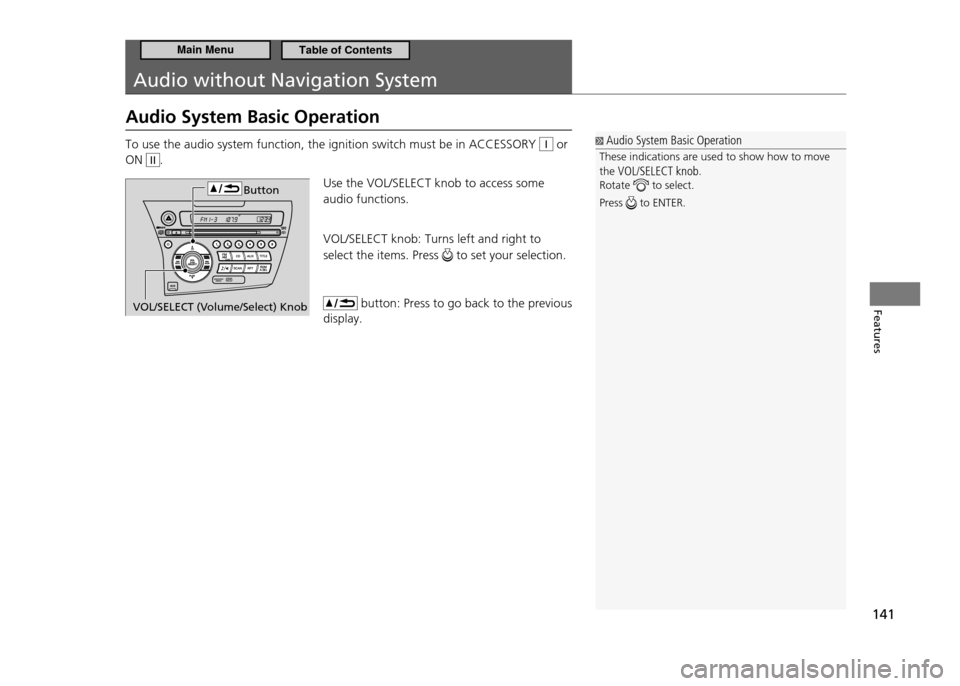
Use the VOL/SELECT knob to access some audio functions. VOL/SELECT knob: Turns left and right to select the items. Press
to set your selection.
button: Press to go back to the previous
display.
Audio System Basic Operation
These indications are used to show how to move the VOL/SELECT knob .
Rotate
to select.
Press
to ENTER.
VOL/SELECT (Volume/Select) Knob Button
Main MenuTable of Contents
Page 152 of 333
151
Features
Audio with Navigation System
Audio System Basic Operation
To use the audio system, the ignition switch must be in ACCESSORY I or ON II.
Operation with the Control Icons
■
To operate the audio system, press the control buttons on the side of the screen or touch the control icons on the audio screen.
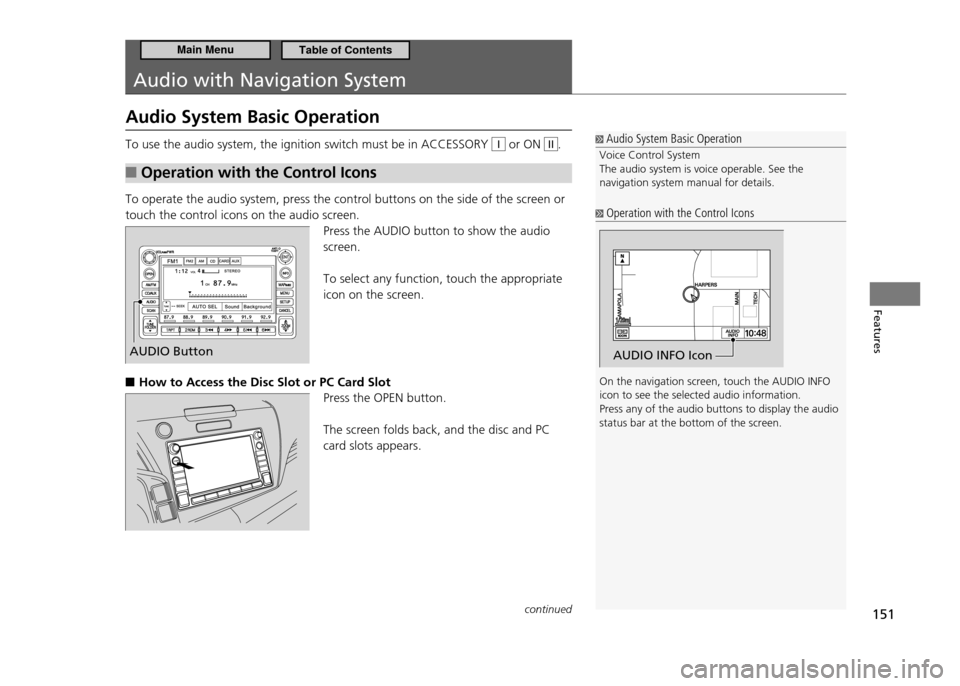
Press the AUDIO button to show the audio screen. To select any function, touch the appropriate icon on the screen.
How to Access the Disc Slot or PC Card Slot
■
Press the OPEN button. The screen folds back, and the disc and PC card slots appears.
Audio System Basic Operation
Voice Control System The audio system is voice operable. See the navigation system manual for details.
Operation with the Control Icons
On the navigation screen, touch the AUDIO INFO icon to see the selected audio information.Press any of the audio buttons to display the audio status bar at the bottom of the screen.
AUDIO INFO IconAUDIO Button
continued
Main MenuTable of Contents
Page 176 of 333
175
Features
Bluetooth ®
HandsFreeLink ®
HFL Menus
HFL Menus The ignition switch must be in ACCESSORY
I or ON II to use HFL.
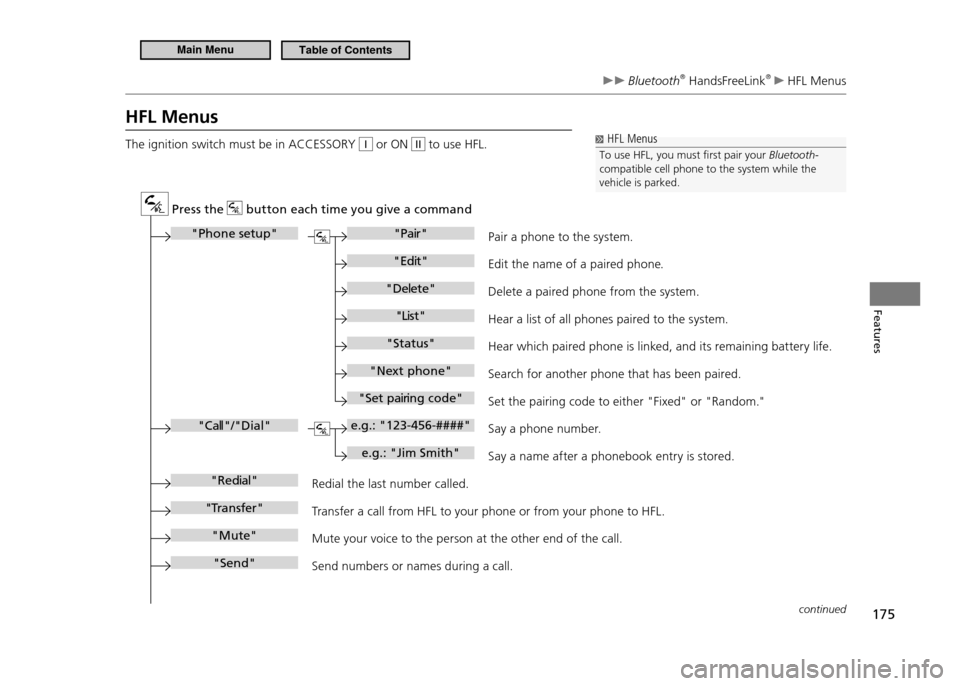
Pr ess the button each time you give a comman d
"Phone setu p""Pair"
"Ed it"
"D elete"
"Li st"
"Status"
"Ne xt ph one"
"Se t pa irin g co de"
e.g.: "123-456-####"
e.g.: "Jim Smith"
"Ca ll"/"Dial"
"Re dial"
"Transfer "
"Mu te"
"Se nd" Pair a phone to the
system.
Ed it the name of a paired phone .
Dele te a paired phone from the s ystem .
He ar a li st of all phones paired to the s ystem .
He ar which paired phone is link ed, and it s remaining ba tter y life .
Sear ch for another phone that has been paired .
Set the pa iring code to either "Fixed " or "Random ."
Sa y a phone numb er.
Sa y a name af ter a phonebook entry is stored .
Redial the la st numb er called .
Tr an sfer a call from HFL to your phone or from your phone to HFL.
Mute your voic e to the person at the other end of the call.
Send numb ers or names during a call.
HFL Menus
To use HFL, you must irst pair your Bluetooth-
compatible cell phone to the system while the vehicle is parked.
continued
Main MenuTable of Contents
Page 180 of 333
179
Features
Bluetooth ®
HandsFreeLink ®
HFL Menus
Making a Call
■
You can make calls using any phone number or a name in the HFL phonebook, and redial the last number called.
Models with navigation system
You can make calls using the Cellular Phonebook (if your phone is compatible with this feature), or entering the phone number on the screen.
Direct Dialing a Phone Number
■
Say “Call” or “Dial.”
1.
Say the number you want to dial after the prompts.
2.
Say “Call” or “Dial” after the prompts.
3.
From the HFL Phonebook
■
Say “Call” or “Dial.”
1.
Say the name stored in the HFL phonebook after the prompts.
2.
Follow the HFL prompts.
3.
To Redial the Last Number Called by HFL
■
Say “Redial.”
To End a Call
■
Press the
button.
Making a Call
Press the
button and wait for a beep before
giving a command. The maximum range between your phone and vehicle is 30 feet (10 meters). HFL allows you to talk up to 30 minutes after you remove the key from the ignition switch. However, this may weaken the vehicle's 12 volt battery. Once a call is connected, you can hear the voice of the person you are calling through the audio speakers.
continued
Main MenuTable of Contents
Page 190 of 333
189
Features
Bluetooth ®
HandsFreeLink ®
HFL Menus
To Activate or Deactivate the Auto Transfer Function
■
The call on your cell phone can be automatically transferred to HFL when you get into the vehicle and turn on the ignition.
Say “System Setup.”
1.
Say “Auto Transfer” after the prompts. HFL lets you know the current status.
2.
Follow the HFL prompts to change the setting.
3.
To Clear the System
■
Paired phones, all stored or imported phonebook data, and any passcodes are erased.
Say “System Setup.”
1.
Say “Clear” after the prompts.
2.
Follow the HFL prompts.
3.
Change Language
■*
You can set the system language to French or English. Say “Change Language.”
1.
Follow the HFL prompts.
2. If you have not named your paired phone in the selected language, HFL will ask you to name it in that language.
System Setup
Press the
button before a command.
You can clear the system if you forget the passcode and cannot access HFL.When HFL asks you for the passcode, say “System Clear.”
Change Language
Quick Language Selection If you want to change the language, to French for example, say "Français" and follow the prompt.
* Not available on all models
Main MenuTable of Contents