fuse HONDA CR-Z 2011 1.G Owners Manual
[x] Cancel search | Manufacturer: HONDA, Model Year: 2011, Model line: CR-Z, Model: HONDA CR-Z 2011 1.GPages: 333, PDF Size: 9.97 MB
Page 2 of 333
Contents
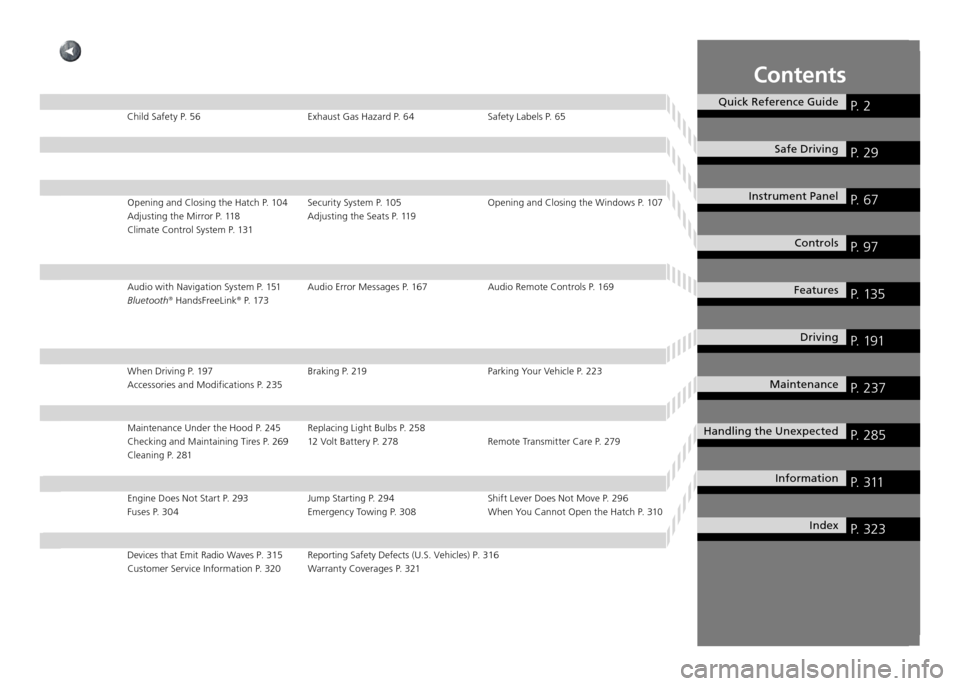
Quick Reference GuideP. 2
Safe DrivingP. 29
Instrument Panel P. 67
ControlsP. 97
FeaturesP. 135
DrivingP. 191
MaintenanceP. 237
Handling the UnexpectedP. 285
InformationP. 311
IndexP. 323
Child Safety P. 56 Exhaust Gas Hazard P. 64 Safety Labels P. 65Opening and Closing the Hatch P. 104 Security System P. 105 Opening and Clos ing the Windows P. 107
Adjusting the Mirror P. 118 Adjusting the Seats P. 119
Climate Control System P. 131
Audio with Navigation System P. 151 Audio Error Messages P. 167 Audio Rem ote Controls P. 169
Bluetooth ®
HandsFreeLink ®
P. 173
When Driving P. 197 Braking P. 219 Parking Your Vehicle P. 223 Accessories and Modifications P. 235
Maintenance Under the Hood P. 245 Replacing Light Bulbs P. 258
Checking and Maintaining Tires P. 269 12 Volt Battery P. 278 Remote Trans mitter Care P. 279
Cleaning P. 281
Engine Does Not Start P. 293 Jump Starting P. 294 Shift Lever Does Not Move P. 296 Fuses P. 304 Emergency Towing P. 308 When You Cannot Open the Hatch P. 310
Devices that Emit Radio Waves P. 315 Reporting Safety Defects (U.S. Vehicles) P. 316
Customer Service Information P. 320 Warranty Coverages P. 321
Page 5 of 333
4
Quick Reference GuideVisual Index
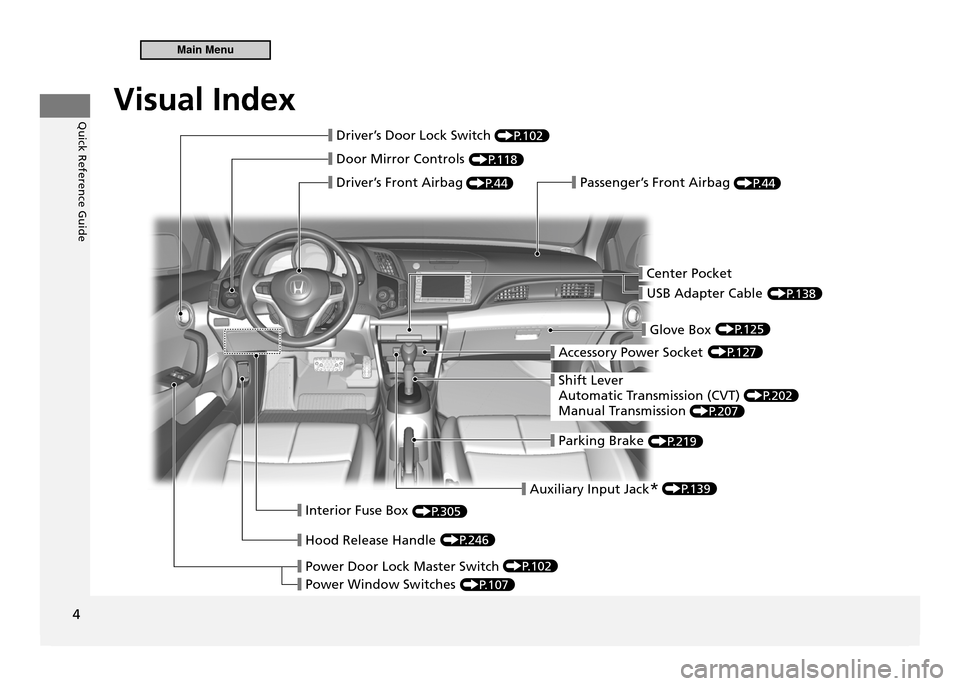
❙ Door Mirror Controls
❙ Driver’s Front Airbag❙ Passenger’s Front Airbag
❙ Parking Brake
❙ Glove Box
❙ Accessory Power Socket
❙ Hood Release Handle
❙ Interior Fuse Box
❙ Power Door Lock Master Switch
❙ Power Window Switches
❙ Shift Lever
A utomatic Transmission (CVT)
Manual Transmission
❙ Driver’s Door Lock Switch
❙ Center Pocket
❙ Auxiliary Input Jack
*
❙ USB Adapter Cable
P.102
P.118
P.44P.44
P.125
P.127
P.202
P.207
P.219
P.305
P. 246
P.102
P.107
P.139
P.138
Visual Index
Main Menu
Page 24 of 333
Quick Reference Guide
23
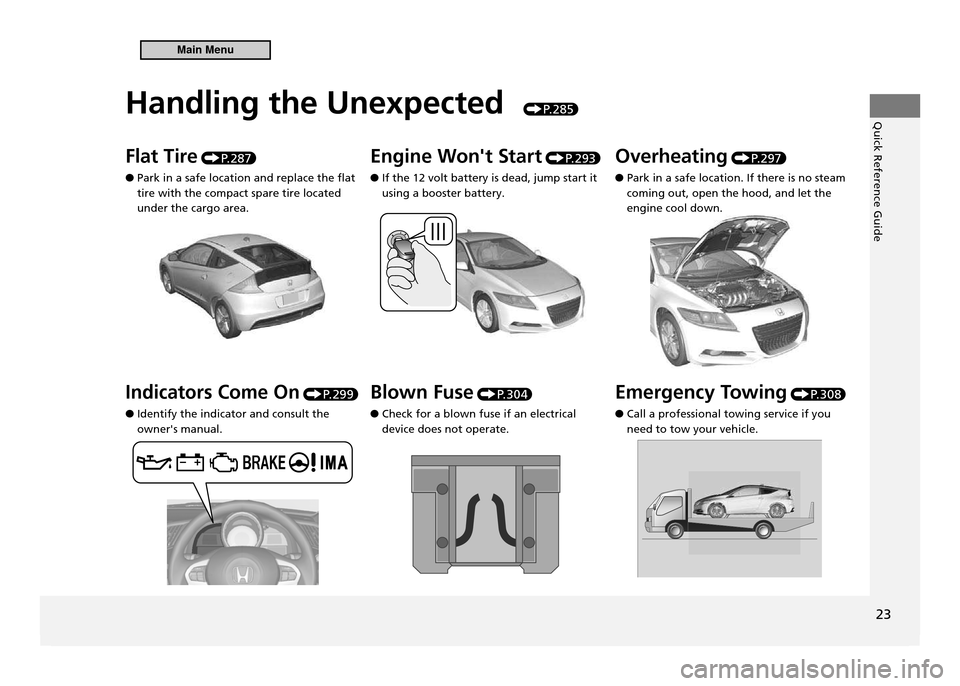
Handling the Unexpected
P. 2 8 5
Flat Tire P. 2 8 7
Park in a safe location and replace the flat
●
tire with the compact spare tire located under the cargo area. Engine Won't Start
P. 2 9 3
If the 12 volt battery is dead, jump start it
●
using a booster battery. Overheating
P. 2 9 7
Park in a safe location. If there is no steam
●
coming out, open the hood, and let the engine cool down.
Indicators Come On P. 2 9 9
Identify the indicator and consult the
●
owner's manual. Blown Fuse
P. 3 0 4
Check for a blown fuse if an electrical
●
device does not operate. Emergency Towing
P. 3 0 8
Call a professional towing service if you
●
need to tow your vehicle.
Main Menu
Page 221 of 333
220
Driving
Braking Brake System
Foot Brake
■
Your vehicle is equipped with disc brakes at all four wheels. A power assist helps reduce the effort needed on the brake pedal. The brake assist system increases the stopping force when you depress the brake pedal hard in an emergency situation. The anti-lock brake system (ABS) helps you retain steering control when braking very hard.
Brake Assist System P.222
ABS (Anti-lock Brake System) P.221
Foot Brake
Check the brakes after driving through deep water, or if there is a buildup of road surface water. If necessary, dry the brakes by lightly depressing the pedal several times. If you hear a continuous metallic friction sound when applying the brakes, the brake pads need to be replaced. Have the vehicle checked by a dealer.
Constantly using the brake pedal while going down a long hill builds up heat, which reduces the brake effectiveness. Apply engine braking by taking your foot off the accelerator pedal and downshifting to a lower gear. With manual transmission use a lower gear for greater engine braking. Do not rest your foot on the brake pedal while driving, as it will lightly apply the brakes and cause them to lose effectiveness over time and reduce pad life. It will also confuse drivers behind you.
Main MenuTable of Contents
Page 236 of 333
235
Driving
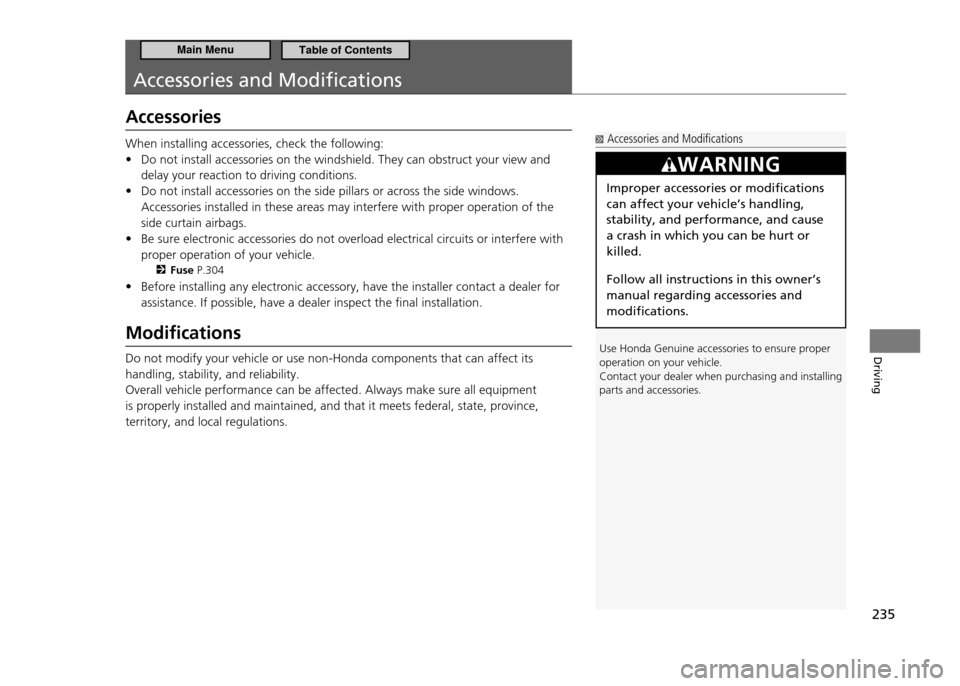
Accessories and Modiications
Accessories
When installing accessories, check the following:Do not install accessories on the windshield. They can obstruct your view and
•
delay your reaction to driving conditions. Do not install accessories on the side pillars or across the side windows.
•
Accessories installed in these areas may interfere with proper operation of the side curtain airbags. Be sure electronic accessories do not overload electrical circuits or interfere with
•
proper operation of your vehicle.
Fuse P.304
Before installing any electronic accessory, have the installer contact a dealer for
•
assistance. If possible, have a dealer inspect the final installation.
Modiications Do not modify your vehicle or use non-Honda components that can affect its handling, stability, and reliability.Overall vehicle performance can be affected. Always make sure all equipment is properly installed and maintained, and that it meets federal, state, province, territory, and local regulations.
Accessories and Modiications
Use Honda Genuine accessories to ensure proper operation on your vehicle.
Contact your dealer when purchasing and installing parts and accessories.
WARNING
Improper accessories or modifications can affect your vehicle’s handling, stability, and performance, and cause a crash in which you can be hurt or killed. Follow all instructions in this owner’s manual regarding accessories and modifications.
Main MenuTable of Contents
Page 286 of 333
Handling the Unexpected
This chapter explains how to handle unexpected troubles.
285
Tools
Types of Tools ........................................ 286
If a Tire Goes Flat Changing a Flat Tire ............................... 287
Engine Does Not Start Checking the Engine .............................. 293
Jump Starting .......................................... 294
Shift Lever Does Not Move .................... 296
Overheating How to Handle Overheating ................... 297 Indicator, Coming On/Blinking
If the Low Oil Pressure Indicator
Comes On ............................................. 299If the Charging System Indicator
Comes On ............................................. 300If the Malfunction Indicator Lamp
Comes On or Blinks ............................... 301If the Brake System Indicator
Comes On ............................................. 302
If the EPS Indicator Comes On ................ 302
If the IMA Indicator Comes On ............... 303If the Low Tire Pressure/TPMS Indicator
Comes On or Blinks ................................ 303 Fuses
Fuse Locations ........................................ 304
Inspecting and Changing Fuses .............. 307
Emergency Towing ................................. 308
When You Cannot Open the Hatch ....... 310
Main Menu
Page 294 of 333
293
Handling the Unexpected
Engine Does Not Start
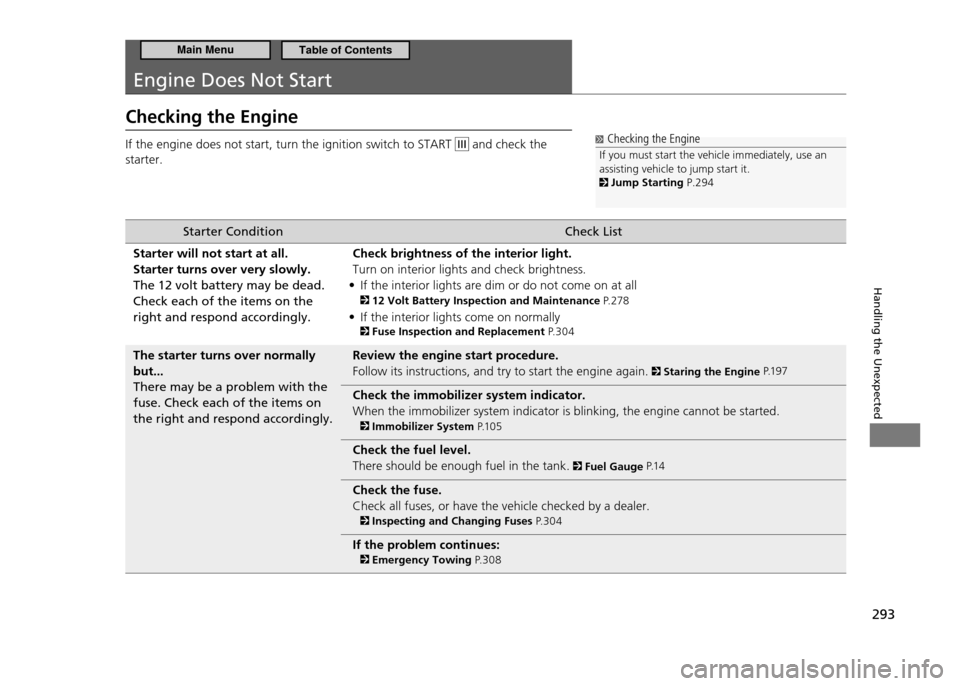
Checking the Engine If the engine does not start, turn the ignition switch to START
and check the
starter. Checking the Engine
If you must start the vehicle immediately, use an assisting vehicle to jump start it.
Jump Starting P.294
Starter Condition Check List
Starter will not start at all. Starter turns over very slowly.The 12 volt battery may be dead. Check each of the items on the right and respond accordingly. Check brightness of the interior light.Turn on interior lights and check brightness.
If the interior lights are dim or do not come on at all
•
12 Volt Battery Inspection and Maintenance P. 2 7 8
If the interior lights come on normally
•
Fuse Inspection and Replacement P. 3 0 4
The starter turns over normally but...There may be a problem with the fuse. Check each of the items on the right and respond accordingly. Review the engine start procedure.Follow its instructions, and try to start the engine again.
Staring the Engine
P.1 9 7
Check the immobilizer system indicator. When the immobilizer system indicator is blinking, the engine cannot be started.
Immobilizer System P.1 0 5
Check the fuel level. There should be enough fuel in the tank.
Fuel Gauge P.1 4
Check the fuse. Check all fuses, or have the vehicle checked by a dealer.
Inspecting and Changing Fuses P. 3 0 4
If the problem continues:
Emergency Towing P. 3 0 8
Main MenuTable of Contents
Page 305 of 333
304
Handling the Unexpected
Fuses
Fuse Locations
If any electrical devices are not working, turn the ignition switch to LOCK 0 and
check to see if any applicable fuse is blown.
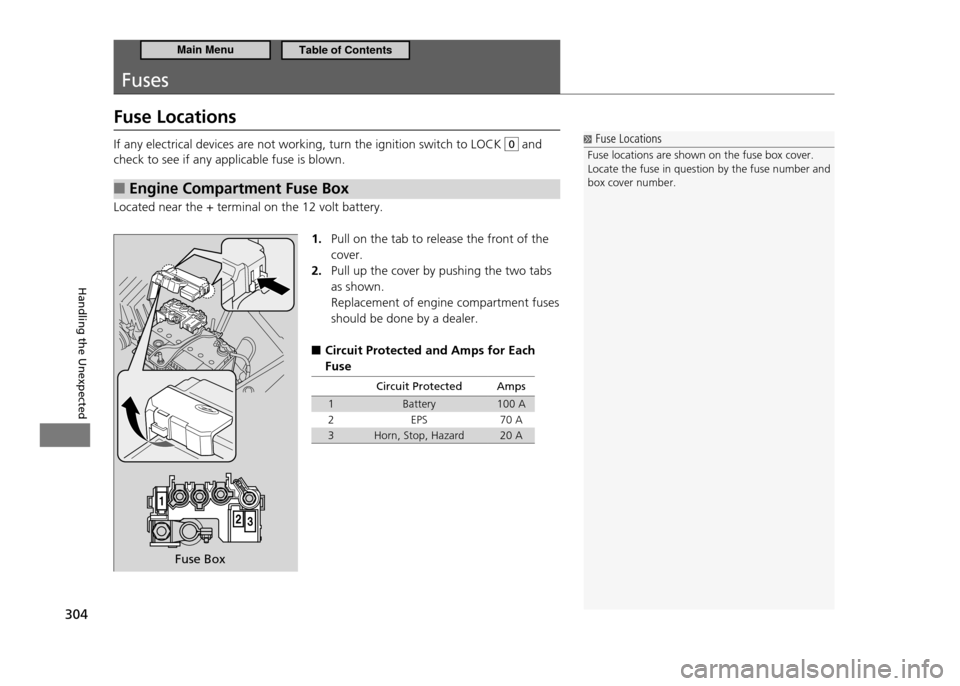
Engine Compartment Fuse Box
■
Located near the + terminal on the 12 volt battery.
1. Pull on the tab to release the front of the cover.Pull up the cover by pushing the two tabs
2.
as shown. Replacement of engine compartment fuses should be done by a dealer.
Circuit Protected and Amps for Each
■
Fuse
Circuit Protected Amps
1 Battery 100 A
2 EPS 70 A
3 Horn, Stop, Hazard 20 A
Fuse Locations
Fuse locations are shown on the fuse box cover.
Locate the fuse in question by the fuse number and box cover number.
Fuse Box
Main MenuTable of Contents
Page 306 of 333
305
Handling the Unexpected
Fuses Fuse Locations
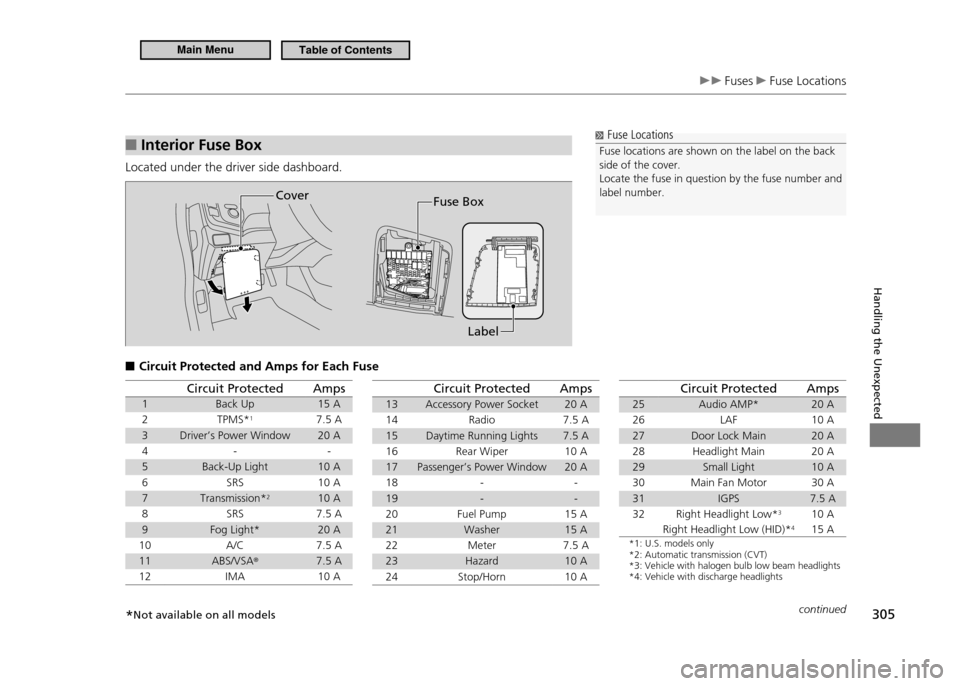
Interior Fuse Box
■
Located under the driver side dashboard.
Circuit Protected and Amps for Each Fuse
■
Fuse Locations
Fuse locations are shown on the label on the back side of the cover.
Locate the fuse in question by the fuse number and label number.
Label
Fuse BoxCover
Circuit Protected Amps
1 Back Up 15 A
2 TPMS* 1
7.5 A
3 Driver’s Power Window 20 A
4 - -
5 Back-Up Light 10 A
6 SRS 10 A
7 Transmission* 2
10 A
8 SRS 7.5 A
9 Fog Light* 20 A
10 A/C 7.5 A
11 ABS/VSA ®
7.5 A
12 IMA 10 ACircuit Protected Amps
13 Accessory Power Socket 20 A
14 Radio 7.5 A
15 Daytime Running Lights 7.5 A
16 Rear Wiper 10 A17 Passenger’s Power Window 20 A
18 - -
19 - -
20 Fuel Pump 15 A
21 Washer 15 A
22 Meter 7.5 A
23 Hazard 10 A
24 Stop/Horn 10 ACircuit Protected Amps
25 Audio AMP* 20 A
26 LAF 10 A
27 Door Lock Main 20 A
28 Headlight Main 20 A
29 Small Light 10 A
30 Main Fan Motor 30 A
31 IGPS 7.5 A
32 Right Headlight Low* 3
Right Headlight Low (HID)* 410 A 15 A
*1: U.S. models only *2: Automatic transmission (CVT)*3: Vehicle with halogen bulb low beam headlights*4: Vehicle with discharge headlights
continued
* Not available on all models
Main MenuTable of Contents
Page 307 of 333
306
Handling the Unexpected
Fuses Fuse Locations
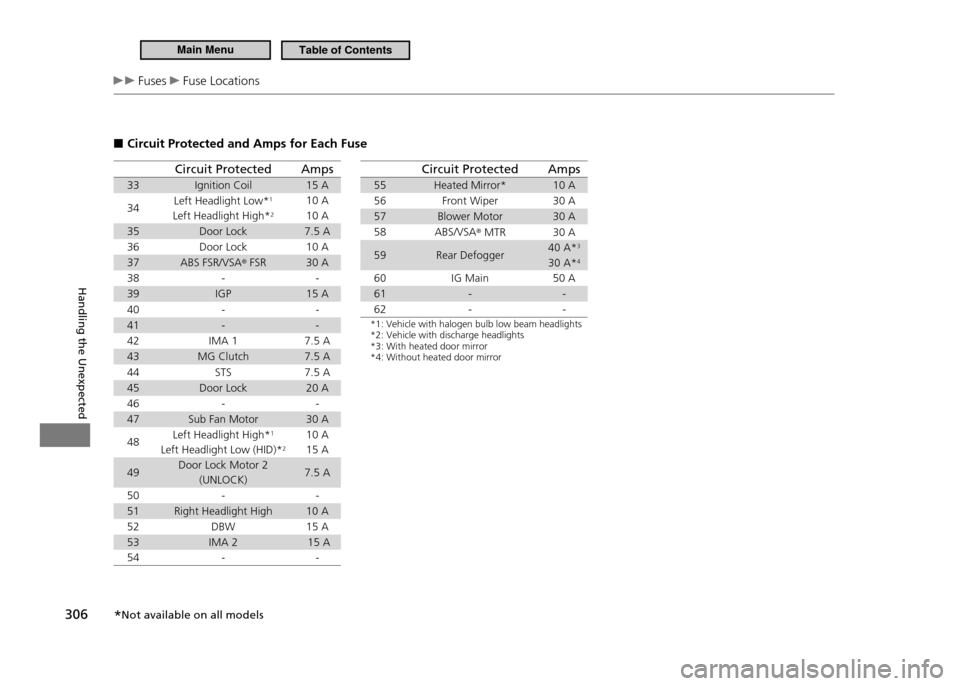
Circuit Protected and Amps for Each Fuse
■
Circuit Protected Amps
33 Ignition Coil 15 A 34 Left Headlight Low*
1
Left Headlight High* 210 A 10 A
35 Door Lock 7.5 A
36 Door Lock 10 A
37 ABS FSR/VSA ®
FSR 30 A
38 - -
39 IGP 15 A
40 - -
41 - -
42 IMA 1 7.5 A
43 MG Clutch 7.5 A
44 STS 7.5 A
45 Door Lock 20 A
46 - -
47 Sub Fan Motor 30 A 48 Left Headlight High*
1
Left Headlight Low (HID)* 210 A 15 A
49 Door Lock Motor 2
(UNLOCK) 7.5 A
50 - -
51 Right Headlight High 10 A
52 DBW 15 A
53 IMA 2 15 A
54 - -Circuit Protected Amps
55 Heated Mirror* 10 A
56 Front Wiper 30 A
57 Blower Motor 30 A
58 ABS/VSA ®
MTR 30 A
59 Rear Defogger 40 A*
3
30 A* 4
60 IG Main 50 A
61 - -
62 - -
*1: Vehicle with halogen bulb low beam headlights *2: Vehicle with discharge headlights*3: With heated door mirror*4: Without heated door mirror
* Not available on all models
Main MenuTable of Contents