display HONDA CR-Z 2015 1.G Workshop Manual
[x] Cancel search | Manufacturer: HONDA, Model Year: 2015, Model line: CR-Z, Model: HONDA CR-Z 2015 1.GPages: 329, PDF Size: 17.44 MB
Page 168 of 329
Continued167
uuBluetooth ® HandsFreeLink ®u HFL Menus
Features
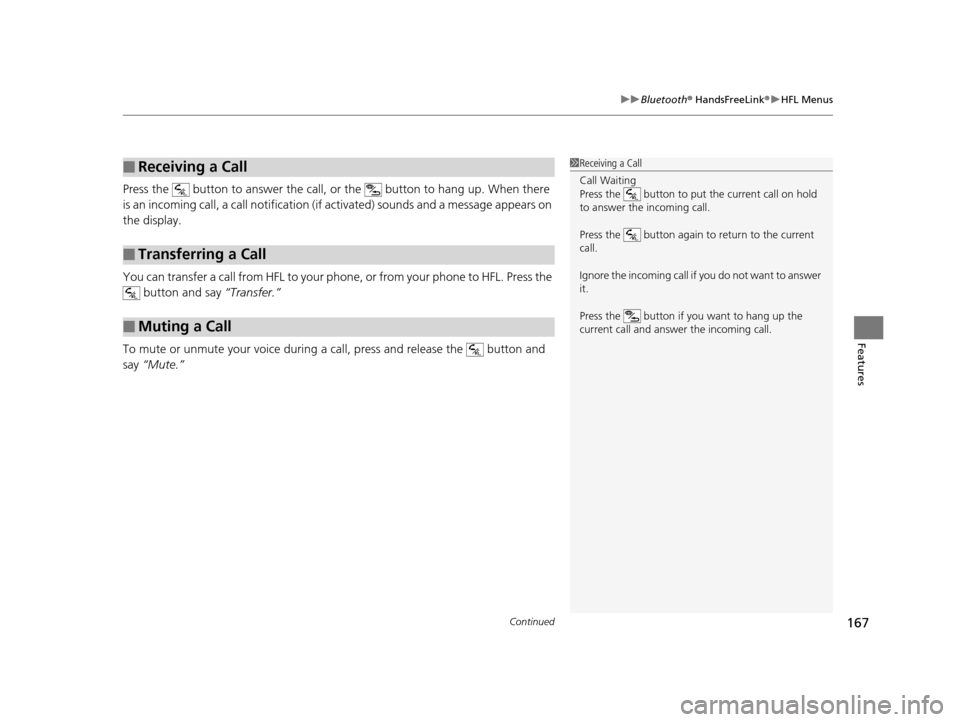
Press the button to answer the call, or the button to hang up. When there
is an incoming call, a call notification (if activated) sounds and a message appears on
the display.
You can transfer a call from HFL to your ph one, or from your phone to HFL. Press the
button and say “Transfer.”
To mute or unmute your voice during a call, press and release the button and
say “Mute.”
■Receiving a Call
■Transferring a Call
■Muting a Call
1Receiving a Call
Call Waiting
Press the button to put the current call on hold
to answer the incoming call.
Press the button again to return to the current
call.
Ignore the incoming call if you do not want to answer
it.
Press the button if you want to hang up the
current call and answer the incoming call.
15 CR-Z-31SZT6400.book 167 ページ 2014年8月1日 金曜日 午後1時59分
Page 188 of 329
Continued187
uuWhen Driving uShifting
Driving
Use the paddle shifters to change betw een 1st and 7th speeds without removing
your hands from the steering wheel. The transmission switches to the 7-speed
manual shift mode when you pull a paddle shifter while driving. This mode is useful
when engine braking is needed.
You can cancel this mode by pressing any of the three driving mode buttons, or
pulling the
(+ paddle shifter for a few seconds.
■When the driving mode is in ECON or NORMAL
The shift mode goes into the 7-speed ma nual shift mode temporarily, and the
number is displayed in the shift indicator.
The 7-speed manual shift mode is canceled automatically if you drive at constant
speed or accelerate, and the number in the shift indicator goes off.
The 7-speed manual shift mode is especially useful when reducing the vehicle speed
temporarily before making a turn.
■When the driving mode is in SPORT
The shift mode goes into the 7-speed manual shift mode. The M indicator and the
speed number are displayed in the shift indicator. As the vehicle speed slows down,
the transmission automatically shifts down accordingly. When the vehicle comes to
a stop, it automatically shifts down into 1st.
If the vehicle speed increases and the engi ne speed reaches near the tachometer’s
red zone, the transmission automatically shifts up.
■7-Speed Manual Shift Mode1 7-Speed Manual Shift Mode
To improve fuel economy, the transmission may shift
up to a higher speed than the seventh under certain
circumstances. In this case, the number in the shift
indicator remains as 7.
In the 7-speed manual shif t mode, the transmission
shifts up or down by operating either paddle shifter
under the following conditions:
Shift Up: The engine sp eed reaches the lowest
threshold of the hi gher speed position.
Shift Down: The engine sp eed reaches the highest
threshold of the lower speed position.
When the engine speed reaches near the
tachometer’s red zone, the transmission shifts up
automatically.
When the engine speed reaches the lowest threshold
of the selected speed positi on, the transmission shifts
down automatically.
Operating the paddle shifte rs on slippery surfaces
may cause the tires to lock up. In this case, the 7-
speed manual shift mode is canceled and goes back
to the normal D driving mode.
15 CR-Z-31SZT6400.book 187 ページ 2014年8月1日 金曜日 午後1時59分
Page 190 of 329
189
uuWhen Driving uShifting
Driving
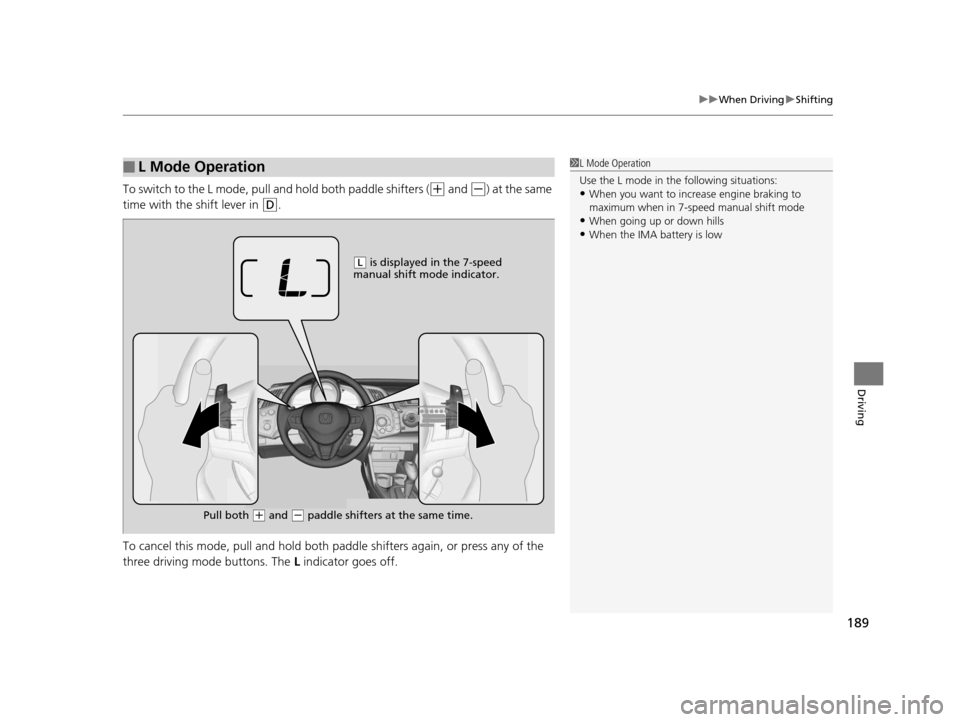
To switch to the L mode, pull a nd hold both paddle shifters ((+ and (-) at the same
time with the shift lever in
(D.
To cancel this mode, pull and hold both pa ddle shifters again, or press any of the
three driving mode buttons. The L indicator goes off.
■L Mode Operation1L Mode Operation
Use the L mode in the following situations:
•When you want to increa se engine braking to
maximum when in 7-speed manual shift mode
•When going up or down hills•When the IMA battery is low
( L is displayed in the 7-speed
manual shift mode indicator.
Pull both
( + and (- paddle shifters at the same time.
15 CR-Z-31SZT6400.book 189 ページ 2014年8月1日 金曜日 午後1時59分
Page 195 of 329
uuWhen Driving uAuto Idle Stop
194
Driving
The vehicle stops with the shift lever in (D and the brake pedal depressed.
■Auto Idle Stop does not activate when:
• The low temperature indicator is on.
• The IMA battery charge is low.
• The bars of the ASST/CHRG indicators do not move when accelerating or
decelerating.
• The transmission fluid temperature is low.
• The vehicle comes to a stop again be fore the vehicle speed reaches 9 mph
(15 km/h) after the engine starts.
• Stopped on a steep incline.
• The shift lever is in a position other than
(D or (N.
• Airflow from the climate con trol system increases. (Except when in ECON mode)
u If you have selected the fan speed manually:
The display shows more than five vertical bars.
• Shift mode is in the L mode.
• is on (indicator on).
■Auto Idle Stop may not activate when:
• Certain ambient conditions (strong sunlight , high or low temperatures, etc.) can
prevent Auto Idle Stop from activating, ev en if the set temperature and the actual
interior temperature are around the same. (Except when in ECON mode).
• When humidity in the interior is high.
• The vehicle is stopped by braking suddenly.
■Auto Idle Stop Activates When:1Auto Idle Stop Activates When:
The Auto Idle Stop may also activate when the brake
pedal is depressed, and th e vehicle slows down to a
speed below 6 mph (10 km/h).
15 CR-Z-31SZT6400.book 194 ページ 2014年8月1日 金曜日 午後1時59分
Page 198 of 329
Continued197
uuWhen Driving uAuto Idle Stop
Driving
Stopping with the brake, the clutch pedal is fully depressed, and the shift lever is in
(N.
u To restart the engine automatica lly, depress the clutch pedal.
■Auto Idle Stop does not activate when:
• The low temperature indicator is on.
• The IMA battery charge is low.
• The bars of the ASST/CHRG indicators do not move when accelerating or
decelerating.
• The vehicle comes to a stop again be fore the vehicle speed reaches 9 mph
(15 km/h) after the engine starts.
• The shift lever is in
(R.
• Airflow from the climate control system increases. (Except when in ECON mode)
u If you have selected the fan speed manually:
The display shows more than five vertical bars.
• is on (indicator on).
■Auto Idle Stop may not activate when:
• The climate control system is in use, an d there is a significant difference between
the set temperature and the actual interi or temperature. (Except when in ECON
mode).
• When humidity in the interior is high.
• The vehicle is stopped by braking suddenly.
■Auto Idle Stop Activates When:1Auto Idle Stop Activates When:
The brake pedal is depresse d, the vehicle slows down
to a speed below 19 mph (30 km/h), and the clutch
pedal is fully pressed.
The engine may not stop or restart automatically if
you fail to fully depress the clutch pedal.
Keeping the proper driving po sitions makes it easier
for you to depress the clutch pedal fully.
2 Adjusting the Seats P. 122
15 CR-Z-31SZT6400.book 197 ページ 2014年8月1日 金曜日 午後1時59分
Page 200 of 329
199
uuWhen Driving u3-Mode Drive System
Driving
3-Mode Drive System
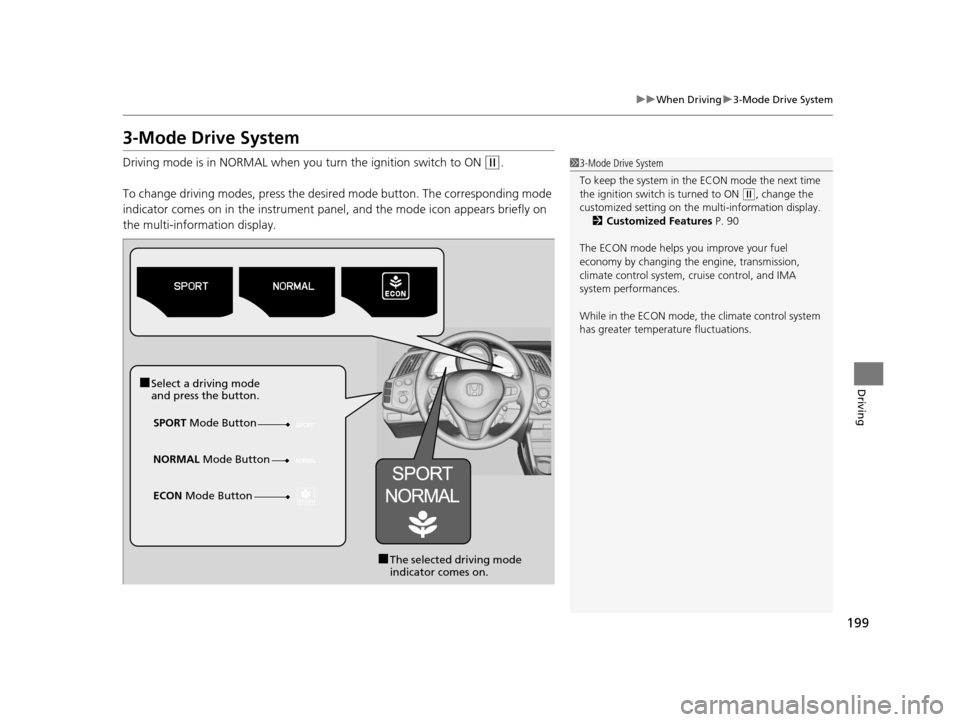
Driving mode is in NORMAL when you turn the ignition switch to ON (w.
To change driving modes, press the desired mode button. The corresponding mode
indicator comes on in the instrument panel, and the mode icon appears briefly on
the multi-information display.1 3-Mode Drive System
To keep the system in the ECON mode the next time
the ignition switch is turned to ON
(w, change the
customized setting on the multi-information display.
2 Customized Features P. 90
The ECON mode helps y ou improve your fuel
economy by changing the engine, transmission,
climate control system, cr uise control, and IMA
system performances.
While in the ECON mode, the climate control system
has greater temperat ure fluctuations.
■Select a driving mode
and press the button.
SPORT Mode Button
■The selected driving mode
indicator comes on.
NORMAL
Mode Button
ECON Mode Button
15 CR-Z-31SZT6400.book 199 ページ 2014年8月1日 金曜日 午後1時59分
Page 208 of 329
207
uuWhen Driving uTire Pressure Monitoring System (TPMS)
Driving
Tire Pressure Monitoring System (TPMS)
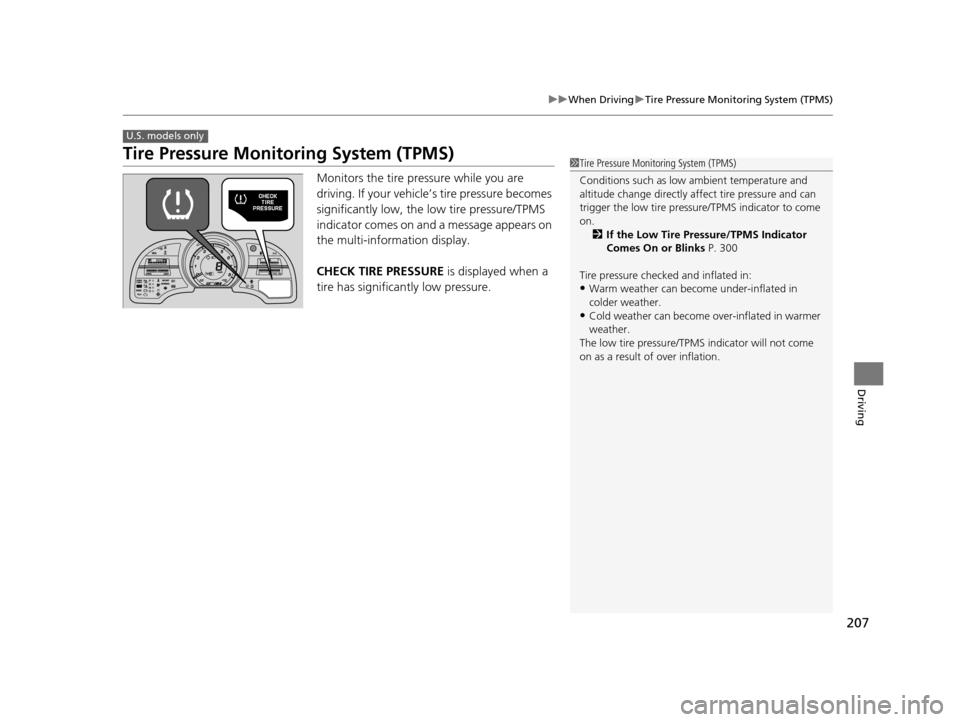
Monitors the tire pr essure while you are
driving. If your vehicle’s tire pressure becomes
significantly low, the low tire pressure/TPMS
indicator comes on and a message appears on
the multi-information display.
CHECK TIRE PRESSURE is displayed when a
tire has significantly low pressure.
U.S. models only
1 Tire Pressure Monitoring System (TPMS)
Conditions such as low ambient temperature and
altitude change directly affect tire pressure and can
trigger the low tire pressure/TPMS indicator to come
on.
2 If the Low Tire Pressure/TPMS Indicator
Comes On or Blinks P. 300
Tire pressure checked and inflated in:
•Warm weather can beco me under-inflated in
colder weather.
•Cold weather can become over-inflated in warmer
weather.
The low tire pressure/TPMS indicator will not come
on as a result of over inflation.
READY
15 CR-Z-31SZT6400.book 207 ページ 2014年8月1日 金曜日 午後1時59分
Page 211 of 329
210
Driving
Braking
Brake System
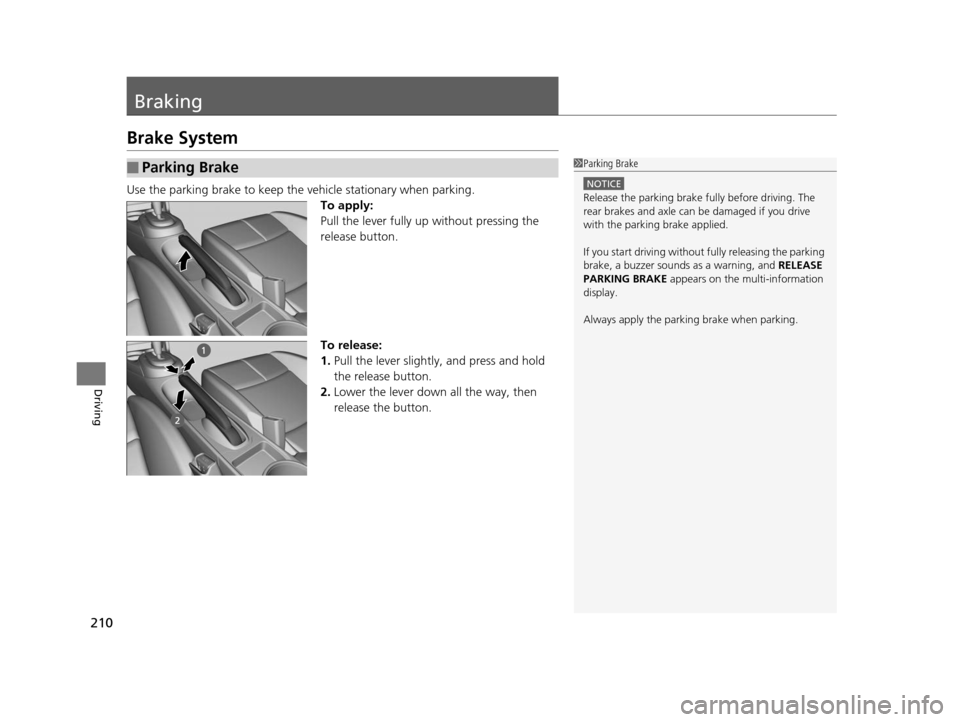
Use the parking brake to keep the vehicle stationary when parking.To apply:
Pull the lever fully up without pressing the
release button.
To release:
1. Pull the lever slightly, and press and hold
the release button.
2. Lower the lever down all the way, then
release the button.
■Parking Brake1Parking Brake
NOTICE
Release the parking brake fu lly before driving. The
rear brakes and axle can be damaged if you drive
with the parki ng brake applied.
If you start driving without fully releasing the parking
brake, a buzzer sounds as a warning, and RELEASE
PARKING BRAKE appears on the multi-information
display.
Always apply the parking brake when parking.
15 CR-Z-31SZT6400.book 210 ページ 2014年8月1日 金曜日 午後1時59分
Page 216 of 329
215
Driving
Multi-View Rear Camera
About Your Multi-View Rear Camera
For models with the navigation system, see the Navigation System Manual.
Models with navigation system1About Your Multi-View Rear Camera
The rear camera view is restricted. You cannot see
the corner ends of the bum per or what is underneath
the bumper. Its unique le ns also makes objects
appear closer or farther than they actually are.
Visually confirm that it is safe to drive before backing
up. Certain conditions (such as weather, lighting, and
high temperatures) may also re strict the rear view. Do
not rely in the rearview display which does not give
you all information about conditions at the back of
your vehicle.
If the camera lens is cove red with dirt or moisture,
use a soft, moist cloth to keep the lens clean and free
of debris.
15 CR-Z-31SZT6400.book 215 ページ 2014年8月1日 金曜日 午後1時59分
Page 217 of 329
216
Driving
Rearview Camera
About Your Rearview Camera
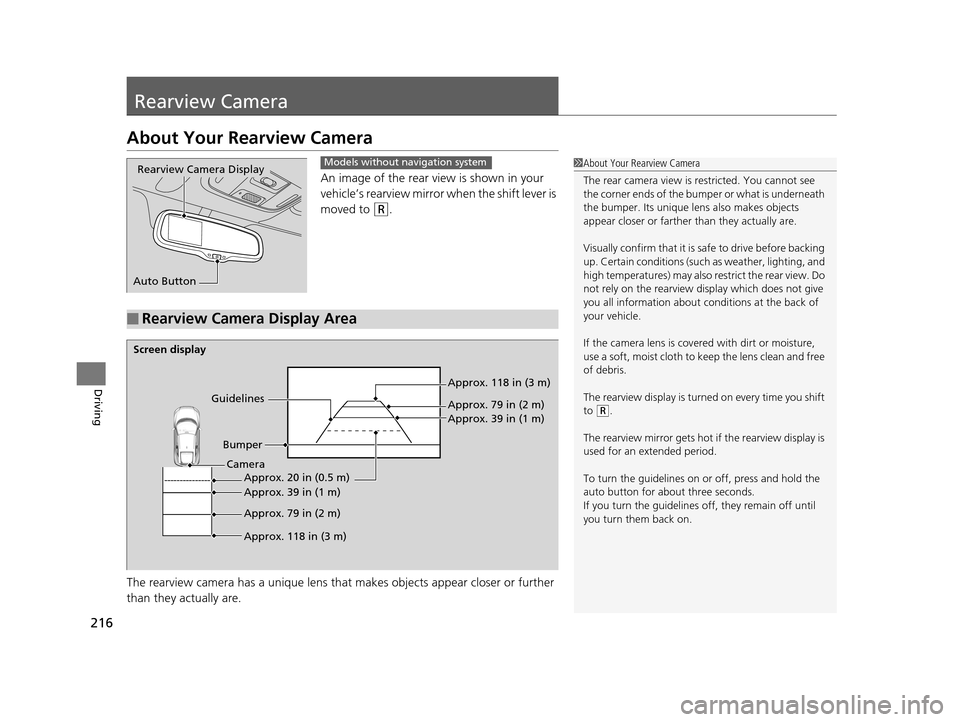
An image of the rear view is shown in your
vehicle’s rearview mirror when the shift lever is
moved to
(R.
The rearview camera has a unique lens that makes objects appear closer or further
than they actually are.
Rearview Camera Display
Auto ButtonModels without navigation system
■Rearview Camera Display Area
1 About Your Rearview Camera
The rear camera view is restricted. You cannot see
the corner ends of the bum per or what is underneath
the bumper. Its unique le ns also makes objects
appear closer or farther than they actually are.
Visually confirm that it is safe to drive before backing
up. Certain conditions (such as weather, lighting, and
high temperatures) may also re strict the rear view. Do
not rely on the rearview display which does not give
you all information about conditions at the back of
your vehicle.
If the camera lens is cove red with dirt or moisture,
use a soft, moist cloth to keep the lens clean and free
of debris.
The rearview display is turned on every time you shift
to
( R.
The rearview mirror gets hot if the rearview display is
used for an extended period.
To turn the guidelines on or off, press and hold the
auto button for about three seconds.
If you turn the guidelines off, they remain off until
you turn them back on.
Screen display
GuidelinesBumper Approx. 118 in (3 m)
Approx. 79 in (2 m)
Approx. 39 in (1 m)
Approx. 20 in (0.5 m)
Approx. 39 in (1 m)
Approx. 79 in (2 m)
Approx. 118 in (3 m)
Camera
15 CR-Z-31SZT6400.book 216 ページ 2014年8月1日 金曜日 午後1時59分