display HONDA CROSSTOUR 2013 1.G Owners Manual
[x] Cancel search | Manufacturer: HONDA, Model Year: 2013, Model line: CROSSTOUR, Model: HONDA CROSSTOUR 2013 1.GPages: 573, PDF Size: 25.21 MB
Page 339 of 573
338
uuBluetooth® HandsFreeLink ®uHFL Menus
Features
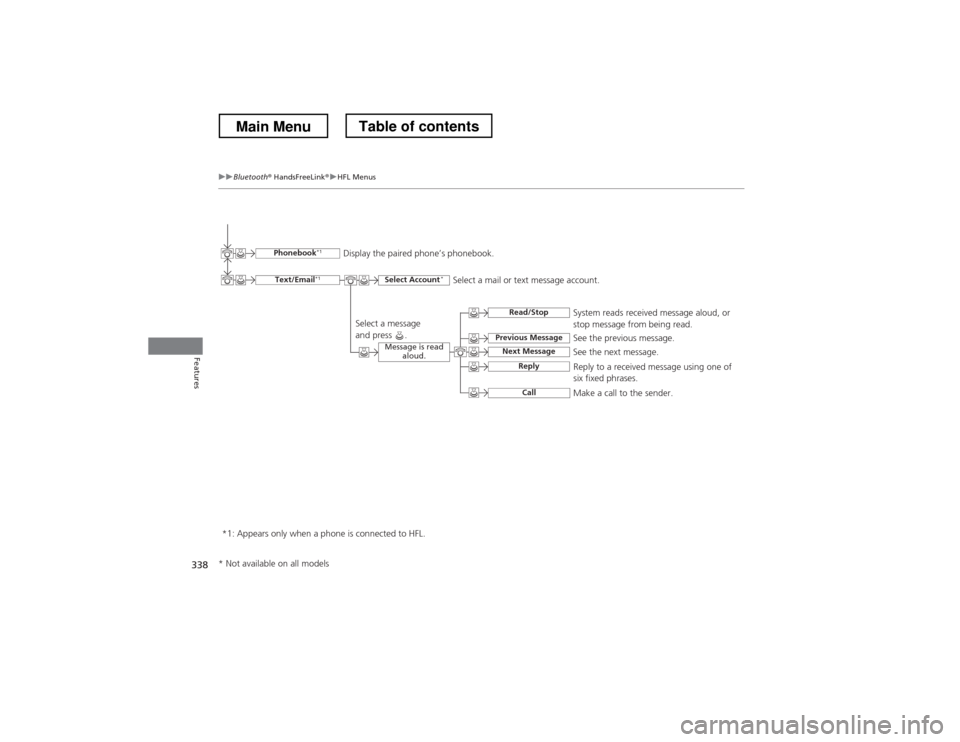
See the previous message.
Text/Email
*1
Read/Stop
Select Account *
Previous Message
Next MessageSee the next message.System reads received message aloud, or
stop message from being read.
Phonebook
*1
Display the paired phone’s phonebook.
Message is read aloud.
Reply
Call
Reply to a received message using one of
six fixed phrases.
Make a call to the sender.
Select a message
and press .
Select a mail or text message account.
*1: Appears only when a phone is connected to HFL.
* Not available on all models
Main MenuTable of contents
Page 340 of 573
Continued339
uuBluetooth® HandsFreeLink ®uHFL Menus
Features
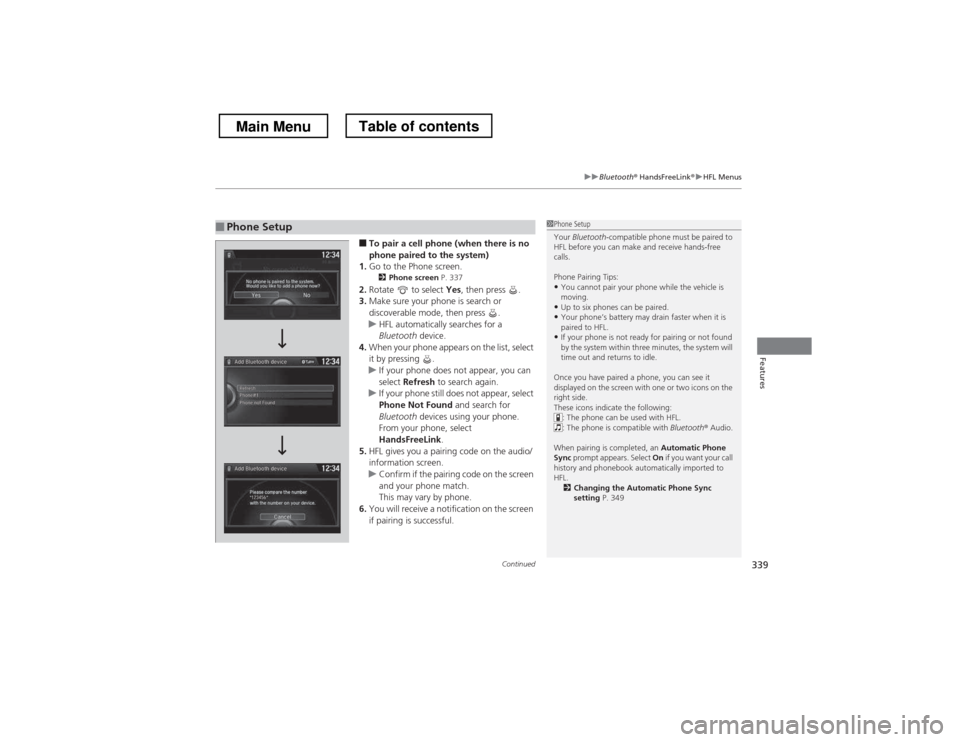
■To pair a cell phone (when there is no
phone paired to the system)
1. Go to the Phone screen.
2 Phone screen P. 337
2. Rotate to select Yes, then press .
3. Make sure your phone is search or
discoverable mode, then press .
uHFL automatically searches for a
Bluetooth device.
4. When your phone appears on the list, select
it by pressing .
uIf your phone does not appear, you can
select Refresh to search again.
uIf your phone still does not appear, select
Phone Not Found and search for
Bluetooth devices using your phone.
From your phone, select
HandsFreeLink .
5. HFL gives you a pairing code on the audio/
information screen.
uConfirm if the pairing code on the screen
and your phone match.
This may vary by phone.
6. You will receive a notification on the screen
if pairing is successful.
■Phone Setup1Phone Setup
Your Bluetooth -compatible phone must be paired to
HFL before you can make and receive hands-free calls.
Phone Pairing Tips:
• You cannot pair your phone while the vehicle is
moving.
• Up to six phones can be paired.
• Your phone’s battery may drain faster when it is
paired to HFL.
• If your phone is not ready for pairing or not found
by the system within three minutes, the system will
time out and returns to idle.
Once you have paired a phone, you can see it
displayed on the screen with one or two icons on the
right side.
These icons indicate the following: : The phone can be used with HFL.
: The phone is compatible with Bluetooth® Audio.
When pairing is completed, an Automatic Phone
Sync prompt appears. Select On if you want your call
history and phonebook automatically imported to HFL.
2 Changing the Automatic Phone Sync setting P. 349
Main MenuTable of contents
Page 357 of 573
uuBluetooth® HandsFreeLink ®uHFL Menus
356
Features
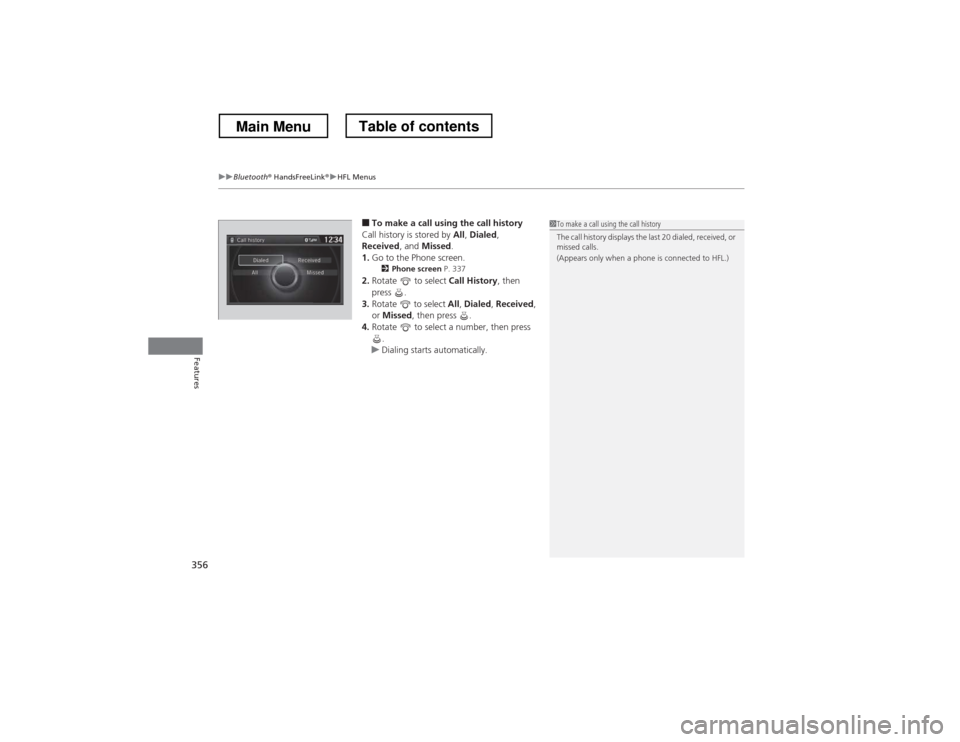
■ To make a call using the call history
Call history is stored by All, Dialed ,
Received , and Missed .
1. Go to the Phone screen.
2 Phone screen P. 337
2. Rotate to select Call History, then
press .
3. Rotate to select All, Dialed , Received ,
or Missed , then press .
4. Rotate to select a number, then press
.
uDialing starts automatically.
1To make a call using the call history
The call history displays the last 20 dialed, received, or
missed calls.
(Appears only when a phone is connected to HFL.)
Main MenuTable of contents
Page 361 of 573
uuBluetooth® HandsFreeLink ®uHFL Menus
360
Features
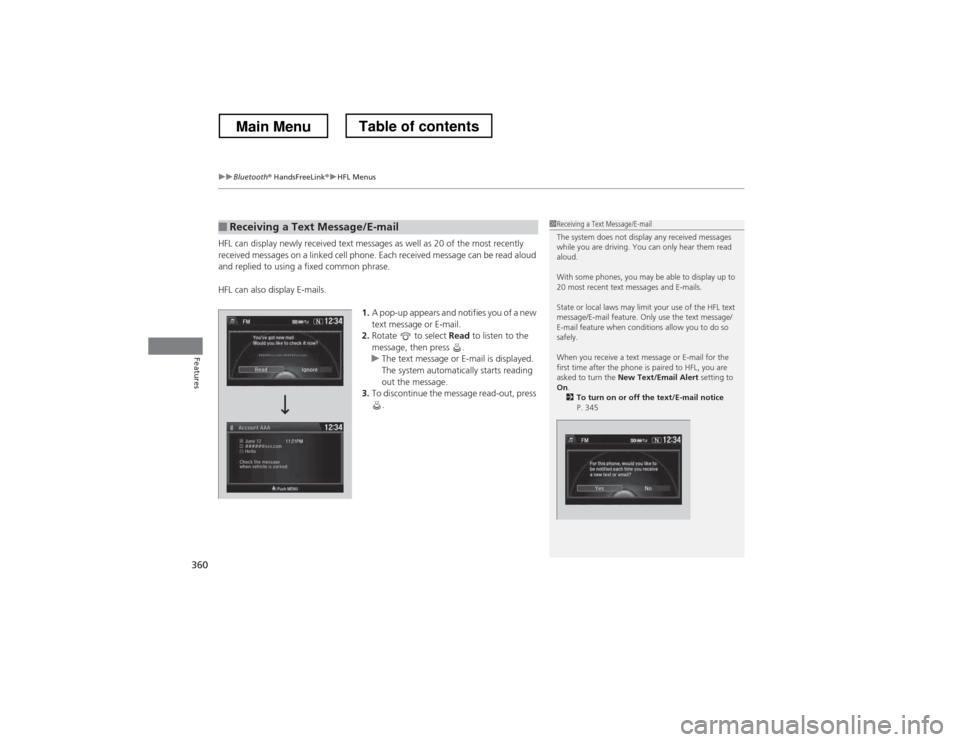
HFL can display newly received text messages as well as 20 of the most recently
received messages on a linked cell phone. Each received message can be read aloud
and replied to using a fixed common phrase.
HFL can also display E-mails. 1.A pop-up appears and notifies you of a new text message or E-mail.
2. Rotate to select Read to listen to the
message, then press .
uThe text message or E-mail is displayed.
The system automatically starts reading
out the message.
3. To discontinue the message read-out, press
.
■Receiving a Text Message/E-mail1Receiving a Text Message/E-mail
The system does not display any received messages
while you are driving. You can only hear them read
aloud.
With some phones, you may be able to display up to
20 most recent text messages and E-mails.
State or local laws may limit your use of the HFL text
message/E-mail feature. Only use the text message/
E-mail feature when conditions allow you to do so
safely.
When you receive a text message or E-mail for the
first time after the phone is paired to HFL, you are asked to turn the New Text/Email Alert setting to
On .
2 To turn on or off the text/E-mail notice
P. 345
Main MenuTable of contents
Page 363 of 573
uuBluetooth® HandsFreeLink ®uHFL Menus
362
Features
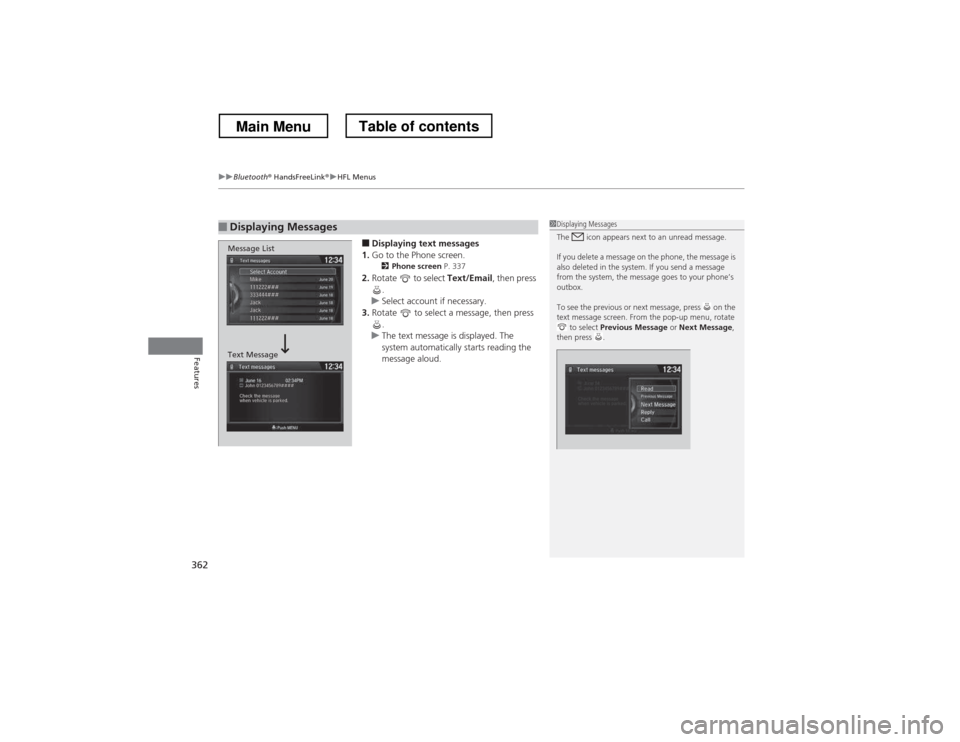
■ Displaying text messages
1. Go to the Phone screen.
2 Phone screen P. 337
2. Rotate to select Text/Email, then press
.
uSelect account if necessary.
3. Rotate to select a message, then press
.
uThe text message is displayed. The
system automatically starts reading the
message aloud.
■Displaying Messages1Displaying Messages
The icon appears next to an unread message.
If you delete a message on the phone, the message is
also deleted in the system. If you send a message
from the system, the message goes to your phone’s
outbox.
To see the previous or next message, press on the
text message screen. From the pop-up menu, rotate to select Previous Message or Next Message ,
then press .
Message List
Text Message
Main MenuTable of contents
Page 364 of 573
Continued363
uuBluetooth® HandsFreeLink ®uHFL Menus
Features
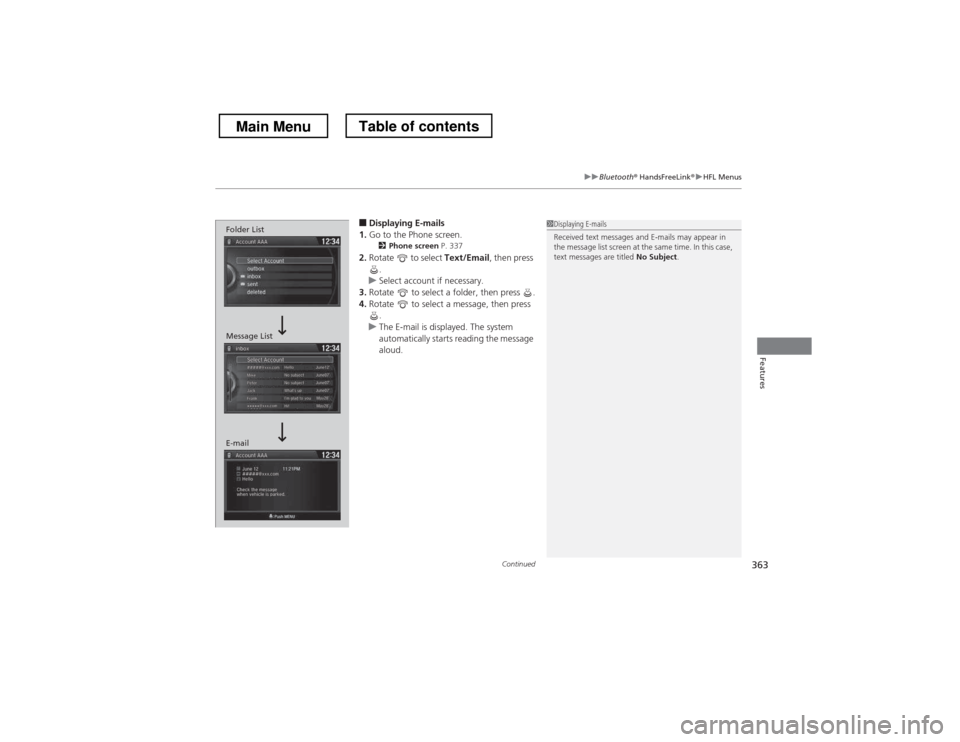
■Displaying E-mails
1. Go to the Phone screen.
2 Phone screen P. 337
2. Rotate to select Text/Email, then press
.
uSelect account if necessary.
3. Rotate to select a folder, then press .
4. Rotate to select a message, then press
.
uThe E-mail is displayed. The system
automatically starts reading the message
aloud.
1Displaying E-mails
Received text messages and E-mails may appear in
the message list screen at the same time. In this case,
text messages are titled No Subject.
Message List
E-mail Folder List
Main MenuTable of contents
Page 365 of 573
uuBluetooth® HandsFreeLink ®uHFL Menus
364
Features
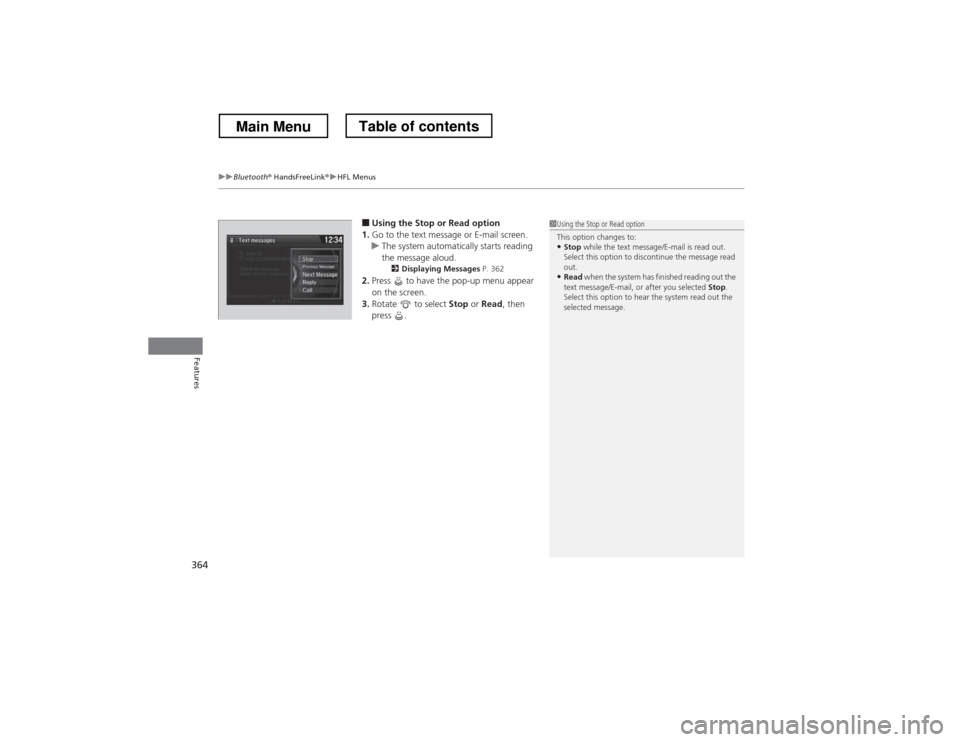
■ Using the Stop or Read option
1. Go to the text message or E-mail screen.
uThe system automatically starts reading
the message aloud.
2 Displaying Messages P. 362
2. Press to have the pop-up menu appear
on the screen.
3. Rotate to select Stop or Read , then
press .
1Using the Stop or Read option
This option changes to:
• Stop while the text message/E-mail is read out.
Select this option to discontinue the message read out.
• Read when the system has finished reading out the
text message/E-mail, or after you selected Stop.
Select this option to hear the system read out the
selected message.
Main MenuTable of contents
Page 366 of 573
Continued365
uuBluetooth® HandsFreeLink ®uHFL Menus
Features
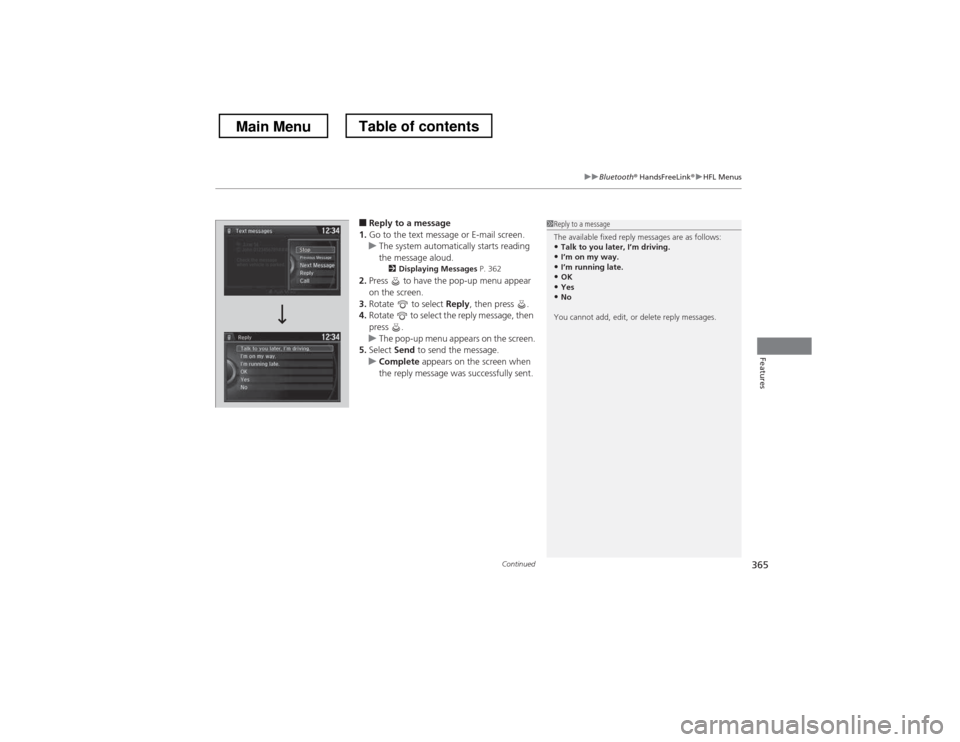
■Reply to a message
1. Go to the text message or E-mail screen.
uThe system automatically starts reading the message aloud.
2 Displaying Messages P. 362
2. Press to have the pop-up menu appear
on the screen.
3. Rotate to select Reply, then press .
4. Rotate to select the reply message, then press .
uThe pop-up menu appears on the screen.
5. Select Send to send the message.
uComplete appears on the screen when
the reply message was successfully sent.
1Reply to a message
The available fixed reply messages are as follows: • Talk to you later, I
Page 367 of 573
366
uuBluetooth® HandsFreeLink ®uHFL Menus
Features
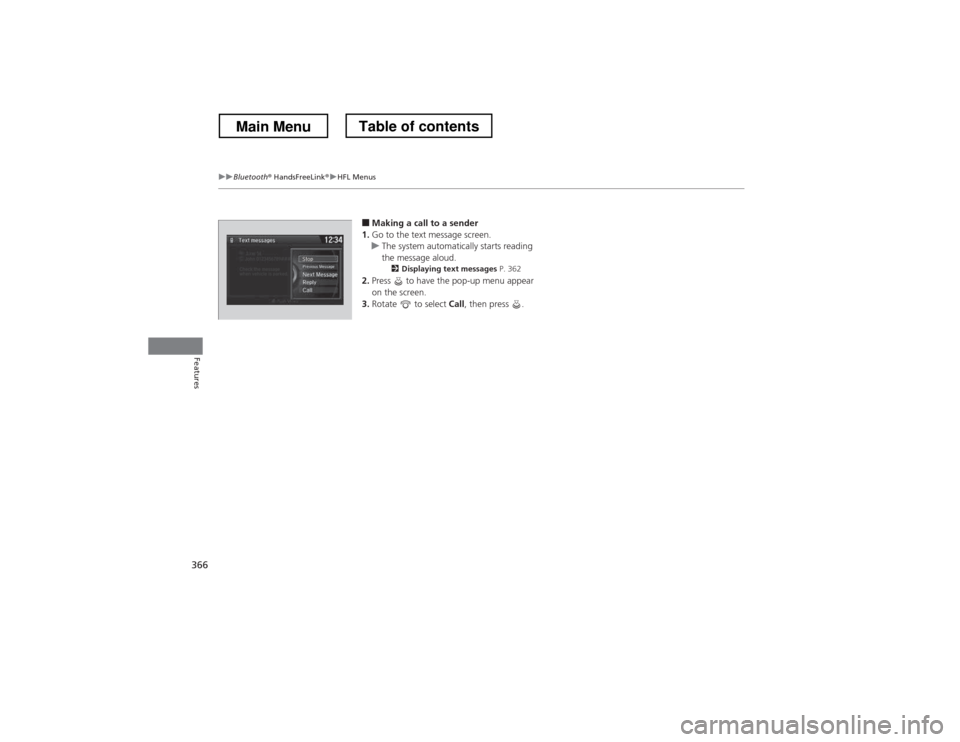
■Making a call to a sender
1. Go to the text message screen.
uThe system automatically starts reading
the message aloud.
2 Displaying text messages P. 362
2. Press to have the pop-up menu appear
on the screen.
3. Rotate to select Call, then press .
Main MenuTable of contents
Page 369 of 573
uuBluetooth® HandsFreeLink ®uUsing HFL
368
Features
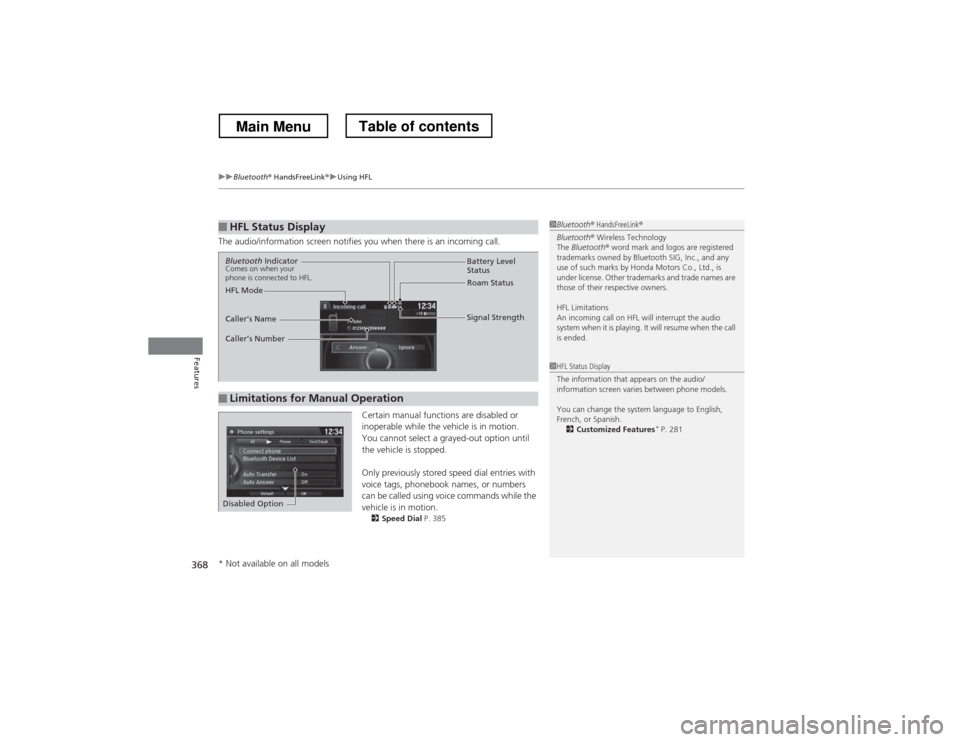
The audio/information screen notifies you when there is an incoming call. Certain manual functions are disabled or
inoperable while the vehicle is in motion.
You cannot select a grayed-out option until
the vehicle is stopped.
Only previously stored speed dial entries with
voice tags, phonebook names, or numbers
can be called using voice commands while the
vehicle is in motion.2 Speed Dial P. 385
■HFL Status Display1Bluetooth® HandsFreeLink ®
Bluetooth ® Wireless Technology
The Bluetooth ® word mark and logos are registered
trademarks owned by Bluetooth SIG, Inc., and any
use of such marks by Honda Motors Co., Ltd., is
under license. Other trademarks and trade names are
those of their respective owners.
HFL Limitations
An incoming call on HFL will interrupt the audio
system when it is playing. It will resume when the call is ended.
1HFL Status Display
The information that appears on the audio/
information screen varies between phone models.
You can change the system language to English,
French, or Spanish. 2 Customized Features *
P. 281
■Limitations for Manual Operation
Bluetooth Indicator
Comes on when your
phone is connected to HFL.
Signal Strength
HFL Mode Battery Level
Status
Roam Status
Caller