lock HONDA CROSSTOUR 2013 1.G Manual PDF
[x] Cancel search | Manufacturer: HONDA, Model Year: 2013, Model line: CROSSTOUR, Model: HONDA CROSSTOUR 2013 1.GPages: 573, PDF Size: 25.21 MB
Page 220 of 573
219
uuAudio System Basic OperationuAudio/Information Screen
Continued
Features
■Audio
Shows the current audio information.
■ Navigation
Shows the navigation screen. 2 Refer to the Navigation System Manual
■ Phone
Shows the HFL information. 2
Bluetooth ® HandsFreeLink ® P. 367
■ Info
Shows the Trip Computer or Clock/Wallpaper and other information. Rotate
to select an item, then press .
■ Trip computer (Current Drive)
Shows the range, and instant and average fuel economy of the current trip, as well
as the average fuel economy from your last trip.
■ Trip computer (History of Trip A)
Shows the range, average fuel economy and distances traveled for the current trip, as well
as the average fuel economy and distances traveled during the last three driving cycles.
Each time you reset the trip meter A, the information on the display updates. The
history of the previous three driving cycles is kept.
■ Deleting the history manually
1. Move on the History of Trip A screen to select Delete History, then press .
2. You will receive a confirmation message on the screen. Rotate to select Yes,
then press .
■ Clock/Wallpaper
Shows a clock screen or an image you import.
Main MenuTable of contents
Page 221 of 573
uuAudio System Basic OperationuAudio/Information Screen
220
Features
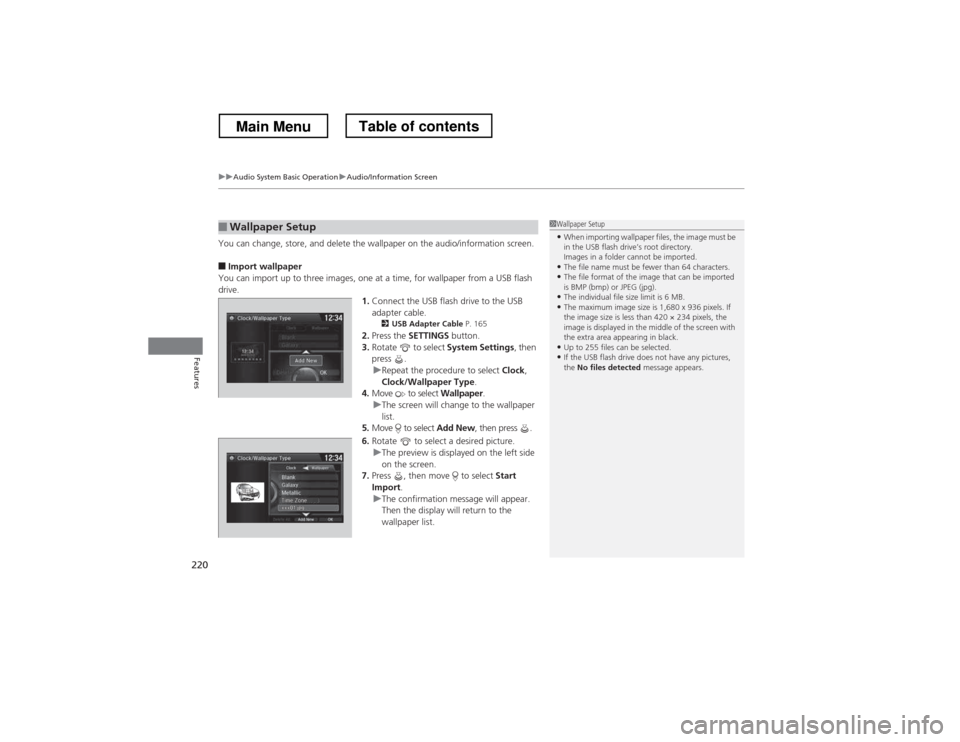
You can change, store, and delete the wallpaper on the audio/information screen. ■ Import wallpaper
You can import up to three images, one at a time, for wallpaper from a USB flash
drive. 1.Connect the USB flash drive to the USB adapter cable.
2 USB Adapter Cable P. 165
2. Press the SETTINGS button.
3. Rotate to select System Settings, then
press .
uRepeat the procedure to select Clock,
Clock/Wallpaper Type .
4. Move to select Wallpaper.
uThe screen will change to the wallpaper
list.
5. Move to select Add New, then press .
6. Rotate to select a desired picture.
uThe preview is displayed on the left side
on the screen.
7. Press , then move to select Start
Import .
uThe confirmation message will appear.
Then the display will return to the
wallpaper list.
■Wallpaper Setup1Wallpaper Setup
• When importing wallpaper files, the image must be
in the USB flash drive’s root directory.
Images in a folder cannot be imported.
• The file name must be fewer than 64 characters.
• The file format of the image that can be imported
is BMP (bmp) or JPEG (jpg).
• The individual file size limit is 6 MB.
• The maximum image size is 1,680 x 936 pixels. If
the image size is less than 420 × 234 pixels, the
image is displayed in the middle of the screen with
the extra area appearing in black.
• Up to 255 files can be selected.
• If the USB flash drive does not have any pictures, the No files detected message appears.
Main MenuTable of contents
Page 222 of 573
221
uuAudio System Basic OperationuAudio/Information Screen
Features
■Select wallpaper
1. Press the SETTINGS button.
2. Rotate to select System Settings, then press .
uRepeat the procedure to select Clock/Wallpaper Type.
3. Move to select Wallpaper.
uThe screen changes to the wallpaper list.
4. Rotate to select a desired wallpaper.
uThe preview is displayed on the left side on the screen.
5. Press .
uThe pop-up menu appears on the screen.
6. Rotate to select Set, then press .
uThe display will return to the wallpaper list.
■ Delete wallpaper
1. Press the SETTINGS button.
2. Rotate to select System Settings, then press .
uRepeat the procedure to select Clock/Wallpaper Type.
3. Move to select Wallpaper.
uThe screen changes to the wallpaper list.
4. Rotate to select a wallpaper that you want to delete, then press .
uThe preview is displayed on the left side on the screen.
5. Press .
uThe pop-up menu appears on the screen.
6. Rotate to select Delete, then press .
uThe confirmation message will appear.
7. Rotate to select Yes, then press to delete completely.
uThe display will return to the wallpaper list.
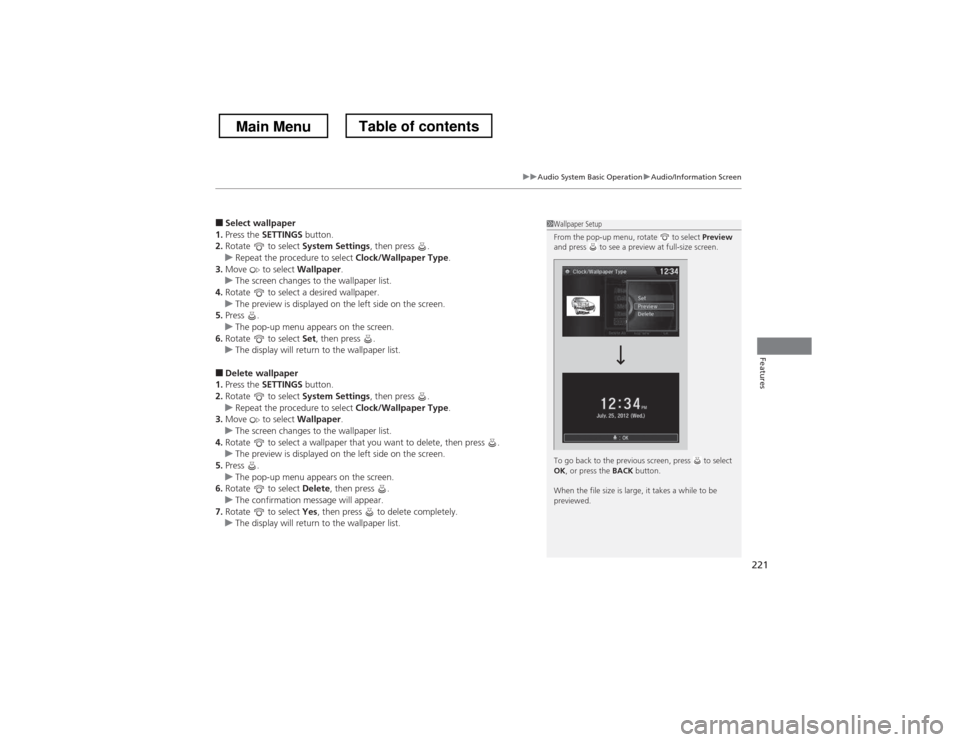
1Wallpaper Setup
From the pop-up menu, rotate to select Preview
and press to see a preview at full-size screen.
To go back to the previous screen, press to select OK , or press the BACK button.
When the file size is large, it takes a while to be
previewed.
Main MenuTable of contents
Page 226 of 573
225
uuAudio System Basic OperationuVoice Control Operation
Continued
Features
The system accepts these commands on the
Voice Portal screen.
• Call Your contact name
• Call Phone Number
• Find nearest POI category name
• Go home
• Route menu
• Cancel route
The system accepts these commands on any screen. • Call by number
• Call by name
Contacts that are imported from your
phone to the vehicle are all made available
by voice. Voice Tags can also be recorded
for each of your Speed Dial entries.
■Voice Portal Commands
■Phone Commands 2
Refer to the Navigation System Manual
The system accepts these commands on any screen. • Trip computer
• Traffic information
• Display clock
• Display wallpaper
■Navigation Commands
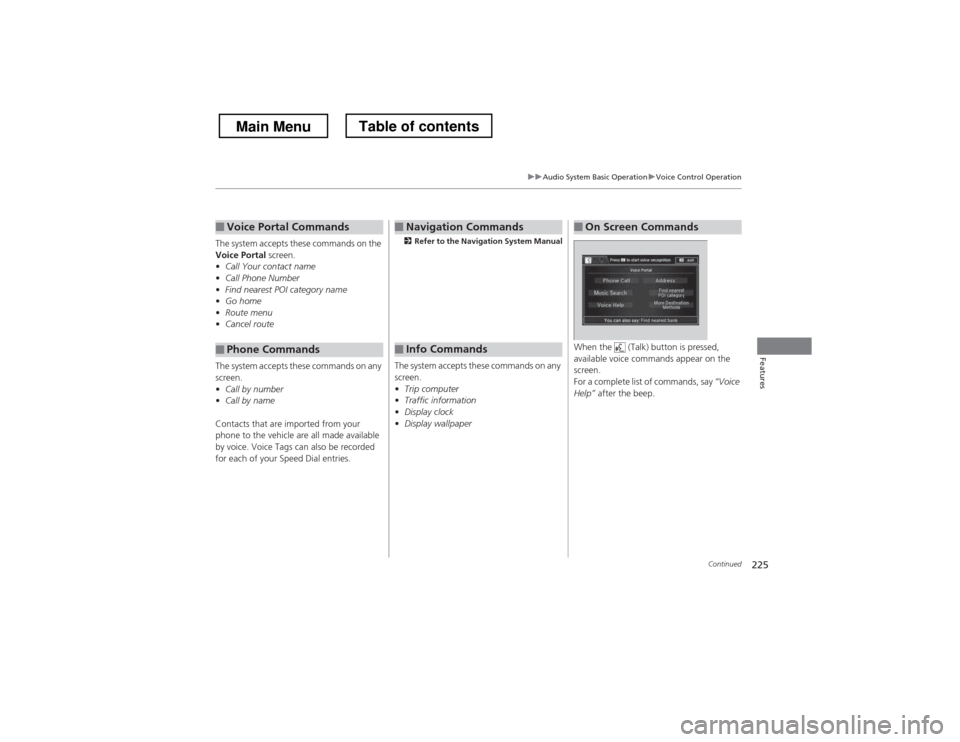
■Info Commands When the (Talk) button is pressed,
available voice commands appear on the screen.
For a complete list of commands, say
“Voice
Help” after the beep.
■On Screen Commands
Main MenuTable of contents
Page 277 of 573
276
Features
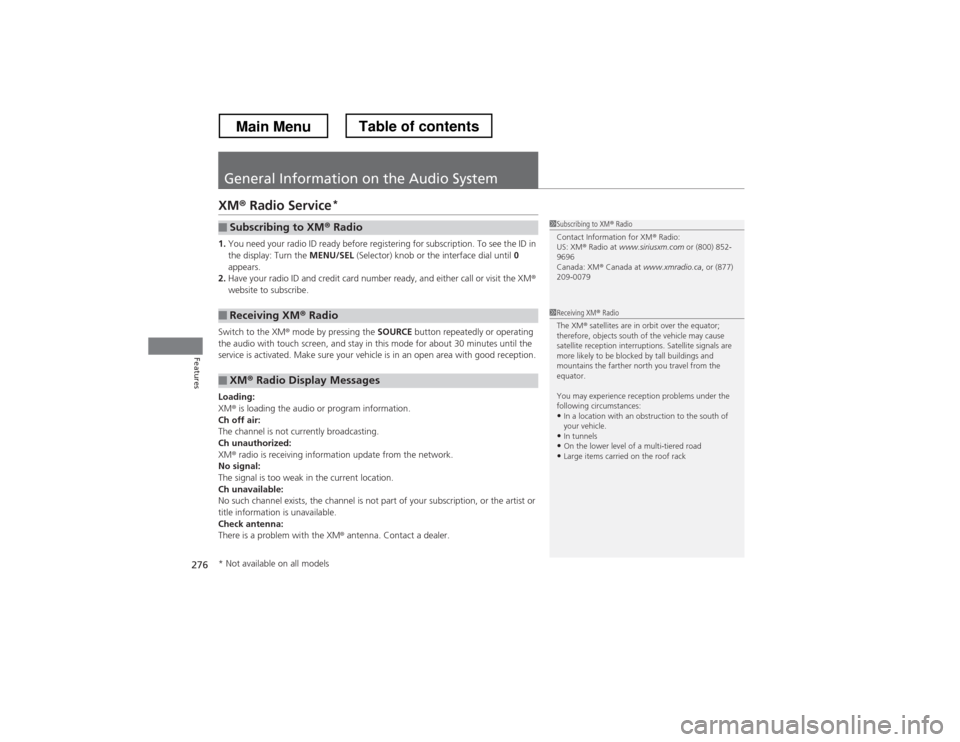
General Information on the Audio System
XM® Radio Service *
1. You need your radio ID ready before registering for subscription. To see the ID in the display: Turn the MENU/SEL (Selector) knob or the interface dial until 0
appears.
2. Have your radio ID and credit card number ready, and either call or visit the XM ®
website to subscribe.
Switch to the XM ® mode by pressing the SOURCE button repeatedly or operating
the audio with touch screen, and stay in this mode for about 30 minutes until the
service is activated. Make sure your vehicle is in an open area with good reception. Loading: XM ® is loading the audio or program information.
Ch off air:
The channel is not currently broadcasting.
Ch unauthorized: XM ® radio is receiving information update from the network.
No signal:
The signal is too weak in the current location.
Ch unavailable:
No such channel exists, the channel is not part of your subscription, or the artist or
title information is unavailable.
Check antenna:
There is a problem with the XM ® antenna. Contact a dealer.
■Subscribing to XM ® Radio
■Receiving XM ® Radio
■XM ® Radio Display Messages
1Subscribing to XM ® Radio
Contact Information for XM ® Radio:
US: XM ® Radio at www.siriusxm.com or (800) 852-
9696
Canada: XM ® Canada at www.xmradio.ca , or (877)
209-0079
1Receiving XM ® Radio
The XM ® satellites are in orbit over the equator;
therefore, objects south of the vehicle may cause
satellite reception interruptions. Satellite signals are
more likely to be blocked by tall buildings and
mountains the farther north you travel from the
equator.
You may experience reception problems under the
following circumstances:
• In a location with an obstruction to the south of
your vehicle.
• In tunnels
• On the lower level of a multi-tiered road
• Large items carried on the roof rack
* Not available on all models
Main MenuTable of contents
Page 281 of 573
uuGeneral Information on the Audio SystemuCompatible iPod® and USB Flash Drives
280
Features
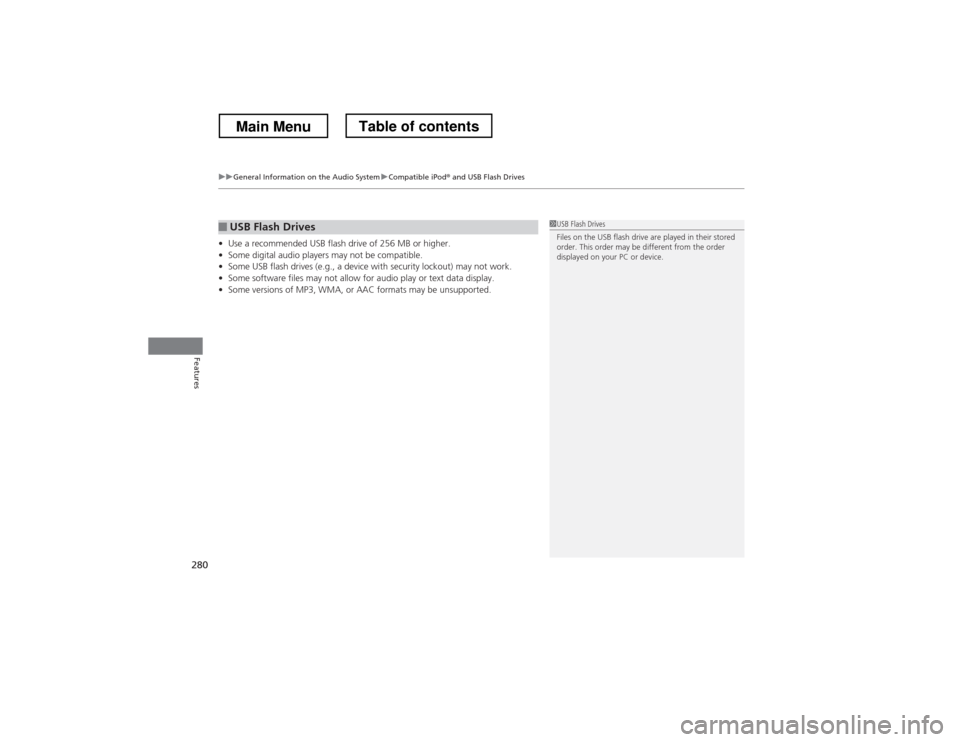
• Use a recommended USB flash drive of 256 MB or higher.
• Some digital audio players may not be compatible.
• Some USB flash drives (e.g., a device with security lockout) may not work.
• Some software files may not allow for audio play or text data display.
• Some versions of MP3, WMA, or AAC formats may be unsupported.
■USB Flash Drives1USB Flash Drives
Files on the USB flash drive are played in their stored
order. This order may be different from the order
displayed on your PC or device.
Main MenuTable of contents
Page 284 of 573
283
uuCustomized Features*u
Continued
Features
■
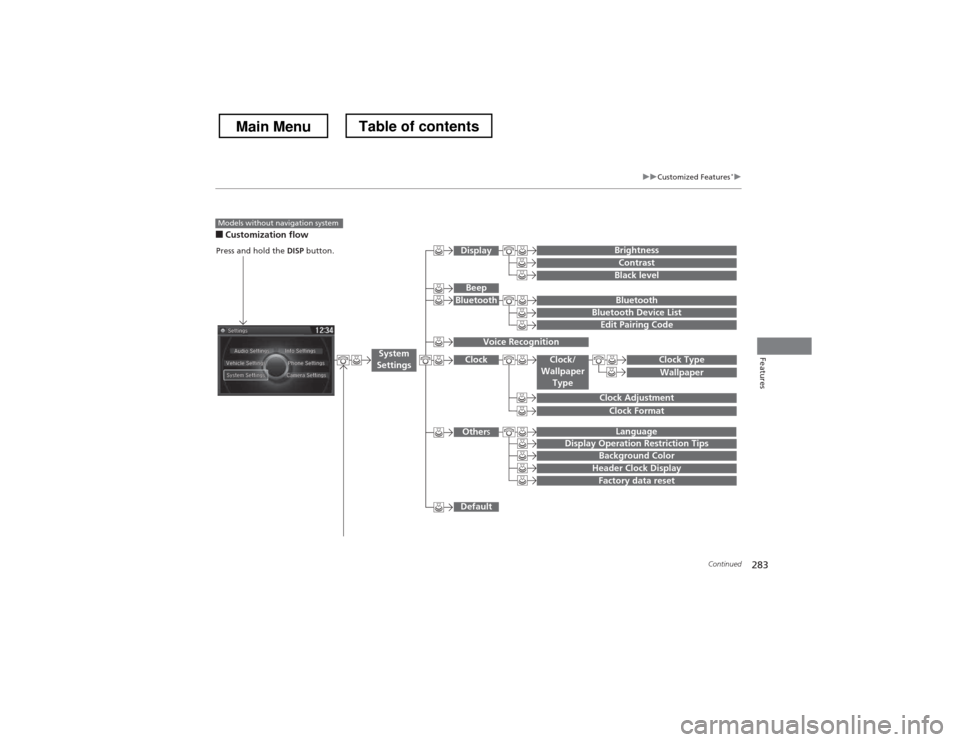
Customization flow
Models without navigation system
Clock Format
Background Color
Header Clock Display
Factory data reset
Clock Adjustment
Press and hold the DISP button.
Language
Default
Edit Pairing Code
Bluetooth
Bluetooth Device List
Brightness
Contrast
Black level
Beep
Clock/
Wallpaper
TypeClock Type
Wallpaper
System
Settings
Bluetooth
Display
Clock
Other s
Display Operation Restriction Tips
Voice Recognition
Main MenuTable of contents
Page 285 of 573
284
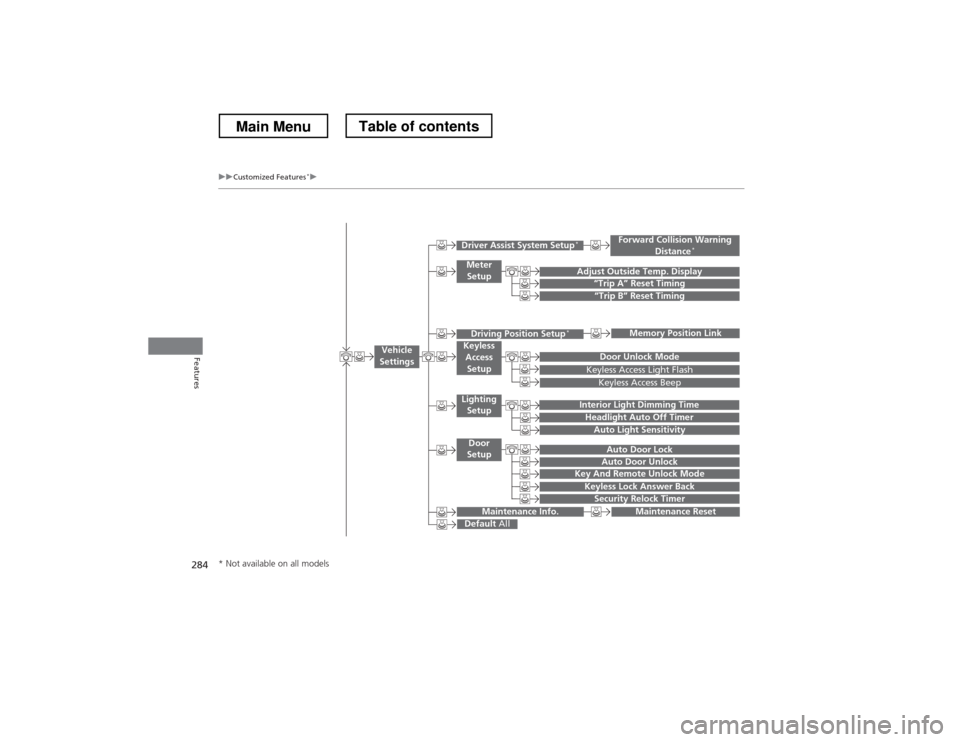
uuCustomized Features*u
Features
“Trip B” Reset Timing
Adjust Outside Temp. Display“Trip A” Reset Timing
Keyless Access Light Flash
Auto Light Sensitivity
Auto Door Lock
Auto Door Unlock
Forward Collision Warning
Distance *
Door Unlock Mode
Interior Light Dimming Time
Headlight Auto Off Timer
Memory Position Link
Key And Remote Unlock Mode
Keyless Lock Answer Back
Security Relock Timer
Maintenance Reset
Default
All
Vehicle
Settings
Driver Assist System Setup *
Meter
Setup
Driving Position Setup *Keyless
Access Setup
Lighting
Setup
Door
Setup
Maintenance Info.
Keyless Access Beep
* Not available on all models
Main MenuTable of contents
Page 286 of 573
285
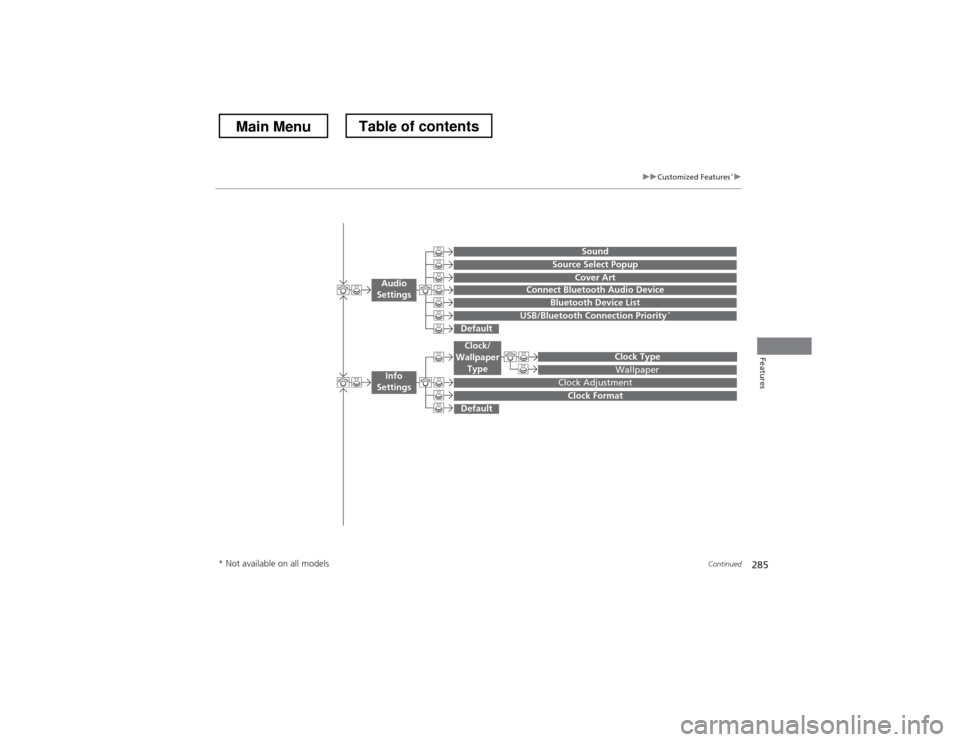
uuCustomized Features*u
Continued
Features
Wallpaper
Source Select Popup
Clock Type
Sound
Default
Cover Art
Connect Bluetooth Audio Device
Bluetooth Device List
USB/Bluetooth Connection Priority *
Default
Clock Adjustment
Clock Format
Audio
Settings
Clock/
Wallpaper Type
Info
Settings
* Not available on all models
Main MenuTable of contents
Page 290 of 573
289
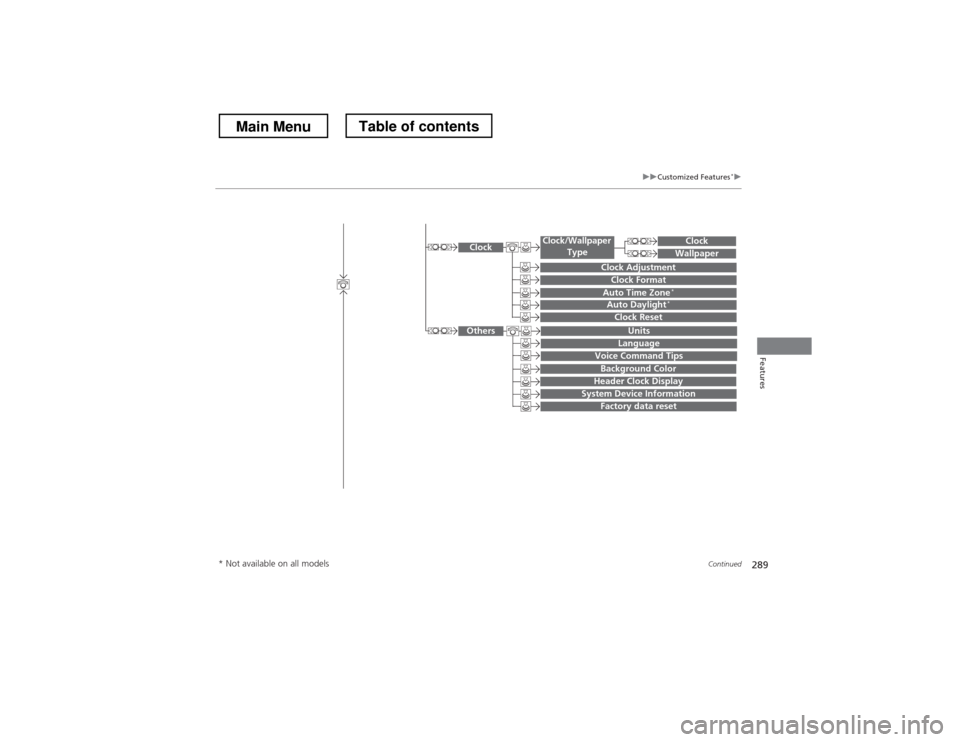
uuCustomized Features*u
Continued
Features
System Device Information
Factory data reset
Background Color
Header Clock Display
Clock Reset
Auto Time Zone*Auto Daylight*
Clock
Clock Adjustment
Clock Format
Clock
Units
Language
Voice Command Tips
Others
Wallpaper
Clock/Wallpaper
Type
* Not available on all models
Main MenuTable of contents