wheel HONDA CRV 2023 Owners Manual
[x] Cancel search | Manufacturer: HONDA, Model Year: 2023, Model line: CRV, Model: HONDA CRV 2023Pages: 719, PDF Size: 13.43 MB
Page 556 of 719
Continued555
uuHonda Sensing ®u Road Departure Mitigation System
Driving
The system cancels assisting operations wh en you turn the steering wheel to avoid
crossing over detected lane markings or approaching the outer edge of the
pavement (into grass or gravel border) or an oncoming vehicle.
If the system operates several times with out detecting driver response, the system
beeps to alert you.1 Road Departure Mitigation System
There are times when you may not notice the Road
Departure Mitigation system functions due to your
operation of the vehicle, or road surface conditions.
You can change the settin gs for the Road Departure
Mitigation system.
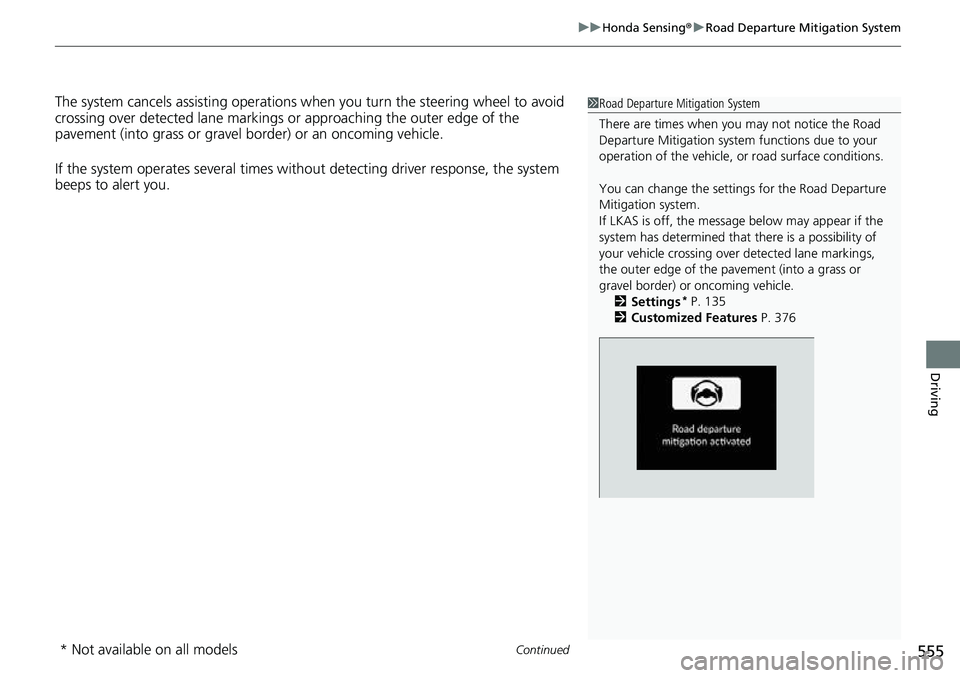
If LKAS is off, the message below may appear if the
system has determined that there is a possibility of
your vehicle crossing over detected lane markings,
the outer edge of the pa vement (into a grass or
gravel border) or oncoming vehicle.
2 Settings
* P. 135
2 Customized Features P. 376
* Not available on all models
Page 558 of 719
Continued557
uuHonda Sensing ®u Road Departure Mitigation System
Driving
You can turn the system on and off using the driver information interface.
2 Switching the Display P. 117
2 Safety Support P. 130
The Road Departure Mitigation system is in the previously selected on or off setting
each time you turn the power system on.
*1 : Models with 7-in. Color Touchscreen
*2 : Models with 9-in. Color Touchscreen
■Road Departure Mitigation system On and Off1Road Departure Mitigation system On and Off
When you have selected Warning only
*1/Warning
Only*2, the system does not operate the steering
wheel. 2 Settings
* P. 135
2 Customized Features P. 376
The Vehicle Stability Assist
TM (VSA ®) system, brake
system (Amber), Adaptive Cruise Control (ACC) with
Low Speed Follow, low tire pressure/TPMS
* and
safety support indicators may come on in amber
along with a message in the gauge when you set the
power mode to ON after reconnecting the battery.
Drive a short distance at more than 12 mph (20 km/h).
Each indicator should go off. If any do not, have your
vehicle checked by a dealer.
* Not available on all models
Page 561 of 719
560
uuHonda Sensing ®u Road Departure Mitigation System
Driving
■Vehicle conditions
• When lighting is weak due to dirt covering the headlight lenses, or there is poor
visibility in a dark place due to th e headlights being improperly adjusted.
• The front of the camera is covered by dirt, fog, rain, mud, wet snow, seals,
accessories, stickers, or film on the windshield.
• Driving at night or in a dark place (e .g., a tunnel) with the headlights off.
• When the driver operates the brake pedal and steering wheel.
• There is residue on the windshie ld from the windshield wipers.
• An abnormal tire or wheel condition (incorre ct sizes, varied sizes or construction,
improperly inflated, etc.).
• The vehicle is tilted due to heavy lo ad in the cargo area or rear seats.
• Tire chains are installed.
• The suspension has been modified.
• The vehicle is towing a trailer.
■Examples of limitations on detectio n due to the condition of oncoming
vehicles
• The oncoming vehicle or vehicle ahead of you is sideways.
• The oncoming vehicle jumps out in front of you.
• When the oncoming vehicle blends in with the background, preventing the
system from recognizing it.
• The headlights of an oncoming vehicle are lit on one side or not lit on either side
in a dark place.
• The distance between your vehicle and the oncoming vehicle is too short.
• Part of the oncoming vehicle is not vi sible due to the vehicle ahead of you.
• There are multiple oncoming lanes or turning lanes.
• The vehicle in the adjacent lane is parked or moving at an extremely slow speed.
Page 565 of 719
uuHonda Sensing ®u Traffic Sign Recognition System
564
Driving
The Traffic Sign Recognition system may incorrectly recognize, be slow to identify,
or fail to recognize the traffi c sign in the following cases.
■Environmental conditions
• Driving into low sunlight (e.g., at dawn or dusk).
• Strong light is reflected onto the roadway.
• Driving at night, in dark areas such as long tunnels.
• Driving in bad weather (rain, fog, snow, etc.).
• Sudden changes between light and dark, such as the entrance or exit of a tunnel
or the shadows of trees, buildings, etc.
• Water is sprayed by or snow blown from a vehicle ahead.
■Roadway conditions
• Your vehicle is strongly shaken on uneven road surfaces.
■Vehicle conditions
• When lighting is weak due to dirt covering the headlight lenses, or there is poor
visibility in a dark place due to th e headlights being improperly adjusted.
• The front of the camera is covered by dirt, fog, rain, mud, wet snow, seals,
accessories, stickers, or film on the windshield.
• There is residue on the windshie ld from the windshield wipers.
• An abnormal tire or wheel condition (incorre ct sizes, varied sizes or construction,
improperly inflated, etc.).
• The vehicle is tilted due to heavy lo ad in the cargo area or rear seats.
• The suspension has been modified.
• Tire chains are installed.
• Driving at night or in a dark place (e .g., a tunnel) with the headlights off.
• The vehicle is towing a trailer.
■Traffic Sign Recognition System Conditions and Limitations1Traffic Sign Recognition System Conditions and Limitations
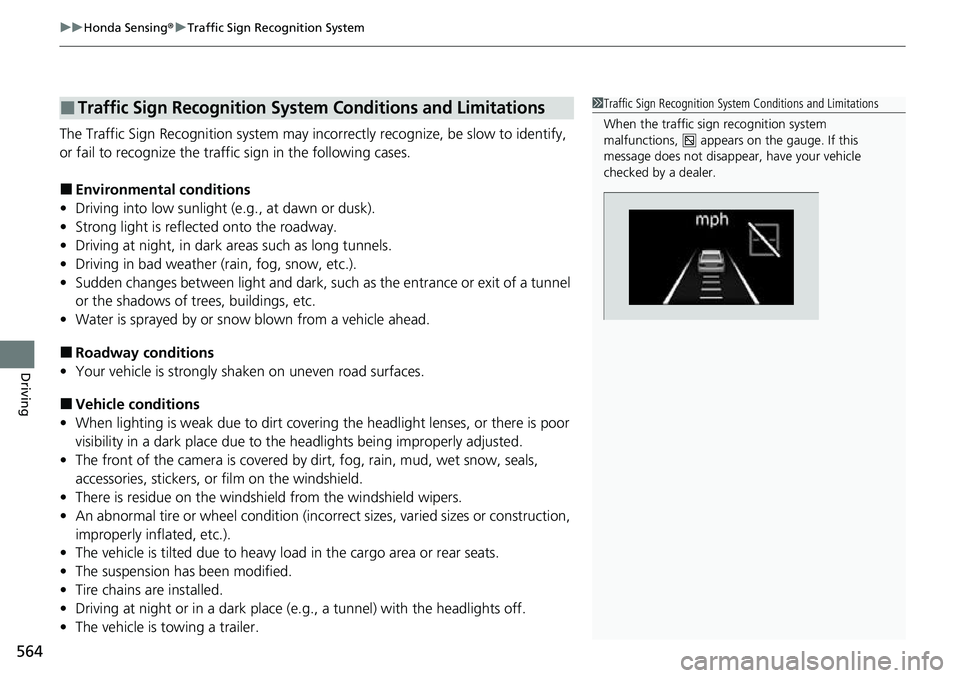
When the traffic sign recognition system
malfunctions, appears on the gauge. If this
message does not disappear, have your vehicle
checked by a dealer.
Page 573 of 719
572
Driving
Braking
Brake System
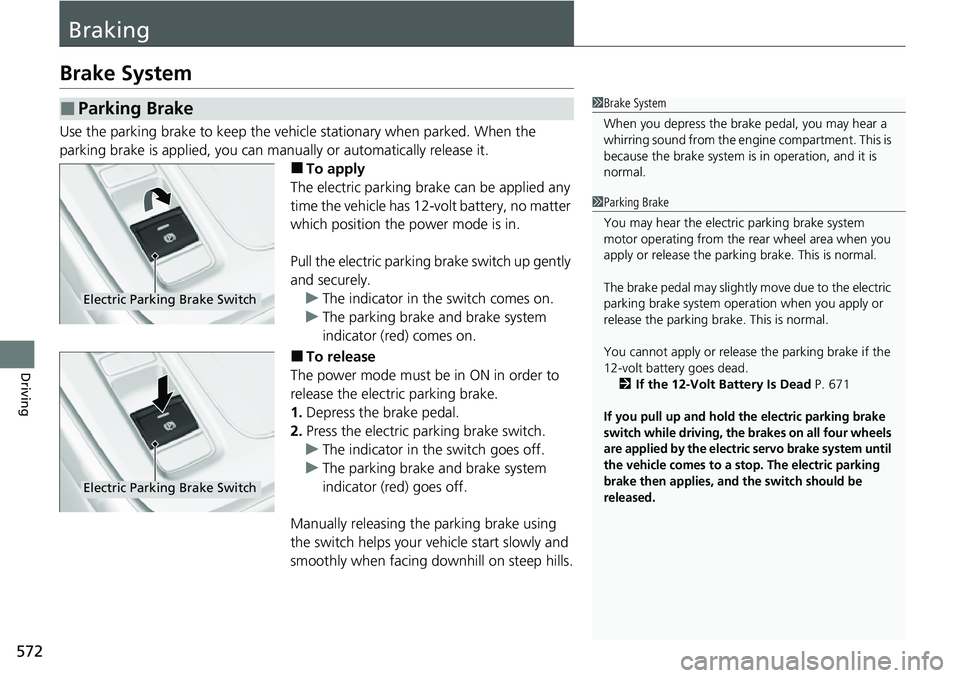
Use the parking brake to keep the vehicle stationary when parked. When the
parking brake is applied, you can ma nually or automatically release it.
■To apply
The electric parking brake can be applied any
time the vehicle has 12-volt battery, no matter
which position the power mode is in.
Pull the electric parking brake switch up gently
and securely. u The indicator in the switch comes on.
u The parking brake and brake system
indicator (red) comes on.
■To release
The power mode must be in ON in order to
release the electric parking brake.
1. Depress the brake pedal.
2. Press the electric parking brake switch.
u The indicator in the switch goes off.
u The parking brake and brake system
indicator (red) goes off.
Manually releasing the parking brake using
the switch helps your ve hicle start slowly and
smoothly when facing downhill on steep hills.
■Parking Brake1 Brake System
When you depress the brak e pedal, you may hear a
whirring sound from the engine compartment. This is
because the brake system is in operation, and it is
normal.
1 Parking Brake
You may hear the electric parking brake system
motor operating from the re ar wheel area when you
apply or release the parking brake. This is normal.
The brake pedal may slightly move due to the electric
parking brake system opera tion when you apply or
release the parking br ake. This is normal.
You cannot apply or release the parking brake if the
12-volt battery goes dead.
2 If the 12-Volt Battery Is Dead P. 671
If you pull up and hold the electric parking brake
switch while driving, the brakes on all four wheels
are applied by the electric servo brake system until
the vehicle comes to a stop. The electric parking
brake then applies, and the switch should be
released.
Electric Parking Brake Switch
Electric Parking Brake Switch
Page 576 of 719
Continued575
uuBraking uBrake System
Driving
■Activating and deactivating the automatic parking brake feature
With the power mode is in ON, carry out th e following steps to either activate or
deactivate the automatic parking brake feature.
1. Put the transmission into
(P.
2. Without depressing the brake pedal, pull up and release the electric parking brake
switch.
u Check that the parking brake and brake sy stem indicator (red) has come on.
3. Pull up and hold the electric parking br ake switch. When you hear a beeping
sound, release the switch and within three seconds pull up and hold the switch
again.
4. When you hear a sound indicating that the procedure is completed, release the
switch.
u Two beeps indicates that the feature has been activated.
u One beep indicates that the feature has been deactivated.
u When you have completed activating the feature, the parking brake will
remain applied after you turn the power system off.
u To confirm that the parkin g brake is applied, check if the parking brake and
brake system indicator (red) is on.
If you need to temporarily deactivate the feature while putting your vehicle through
a conveyor type car wash or when having your vehicle towed. You can follow the
procedure explained below.
1. Depress the brake pedal and bring the vehicle to a stop.
2. Set the power mode to VEHICLE OFF and then within two seconds push down the
electric parking brake switch.
u Activation and deactivation settings for the feature will not be affected.
u Before temporarily deactivating the feat ure, make sure to first turn off both
Adaptive Cruise Control (ACC) with Low Speed Follow and the automatic
brake hold system.
u To confirm that the parkin g brake is applied, check if the parking brake and
brake system indicator (red) is on.
1 Parking Brake
In cold climates, the parking brake may freeze in
place if applied.
When parking the vehicle, chock the wheels and
make sure the automatic parking brake feature is
deactivated.
Also, when putting your vehicle through a conveyor-
type car wash or when ha ving your vehicle towed,
deactivate the automatic parking brake feature and
leave the parking brake released.
Page 581 of 719
580
uuBraking uAnti-lock Brake System (ABS)
Driving
Anti-lock Brake System (ABS)
Helps prevent the wheels from locking up, a nd helps you retain steering control by
pumping the brakes rapidly, much faster than you can.
The electronic brake distribution (EBD) system, which is part of the ABS, also
balances the front-to-rear braking distri bution according to vehicle loading.
You should never pump the brake pedal. Let the ABS work for you by always
keeping firm, steady pressure on the brake pe dal. This is sometimes referred to as
“stomp and steer.”
■ABS operation
The brake pedal may pulsate slightly when the ABS is working. Depress the brake
pedal and keep holding the pedal firmly dow n. On dry pavement, you will need to
press on the brake pedal very hard before the ABS activates. However, you may feel
the ABS activate immediately if yo u are trying to stop on snow or ice.
ABS may activate when you depress the brake pedal when driving on:
• Wet or snow covered roads.
• Roads paved with stone.
• Roads with uneven surfaces, such as potholes, cracks, manholes, etc.
When the vehicle speed goes unde r 6 mph (10 km/h), the ABS stops.
■ABS1Anti-lock Brake System (ABS)
NOTICE
The ABS may not function correctly if you use a tire of
the incorrect size or type.
If the ABS indicator comes on while driving, there
may be a problem with the system.
While normal braking will not be affected, there is a
possibility that the ABS wi ll not be operating. Have
your vehicle checked by a dealer immediately.
The ABS is not designed for the purpose of reducing
the time or distance it takes for a vehicle to stop: It is
designed to limit brake lo ckup which can lead to
skidding and loss of steering control.
In the following cases, yo ur vehicle may need more
distance to stop than a vehicle without the ABS:
•You are driving on rough or uneven road surfaces,
such as gravel or snow.
•The tires are equipped with tire chains.
The following may be observed with the ABS system:
•Motor sounds coming from the engine
compartment when the brakes are applied, or
when system checks are being performed after the
power system has been turned on and while the
vehicle accelerates.
•Brake pedal and/or the vehicle body vibration when
ABS activates.
These vibrations and sounds are normal to ABS
systems and are no cause for concern.
Page 584 of 719
583
uuParking Your Vehicle uWhen Stopped
Driving
1When Stopped
In extremely cold temperatures, the parking brake
may freeze up if applied. If such temperatures are
expected, do not apply the parking brake but, if
parking on a slope, either turn the front wheels so
they will contact the curb if the vehicle rolls down the
slope or block the wheels to keep the vehicle from
moving. If you do not take either precaution, the
vehicle may roll unexpect edly, leading to a crash.
Page 589 of 719
588
uuParking Your Vehicle uParking Sensor System*
Driving
To temporarily turn off the beeper, press the left selector wheel while it is sounding.
Temporary OFF will be canceled when the shift position is switched or the vehicle
speed reaches 8 mph (14 km/h) or higher.
Page 595 of 719
uuMulti-View Rear Camera uAbout Your Multi-View Rear Camera
594
Driving
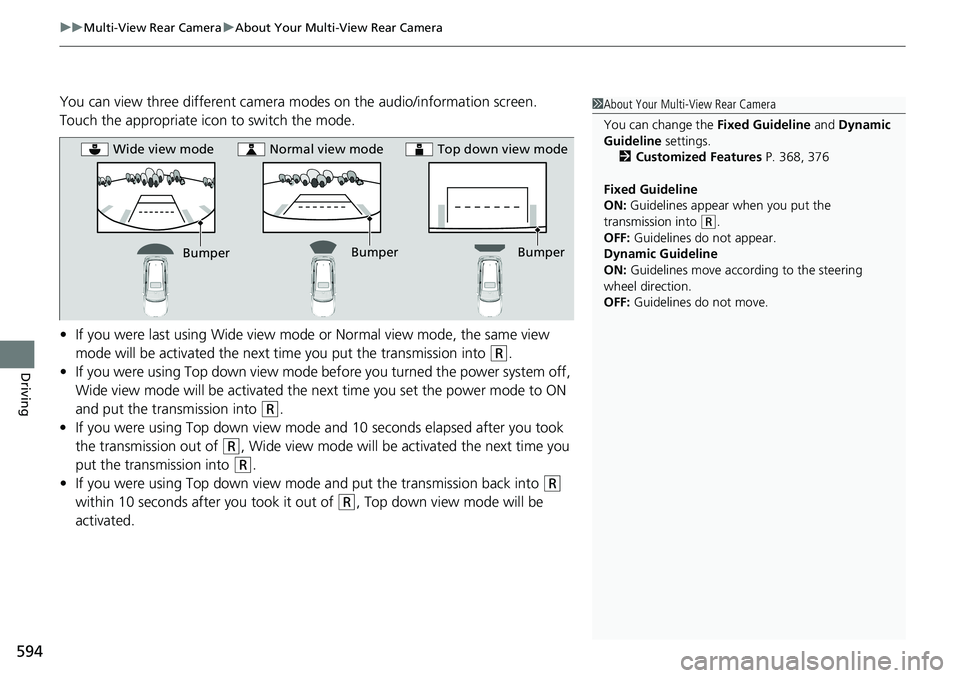
You can view three different camera modes on the audio/information screen.
Touch the appropriate icon to switch the mode.
• If you were last using Wide view mode or Normal view mode, the same view
mode will be activated the next time you put the transmission into
(R.
• If you were using Top down view mode be fore you turned the power system off,
Wide view mode will be activated the ne xt time you set the power mode to ON
and put the transmission into
(R.
• If you were using Top down view mode and 10 seconds elapsed after you took
the transmission out of
(R, Wide view mode will be activated the next time you
put the transmission into
(R.
• If you were using Top down view mode and put the transmission back into
(R
within 10 seconds after you took it out of
(R, Top down view mode will be
activated.
1 About Your Multi-View Rear Camera
You can change the Fixed Guideline and Dynamic
Guideline settings. 2 Customized Features P. 368, 376
Fixed Guideline
ON: Guidelines appear when you put the
transmission into
( R.
OFF: Guidelines do not appear.
Dynamic Guideline
ON: Guidelines move according to the steering
wheel direction.
OFF: Guidelines do not move.
Bumper
Wide view mode
Normal view mode Top down view mode
Bumper
Bumper