lane assist HONDA FIT 2020 (in English) User Guide
[x] Cancel search | Manufacturer: HONDA, Model Year: 2020, Model line: FIT, Model: HONDA FIT 2020Pages: 599, PDF Size: 41.91 MB
Page 436 of 599
uuWhen Driving uAdaptive Cruise Control (ACC)*
434
Driving
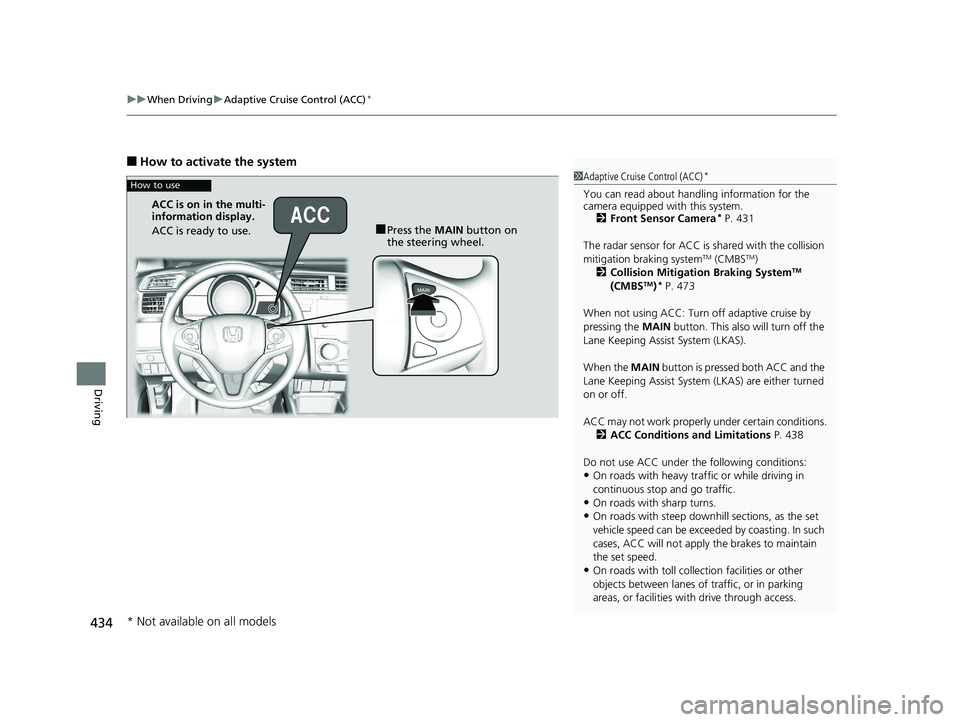
■How to activate the system
1Adaptive Cruise Control (ACC)*
You can read about handling information for the
camera equipped with this system.
2 Front Sensor Camera
* P. 431
The radar sensor for ACC is shared with the collision
mitigation braking system
TM (CMBSTM)
2 Collision Mitigation Braking SystemTM
(CMBSTM)* P. 473
When not using ACC: Turn off adaptive cruise by
pressing the MAIN button. This also will turn off the
Lane Keeping Assist System (LKAS).
When the MAIN button is pressed both ACC and the
Lane Keeping Assist System (LKAS) are either turned
on or off.
ACC may not work properly under certain conditions. 2 ACC Conditions and Limitations P. 438
Do not use ACC under the following conditions:
•On roads with heavy traf fic or while driving in
continuous stop and go traffic.
•On roads with sharp turns.
•On roads with steep downhill sections, as the set
vehicle speed can be exceeded by coasting. In such
cases, ACC will not apply the brakes to maintain
the set speed.
•On roads with toll collection facilities or other
objects between lanes of traffic, or in parking
areas, or faci lities with driv e through access.
How to use
■Press the MAIN button on
the steering wheel.
ACC is on in the multi-
information display.
ACC is ready to use.
* Not available on all models
20 FIT-31T5A6500.book 434 ページ 2019年9月26日 木曜日 午後4時41分
Page 449 of 599
447
uuWhen Driving uRoad Departure Mitigation (RDM) System*
Continued
Driving
Road Departure Mitigation (RDM) System*
Alerts and helps to assist you when the system determines a possibility of your
vehicle unintentionally crossing over dete cted lane markings and/or leaving the
roadway altogether.
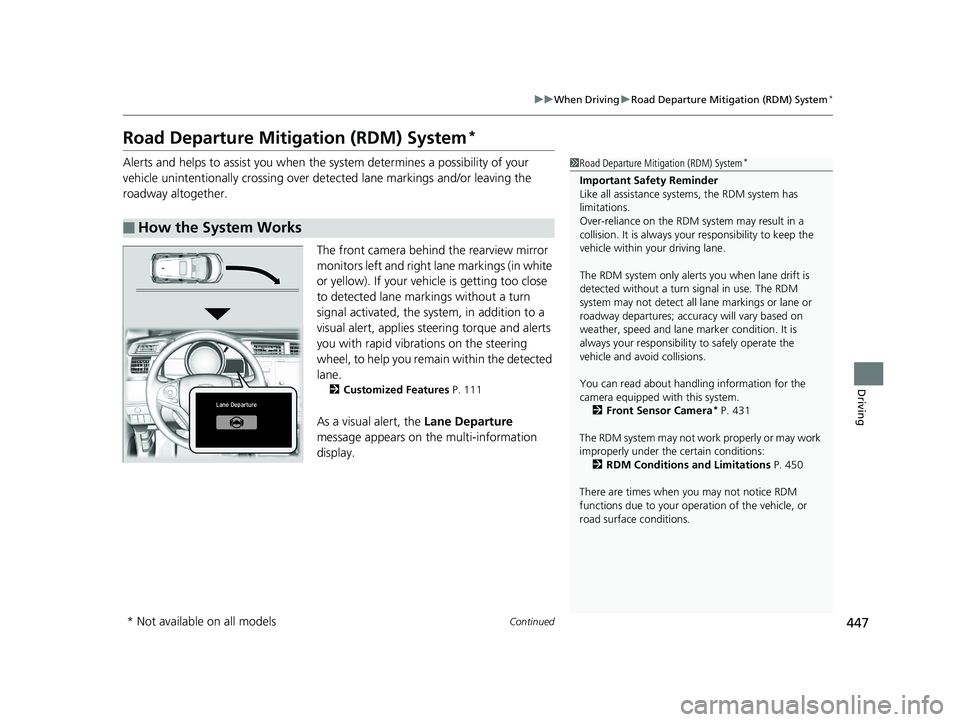
The front camera behind the rearview mirror
monitors left and right lane markings (in white
or yellow). If your vehicle is getting too close
to detected lane markings without a turn
signal activated, the system, in addition to a
visual alert, applies steering torque and alerts
you with rapid vibrations on the steering
wheel, to help you remain within the detected
lane.
2 Customized Features P. 111
As a visual alert, the Lane Departure
message appears on the multi-information
display.
■How the System Works
1 Road Departure Mitigation (RDM) System*
Important Safety Reminder
Like all assistance systems, the RDM system has
limitations.
Over-reliance on the RDM system may result in a
collision. It is always your responsibility to keep the
vehicle within your driving lane.
The RDM system only alerts you when lane drift is
detected without a turn signal in use. The RDM
system may not detect all la ne markings or lane or
roadway departures; accu racy will vary based on
weather, speed and lane marker condition. It is
always your responsibilit y to safely operate the
vehicle and avoid collisions.
You can read about handling information for the
camera equipped with this system.
2 Front Sensor Camera
* P. 431
The RDM system may not wo rk properly or may work
improperly under the certain conditions: 2 RDM Conditions and Limitations P. 450
There are times when you may not notice RDM
functions due to your opera tion of the vehicle, or
road surface conditions.
* Not available on all models
20 FIT-31T5A6500.book 447 ページ 2019年9月26日 木曜日 午後4時41分
Page 450 of 599
uuWhen Driving uRoad Departure Mitigation (RDM) System*
448
Driving
If the system determines that its steering i nput is insufficient to keep your vehicle on
the roadway, it may apply braking. u Braking is applied only when the lane markings are solid continuous lines.
The system cancels assisting operations wh en you turn the steering wheel to avoid
crossing over detected lane markings.
If the system operates several times without detecting driver response, the system
beeps to alert you.1 Road Departure Mitigation (RDM) System*
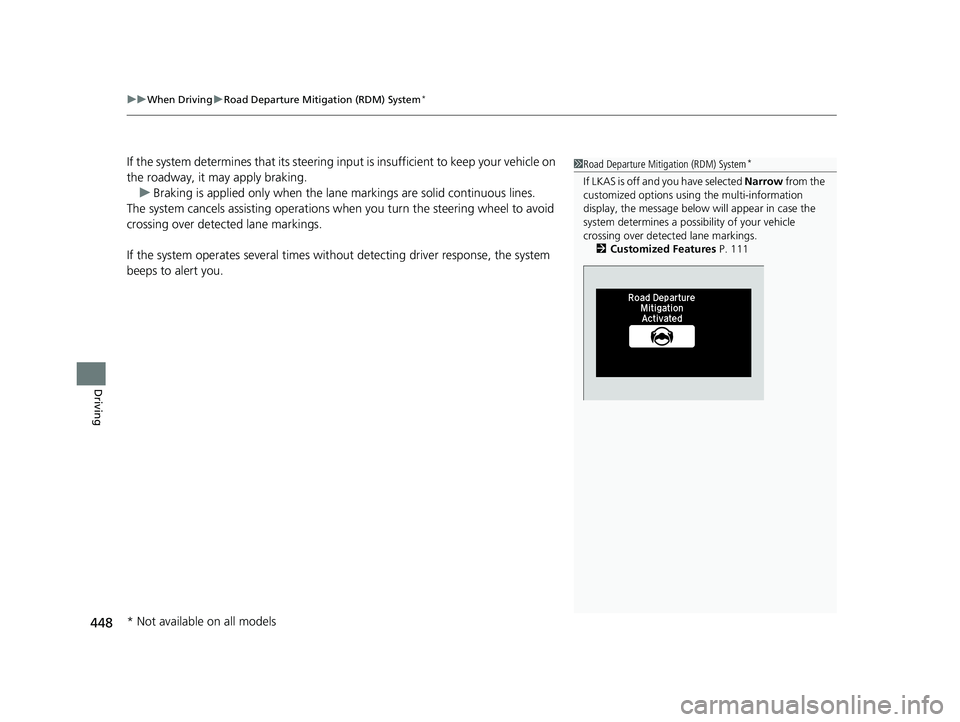
If LKAS is off and you have selected Narrow from the
customized options usi ng the multi-information
display, the message below will appear in case the
system determines a possibility of your vehicle
crossing over detect ed lane markings.
2 Customized Features P. 111
* Not available on all models
20 FIT-31T5A6500.book 448 ページ 2019年9月26日 木曜日 午後4時41分
Page 454 of 599
452
uuWhen Driving uLane Keeping Assist System (LKAS)*
Driving
Lane Keeping Assist System (LKAS)*
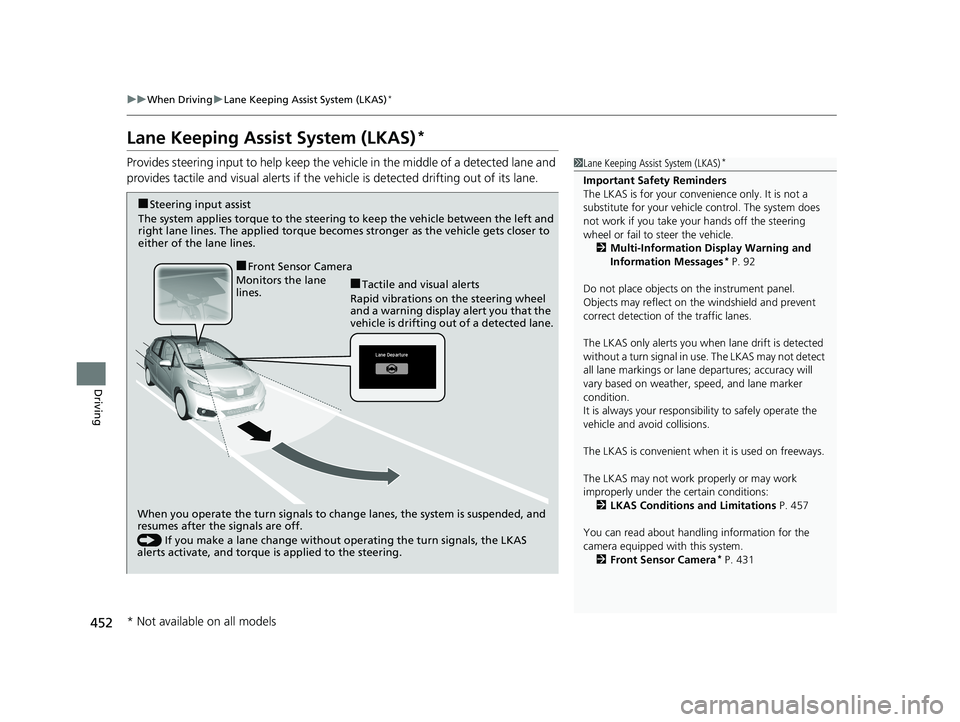
Provides steering input to help keep the vehicle in the middle of a detected lane and
provides tactile and visual alerts if the ve hicle is detected drifting out of its lane.1Lane Keeping Assist System (LKAS)*
Important Safety Reminders
The LKAS is for your convenience only. It is not a
substitute for your vehicle control. The system does
not work if you take y our hands off the steering
wheel or fail to steer the vehicle.
2 Multi-Information Display Warning and
Information Messages
* P. 92
Do not place objects on the instrument panel.
Objects may reflect on th e windshield and prevent
correct detection of the traffic lanes.
The LKAS only alerts you when lane drift is detected
without a turn signal in use. The LKAS may not detect
all lane markings or lane departures; accuracy will
vary based on weather, speed, and lane marker
condition.
It is always your responsibility to safely operate the
vehicle and avoid collisions.
The LKAS is convenient when it is used on freeways.
The LKAS may not work properly or may work
improperly under the certain conditions:
2 LKAS Conditions and Limitations P. 457
You can read about handling information for the
camera equipped with this system. 2 Front Sensor Camera
* P. 431
When you operate the turn signals to chan ge lanes, the system is suspended, and
resumes after the signals are off.
() If you make a lane change without operating the turn signals, the LKAS
alerts activate, and torque is applied to the steering.
Monitors the lane
lines.
■Tactile and visual alerts
Rapid vibrations on the steering wheel
and a warning display alert you that the
vehicle is drifting out of a detected lane.
■Steering input assist
The system applies torque to the steering to keep the vehicle between the left and
right lane lines. The applied torque become s stronger as the vehicle gets closer to
either of the lane lines.
■Front Sensor Camera
* Not available on all models
20 FIT-31T5A6500.book 452 ページ 2019年9月26日 木曜日 午後4時41分
Page 455 of 599
Continued453
uuWhen Driving uLane Keeping Assist System (LKAS)*
Driving
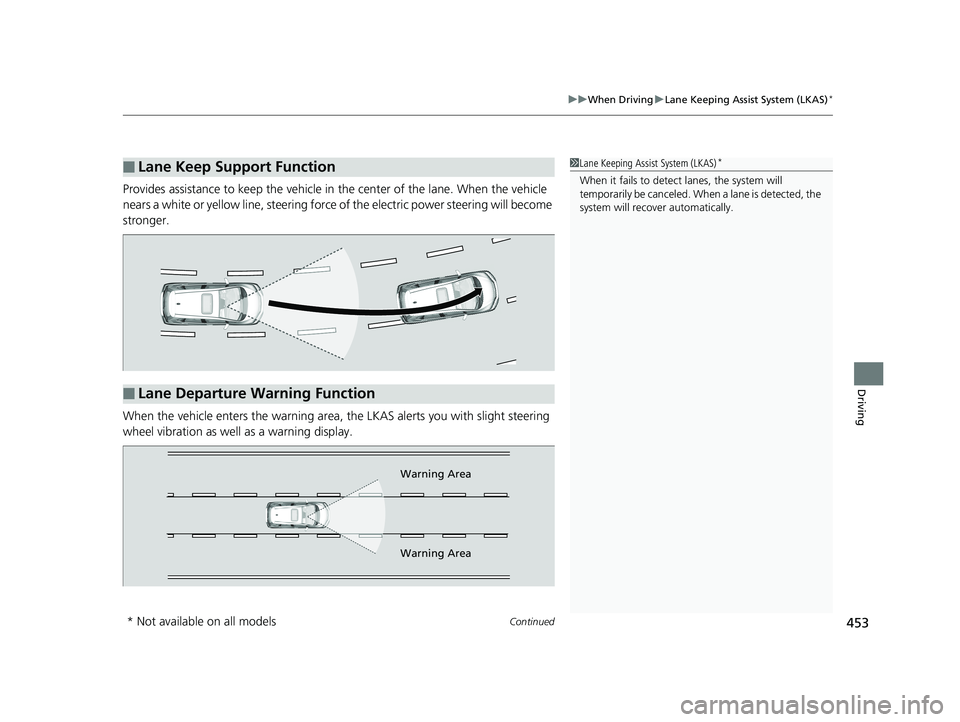
Provides assistance to keep the vehicle in the center of the lane. When the vehicle
nears a white or yellow line, steering force of the electric power steering will become
stronger.
When the vehicle enters the warning area, the LKAS alerts you with slight steering
wheel vibration as well as a warning display.
■Lane Keep Support Function1 Lane Keeping Assist System (LKAS)*
When it fails to detect lanes, the system will
temporarily be canceled. When a lane is detected, the
system will recover automatically.
■Lane Departure Warning Function
Warning Area
Warning Area
* Not available on all models
20 FIT-31T5A6500.book 453 ページ 2019年9月26日 木曜日 午後4時41分
Page 456 of 599
uuWhen Driving uLane Keeping Assist System (LKAS)*
454
Driving
The system can be used when the following conditions are met.
• The lane in which you are driving has dete ctable lane markers on both sides, and
your vehicle is in the center of the lane.
• The vehicle is traveling between about 45 and 90 mph (72 and 145 km/h).
• You are driving on a straight or slightly curved road.
• The turn signals are off.
• The brake pedal is not depressed.
• The wipers are not in continuous operation.
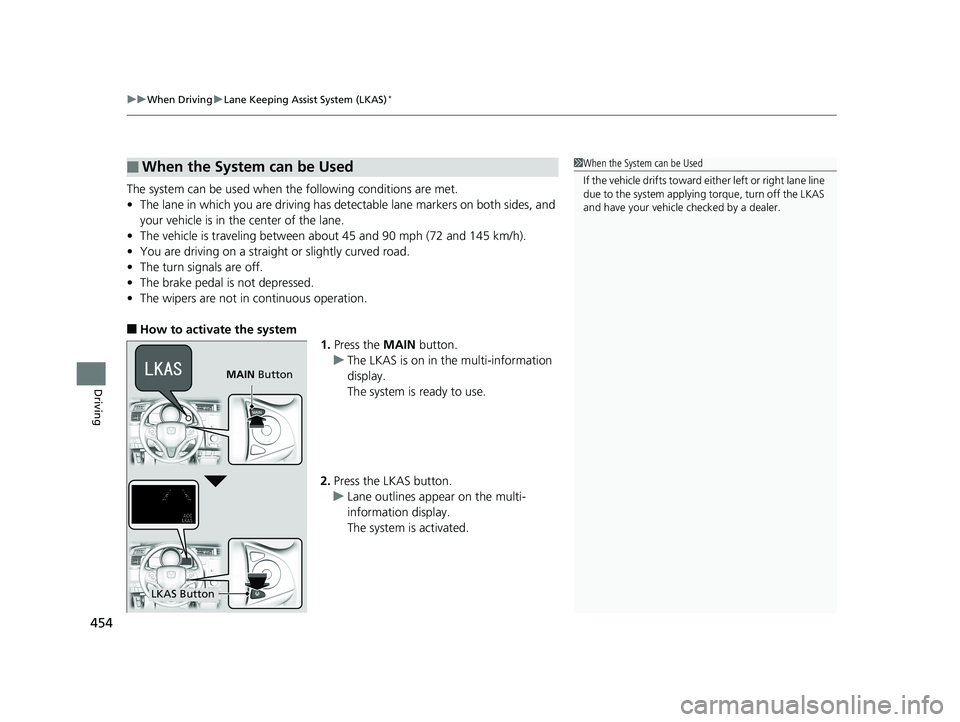
■How to activate the system
1.Press the MAIN button.
u The LKAS is on in the multi-information
display.
The system is ready to use.
2. Press the LKAS button.
u Lane outlines appear on the multi-
information display.
The system is activated.
■When the System can be Used1When the System can be Used
If the vehicle drifts toward ei ther left or right lane line
due to the system applying torque, turn off the LKAS
and have your vehicle checked by a dealer.
MAIN Button
LKAS Button
20 FIT-31T5A6500.book 454 ページ 2019年9月26日 木曜日 午後4時41分
Page 457 of 599
Continued455
uuWhen Driving uLane Keeping Assist System (LKAS)*
Driving
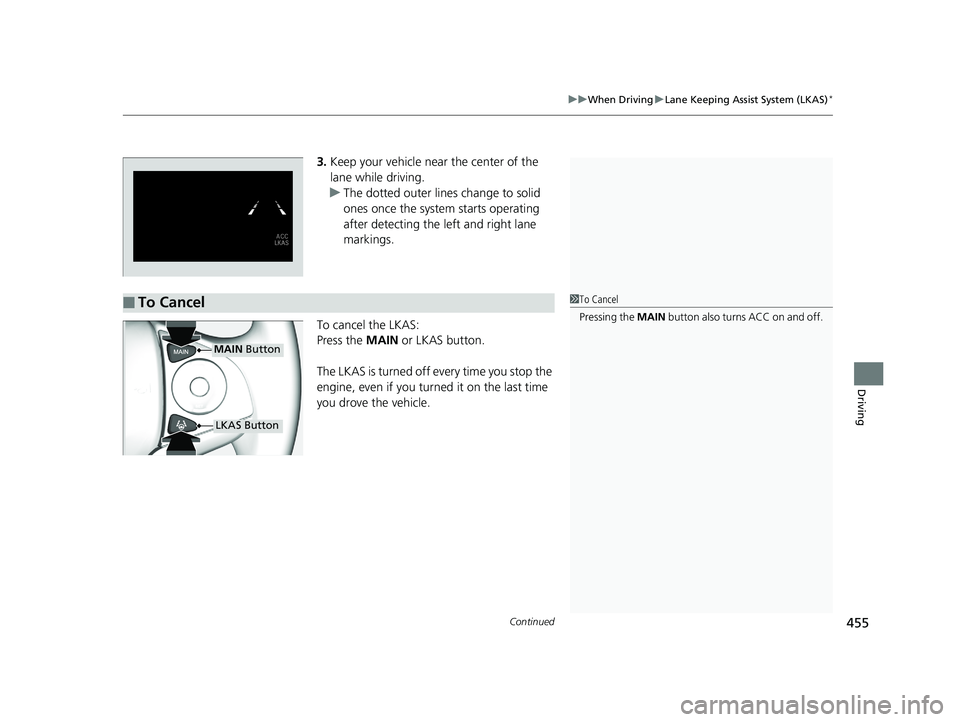
3. Keep your vehicle near the center of the
lane while driving.
u The dotted outer lines change to solid
ones once the system starts operating
after detecting the left and right lane
markings.
To cancel the LKAS:
Press the MAIN or LKAS button.
The LKAS is turned off every time you stop the
engine, even if you turned it on the last time
you drove the vehicle.
■To Cancel1 To Cancel
Pressing the MAIN button also turns ACC on and off.
MAIN Button
LKAS Button
20 FIT-31T5A6500.book 455 ページ 2019年9月26日 木曜日 午後4時41分
Page 458 of 599
456
uuWhen Driving uLane Keeping Assist System (LKAS)*
Driving
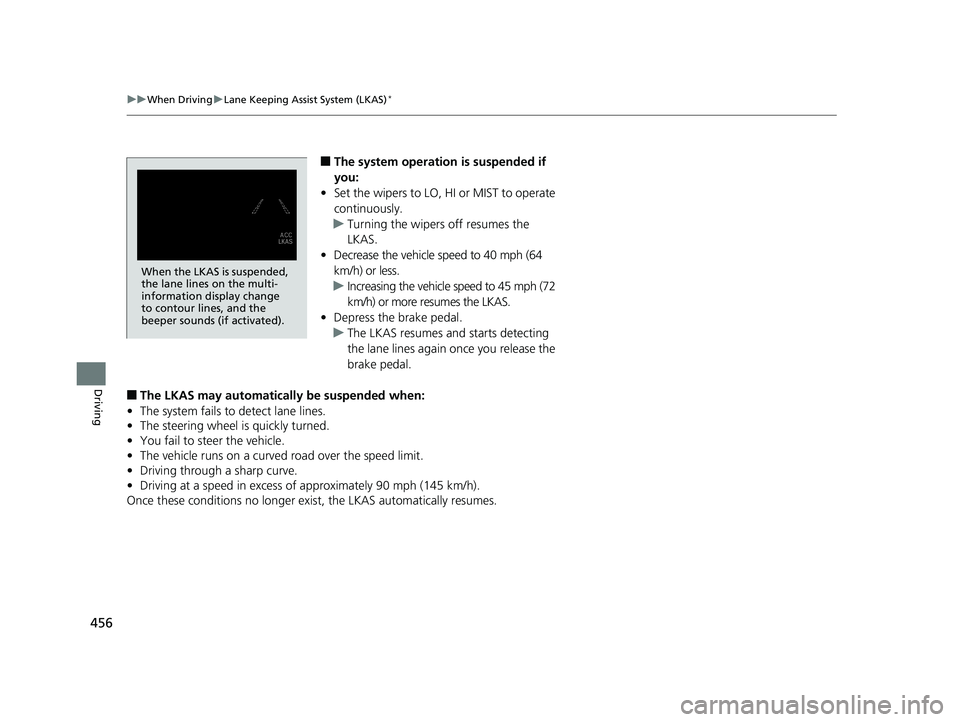
■The system operation is suspended if
you:
• Set the wipers to LO, HI or MIST to operate
continuously.
u Turning the wipers off resumes the
LKAS.
• Decrease the vehicle speed to 40 mph (64
km/h) or less.
u Increasing the vehicle speed to 45 mph (72
km/h) or more resumes the LKAS.
• Depress the brake pedal.
u The LKAS resumes and starts detecting
the lane lines again once you release the
brake pedal.
■The LKAS may automatically be suspended when:
• The system fails to detect lane lines.
• The steering wheel is quickly turned.
• You fail to steer the vehicle.
• The vehicle runs on a curved road over the speed limit.
• Driving through a sharp curve.
• Driving at a speed in excess of approximately 90 mph (145 km/h).
Once these conditions no longer exis t, the LKAS automatically resumes.
When the LKAS is suspended,
the lane lines on the multi-
information display change
to contour lines, and the
beeper sounds (if activated).
20 FIT-31T5A6500.book 456 ページ 2019年9月26日 木曜日 午後4時41分
Page 459 of 599
457
uuWhen Driving uLane Keeping Assist System (LKAS)*
Continued
Driving
■The LKAS may automatically be canceled when:
• The camera temperature gets extremely high or low.
• The camera behind the rearview mirror, or the area around the camera, including
the windshield, gets dirty.
• The ABS or VSA ® system engages.
The beeper sounds if the LKAS is automatically canceled.
The system may not detect lane markings and therefore may not keep the vehicle in
the middle of a lane under certain conditions, including the following:
■Environmental conditions
• Driving in bad weather (rain, fog, snow, etc.).
• Sudden changes between light and dark, such as an entrance or exit of a tunnel.
• There is little contrast between lane lines and the roadway surface.
• Driving into low sunlight (e.g., at dawn or dusk).
• Strong light is reflec ted onto the roadway.
• Driving in the shadows of trees, buildings, etc.
• Shadows of adjacent objects are parallel to lane markings.
• Roadway objects or structures are misinterpreted as lane markers.
• Reflections on the interi or of the windshield.
• Driving at night or in a dark condition such as a tunnel.
■LKAS Conditions and Limitations
20 FIT-31T5A6500.book 457 ページ 2019年9月26日 木曜日 午後4時41分
Page 460 of 599
458
uuWhen Driving uLane Keeping Assist System (LKAS)*
Driving
■Roadway conditions
• Driving on a snowy or wet roadway (obs cured lane marking, vehicle tracks,
reflected lights, road spray, high contrast).
• Driving on a road with temporary lane markings.
• Faint, multiple, or varied lane markings are visible on the roadway due to road
repairs or old lane markings.
• The roadway has merging, split, or crossing lines (e.g., such as at an intersection
or crosswalk).
• The lane markings are extremely narrow, wide, or changing.
• The vehicle in front of you is driving near the lane lines.
• The road is hilly or the vehicle is approaching the crest of a hill.
• Driving on rough or unpaved roads, or over bumpy surfaces.
• When objects on the road (curb, guard rail, pylons, etc.) are recognized as white
lines (or yellow lines).
• Driving on roads with double lines.
■Vehicle conditions
• Headlight lenses are dirty or the headlights are not properly adjusted.
• The outside of the windshield is streake d or blocked by dirt, mud, leaves, wet
snow, etc.
• The inside of the windshield is fogged.
• The camera temperature gets too high.
• An abnormal tire or wheel condition (wrong sized, varied size or construction,
improperly inflated, comp act spare tire, etc.).
• The vehicle is tilted due to a heav y load or suspension modifications.
20 FIT-31T5A6500.book 458 ページ 2019年9月26日 木曜日 午後4時41分