ECO mode HONDA ODYSSEY 2023 Owners Manual
[x] Cancel search | Manufacturer: HONDA, Model Year: 2023, Model line: ODYSSEY, Model: HONDA ODYSSEY 2023Pages: 707, PDF Size: 23.9 MB
Page 577 of 707
575
uuParking Your Vehicle uParking Sensor System*
Driving
1. Make sure that the parking sensor system is not activated. Set the power mode to
VEHICLE OFF.
2. Press and hold the parking sensor system button, and set the power mode to ON.
3. Keep pressing the button for 10 seconds. Release the button when the indicator
in the button blinks.
u The beeper sounds once.
4. Press the button again. The indi cator in the button goes off.
u The beeper sounds twice. The rear sensors are now turned off.
To turn the rear sensors on again, follo w the above procedure. The beeper sounds
three times when the rear sensors come back on.
■Turning off All Rear Sensors1 Turning off All Rear Sensors
When you set the gear position to
(R, the indicator
in the parking sensor system button blinks as a
reminder that the rear sens ors have been turned off.
23 US ODYSSEY-31THR6500.book 575 ページ 2022年1月24日 月曜日 午前11時35分
Page 583 of 707
581
uuMulti-View Rear Camera uAbout Your Multi-View Rear Camera
Driving
You can view three different camera modes on the rearview display.
Select the appropriate icon to switch the mode.
: Wide view mode
: Normal view mode
: Top down view mode
• If the last used viewing mode was Wide view mode or Normal view mode, the
same view mode will be activated the ne xt time you put the transmission into
(R.
• If Top down view mode was last used before you set the power mode to OFF,
Wide View mode is selected next time you set the power mode to ON and put the
transmission into
(R.
• If Top down view mode was last used more than 10 seconds after you put the
transmission out of
(R, Wide View mode is selected the next time you put the
transmission into
(R.
1 About Your Multi-View Rear Camera
You can change the Last Used , Normal View and
Wide View settings.
2 Customized Features P. 413
23 US ODYSSEY-31THR6500.book 581 ページ 2022年1月24日 月曜日 午前11時35分
Page 589 of 707
587
Maintenance
This chapter discusses basic maintenance.
Before Performing MaintenanceInspection and Maintenance ............ 588
Safety When Performing Maintenance .... 589
Parts and Fluids Used in Maintenance Service ........................................... 590
Maintenance Minder
TM..................... 591
Maintenance Under the Hood
Maintenance Items Un der the Hood .... 597
Opening the Hood ........................... 598
Recommended Engine Oil ................ 600
Oil Check ......................................... 601
Adding Engine Oil ............................ 602
Changing the Engine Oil and Oil Filter ..... 603
Engine Coolant ................................ 605
Transmission Fluid ............................ 607
Brake Fluid ....................................... 608
Refilling Window Washer Fluid......... 609
Replacing Light Bulbs ....................... 610
Checking and Maintaining Wiper Blades.... 617Checking and Maintaining Tires
Checking Tires ................................. 621
Tire and Loading Information Label ..... 622Tire Labeling .................................... 622DOT Tire Quality Grading (U.S. Vehicles) ...... 624Wear Indicators................................ 626 Tire Service Life ................................ 626
Tire and Wheel Replacement ........... 627
Tire Rotation .................................... 628
Winter Tires ..................................... 629
Battery ............................................... 630
Remote Transmitter Care ................. 632
Remote Control and Wireless Headphone Care
*........................... 633Climate Control System Maintenance.... 635Cleaning Interior Care .................................... 636
Exterior Care.................................... 639
Accessories and Modifications ........ 642
* Not available on all models
23 US ODYSSEY-31THR6500.book 587 ページ 2022年1月24日 月曜日 午前11時35分
Page 590 of 707
588
Maintenance
Before Performing Maintenance
Inspection and Maintenance
For your safety, perform all listed inspections and maintenance to keep your vehicle
in good condition. If you become aware of an y abnormality (noise, smell, insufficient
brake fluid, oil residue on the ground, etc.), have your vehicle inspected by a dealer.
(Note, however, that service at a dealer is not mandatory to keep your warranties in
effect.)
■Routine inspections
Perform inspections before long distance tri ps, when washing the vehicle, or when
refueling.
2 Maintenance P. 29
■Periodic inspections
• Check the brake fluid level monthly.
2 Brake Fluid P. 608
•Check the tire pressure monthly. Examin e the tread for wear and foreign objects.
2Checking and Maintaining Tires P. 621
•Check the operation of the exterior lights monthly.
2 Replacing Light Bulbs P. 610
•Check the condition of the wiper bl ades at least every six months.
2Checking and Maintaining Wiper Blades P. 617
■Types of Inspection and Maintenance
1Inspection and Maintenance
Maintenance, replacement, or repair of
emissions control devices and systems may be
done by any automotive repair establishment or
individuals using parts that are “certified” to
EPA standards.
According to state and fede ral regulations, failure to
perform maintenance on the maintenance main
items marked with # will not void your emissions
warranties. However, all ma intenance services should
be performed in accordan ce with the intervals
indicated by the driver information interface.
2 Maintenance Service Items P. 594
If you want to perform complex maintenance tasks
that require more skills a nd tools, you can purchase a
subscription to the Service Express website at
www.techinfo.honda.com .
2 Authorized Manuals P. 694
If you want to perform ma intenance yourself, make
sure that you have the necessary tools and skills first.
After performing maintenanc e, update the records in
the separate maintenance booklet.
U.S. models
23 US ODYSSEY-31THR6500.book 588 ページ 2022年1月24日 月曜日 午前11時35分
Page 598 of 707
uuMaintenance MinderTMuTo Use Maintenance MinderTM
596
Maintenance
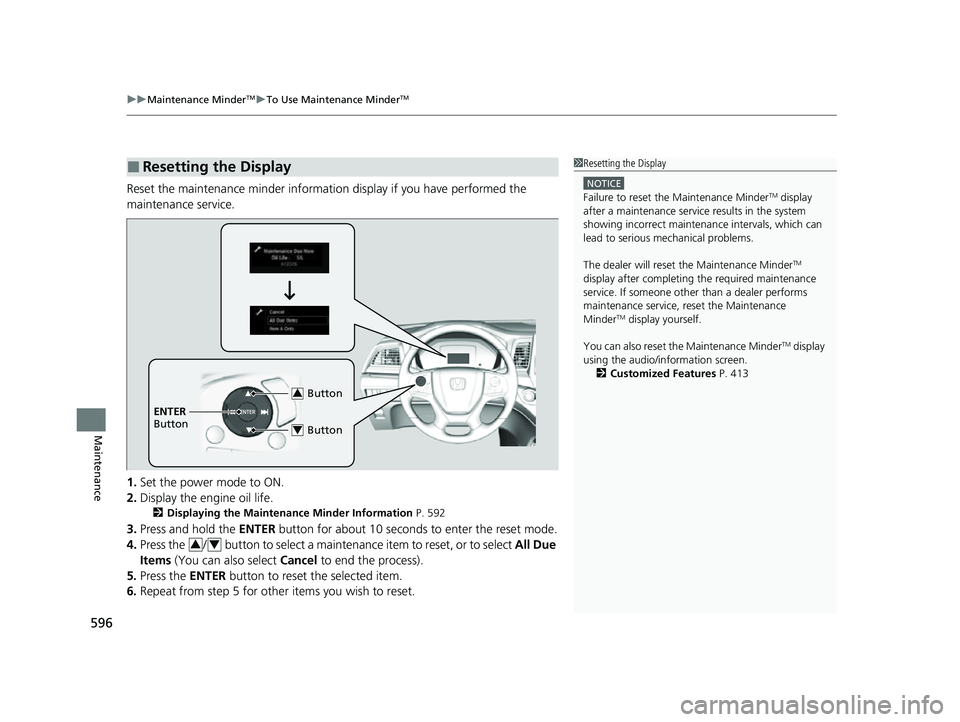
Reset the maintenance minder informat ion display if you have performed the
maintenance service.
1. Set the power mode to ON.
2. Display the engine oil life.
2 Displaying the Maintenance Minder Information P. 592
3.Press and hold the ENTER button for about 10 seconds to enter the reset mode.
4. Press the / button to select a maintenance item to reset, or to select All Due
Items (You can also select Cancel to end the process).
5. Press the ENTER button to reset the selected item.
6. Repeat from step 5 for other items you wish to reset.
■Resetting the Display1Resetting the Display
NOTICE
Failure to reset the Maintenance MinderTM display
after a maintenance servic e results in the system
showing incorrect maintenance intervals, which can
lead to serious mechanical problems.
The dealer will reset the Maintenance Minder
TM
display after completing th e required maintenance
service. If someone other than a dealer performs
maintenance service, reset the Maintenance
Minder
TM display yourself.
You can also reset the Maintenance Minder
TM display
using the audio/information screen. 2 Customized Features P. 413
Button3
ENTER
Button
Button4
34
23 US ODYSSEY-31THR6500.book 596 ページ 2022年1月24日 月曜日 午前11時35分
Page 619 of 707
617Continued
Maintenance
Checking and Maintaining Wiper Blades
Checking Wiper Blades
If the wiper blade rubber has deteriorated, it will leave streaks, become noisy, and
the hard surfaces of the blade may scratch the window glass.
Changing the Front Wiper Blade Rubber
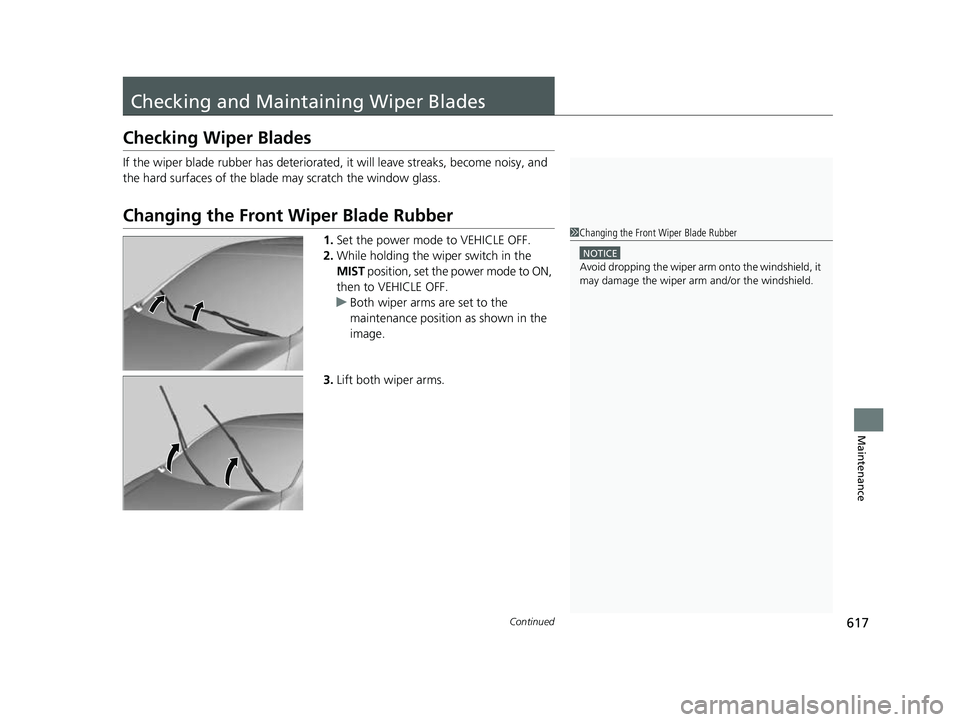
1.Set the power mode to VEHICLE OFF.
2. While holding the wiper switch in the
MIST position, set the power mode to ON,
then to VEHICLE OFF.
u Both wiper arms are set to the
maintenance position as shown in the
image.
3. Lift both wiper arms.1Changing the Front Wiper Blade Rubber
NOTICE
Avoid dropping the wiper arm onto the windshield, it
may damage the wiper arm and/or the windshield.
23 US ODYSSEY-31THR6500.book 617 ページ 2022年1月24日 月曜日 午前11時35分
Page 631 of 707
629
uuChecking and Maintaining Tires uWinter Tires
Maintenance
Winter Tires
If driving on snowy or frozen roads, mount all season marked M+S tires, snow tires,
or tire chains; reduce speed; and maintain sufficient distance between vehicles when
driving.
Be particularly careful wh en operating the steering wheel or brakes to prevent
skidding.
Use tire chains, snow tires, or all season tires when necessary or according to the
law.
When mounting, refer to the following points.
For winter tires:
• Select the size and load ranges that are the same as the original tires.
• Mount the tires to all four wheels.
For tire chains:
• Install them on the front tires only.
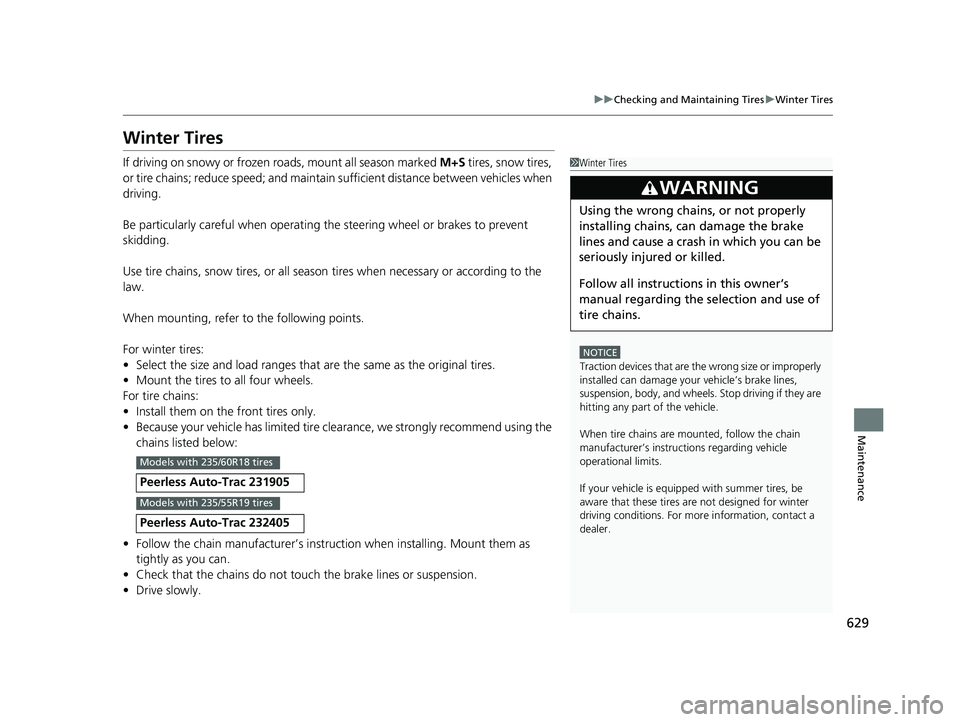
• Because your vehicle has limited tire clea rance, we strongly recommend using the
chains listed below:
• Follow the chain manufactur er’s instruction when installing. Mount them as
tightly as you can.
• Check that the chains do not touc h the brake lines or suspension.
• Drive slowly.
Peerless Auto-Trac 231905
Peerless Auto-Trac 232405
1Winter Tires
NOTICE
Traction devices that are the wrong size or improperly
installed can damage your vehicle’s brake lines,
suspension, body, and wheels. Stop driving if they are
hitting any part of the vehicle.
When tire chains are mounted, follow the chain
manufacturer’s instructi ons regarding vehicle
operational limits.
If your vehicle is equipp ed with summer tires, be
aware that these tires are not designed for winter
driving conditions. For more information, contact a
dealer.
3WARNING
Using the wrong chains, or not properly
installing chains, can damage the brake
lines and cause a crash in which you can be
seriously injured or killed.
Follow all instruction s in this owner’s
manual regarding the selection and use of
tire chains.
Models with 235/60R18 tires
Models with 235/55R19 tires
23 US ODYSSEY-31THR6500.book 629 ページ 2022年1月24日 月曜日 午前11時35分
Page 637 of 707
635
Maintenance
Climate Control System Maintenance
Air Conditioning
To ensure proper and safe operation, the Society of Automotive Engineers (SAE
J2845) recommends that the refrigerant system only be serviced by trained and
certified technicians.
Never repair or replace the air conditio ning evaporator (cooling coil) with one
removed from a used or salvaged vehicle.
New replacement mobile air conditioning evaporators must be certified (and
labeled) as meeting SAE Standard J2842.
Dust and Pollen Filter
The climate control system is equipped with a dust and pollen filter that collects
pollen, dust, and other debris in the air. The Maintenance MinderTM messages will let
you know when to replace the filter.
We recommend that you repl ace the dust and pollen filter sooner when using your
vehicle in areas with high concentrations of dust.
1 Air Conditioning
NOTICE
Vented refrigerant is harmful to the environment.
To avoid refrigerant from venting, never replace the
evaporator with one re moved from a used or
salvaged vehicle.
Refrigerant in your vehicle’ s air conditioning system is
flammable and can be igni ted during servicing if
proper procedures are not followed.
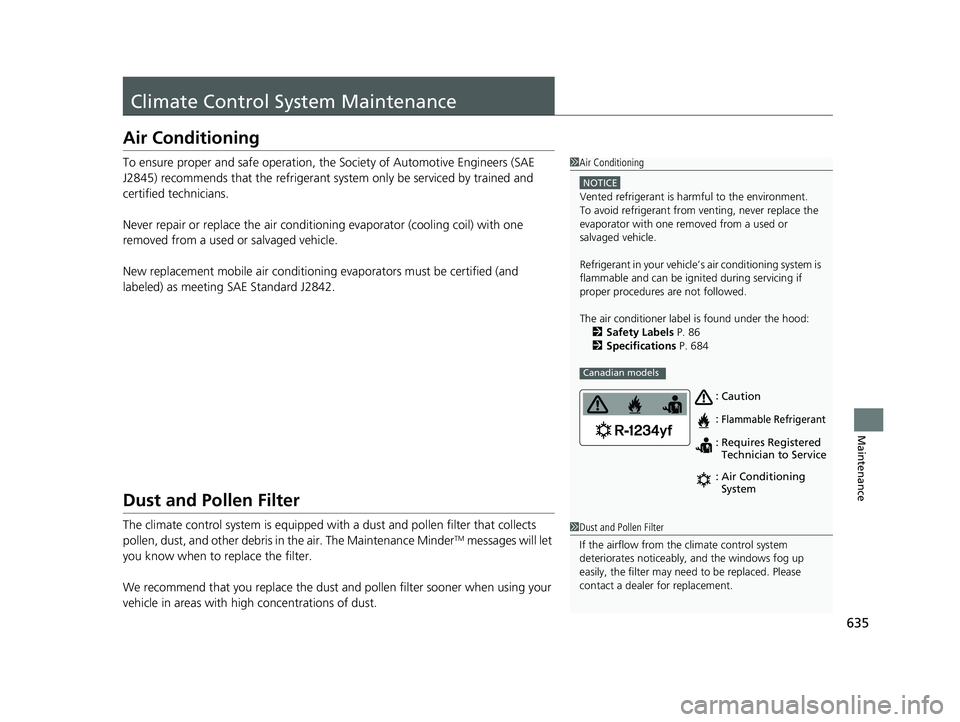
The air conditioner labe l is found under the hood:
2 Safety Labels P. 86
2 Specifications P. 684
Canadian models
Caution
Flammable Refrigerant
Requires Registered
Technician to Service
Air Conditioning
System
:
: : :
1
Dust and Pollen Filter
If the airflow from the climate control system
deteriorates noticeably, and the windows fog up
easily, the filter may need to be replaced. Please
contact a dealer for replacement.
23 US ODYSSEY-31THR6500.book 635 ページ 2022年1月24日 月曜日 午前11時35分
Page 659 of 707
657
uuEngine Does Not Start uIf the Remote Battery is Weak
Handling the Unexpected
If the Remote Battery is Weak
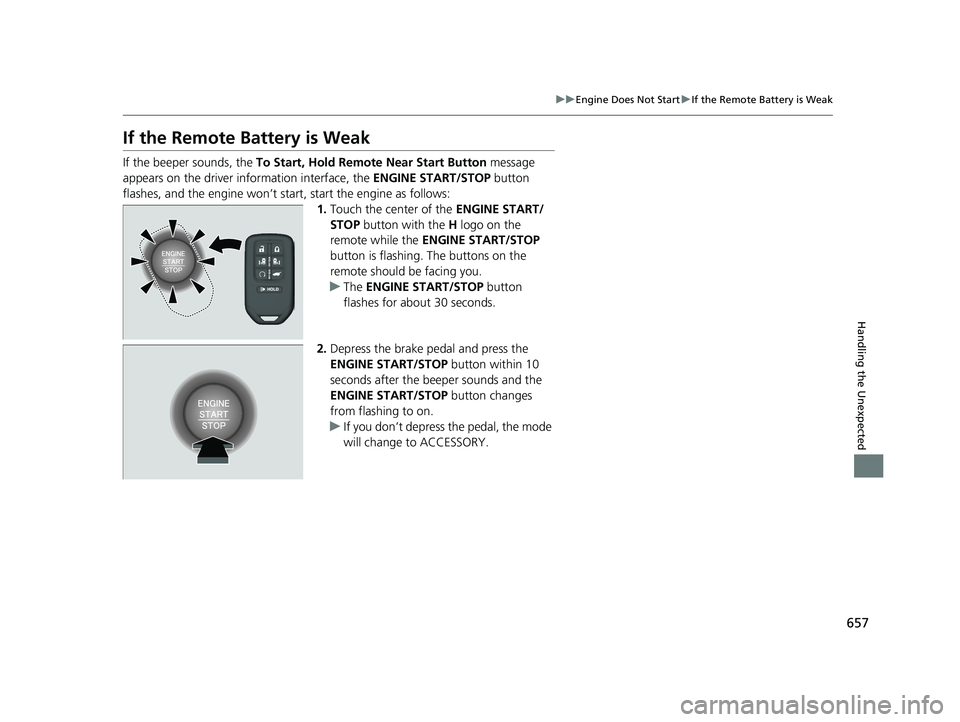
If the beeper sounds, the To Start, Hold Remote Near Start Button message
appears on the driver information interface, the ENGINE START/STOP button
flashes, and the engine won’t start, start the engine as follows:
1.Touch the center of the ENGINE START/
STOP button with the H logo on the
remote while the ENGINE START/STOP
button is flashing. The buttons on the
remote should be facing you.
u The ENGINE START/STOP button
flashes for about 30 seconds.
2. Depress the brake pedal and press the
ENGINE START/STOP button within 10
seconds after the beeper sounds and the
ENGINE START/STOP button changes
from flashing to on.
u If you don’t depress the pedal, the mode
will change to ACCESSORY.
23 US ODYSSEY-31THR6500.book 657 ページ 2022年1月24日 月曜日 午前11時35分
Page 660 of 707
658
uuEngine Does Not Start uEmergency Engine Stop
Handling the Unexpected
Emergency Engine Stop
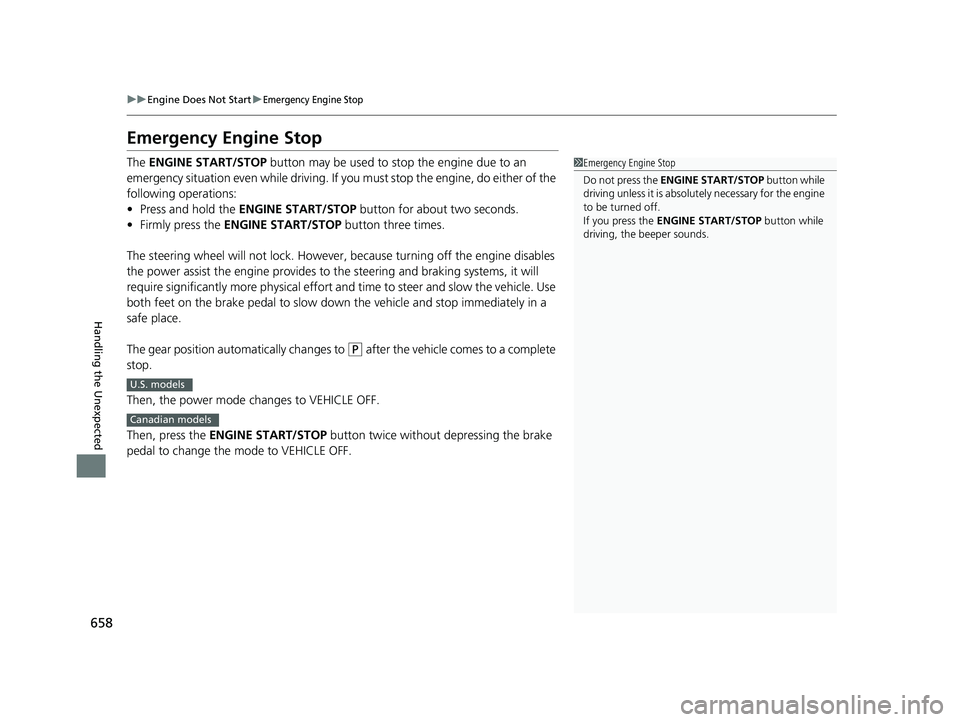
The ENGINE START/STOP button may be used to stop the engine due to an
emergency situation even while driving. If you must stop the engine, do either of the
following operations:
• Press and hold the ENGINE START/STOP button for about two seconds.
• Firmly press the ENGINE START/STOP button three times.
The steering wheel will not lock. However, because turning off the engine disables
the power assist the engine provides to the steering and braking systems, it will
require significantly more physical effort an d time to steer and slow the vehicle. Use
both feet on the brake pedal to slow down the vehicle and stop immediately in a
safe place.
The gear position automatically changes to
(P after the vehicle comes to a complete
stop.
Then, the power mode changes to VEHICLE OFF.
Then, press the ENGINE START/STOP button twice without depressing the brake
pedal to change the mode to VEHICLE OFF.
1 Emergency Engine Stop
Do not press the ENGINE START/STOP button while
driving unless it is absolute ly necessary for the engine
to be turned off.
If you press the ENGINE START/STOP button while
driving, the beeper sounds.
U.S. models
Canadian models
23 US ODYSSEY-31THR6500.book 658 ページ 2022年1月24日 月曜日 午前11時35分