ECO mode HONDA ODYSSEY 2023 Manual Online
[x] Cancel search | Manufacturer: HONDA, Model Year: 2023, Model line: ODYSSEY, Model: HONDA ODYSSEY 2023Pages: 707, PDF Size: 23.9 MB
Page 465 of 707
463
Driving
This chapter discusses driving and refueling.
Before DrivingDriving Preparation .......................... 464
Maximum Load Limit........................ 467
Towing a Trailer
Towing Preparation .......................... 470
Driving Safely with a Trailer .............. 474
Towing Behind a Motorhome .......... 475
When Driving
Starting the Engine .......................... 476
Precautions While Driving................. 482
Automatic Transmission ................... 483
Shifting ............................................ 484
Auto Idle Stop .................................. 492
ECON Button ................................... 497 Intelligent Traction Management ..... 498Vehicle Stability AssistTM (VSA®), aka Electronic
Stability Control (ESC), System .............. 499
Agile Handling Assist ....................... 501
Tire Pressure Monitoring System (TPMS) with Tire Fill Assist .......................... 502
Tire Pressure Monitoring System (TPMS) - Required Federal Explanation ......... 504
Blind spot information System.......... 506
Honda Sensing ®................................ 509
Collision Mitigation Braking SystemTM (CMBSTM) .... 512Adaptive Cruise Control (ACC) with Low Speed Follow ....... 523Lane Keeping Assist System (LKAS) .. 539Road Departure Mitigation (RDM) System.... 548Traffic Sign Recognition System ....... 553 Front Sensor Camera ....................... 558
Radar Sensor ................................... 560
Braking Brake System ................................... 561
Anti-lock Brake System (ABS) ........... 567
Brake Assist System ......................... 568
Parking Your Vehicle When Stopped ................................ 569
Parking Sensor System
*................... 571
Cross Traffic Monitor ....................... 576
Multi-View Rear Camera .................. 580
Refueling
Fuel Information .............................. 582
How to Refuel ................................. 583
Fuel Economy and CO
2 Emissions .... 585
* Not available on all models
23 US ODYSSEY-31THR6500.book 463 ページ 2022年1月24日 月曜日 午前11時35分
Page 481 of 707
Continued479
uuWhen Driving uStarting the Engine
Driving
■To stop the engine1Remote Engine Start with Vehicle Feedback
The engine may not start by the remote engine start if:
•You have disabled a remote engine start setting
using the audio/information screen.
•The power mode is not in VEHICLE OFF.
•The transmission is in a position other than ( P.
•The hood is open, or any door or the tailgate is unlocked.•You have already used the remote twice to start
the engine.
•The battery temp is too low or the battery charge is
too low.
•Another registered remo te is in the vehicle.•There is any antenna failure.
•The door is unlocked with the built-in key.
•The engine oil pressure is low.•The engine coolant temper ature is extremely high.
•The telematics unit* malfunctions.
•The security system alarm is not set.
The engine may stop whil e it is running if:
•You do not start the vehicl e within 10 minutes of
starting the engine with the remote.
•The engine is stopped by using the remote.
•The security system alarm is not set.•The door is unlocked with the built-in key.
•The hood is open, or any door, or the tailgate is
unlocked.
•Any door is open.
•The transmission is in a position other than ( P.•The engine coolant temper ature is extremely high.
•The battery is low.
•The engine oil pressure is low.•The Malfunction Indicator Lamp comes on if there
is a problem with the emissions control systems.
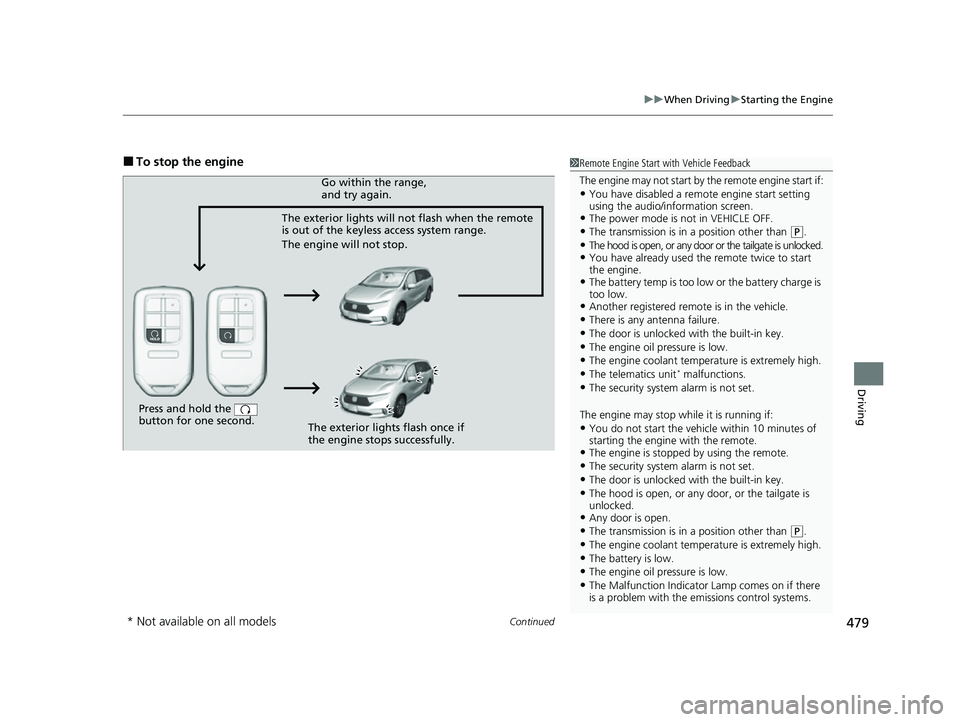
Press and hold the
button for one second.
The exterior lights will not flash when the remote
is out of the keyless access system range.
The engine will not stop.Go within the range,
and try again.
The exterior lights flash once if
the engine stops successfully.
* Not available on all models
23 US ODYSSEY-31THR6500.book 479 ページ 2022年1月24日 月曜日 午前11時35分
Page 482 of 707
uuWhen Driving uStarting the Engine
480
Driving
1Remote Engine Start with Vehicle Feedback
While the engine is running, the vehicle will
automatically preconditi on inside the vehicle.
When it is warm outside:
•The climate control system is activated in
recirculation mode.
•The seat ventilation is activated*.
When it is cold outside:
•The defroster is activated at a moderately warm
temperature.
•The rear defogger and door mirror heaters are
activated.
•The seat heaters and heated steering wheel* are
activated. 2Heated Steering Wheel
* P. 246
2 Front Seat Heaters and Seat
Ventilation
* P. 248
* Not available on all models
23 US ODYSSEY-31THR6500.book 480 ページ 2022年1月24日 月曜日 午前11時35分
Page 484 of 707
482
uuWhen Driving uPrecautions While Driving
Driving
Precautions While Driving
Avoid driving in deep water and on flooded roads. This can damage the engine or
driveline, or cause electrical component failure.
If there is a strong impact with something under the vehicle, stop in a safe location.
Check the underside of the vehicle for damage or any fluid leaks.
■In Rain
■Other Precautions
1 Precautions While Driving
NOTICE
Do not change the gear position while pressing the
accelerator pedal. You could damage the
transmission.
NOTICE
If you repeatedly turn the steering wheel at an
extremely low speed, or hold the steering wheel in
the full left or right position for a while, the electric
power steering (EPS) system heats up. The system
goes into a protective mode, and limits its
performance. The steering wheel becomes harder
and harder to operate. Once the system cools down,
the EPS system is restored.
Repeated operation under these conditions can
eventually damage the system.
If the power mode is set to ACCESSORY while
driving, the engine will shut down and all steering
and brake power assist functi ons will stop, making it
difficult to control the vehicle.
Do not select
( N while driving as you will lose engine
braking (and accelera tion) performance.
During the first 600 miles (1,000 km) of operation,
avoid sudden acceleration or full throttle operation so
as not to damage the engine or powertrain.
Avoid hard braking for the first 200 miles (300 km)
after purchasing your new vehicle or replacing the
brake pads or rotors, to allow for proper break-in.
23 US ODYSSEY-31THR6500.book 482 ページ 2022年1月24日 月曜日 午前11時35分
Page 490 of 707
![HONDA ODYSSEY 2023 Manual Online uuWhen Driving uShifting
488
Driving
■If you want to keep the transmission in (N position [car wash mode]
With the engine running:
1. Press and hold the brake pedal.
2. Select
(N, then release the](/img/13/58873/w960_58873-489.png "HONDA ODYSSEY 2023 Manual Online uuWhen Driving uShifting
488
Driving
■If you want to keep the transmission in (N position [car wash mode]
With the engine running:
1. Press and hold the brake pedal.
2. Select
(N, then release the")
uuWhen Driving uShifting
488
Driving
■If you want to keep the transmission in (N position [car wash mode]
With the engine running:
1. Press and hold the brake pedal.
2. Select
(N, then release the button to display (Neutral) (N hold mode on the driver
information interface.
3. Press and hold
(N again for two seconds.
u This puts the vehicle in car wash mode which must be used when your vehicle
is pulled through a conveyor type automatic car wash where you or an
attendant do not remain in the vehicle.
If the ENGINE STOP/START button is pressed
after car wash mode has been activated, the
power mode will change to ACCESSORY and
a message will be displayed on the driver
information interface. u For 15 minutes the gear position remains
in
(N with the power mode in
ACCESSORY. After that, the position
automatically changes to
(P and the
power mode changes to OFF.
u Manually changing to
(P cancels
ACCESSORY mode. The
(P indicator
comes on and the power mode changes
to OFF. You must always shift to
(P
when car wash mode is no longer
needed.
1 If you want to keep the transmission in (N position [car wash
mode]
NOTICE
When transmission is too hot, carwash mode may
not be available. Let the engine idle and cool down
transmission.
The transmission may not stay in
(N position while
the following indicator is on:
•Transmission system indicator.
•Malfunction indicator lamp.•Charging system indicator.
23 US ODYSSEY-31THR6500.book 488 ページ 2022年1月24日 月曜日 午前11時35分
Page 492 of 707
490
uuWhen Driving uShifting
Driving
Use the paddle shifters to change between 1st and 10th gears without removing
your hands from the steering wheel. The tr ansmission will switch to the sequential
mode.
■When the transmi ssion is in (D:
The vehicle will go into the sequential mode momentarily, and the sequential mode
gear selection indicator will come on.
When the vehicle goes into the sequential mode by
(- paddle shifter and the lower
gear is available, the trans mission properly selects single or double gear change.
Once you start traveling at a constant sp eed, the sequential mode will automatically
switch off, and the sequential mode gear selection indicator will go off.
Hold the
(+ paddle shifter for two seconds to return to normal drive.
■When the transmission is in (S:
The vehicle will go into the sequential mode, and the M (sequential mode) indicator
and sequential mode gear selection indicator will come on.
If the vehicle speed increases and the engi ne speed reaches near the tachometer red
zone, the transmission automatically shifts up to the next gear.
You can cancel this mode by holding the
(+ paddle shifter for two seconds. When
the sequential mode is canceled, the sequential mode indicator and sequential
mode gear selection indicator go off.
■Sequential Mode
23 US ODYSSEY-31THR6500.book 490 ページ 2022年1月24日 月曜日 午前11時35分
Page 494 of 707
492
uuWhen Driving uAuto Idle Stop
Driving
Auto Idle Stop
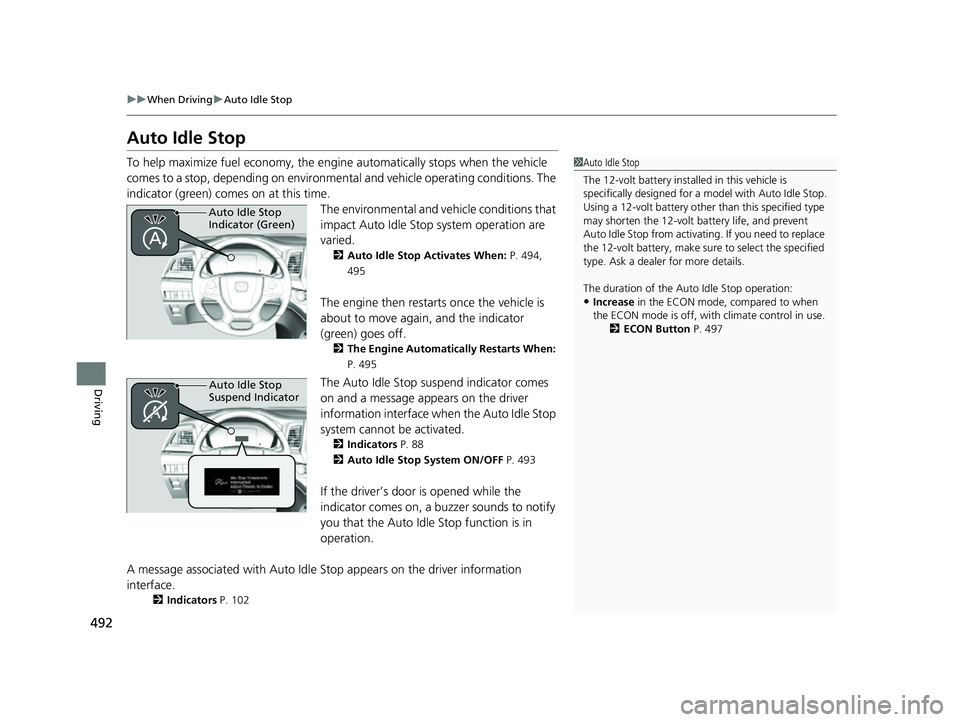
To help maximize fuel econ omy, the engine automatica lly stops when the vehicle
comes to a stop, depending on environmen tal and vehicle operating conditions. The
indicator (green) comes on at this time.
The environmental and vehicle conditions that
impact Auto Idle Stop system operation are
varied.
2Auto Idle Stop Activates When: P. 494,
495
The engine then restarts once the vehicle is
about to move again, and the indicator
(green) goes off.
2 The Engine Automatically Restarts When:
P. 495
The Auto Idle Stop suspend indicator comes
on and a message appears on the driver
information interface when the Auto Idle Stop
system cannot be activated.
2 Indicators P. 88
2 Auto Idle Stop System ON/OFF P. 493
If the driver’s door is opened while the
indicator comes on, a buzzer sounds to notify
you that the Auto Idle Stop function is in
operation.
A message associated with Auto Idle Stop appears on the driver information
interface.
2 Indicators P. 102
1Auto Idle Stop
The 12-volt battery insta lled in this vehicle is
specifically designed for a model with Auto Idle Stop.
Using a 12-volt battery other than this specified type
may shorten the 12-volt ba ttery life, and prevent
Auto Idle Stop from activati ng. If you need to replace
the 12-volt battery, make sure to select the specified
type. Ask a dealer for more details.
The duration of the Au to Idle Stop operation:
•Increase in the ECON mode, compared to when
the ECON mode is off, with climate control in use.
2ECON Button P. 497
Auto Idle Stop
Indicator (Green)
Auto Idle Stop
Suspend Indicator
23 US ODYSSEY-31THR6500.book 492 ページ 2022年1月24日 月曜日 午前11時35分
Page 499 of 707
497
uuWhen Driving uECON Button
Driving
ECON Button
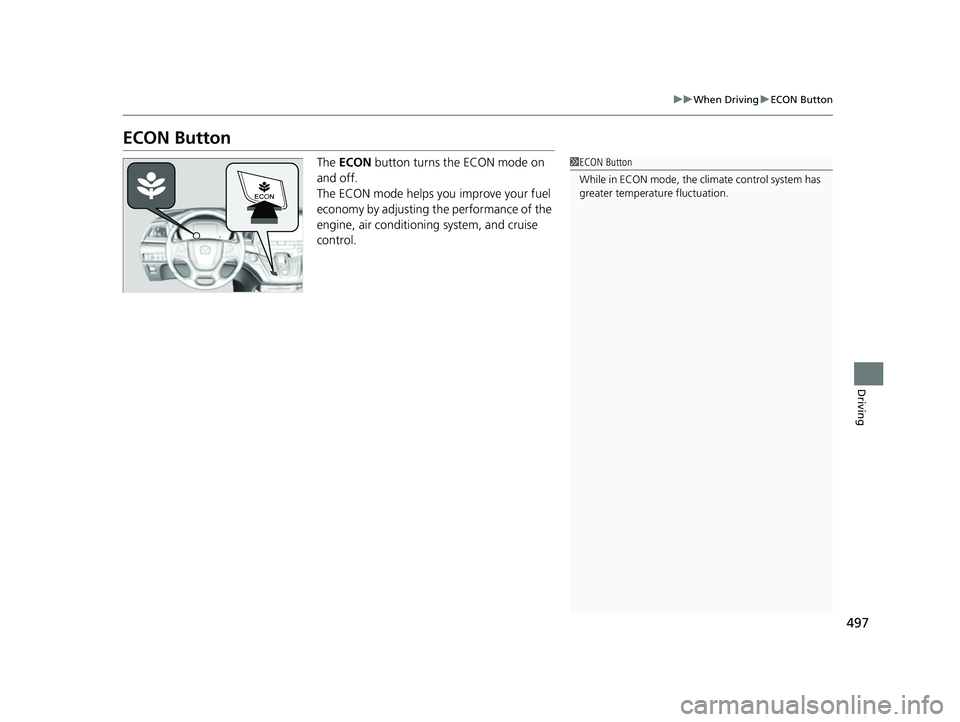
The ECON button turns the ECON mode on
and off.
The ECON mode helps you improve your fuel
economy by adjusting the performance of the
engine, air conditioning system, and cruise
control.1 ECON Button
While in ECON mode, the climate control system has
greater temperature fluctuation.
23 US ODYSSEY-31THR6500.book 497 ページ 2022年1月24日 月曜日 午前11時35分
Page 539 of 707
Continued537
uuHonda Sensing ®u Adaptive Cruise Control (ACC) with Low Speed Follow
Driving
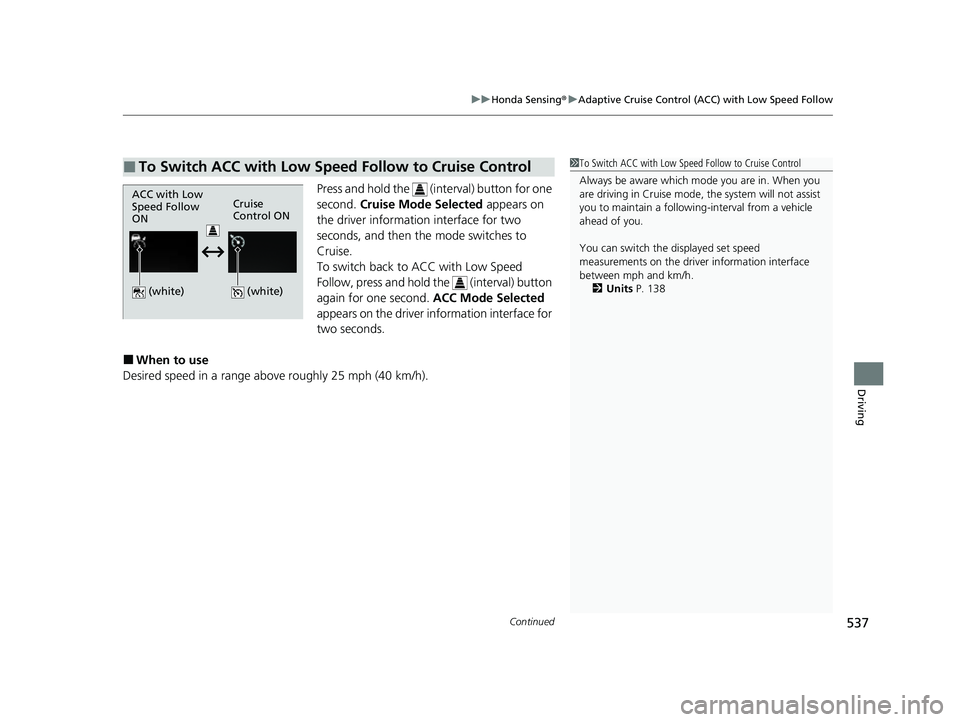
Press and hold the (int erval) button for one
second. Cruise Mode Selected appears on
the driver information interface for two
seconds, and then the mode switches to
Cruise.
To switch back to ACC with Low Speed
Follow, press and hold the (interval) button
again for one second. ACC Mode Selected
appears on the driver information interface for
two seconds.
■When to use
Desired speed in a range above roughly 25 mph (40 km/h).
■To Switch ACC with Low Speed Follow to Cruise Control1 To Switch ACC with Low Speed Follow to Cruise Control
Always be aware which mode you are in. When you
are driving in Cruise mode, the system will not assist
you to maintain a following-interval from a vehicle
ahead of you.
You can switch the displayed set speed
measurements on the driver information interface
between mph and km/h.
2 Units P. 138
ACC with Low
Speed Follow
ONCruise
Control ON
(white)
(white)
23 US ODYSSEY-31THR6500.book 537 ページ 2022年1月24日 月曜日 午前11時35分
Page 576 of 707
574
uuParking Your Vehicle uParking Sensor System*
Driving
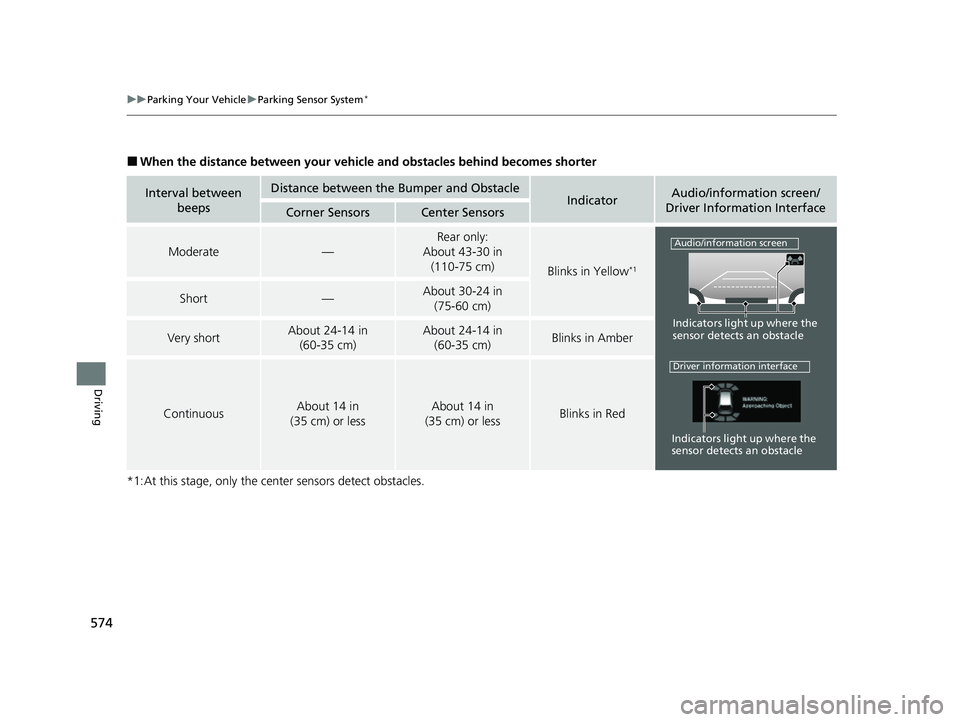
■When the distance between your vehicle and obstacles behind becomes shorter
*1:At this stage, only the center sensors detect obstacles.
Interval between beepsDistance between the Bumper and ObstacleIndicatorAudio/information screen/
Driver Information Interface
Corner SensorsCenter Sensors
Moderate—
Rear only:
About 43-30 in
(110-75 cm)
Blinks in Yellow*1
Short—About 30-24 in (75-60 cm)
Very shortAbout 24-14 in (60-35 cm)About 24-14 in (60-35 cm)Blinks in Amber
ContinuousAbout 14 in
(35 cm) or lessAbout 14 in
(35 cm) or lessBlinks in Red
Indicators light up where the
sensor detects an obstacle
Audio/information screen
Indicators light up where the
sensor detects an obstacle
Driver information interface
23 US ODYSSEY-31THR6500.book 574 ページ 2022年1月24日 月曜日 午前11時35分