display HONDA PILOT 2016 3.G Owners Manual
[x] Cancel search | Manufacturer: HONDA, Model Year: 2016, Model line: PILOT, Model: HONDA PILOT 2016 3.GPages: 661, PDF Size: 37.79 MB
Page 304 of 661
303
uuAudio System Basic Operation uSiri Eyes Free
Features
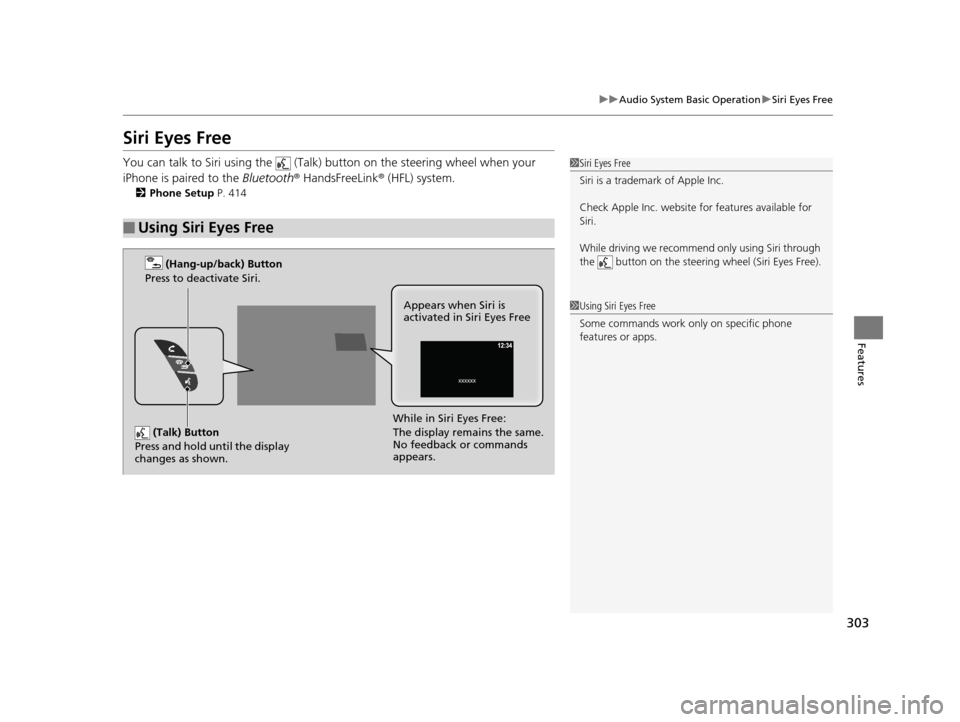
Siri Eyes Free
You can talk to Siri using the (Talk) button on the steering wheel when your
iPhone is paired to the Bluetooth® HandsFreeLink ® (HFL) system.
2Phone Setup P. 414
■Using Siri Eyes Free
1Siri Eyes Free
Siri is a trademark of Apple Inc.
Check Apple Inc. website for features available for
Siri.
While driving we recomme nd only using Siri through
the button on the steering wheel (Siri Eyes Free).
1 Using Siri Eyes Free
Some commands work only on specific phone
features or apps.
(Talk) Button
Press and hold until the display
changes as shown.
(Hang-up/back) Button
Press to deactivate Siri.
While in Siri Eyes Free:
The display remains the same.
No feedback or commands
appears. Appears when Siri is
activated in Siri Eyes Free
16 PILOT-31TG76000.book 303 ページ 2015年6月15日 月曜日 午前11時30分
Page 305 of 661
304
Features
Audio Error Messages
CD Player*
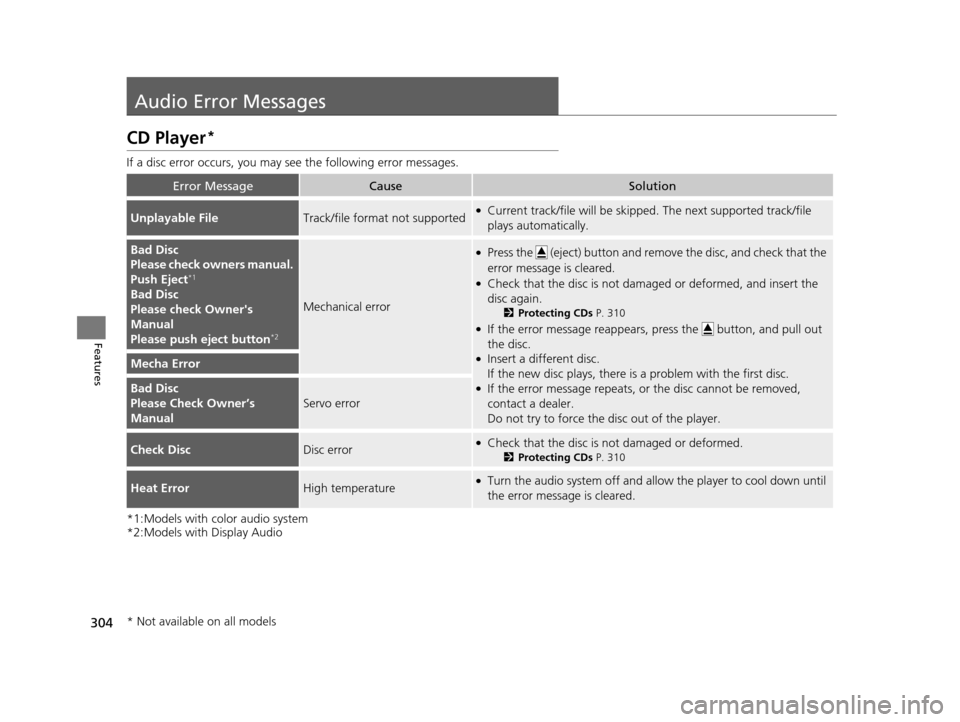
If a disc error occurs, you may see the following error messages.
*1:Models with color audio system
*2:Models with Display Audio
Error MessageCauseSolution
Unplayable FileTrack/file format not supported●Current track/file will be skippe d. The next supported track/file
plays automatically.
Bad Disc
Please check owners manual.
Push Eject
*1
Bad Disc
Please check Owner's
Manual
Please push eject button
*2
Mechanical error
●Press the (eject) button and remove the disc, and check that the
error message is cleared.
●Check that the disc is not damaged or deformed, and insert the
disc again.
2 Protecting CDs P. 310
●If the error message reappears, press the button, and pull out
the disc.
●Insert a different disc.
If the new disc plays, there is a problem with the first disc.
●If the error message repeats, or the disc cannot be removed,
contact a dealer.
Do not try to force the disc out of the player.
Mecha Error
Bad Disc
Please Check Owner’s
Manual
Servo error
Check DiscDisc error●Check that the disc is not damaged or deformed.
2Protecting CDs P. 310
Heat ErrorHigh temperature●Turn the audio system off and allo w the player to cool down until
the error message is cleared.
* Not available on all models
16 PILOT-31TG76000.book 304 ページ 2015年6月15日 月曜日 午前11時30分
Page 306 of 661
305
uuAudio Error Messages uiPod/USB Flash Drive
Features
iPod/USB Flash Drive
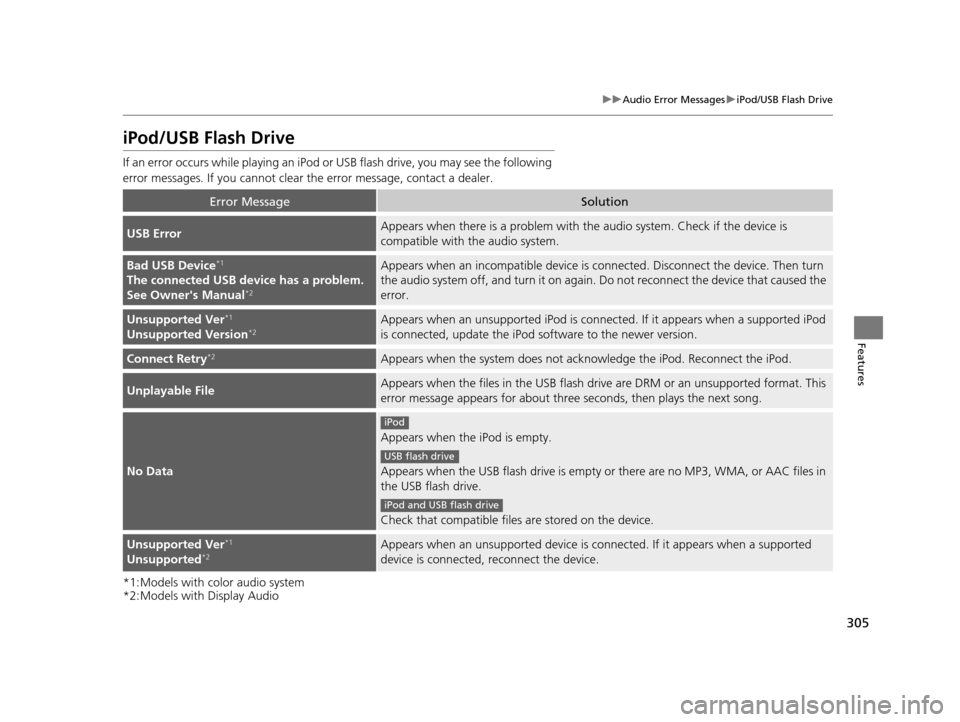
If an error occurs while playing an iPod or USB flash drive, you may see the following
error messages. If you cannot clear the error message, contact a dealer.
*1:Models with color audio system
*2:Models with Display Audio
Error MessageSolution
USB ErrorAppears when there is a pr oblem with the audio system. Check if the device is
compatible with the audio system.
Bad USB Device*1
The connected USB device has a problem.
See Owner's Manual*2
Appears when an incompatible device is co nnected. Disconnect the device. Then turn
the audio system off, and turn it on again. Do not reconnect the device that caused the
error.
Unsupported Ver*1
Unsupported Version*2Appears when an unsupported iPod is connect ed. If it appears when a supported iPod
is connected, update the iPod software to the newer version.
Connect Retry*2Appears when the system does not acknowledge the iPod. Reconnect the iPod.
Unplayable FileAppears when the files in the USB flash driv e are DRM or an unsupported format. This
error message appears for about three seconds, then plays the next song.
No Data
Appears when the iPod is empty.
Appears when the USB flash drive is empty or there are no MP3, WMA, or AAC files in
the USB flash drive.
Check that compatible files are stored on the device.
Unsupported Ver*1
Unsupported*2Appears when an unsupported device is connected. If it appears when a supported
device is connected, reconnect the device.
iPod
USB flash drive
iPod and USB flash drive
16 PILOT-31TG76000.book 305 ページ 2015年6月15日 月曜日 午前11時30分
Page 308 of 661
307
uuAudio Error Messages uAndroid/Apps
Features
Android/Apps
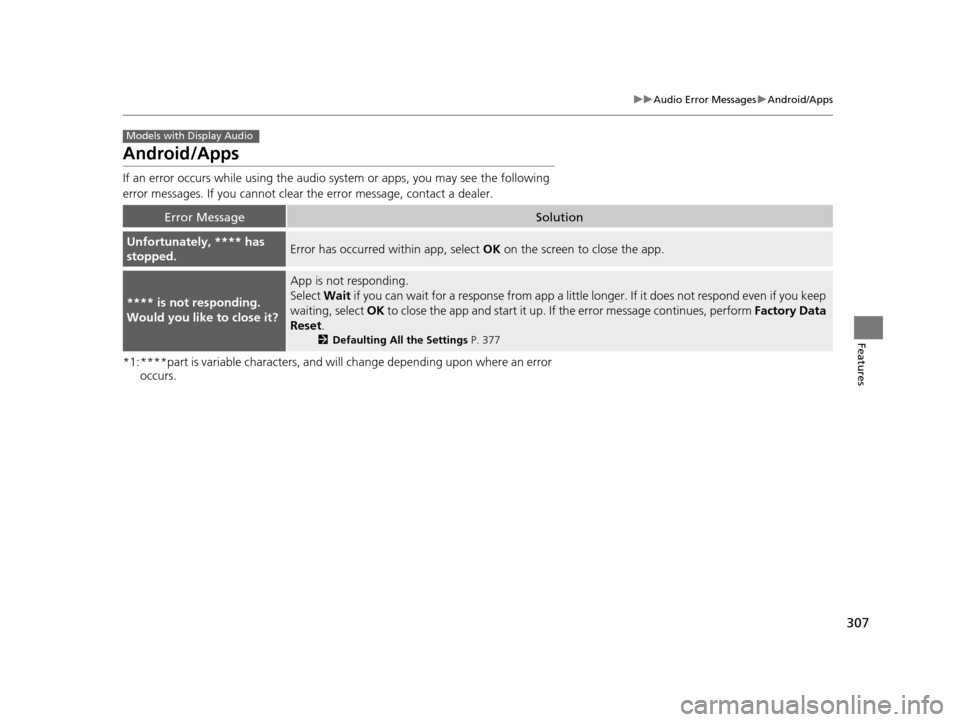
If an error occurs while using the audio system or apps, you may see the following
error messages. If you cannot clear the error message, contact a dealer.
*1:****part is variable characters, and will change depending upon where an error
occurs.
Error MessageSolution
Unfortunately, **** has
stopped.Error has occurred within app, select OK on the screen to close the app.
**** is not responding.
Would you like to close it?
App is not responding.
Select Wait if you can wait for a response from app a little lo nger. If it does not respond even if you keep
waiting, select OK to close the app and start it up. If the error message continues, perform Factory Data
Reset .
2Defaulting All the Settings P. 377
Models with Display Audio
16 PILOT-31TG76000.book 307 ページ 2015年6月15日 月曜日 午前11時30分
Page 309 of 661
308
Features
General Information on the Audio System
SiriusXM® Radio Service
1. You need your radio ID ready before regist ering for subscription. To see the ID in
the screen, select Channel to 0.
2. Have your radio ID ready, and either call or visit the SiriusXM® website to
subscribe.
Switch to the SiriusXM ® mode by using the SOURCE button on the steering wheel,
or through the audio/information screen, and stay in this mode for about 30
minutes until the service is activated. Make sure your vehicle is in an open area with
good reception.
Channel Not Subscribed:
You are not subscribed to the channel selected.
Subscription Update:
SiriusXM ® radio is receiving information update from the network.
Channel Not Available:
No such channel exits, or the artist or title information is unavailable.
No Signal:
The signal is too weak in the current location.
Antenna Disconnected:
The SiriusXM ® antenna is disconnected. Contact a dealer.
■Subscribing to SiriusXM ® Radio
■Receiving SiriusXM® Radio
■SiriusXM® Radio Display Messages
1 Subscribing to SiriusXM ® Radio
Contact Information for SiriusXM ® Radio:
•US: SiriusXM ® Radio at www.siriusxm.com or 1-
800-852-9696
•Canada: SiriusXM ® Canada at www.xmradio.ca , or
1-877-209-0079
1 Receiving SiriusXM ® Radio
The SiriusXM ® satellites are in orbit over the equator;
therefore, objects south of the vehicle may cause
satellite reception interruptions. Sa tellite signals are
more likely to be blocked by tall buildings and
mountains the farther north you travel from the
equator.
You may experience rece ption problems under the
following circumstances:
•In a location with an obstruction to the south of
your vehicle.
•In tunnels
•On the lower level of a multi-tiered road•Large items carried on the roof rack
16 PILOT-31TG76000.book 308 ページ 2015年6月15日 月曜日 午前11時30分
Page 310 of 661
309
uuGeneral Information on the Audio System uRecommended CD*
Continued
Features
Recommended CD*
• Use only high-quality CD-R or CD-RW discs labeled for audio use.
• Use only CD-R or CD-RW discs on wh ich the recordings are closed.
• Play only standard round-shaped CDs.
• Some software files may not allow for audio play or text data display.
• Some versions of MP3, WMA or AAC formats may be unsupported.1Recommended CD*
A Dual-disc cannot play on th is audio unit. If recorded
under certain conditions, a CD-R or CD-RW may not
play either.
■CDs with MP3, WMA or AAC files
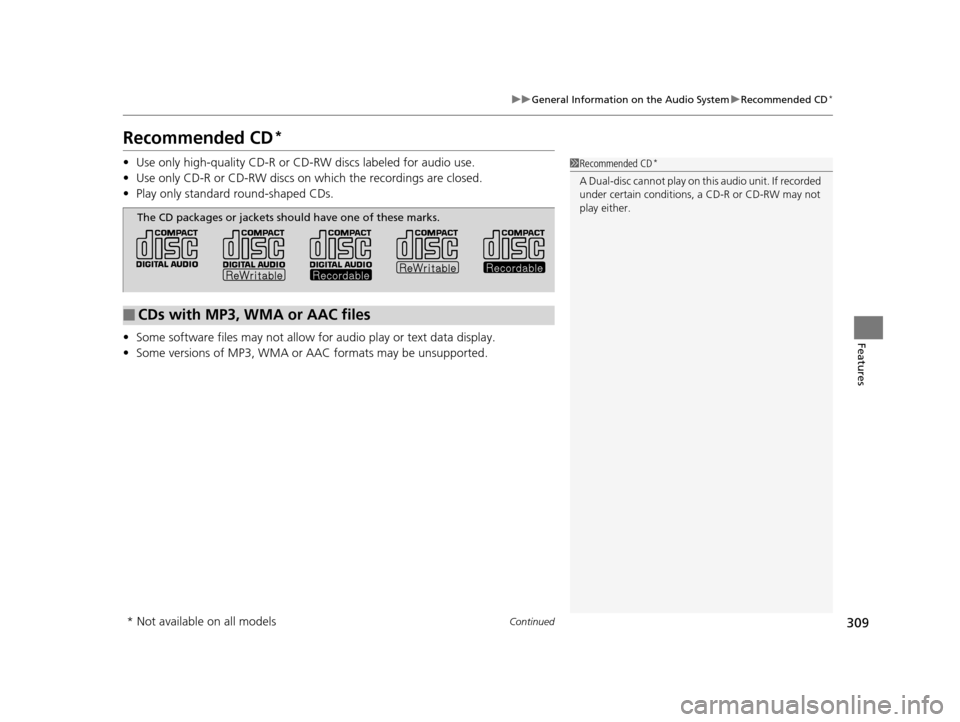
The CD packages or jackets should have one of these marks.
* Not available on all models
16 PILOT-31TG76000.book 309 ページ 2015年6月15日 月曜日 午前11時30分
Page 312 of 661
311
uuGeneral Information on the Audio System uCompatible iPod, iPhone, and USB Flash Drives
Features
Compatible iPod, iPhone , and USB Flash Drives
•Use a recommended USB flash drive of 256 MB or higher.
• Some digital audio players may not be compatible.
• Some USB flash drives (e.g., a device with security lockout) may not work.
• Some software files may not allow for audio play or text data display.
• Some versions of MP3, WMA, or AAC formats may be unsupported.
*1: Models with Display Audio
■iPod and iPhone Model Compatibility
Model
iPod (5th generation)
iPod classic 80GB/160GB (launch in 2007)
iPod classic 120GB (launch in 2008)
iPod classic 160GB (launch in 2009)
iPod nano (1st to 7th generation) launch in 2010
iPod touch (1st to 4th generation) launch in 2010
iPhone 3G/iPhone 3GS/iPhone 4/iPhone 4s/iPhone 5/iPhone 5c*1/iPhone 5s*1
■USB Flash Drives
1iPod and iPhone Model Compatibility
This system may not work with all software versions
of these devices.
1USB Flash Drives
Files on the USB flash drive are played in their stored
order. This order may be different from the order
displayed on your PC or device.
16 PILOT-31TG76000.book 311 ページ 2015年6月15日 月曜日 午前11時30分
Page 313 of 661
312
uuGeneral Information on the Audio System uAbout Open Source Licenses
Features
About Open Source Licenses
To see the open source license information, follow these steps.
1. Select .
2. Select Settings .
3. Select System , then open the Others tab.
4. Select Detail Information .
5. Select About device.
6. Select Legal information .
7. Select Open source licenses .
Models with Display Audio
16 PILOT-31TG76000.book 312 ページ 2015年6月15日 月曜日 午前11時30分
Page 318 of 661
317
uuBlu-ray/DVD Rear Entertainment System*uPlaying a DVD/Blu-rayTM*
Continued
Features
Playing a DVD/Blu-rayTM*
To play a DVD or Blu-rayTM *, insert a DVD or Blu-rayTM * into the lower slot of the
front audio system, and press the REAR button.
u The system automatically st arts the DVD or Blu-ray
TM *. DVD or Blu-rayTM * is
available for the rear seat passenger only.
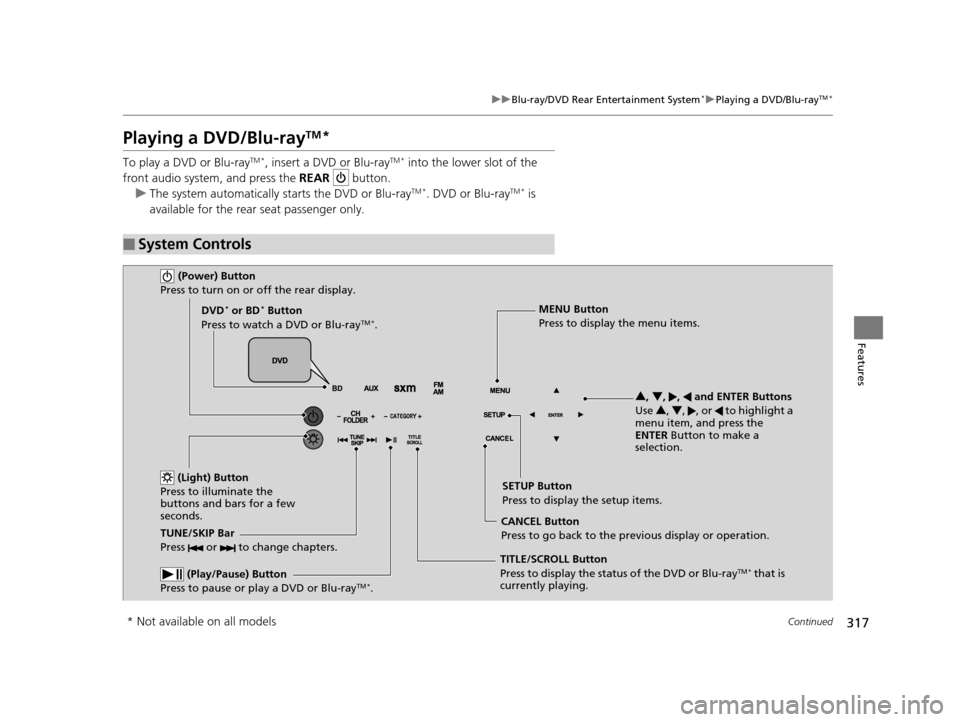
■System Controls
(Power) Button
Press to turn on or off the rear display.
DVD* or BD* Button
Press to watch a DVD or Blu-rayTM *.
(Light) Button
Press to illuminate the
buttons and bars for a few
seconds.
TUNE/SKIP Bar
Press or to change chapters.
(Play/Pause) Button
Press to pause or play a DVD or Blu-rayTM *.
TITLE/SCROLL Button
Press to display the status of the DVD or Blu-rayTM * that is
currently playing. MENU Button
Press to display the menu items.
SETUP Button
Press to display the setup items.
CANCEL Button
Press to go back to the previous display or operation. 3
, 4 , , and ENTER Buttons
Use 3, 4 , , or to highlight a
menu item, and press the
ENTER Button to make a
selection.
* Not available on all models
16 PILOT-31TG76000.book 317 ページ 2015年6月15日 月曜日 午前11時30分
Page 319 of 661
uuBlu-ray/DVD Rear Entertainment System*uPlaying a DVD/Blu-rayTM*
318
Features
1. Press the MENU button on the remote to
display the Menu screen.
2. Select an item and then press the ENTER
button on the remote.
The following items are available:
• Top Menu : Displays the top menu of the DVD or Blu-ray
TM *.
• Popup Menu : Displays the menu of the Blu-rayTM *.
• Play Mode : Displays while a DVD or Blu-rayTM * is playing and changes the DVD
or Blu-rayTM * preferences.
2 Setting the Play Mode P. 319
•Search / NumInput: Skips to a title or chapter by entering the number.
2 Searching a Title/Chapter P. 320
•Repeat:
TITLE REPEAT: Repeats the current title.
CHAPTER REPEAT: Repeats the current chapter.
• Menu (When playing a DVD): Displays the menu.
• Pause / Play : Pauses or resumes the playback.
• Stop : Stops the playback.
• Return (When playing a DVD): Returns to the previous screen.
• BD Control Menu (When playing a Blu-ray
TM): Displays the Blu-rayTM control
menu.
■Rear DVD or Blu-rayTM* Menu1 Rear DVD or Blu-rayTM* Menu
During Blu-ray
TM operation, when the source is
changed or the vehicle is turned off, Blu-rayTM
operation stops. For certain Blu-rayTM discs, it can only
be restarted from the RES.
* Not available on all models
16 PILOT-31TG76000.book 318 ページ 2015年6月15日 月曜日 午前11時30分