audio HONDA PILOT 2016 3.G Owners Manual
[x] Cancel search | Manufacturer: HONDA, Model Year: 2016, Model line: PILOT, Model: HONDA PILOT 2016 3.GPages: 661, PDF Size: 37.79 MB
Page 311 of 661
uuGeneral Information on the Audio System uRecommended CD*
310
Features
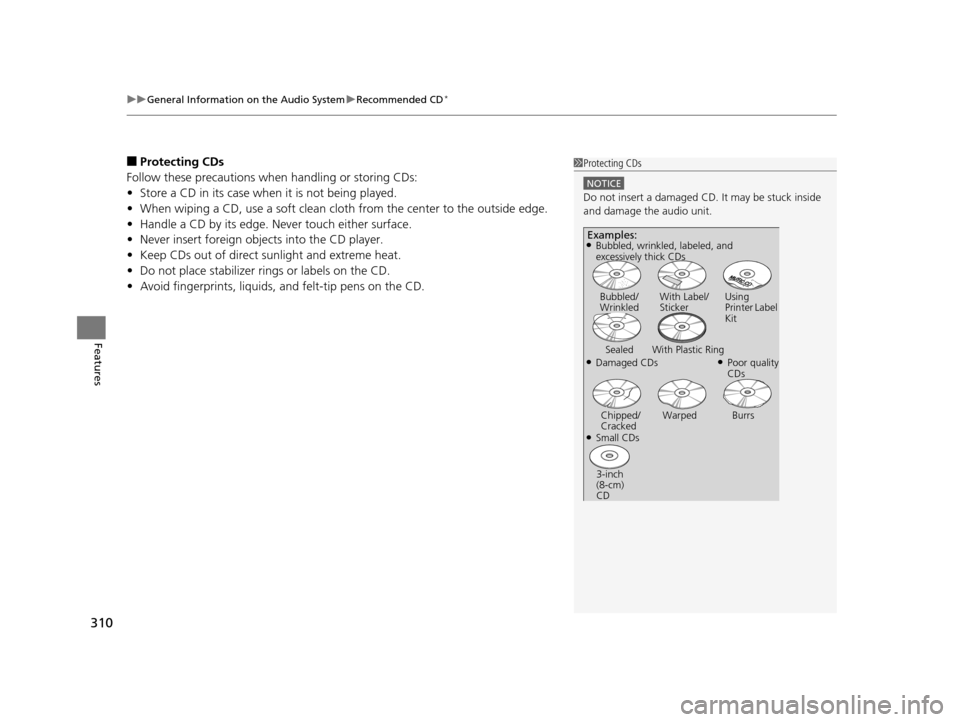
■Protecting CDs
Follow these precautions when handling or storing CDs:
• Store a CD in its case when it is not being played.
• When wiping a CD, use a soft clean clot h from the center to the outside edge.
• Handle a CD by its edge. Never touch either surface.
• Never insert foreign objects into the CD player.
• Keep CDs out of direct sunlight and extreme heat.
• Do not place stabilizer ri ngs or labels on the CD.
• Avoid fingerprints, liquids, and felt-tip pens on the CD.1Protecting CDs
NOTICE
Do not insert a damaged CD. It may be stuck inside
and damage the audio unit.
Examples:
●Damaged CDs Bubbled/
Wrinkled
With Label/
Sticker Using
Printer Label
Kit
Sealed With Plastic Ring●Poor quality
CDs
Chipped/
Cracked Warped Burrs
●Small CDs
3-inch
(8-cm)
CD
●Bubbled, wrinkled, labeled, and
excessively thick CDs
16 PILOT-31TG76000.book 310 ページ 2015年6月15日 月曜日 午前11時30分
Page 312 of 661
311
uuGeneral Information on the Audio System uCompatible iPod, iPhone, and USB Flash Drives
Features
Compatible iPod, iPhone , and USB Flash Drives
•Use a recommended USB flash drive of 256 MB or higher.
• Some digital audio players may not be compatible.
• Some USB flash drives (e.g., a device with security lockout) may not work.
• Some software files may not allow for audio play or text data display.
• Some versions of MP3, WMA, or AAC formats may be unsupported.
*1: Models with Display Audio
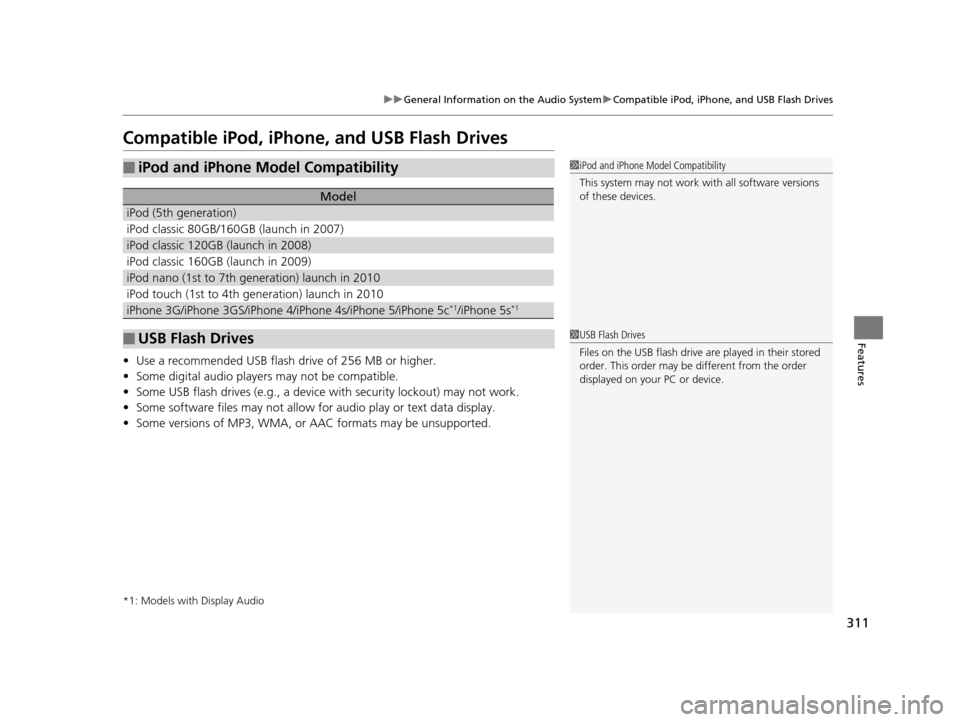
■iPod and iPhone Model Compatibility
Model
iPod (5th generation)
iPod classic 80GB/160GB (launch in 2007)
iPod classic 120GB (launch in 2008)
iPod classic 160GB (launch in 2009)
iPod nano (1st to 7th generation) launch in 2010
iPod touch (1st to 4th generation) launch in 2010
iPhone 3G/iPhone 3GS/iPhone 4/iPhone 4s/iPhone 5/iPhone 5c*1/iPhone 5s*1
■USB Flash Drives
1iPod and iPhone Model Compatibility
This system may not work with all software versions
of these devices.
1USB Flash Drives
Files on the USB flash drive are played in their stored
order. This order may be different from the order
displayed on your PC or device.
16 PILOT-31TG76000.book 311 ページ 2015年6月15日 月曜日 午前11時30分
Page 313 of 661
312
uuGeneral Information on the Audio System uAbout Open Source Licenses
Features
About Open Source Licenses
To see the open source license information, follow these steps.
1. Select .
2. Select Settings .
3. Select System , then open the Others tab.
4. Select Detail Information .
5. Select About device.
6. Select Legal information .
7. Select Open source licenses .
Models with Display Audio
16 PILOT-31TG76000.book 312 ページ 2015年6月15日 月曜日 午前11時30分
Page 314 of 661
313
Features
Blu-ray/DVD Rear Entertainment System*
Rear seat passengers can enjoy a completely separate entertainment source than
front passengers, including movies, games, and other audio choices.
Wireless Headphones
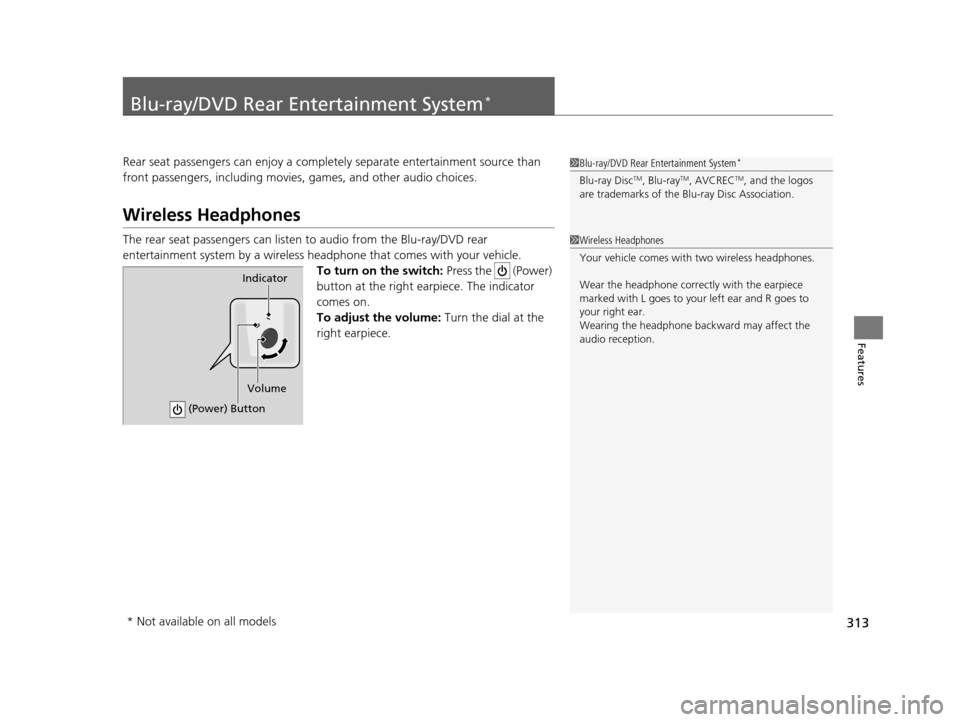
The rear seat passengers can listen to audio from the Blu-ray/DVD rear
entertainment system by a wireless h eadphone that comes with your vehicle.
To turn on the switch: Press the (Power)
button at the right earpiece. The indicator
comes on.
To adjust the volume: Turn the dial at the
right earpiece.
1 Blu-ray/DVD Rear Entertainment System*
Blu-ray DiscTM, Blu-rayTM, AVCRECTM, and the logos
are trademarks of the Bl u-ray Disc Association.
1Wireless Headphones
Your vehicle comes with two wireless headphones.
Wear the headphone correc tly with the earpiece
marked with L goes to y our left ear and R goes to
your right ear.
Wearing the headphone back ward may affect the
audio reception.
Indicator
(Power) Button
Volume
* Not available on all models
16 PILOT-31TG76000.book 313 ページ 2015年6月15日 月曜日 午前11時30分
Page 315 of 661
314
uuBlu-ray/DVD Rear Entertainment System*uAuxiliary Console Panel
Features
Auxiliary Console Panel
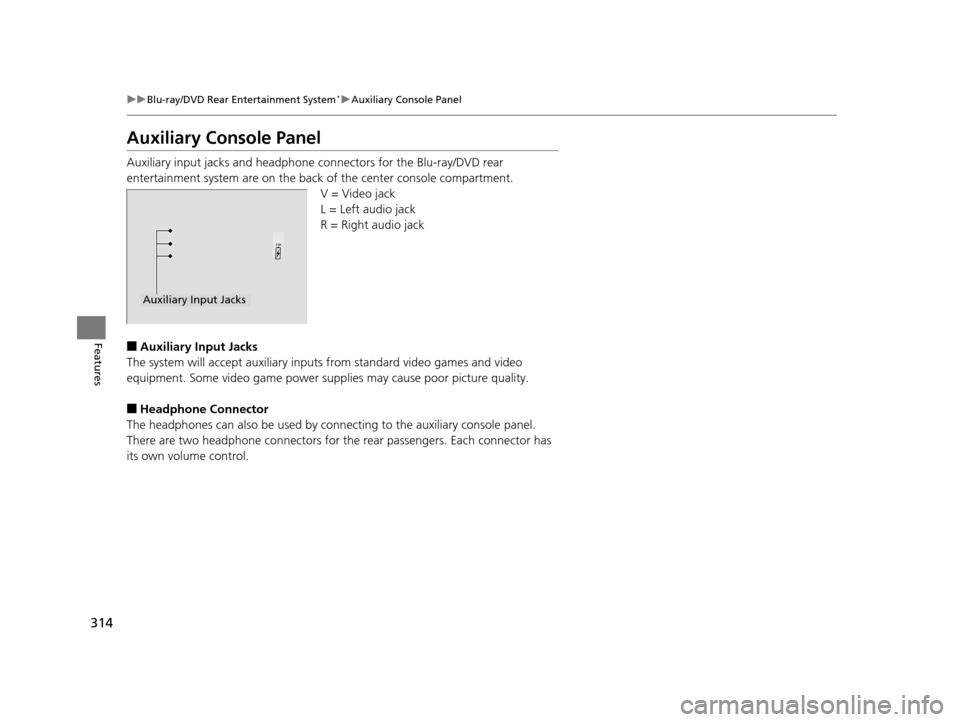
Auxiliary input jacks and headphone connectors for the Blu-ray/DVD rear
entertainment system are on the back of the center console compartment.
V = Video jack
L = Left audio jack
R = Right audio jack
■Auxiliary Input Jacks
The system will accept auxiliary inputs from standard video games and video
equipment. Some video game power supplies may cause poor picture quality.
■Headphone Connector
The headphones can also be used by conn ecting to the auxiliary console panel.
There are two headphone connectors for the rear passengers. Each connector has
its own volume control.
Auxiliary Input Jacks
16 PILOT-31TG76000.book 314 ページ 2015年6月15日 月曜日 午前11時30分
Page 317 of 661
316
uuBlu-ray/DVD Rear Entertainment System*uOverhead Screen
Features
Overhead Screen
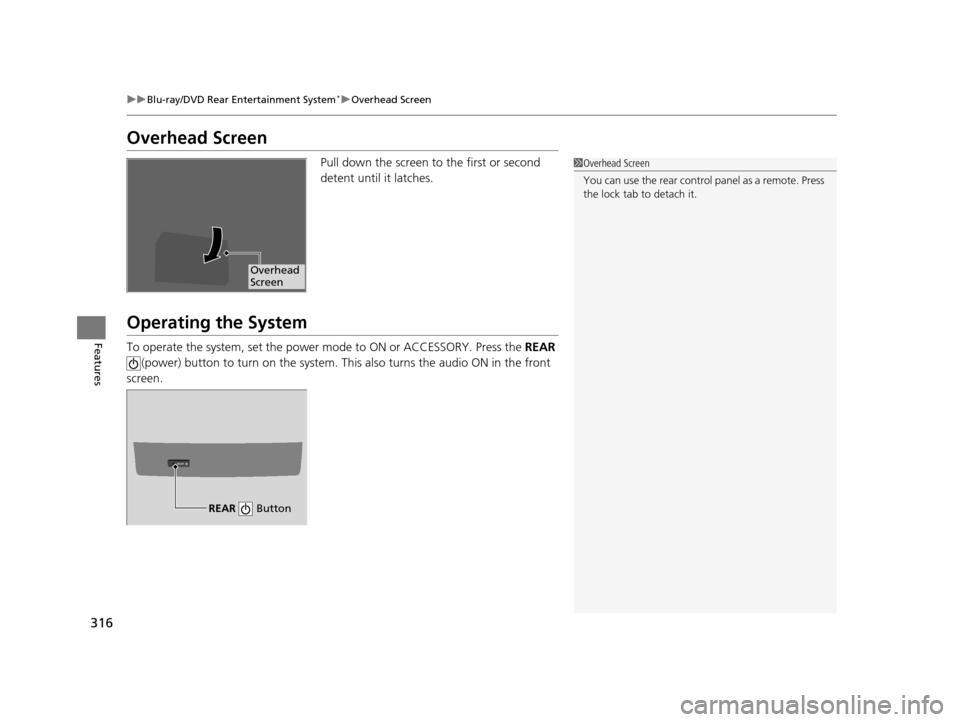
Pull down the screen to the first or second
detent until it latches.
Operating the System
To operate the system, set the power mode to ON or ACCESSORY. Press the REAR
(power) button to turn on the system. Th is also turns the audio ON in the front
screen.
1 Overhead Screen
You can use the rear control panel as a remote. Press
the lock tab to detach it.
Overhead
Screen
REAR
REAR Button
16 PILOT-31TG76000.book 316 ページ 2015年6月15日 月曜日 午前11時30分
Page 318 of 661
317
uuBlu-ray/DVD Rear Entertainment System*uPlaying a DVD/Blu-rayTM*
Continued
Features
Playing a DVD/Blu-rayTM*
To play a DVD or Blu-rayTM *, insert a DVD or Blu-rayTM * into the lower slot of the
front audio system, and press the REAR button.
u The system automatically st arts the DVD or Blu-ray
TM *. DVD or Blu-rayTM * is
available for the rear seat passenger only.
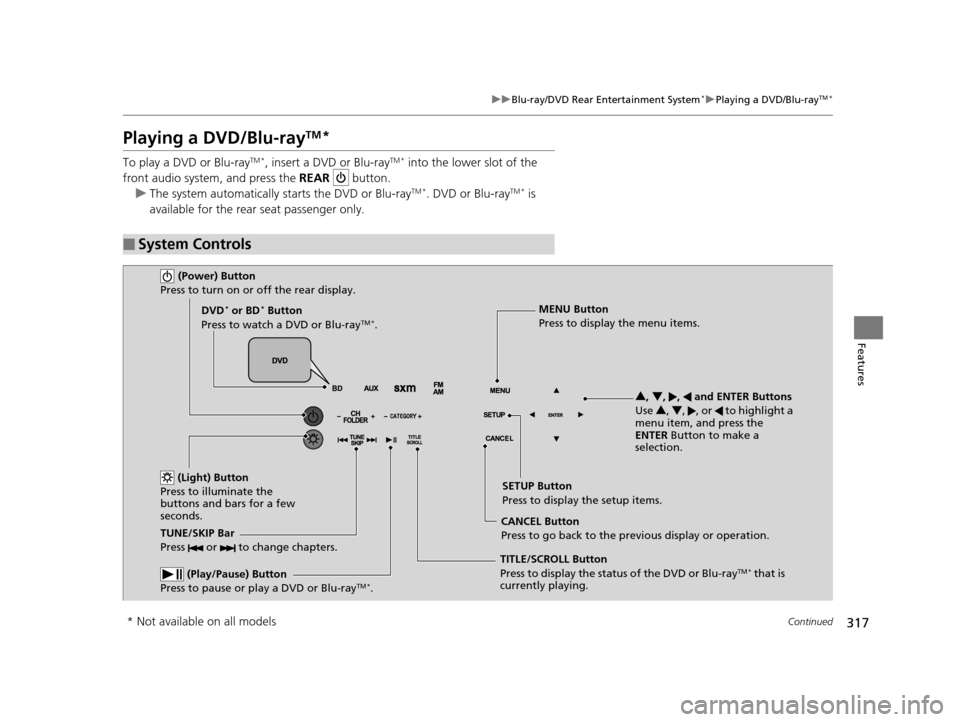
■System Controls
(Power) Button
Press to turn on or off the rear display.
DVD* or BD* Button
Press to watch a DVD or Blu-rayTM *.
(Light) Button
Press to illuminate the
buttons and bars for a few
seconds.
TUNE/SKIP Bar
Press or to change chapters.
(Play/Pause) Button
Press to pause or play a DVD or Blu-rayTM *.
TITLE/SCROLL Button
Press to display the status of the DVD or Blu-rayTM * that is
currently playing. MENU Button
Press to display the menu items.
SETUP Button
Press to display the setup items.
CANCEL Button
Press to go back to the previous display or operation. 3
, 4 , , and ENTER Buttons
Use 3, 4 , , or to highlight a
menu item, and press the
ENTER Button to make a
selection.
* Not available on all models
16 PILOT-31TG76000.book 317 ページ 2015年6月15日 月曜日 午前11時30分
Page 320 of 661
319
uuBlu-ray/DVD Rear Entertainment System*uPlaying a DVD/Blu-rayTM*
Continued
Features
If you press the MENU button on the remote while the DVD or Blu-rayTM * is not
playing, the option Play Mode changes to Initial Settings .
2Initial Settings P. 325
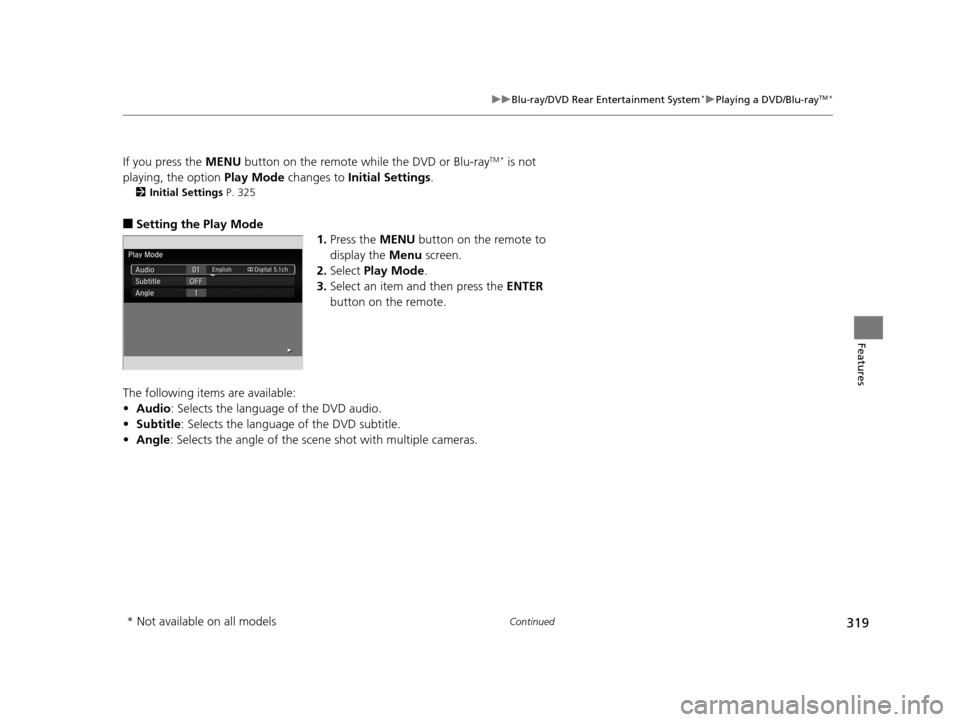
■Setting the Play Mode
1.Press the MENU button on the remote to
display the Menu screen.
2. Select Play Mode .
3. Select an item and then press the ENTER
button on the remote.
The following items are available:
• Audio : Selects the language of the DVD audio.
• Subtitle : Selects the language of the DVD subtitle.
• Angle : Selects the angle of the scen e shot with multiple cameras.
* Not available on all models
16 PILOT-31TG76000.book 319 ページ 2015年6月15日 月曜日 午前11時30分
Page 326 of 661
325
uuBlu-ray/DVD Rear Entertainment System*uPlaying a DVD/Blu-rayTM*
Continued
Features
You can configure the initial Language, Dynamic Range, and Angle Mark settings
before playing a DVD or Blu-rayTM *.
1.Press the MENU button on the remote to
display the Menu screen.
2. Select Initial Settings and then press the
ENTER button on the remote.
The following items are available:
• Language Settings : Selects the language for the DVD's or Blu-ray
TM *'s displayed
menus (Menu Language), the DVD's or Blu-rayTM *'s audio (Audio Language), and
the DVD's or Blu-rayTM *'s subtitle (Subtitle Language).
2 Language Settings P. 326
•Dynamic Range : The feature reduces the difference between the loud and quiet
sound levels. Select ON or OFF .
• Angle Mark : You can select whether to displa y the angle mark appearing in the
upper right corner of the screen when you change th e view angle while the DVD
or Blu-ray
TM * is playing. Select ON or OFF .
■Initial Settings
* Not available on all models
16 PILOT-31TG76000.book 325 ページ 2015年6月15日 月曜日 午前11時30分
Page 328 of 661
327
uuBlu-ray/DVD Rear Entertainment System*uFront Control Panel Operation
Continued
Features
Front Control Panel Operation
You can operate the Blu-ray/DVD Rear En tertainment System (RES) from the front
control panel.
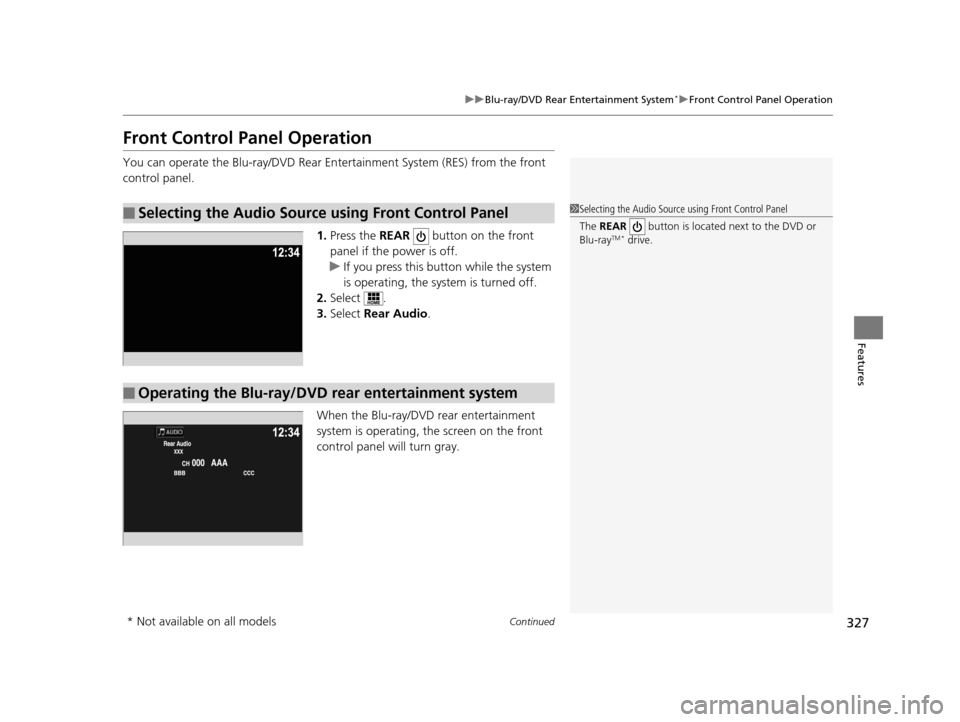
1.Press the REAR button on the front
panel if the power is off.
u If you press this butt on while the system
is operating, the system is turned off.
2. Select .
3. Select Rear Audio.
When the Blu-ray/DVD rear entertainment
system is operating, the screen on the front
control panel will turn gray.
■Selecting the Audio Source using Front Control Panel1 Selecting the Audio Source using Front Control Panel
The REAR button is located next to the DVD or
Blu-ray
TM * drive.
■Operating the Blu-ray/DVD rear entertainment system
* Not available on all models
16 PILOT-31TG76000.book 327 ページ 2015年6月15日 月曜日 午前11時30分