display HONDA PILOT 2016 3.G Owners Manual
[x] Cancel search | Manufacturer: HONDA, Model Year: 2016, Model line: PILOT, Model: HONDA PILOT 2016 3.GPages: 661, PDF Size: 37.79 MB
Page 441 of 661
440
uuCompass*uCompass Zone Selection
Features
Compass Zone Selection
1. Set the power mode to ON.
2. On the top screen of any audio source,
press and hold for five seconds.
u The display switches to the Compass
settings screen.
3. Select Zone Adjust .
u The display shows the current zone
number the system is set to.
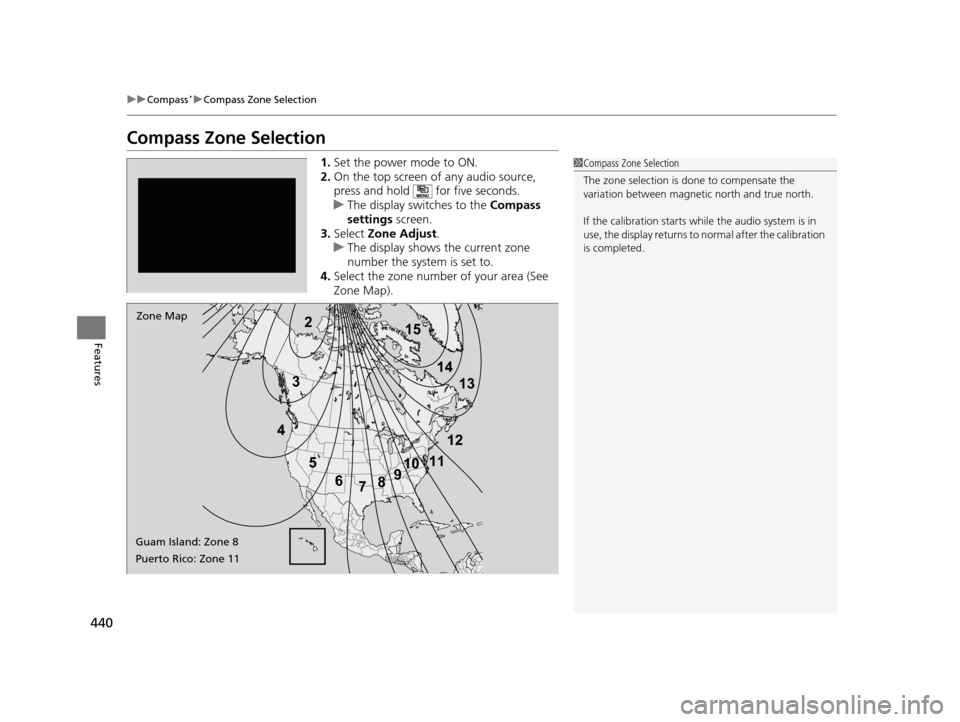
4. Select the zone number of your area (See
Zone Map).1Compass Zone Selection
The zone selection is done to compensate the
variation between magneti c north and true north.
If the calibration starts while the audio system is in
use, the display returns to normal after the calibration
is completed.
2
3
4 5678910
111213
14
15Zone Map
Guam Island: Zone 8
Puerto Rico: Zone 11
16 PILOT-31TG76000.book 440 ページ 2015年6月15日 月曜日 午前11時30分
Page 464 of 661
Continued463
uuWhen Driving uStarting the Engine
Driving
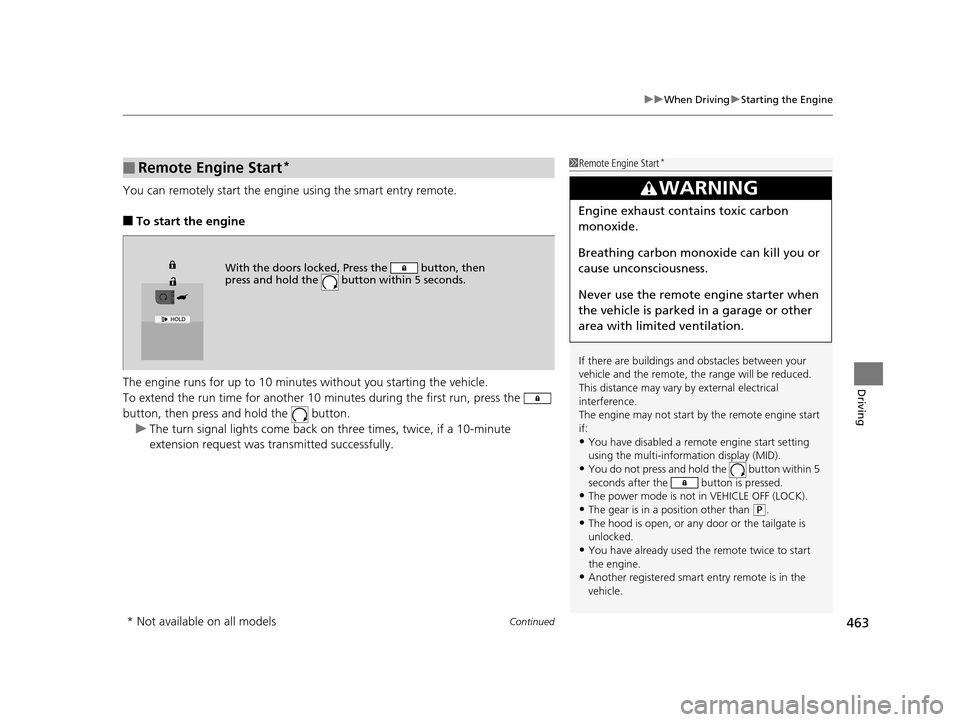
You can remotely start the engine using the smart entry remote.
■To start the engine
The engine runs for up to 10 minu tes without you starting the vehicle.
To extend the run time for another 10 mi nutes during the first run, press the
button, then press an d hold the button.
u The turn signal lights co me back on three times, twice, if a 10-minute
extension request was transmitted successfully.
■Remote Engine Start*1 Remote Engine Start*
If there are buildings an d obstacles between your
vehicle and the remote, th e range will be reduced.
This distance may vary by external electrical
interference.
The engine may not start by the remote engine start
if:
•You have disabled a remo te engine start setting
using the multi-information display (MID).
•You do not press and hold the button within 5
seconds after the button is pressed.
•The power mode is not in VEHICLE OFF (LOCK).•The gear is in a position other than ( P.
•The hood is open, or any door or the tailgate is
unlocked.
•You have already used the remote twice to start
the engine.
•Another registered smart entry remote is in the
vehicle.
3WARNING
Engine exhaust contains toxic carbon
monoxide.
Breathing carbon monoxide can kill you or
cause unconsciousness.
Never use the remote engine starter when
the vehicle is parked in a garage or other
area with limited ventilation.
With the doors locked, Press the button, then
press and hold the button within 5 seconds.
* Not available on all models
16 PILOT-31TG76000.book 463 ページ 2015年6月15日 月曜日 午前11時30分
Page 470 of 661
469
uuWhen Driving uShifting
Continued
Driving
Shifting
Change the shift position in accordance with your driving needs.
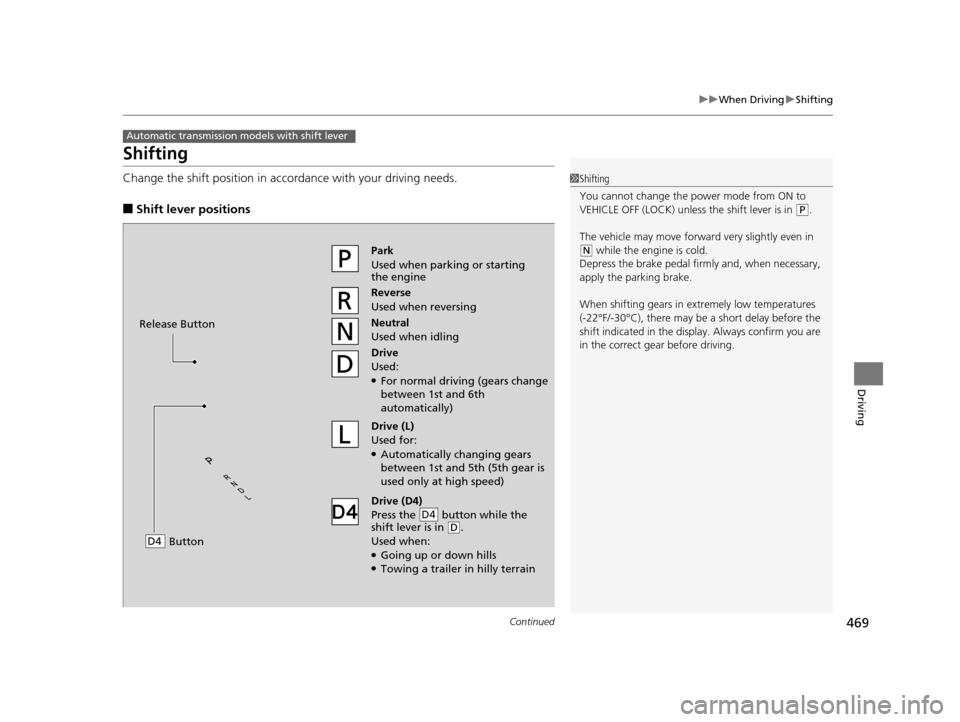
■Shift lever positions
Automatic transmission models with shift lever
1Shifting
You cannot change the pow er mode from ON to
VEHICLE OFF (LOCK) unless the shift lever is in
( P.
The vehicle may move forward very slightly even in
(N while the engine is cold.
Depress the brake pe dal firmly and, when necessary,
apply the parking brake.
When shifting gears in extremely low temperatures
(-22°F/-30°C), there may be a short delay before the
shift indicated in the display. Always confirm you are
in the correct gear before driving.Park
Used when parking or starting
the engine
Reverse
Used when reversing
Neutral
Used when idling
Drive
Used:
●For normal driving (gears change
between 1st and 6th
automatically)
Drive (L)
Used for:
●Automatically changing gears
between 1st and 5th (5th gear is
used only at high speed)
Drive (D4)
Press the button while the
shift lever is in
( D.
Used when:
●Going up or down hills●Towing a trailer in hilly terrain
D4
Release Button
Button
D4
16 PILOT-31TG76000.book 469 ページ 2015年6月15日 月曜日 午前11時30分
Page 476 of 661
![HONDA PILOT 2016 3.G Owners Manual 475
uuWhen Driving uShifting
Continued
Driving
■If you want to keep the transmission in (N position [car wash mode]
With the engine running:
1. Press and hold the brake pedal.
2. Select
(N, then re](/img/13/6023/w960_6023-475.png "HONDA PILOT 2016 3.G Owners Manual 475
uuWhen Driving uShifting
Continued
Driving
■If you want to keep the transmission in (N position [car wash mode]
With the engine running:
1. Press and hold the brake pedal.
2. Select
(N, then re")
475
uuWhen Driving uShifting
Continued
Driving
■If you want to keep the transmission in (N position [car wash mode]
With the engine running:
1. Press and hold the brake pedal.
2. Select
(N, then release the button to display (Neutral) (N hold mode on the MID.
3. Press and hold
(N again for two seconds. At this point you can either:
u Leave the engine ru nning, the transmission remains in
(N.
u Or press the ENGINE STOP/START button to turn off the engine. The
Transmission remains in
(N.
In either case the transmission remains in
(N
for 15 minutes.
If the ENGINE STOP/START button is pressed
once, the power mode changes to ACCESSORY
and a message is displayed on the MID. u This puts the vehicle in car wash mode
which must be used when your vehicle is
pulled through a conveyor type
automatic car wash where you or an
attendant do not remain in the vehicle.
u The gear position remains in
(N with the
power mode in ACCESSORY for 15
minutes, then, it automatically changes to
(P and the power mode changes to OFF.
Manually changing to
(P cancels
ACCESSORY mode. The
(P indicator comes
on and the power mode changes to OFF. You
must always shift to
(P when car wash mode
is no longer needed.
16 PILOT-31TG76000.book 475 ページ 2015年6月15日 月曜日 午前11時30分
Page 493 of 661
uuWhen Driving uAdaptive Cruise Control (ACC)*
492
Driving
1Adaptive Cruise Control (ACC)*
Important Reminder
As with any system, there are limits to ACC. Use the
brake pedal whenever necessary, and always keep a
safe distance between your vehicle and other
vehicles.
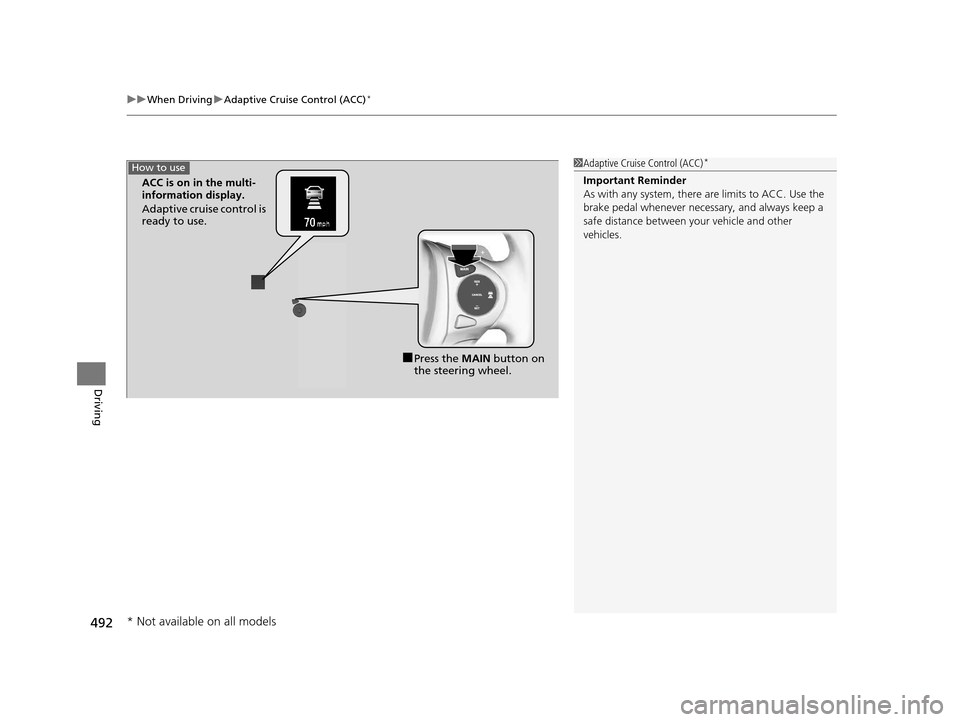
■Press the MAIN button on
the steering wheel.
ACC is on in the multi-
information display.
Adaptive cruise control is
ready to use.
How to use
* Not available on all models
16 PILOT-31TG76000.book 492 ページ 2015年6月15日 月曜日 午前11時30分
Page 494 of 661
Continued493
uuWhen Driving uAdaptive Cruise Control (ACC)*
Driving
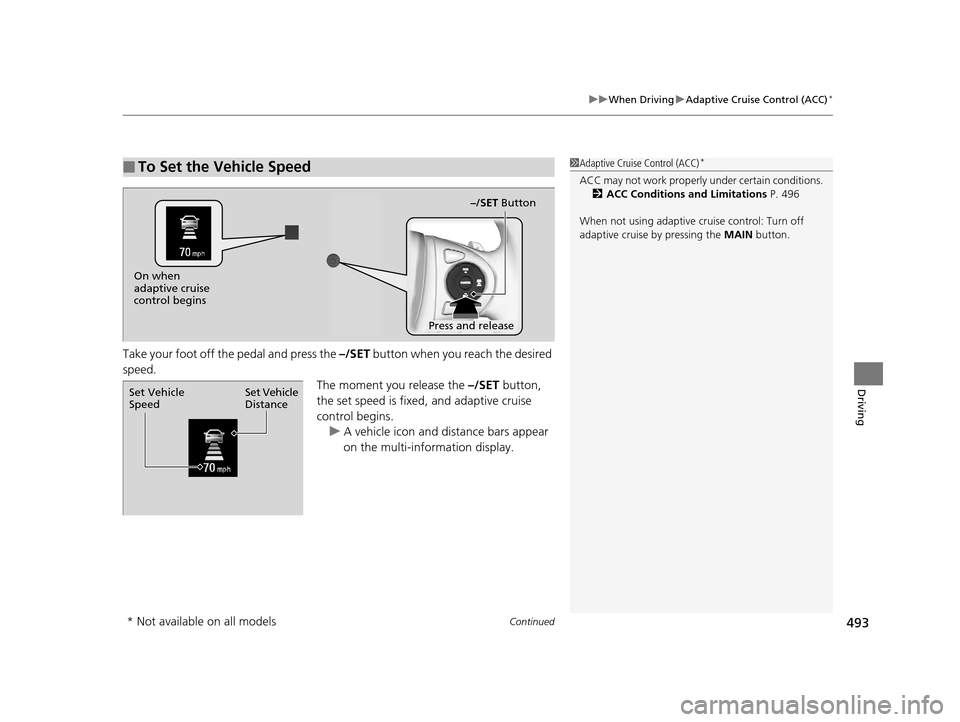
Take your foot off the pedal and press the –/SET button when you reach the desired
speed. The moment you release the –/SET button,
the set speed is fixed, and adaptive cruise
control begins. u A vehicle icon and distance bars appear
on the multi-information display.
■To Set the Vehicle Speed1Adaptive Cruise Control (ACC)*
ACC may not work properly under certain conditions.
2 ACC Conditions and Limitations P. 496
When not using adaptive cr uise control: Turn off
adaptive cruise by pressing the MAIN button.
On when
adaptive cruise
control begins
Press and release–/SET Button
Set Vehicle
Distance
Set Vehicle
Speed
* Not available on all models
16 PILOT-31TG76000.book 493 ページ 2015年6月15日 月曜日 午前11時30分
Page 495 of 661
uuWhen Driving uAdaptive Cruise Control (ACC)*
494
Driving
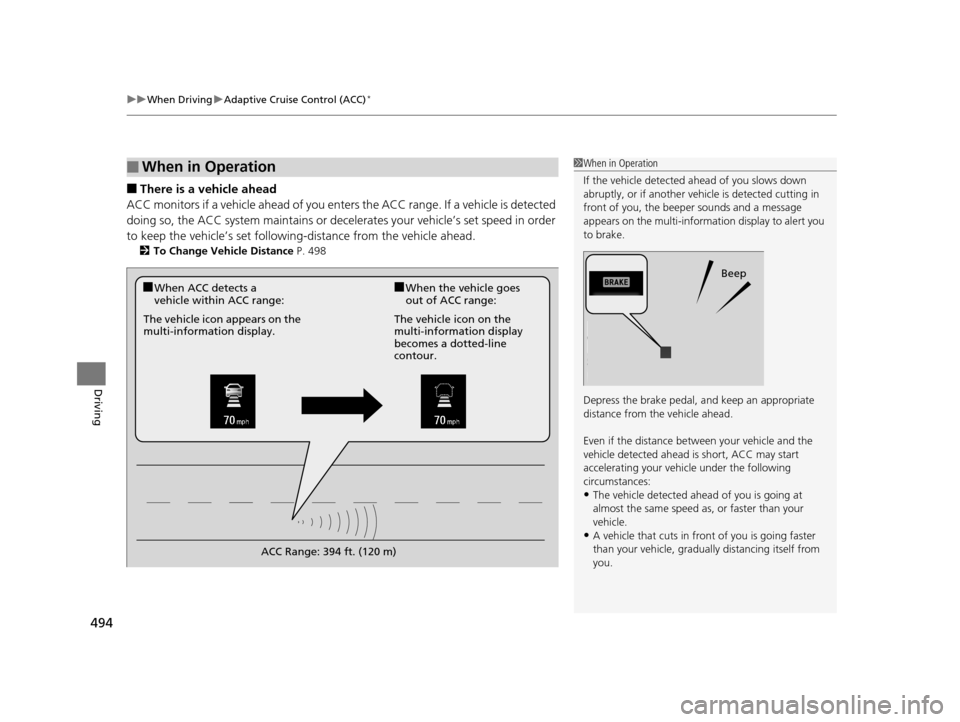
■There is a vehicle ahead
ACC monitors if a vehicle ahead of you enters the ACC range. If a vehicle is detected
doing so, the ACC system maintains or decele rates your vehicle’s set speed in order
to keep the vehicle’s se t following-distance from the vehicle ahead.
2To Change Vehicle Distance P. 498
■When in Operation1When in Operation
If the vehicle detected ahead of you slows down
abruptly, or if a nother vehicle is de tected cutting in
front of you, the beep er sounds and a message
appears on the multi-informat ion display to alert you
to brake.
Depress the brake pedal, and keep an appropriate
distance from the vehicle ahead.
Even if the distance betw een your vehicle and the
vehicle detected ahead is short, ACC may start
accelerating your vehi cle under the following
circumstances:
•The vehicle detected ahead of you is going at
almost the same speed as, or faster than your
vehicle.
•A vehicle that cuts in front of you is going faster
than your vehicle, gradua lly distancing itself from
you.
Beep
■When ACC detects a
vehicle within ACC range:■When the vehicle goes
out of ACC range:
The vehicle icon appears on the
multi-information display. The vehicle icon on the
multi-information display
becomes a dotted-line
contour.
ACC Range: 394 ft. (120 m)
16 PILOT-31TG76000.book 494 ページ 2015年6月15日 月曜日 午前11時30分
Page 501 of 661
uuWhen Driving uAdaptive Cruise Control (ACC)*
500
Driving
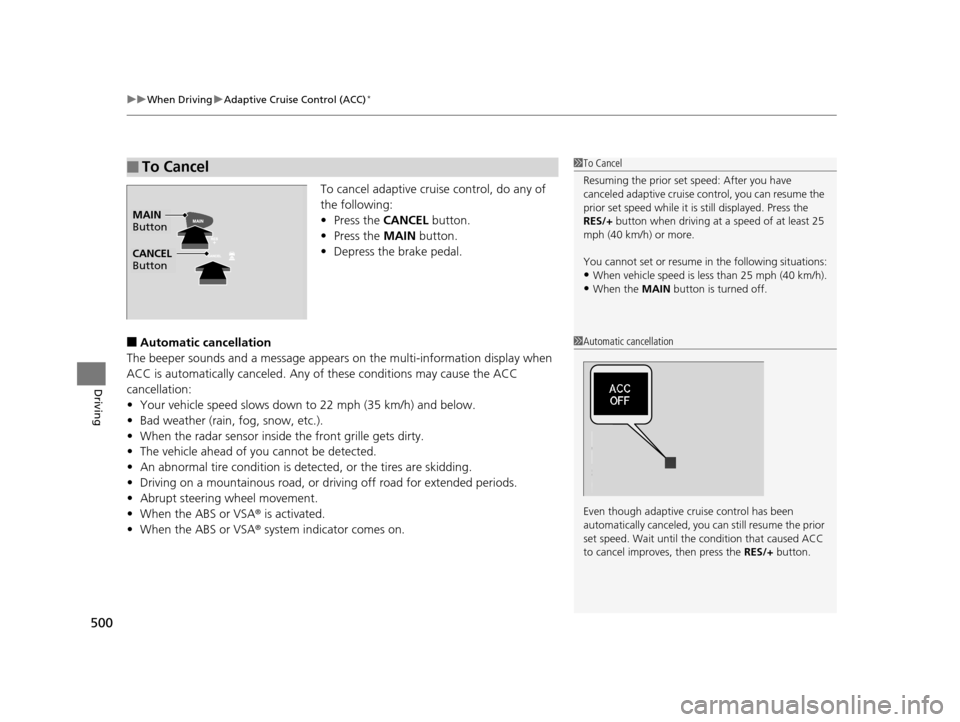
To cancel adaptive cruise control, do any of
the following:
• Press the CANCEL button.
• Press the MAIN button.
• Depress the brake pedal.
■Automatic cancellation
The beeper sounds and a message appears on the multi-information display when
ACC is automatically canceled. Any of these conditions may cause the ACC
cancellation:
• Your vehicle speed slows down to 22 mph (35 km/h) and below.
• Bad weather (rain, fog, snow, etc.).
• When the radar sensor inside the front grille gets dirty.
• The vehicle ahead of you cannot be detected.
• An abnormal tire condition is detected, or the tires are skidding.
• Driving on a mountainous road, or driving off road for extended periods.
• Abrupt steering wheel movement.
• When the ABS or VSA ® is activated.
• When the ABS or VSA ® system indicator comes on.
■To Cancel1To Cancel
Resuming the prior set speed: After you have
canceled adaptive cruise c ontrol, you can resume the
prior set speed while it is still displayed. Press the
RES/+ button when driving at a speed of at least 25
mph (40 km/h) or more.
You cannot set or resume in the following situations:
•When vehicle speed is less than 25 mph (40 km/h).•When the MAIN button is turned off.
CANCEL
Button
MAIN
Button
1 Automatic cancellation
Even though adaptive crui se control has been
automatically canceled, you can still resume the prior
set speed. Wait until the condition that caused ACC
to cancel improves, then press the RES/+ button.
16 PILOT-31TG76000.book 500 ページ 2015年6月15日 月曜日 午前11時30分
Page 502 of 661
501
uuWhen Driving uAdaptive Cruise Control (ACC)*
Driving
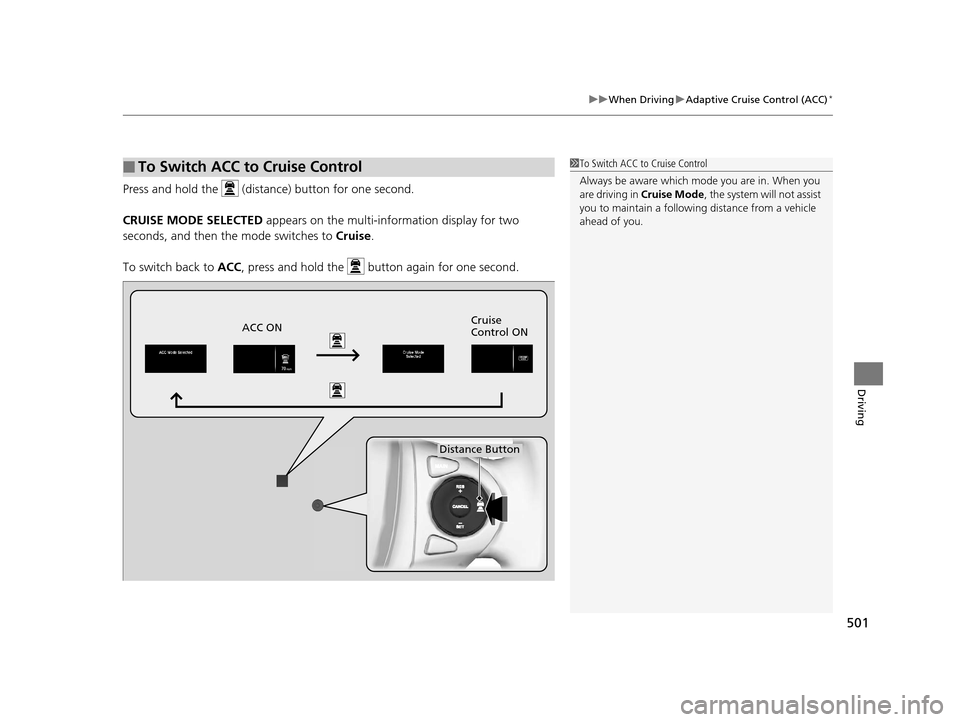
Press and hold the (distance) button for one second.
CRUISE MODE SELECTED appears on the multi-information display for two
seconds, and then the mode switches to Cruise.
To switch back to ACC , press and hold the button again for one second.
■To Switch ACC to Cruise Control1To Switch ACC to Cruise Control
Always be aware which mode you are in. When you
are driving in Cruise Mode , the system will not assist
you to maintain a followi ng distance from a vehicle
ahead of you.
ACC ON Cruise
Control ON
Distance Button
16 PILOT-31TG76000.book 501 ページ 2015年6月15日 月曜日 午前11時30分
Page 503 of 661
502
uuWhen Driving uRoad Departure Mitigation (RDM) System*
Driving
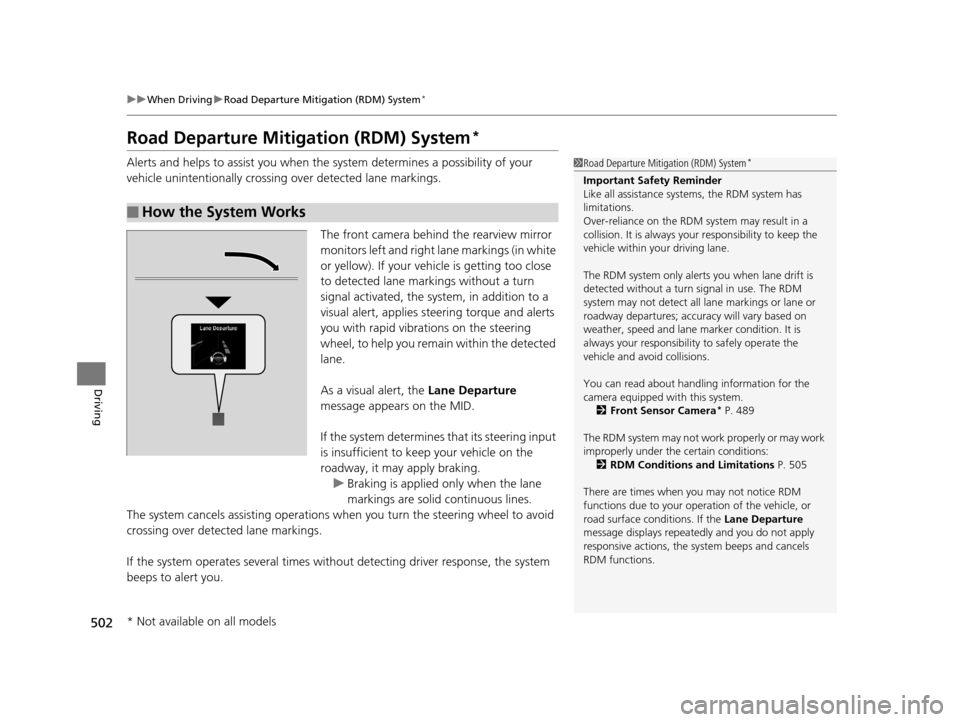
Road Departure Mitigation (RDM) System*
Alerts and helps to assist you when the system determines a possibility of your
vehicle unintentionally crossing over detected lane markings.
The front camera behind the rearview mirror
monitors left and right lane markings (in white
or yellow). If your vehicle is getting too close
to detected lane markings without a turn
signal activated, the system, in addition to a
visual alert, applies st eering torque and alerts
you with rapid vibrations on the steering
wheel, to help you remain within the detected
lane.
As a visual alert, the Lane Departure
message appears on the MID.
If the system determines that its steering input
is insufficient to keep your vehicle on the
roadway, it may apply braking. u Braking is applied only when the lane
markings are solid continuous lines.
The system cancels assisting operations when you turn th e steering wheel to avoid
crossing over detected lane markings.
If the system operates several times without detecting driver response, the system
beeps to alert you.
■How the System Works
1 Road Departure Mitigation (RDM) System*
Important Safety Reminder
Like all assistance systems, the RDM system has
limitations.
Over-reliance on the RDM system may result in a
collision. It is always your responsibility to keep the
vehicle within your driving lane.
The RDM system only alerts you when lane drift is
detected without a turn signal in use. The RDM
system may not detect all la ne markings or lane or
roadway departures; accu racy will vary based on
weather, speed and lane marker condition. It is
always your responsibilit y to safely operate the
vehicle and avoid collisions.
You can read about handling information for the
camera equipped with this system.
2 Front Sensor Camera
* P. 489
The RDM system may not wo rk properly or may work
improperly under the certain conditions: 2 RDM Conditions and Limitations P. 505
There are times when you may not notice RDM
functions due to your opera tion of the vehicle, or
road surface conditions. If the Lane Departure
message displays repeated ly and you do not apply
responsive actions, the sy stem beeps and cancels
RDM functions.
* Not available on all models
16 PILOT-31TG76000.book 502 ページ 2015年6月15日 月曜日 午前11時30分