change wheel HONDA PILOT 2023 User Guide
[x] Cancel search | Manufacturer: HONDA, Model Year: 2023, Model line: PILOT, Model: HONDA PILOT 2023Pages: 814, PDF Size: 29.02 MB
Page 218 of 814
217Continued
Controls
Operating the Switches Around the Steering Wheel
ENGINE START/STOP Button
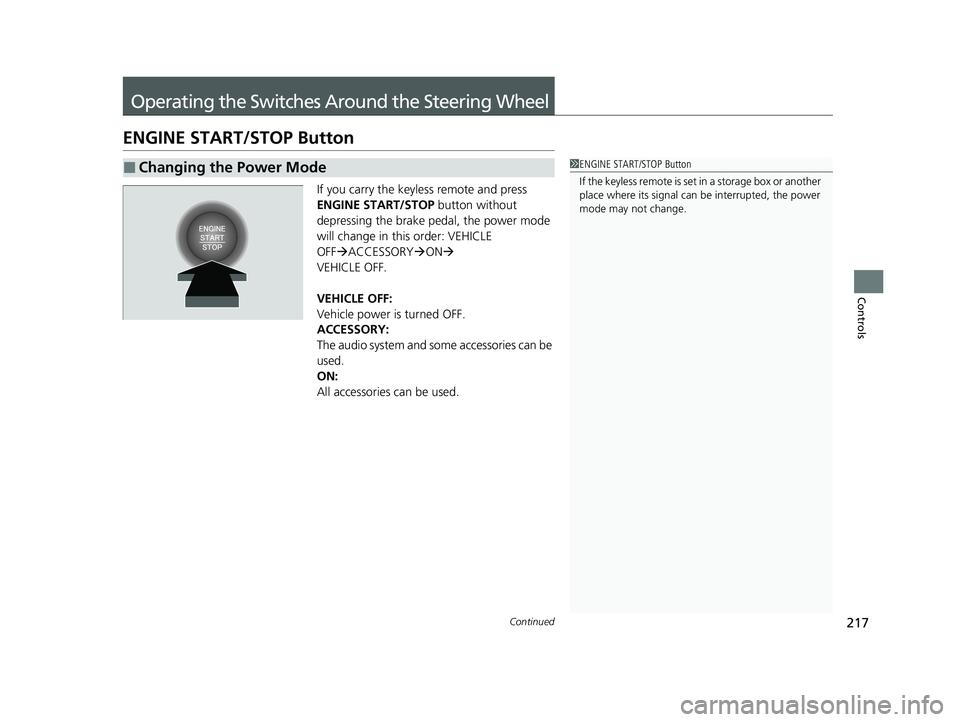
If you carry the keyless remote and press
ENGINE START/STOP button without
depressing the brake pedal, the power mode
will change in this order: VEHICLE
OFF ACCESSORY ON
VEHICLE OFF.
VEHICLE OFF:
Vehicle power is turned OFF.
ACCESSORY:
The audio system and some accessories can be
used.
ON:
All accessories can be used.
■Changing the Power Mode1 ENGINE START/STOP Button
If the keyless remote is set in a storage box or another
place where its signal can be interrupted, the power
mode may not change.
23 PILOT-31T906000_03.book 217 ページ 2022年10月31日 月曜日 午前10時26分
Page 220 of 814
219
uuOperating the Switches Around the Steering Wheel uENGINE START/STOP Button
Controls
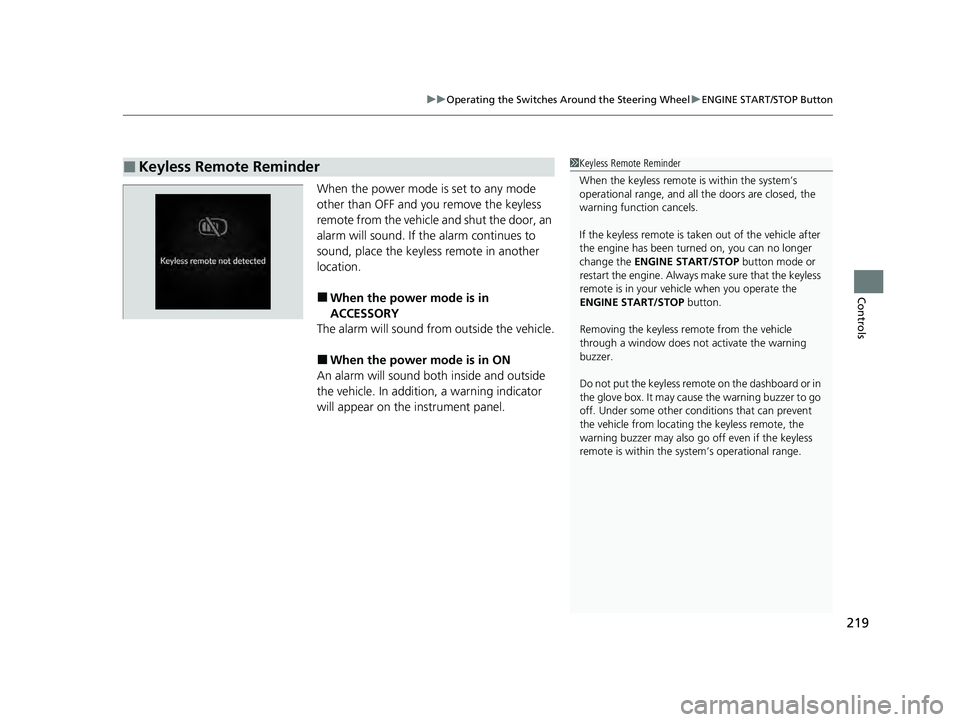
When the power mode is set to any mode
other than OFF and yo u remove the keyless
remote from the vehicle and shut the door, an
alarm will sound. If the alarm continues to
sound, place the keyless remote in another
location.
■When the power mode is in
ACCESSORY
The alarm will sound from outside the vehicle.
■When the power mode is in ON
An alarm will sound both inside and outside
the vehicle. In additi on, a warning indicator
will appear on the instrument panel.
■Keyless Remote Reminder1 Keyless Remote Reminder
When the keyless remote is within the system’s
operational range, and all the doors are closed, the
warning function cancels.
If the keyless remote is taken out of the vehicle after
the engine has been turned on, you can no longer
change the ENGINE START/STOP button mode or
restart the engine. Always make sure that the keyless
remote is in your vehi cle when you operate the
ENGINE START/STOP button.
Removing the keyless remote from the vehicle
through a window does not activate the warning
buzzer.
Do not put the keyless remo te on the dashboard or in
the glove box. It may cause the warning buzzer to go
off. Under some other cond itions that can prevent
the vehicle from locating the keyless remote, the
warning buzzer may also go off even if the keyless
remote is within the system’s operational range.
23 PILOT-31T906000_03.book 219 ページ 2022年10月31日 月曜日 午前10時26分
Page 221 of 814
220
uuOperating the Switches Around the Steering Wheel uLights
Controls
Lights
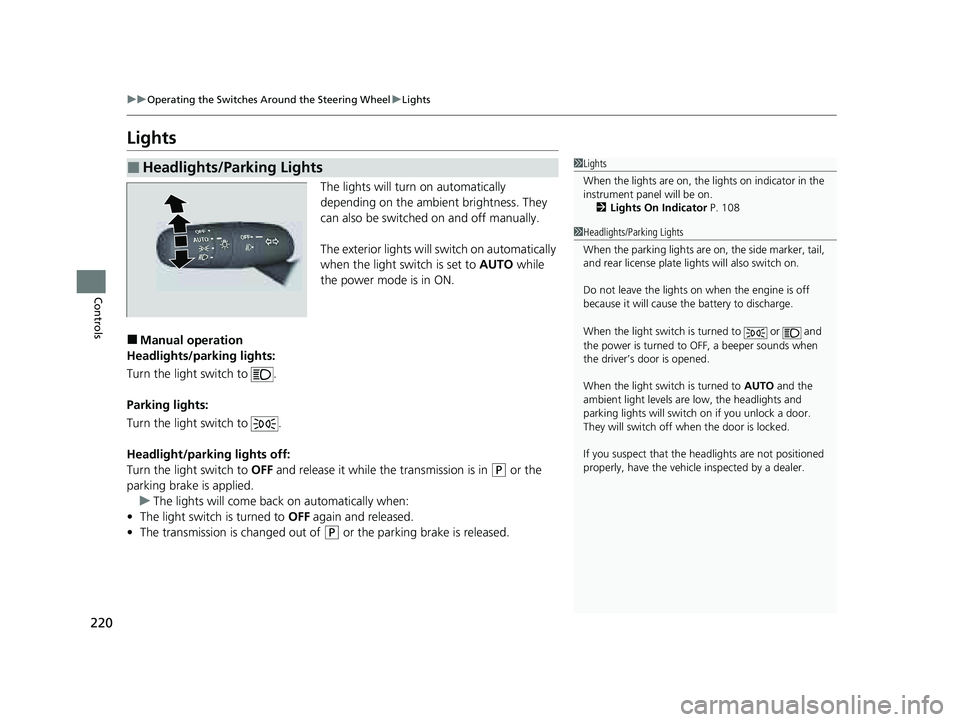
The lights will turn on automatically
depending on the ambient brightness. They
can also be switched on and off manually.
The exterior lights will switch on automatically
when the light switch is set to AUTO while
the power mode is in ON.
■Manual operation
Headlights/parking lights:
Turn the light switch to .
Parking lights:
Turn the light switch to .
Headlight/parking lights off:
Turn the light switch to OFF and release it while the transmission is in
(P or the
parking brake is applied. u The lights will come back on automatically when:
• The light switch is turned to OFF again and released.
• The transmission is changed out of
(P or the parking brake is released.
■Headlights/Parking Lights1Lights
When the lights are on, the lights on indicator in the
instrument pane l will be on.
2 Lights On Indicator P. 108
1Headlights/Parking Lights
When the parking lights are on, the side marker, tail,
and rear license plate li ghts will also switch on.
Do not leave the lights on when the engine is off
because it will cause the battery to discharge.
When the light switch is turned to or and
the power is turned to OFF, a beeper sounds when
the driver’s door is opened.
When the light switch is turned to AUTO and the
ambient light levels are low, the headlights and
parking lights will switch on if you unlock a door.
They will switch off when the door is locked.
If you suspect that the he adlights are not positioned
properly, have the vehicl e inspected by a dealer.
23 PILOT-31T906000_03.book 220 ページ 2022年10月31日 月曜日 午前10時26分
Page 224 of 814
Continued223
uuOperating the Switches Around the Steering Wheel uLights
Controls
The headlights automatically come on when th e wipers are used several times within
a certain number of intervals with the headlight switch in AUTO.
The headlights automatically go off a few mi nutes later if the wipers are stopped.
The headlights, all other exterior lights, and the instrument panel lights turn off 15
seconds after you set the power mode to VEHICLE OFF, take the remote with you,
and close the driver’s door.
If you set the power mode to VEHICLE OFF with the headlight switch on, but do not
open the door, the lights turn off after 10 minu tes (3 minutes, if the switch is in the
AUTO position).
The lights turn on again when you unlock or open the driver’s door. If you unlock
the door, but do not open it within 15 seconds, the lights go off. If you open the
driver’s door, you will hear a reminder chime alerting you that the lights are on.
■Headlight Integration with Wipers
■Automatic Lighting Off Feature
1 Headlight Integration with Wipers
This feature activates while the headlights are off in
AUTO .
The instrument panel br ightness does not change
when the headlights come on.
At dark ambient light leve ls, the automatic lighting
control feature turns on the headlights, regardless of
the number of wiper sweeps.
You can turn the headlight integration with wipers
function on and off.
2 Settings
* P. 140
2 How to Customize the Vehicle Settings
P. 444
Models with 7-in. Color Touchscreen
Models with 9-in. Color Touchscreen
1 Automatic Lighting Off Feature
You can change the headlight auto off timer setting.
2 Settings
* P. 140
2 How to Customize the Vehicle Settings
P. 444
Models with 7-in. Color Touchscreen
Models with 9-in. Color Touchscreen
* Not available on all models
23 PILOT-31T906000_03.book 223 ページ 2022年10月31日 月曜日 午前10時26分
Page 227 of 814
226
uuOperating the Switches Around the Steering Wheel uAuto High-Beam
Controls
Auto High-Beam
The front sensor camera detects the light sources ahead of the vehicle such as the
lights of a preceding or oncoming vehicle, or street lights. When you are driving at
night, the system automatically switches the headlights between low beam and high
beam depending on the situation.
■Activating the system
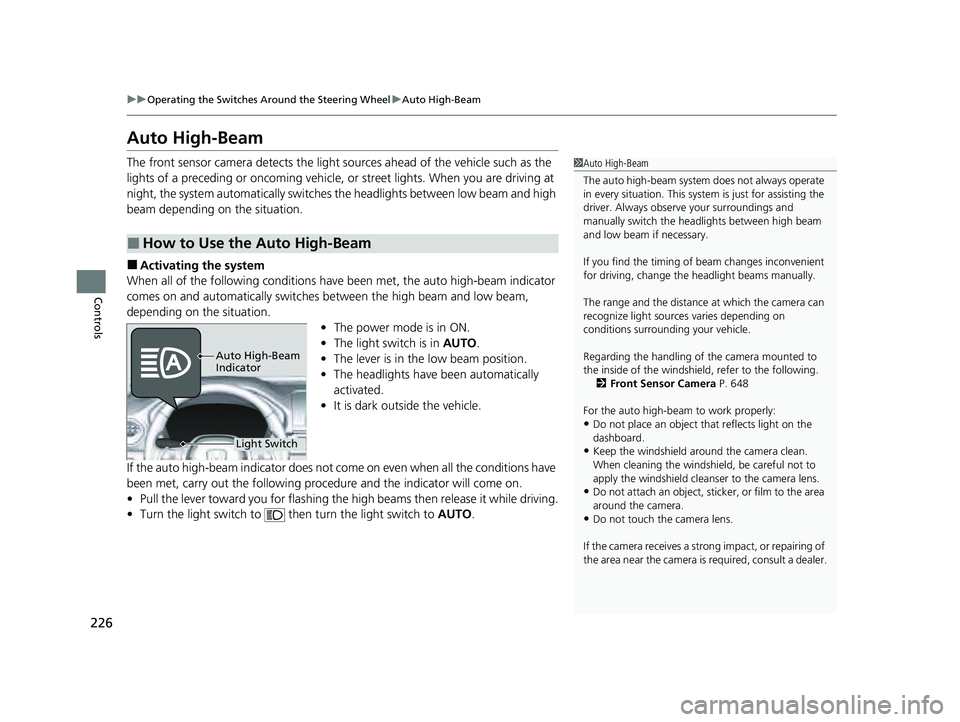
When all of the following conditions have been met, the auto high-beam indicator
comes on and automatically switches between the high beam and low beam,
depending on the situation. •The power mode is in ON.
• The light switch is in AUTO.
• The lever is in the low beam position.
• The headlights have been automatically
activated.
• It is dark outside the vehicle.
If the auto high-beam indicator does not co me on even when all the conditions have
been met, carry out the following procedure and the indicator will come on.
• Pull the lever toward you for flashing the high beams then release it while driving.
• Turn the light switch to then turn the light switch to AUTO.
■How to Use the Auto High-Beam
1Auto High-Beam
The auto high-beam system does not always operate
in every situation. This syst em is just for assisting the
driver. Always observe your surroundings and
manually switch the head lights between high beam
and low beam if necessary.
If you find the timing of beam changes inconvenient
for driving, change the headlight beams manually.
The range and the distance at which the camera can
recognize light sources varies depending on
conditions surrounding your vehicle.
Regarding the handling of the camera mounted to
the inside of the windshiel d, refer to the following.
2 Front Sensor Camera P. 648
For the auto high-beam to work properly:
•Do not place an object that reflects light on the
dashboard.
•Keep the windshield around the camera clean.
When cleaning the windshield, be careful not to
apply the windshield cleans er to the camera lens.
•Do not attach an object, sticker, or film to the area
around the camera.
•Do not touch the camera lens.
If the camera receives a st rong impact, or repairing of
the area near the camera is required, consult a dealer.
Light Switch
Auto High-Beam
Indicator
23 PILOT-31T906000_03.book 226 ページ 2022年10月31日 月曜日 午前10時26分
Page 228 of 814
Continued227
uuOperating the Switches Around the Steering Wheel uAuto High-Beam
Controls
■Automatic switching between high-beam and low-beam
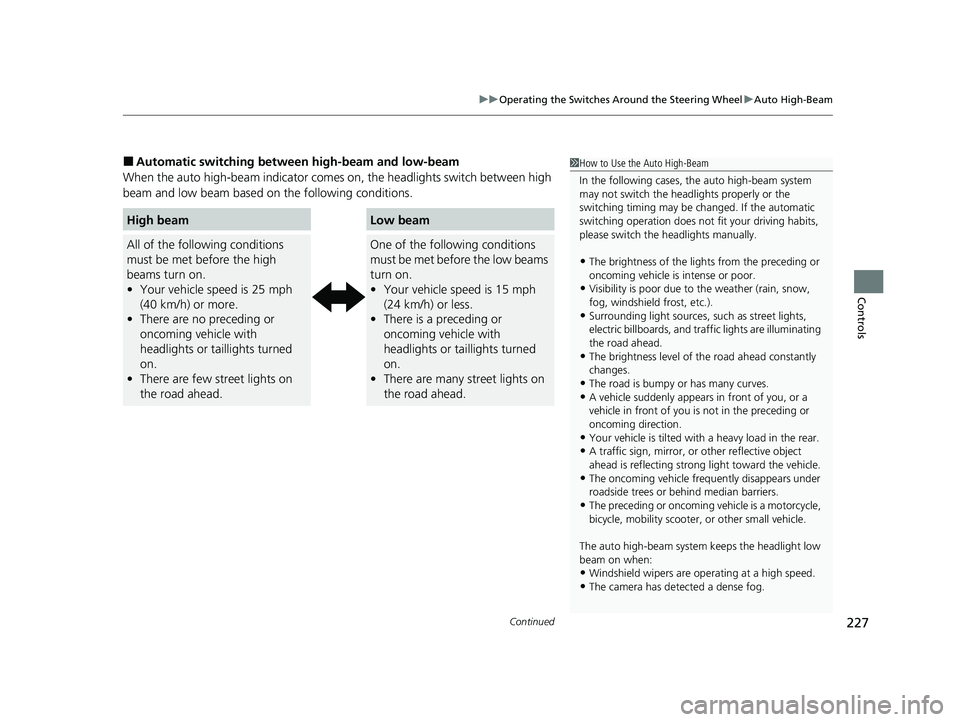
When the auto high-beam i ndicator comes on, the headlights switch between high
beam and low beam based on the following conditions.1 How to Use the Auto High-Beam
In the following cases, th e auto high-beam system
may not switch the head lights properly or the
switching timing may be ch anged. If the automatic
switching operation does not fit your driving habits,
please switch the headlights manually.
•The brightness of the lights from the preceding or
oncoming vehicle is intense or poor.
•Visibility is poor due to the weather (rain, snow,
fog, windshield frost, etc.).
•Surrounding light sources, such as street lights,
electric billboards, and traff ic lights are illuminating
the road ahead.
•The brightness level of th e road ahead constantly
changes.
•The road is bumpy or has many curves.•A vehicle suddenly appears in front of you, or a
vehicle in front of you is not in the preceding or
oncoming direction.
•Your vehicle is tilted with a heavy load in the rear.•A traffic sign, mirror, or other reflective object
ahead is reflecting strong light toward the vehicle.
•The oncoming vehicle freq uently disappears under
roadside trees or be hind median barriers.
•The preceding or oncoming vehicle is a motorcycle,
bicycle, mobility scooter, or other small vehicle.
The auto high-beam system keeps the headlight low
beam on when:
•Windshield wipers are op erating at a high speed.
•The camera has detected a dense fog.
High beam
All of the following conditions
must be met before the high
beams turn on.
•Your vehicle speed is 25 mph
(40 km/h) or more.
• There are no preceding or
oncoming vehicle with
headlights or taillights turned
on.
• There are few street lights on
the road ahead.
Low beam
One of the following conditions
must be met before the low beams
turn on.
•Your vehicle speed is 15 mph
(24 km/h) or less.
• There is a preceding or
oncoming vehicle with
headlights or taillights turned
on.
• There are many street lights on
the road ahead.
23 PILOT-31T906000_03.book 227 ページ 2022年10月31日 月曜日 午前10時26分
Page 230 of 814
229
uuOperating the Switches Around the Steering Wheel uWipers and Washers
Continued
Controls
Wipers and Washers
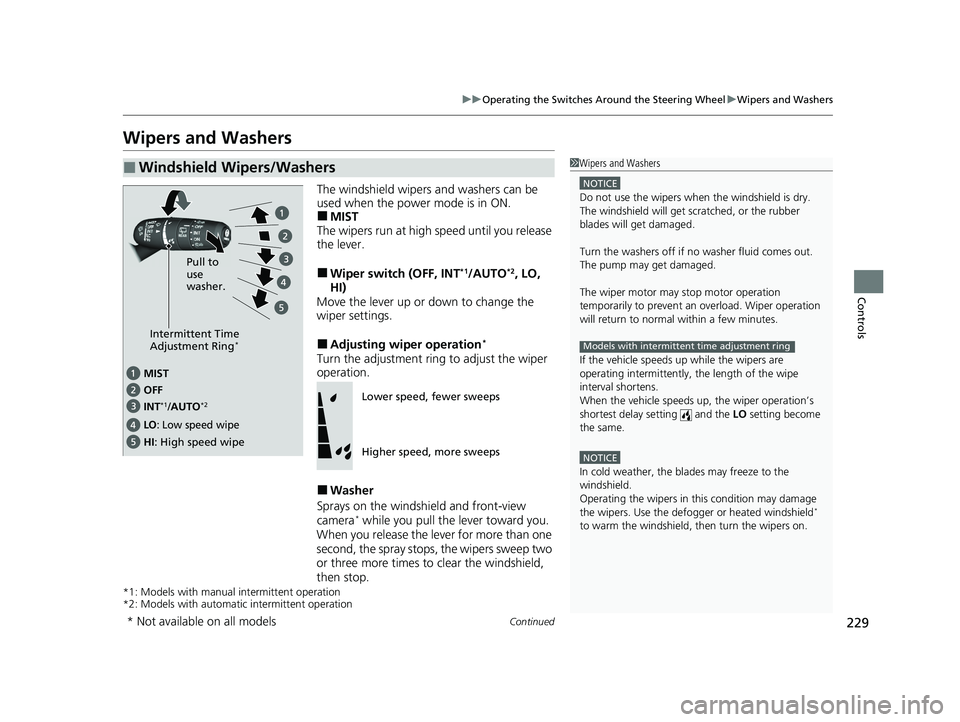
The windshield wipers and washers can be
used when the power mode is in ON.
■MIST
The wipers run at high speed until you release
the lever.
■Wiper switch (OFF, INT*1/AUTO*2, LO,
HI)
Move the lever up or down to change the
wiper settings.
■Adjusting wiper operation*
Turn the adjustment ring to adjust the wiper
operation.
■Washer
Sprays on the windshield and front-view
camera
* while you pull the lever toward you.
When you release the le ver for more than one
second, the spray stops, the wipers sweep two
or three more times to clear the windshield,
then stop.
*1: Models with manual intermittent operation
*2: Models with automati c intermittent operation
■Windshield Wipers/Washers1Wipers and Washers
NOTICE
Do not use the wipers when the windshield is dry.
The windshield will get sc ratched, or the rubber
blades will get damaged.
Turn the washers off if no washer fluid comes out.
The pump may get damaged.
The wiper motor may stop motor operation
temporarily to prevent an overload. Wiper operation
will return to normal within a few minutes.
If the vehicle speeds up while the wipers are
operating intermittently, the length of the wipe
interval shortens.
When the vehicle speeds up, the wiper operation’s
shortest delay se tting and the LO setting become
the same.
NOTICE
In cold weather, the blades may freeze to the
windshield.
Operating the wipers in th is condition may damage
the wipers. Use the defogge r or heated windshield
*
to warm the windshield, then turn the wipers on.
Models with intermittent time adjustment ringIntermittent Time
Adjustment Ring*
MIST
INT
*1/AUTO*2OFF
LO: Low speed wipe
HI: High speed wipe Pull to
use
washer.
Lower speed, fewer sweeps
Higher speed, more sweeps
* Not available on all models
23 PILOT-31T906000_03.book 229 ページ 2022年10月31日 月曜日 午前10時26分
Page 232 of 814
231
uuOperating the Switches Around the Steering Wheel uWipers and Washers
Controls
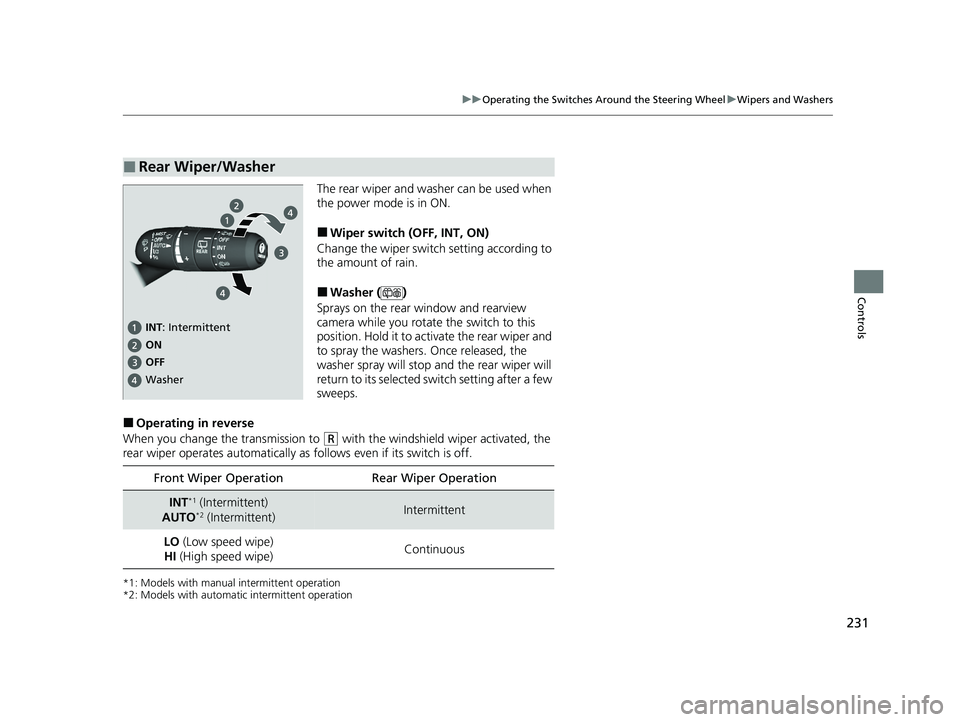
The rear wiper and washer can be used when
the power mode is in ON.
■Wiper switch (OFF, INT, ON)
Change the wiper switch setting according to
the amount of rain.
■Washer ( )
Sprays on the rear window and rearview
camera while you rotate the switch to this
position. Hold it to activate the rear wiper and
to spray the washers. Once released, the
washer spray will stop and the rear wiper will
return to its selected switch setting after a few
sweeps.
■Operating in reverse
When you change the transmission to
(R with the windshield wiper activated, the
rear wiper operates automatically as follows even if its switch is off.
*1: Models with manual intermittent operation
*2: Models with automati c intermittent operation
■Rear Wiper/Washer
INT: Intermittent
OFF ON
Washer
Front Wiper Operation Rear Wiper Operation
INT*1 (Intermittent)
AUTO*2 (Intermittent)Intermittent
LO (Low speed wipe)
HI (High speed wipe) Continuous
23 PILOT-31T906000_03.book 231 ページ 2022年10月31日 月曜日 午前10時26分
Page 302 of 814
301
Features
Audio System Basic Operation
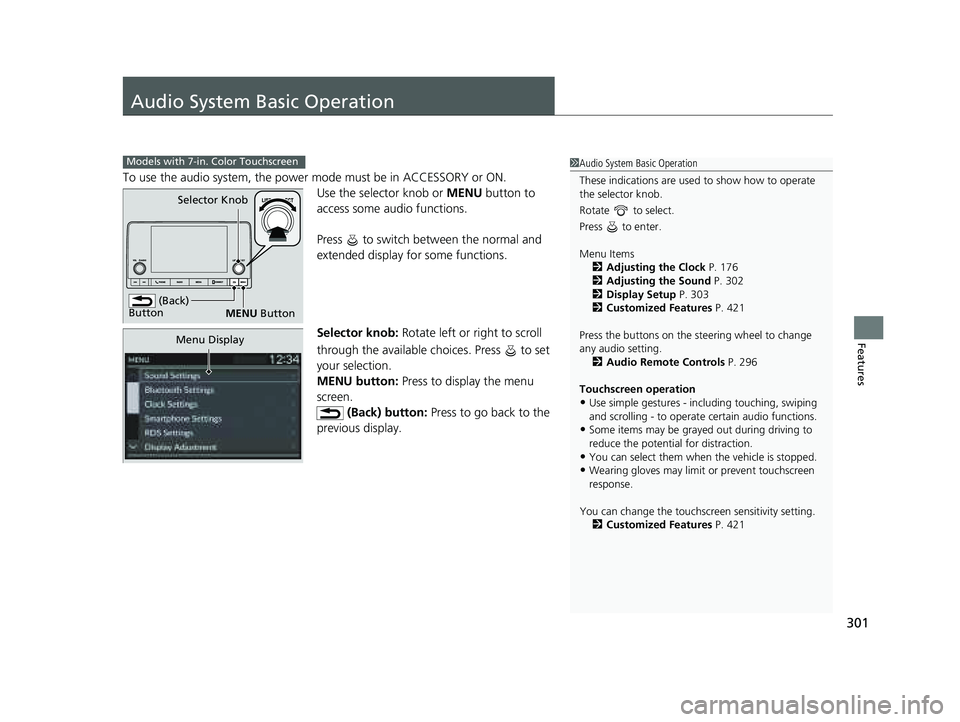
To use the audio system, the power mode must be in ACCESSORY or ON.Use the selector knob or MENU button to
access some au dio functions.
Press to switch between the normal and
extended display fo r some functions.
Selector knob: Rotate left or right to scroll
through the available choices. Press to set
your selection.
MENU button: Press to display the menu
screen. (Back) button: Press to go back to the
previous display.
Models with 7-in. Color Touchscreen1 Audio System Basic Operation
These indications are used to show how to operate
the selector knob.
Rotate to select.
Press to enter.
Menu Items 2 Adjusting the Clock P. 176
2 Adjusting the Sound P. 302
2 Display Setup P. 303
2 Customized Features P. 421
Press the buttons on the steering wheel to change
any audio setting. 2 Audio Remote Controls P. 296
Touchscreen operation
•Use simple gestures - in cluding touching, swiping
and scrolling - to operate certain audio functions.
•Some items may be grayed out during driving to
reduce the potential for distraction.
•You can select them when the vehicle is stopped.•Wearing gloves may limit or prevent touchscreen
response.
You can change the touchs creen sensitivity setting.
2 Customized Features P. 421
(Back)
Button
Selector Knob
MENU Button
Menu Display
23 PILOT-31T906000_03.book 301 ページ 2022年10月31日 月曜日 午前10時26分
Page 317 of 814
316
uuAudio System Basic Operation uSiri Eyes Free
Features
Siri Eyes Free
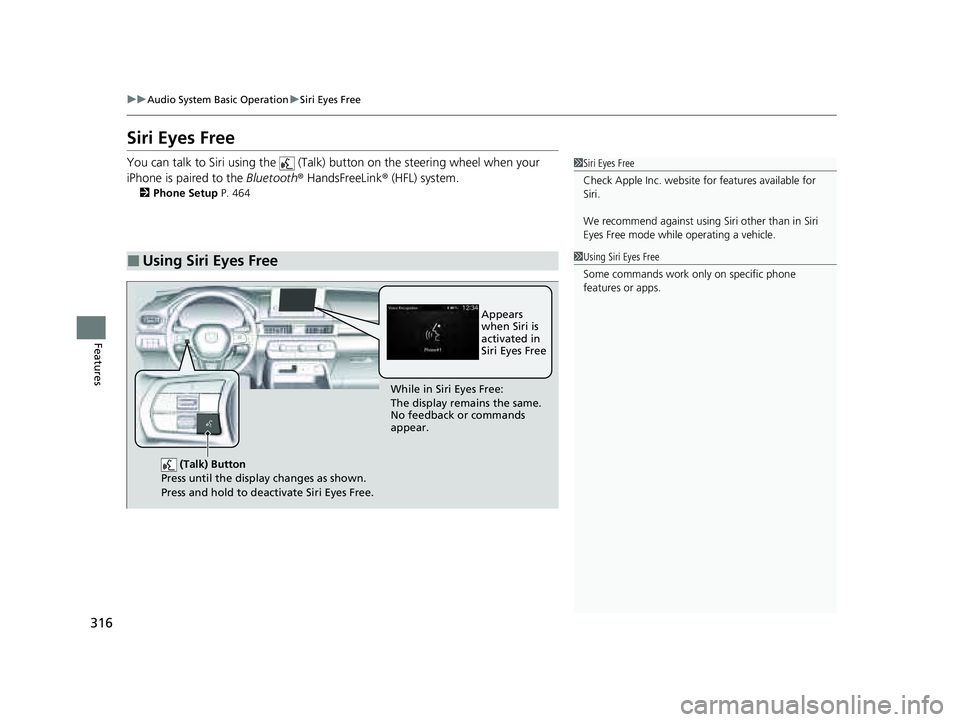
You can talk to Siri using the (Talk) button on the steering wheel when your
iPhone is paired to the Bluetooth® HandsFreeLink ® (HFL) system.
2Phone Setup P. 464
■Using Siri Eyes Free
1Siri Eyes Free
Check Apple Inc. website for features available for
Siri.
We recommend against using Si ri other than in Siri
Eyes Free mode whil e operating a vehicle.
1Using Siri Eyes Free
Some commands work only on specific phone
features or apps.
(Talk) Button
Press until the display changes as shown.
Press and hold to deactivate Siri Eyes Free.
While in Siri Eyes Free:
The display remains the same.
No feedback or commands
appear. Appears
when Siri is
activated in
Siri Eyes Free
23 PILOT-31T906000_03.book 316 ページ 2022年10月31日 月曜日 午前10時26分