reset HONDA PILOT 2023 Owner's Guide
[x] Cancel search | Manufacturer: HONDA, Model Year: 2023, Model line: PILOT, Model: HONDA PILOT 2023Pages: 814, PDF Size: 29.02 MB
Page 359 of 814
uuAudio System Basic Operation uPlaying SiriusXM ® Radio
358
Features
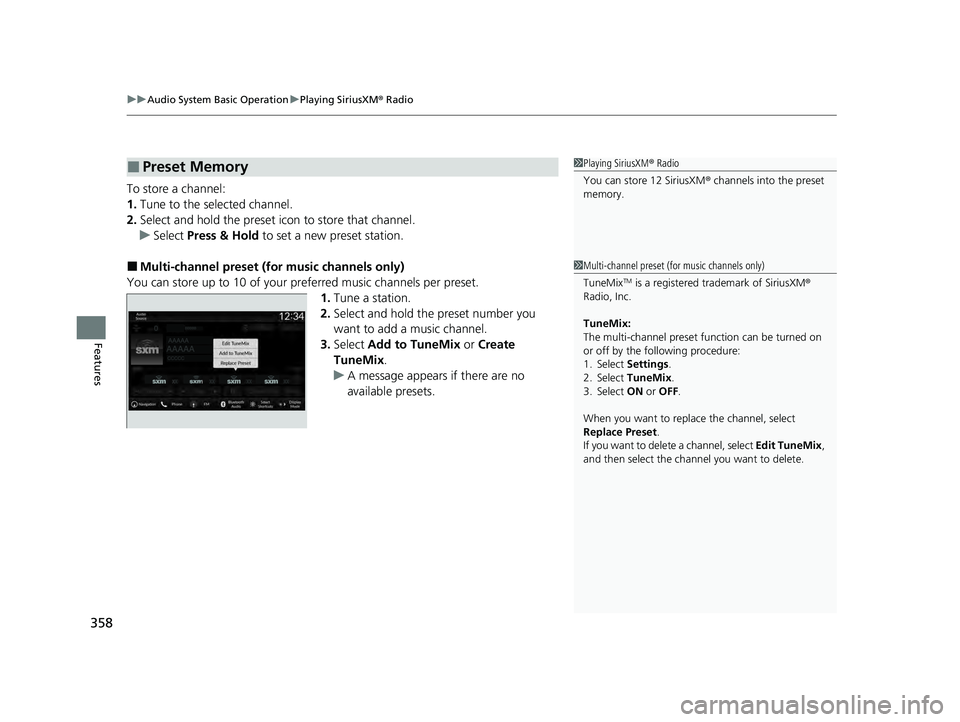
To store a channel:
1. Tune to the selected channel.
2. Select and hold the preset ic on to store that channel.
u Select Press & Hold to set a new preset station.
■Multi-channel preset (for music channels only)
You can store up to 10 of your pref erred music channels per preset.
1. Tune a station.
2. Select and hold the preset number you
want to add a music channel.
3. Select Add to TuneMix or Create
TuneMix .
u A message appears if there are no
available presets.
■Preset Memory1Playing SiriusXM ® Radio
You can store 12 SiriusXM ® channels into the preset
memory.
1 Multi-channel preset (for music channels only)
TuneMix
TM is a registered trademark of SiriusXM ®
Radio, Inc.
TuneMix:
The multi-channel preset function can be turned on
or off by the following procedure:
1. Select Settings .
2. Select TuneMix.
3. Select ON or OFF .
When you want to replac e the channel, select
Replace Preset .
If you want to delete a channel, select Edit TuneMix,
and then select the channel you want to delete.
23 PILOT-31T906000_03.book 358 ページ 2022年10月31日 月曜日 午前10時26分
Page 361 of 814
uuAudio System Basic Operation uPlaying SiriusXM ® Radio
360
Features
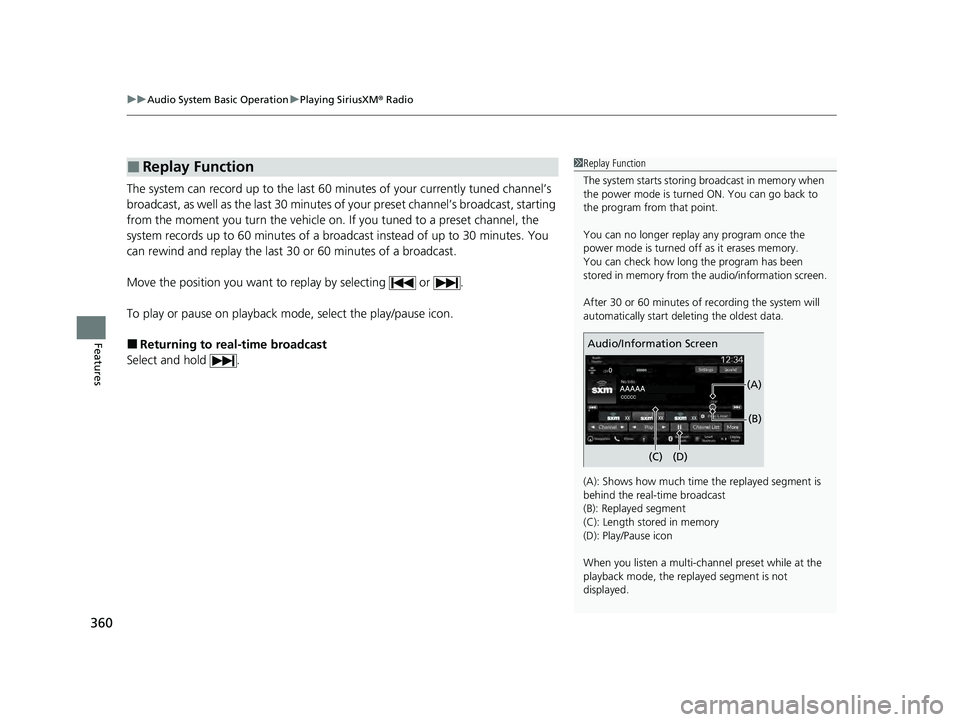
The system can record up to the last 60 minutes of your currently tuned channel’s
broadcast, as well as the last 30 minutes of your preset channel’s broadcast, starting
from the moment you turn the vehicle on. If you tuned to a preset channel, the
system records up to 60 minutes of a broadcast instead of up to 30 minutes. You
can rewind and replay the last 30 or 60 minutes of a broadcast.
Move the position you want to replay by selecting or .
To play or pause on playback m ode, select the play/pause icon.
■Returning to real-time broadcast
Select and hold .
■Replay Function1 Replay Function
The system starts storing broadcast in memory when
the power mode is turned ON. You can go back to
the program from that point.
You can no longer repl ay any program once the
power mode is turned off as it erases memory.
You can check how long the program has been
stored in memory from th e audio/information screen.
After 30 or 60 minutes of recording the system will
automatically start deleting the oldest data.
(A): Shows how much time the replayed segment is
behind the real-time broadcast
(B): Replayed segment
(C): Length stored in memory
(D): Play/Pause icon
When you listen a multi-channel preset while at the
playback mode, the repl ayed segment is not
displayed.
Audio/Information Screen
(C) (B)
(A)
(D)
23 PILOT-31T906000_03.book 360 ページ 2022年10月31日 月曜日 午前10時26分
Page 366 of 814
Continued365
uuAudio System Basic Operation uPlaying SiriusXM ® Radio
Features
Sample each channel on the selected mode for 10 seconds.
1. Select More.
2. Select Scan.
You can change a scan mode by the following procedure.
1. Select Settings .
2. Select Scan Mode .
3. Select Channel or Preset .
To turn off scan, select Stop.
■Scan1Scan
The “Scan Songs in Preset s” function is based on
TuneScan
TM technology of SiriusXM ®.
The “Featured Channels ” function is based on
Featured Favorites
TM technology of SiriusXM ®.
TuneScan
TM and Featured FavoritesTM are registered
trademarks of SiriusXM ® Radio, Inc.
23 PILOT-31T906000_03.book 365 ページ 2022年10月31日 月曜日 午前10時26分
Page 367 of 814
366
uuAudio System Basic Operation uPlaying SiriusXM ® Radio
Features
Change the SiriusXM ® settings.
1. Select Settings .
2. Select an option.
• TuneMix: Turns multiple channel mix preset on and off.
• Tune Mode: Choose whether to group by category or channel number when
changing channels.
2 To Change the Tune Mode P. 357
•Scan Mode: Select the scan mode fro m all channels or presets.
2Scan P. 365
•Tune Start: Start the currently playing song at the beginning when you switch to
a music channel preset.
2 Tune Start: P. 357
•Sports Notifi cations Setup: Set to receive sports alerts such as scores from your
favorite teams.
2 Live Sports Alert P. 361
•Traffic & Weather Now Setup: Set to receive traffic and weather information.
2Traffic and Weather Information P. 362
•Manage Program Alerts: Change settings for the alert function.
2Manage Program Alert P. 364
■SiriusXM® Settings
23 PILOT-31T906000_03.book 366 ページ 2022年10月31日 月曜日 午前10時26分
Page 381 of 814
380
uuAudio System Basic Operation uSmart Shortcuts
Features
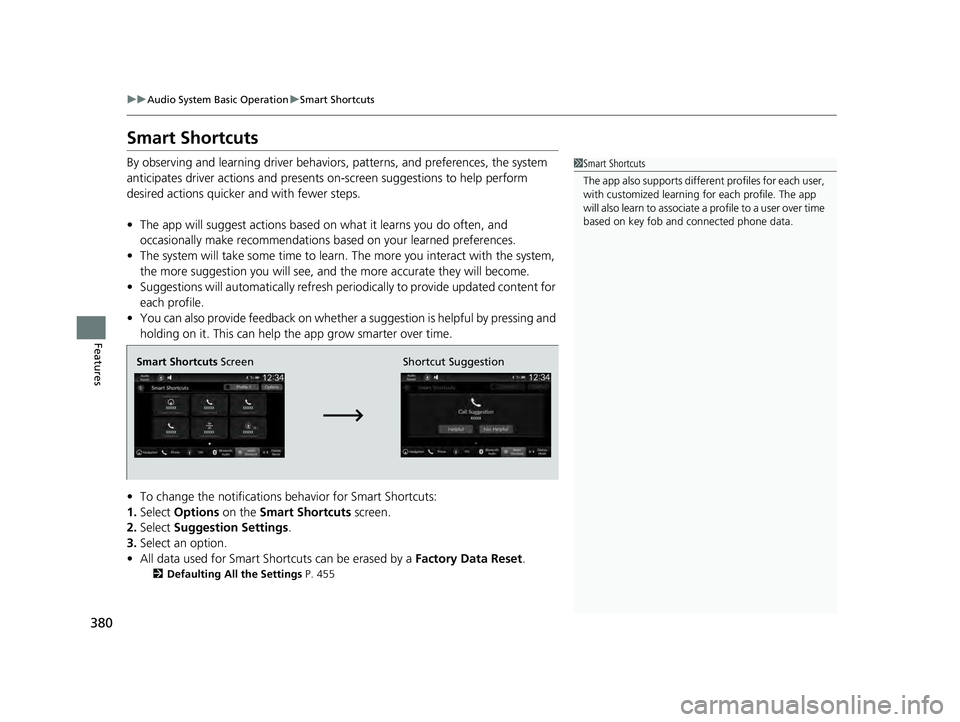
Smart Shortcuts
By observing and learning driver behaviors, patterns, and preferences, the system
anticipates driver actions and presents on-screen suggestions to help perform
desired actions quicker and with fewer steps.
• The app will suggest actions based on what it learns you do often, and
occasionally make recommendations based on your learned preferences.
• The system will take some time to learn. The more you interact with the system,
the more suggestion you will see, and the more accurate they will become.
• Suggestions will automatically refresh peri odically to provide updated content for
each profile.
• You can also provide feedback on whether a suggestion is helpful by pressing and
holding on it. This can help the app grow smarter over time.
• To change the notifications behavior for Smart Shortcuts:
1. Select Options on the Smart Shortcuts screen.
2. Select Suggestion Settings .
3. Select an option.
• All data used for Smart Shortcuts can be erased by a Factory Data Reset.
2Defaulting All the Settings P. 455
1Smart Shortcuts
The app also supports different profiles for each user,
with customized learning for each profile. The app
will also learn to associate a profile to a user over time
based on key fob and connected phone data.
Smart Shortcuts Screen Shortcut Suggestion
23 PILOT-31T906000_03.book 380 ページ 2022年10月31日 月曜日 午前10時26分
Page 424 of 814
423
uuCustomized Features u
Continued
Features
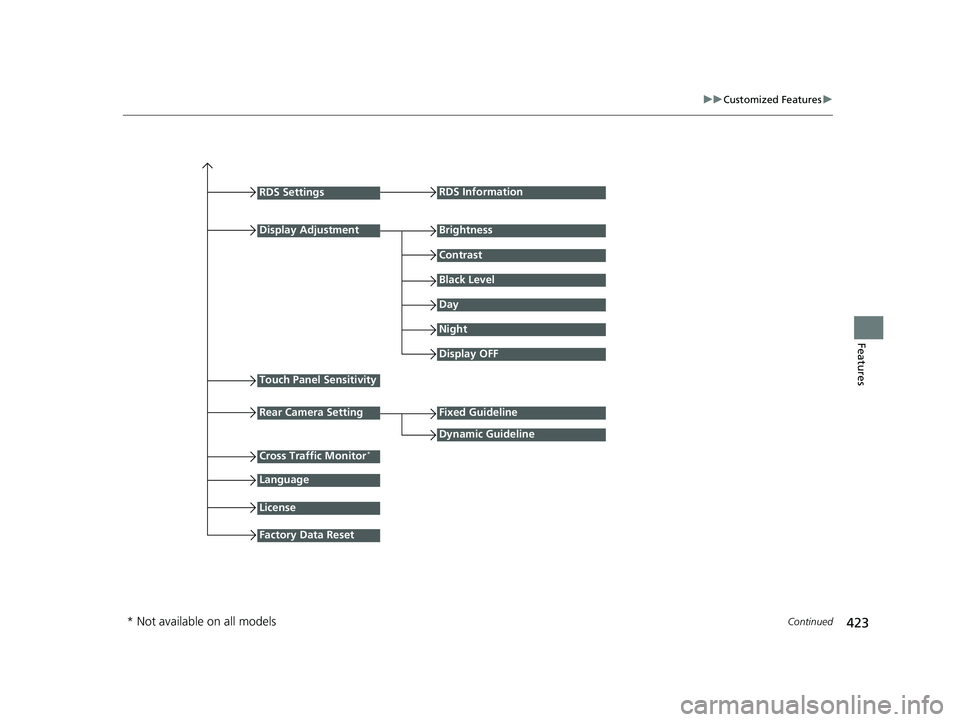
RDS Settings
Display Adjustment
RDS Information
Brightness
Contrast
Black Level
Day
Night
Touch Panel Sensitivity
Language
Display OFF
Fixed Guideline
Dynamic Guideline
License
Factory Data Reset
Rear Camera Setting
Cross Traffic Monitor*
* Not available on all models
23 PILOT-31T906000_03.book 423 ページ 2022年10月31日 月曜日 午前10時26分
Page 427 of 814
426
uuCustomized Features u
Features
*1:Default Setting
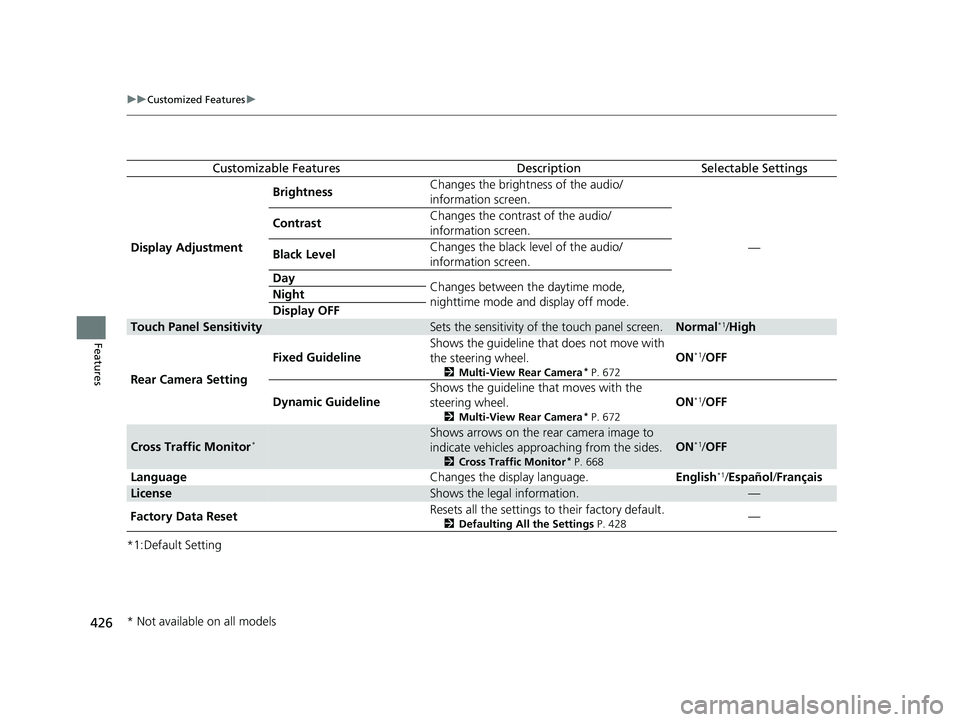
Customizable FeaturesDescriptionSelectable Settings
Display Adjustment Brightness
Changes the brightness of the audio/
information screen.
—
Contrast
Changes the contrast of the audio/
information screen.
Black Level Changes the black level of the audio/
information screen.
Day Changes between the daytime mode,
nighttime mode and display off mode.
Night
Display OFF
Touch Panel SensitivitySets the sensitivity of
the touch panel screen.Normal*1/High
Rear Camera Setting Fixed Guideline
Shows the guideline that does not move with
the steering wheel.
2
Multi-View Rear Camera* P. 672
ON*1/OFF
Dynamic Guideline Shows the guideline that moves with the
steering wheel.
2
Multi-View Rear Camera* P. 672
ON*1/OFF
Cross Traffic Monitor*Shows arrows on the rear camera image to
indicate vehicles approaching from the sides.
2 Cross Traffic Monitor* P. 668
ON*1/OFF
Language Changes the display language.English
*1/Español /Français
LicenseShows the legal information.—
Factory Data Reset Resets all the settings to their factory default.
2
Defaulting All the Settings P. 428—
* Not available on all models
23 PILOT-31T906000_03.book 426 ページ 2022年10月31日 月曜日 午前10時26分
Page 428 of 814
427
uuCustomized Features u
Features
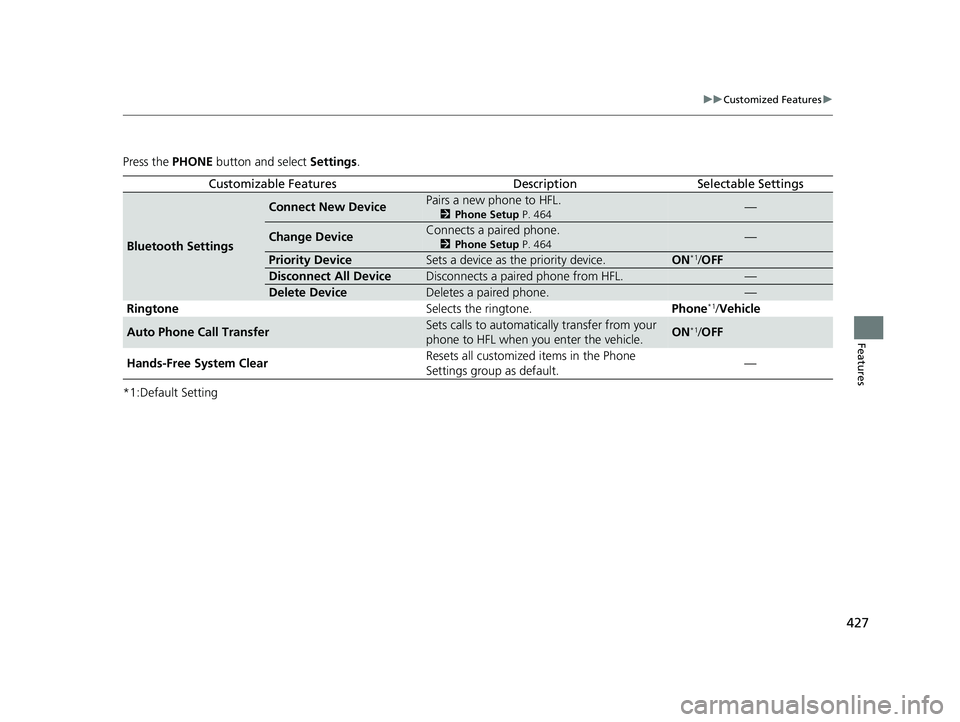
Press the PHONE button and select Settings.
*1:Default Setting
Customizable FeaturesDescriptionSelectable Settings
Bluetooth Settings
Connect New DevicePairs a new phone to HFL.
2 Phone Setup P. 464—
Change DeviceConnects a paired phone.
2Phone Setup P. 464—
Priority DeviceSets a device as the priority device.ON*1/OFF
Disconnect All DeviceDisconnects a paired phone from HFL.—
Delete DeviceDeletes a paired phone.—
Ringtone Selects the ringtone.Phone*1/Vehicle
Auto Phone Call TransferSets calls to automatically transfer from your
phone to HFL when you enter the vehicle.ON*1/OFF
Hands-Free System Clear Resets all customized items in the Phone
Settings group as default.
—
23 PILOT-31T906000_03.book 427 ページ 2022年10月31日 月曜日 午前10時26分
Page 429 of 814
428
uuCustomized Features uDefaulting All the Settings
Features
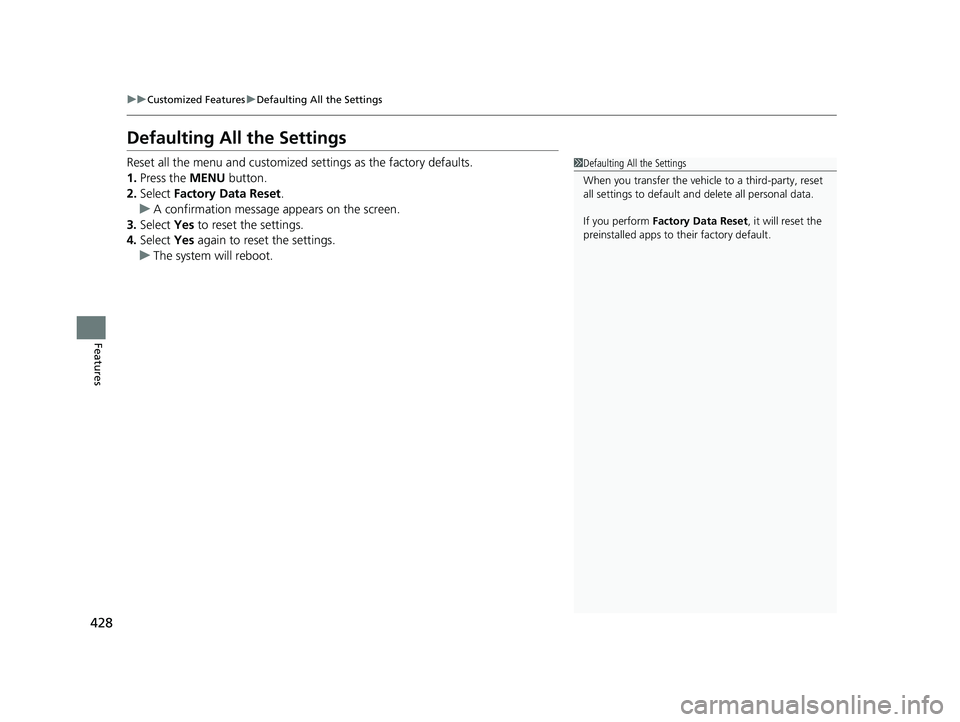
Defaulting All the Settings
Reset all the menu and customized settings as the factory defaults.
1. Press the MENU button.
2. Select Factory Data Reset .
u A confirmation message appears on the screen.
3. Select Yes to reset the settings.
4. Select Yes again to reset the settings.
u The system will reboot.1Defaulting All the Settings
When you transfer the vehicle to a third-party, reset
all settings to default a nd delete all personal data.
If you perform Factory Data Reset , it will reset the
preinstalled apps to their factory default.
23 PILOT-31T906000_03.book 428 ページ 2022年10月31日 月曜日 午前10時26分
Page 432 of 814
431
uuCustomized Features u
Continued
Features
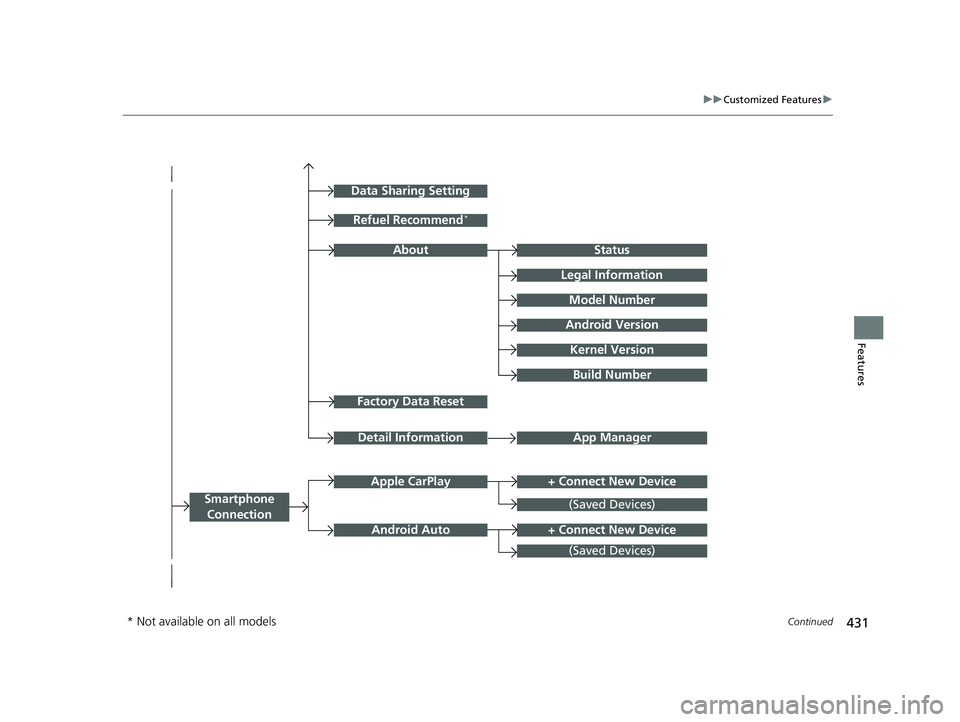
Factory Data Reset
Status
Legal Information
Build Number
Data Sharing Setting
Model Number
Android Version
Kernel Version
App ManagerDetail Information
Refuel Recommend*
About
+ Connect New DeviceApple CarPlay
Smartphone
Connection
Android Auto
(Saved Devices)
+ Connect New Device
(Saved Devices)
* Not available on all models
23 PILOT-31T906000_03.book 431 ページ 2022年10月31日 月曜日 午前10時26分