radio HONDA PRELUDE 1992 User Guide
[x] Cancel search | Manufacturer: HONDA, Model Year: 1992, Model line: PRELUDE, Model: HONDA PRELUDE 1992Pages: 225, PDF Size: 2.1 MB
Page 89 of 225
Audio System (Si, SR)
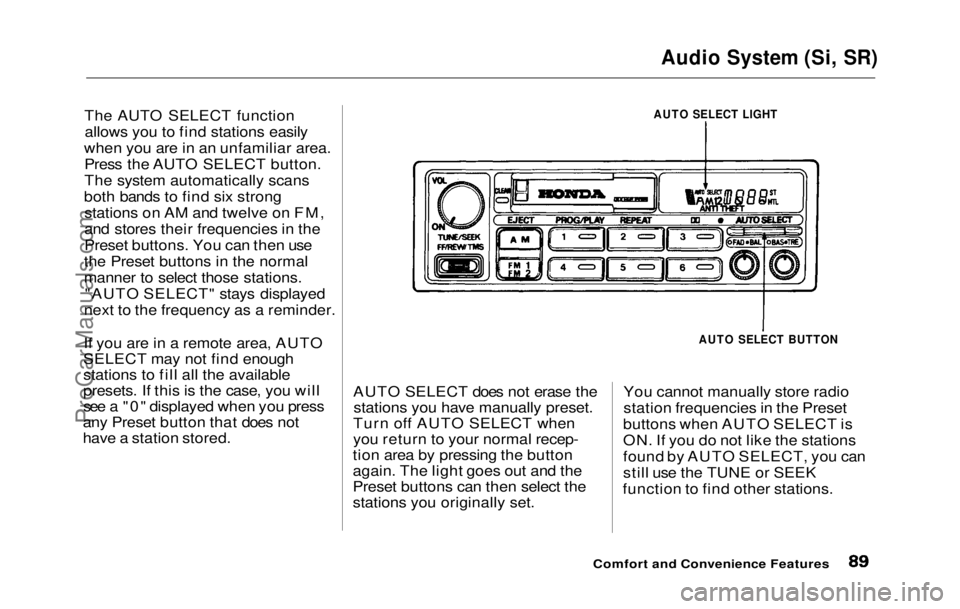
The AUTO SELECT function allows you to find stations easily
when you are in an unfamiliar area. Press the AUTO SELECT button.
The system automatically scans
both bands to find six strong stations on AM and twelve on FM,
and stores their frequencies in the
Preset buttons. You can then use
the Preset buttons in the normal
manner to select those stations. "AUTO SELECT" stays displayed
next to the frequency as a reminder.
If you are in a remote area, AUTO
SELECT may not find enough
stations to fill all the available
presets. If this is the case, you will
see a "0" displayed when you press
any Preset button that does not
have a station stored. AUTO SELECT does not erase the
stations you have manually preset.
Turn off AUTO SELECT when
you return to your normal recep-
tion area by pressing the button
again. The light goes out and the
Preset buttons can then select the
stations you originally set. You cannot manually store radio
station frequencies in the Preset
buttons when AUTO SELECT is
ON. If you do not like the stations
found by AUTO SELECT, you can
still use the TUNE or SEEK
function to find other stations.
Comfort and Convenience Features
AUTO SELECT LIGHT
AUTO SELECT BUTTONProCarManuals.comMain Menu Table of Contents s t
Page 90 of 225
Audio System (Si, SR)
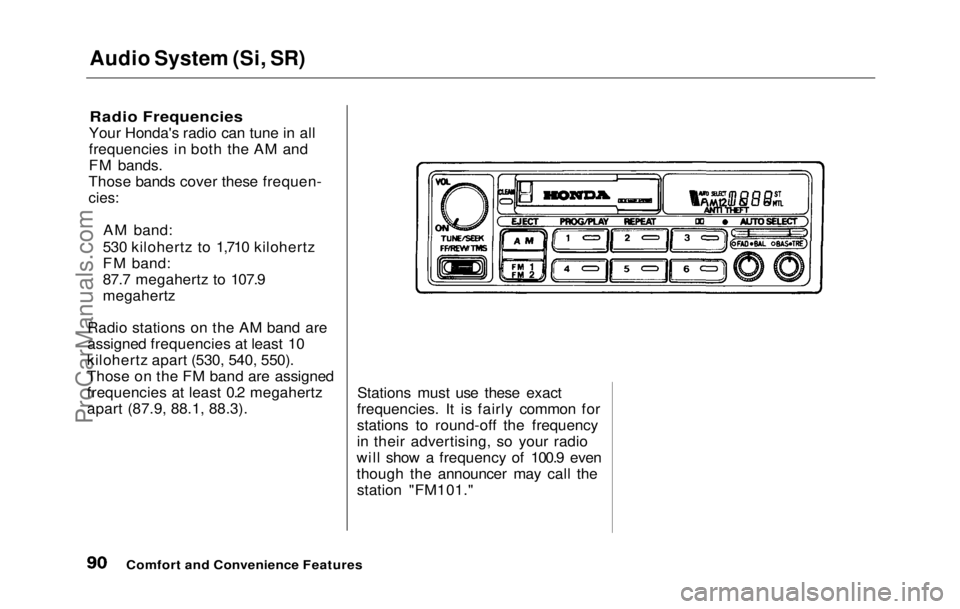
Radio Frequencies
Your Honda's radio can tune in all
frequencies in both the AM and
FM bands.
Those bands cover these frequen-
cies:
AM band:
530 kilohertz to 1,710 kilohertz
FM band:
87.7 megahertz to 107.9
megahertz
Radio stations on the AM band are
assigned frequencies at least 10
kilohertz apart (530, 540, 550).
Those on the FM band are assigned
frequencies at least 0.2 megahertz
apart (87.9, 88.1, 88.3). Stations must use these exact
frequencies. It is fairly common for
stations to round-off the frequency
in their advertising, so your radio
will show a frequency of 100.9 even
though the announcer may call the station "FM101."
Comfort and Convenience FeaturesProCarManuals.comMain Menu Table of Contents s t
Page 95 of 225
Theft Protection
Theft Protection is standard on the Si and Si 4WS models in the U. S.,
and the SR and SR 4WS models in
Canada.
Your audio system is protected by a code number. The system immedi-
ately disables itself whenever the
radio/player unit is disconnected
from the battery. To make it work again, you must enter a five-digit
code with the station Preset
buttons.
Your dealer should have given you
two copies of your audio system's
code number with your car. Keep one of these copies at home, and
the other in your wallet or a con- cealed place in the car. If your car's battery is discon-
nected or goes dead, the audio
system will disable itself. The next
time you turn on the radio you will
see "Code" in the frequency display.
Use the Preset buttons to enter the
five-digit code. If entered correctly,
the radio will start to play.
You will then have to store your
favorite stations in the Preset
buttons. Your original settings
were lost when power was discon-
nected.
Comfort and Convenience FeaturesProCarManuals.comMain Menu Table of Contents s t
Page 104 of 225
Accessories
Your Honda dealer has many acces-
sories available to personalize your
car. Some of these are audio sys-
tems, alloy wheels, air conditioning, and color-coordinated carpet floor
mats. All Genuine Honda Acces-
sories have been approved by our
engineers for installation and use
on your car, and are covered by
warranty. For a complete guide to the Genuine Honda Accessories
available, see your dealer for a 1992
Accessories brochure.
Some non-Honda accessories you
can buy in the "aftermarket" are designed for universal applications.
Although they may fit your Honda,
they may not be within factory specifications. For example, after-
market wheels may not meet
Honda's specifications for width
and offset. They could cause sus-
pension problems which would not
be covered by your warranty. Im- properly-designed accessories can
adversely affect your car's han-
dling and stability.
Your car has several computer-
controlled systems, including the
SRS system, the engine's fuel
injection, and the Anti-lock brake
system. Strong electronic inter-
ference can affect their operation. Electronic communications equip-
ment, such as cellular telephones
and two-way radios are regulated
by the FCC and should not inter-
fere with your car's systems. Improper installation, or using
electrical equipment not intended
for mobile use may interfere with
your car's operation. If you want to
install a cellular telephone, other
mobile communications equipment
or even add-on stereo amplifiers,
please discuss it first with your
Honda dealer.
In many cases, improper instal-
lation is the real cause of problems
with aftermarket accessories. Have
these accessories installed by quali- fied technicians who are familiar
with your Honda. If possible, have
your Honda dealer inspect the final installation.
Before DrivingProCarManuals.comMain Menu Table of Contents s t
Page 152 of 225
Battery
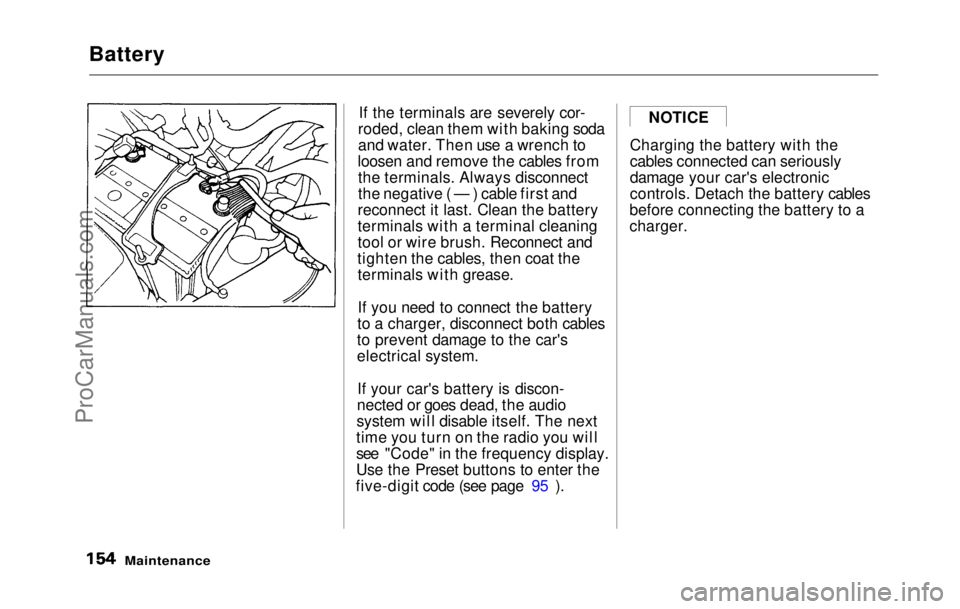
If the terminals are severely cor-
roded, clean them with baking soda
and water. Then use a wrench to
loosen and remove the cables from the terminals. Always disconnect
the negative ( — ) cable first and
reconnect it last. Clean the battery
terminals with a terminal cleaning
tool or wire brush. Reconnect and
tighten the cables, then coat the terminals with grease.
If you need to connect the battery
to a charger, disconnect both cables
to prevent damage to the car's
electrical system.
If your car's battery is discon-
nected or goes dead, the audio
system will disable itself. The next
time you turn on the radio you will
see "Code" in the frequency display.
Use the Preset buttons to enter the
five-digit code (see page 95 ). Charging the battery with the
cables connected can seriously
damage your car's electronic
controls. Detach the battery cables
before connecting the battery to a
charger.
Maintenance
NOTICEProCarManuals.comMain Menu Table of Contents s t
Page 192 of 225
Charging System Indication
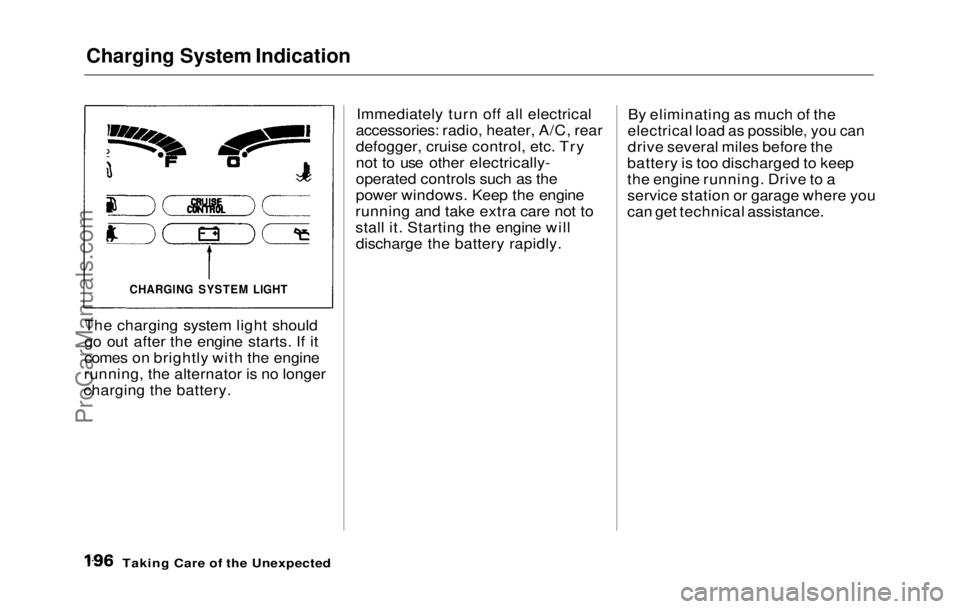
The charging system light should
go out after the engine starts. If it
comes on brightly with the engine
running, the alternator is no longer
charging the battery. Immediately turn off all electrical
accessories: radio, heater, A/C, rear
defogger, cruise control, etc. Try
not to use other electrically-
operated controls such as the
power windows. Keep the engine
running and take extra care not to
stall it. Starting the engine will discharge the battery rapidly. By eliminating as much of the
electrical load as possible, you can
drive several miles before the
battery is too discharged to keep
the engine running. Drive to a
service station or garage where you
can get technical assistance.
Taking Care of the Unexpected
CHARGING SYSTEM LIGHTProCarManuals.comMain Menu Table of Contents s t
Page 197 of 225
Fuses
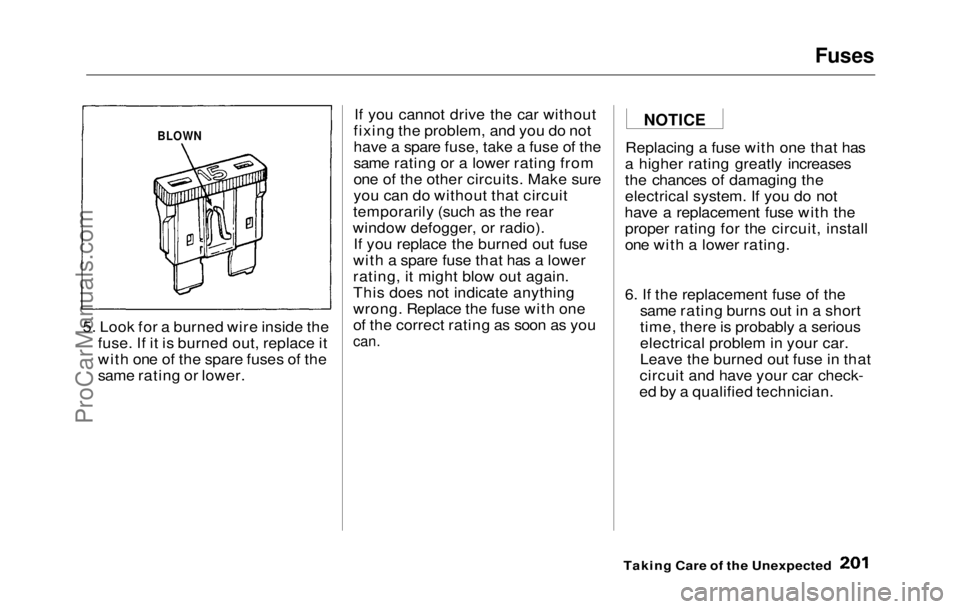
5. Look for a burned wire inside the fuse. If it is burned out, replace it
with one of the spare fuses of the
same rating or lower. If you cannot drive the car without
fixing the problem, and you do not
have a spare fuse, take a fuse of the
same rating or a lower rating from
one of the other circuits. Make sure
you can do without that circuit
temporarily (such as the rear
window defogger, or radio). If you replace the burned out fuse
with a spare fuse that has a lower
rating, it might blow out again.
This does not indicate anything
wrong. Replace the fuse with one
of the correct rating as soon as you
can.
Replacing a fuse with one that has
a higher rating greatly increases
the chances of damaging the
electrical system. If you do not
have a replacement fuse with the proper rating for the circuit, install
one with a lower rating.
6. If the replacement fuse of the same rating burns out in a short
time, there is probably a serious
electrical problem in your car.
Leave the burned out fuse in that
circuit and have your car check-
ed by a qualified technician.
Taking Care of the Unexpected
BLOWN
NOTICEProCarManuals.comMain Menu Table of Contents s t
Page 220 of 225
Index
5-Speed Transmission,
Shifting the ............................... 111
Flashers, Hazard
Warning ........... 56
Flat Tire, Changing a..................
185
Fluids Automatic Transmission.......
. 144
Brake.......................................... 146
Clutch......................................... 147
Manual Transmission.............. 145
Power Steering......................... 148
Windshield Washer..................
155
FM Stereo
Radio
Reception.............................. 75, 84
Folding Rear Seat.......................... 55
Foreign Countries, Driving in...... 99
Four-way Flashers......................... 56
Four Wheel Steering (4WS)
Description................................ 210
Indicator Light........................... 35
Operation...................................
118
Front End ,
Towing by Emergency
Wrecker..................................... 202
Fuel................................................... 9
8
Fille
r Door and Cap..................
100
Filter........................................... 150
Gauge............................................ 3
8
Octan
e Requirement................. 98
Oxygenated................................. 98
Tank, Filling the ...................... 100
Fuses, Checking the .................... 200
Gas Mileage, Improving.............. 104
Gasohol............................................ 98
Gasoline............................................ 98
Filter...........................................
150
Gauge............................................ 3 8
Octan
e Requirement................. 98
Tank, Filling the ......................
100
Gas Statio n
Procedures...............
100
Gauges
Engine Coolan
t Temperature.. 38
Fuel............................................... 38
Gearshift Lever Positions Automatic Transmission........
112
5-speed Transmission............. .
111
Glass Cleaning.............................
.
180
Glove Box........................................
.
62
Halogen Headlight Bulbs............ 164
Hazard Warning Flashers ............ 56
Headlights
Daytime Running Lights.......... 40
High Beam Indicator................. 35
High Beams, Turning on.......... 40
Low Beams, Turning on........... 40
Reminder Chime........................ 40
Replacing Halogen Bulbs ....... 164
Turning on.................................. 40
Heating and Cooling...................... 68
High Altitude, Starting at...........
110
High-Low Bea m
Switch ............... 40
Hood, Opening the........................
101
Horn.................................................. 4 7
Ho
t Coolant, Warning about......
139
Hydraulic Clutch.........................
.
147
Hydroplaning................................. 119
Identification Number
,
Vehicle......................................
.
204
If You
r
Car Has to be Towed ....
202
ProCarManuals.comMain Menu s t
Page 222 of 225
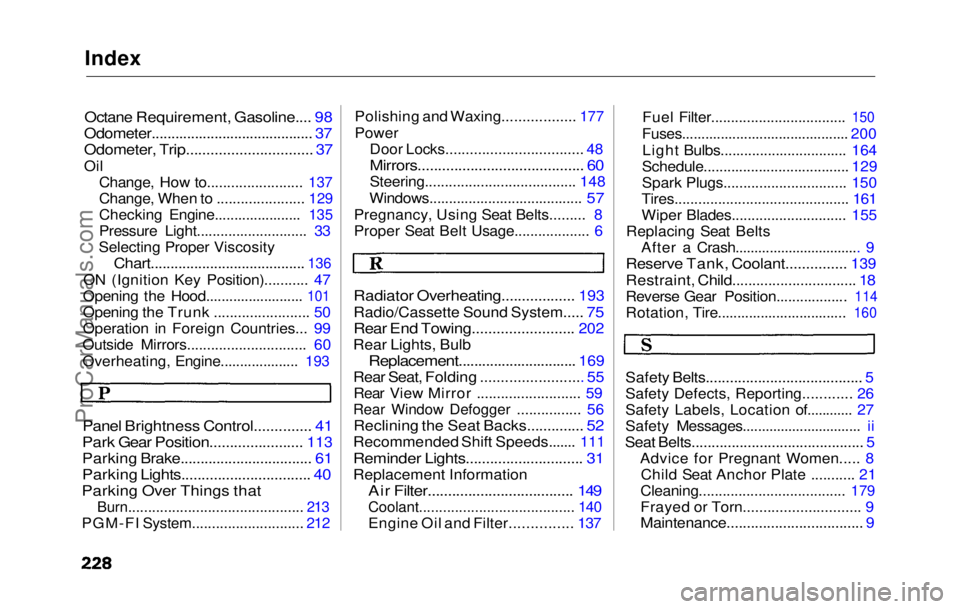
Index
Octane Requirement, Gasoline.... 98
Odometer......................................... 37
Odometer, Trip............................... 37
Oil Change, How to........................ 137
Change, When
to ......................
129
Checking Engine......................
135
Pressure Light............................
33
Selecting Proper Viscosity
Chart.......................................
136
ON (Ignitio n
Key Position)........... 47
Opening the Hood.........................
101
Opening th e
Trunk ........................ 50
Operation in Foreign Countries... 99
Outside Mirrors.............................. 60
Overheating, Engine....................
193
Panel Brightnes s
Control.............. 41
Park Gear Position.......................
113
Parking Brake................................ .
61
Parking Lights................................ 40
Parking Over Things that
Burn............................................ 213
PGM-FI System............................ 212
Polishing and Waxing..................
177
Power
Door Locks.................................
. 48
Mirrors......................................... 60
Steering...................................... 148
Windows.......................................
57
Pregnancy, Usin g
Seat Belts......... 8
Proper Seat Belt Usage................... 6
Radiator Overheating..................
193
Radio/Cassette Sound System
..... 75
Rear En d
Towing.........................
202
Rear Lights, Bulb
Replacement.............................. 169
Rear Seat, Folding ......................... 55
Rear Vie w
Mirror .......................... 59
Rear Window Defogger ................ 56
Reclining the Seat Backs.............. 52
Recommended Shift Speeds....... 111
Reminder Lights............................
.
31
Replacement Information
Air Filter...................................
.
149
Coolant....................................... 140
Engine Oil and Filter............... 137 Fuel Filter..................................
150
Fuses...........................................
200
Ligh
t Bulbs................................ 164
Schedule..................................... 129
Spark Plugs............................... 150
Tires............................................ 161
Wiper Blades............................. 155
Replacing Seat Belts After a Crash................................. 9
Reserve Tank, Coolant...............
139
Restraint, Child.............................. .
18
Reverse Gear Position..................
114
Rotation, Tire............................... ..
160
Safety Belts......................................
.
5
Safety Defects, Reporting............ 26
Safety Labels, Location of............ 27
Safety Messages............................... ii
Seat Belts........................................... 5
Advice for Pregnant Women..... 8Child Seat Anchor Plate ........... 21
Cleaning.....................................
179
Frayed o r
Torn............................. 9
Maintenance.................................. 9ProCarManuals.comMain Menu s t