high HONDA RIDGELINE 2022 Workshop Manual
[x] Cancel search | Manufacturer: HONDA, Model Year: 2022, Model line: RIDGELINE, Model: HONDA RIDGELINE 2022Pages: 598, PDF Size: 12.42 MB
Page 385 of 598
383
Driving
Off-Highway Driving Guidelines
General Information
Your vehicle has been designed primarily for use on pavement, however, its higher
ground clearance allows you to occasionally travel on unpaved roads. It is not
designed for trail-blazing, or other challenging off-highway activities.
If you decide to drive on unpaved roads, you will find that it requires somewhat
different driving skills and that your vehicl e will handle somewhat differently than it
does on pavement. Pay attention to the precau tions and tips in this section, and get
acquainted with your vehicle before leaving the pavement.
Important Safety Precautions
To avoid loss of control or rollover, be sure to follow all precautions and
recommendations:
• Be sure to store cargo properly and do not exceed your cargo load limits.
2 Maximum Load Limit P. 367
•Whenever you drive, make su re you and your passengers always wear seat belts.
• Keep your speed low, and never go faster than the conditions allow.
• It’s up to you to continually assess the situation and drive within the limits.
1Off-Highway Driving Guidelines
Failure to operate your vehicle correctly might result
in a crash or a rollover.
2 Important Handling Information P. 34
2 Precautions While Driving P. 392
Spinning the tires excessiv ely can also damage the
Intelligent VTM4 (i-VTM4) system.
3WARNING
Improperly operating this vehicle on or off-
pavement can cause a crash or rollover in
which you and your passengers could be
seriously injured or killed.
• Follow all instructions and guidelines in
this owner’s manual.
• Keep your speed low, and don’t drive
faster than conditions permit.
Page 386 of 598
384
uuOff-Highway Driving Guidelines uAvoiding Trouble
Driving
Avoiding Trouble
• Check Out Your Vehicle before you leave the pavement and make sure that all
scheduled maintenance has been comple ted. Pay special attention to the
condition of the tires, an d check the tire pressures.
• Remember the route you choose presents limits (too steep or bumpy), you have
limits (driving skill and comfort), and your ve hicle has limits (traction, stability, and
power). Failing to recognize these limits will likely put you and your passengers in
a hazardous situation.
• Accelerating and Braking should be done slowly and gradually. Trying to start
or stop too fast can cause a loss of traction and you could lose control.
• Avoiding Obstacles and Debris in the road reduces the likelihood of a rollover
or damage to your suspension or other components.
• Driving on Slopes increases your risk of a rollover, particularly if you attempt to
drive across a slope that is too steep. Going straight up or down a slope is usually
the safest. If you can’t clearly see all cond itions or obstacles on a slope, walk it
before you drive it. If there is any doubt whether you can safely pass, don’t try it.
Find another route. If you get stuck when climbing, do not try to turn around.
Back down slowly following the same route you took up the hill.
• Crossing a Stream - Avoid driving through deep water. If you encounter water
in your route (a small stream or large pu ddle, for example), evaluate it carefully
before going ahead. Make sure it is shallow, flowing slowly, and has firm ground
underneath. If you are not sure of the depth or the ground, turn around and find
another route. Driving through deep water can also damage your vehicle. The
water can get into the transmission and differential, diluting the lubricant and
causing an eventual failure. It can also wash the grease out of the wheel bearings.
• If You Get Stuck, carefully go in the direction that you think will get you
unstuck. Do not spin the tires as this will only make things worse and could
damage the transmission. If you are unable to free yourself, your vehicle will need
to be towed. Front and rear tow hooks are provided for this purpose.
Page 390 of 598
uuWhen Driving uStarting the Engine
388
Driving
■To start the engine
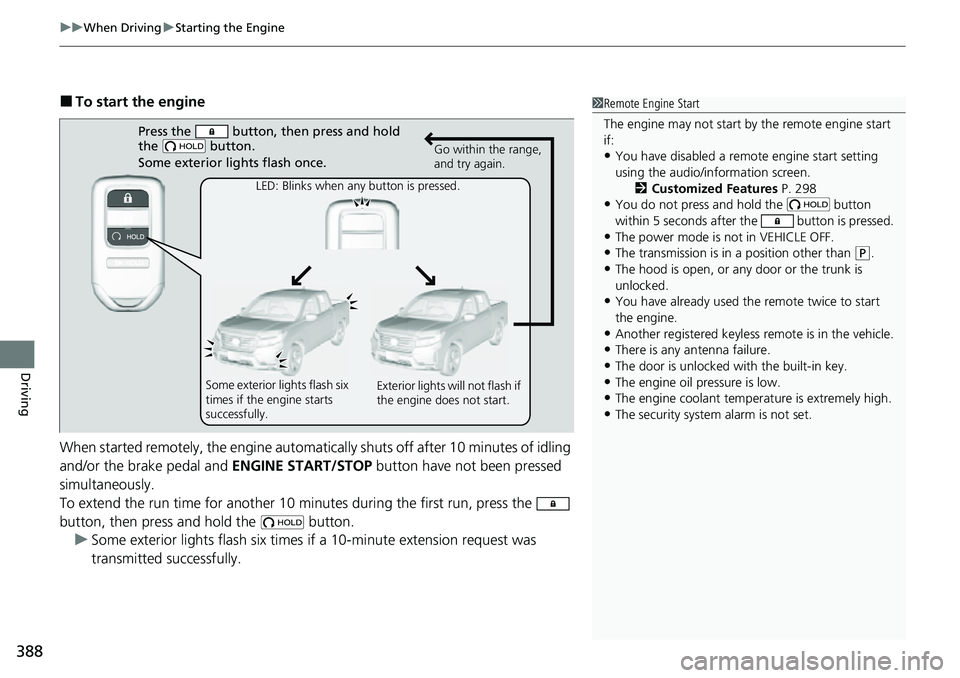
When started remotely, the engine automati cally shuts off after 10 minutes of idling
and/or the brake pedal and ENGINE START/STOP button have not been pressed
simultaneously.
To extend the run time for another 10 minutes during the first run, press the
button, then press and hold the button. u Some exterior lights flash six times if a 10-minute extension request was
transmitted successfully.1Remote Engine Start
The engine may not start by the remote engine start
if:
•You have disabled a remo te engine start setting
using the audio/information screen. 2Customized Features P. 298
•You do not press and hold the button
within 5 seconds after the button is pressed.
•The power mode is not in VEHICLE OFF.
•The transmission is in a position other than (P.
•The hood is open, or any door or the trunk is
unlocked.
•You have already used the remote twice to start
the engine.
•Another registered keyless remote is in the vehicle.
•There is any antenna failure.
•The door is unlocked with the built-in key.•The engine oil pressure is low.
•The engine coolant temper ature is extremely high.
•The security system alarm is not set.
Press the button, then press and hold
the button.
Some exterior lights flash once.
LED: Blinks when any button is pressedM Go within the range,
and try again.
Some exterior lights flash six
times if the engine starts
successfullyM Exterior lights will not flash if
the engine does not start.
Page 391 of 598
Continued389
uuWhen Driving uStarting the Engine
Driving
■To stop the engine1Remote Engine Start
The engine may stop whil e it is running if:
•You do not start the vehicl e within 10 minutes of
starting the engine with the keyless remote.
•The engine is stopped by using the keyless remote.•There is any antenna failure.
•The security system alarm is not set.
•The door is unlocked with the built-in key.•The hood is open, or any door, or the trunk is
unlocked.
•The transmission is in a position other than (P.•The engine coolant temper ature is extremely high.
•The battery is low.
•The engine oil pressure is low.•The Malfunction Indicator Lamp comes on if there
is a problem with the emissions control systems.
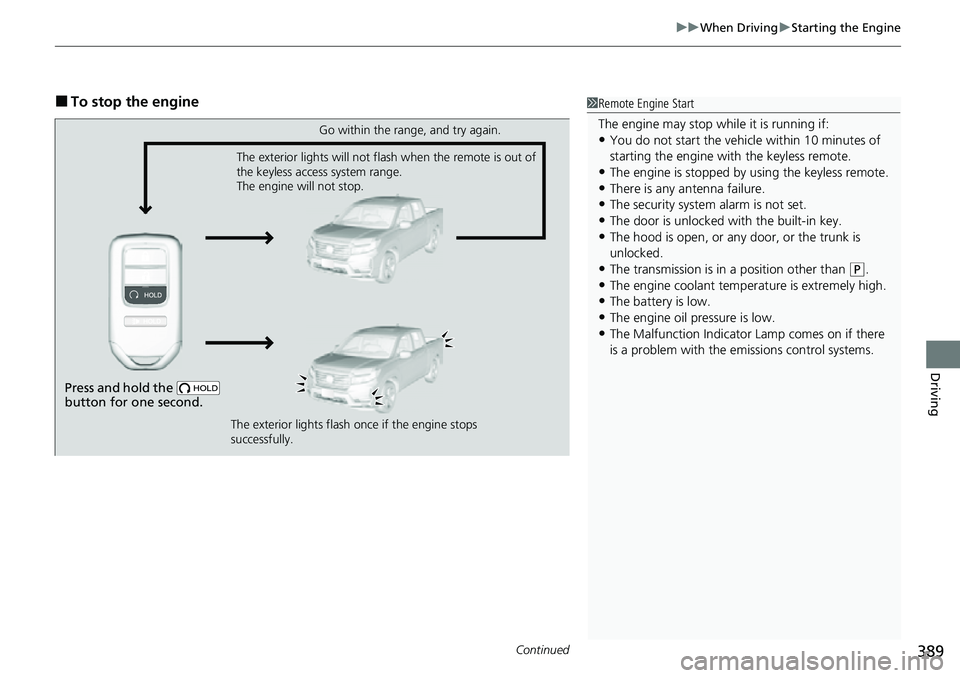
Press and hold the
button for one second.
Go within the range, and try again.
The exterior lights will not flash when the remote is out of
the keyless access system range.
The engine will not stop.
The exterior lights flash once if the engine stops
successfully.
Page 394 of 598
392
uuWhen Driving uPrecautions While Driving
Driving
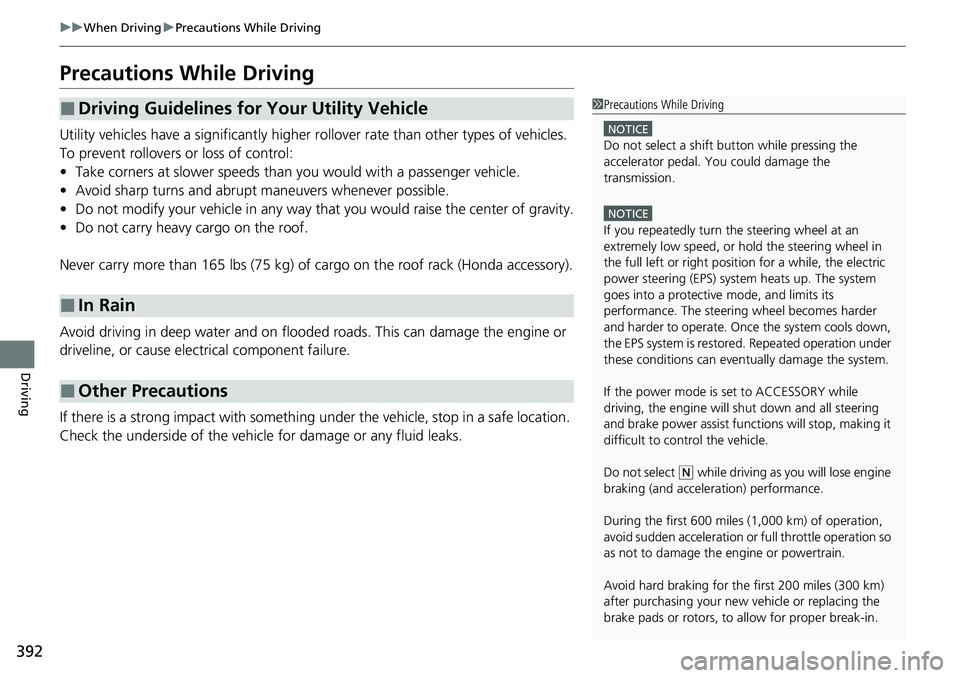
Precautions While Driving
Utility vehicles have a significantly higher rollover rate than other types of vehicles.
To prevent rollovers or loss of control:
• Take corners at slower speeds than yo u would with a passenger vehicle.
• Avoid sharp turns and abrupt maneuvers whenever possible.
• Do not modify your vehicle in any way that you would raise the center of gravity.
• Do not carry heavy cargo on the roof.
Never carry more than 165 lbs (75 kg) of cargo on the roof rack (Honda accessory).
Avoid driving in deep water and on flooded roads. This can damage the engine or
driveline, or cause electrical component failure.
If there is a strong impact with something under the vehicle, stop in a safe location.
Check the underside of the vehicle for damage or any fluid leaks.
■Driving Guidelines for Your Utility Vehicle
■In Rain
■Other Precautions
1 Precautions While Driving
NOTICE
Do not select a shift button while pressing the
accelerator pedal. You could damage the
transmission.
NOTICE
If you repeatedly turn the steering wheel at an
extremely low speed, or hold the steering wheel in
the full left or right position for a while, the electric
power steering (EPS) system heats up. The system
goes into a protective mode, and limits its
performance. The steering wheel becomes harder
and harder to operate. Once the system cools down,
the EPS system is restor ed. Repeated operation under
these conditions can eventually damage the system.
If the power mode is set to ACCESSORY while
driving, the engine will shut down and all steering
and brake power assist functi ons will stop, making it
difficult to control the vehicle.
Do not select
( N while driving as you will lose engine
braking (and accelera tion) performance.
During the first 600 miles (1,000 km) of operation,
avoid sudden acceleration or full throttle operation so
as not to damage the engine or powertrain.
Avoid hard braking for the first 200 miles (300 km)
after purchasing your new vehicle or replacing the
brake pads or rotors, to allow for proper break-in.
Page 396 of 598
394
uuWhen Driving uAutomatic Transmission
Driving
Automatic Transmission
When the engine runs at higher idle speeds, the creeping force increases.
Keep the brake pedal firmly depressed when stopped.
Quickly depressing the accelerator pedal while driving uphill may cause the
transmission to drop to a lower gear, unexpectedly increasing vehicle speed. Depress
the accelerator pedal carefully, especi ally on slippery roads and curves.
■Creeping
■Kickdown
Page 397 of 598
395
uuWhen Driving uShifting
Continued
Driving
Shifting
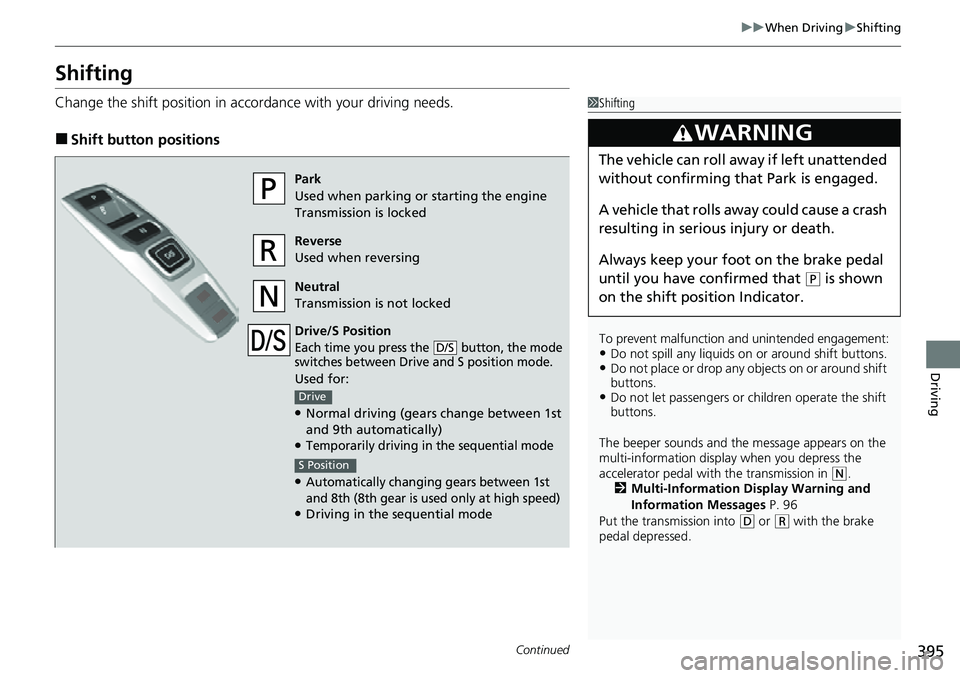
Change the shift position in accordance with your driving needs.
■Shift button positions
1Shifting
To prevent malfunction an d unintended engagement:
•Do not spill any liquids on or around shift buttons.•Do not place or drop any objects on or around shift
buttons.
•Do not let passengers or ch ildren operate the shift
buttons.
The beeper sounds and the message appears on the
multi-information display when you depress the
accelerator pedal with the transmission in
( N.
2 Multi-Information Display Warning and
Information Messages P. 96
Put the transmission into
( D or (R with the brake
pedal depressed.
3WARNING
The vehicle can roll aw ay if left unattended
without confirming that Park is engaged.
A vehicle that rolls away could cause a crash
resulting in seriou s injury or death.
Always keep your foot on the brake pedal
until you have confirmed that
( P is shown
on the shift posi tion Indicator.
Park
Used when parking or starting the engine
Transmission is locked
Reverse
Used when reversing
Neutral
Transmission is not locked
Drive/S Position
Each time you press the button, the mode
switches between Drive and S position mode.
Used for:
●Normal driving (gears change between 1st
and 9th automatically)
●Temporarily driving in the sequential mode
●Automatically changi ng gears between 1st
and 8th (8th gear is used only at high speed)
●Driving in the sequential mode
D/S
Drive
S Position
Page 404 of 598
uuWhen Driving uShifting
402
Driving
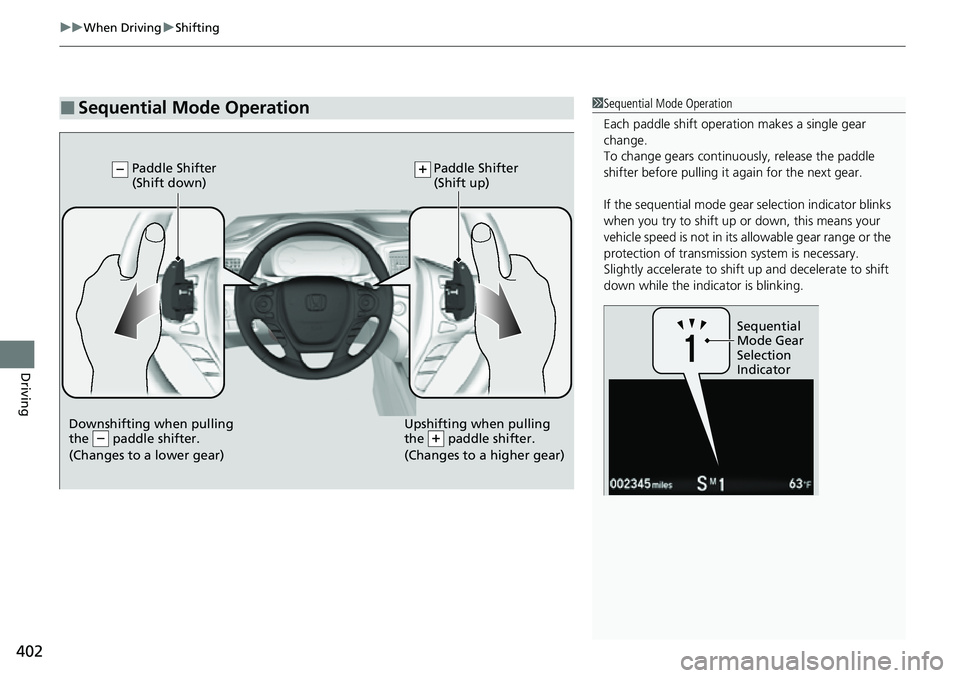
■Sequential Mode Operation1Sequential Mode Operation
Each paddle shift operation makes a single gear
change.
To change gears continuously, release the paddle
shifter before pulling it again for the next gear.
If the sequential mode gear selection indicator blinks
when you try to shift up or down, this means your
vehicle speed is not in its allowable gear range or the
protection of transmissi on system is necessary.
Slightly accelerate to shift up and decelerate to shift
down while the indi cator is blinking.
Sequential
Mode Gear
Selection
Indicator
Downshifting when pulling
the paddle shifter.
(Changes to a lower gear)Upshifting when pulling
the paddle shifter.
(Changes to a higher gear)
Paddle Shifter
(Shift down) Paddle Shifter
(Shift up)
Page 406 of 598
404
uuWhen Driving uIntelligent Traction Management
Driving
Intelligent Traction Management
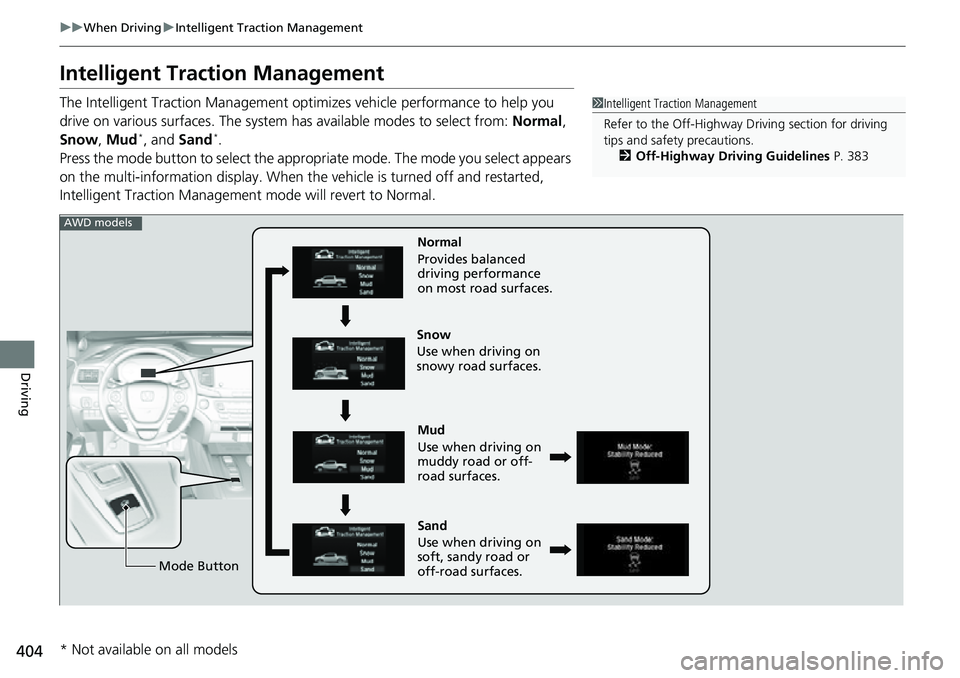
The Intelligent Traction Management opti mizes vehicle performance to help you
drive on various surfaces. The system has available modes to select from: Normal,
Snow , Mud
*, and Sand*.
Press the mode button to select the appropr iate mode. The mode you select appears
on the multi-information display. When the vehicle is turned off and restarted,
Intelligent Traction Management mode will revert to Normal.
1Intelligent Traction Management
Refer to the Off-Highway Dr iving section for driving
tips and safety precautions.
2 Off-Highway Driving Guidelines P. 383
Mud
Use when driving on
muddy road or off-
road surfaces.
Sand
Use when driving on
soft, sandy road or
off-road surfaces. Normal
Provides balanced
driving performance
on most road surfaces.
Mode Button
Snow
Use when driving on
snowy road surfaces.
AWD models
* Not available on all models
Page 410 of 598
uuWhen Driving uAuto Idle Stop
408
Driving
The vehicle stops with the transmission in (D and the brake pedal depressed.
When you put the transmission into
(P, the Auto Idle Stop continues to operate,
even if the brake pedal is released. u If you depress the brake pedal, the engine may automatically restart.
■Auto Idle Stop does not activate when:
• The Auto Idle Stop OFF button is pressed.
• The driver’s seat belt is not fastened.
• The engine is not adequately warmed up or coolant temperature is high.
• The transmission fluid temperature is low or high.
• The vehicle comes to a stop again befo re the vehicle speed reaches 3 mph (5
km/h) after the engine starts.
• The vehicle is stopped on a steep incline.
• The transmission is in a position other than
(D.
• The engine is started with the hood open.
u Turn off the engine. Close the hood before you restart the engine to activate
Auto Idle Stop.
• The battery charge is low.
• The internal temperature of the battery is 14°F (−10°C) or less.
• The climate control system is in use, an d the outside temperature is below −4°F
(−20°C) or over 104°F (40°C).
• The climate control system is in us e, and the temperature is set to Hi or Lo.
• is ON (indicator on).
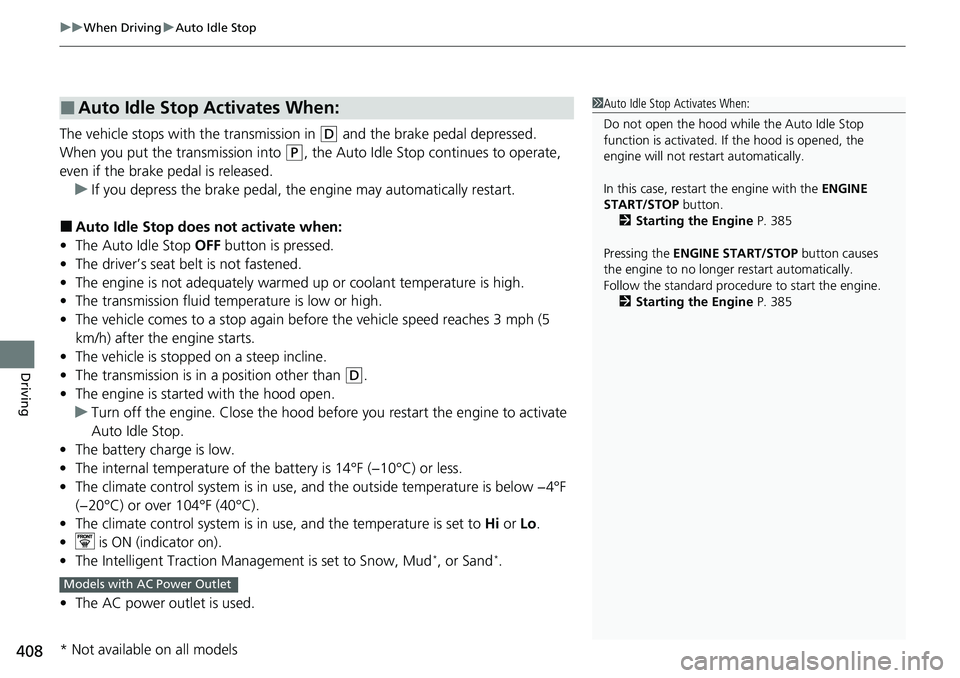
• The Intelligent Traction Management is set to Snow, Mud
*, or Sand*.
• The AC power outlet is used.
■Auto Idle Stop Activates When:1Auto Idle Stop Activates When:
Do not open the hood while the Auto Idle Stop
function is activated. If the hood is opened, the
engine will not re start automatically.
In this case, restart the engine with the ENGINE
START/STOP button.
2 Starting the Engine P. 385
Pressing the ENGINE START/STOP button causes
the engine to no longer restart automatically.
Follow the standard proce dure to start the engine.
2 Starting the Engine P. 385
Models with AC Power Outlet
* Not available on all models