light HONDA S2000 2000 1.G User Guide
[x] Cancel search | Manufacturer: HONDA, Model Year: 2000, Model line: S2000, Model: HONDA S2000 2000 1.GPages: 273, PDF Size: 21.58 MB
Page 46 of 273
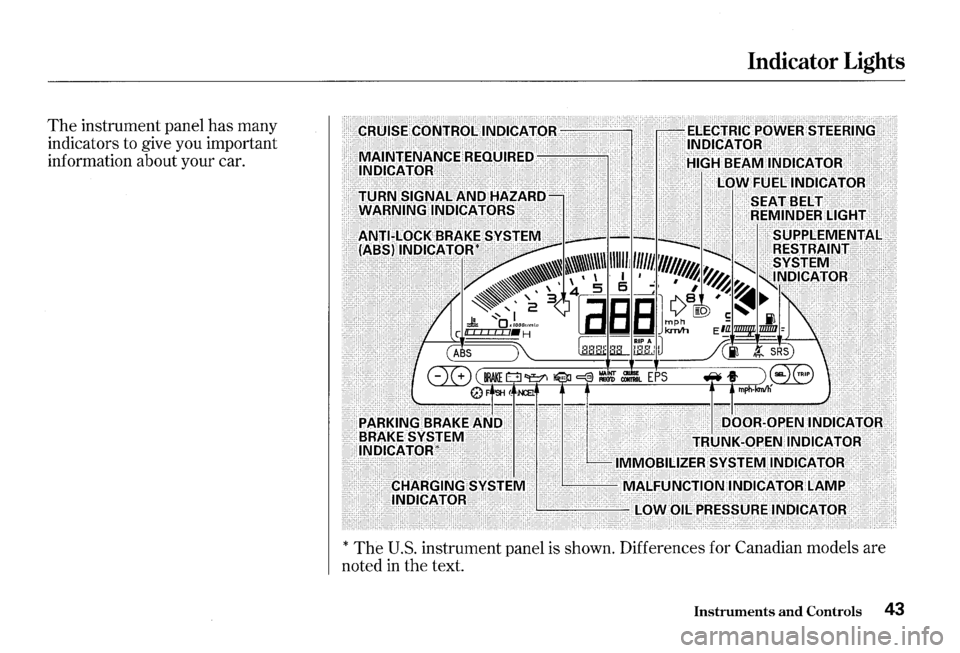
The instrument panel has many
indicators to give you important
information about your car.
Indicator Lights
EliA~~~I\Id~vs"l'~:l\ll IVIALFoi\Jt"fld~INDic.4.tdRtAMP: .·· ·
> · ll\lbicA'fOR: . . .. .... ·"--"-~~~'--'--:l.()WHII_lPR~ssDREIN[)ICAT0R: .
*The U.S. instrument panel is shown. Differences for Canadian models are
noted in the text.
Instruments and Controls 43
Page 47 of 273
Indicator Lights
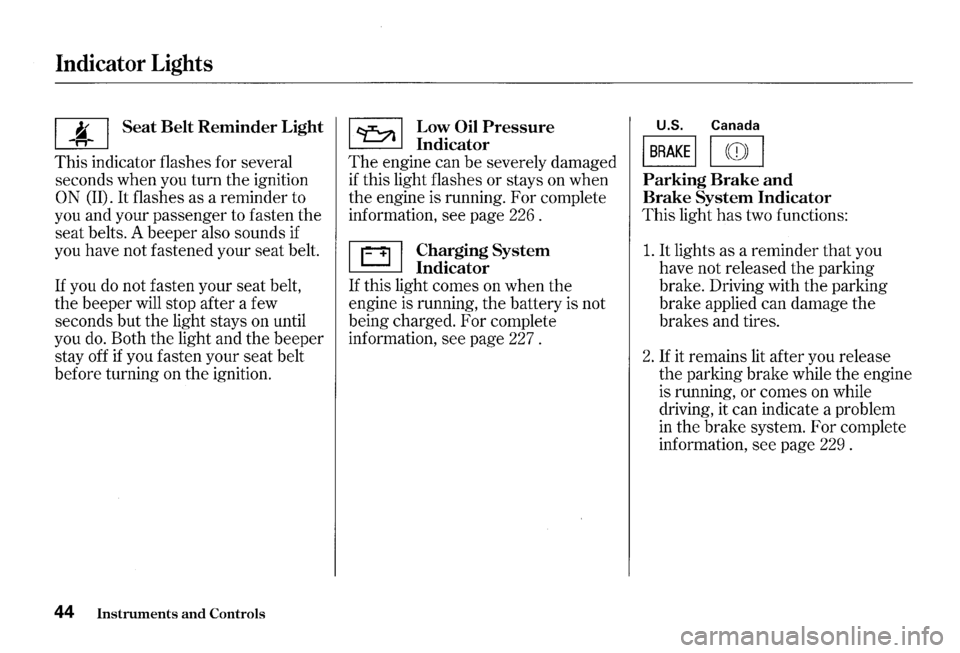
I ~ I Seat Belt Reminder Light
This indicator flashes for several
seconds when you turn
the ignition
0 N (II). It flashes as a reminder to
you and your passenger to fasten
the
seat belts. A beeper also sounds if
you have not fastened your
seat belt.
If you do not fasten your seat belt,
the beeper will stop after a few
seconds
but the light stays on until
you do. Both
the light and the beeper
stay off if you fasten your seat belt
before turning on
the ignition.
44 Instruments and Controls
~ Low Oil Pressure
~ Indicator
The engine can be severely damaged
if this light flashes or stays on when
the engine is running. For complete
information, see page 226 .
~ Charging System
~ Indicator
If this light comes on when the
engine is running, the battery is not
being charged. For complete
information, see page 227 .
U.S. Canada
I BRAKE I I ((D) I
Parking Brake and
Brake System Indicator
This light has two functions:
1. It lights as a reminder that you
have not released
the parking
brake. Driving with
the parking
brake applied can damage
the
brakes and tires.
2. If it remains lit after you release
the parking brake while the engine
is running,
or comes on while
driving, it can indicate a problem
in
the brake system. For complete
information,
see page 229 .
Page 48 of 273
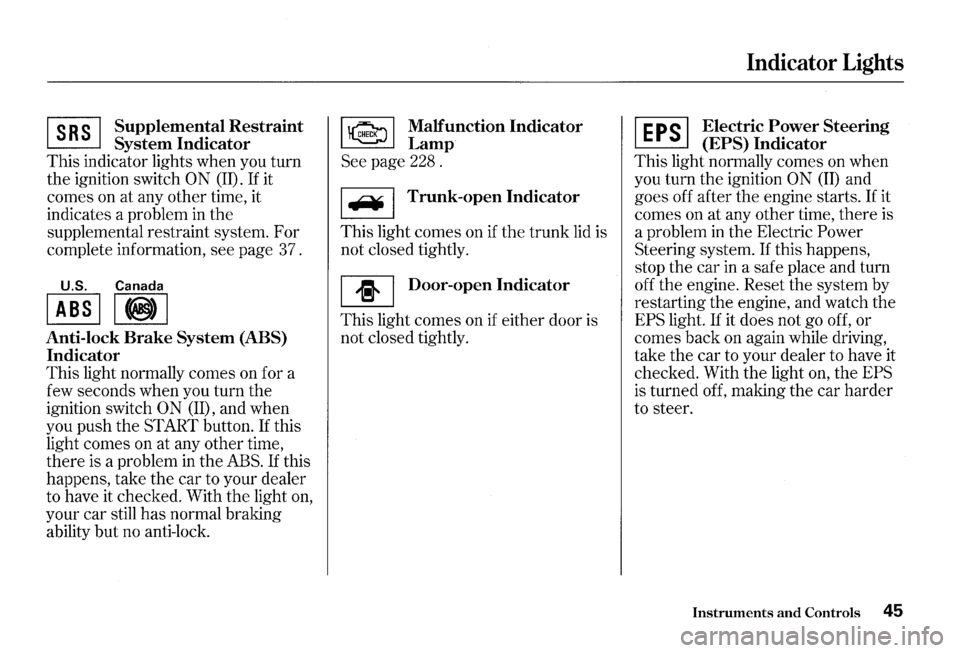
~ Supplemen~al Restraint
~ System Indicator
This indicator lights when you turn
the ignition switch
0 N (II). If it
comes on at any other time, it
indicates a problem in
the
supplemental restraint system. For
complete information, see page 37.
U.S. Canada
I ABS II@) I
Anti-lock Brake System (ABS)
Indicator
This light normally comes on for a
few seconds when you turn the
ignition switch
ON (II), and when
you push the START button.
If this
light comes on at any other time,
there
is a problem in the ABS. If this
happens, take the car to your dealer
to have it checked. With
the light on,
your car still
has normal braking
ability but no anti-lock.
~ Malfunction Indicator
~Lamp
See page 228 .
I F¥ I Trunk-open Indicator
This light comes on if the trunk lid is
not closed tightly.
[I] Door-open Indicator
This light comes on if either door is
not closed tightly.
Indicator Lights
~ Electric Power Steering
~ (EPS) Indicator
This light normally comes on when
you turn the ignition
ON (II) and
goes off after the engine starts.
If it
comes on at any other time, there is
a problem
in the Electric Power
Steering system. If this happens,
stop the car
in a safe place and turn
off the engine. Reset the system by
restarting the engine, and watch the
EPS light. If it does not go off, or
comes back on again while driving,
take the car to your dealer to have it
checked. With the light
on, the EPS
is turned off, making the car harder
to steer.
Instruments and Controls 45
Page 49 of 273
Indicator Lights
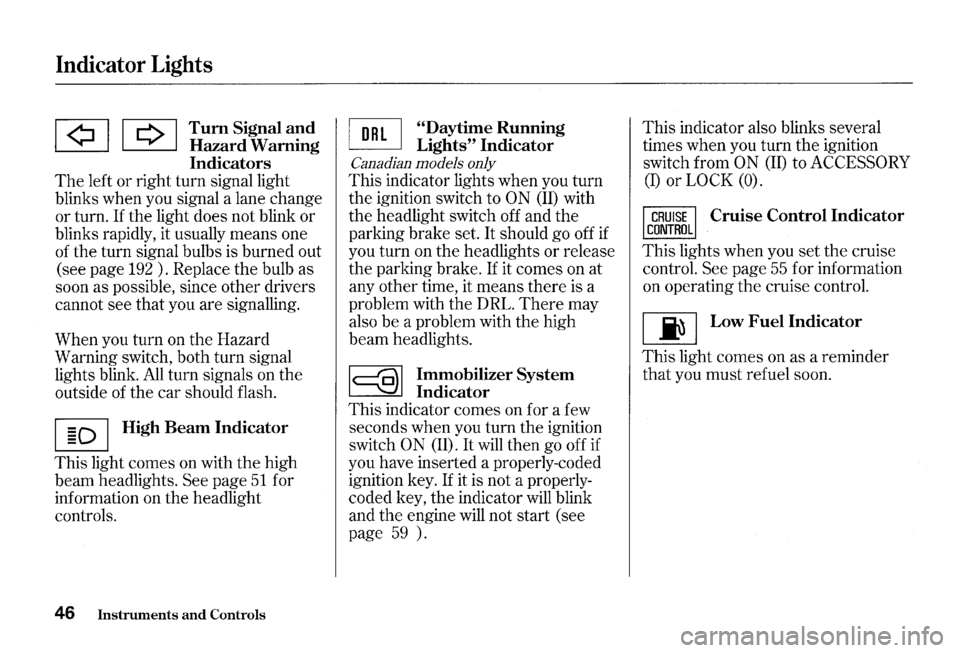
lA! I Q I Tum Signal a!ld ~ Hazard Wammg
Indicators
The left or right turn signal light
blinks when you signal a lane change
or turn. If the light does not blink or
blinks rapidly, it usually means one
of the turn signal bulbs is burned out
(see page
192 ) . Replace the bulb as
soon as possible, since other drivers
cannot see that you are signalling.
When you turn on the Hazard
Warning switch, both turn signal
lights blink.
All turn signals on the
outside of the car should flash.
I § D I High Beam Indicator
This light comes on with the high
beam headlights.
See page 51 for
information on the headlight
controls.
46 Instruments and Controls
~ "Daytime Running
~ Lights" Indicator
Canadian models only
This indicator lights when you turn
the ignition switch to
ON (ID with
the headlight switch off and the
parking brake set.
It should go off if
you turn on the headlights or release
the parking brake.
If it comes on at
any other time, it means there is a
problem with the DRL.
There may
also be a problem with the high
beam headlights.
~ Immobilizer System
~ Indicator
This indicator comes on for a few
seconds when you turn the ignition
switch
0 N (ID. It will then go off if
you have inserted a properly-coded
ignition key.
If it is not a properly
coded key, the indicator will blink
and
the engine will not start (see
page
59 ). This
indicator also blinks several
times when you turn the ignition
switch from
ON (II) to ACCESSORY
(I) or LOCK (0).
Cruise Control Indicator
This lights when you set the cruise
control.
See page 55 for information
on operating the cruise control.
[ji] Low Fuel Indicator
This light comes on as a reminder
that you must refuel soon.
Page 51 of 273
Gauges
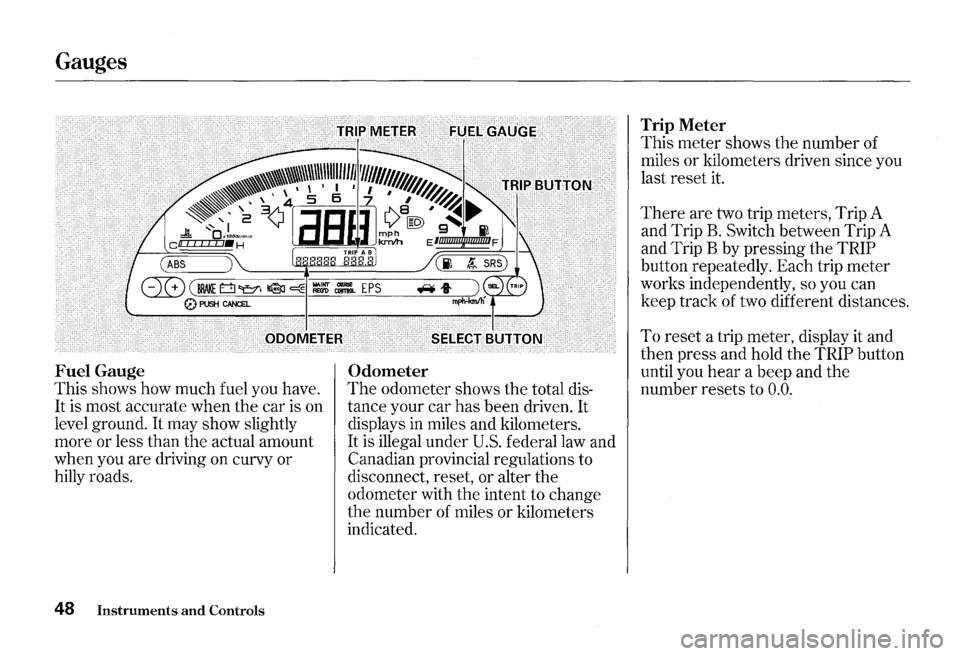
Fuel Gauge
This shows how much fuel you have.
It is most accurate when the car is on
level ground.
It may show slightly
more or less than the actual amount
when you are driving on curvy or
hilly roads.
48 Instruments and Controls
Odometer
The odometer shows the total dis
tance your car has been driven.
It
displays in miles and kilometers.
It is illegal under U.S. federal law and
Canadian provincial regulations to
disconnect, reset,
or alter the
odometer with the intent to change
the number of miles
or kilometers
indicated.
Trip Meter
This meter shows the number of
miles or kilometers driven since you
last reset it.
There are two trip meters, Trip A
and Trip
B. Switch between Trip A
and Trip B by pressing the
TRIP
button repeatedly. Each trip meter
works independently, so you can
keep track of two different distances.
To reset a trip meter, display it and
then press and hold
the TRIP button
until you
hear a beep and the
number resets to
0.0.
Page 53 of 273
Controls Near the Steering Wheel I
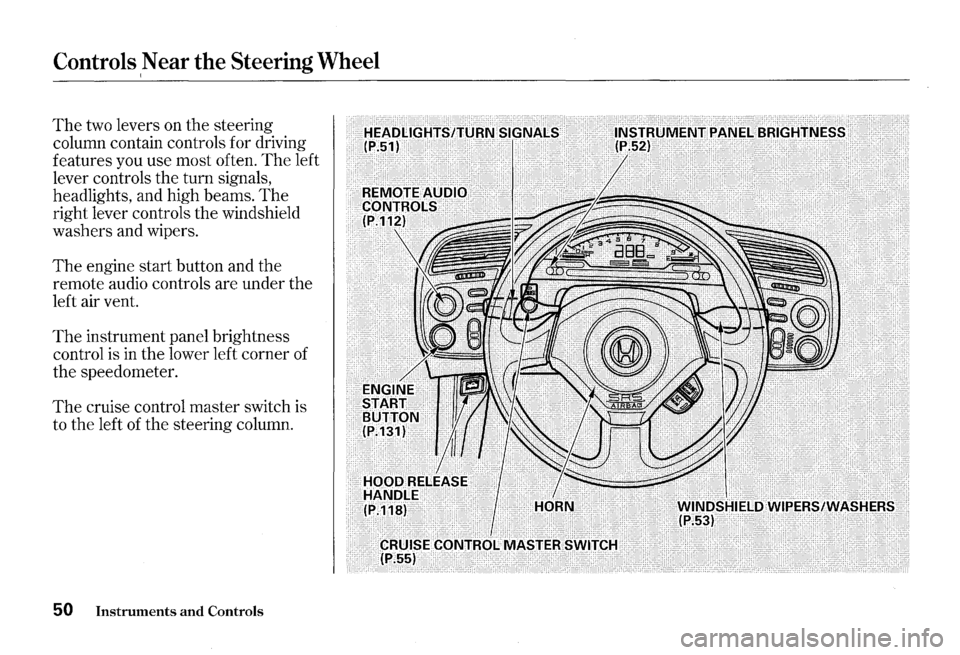
The two levers on the steering
column contain controls for driving
features you use most often.
The left
lever controls the turn signals,
headlights, and high beams.
The
right lever controls the windshield
washers and wipers.
The engine start button and the
remote audio controls are under the
left air vent.
The instrument panel brightness
control is
in the lower left corner of
the speedometer.
The cruise control master switch is
to the left
of the steering column.
50 Instruments and Controls
Page 54 of 273
Headlights
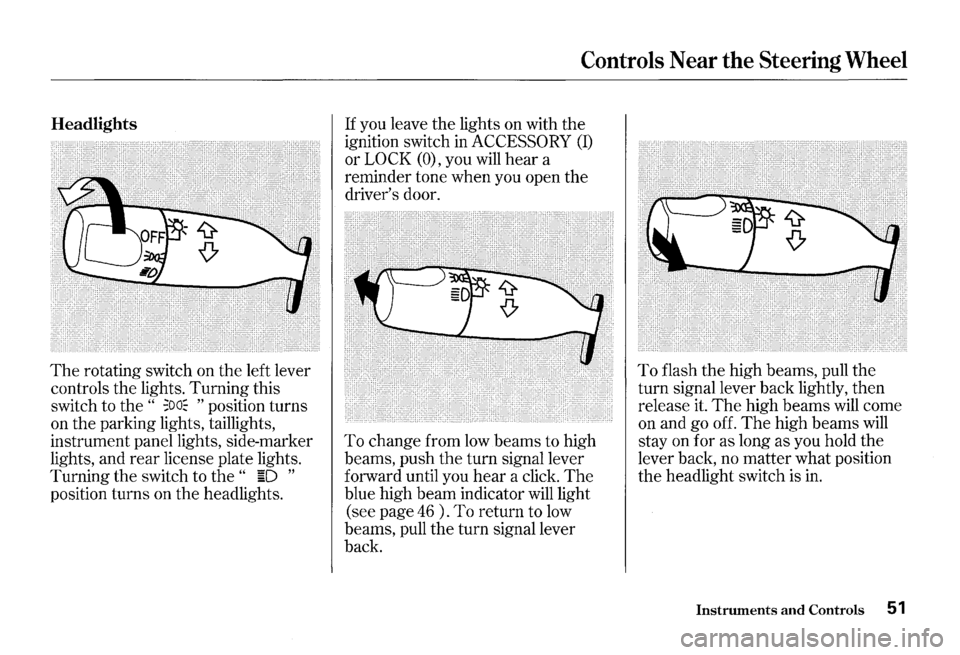
The rotating switch on the left lever
controls the lights. Turning this
switch to the
" ;oa~ " position turns
on the parking lights, taillights,
instrument panel lights, side-marker
lights, and
rear license plate lights.
Turning the switch to
the " ~D "
position turns on the headlights.
Controls Near the Steering Wheel
If you leave the lights on with the
ignition switch in
ACCESSORY (I)
or LOCK (O), you will hear a
reminder tone when you open the
driver's door.
To change from low beams to high
beams, push
the turn signal lever
forward until you
hear a click. The
blue high beam indicator will light
(see page
46 ) . To return to low
beams, pull the turn signal lever
back.
To flash the high beams, pull the
turn signal lever back lightly, then
release it.
The high beams will come
on and go off.
The high beams will
stay on for as long as you hold the
lever back, no matter what position
the headlight switch is in.
Instruments and Controls 51
Page 55 of 273
Controls Near the Steering Wheel
Daytime Running Lights
Canadian models only
With the headlight switch off, the
high beam headlights come on with
reduced brightness when you turn
the ignition switch to
0 N (II) and
release
the parking brake. They
remain on until you turn the ignition
off, even
if you set the parking brake.
The headlights revert to normal
operation when you turn
them on
with the switch.
52 Instruments and Controls
Instrument Panel Brightness
·.···.·.~.·.~.·~.· •. ~ ... · .. ~ ... · .. ~~.·~ .. ·.·.~.~.' .•.•.••.•. '. ). 3)1, .. ~·. ~~ .... 2;~··•············
• ~ •• < ; .~C~L!io'""'"i .... · •• :•. • .• •·•··.·····•·• cat'J +'f•H
} c .... ~ .... ,.., ... .;,., .... ,.., .. ..,..,..,.~~ ........ .
!0•~~/Tri
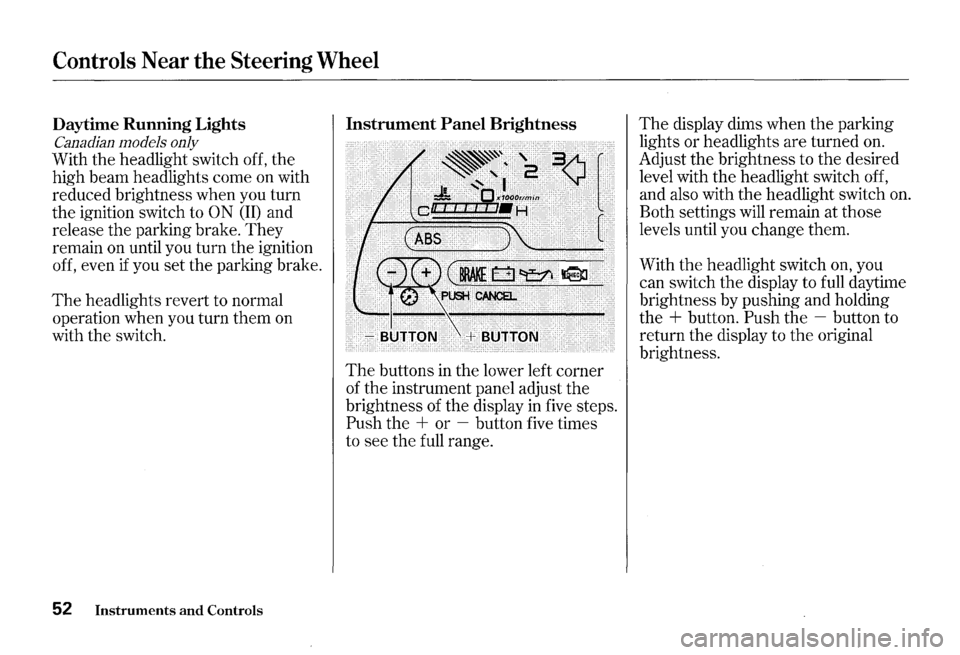
The buttons in the lower left corner
of the instrument panel adjust
the
brightness of the display in five steps.
Push the + or -button five times
to see the full range.
The display dims when the parking
lights or headlights are turned
on.
Adjust the brightness to the desired
level with the headlight switch off,
and also with the headlight switch
on.
Both settings will remain at those
levels until you change them.
With
the headlight switch on, you
can switch the display to full daytime
brightness by pushing and holding
the
+ button. Push the -button to
return the display to
the original
brightness.
Page 56 of 273
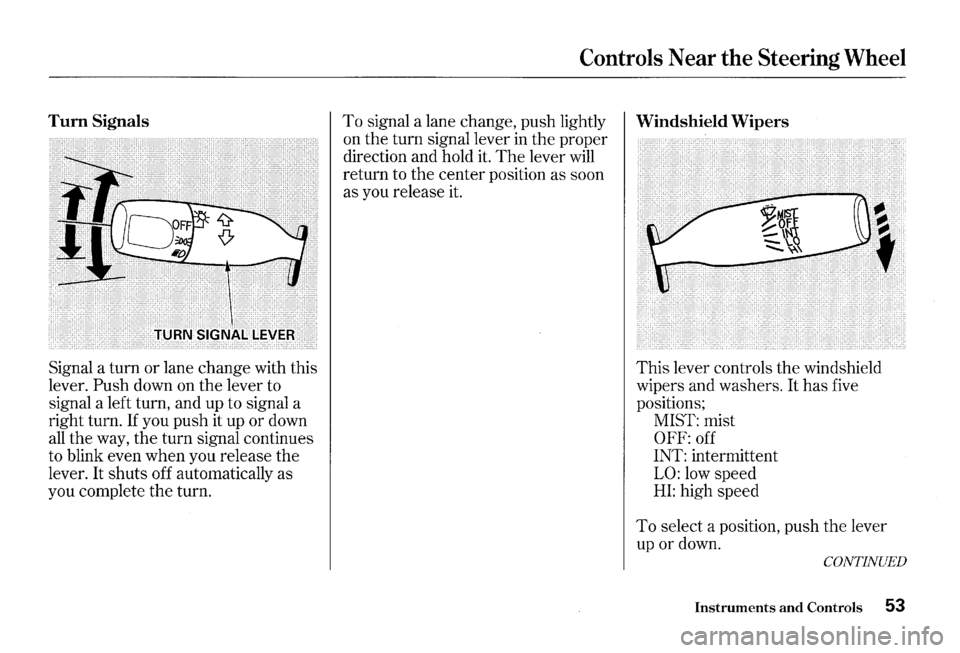
Turn Signals
Signal a turn or lane change with this
lever.
Push down on the lever to
signal a left turn, and up to signal a
right turn.
If you push it up or down
all the way, the turn signal continues
to blink even when you release the
lever.
It shuts off automatically as
you complete the turn.
Controls Near the Steering Wheel
To signal a lane change, push lightly Windshield Wipers
on the turn signal lever in the proper
direction and hold
it. The lever will
return to the center position as soon
as you release it.
This lever controls the windshield
wipers and washers.
It has five
positions;
MIST: mist
OFF: off
INT: intermittent
LO: low speed
HI: high speed
To select a position, push the lever
up or down.
CONTINUED
Instruments and Controls 53
Page 58 of 273
Cruise Control
Cruise control allows you to maintain
a
set speed above 25 mph ( 40 km/h)
without keeping your foot on the
accelerator pedal. It should be used
for cruising on straight, open
highways.
It is not recommended for
conditions such as city driving,
winding roads, slippery roads, heavy
rain, or bad weather. You should
have full control of
the car under
those conditions.
Improper use of the cruise
control can lead to a crash.
Use the cruise
control only
when traveling on open
highways
in good weather.
NOTICE
The cruise control, as it operates,
moves the accelerator pedal. You can
damage your vehicle's accelerator
mechanism by resting your
foot under
the pedal and blocking the movement.
Steering Wheel Controls
Using the Cruise Control
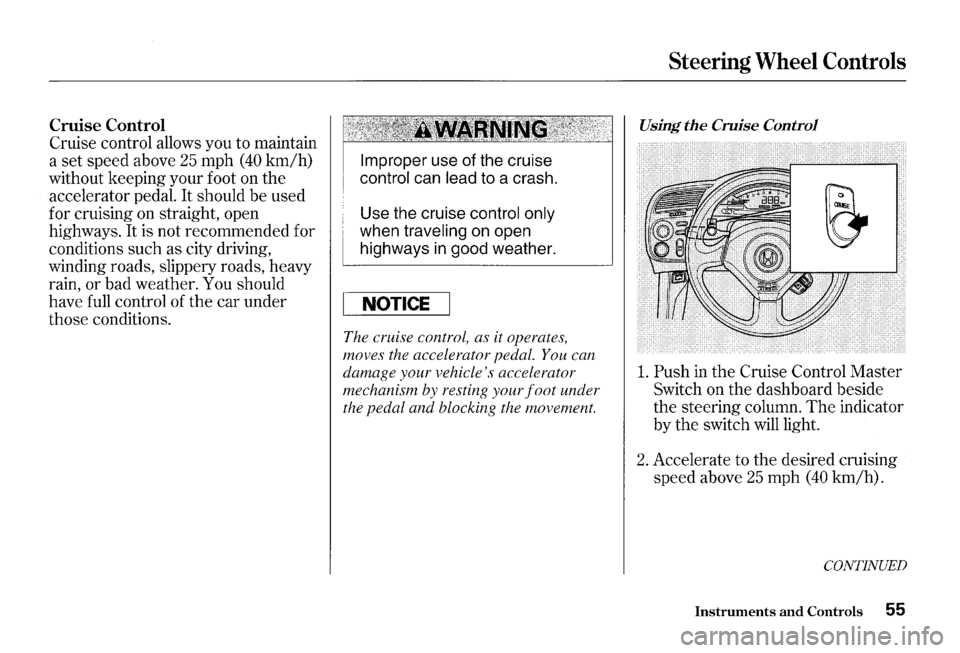
1. Push in the Cruise Control Master
Switch on the dashboard beside
the steering column. The indicator
by
the switch will light.
2. Accelerate to the desired cruising
speed above
25 mph (40 km/h).
CONTINUED
Instruments and Controls 55