Park HUMMER H2 2008 Owners Manual
[x] Cancel search | Manufacturer: HUMMER, Model Year: 2008, Model line: H2, Model: HUMMER H2 2008Pages: 504, PDF Size: 7.12 MB
Page 8 of 504
Heated Seats
On vehicles with heated front seats, the controls are
located on the driver’s and passenger’s doors.
I(Heated Seatback):Press to turn on the heated
seatback.
J(Heated Seat and Seatback):Press to turn on the
heated seat and seatback.
The light on the button will come on to indicate that the
feature is working. Press the button to cycle through
the temperature settings of high, medium, and low and
to turn the heat to the seat off. Indicator lights will
show the level of heat selected: three for high, two for
medium, and one for low.
The heated seats will be canceled ten seconds after the
ignition is turned off. To use the heated seat feature
after restarting your vehicle, press the heated seat
or seatback button again.
Memory Seat and Mirrors
If your vehicle has this feature, the controls for the
memory function are located on the driver’s door.
1:Saves the seating position for driver 1.
2:Saves the seating position for driver 2.
S:Programs and recalls the easy exit position.
These buttons are used to program and recall memory
settings for the driver’s seat and both the driver’s
and passenger’s outside mirrors. The settings for these
features can be saved for up to two drivers.
To store the memory settings:
1. While the vehicle is in PARK (P), adjust the driver’s
seat, including the seatback recliner, lumbar, and
side wing area, and both outside mirrors to a
comfortable position.
2. Press and hold button 1 until a double chime sounds
to let you know that the position has been stored.
A second seating and mirror position can be programmed
by repeating the above steps and pressing button 2.
To recall the memory positions, the vehicle must be in
PARK (P). Press and release either button 1 or button 2
corresponding to the desired driving position. A single
chime will sound and the memory position will be
recalled.
1-4
Page 83 of 504
Keys...............................................................2-3
Remote Keyless Entry (RKE) System................2-4
Remote Keyless Entry (RKE) System
Operation...................................................2-5
Remote Vehicle Start......................................2-8
Doors and Locks............................................2-10
Door Locks..................................................2-10
Power Door Locks........................................2-11
Delayed Locking...........................................2-11
Programmable Automatic Door Locks..............2-11
Rear Door Security Locks..............................2-12
Lockout Protection........................................2-12
Liftgate (SUV)..............................................2-13
Midgate
®(SUT)............................................2-14
Tailgate/Spare Tire Carrier.............................2-16
Windows........................................................2-19
Power Windows............................................2-20
Sun Visors...................................................2-23
Theft-Deterrent Systems..................................2-24
Content Theft-Deterrent.................................2-24
PASS-Key
®III+............................................2-26
PASS-Key®III+ Operation..............................2-26Starting and Operating Your Vehicle................2-28
New Vehicle Break-In....................................2-28
Ignition Positions..........................................2-28
Retained Accessory Power (RAP)...................2-29
Starting the Engine.......................................2-30
Engine Coolant Heater..................................2-31
Automatic Transmission Operation...................2-32
Tow/Haul Mode............................................2-36
Full-Time Four-Wheel Drive............................2-36
Parking Brake..............................................2-40
Shifting Into PARK (P)...................................2-41
Shifting Out of PARK (P)...............................2-42
Parking Over Things That Burn.......................2-43
Engine Exhaust............................................2-43
Running the Engine While Parked...................2-44
Mirrors...........................................................2-45
Automatic Dimming Rearview Mirror with
Compass and Temperature Display..............2-45
Outside Power Foldaway Mirrors.....................2-48
Outside Automatic Dimming Mirror..................2-49
Outside Convex Mirror...................................2-49
Outside Heated Mirrors..................................2-49
Section 2 Features and Controls
2-1
Page 91 of 504

/(Remote Start):Press and release the lock button
and then press and hold the remote start button to
start the vehicle.
To start the vehicle using the remote start feature:
1. Aim the transmitter at the vehicle.
2. Press and release the transmitter’s lock button,
then immediately press and hold the transmitter’s
remote start button until the turn signal lights ash.
If you cannot see the vehicle’s lights, press
and hold the remote start button for at least
four seconds. The vehicle’s doors will lock.
Pressing the remote start button again after the
vehicle has started will turn off the ignition.
When the vehicle starts, the parking lamps will turn
on and remain on while the vehicle is running.
3. If it is the rst remote start since the vehicle has
been driven, repeat these steps, while the engine
is still running, to extend the engine running time
by 10 minutes. Remote start can be extended
one time.
After entering the vehicle during a remote start, insert
and turn the key to ON/RUN to drive the vehicle.If the vehicle is left running it will automatically
shut off after 10 minutes unless a time extension
has been done.
To manually shut off a remote start:
Aim the RKE transmitter at the vehicle and press
the remote start button until the parking lamps
turn off.
Turn on the hazard warning ashers.
Turn the ignition switch on and then off.
The vehicle can be remote started two separate times
between driving sequences. The engine will run for
10 minutes after each remote start.
Or, you can extend the engine run time by another
10 minutes within the rst 10 minute remote start time
frame, and before the engine stops.
For example, if the lock button and then the remote
start buttons are pressed again after the vehicle
has been running for ve minutes, 10 minutes are
added, allowing the engine to run for 15 minutes.
The additional ten minutes are considered a
second remote vehicle start.
2-9
Page 106 of 504

Theft-Deterrent Systems
Vehicle theft is big business, especially in some cities.
Although your vehicle has a number of theft-deterrent
features, we know that nothing we put on it can make it
impossible to steal.
Content Theft-Deterrent
Your vehicle is equipped with a content theft-deterrent
alarm system.
With this system, the
security light in the
instrument panel cluster
will ash as you open
the door if your ignition
is off.
This light reminds you to activate the theft-deterrent
system.To activate the theft-deterrent system:
1. Open the door.
2. Lock the door with the Remote Keyless Entry (RKE)
transmitter. The security light will illuminate to
inform the driver the system is arming. If a door is
open when the doors are locked, the security
light will ash.
3. Close all doors. The security light should go off
after about 30 seconds. The alarm is not armed
until the security light goes off.
If the delayed locking feature is turned on, the
theft-deterrent system will not start the arming
process until the last door is closed and the delay
timer has expired. SeeDelayed Locking on
page 2-11.
If a locked door is opened without the RKE transmitter,
the alarm will go off. The headlamps and parking
lamps will ash and the horn will sound for 30 seconds,
then will turn off to save the battery power.
2-24
Page 110 of 504
Starting and Operating Your
Vehicle
New Vehicle Break-In
Notice:Your vehicle does not need an elaborate
break-in. But it will perform better in the long run if
you follow these guidelines:
Keep your speed at 55 mph (88 km/h) or less for
the rst 500 miles (805 km).
Do not drive at any one constant speed, fast or
slow, for the rst 500 miles (805 km). Do not
make full-throttle starts. Avoid downshifting to
brake or slow the vehicle.
Avoid making hard stops for the rst 200 miles
(322 km) or so. During this time the new brake
linings are not yet broken in. Hard stops
with new linings can mean premature wear and
earlier replacement. Follow this breaking-in
guideline every time you get new brake linings.
Do not tow a trailer during break-in. SeeTowing
a Trailer on page 4-55for the trailer towing
capabilities of your vehicle and more
information.
Following break-in, engine speed and load can be
gradually increased.
Ignition Positions
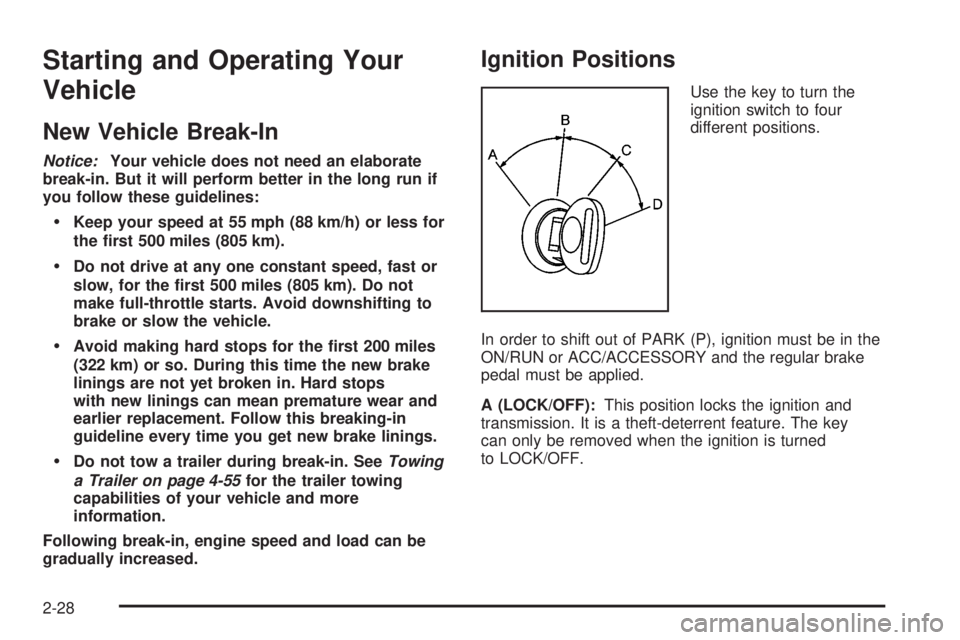
Use the key to turn the
ignition switch to four
different positions.
In order to shift out of PARK (P), ignition must be in the
ON/RUN or ACC/ACCESSORY and the regular brake
pedal must be applied.
A (LOCK/OFF):This position locks the ignition and
transmission. It is a theft-deterrent feature. The key
can only be removed when the ignition is turned
to LOCK/OFF.
2-28
Page 111 of 504

Notice:Using a tool to force the key from the
ignition switch could cause damage or break the
key. Use the correct key and turn the key only with
your hand. Make sure the key is all the way in.
If it is, turn the steering wheel left and right while
you turn the key hard. If none of this works,
then your vehicle needs service.
B (ACC/ACCESSORY):This position lets things like
the radio and the windshield wipers operate while
the engine is off.
Lengthy operation of features such as the radio in the
ACC/ACCESSORY ignition position and the ON/RUN
position may drain the battery and prevent your vehicle
from starting. Do not operate your vehicle in the
ACC/ACCESSORY ignition position for a long period
of time.
C (ON/RUN):This is the position for driving. It is the
position the ignition switch returns to after the engine
starts, and the key is released.
The battery could be drained if you leave the key in
the ACC/ACCESSORY or ON/RUN position with
the engine off. You may not be able to start your
vehicle if the battery is allowed to drain for an extended
period of time.
D (START):This position starts the engine.Key In the Ignition
Never leave your vehicle with the keys inside, as it is an
easy target for joy riders or thieves. If you leave the
key in the ignition and park your vehicle, a chime
will sound, when you open the driver’s door. Always
remember to remove your key from the ignition and take
it with you. This will lock your ignition and transmission.
Also, always remember to lock the doors.
The battery could be drained if you leave the key in the
ignition while your vehicle is parked. You may not be
able to start your vehicle after it has been parked for an
extended period of time.
Retained Accessory Power (RAP)
These vehicle accessories can be used for up to
10 minutes after the engine is turned off:
Audio System
Sunroof
Power Windows
The sunroof and power windows will continue to work
up to 10 minutes after the key is turned to LOCK/OFF or
until any door is opened. The radio will continue to
work for up to 10 minutes after the key is turned
to LOCK/OFF or until the driver’s door is opened.
2-29
Page 112 of 504
Starting the Engine
Move your shift lever to PARK (P) or NEUTRAL (N).
Your engine will not start in any other position – this is
a safety feature. To restart when you are already
moving, use NEUTRAL (N) only.
Notice:Do not try to shift to PARK (P) if your
vehicle is moving. If you do, you could damage the
transmission. Shift to PARK (P) only when your
vehicle is stopped.
Starting Procedure
1. With your foot off the accelerator pedal, turn the
ignition key to START. When the engine starts,
let go of the key. The idle speed will go down as
your engine gets warm. Do not race the engine
immediately after starting it. Operate the engine and
transmission gently to allow the oil to warm up and
lubricate all moving parts.
Your vehicle has a Computer-Controlled Cranking
System. This feature assists in starting the engine
and protects components. If the ignition key is turned
to the START position, and then released when the
engine begins cranking, the engine will continue
cranking for a few seconds or until the vehicle starts.
If the engine does not start and the key is held in
START for many seconds, cranking will be stopped
after 15 seconds to prevent cranking motor damage.To prevent gear damage, this system also prevents
cranking if the engine is already running. Engine
cranking can be stopped by turning the ignition
switch to the ACC/ACCESSORY or LOCK/OFF
position.
Notice:Cranking the engine for long periods of
time, by returning the key to the START position
immediately after cranking has ended, can overheat
and damage the cranking motor, and drain the
battery. Wait at least 15 seconds between each try,
to let the cranking motor cool down.
2. If the engine does not start after 5-10 seconds,
especially in very cold weather (below 0°F or−18°C),
it could be ooded with too much gasoline. Try
pushing the accelerator pedal all the way to the oor
and holding it there as you hold the key in START
for up to a maximum of 15 seconds. Wait at least
15 seconds between each try, to allow the cranking
motor to cool down. When the engine starts, let go of
the key and accelerator. If the vehicle starts briey
but then stops again, do the same thing. This clears
the extra gasoline from the engine. Do not race the
engine immediately after starting it. Operate the
engine and transmission gently until the oil warms up
and lubricates all moving parts.
2-30
Page 113 of 504
Notice:The engine is designed to work with the
electronics in your vehicle. If you add electrical
parts or accessories, you could change the way the
engine operates. Before adding electrical equipment,
check with your dealer/retailer. If you do not, your
engine might not perform properly. Any resulting
damage would not be covered by your vehicle’s
warranty.
Engine Coolant Heater
The engine coolant heater, if available, can help in cold
weather conditions at or below 0°F (−18°C) for easier
starting and better fuel economy during engine warm-up.
Plug in the coolant heater at least four hours before
starting your vehicle. An internal thermostat in the
plug-end of the cord may exist which will prevent
engine coolant heater operation at temperatures
above 0°F (−18°C).
To Use the Engine Coolant Heater
1. Turn off the engine.
2. Locate the electrical cord near the front recovery
loop on the driver’s side of the vehicle.
3. Plug it into a normal, grounded 110-volt AC outlet.
{CAUTION:
Plugging the cord into an ungrounded outlet
could cause an electrical shock. Also, the
wrong kind of extension cord could overheat
and cause a re. You could be seriously
injured. Plug the cord into a properly grounded
three-prong 110-volt AC outlet. If the cord will
not reach, use a heavy-duty three-prong
extension cord rated for at least 15 amps.
4. Before starting the engine, be sure to unplug and
store the cord as it was before to keep it away
from moving engine parts. If you do not, it could be
damaged.
How long should you keep the coolant heater plugged
in? The answer depends on the outside temperature, the
kind of oil you have, and some other things. Instead
of trying to list everything here, we ask that you contact
your dealer/retailer in the area where you will be
parking your vehicle. The dealer/retailer can give you
the best advice for that particular area.
2-31
Page 114 of 504
Automatic Transmission Operation
Your vehicle has a Hydra-Matic®6L80 automatic
transmission, and has an electronic shift position
indicator within the instrument panel cluster. This display
comes on when the ignition key is turned to the
ON/RUN position.
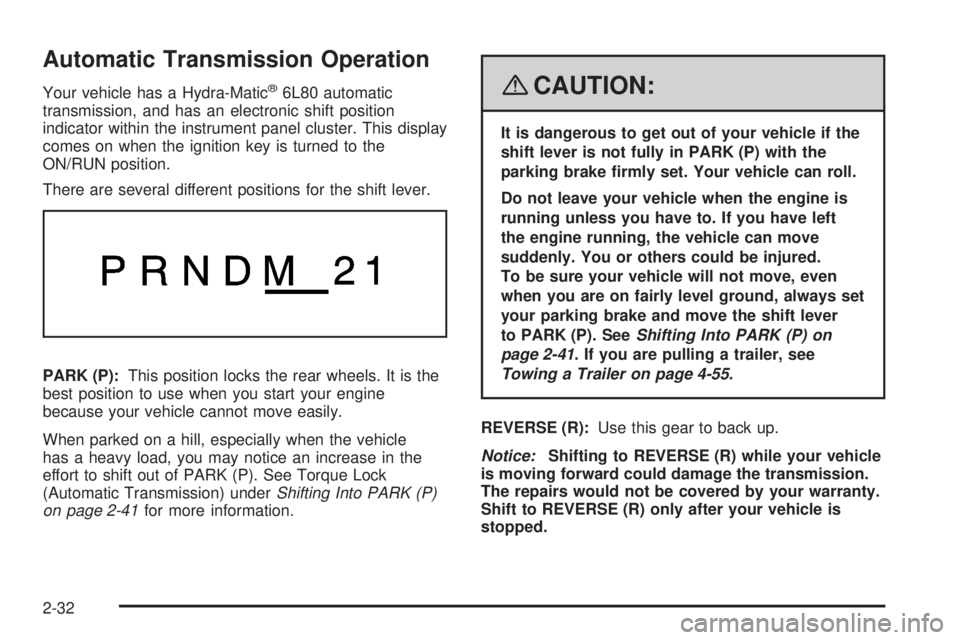
There are several different positions for the shift lever.
PARK (P):This position locks the rear wheels. It is the
best position to use when you start your engine
because your vehicle cannot move easily.
When parked on a hill, especially when the vehicle
has a heavy load, you may notice an increase in the
effort to shift out of PARK (P). See Torque Lock
(Automatic Transmission) underShifting Into PARK (P)
on page 2-41for more information.{CAUTION:
It is dangerous to get out of your vehicle if the
shift lever is not fully in PARK (P) with the
parking brake rmly set. Your vehicle can roll.
Do not leave your vehicle when the engine is
running unless you have to. If you have left
the engine running, the vehicle can move
suddenly. You or others could be injured.
To be sure your vehicle will not move, even
when you are on fairly level ground, always set
your parking brake and move the shift lever
to PARK (P). SeeShifting Into PARK (P) on
page 2-41. If you are pulling a trailer, see
Towing a Trailer on page 4-55.
REVERSE (R):Use this gear to back up.
Notice:Shifting to REVERSE (R) while your vehicle
is moving forward could damage the transmission.
The repairs would not be covered by your warranty.
Shift to REVERSE (R) only after your vehicle is
stopped.
2-32
Page 115 of 504
To rock your vehicle back and forth to get out of snow,
ice, or sand without damaging the transmission, see
If Your Vehicle is Stuck in Sand, Mud, Ice, or Snow on
page 4-39.
NEUTRAL (N):In this position, the engine does not
connect with the wheels. To restart when you are
already moving, use NEUTRAL (N) only. Also, use
NEUTRAL (N) when your vehicle is being towed.
{CAUTION:
Shifting into a drive gear while the engine is
running at high speed is dangerous. Unless
your foot is rmly on the brake pedal, your
vehicle could move very rapidly. You could
lose control and hit people or objects. Do not
shift into a drive gear while your engine is
running at high speed.
Notice:Shifting out of PARK (P) or NEUTRAL (N)
with the engine running at high speed may damage
the transmission. The repairs would not be covered
by your warranty. Be sure the engine is not running
at high speed when shifting your vehicle.DRIVE (D):This position is for normal driving. It
provides the best fuel economy for your vehicle. If you
need more power for passing, and you are:
Going less than about 35 mph (55 km/h), push the
accelerator pedal about halfway down.
Going about 35 mph (55 km/h) or more, push the
accelerator all the way down.
By doing this, the vehicle shifts down to the next gear
and has more power.
DRIVE (D) can be used when towing a trailer, carrying a
heavy load, driving on steep hills, or for off-road
driving. You may want to shift the transmission to a
lower gear selection if the transmission shifts too often.
Downshifting the transmission in slippery road
conditions could result in skidding, see Skidding under
Loss of Control on page 4-12.
MANUAL MODE (M):This position lets drivers select
the range of gears appropriate for current driving
conditions. If your vehicle has this feature, see Driver
Shift Control (DSC) later in this section.
Notice:Spinning the tires or holding the vehicle in
one place on a hill using only the accelerator pedal
may damage the transmission. The repair will not be
covered by your warranty. If you are stuck, do not
spin the tires. When stopping on a hill, use the brakes
to hold the vehicle in place.
2-33