instrument panel HUMMER H3 2010 Service Manual
[x] Cancel search | Manufacturer: HUMMER, Model Year: 2010, Model line: H3, Model: HUMMER H3 2010Pages: 410, PDF Size: 2.24 MB
Page 242 of 410
9-58 Driving and Operating
Setting Cruise Control
{WARNING
If you leave your cruise control on
when you are not using cruise,
you might hit a button and go into
cruise when you do not want to.
You could be startled and even
lose control. Keep the cruise
control switch off until you want to
use cruise control.
1. Move the cruise control switch to on.
2. Get up to the speed desired. 3. Press
Tat the end of the lever
and release it.
4. Take your foot off the accelerator pedal.
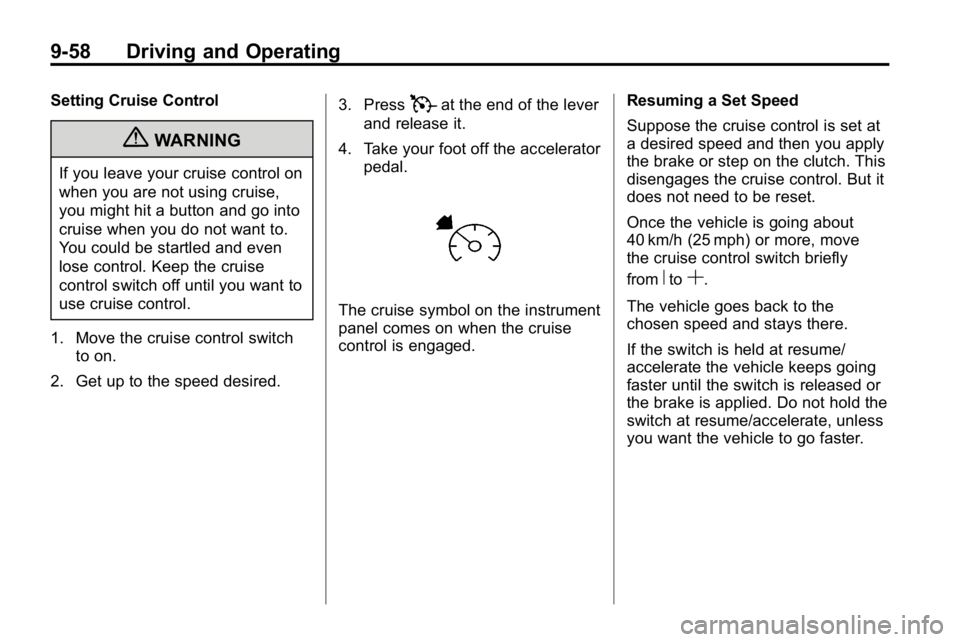
The cruise symbol on the instrument
panel comes on when the cruise
control is engaged. Resuming a Set Speed
Suppose the cruise control is set at
a desired speed and then you apply
the brake or step on the clutch. This
disengages the cruise control. But it
does not need to be reset.
Once the vehicle is going about
40 km/h (25 mph) or more, move
the cruise control switch briefly
from
RtoS.
The vehicle goes back to the
chosen speed and stays there.
If the switch is held at resume/
accelerate the vehicle keeps going
faster until the switch is released or
the brake is applied. Do not hold the
switch at resume/accelerate, unless
you want the vehicle to go faster.
Page 248 of 410
9-64 Driving and Operating
Fuel
Use of the recommended fuel is
an important part of the proper
maintenance of this vehicle. To help
keep the engine clean and maintain
optimum vehicle performance, we
recommend the use of gasoline
advertised as TOP TIER Detergent
Gasoline.
Look for the TOP TIER label on the
fuel pump to ensure gasoline meets
enhanced detergency standards
developed by auto companies. A list
of marketers providing TOP TIER
Detergent Gasoline can be found at
www.toptiergas.com.
The 8th digit of the Vehicle
Identification Number (VIN) shows
the code letter or number that
identifies the vehicle's engine.The VIN is at the top left of the
instrument panel. See
Vehicle
Identification Number (VIN)
on
page 12‑1.
If the vehicle has the 5.3L V8 engine
(VIN Code P), you can use either
unleaded gasoline or ethanol fuel
containing up to 85% ethanol (E85).
See Fuel E85 (85% Ethanol)
on
page 9‑66. In all other engines, use
only regular unleaded gasoline.
Recommended Fuel
Use regular unleaded gasoline with
a posted octane rating of 87 or
higher. If the octane rating is less
than 87, an audible knocking noise,
commonly referred to as spark
knock, might be heard when driving.
If this occurs, use a gasoline rated
at 87 octane or higher as soon as
possible. If heavy knocking is heard
when using gasoline rated at
87 octane or higher, the engine
needs service.
Page 250 of 410
9-66 Driving and Operating
For customers who do not use
TOP TIER Detergent Gasoline
regularly, one bottle of GM Fuel
System Treatment PLUS, added
to the fuel tank at every engine oil
change, can help clean deposits
from fuel injectors and intake
valves. GM Fuel System Treatment
PLUS is the only gasoline additive
recommended by HUMMER. It is
available at your dealer/retailer.
Gasolines containing oxygenates,
such as ethers and ethanol, and
reformulated gasolines might
be available in your area. We
recommend that you use these
gasolines, if they comply with the
specifications described earlier.
However, E85 (85% ethanol) and
other fuels containing more than
10% ethanol must not be used in
vehicles that were not designed for
those fuels.Notice:
This vehicle was not
designed for fuel that contains
methanol. Do not use fuel
containing methanol. It can
corrode metal parts in the fuel
system and also damage plastic
and rubber parts. That damage
would not be covered under the
vehicle warranty.
Some gasolines that are
not reformulated for low
emissions can contain an
octane-enhancing additive called
methylcyclopentadienyl manganese
tricarbonyl (MMT); ask the attendant
where you buy gasoline whether the
fuel contains MMT. We recommend
against the use of such gasolines.
Fuels containing MMT can reduce
the life of spark plugs and the
performance of the emission control
system could be affected. The
malfunction indicator lamp might
turn on. If this occurs, return to your
dealer/retailer for service.Fuel E85 (85% Ethanol)
The 8th digit of the Vehicle
Identification Number (VIN) shows
the code letter or number that
identifies the vehicle's engine.
The VIN is at the top left of the
instrument panel. See Vehicle
Identification Number (VIN)
on
page 12‑1.
If the vehicle has the 5.3L V8 engine
(VIN Code P), you can use either
unleaded gasoline or ethanol fuel
containing up to 85% ethanol (E85).
In all other engines, use only the
unleaded gasoline described under
Recommended Fuel on page 9‑64.
Only vehicles that have the
5.3L V8 engine (VIN Code P)
can use 85% ethanol fuel (E85).
We encourage the use of E85 in
vehicles that are designed to use it.
The ethanol in E85 is a “renewable”
fuel, meaning it is made from
renewable sources such as corn
and other crops.
Page 256 of 410
9-72 Driving and Operating
Towing with a Stability Control
System
When towing, the sound of the
stability control system might be
heard. The system is reacting to the
vehicle movement caused by the
trailer, which mainly occurs during
cornering. This is normal when
towing heavier trailers.
Following Distance
Stay at least twice as far behind the
vehicle ahead as you would when
driving the vehicle without a trailer.
This can help to avoid situations
that require heavy braking and
sudden turns.
Passing
More passing distance is needed
when towing a trailer. Because the
rig is longer, it is necessary to go
much farther beyond the passed
vehicle before returning to the lane.
Backing Up
Hold the bottom of the steering
wheel with one hand. Then, to move
the trailer to the left, move that hand
to the left. To move the trailer to the
right, move your hand to the right.
Always back up slowly and,
if possible, have someone
guide you.
Making Turns
Notice:Making very sharp turns
while trailering could cause the
trailer to come in contact with the
vehicle. The vehicle could be
damaged. Avoid making very
sharp turns while trailering.
When turning with a trailer, make
wider turns than normal. Do this
so the trailer won't strike soft
shoulders, curbs, road signs, trees
or other objects. Avoid jerky or
sudden maneuvers. Signal well in
advance.
Turn Signals When Towing a
Trailer
The arrows on the instrument panel
flash whenever signaling a turn or
lane change. Properly hooked up,
the trailer lamps also flash, telling
other drivers the vehicle is turning,
changing lanes or stopping.
When towing a trailer, the arrows on
the instrument panel flash for turns
even if the bulbs on the trailer are
burned out. For this reason you
may think other drivers are seeing
the signal when they are not. It is
important to check occasionally to
be sure the trailer bulbs are still
working.
Driving On Grades
Reduce speed and shift to a
lower gear before starting down a
long or steep downgrade. If the
transmission is not shifted down, the
brakes might have to be used so
much that they would get hot and no
longer work well.
Page 265 of 410
Driving and Operating 9-81
Trailer Brake Control Wiring
Harness
The trailer brake control wiring
harness is located under the
instrument panel to the right of the
steering column. The wires are
taped to the harness that goes
to the courtesy light under the
instrument panel. The harness
has the following wires:
.Red Wire: AUX B+
.Black Wire: Ground
.Light Blue Wire: Brake Signal
.Dark Blue Wire: Trailer Brakes
Trailer Recommendations
Subtract the hitch loads from the
Cargo Weight Rating (CWR). CWR
is the maximum weight of the load
the vehicle can carry. It does not
include the weight of the people
inside, but you can figure about
68 kg (150 lbs) for each passenger.
The total cargo load must not be
more than the vehicles CWR.
Weigh the vehicle with the trailer
attached, so the GVWR or GAWR
are not exceeded. If using a
weight-distributing hitch, weigh the
vehicle without the spring bars in
place.
The best performance is obtained
by correctly spreading out the
weight of the load and choosing the
correct hitch and trailer brakes.
For more information seeTrailer
Towing on page 9‑74.
Conversions and
Add-Ons
Add-On Electrical
Equipment
Notice: Do not add anything
electrical to the vehicle unless
you check with your dealer first.
Some electrical equipment can
damage the vehicle and the
damage would not be covered
by the vehicle's warranty. Some
add-on electrical equipment can
keep other components from
working as they should.
Add-on equipment can drain the
vehicle battery, even if the vehicle is
not operating.
The vehicle has an airbag system.
Before attempting to add anything
electrical to the vehicle, see
Servicing the Airbag-Equipped
Vehicle
on page 3‑40and Adding
Equipment to the Airbag-Equipped
Vehicle on page 3‑40.
Page 271 of 410
Vehicle Care 10-5
Hood
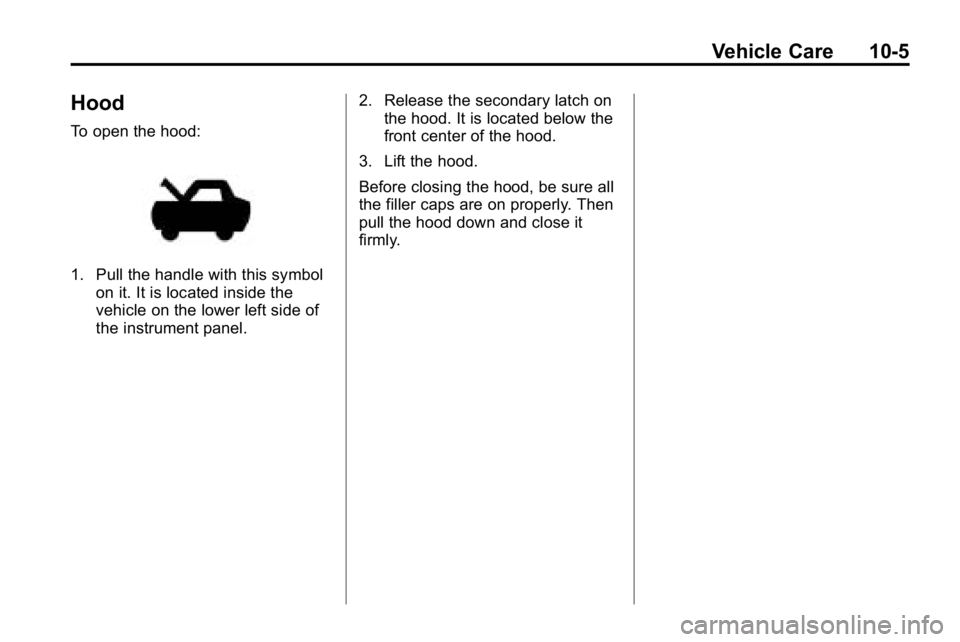
To open the hood:
1. Pull the handle with this symbolon it. It is located inside the
vehicle on the lower left side of
the instrument panel. 2. Release the secondary latch on
the hood. It is located below the
front center of the hood.
3. Lift the hood.
Before closing the hood, be sure all
the filler caps are on properly. Then
pull the hood down and close it
firmly.
Page 288 of 410

10-22 Vehicle Care
6. Start the engine and let it rununtil you can feel the upper
radiator hose getting hot. Watch
out for the engine cooling fan.
7. By this time, the coolant level inside the radiator filler neck
might be lower. If the level is
lower, add more of the proper
DEX‐COOL coolant mixture
through the filler neck until the
level reaches the base of the
filler neck.
8. Then replace the pressure cap. At any time during this procedure
if coolant begins to flow out of
the filler neck, reinstall the
pressure cap.
Notice:
If the pressure cap is not
tightly installed, coolant loss and
possible engine damage may
occur. Be sure the cap is properly
and tightly secured.
Engine Overheating
The vehicle has an indicator to warn
of engine overheating.
A coolant temperature gauge is
displayed on the instrument panel.
See Engine Coolant Temperature
Gauge on page 5‑9.
You may decide not to lift the
hood when this warning appears,
but instead get service help right
away. See Roadside Service
on
page 13‑5.
If you do decide to lift the hood,
make sure the vehicle is parked on
a level surface. Then check to see if the engine
cooling fans are running. If the
engine is overheating, both fans
should be running. If they are not,
do not continue to run the engine
and have the vehicle serviced.
The air conditioning might stop
working if the engine is too hot. This
is normal and helps cool the engine.
Notice:
Engine damage from
running the engine without
coolant is not covered by the
warranty.
Notice: If the engine catches
fire because of being driven
with no coolant, your vehicle can
be badly damaged. The costly
repairs would not be covered by
the vehicle warranty.
Page 319 of 410

Vehicle Care 10-53
Please note that the TPMS is
not a substitute for proper tire
maintenance, and it is the driver's
responsibility to maintain correct tire
pressure, even if under‐inflation
has not reached the level to trigger
illumination of the TPMS low tire
pressure telltale.
Your vehicle has also been
equipped with a TPMS malfunction
indicator to indicate when the
system is not operating properly.
The TPMS malfunction indicator is
combined with the low tire pressure
telltale. When the system detects a
malfunction, the telltale will flash for
approximately one minute and then
remain continuously illuminated.
This sequence will continue upon
subsequent vehicle start‐ups as
long as the malfunction exists.
When the malfunction indicator
is illuminated, the system may
not be able to detect or signal
low tire pressure as intended.TPMS malfunctions may occur for
a variety of reasons, including the
installation of replacement or
alternate tires or wheels on the
vehicle that prevent the TPMS
from functioning properly. Always
check the TPMS malfunction
telltale after replacing one or more
tires or wheels on your vehicle to
ensure that the replacement or
alternate tires and wheels allow
the TPMS to continue to function
properly.
See
Tire Pressure Monitor
Operation
on page 10‑53for
additional information.
Federal Communications
Commission (FCC) and
Industry Canada
See Radio Frequency Statementon
page 13‑16for information
regarding Part 15 of the Federal
Communications Commission (FCC)
Rules and RSS-210/211 of Industry
Canada.
Tire Pressure Monitor
Operation
This vehicle may have a Tire
Pressure Monitor System (TPMS).
The TPMS is designed to warn the
driver when a low tire pressure
condition exists. TPMS sensors are
mounted onto each tire and wheel
assembly on the vehicle, excluding
the spare tire. The TPMS sensors
monitor the air pressure in the
vehicle's tires and transmit the tire
pressure readings to a receiver
located in the vehicle.
When a low tire pressure
condition is detected, the TPMS
illuminates the low tire pressure
warning light located on the
instrument panel cluster.
Page 364 of 410
10-98 Vehicle Care
A paper towel can be used to blot
excess moisture from the fabric or
carpet after the cleaning process.
Leather
To remove dust, a soft cloth
dampened with water can be used.
If a more thorough cleaning is
necessary, a soft cloth dampened
with a mild soap solution can be
used. Allow the leather to dry
naturally. Do not use heat, steam,
or spot lifters or spot removers,
or shoe polish on leather. Many
commercial leather cleaners
and coatings that are sold to
preserve and protect leather
may permanently change the
appearance and feel of the leather
and are not recommended. Do
not use silicone or wax-based
products, or those containing
organic solvents to clean the
vehicle's interior because they can
alter the appearance by increasing
the gloss in a non-uniform manner.
Instrument Panel, Vinyl, and
Other Plastic Surfaces
To remove dust, a soft cloth
dampened with water can be used.
If a more thorough cleaning is
necessary, a clean soft cloth
dampened with a mild soap solution
can be used to gently remove dust
and dirt. Never use spot lifters or
removers on plastic surfaces.
Many commercial cleaners and
coatings that are sold to preserve
and protect soft plastic surfaces
may permanently change the
appearance and feel of the interior
and are not recommended. Do
not use silicone or wax-based
products, or those containing
organic solvents to clean the
vehicle's interior because they can
alter the appearance by increasing
the gloss in a non-uniform manner.Some commercial products may
increase gloss on the instrument
panel. The increase in gloss may
cause annoying reflections in the
windshield and even make it difficult
to see through the windshield under
certain conditions.
Care of Safety Belts
Keep belts clean and dry.
{WARNING
Do not bleach or dye safety belts.
It may severely weaken them. In
a crash, they might not be able
to provide adequate protection.
Clean safety belts only with mild
soap and lukewarm water.
Page 379 of 410

Technical Data 12-1
Technical Data
Vehicle Identification
Vehicle IdentificationNumber (VIN) . . . . . . . . . . . . . . 12-1
Service Parts Identification Label . . . . . . . . . . . . . . . . . . . . . . . 12-1
Vehicle Data
Capacities andSpecifications . . . . . . . . . . . . . . 12-2
Engine Drive Belt Routing . . . 12-4
Vehicle Identification
Vehicle Identification
Number (VIN)
This legal identifier is in the front
corner of the instrument panel, on
the left side of the vehicle. It can be
seen through the windshield from
outside. The VIN also appears on
the Vehicle Certification and Service
Parts labels and certificates of title
and registration.
Engine Identification
The eighth character in the VIN
is the engine code. This code
identifies the vehicle's engine,
specifications, and replacement
parts. See “Engine Specifications”
under Capacities and Specifications
on page 12‑2for the vehicle's
engine code.
Service Parts
Identification Label
This label, on the inside of the glove
box, has the following information:
.Vehicle Identification
Number (VIN)
.Model designation
.Paint information
.Production options and special
equipment
Do not remove this label from the
vehicle.