instrument panel HUMMER H3 2010 Owner's Guide
[x] Cancel search | Manufacturer: HUMMER, Model Year: 2010, Model line: H3, Model: HUMMER H3 2010Pages: 410, PDF Size: 2.24 MB
Page 151 of 410
Lighting 6-7
Notice:Turning on the off-road
lamps before removing the lamp
covers could damage the off-road
lamps and the covers. Always
remove the covers before turning
on the off-road lamps.
The off-road lamps remain on even
after the ignition is turned off. The
off-road lamp button must be
pressed to turn them off.Interior Lighting
Instrument Panel
Illumination Control
The instrument panel brightness
thumbwheel is next to the exterior
lamp control.
D (Instrument Panel
Brightness): Turn the thumbwheel
up or down to brighten or dim the
instrument panel lights and the radio
display. The instrument panel lights,
cluster, and radio display do not dim
to complete darkness. Turn the
thumbwheel all the way up to turn
the dome lamps on.
Dome Lamps
The dome lamps are located in the
front area of the vehicle. There is
also a dome lamp in the cargo area
of the H3 model only.
Turn the thumbwheel, located next
to the exterior lamps control, all
the way up to turn the dome and
footwell lamps on.
The dome lamp in the cargo area
automatically turns off when:
.The shift lever is shifted
out of P (Park) (automatic
transmissions).
.The parking brake is released
(manual transmissions).
Page 169 of 410
Infotainment System 7-15
Phone
Bluetooth
Vehicles with a Bluetooth system
can use a Bluetooth capable cell
phone with a Hands Free Profile to
make and receive phone calls. The
system can be used while the key is
in ON/RUN or ACC/ACCESSORY
position. The range of the Bluetooth
system can be up to 9.1 m (30 ft.).
Not all phones support all functions,
and not all phones are guaranteed
to work with the in-vehicle Bluetooth
system. See gm.com/bluetooth for
more information on compatible
phones.
Voice Recognition
The Bluetooth system uses voice
recognition to interpret voice
commands to dial phone numbers
and name tags.
Noise:Keep interior noise levels to
a minimum. The system may not
recognize voice commands if there
is too much background noise.
When to Speak: A short tone
sounds after the system responds
indicating when it is waiting for a
voice command. Wait until the tone
and then speak.
How to Speak: Speak clearly in a
calm and natural voice.
Audio System
When using the in‐vehicle Bluetooth
system, sound comes through
the vehicle's front audio system
speakers and overrides the audio
system. Use the audio system
volume knob, during a call, to
change the volume level. The
adjusted volume level remains in
memory for later calls. To prevent
missed calls, a minimum volume
level is used if the volume is turned
down too low.
Bluetooth Controls
Use thegbutton, located on the
driver side of the instrument panel
near the headlamp controls, to
operate the in-vehicle Bluetooth
system.
g(Push To Talk): Press to answer
incoming calls, to confirm system
information, and to start speech
recognition.
Page 182 of 410

8-2 Climate Controls
9(Fan Control): Turn clockwise or
counterclockwise to increase or
decrease the fan speed.
Air Delivery Mode Control: Turn
clockwise or counterclockwise to
change the direction of the airflow in
the vehicle. The airflow can be set
between modes.
To change the current mode, select
one of the following:
H (Vent): Air is directed to the
instrument panel outlets.
\(Bi-Level): Air is directed to the
instrument panel outlets, and the
remaining air to the floor outlets
and the defroster and side window
outlets. Cooler air is directed to the
upper outlets and warmer air to the
floor outlets. [
(Floor): Air is directed to the
floor outlets, side window outlets,
and defroster. Recirculation is not
available in this mode.
/ (Floor/Defog): This clears the
windows of fog and moisture. Air is
directed to the windshield, side
window, and floor outlets. The
system runs the air conditioning
unless the outside temperature is
near freezing or below. Recirculation
is not available in this mode.
0 (Defrost): This clears the
windshield of fog or frost more
quickly. Air is directed to the
windshield and side window
outlets. The system runs the air
conditioning system unless the
outside temperature is near or
below freezing. Recirculation is
not available in this mode.
Do not drive the vehicle until all the
windows are clear. #
(Air Conditioning): Press to
turn the air conditioning system
on or off. An indicator light comes
on when the air conditioning is
turned on. This system cools and
dehumidifies the air entering the
vehicle.
The air conditioning will not
function if the fan is turned off.
If air conditioning is selected with
fan off, the indicator light flashes
three times and then turns off.
A slight change in engine
performance may occur when the
air conditioning compressor shuts
off and turns on again. This is
normal. The system is designed
to make adjustments to help with
fuel economy while still maintaining
the selected temperature.
The air conditioning system
removes moisture from the air, so
water might drip under the vehicle
while idling or after turning off the
engine. This is normal.
Page 184 of 410
8-4 Climate Controls
Air Vents
Use the air outlets located in the
center and on the side of the
instrument panel to direct the
airflow.
Move the louvers up or down to
change the direction of the airflow.
Use the thumbwheel under the
outlets to change the direction of
the airflow from left to right.Operation Tips.Use the recirculation mode for
maximum air conditioning
performance.
.Clear away any ice, snow or
leaves from the air inlets at the
base of the windshield that may
block the flow of air into the
vehicle.
.Use of non-HUMMER approved
hood deflectors may adversely
affect the performance of the
system.
.Keep the path under the front
seats clear of objects to help
circulate the air inside of the
vehicle more effectively.
Page 209 of 410

Driving and Operating 9-25
WARNING (Continued)
If the vehicle is stuck in the snow:
.Clear away snow from around
the base of your vehicle,
especially any that is blocking
the exhaust pipe.
.Check again from time to
time to be sure snow does
not collect there.
.Open a window about 5 cm
(two inches) on the side of
the vehicle that is away from
the wind to bring in fresh air.
.Fully open the air outlets on
or under the instrument
panel.
.Adjust the Climate Control
system to a setting that
circulates the air inside the
vehicle and set the fan speed
to the highest setting. See
Climate Control System in the
Index.(Continued)
WARNING (Continued)
For more information about
carbon monoxide, see Engine
Exhaust on page 9‑40.
Snow can trap exhaust gases
under your vehicle. This can
cause deadly CO (carbon
monoxide) gas to get inside.
CO could overcome you and kill
you. You cannot see it or smell it,
so you might not know it is in your
vehicle. Clear away snow from
around the base of your vehicle,
especially any that is blocking the
exhaust.
Run the engine for short periods
only as needed to keep warm, but
be careful. To save fuel, run the engine for only
short periods as needed to warm
the vehicle and then shut the engine
off and close the window most of
the way to save heat. Repeat this
until help arrives but only when you
feel really uncomfortable from the
cold. Moving about to keep warm
also helps.
If it takes some time for help to
arrive, now and then when you run
the engine, push the accelerator
pedal slightly so the engine runs
faster than the idle speed. This
keeps the battery charged to restart
the vehicle and to signal for help
with the headlamps. Do this as little
as possible to save fuel.
Page 215 of 410
Driving and Operating 9-31
Certification/Tire Label
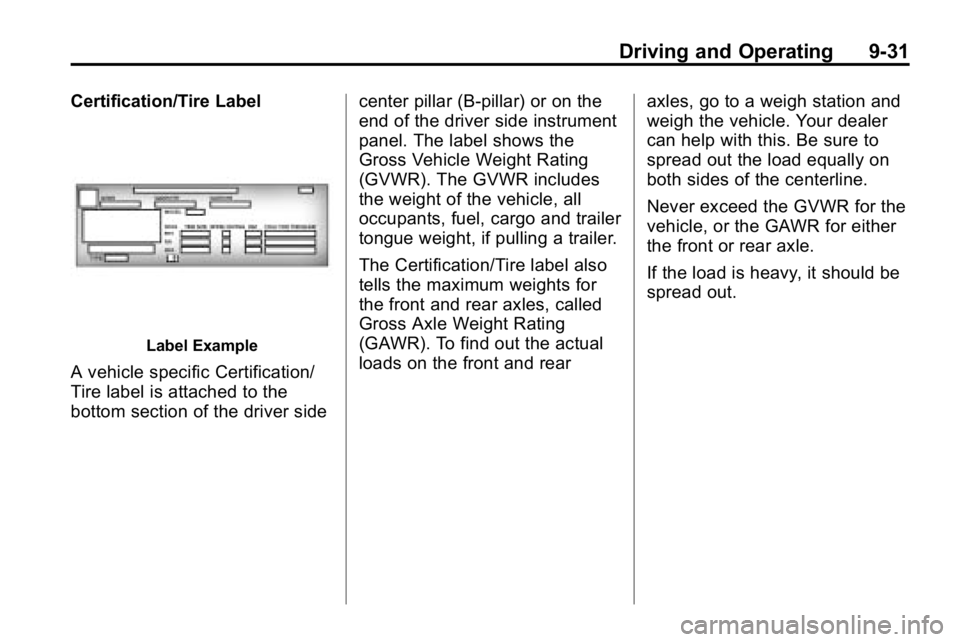
Label Example
A vehicle specific Certification/
Tire label is attached to the
bottom section of the driver sidecenter pillar (B-pillar) or on the
end of the driver side instrument
panel. The label shows the
Gross Vehicle Weight Rating
(GVWR). The GVWR includes
the weight of the vehicle, all
occupants, fuel, cargo and trailer
tongue weight, if pulling a trailer.
The Certification/Tire label also
tells the maximum weights for
the front and rear axles, called
Gross Axle Weight Rating
(GAWR). To find out the actual
loads on the front and rear
axles, go to a weigh station and
weigh the vehicle. Your dealer
can help with this. Be sure to
spread out the load equally on
both sides of the centerline.
Never exceed the GVWR for the
vehicle, or the GAWR for either
the front or rear axle.
If the load is heavy, it should be
spread out.
Page 218 of 410
9-34 Driving and Operating
Ignition Positions
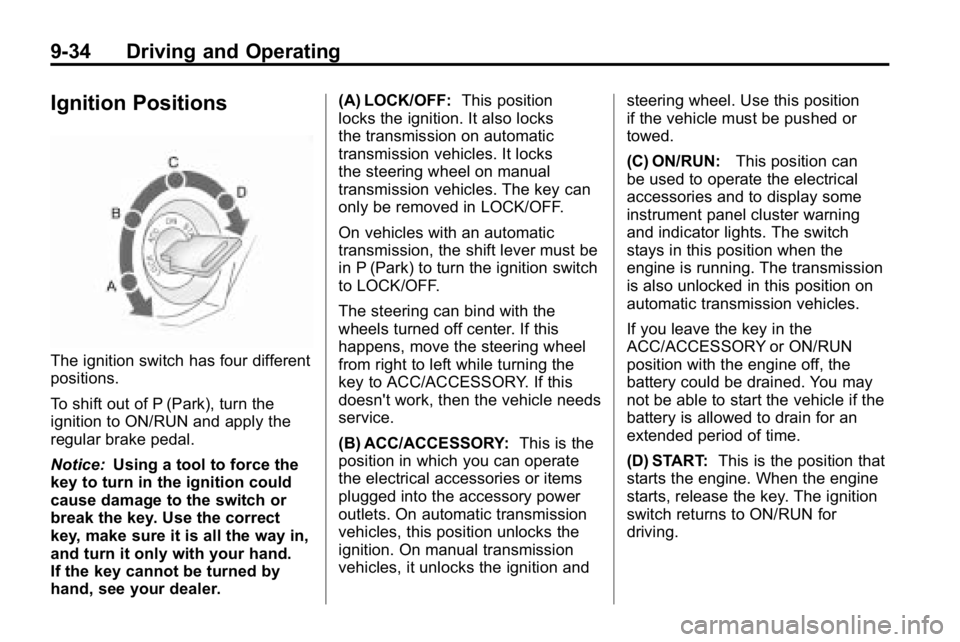
The ignition switch has four different
positions.
To shift out of P (Park), turn the
ignition to ON/RUN and apply the
regular brake pedal.
Notice:Using a tool to force the
key to turn in the ignition could
cause damage to the switch or
break the key. Use the correct
key, make sure it is all the way in,
and turn it only with your hand.
If the key cannot be turned by
hand, see your dealer. (A) LOCK/OFF:
This position
locks the ignition. It also locks
the transmission on automatic
transmission vehicles. It locks
the steering wheel on manual
transmission vehicles. The key can
only be removed in LOCK/OFF.
On vehicles with an automatic
transmission, the shift lever must be
in P (Park) to turn the ignition switch
to LOCK/OFF.
The steering can bind with the
wheels turned off center. If this
happens, move the steering wheel
from right to left while turning the
key to ACC/ACCESSORY. If this
doesn't work, then the vehicle needs
service.
(B) ACC/ACCESSORY: This is the
position in which you can operate
the electrical accessories or items
plugged into the accessory power
outlets. On automatic transmission
vehicles, this position unlocks the
ignition. On manual transmission
vehicles, it unlocks the ignition and steering wheel. Use this position
if the vehicle must be pushed or
towed.
(C) ON/RUN:
This position can
be used to operate the electrical
accessories and to display some
instrument panel cluster warning
and indicator lights. The switch
stays in this position when the
engine is running. The transmission
is also unlocked in this position on
automatic transmission vehicles.
If you leave the key in the
ACC/ACCESSORY or ON/RUN
position with the engine off, the
battery could be drained. You may
not be able to start the vehicle if the
battery is allowed to drain for an
extended period of time.
(D) START: This is the position that
starts the engine. When the engine
starts, release the key. The ignition
switch returns to ON/RUN for
driving.
Page 230 of 410

9-46 Driving and Operating
Shift Speeds
{WARNING
If you skip a gear when you
downshift, you could lose control
of the vehicle. You could injure
yourself or others. Do not shift
down more than one gear at a
time when you downshift.
Hill Start Assist
H3 and H3T vehicles have a Hill
Start Assist feature, which may be
useful when stopped on a grade.
SeeBraking
on page 9‑3for more
information.
Drive Systems
Four-Wheel Drive
Full-Time Four-Wheel Drive sends
engine power to all four wheels for
extra traction. To get the most out of
Full-Time Four-Wheel Drive, you
must be familiar with its operation.
Transfer Case Buttons
The transfer case buttons are
located to the right of the instrument
panel cluster. Use these switches
to shift into and out of the different
Full-Time Four-Wheel Drive modes. 4
m(Four-Wheel High):
This
setting is used for driving in most
street and highway situations. You
can also use this setting for light or
variable off-road conditions.
N (Neutral): Shift the transfer case
to Neutral only when towing the
vehicle. See Driving Characteristics
and Towing Tips
on page 9‑70for
more information.
Notice: Driving on pavement
in Four-Wheel High Lock or
Four Wheel Low Lock for
extended periods may cause
premature wear on the vehicle
powertrain and tires. Do not
drive in Four-Wheel High Lock
or Four-Wheel Low Lock on
pavement for extended periods.
4
m Q(Four-Wheel-High Lock):
Use this setting when you need
extra traction in most off-road
situations such as sand, mud,
snow or level, rocky trails.
Page 238 of 410
9-54 Driving and Operating
When the vehicle is started and
begins to move, the system
performs several diagnostic checks
to insure there are no problems.
The system may be heard or felt
while it is working. This is normal
and does not mean there is a
problem with the vehicle.
If cruise control is being used when
StabiliTrak activates, the cruise
control automatically disengages.
The cruise control can be
re-engaged when road conditions
allow. SeeCruise Control
on
page 9‑57.
If there is a problem detected with
StabiliTrak, a SERVICE STAB SYS
message displays on the Driver
Information Center (DIC). See
Driver Information Center (DIC)
on
page 5‑18for more information.
When this message is displayed,
the system is not working. Adjust
your driving accordingly. StabiliTrak comes on automatically
whenever the vehicle is started and
resets itself at each ignition cycle.
However, when the transfer case is
placed in Four‐Wheel‐Low Lock
mode, StabiliTrak is automatically
disabled. See
Four-Wheel Drive
on
page 9‑46for more information.
It is recommended to leave the
system on for normal driving
conditions, but it may be necessary
to turn the system off if the vehicle
is stuck in sand, mud, ice, or snow,
and it is necessary to “rock”the
vehicle to attempt to free it. See If
the Vehicle is Stuck
on page 9‑26.
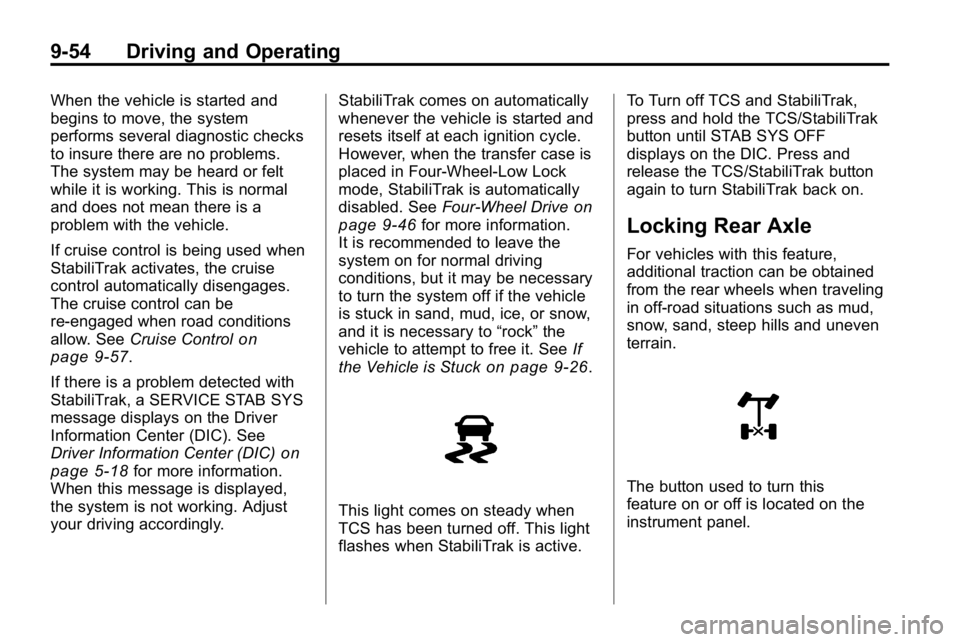
This light comes on steady when
TCS has been turned off. This light
flashes when StabiliTrak is active. To Turn off TCS and StabiliTrak,
press and hold the TCS/StabiliTrak
button until STAB SYS OFF
displays on the DIC. Press and
release the TCS/StabiliTrak button
again to turn StabiliTrak back on.
Locking Rear Axle
For vehicles with this feature,
additional traction can be obtained
from the rear wheels when traveling
in off-road situations such as mud,
snow, sand, steep hills and uneven
terrain.
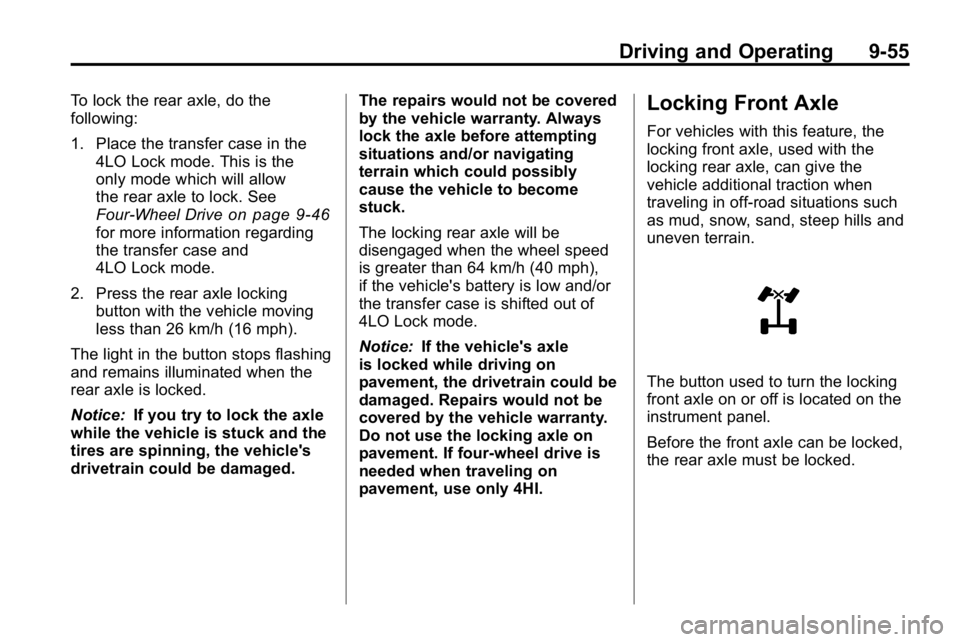
The button used to turn this
feature on or off is located on the
instrument panel.
Page 239 of 410
Driving and Operating 9-55
To lock the rear axle, do the
following:
1. Place the transfer case in the4LO Lock mode. This is the
only mode which will allow
the rear axle to lock. See
Four-Wheel Drive
on page 9‑46for more information regarding
the transfer case and
4LO Lock mode.
2. Press the rear axle locking button with the vehicle moving
less than 26 km/h (16 mph).
The light in the button stops flashing
and remains illuminated when the
rear axle is locked.
Notice: If you try to lock the axle
while the vehicle is stuck and the
tires are spinning, the vehicle's
drivetrain could be damaged. The repairs would not be covered
by the vehicle warranty. Always
lock the axle before attempting
situations and/or navigating
terrain which could possibly
cause the vehicle to become
stuck.
The locking rear axle will be
disengaged when the wheel speed
is greater than 64 km/h (40 mph),
if the vehicle's battery is low and/or
the transfer case is shifted out of
4LO Lock mode.
Notice:
If the vehicle's axle
is locked while driving on
pavement, the drivetrain could be
damaged. Repairs would not be
covered by the vehicle warranty.
Do not use the locking axle on
pavement. If four-wheel drive is
needed when traveling on
pavement, use only 4HI.
Locking Front Axle
For vehicles with this feature, the
locking front axle, used with the
locking rear axle, can give the
vehicle additional traction when
traveling in off-road situations such
as mud, snow, sand, steep hills and
uneven terrain.
The button used to turn the locking
front axle on or off is located on the
instrument panel.
Before the front axle can be locked,
the rear axle must be locked.