light Hyundai Accent 2006 Owner's Manual
[x] Cancel search | Manufacturer: HYUNDAI, Model Year: 2006, Model line: Accent, Model: Hyundai Accent 2006Pages: 599, PDF Size: 17.59 MB
Page 374 of 599
1FEATURES OF YOUR HYUNDAI
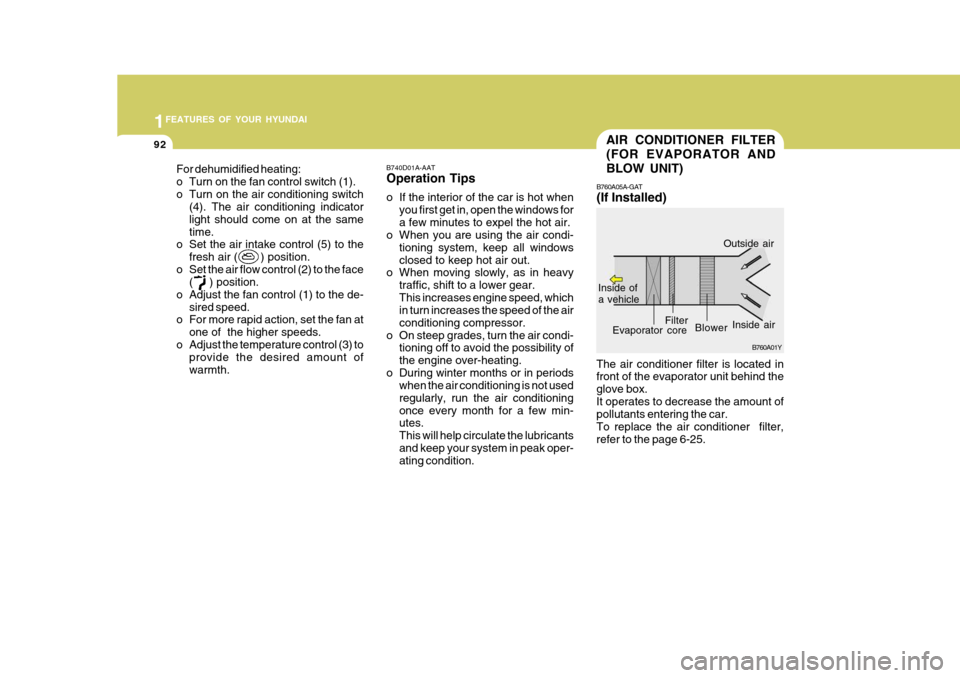
92AIR CONDITIONER FILTER (FOR EVAPORATOR ANDBLOW UNIT)
B760A01Y
Inside of a vehicle
Evaporator core
Filter
Blower
Outside air
Inside air
The air conditioner filter is located in front of the evaporator unit behind the glove box.It operates to decrease the amount of pollutants entering the car. To replace the air conditioner filter,refer to the page 6-25. B760A05A-GAT (If Installed)
B740D01A-AATOperation Tips
o If the interior of the car is hot when
you first get in, open the windows for a few minutes to expel the hot air.
o When you are using the air condi-
tioning system, keep all windowsclosed to keep hot air out.
o When moving slowly, as in heavy
traffic, shift to a lower gear.This increases engine speed, which in turn increases the speed of the air conditioning compressor.
o On steep grades, turn the air condi- tioning off to avoid the possibility ofthe engine over-heating.
o During winter months or in periods when the air conditioning is not usedregularly, run the air conditioningonce every month for a few min- utes. This will help circulate the lubricantsand keep your system in peak oper- ating condition.
For dehumidified heating:
o Turn on the fan control switch (1).
o Turn on the air conditioning switch(4). The air conditioning indicatorlight should come on at the sametime.
o Set the air intake control (5) to the
fresh air ( ) position.
o Set the air flow control (2) to the face ( ) position.
o Adjust the fan control (1) to the de- sired speed.
o For more rapid action, set the fan at
one of the higher speeds.
o Adjust the temperature control (3) to provide the desired amount ofwarmth.
Page 393 of 599
1
FEATURES OF YOUR HYUNDAI
111CARE OF CASSETTE TAPESCARE OF DISC
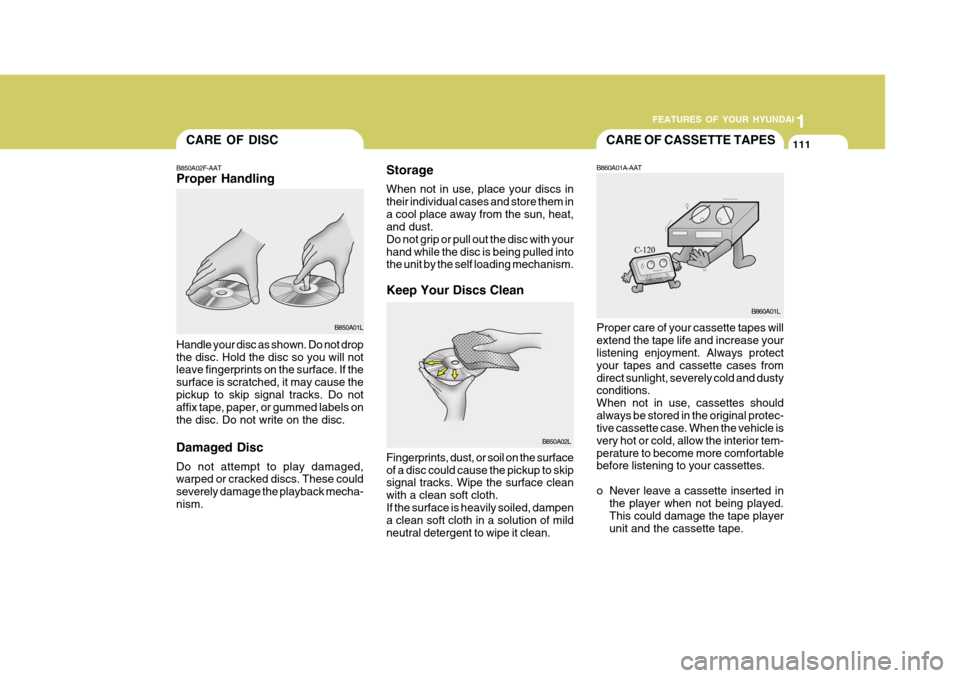
Storage When not in use, place your discs in their individual cases and store them ina cool place away from the sun, heat, and dust. Do not grip or pull out the disc with yourhand while the disc is being pulled into the unit by the self loading mechanism. Keep Your Discs Clean
B850A02F-AAT Proper Handling
Handle your disc as shown. Do not drop the disc. Hold the disc so you will not leave fingerprints on the surface. If the surface is scratched, it may cause thepickup to skip signal tracks. Do not affix tape, paper, or gummed labels on the disc. Do not write on the disc. Damaged Disc Do not attempt to play damaged, warped or cracked discs. These could severely damage the playback mecha-nism. Fingerprints, dust, or soil on the surfaceof a disc could cause the pickup to skip signal tracks. Wipe the surface clean with a clean soft cloth.If the surface is heavily soiled, dampen a clean soft cloth in a solution of mild neutral detergent to wipe it clean.B860A01A-AAT Proper care of your cassette tapes will extend the tape life and increase your listening enjoyment. Always protect your tapes and cassette cases fromdirect sunlight, severely cold and dusty conditions. When not in use, cassettes shouldalways be stored in the original protec- tive cassette case. When the vehicle is very hot or cold, allow the interior tem-perature to become more comfortable before listening to your cassettes.
o Never leave a cassette inserted in
the player when not being played. This could damage the tape playerunit and the cassette tape.
B850A01L
B850A02L B860A01L
Page 406 of 599
CAUTION:
When installing a container of liquid air freshener inside the vehicle, do not place it near the instrument cluster nor on the instrument panel pad surface. If there is any leakage from the air freshener onto these areas (Instrument cluster, instrument panel pad or air ventilator), it may damage these parts. If the liquid from air freshener does leak onto these areas, wash themwith water immediately.!
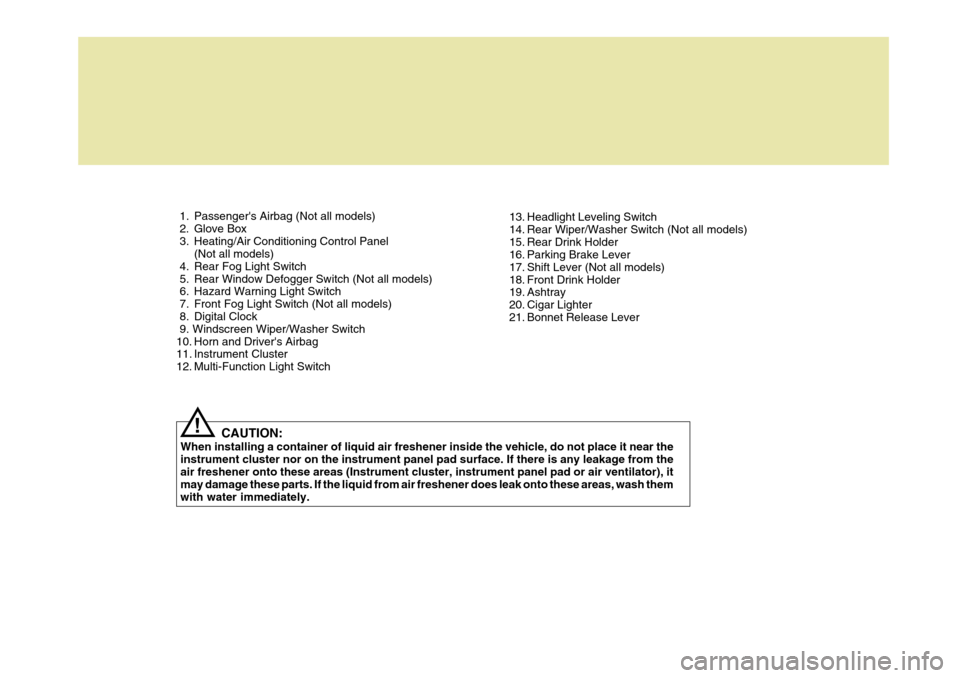
1. Passenger's Airbag (Not all models)
2. Glove Box
3. Heating/Air Conditioning Control Panel
(Not all models)
4. Rear Fog Light Switch
5. Rear Window Defogger Switch (Not all models)
6. Hazard Warning Light Switch
7. Front Fog Light Switch (Not all models)
8. Digital Clock 9. Windscreen Wiper/Washer Switch
10. Horn and Driver's Airbag
11. Instrument Cluster
12. Multi-Function Light Switch 13. Headlight Leveling Switch
14. Rear Wiper/Washer Switch (Not all models)
15. Rear Drink Holder
16. Parking Brake Lever
17. Shift Lever (Not all models)
18. Front Drink Holder
19. Ashtray
20. Cigar Lighter
21. Bonnet Release Lever
Page 407 of 599

YOUR VEHICLE AT A GLANCE
B255A01A-EAT INDICATOR SYMBOLS ON THE INSTRUMENT PANEL * More detailed explanations of these items will be found begining on page 1-40.Turn Signal Indicator Lights
SRS (Airbag) Service Reminder Indicator O/D OFF Indicator Light (Automatic transaxle only) High Beam Indicator Light
Low Oil Pressure Warning Light
ABS Service Reminder Indicator (Not all models)
Door Ajar Warning Light
Parking Brake/Low Brake Fluid Level Warning Light Charging System Warning Light
Fuel Filter Warning Light (Diesel only)
Low Fuel Level Warning Light Diesel Pre-heat Indicator Light (Diesel only)
Malfunction Indicator Light
Immobilizer Indicator
Page 408 of 599
Fuel Recommendations ................................................ 1-2
Running In Your New Hyundai ..................................... 1-4
Immobilizer System ...................................................... 1-5
Door .............................................................................. 1-6Power Windows........................................................... 1-11
Seat ............................... .............................................. 1-12
Seat Belt ...................................................................... 1-18
Child Restraint System ................................................ 1-22
Supplemental Restraint (AIRBAG) System .................1-31
Instrument Cluster and Indicator Lights .......................1-38
Warning and Indicator Lights....................................... 1-42
Trip Computer .............................................................. 1-48
Multi-Function Switch .................................................. 1-51
Windscreen Wiper/Washer Switch ..............................1-52
Sunroof ........................................................................ 1-59
Mirror ........................................................................... 1-64
Bonnet Release ........................................................... 1-67
Heating and Cooling Control .......... ..............................1-72
Stereo Sound System ................................................. 1-81
Antenna ....................................................................... 1-83
CONTROLS AND EQUIPMENT
1
1
Page 415 of 599
1CONTROLS AND EQUIPMENT
8ANTI-THEFT ALARM SYSTEM
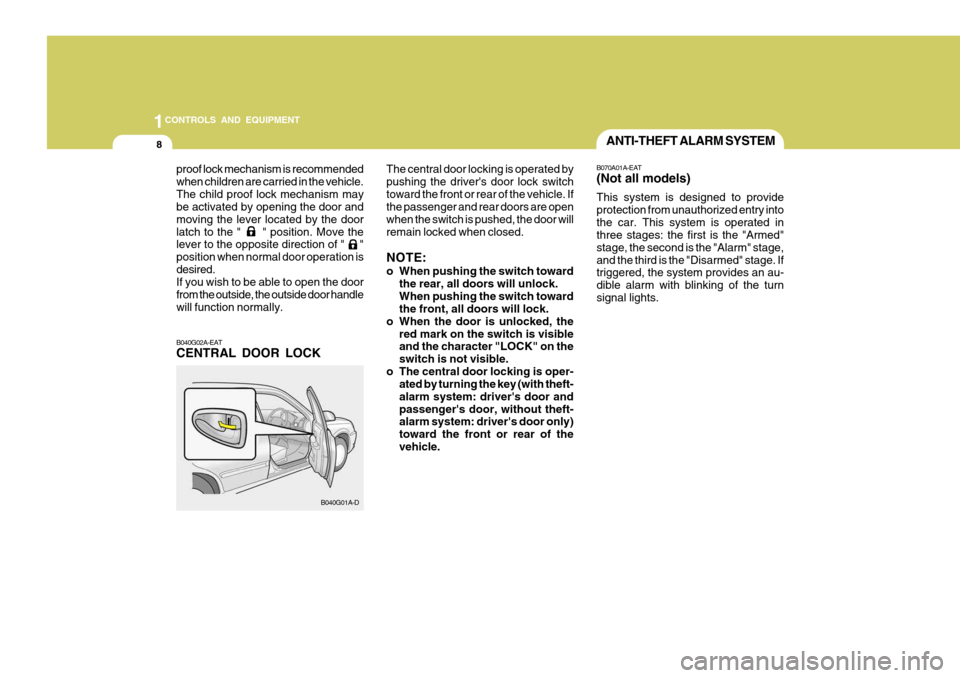
B040G02A-EAT CENTRAL DOOR LOCK
proof lock mechanism is recommended when children are carried in the vehicle.The child proof lock mechanism may be activated by opening the door and moving the lever located by the doorlatch to the " " position. Move the lever to the opposite direction of " " position when normal door operation isdesired. If you wish to be able to open the door from the outside, the outside door handlewill function normally. B040G01A-DThe central door locking is operated bypushing the driver's door lock switchtoward the front or rear of the vehicle. If the passenger and rear doors are open when the switch is pushed, the door willremain locked when closed. NOTE:
o When pushing the switch toward
the rear, all doors will unlock. When pushing the switch toward the front, all doors will lock.
o When the door is unlocked, the red mark on the switch is visibleand the character "LOCK" on the switch is not visible.
o The central door locking is oper- ated by turning the key (with theft-alarm system: driver's door andpassenger's door, without theft- alarm system: driver's door only) toward the front or rear of thevehicle. B070A01A-EAT (Not all models) This system is designed to provide protection from unauthorized entry intothe car. This system is operated in three stages: the first is the "Armed" stage, the second is the "Alarm" stage,and the third is the "Disarmed" stage. If triggered, the system provides an au- dible alarm with blinking of the turnsignal lights.
Page 416 of 599
9
1
CONTROLS AND EQUIPMENT
CAUTION:
Do not arm the system until all pas- sengers have left the car. If the sys- tem is armed while a passenger(s) remains in the car, the alarm may beactivated when the remaining passenger(s) leaves the car.! B070C04A-EAT Alarm Stage The alarm will be activated if any of the following occurs while the car is parkedand the system is armed.
1) A door or hatchback door (3/5 Door)
is opened without using the trans- mitter.
2) The boot lid (4 Door) is opened with- out using the key.
3) The engine bonnet is opened. The alarming horn will sound and the turn signal light will blink continuously for 27 seconds. To turn off the system,unlock the door or hatchback door with the transmitter.
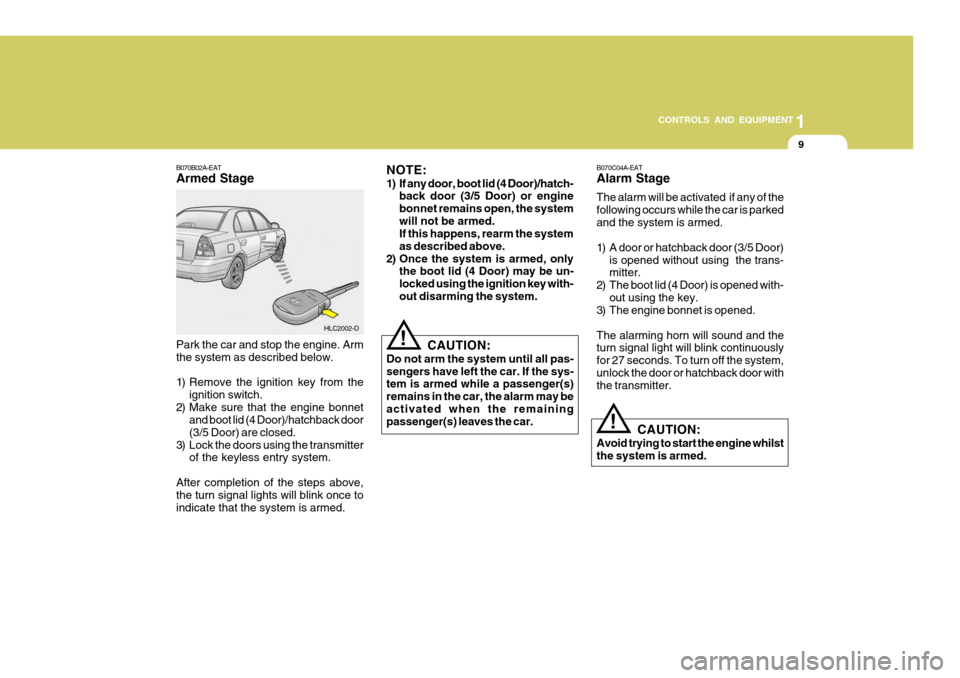
Park the car and stop the engine. Arm the system as described below.
1) Remove the ignition key from the
ignition switch.
2) Make sure that the engine bonnet and boot lid (4 Door)/hatchback door (3/5 Door) are closed.
3) Lock the doors using the transmitter of the keyless entry system.
After completion of the steps above, the turn signal lights will blink once to indicate that the system is armed. HLC2002-D
B070B02A-EAT Armed Stage
NOTE:
1) If any door, boot lid (4 Door)/hatch-
back door (3/5 Door) or engine bonnet remains open, the systemwill not be armed. If this happens, rearm the system as described above.
2) Once the system is armed, only the boot lid (4 Door) may be un-locked using the ignition key with-out disarming the system.
CAUTION:
Avoid trying to start the engine whilst the system is armed.
!
Page 417 of 599
1CONTROLS AND EQUIPMENT
10
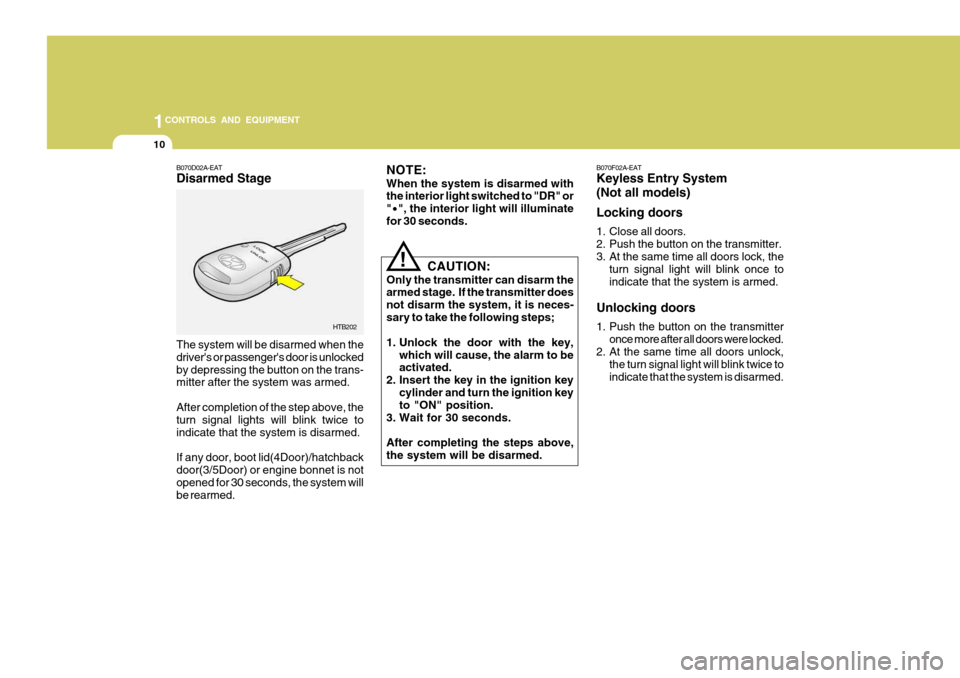
B070D02A-EAT Disarmed Stage The system will be disarmed when the driver's or passenger's door is unlockedby depressing the button on the trans- mitter after the system was armed. After completion of the step above, the turn signal lights will blink twice to indicate that the system is disarmed. If any door, boot lid(4Door)/hatchback door(3/5Door) or engine bonnet is notopened for 30 seconds, the system will be rearmed. HTB202
CAUTION:
Only the transmitter can disarm thearmed stage. If the transmitter does not disarm the system, it is neces-sary to take the following steps;
1. Unlock the door with the key, which will cause, the alarm to be activated.
2. Insert the key in the ignition key
cylinder and turn the ignition keyto "ON" position.
3. Wait for 30 seconds. After completing the steps above, the system will be disarmed.
!
NOTE: When the system is disarmed with the interior light switched to "DR" or "
· ", the interior light will illuminate
for 30 seconds. B070F02A-EAT Keyless Entry System (Not all models) Locking doors
1. Close all doors.
2. Push the button on the transmitter.
3. At the same time all doors lock, the
turn signal light will blink once toindicate that the system is armed.
Unlocking doors
1. Push the button on the transmitter once more after all doors were locked.
2. At the same time all doors unlock,
the turn signal light will blink twice to indicate that the system is disarmed.
Page 418 of 599
11
1
CONTROLS AND EQUIPMENT
POWER WINDOWS
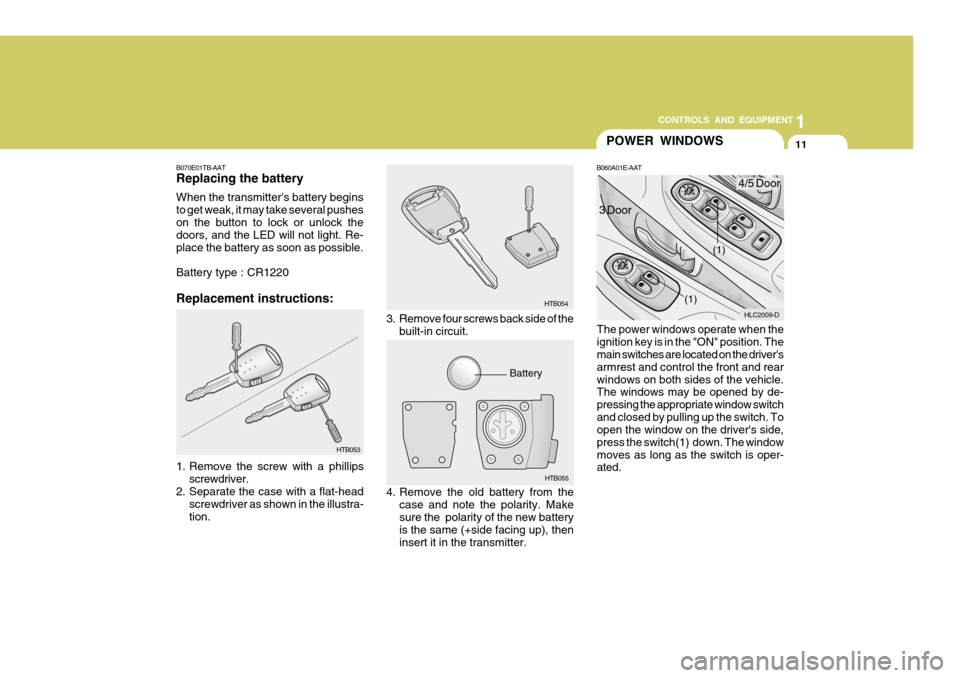
B060A01E-AAT
The power windows operate when the ignition key is in the "ON" position. The main switches are located on the driver's armrest and control the front and rearwindows on both sides of the vehicle. The windows may be opened by de- pressing the appropriate window switchand closed by pulling up the switch. To open the window on the driver's side, press the switch(1) down. The windowmoves as long as the switch is oper- ated.
3. Remove four screws back side of the
built-in circuit. HTB054
HTB055
Battery HLC2009-D
(1)
(1)4/5 Door
3 Door
4. Remove the old battery from the case and note the polarity. Make sure the polarity of the new battery is the same (+side facing up), then insert it in the transmitter.
B070E01TB-AAT Replacing the battery When the transmitter's battery begins to get weak, it may take several pusheson the button to lock or unlock the doors, and the LED will not light. Re- place the battery as soon as possible. Battery type : CR1220 Replacement instructions:
1. Remove the screw with a phillips
screwdriver.
2. Separate the case with a flat-head
screwdriver as shown in the illustra- tion. HTB053
Page 420 of 599
13
1
CONTROLS AND EQUIPMENT
!
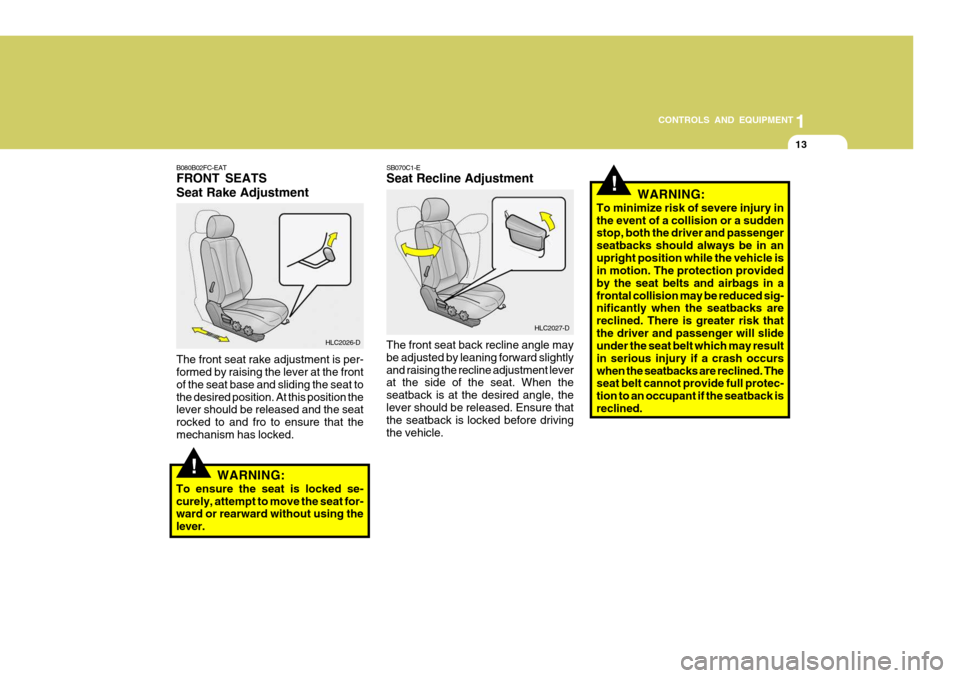
B080B02FC-EAT FRONT SEATS Seat Rake Adjustment
HLC2026-D
The front seat rake adjustment is per- formed by raising the lever at the front of the seat base and sliding the seat tothe desired position. At this position the lever should be released and the seat rocked to and fro to ensure that themechanism has locked. SB070C1-E Seat Recline Adjustment The front seat back recline angle may be adjusted by leaning forward slightlyand raising the recline adjustment lever at the side of the seat. When the seatback is at the desired angle, thelever should be released. Ensure that the seatback is locked before driving the vehicle.
HLC2027-D
WARNING:
To ensure the seat is locked se-curely, attempt to move the seat for- ward or rearward without using the lever.
!WARNING:
To minimize risk of severe injury in the event of a collision or a sudden stop, both the driver and passenger seatbacks should always be in anupright position while the vehicle is in motion. The protection provided by the seat belts and airbags in afrontal collision may be reduced sig- nificantly when the seatbacks are reclined. There is greater risk thatthe driver and passenger will slide under the seat belt which may result in serious injury if a crash occurswhen the seatbacks are reclined. The seat belt cannot provide full protec- tion to an occupant if the seatback isreclined.