light Hyundai Azera 2006 Owner's Guide
[x] Cancel search | Manufacturer: HYUNDAI, Model Year: 2006, Model line: Azera, Model: Hyundai Azera 2006Pages: 307, PDF Size: 12.62 MB
Page 87 of 307

1
FEATURES OF YOUR HYUNDAI
73
B260Q01NF-GAT
CRUISE Indicator Light
The cruise indicator light in the instrument
cluster is illuminated when the cruise con-
trol ON/OFF button on the steering wheel
is pushed.
The indicator light turns off when the cruise
control ON/OFF button is pushed again.
Information about the use of cruise control
begins on page 1-118.B260R01NF-GAT
Cruise SET Indicator Light
The Cruise SET indicator light in the instru-
ment cluster is illuminated when the cruise
control "COAST/SET" or "RES/ACCEL"
switch is pushed. The Cruise SET indica-
tor light does not illuminate when the cruise
control "CANCEL" switch is pushed or the
system is disengaged. To disengage the
cruise control system, refer to "To cancel
the cruise speed" on page 1-119.
B260U01TB-AAT
Immobilizer Warning Light
This indicator light comes on for a few
seconds after the ignition key is turned to
the "ON" position. At this time, you can start
the engine. The light goes out after the
engine is running. In case this light goes
out before you start the engine, you must
turn to the "LOCK" position and restart the
engine. In case this light blinks for five
seconds when the ignition key is turned to
the "ON" position, this indicates that the
immobilizer system is out of order. At this
time, refer to the explanation of the "Limp
Home" mode and related procedures (See
page 1-6) or consult your Hyundai dealer.
B265C01NF-AAT
Electronic Stability Control
(ESC) Indicator Lights
(If Installed)
The electronic stability control indicators
change operation according to the ignition
switch position and whether the system is
in operation.
They will illuminate when the ignition key
is turned to the "ON" position, but should go
out after three seconds. If the ESC or ESC-
OFF indicator stays on, take your car to
your authorized Hyundai dealer and have
the system checked. See section 2 for
more information about the ESC.
Page 95 of 307
1
FEATURES OF YOUR HYUNDAI
81
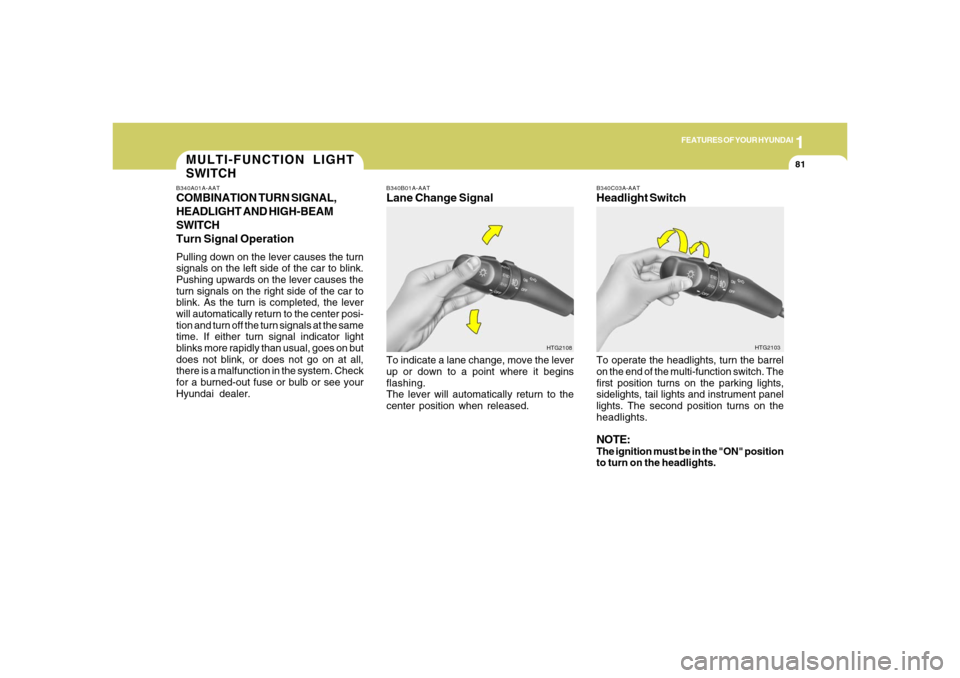
B340B01A-AATLane Change SignalTo indicate a lane change, move the lever
up or down to a point where it begins
flashing.
The lever will automatically return to the
center position when released.
B340C03A-AATHeadlight SwitchTo operate the headlights, turn the barrel
on the end of the multi-function switch. The
first position turns on the parking lights,
sidelights, tail lights and instrument panel
lights. The second position turns on the
headlights.NOTE:The ignition must be in the "ON" position
to turn on the headlights.
HTG2108HTG2103
MULTI-FUNCTION LIGHT
SWITCHB340A01A-AATCOMBINATION TURN SIGNAL,
HEADLIGHT AND HIGH-BEAM
SWITCH
Turn Signal OperationPulling down on the lever causes the turn
signals on the left side of the car to blink.
Pushing upwards on the lever causes the
turn signals on the right side of the car to
blink. As the turn is completed, the lever
will automatically return to the center posi-
tion and turn off the turn signals at the same
time. If either turn signal indicator light
blinks more rapidly than usual, goes on but
does not blink, or does not go on at all,
there is a malfunction in the system. Check
for a burned-out fuse or bulb or see your
Hyundai dealer.
Page 96 of 307
1FEATURES OF YOUR HYUNDAI82
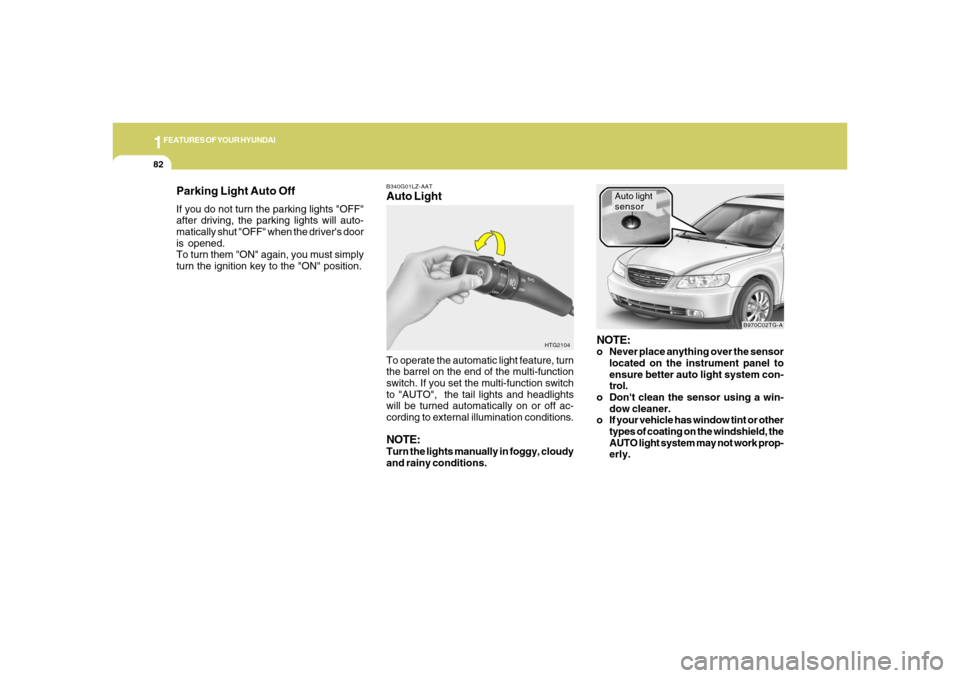
B340G01LZ-AATAuto Light
HTG2104
To operate the automatic light feature, turn
the barrel on the end of the multi-function
switch. If you set the multi-function switch
to "AUTO", the tail lights and headlights
will be turned automatically on or off ac-
cording to external illumination conditions.NOTE:Turn the lights manually in foggy, cloudy
and rainy conditions.
NOTE:o Never place anything over the sensor
located on the instrument panel to
ensure better auto light system con-
trol.
o Don't clean the sensor using a win-
dow cleaner.
o If your vehicle has window tint or other
types of coating on the windshield, the
AUTO light system may not work prop-
erly.
Auto light
sensor
B970C02TG-A
Parking Light Auto OffIf you do not turn the parking lights "OFF"
after driving, the parking lights will auto-
matically shut "OFF" when the driver's door
is opened.
To turn them "ON" again, you must simply
turn the ignition key to the "ON" position.
Page 97 of 307
1
FEATURES OF YOUR HYUNDAI
83
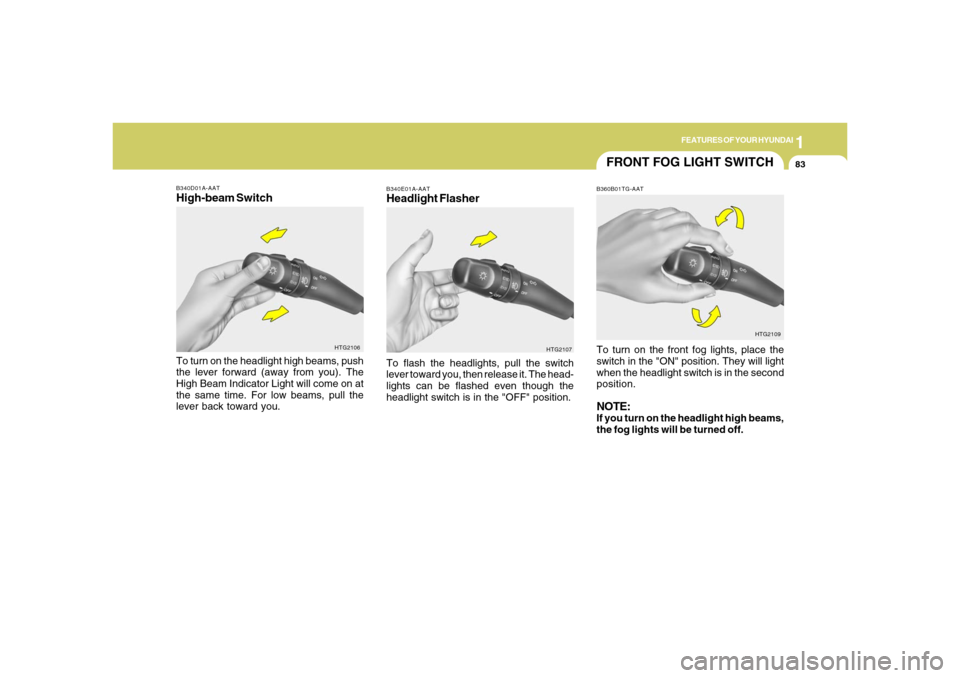
B340D01A-AATHigh-beam SwitchTo turn on the headlight high beams, push
the lever forward (away from you). The
High Beam Indicator Light will come on at
the same time. For low beams, pull the
lever back toward you.
HTG2106
FRONT FOG LIGHT SWITCHB360B01TG-AATTo turn on the front fog lights, place the
switch in the "ON" position. They will light
when the headlight switch is in the second
position.NOTE:If you turn on the headlight high beams,
the fog lights will be turned off.
HTG2109
B340E01A-AATHeadlight FlasherTo flash the headlights, pull the switch
lever toward you, then release it. The head-
lights can be flashed even though the
headlight switch is in the "OFF" position.
HTG2107
Page 98 of 307
1FEATURES OF YOUR HYUNDAI84
!
WARNING:
When the ignition switch is on and the
windshield wiper switch is placed in the
"AUTO" mode, please use caution in the
following cases to avoid any hand injury:
As the wiper system may automatically
activate, the fingers or hand might be
caught in the wiper.
o Do not touch the upper end of the
windshield glass facing the rain sen-
sor.
o Do not wipe the upper end of the wind-
shield glass with a cloth.
o Do not put pressure on the windshield
glass.
B350A03TG-A
Rain Sensor
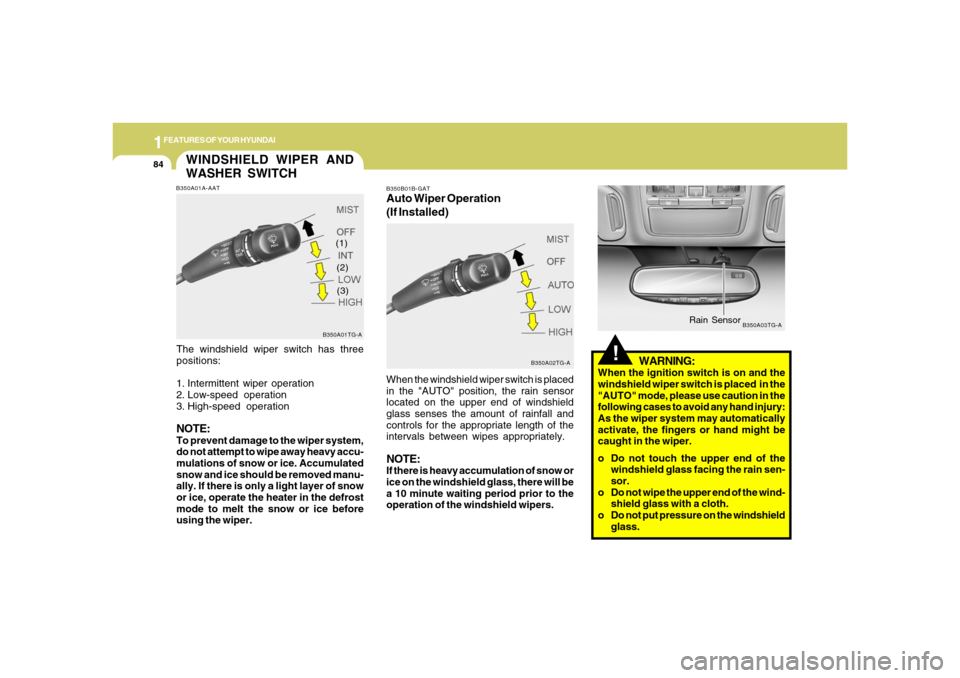
B350B01B-GATAuto Wiper Operation
(If Installed)When the windshield wiper switch is placed
in the "AUTO" position, the rain sensor
located on the upper end of windshield
glass senses the amount of rainfall and
controls for the appropriate length of the
intervals between wipes appropriately.NOTE:If there is heavy accumulation of snow or
ice on the windshield glass, there will be
a 10 minute waiting period prior to the
operation of the windshield wipers.
B350A02TG-A
WINDSHIELD WIPER AND
WASHER SWITCHB350A01A-AATThe windshield wiper switch has three
positions:
1. Intermittent wiper operation
2. Low-speed operation
3. High-speed operationNOTE:To prevent damage to the wiper system,
do not attempt to wipe away heavy accu-
mulations of snow or ice. Accumulated
snow and ice should be removed manu-
ally. If there is only a light layer of snow
or ice, operate the heater in the defrost
mode to melt the snow or ice before
using the wiper.
B350A01TG-A
(1)
(2)
(3)
Page 100 of 307
1FEATURES OF YOUR HYUNDAI86
FRONT/REAR WINDOW
DEFROSTER SWITCH
B380A01TG-A B380A02HP-AAT
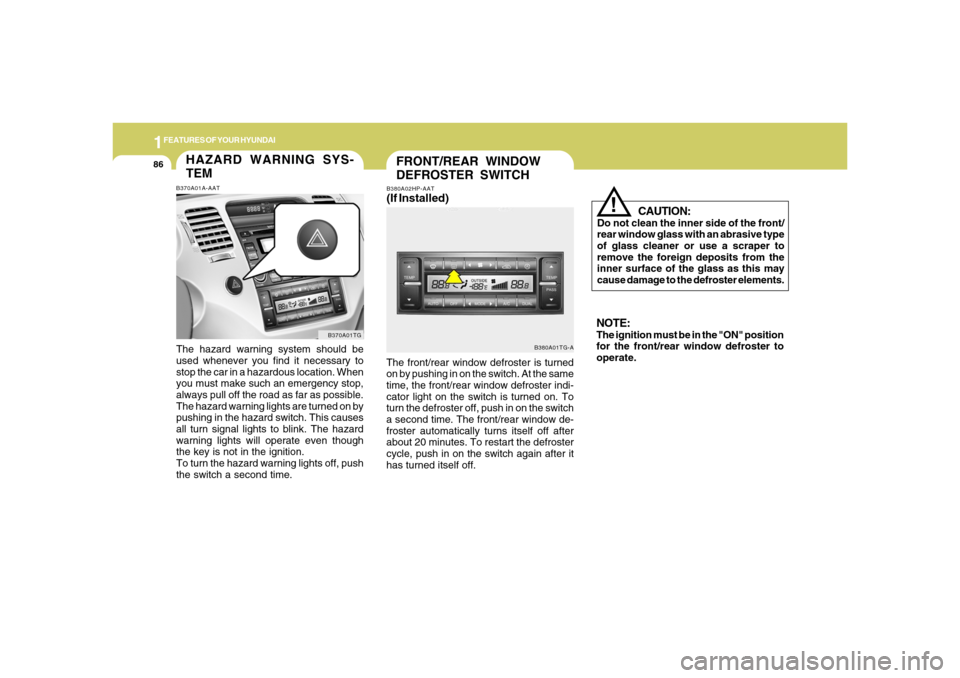
(If Installed)The front/rear window defroster is turned
on by pushing in on the switch. At the same
time, the front/rear window defroster indi-
cator light on the switch is turned on. To
turn the defroster off, push in on the switch
a second time. The front/rear window de-
froster automatically turns itself off after
about 20 minutes. To restart the defroster
cycle, push in on the switch again after it
has turned itself off.
CAUTION:
Do not clean the inner side of the front/
rear window glass with an abrasive type
of glass cleaner or use a scraper to
remove the foreign deposits from the
inner surface of the glass as this may
cause damage to the defroster elements.
!
NOTE:The ignition must be in the "ON" position
for the front/rear window defroster to
operate.
HAZARD WARNING SYS-
TEMB370A01A-AATThe hazard warning system should be
used whenever you find it necessary to
stop the car in a hazardous location. When
you must make such an emergency stop,
always pull off the road as far as possible.
The hazard warning lights are turned on by
pushing in the hazard switch. This causes
all turn signal lights to blink. The hazard
warning lights will operate even though
the key is not in the ignition.
To turn the hazard warning lights off, push
the switch a second time.
B370A01TG
Page 101 of 307
1
FEATURES OF YOUR HYUNDAI
87
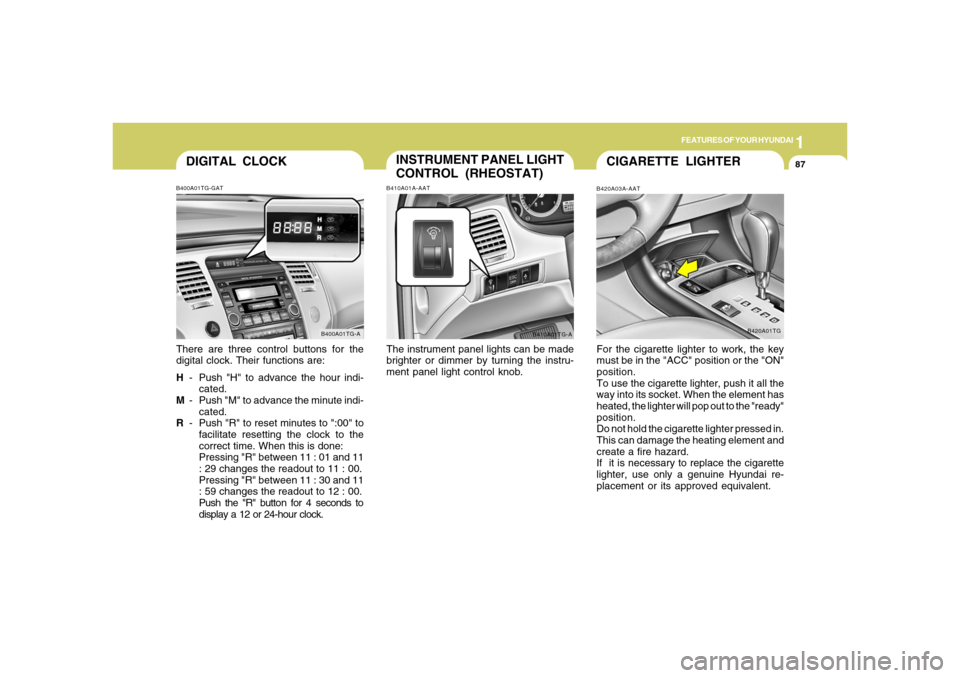
DIGITAL CLOCKB400A01TG-GATThere are three control buttons for the
digital clock. Their functions are:
H- Push "H" to advance the hour indi-
cated.
M- Push "M" to advance the minute indi-
cated.
R- Push "R" to reset minutes to ":00" to
facilitate resetting the clock to the
correct time. When this is done:
Pressing "R" between 11 : 01 and 11
: 29 changes the readout to 11 : 00.
Pressing "R" between 11 : 30 and 11
: 59 changes the readout to 12 : 00.
Push the "R" button for 4 seconds to
display a 12 or 24-hour clock.
B400A01TG-A
INSTRUMENT PANEL LIGHT
CONTROL (RHEOSTAT)B410A01A-AATThe instrument panel lights can be made
brighter or dimmer by turning the instru-
ment panel light control knob.
B410A01TG-A
CIGARETTE LIGHTERB420A03A-AATFor the cigarette lighter to work, the key
must be in the "ACC" position or the "ON"
position.
To use the cigarette lighter, push it all the
way into its socket. When the element has
heated, the lighter will pop out to the "ready"
position.
Do not hold the cigarette lighter pressed in.
This can damage the heating element and
create a fire hazard.
If it is necessary to replace the cigarette
lighter, use only a genuine Hyundai re-
placement or its approved equivalent.
B420A01TG
Page 102 of 307
1FEATURES OF YOUR HYUNDAI88
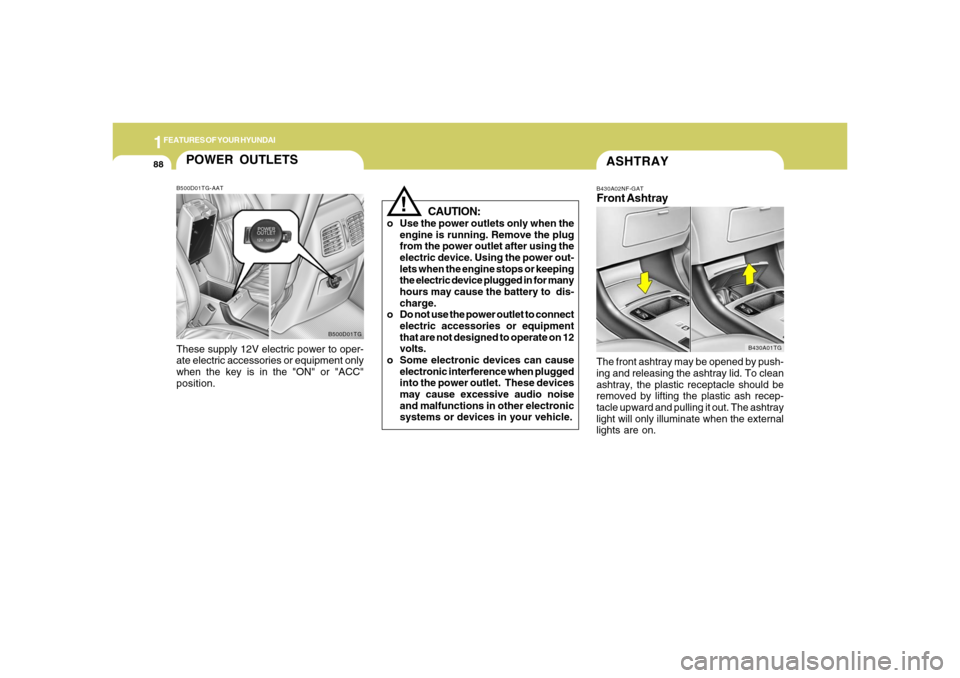
ASHTRAYB430A02NF-GATFront AshtrayThe front ashtray may be opened by push-
ing and releasing the ashtray lid. To clean
ashtray, the plastic receptacle should be
removed by lifting the plastic ash recep-
tacle upward and pulling it out. The ashtray
light will only illuminate when the external
lights are on.
B430A01TG
!
CAUTION:
o Use the power outlets only when the
engine is running. Remove the plug
from the power outlet after using the
electric device. Using the power out-
lets when the engine stops or keeping
the electric device plugged in for many
hours may cause the battery to dis-
charge.
o Do not use the power outlet to connect
electric accessories or equipment
that are not designed to operate on 12
volts.
o Some electronic devices can cause
electronic interference when plugged
into the power outlet. These devices
may cause excessive audio noise
and malfunctions in other electronic
systems or devices in your vehicle.
POWER OUTLETSB500D01TG-AATThese supply 12V electric power to oper-
ate electric accessories or equipment only
when the key is in the "ON" or "ACC"
position.
B500D01TG
Page 105 of 307
1
FEATURES OF YOUR HYUNDAI
91
!SUNROOFB460A02Y-AAT(If Installed)
Sun Shade
B460A01TG
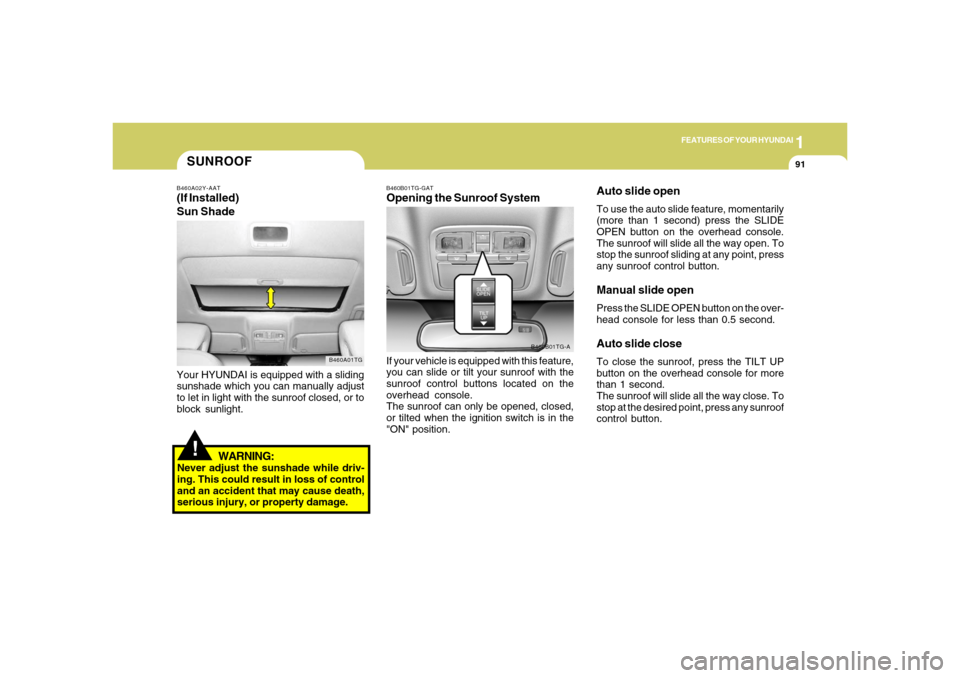
Your HYUNDAI is equipped with a sliding
sunshade which you can manually adjust
to let in light with the sunroof closed, or to
block sunlight.
WARNING:
Never adjust the sunshade while driv-
ing. This could result in loss of control
and an accident that may cause death,
serious injury, or property damage.
B460B01TG-GATOpening the Sunroof SystemIf your vehicle is equipped with this feature,
you can slide or tilt your sunroof with the
sunroof control buttons located on the
overhead console.
The sunroof can only be opened, closed,
or tilted when the ignition switch is in the
"ON" position.
B460B01TG-A
Auto slide openTo use the auto slide feature, momentarily
(more than 1 second) press the SLIDE
OPEN button on the overhead console.
The sunroof will slide all the way open. To
stop the sunroof sliding at any point, press
any sunroof control button.Manual slide openPress the SLIDE OPEN button on the over-
head console for less than 0.5 second.Auto slide closeTo close the sunroof, press the TILT UP
button on the overhead console for more
than 1 second.
The sunroof will slide all the way close. To
stop at the desired point, press any sunroof
control button.
Page 108 of 307
1FEATURES OF YOUR HYUNDAI94
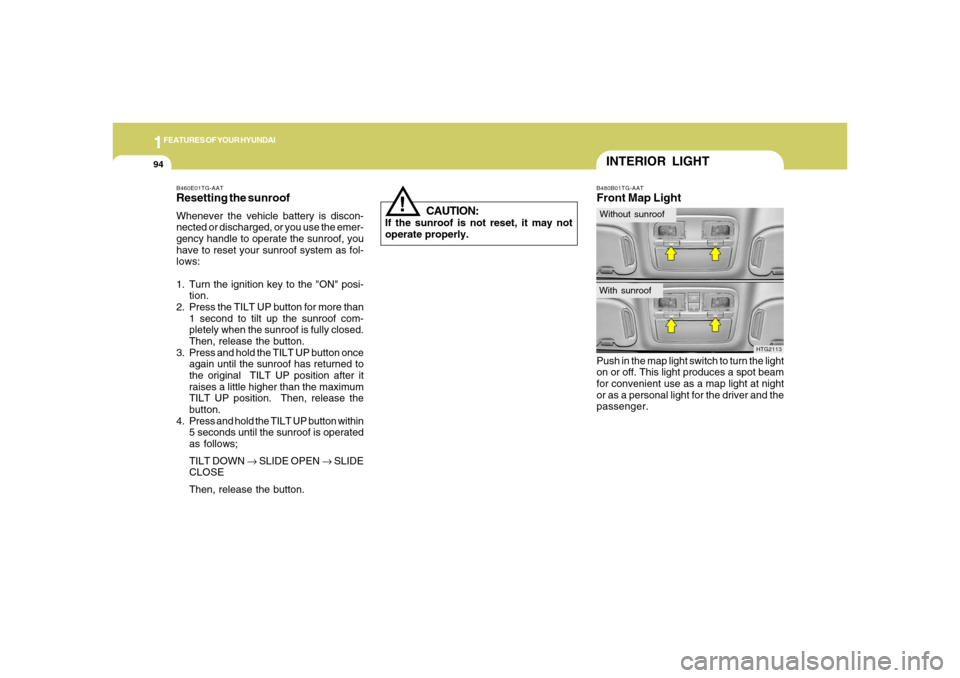
B480B01TG-AATFront Map LightPush in the map light switch to turn the light
on or off. This light produces a spot beam
for convenient use as a map light at night
or as a personal light for the driver and the
passenger.
HTG2113
INTERIOR LIGHTWithout sunroofWith sunroof
!
B460E01TG-AATResetting the sunroofWhenever the vehicle battery is discon-
nected or discharged, or you use the emer-
gency handle to operate the sunroof, you
have to reset your sunroof system as fol-
lows:
1. Turn the ignition key to the "ON" posi-
tion.
2. Press the TILT UP button for more than
1 second to tilt up the sunroof com-
pletely when the sunroof is fully closed.
Then, release the button.
3. Press and hold the TILT UP button once
again until the sunroof has returned to
the original TILT UP position after it
raises a little higher than the maximum
TILT UP position. Then, release the
button.
4. Press and hold the TILT UP button within
5 seconds until the sunroof is operated
as follows;
TILT DOWN → SLIDE OPEN → SLIDE
CLOSE
Then, release the button.
CAUTION:
If the sunroof is not reset, it may not
operate properly.