light Hyundai Azera 2006 Workshop Manual
[x] Cancel search | Manufacturer: HYUNDAI, Model Year: 2006, Model line: Azera, Model: Hyundai Azera 2006Pages: 307, PDF Size: 12.62 MB
Page 125 of 307
1
FEATURES OF YOUR HYUNDAI
111
!
WARNING:
o The fuel cap must be tightened until
the cap clicks, otherwise " " light
will illuminate.
o Gasoline vapors are dangerous. Be-
fore refueling, always stop the engine
and never allow sparks or open flames
near the filler area. If you need to
replace the filler cap, use a genuine
Hyundai replacement part.
HTG2023
REMOTE FUEL-FILLER LID
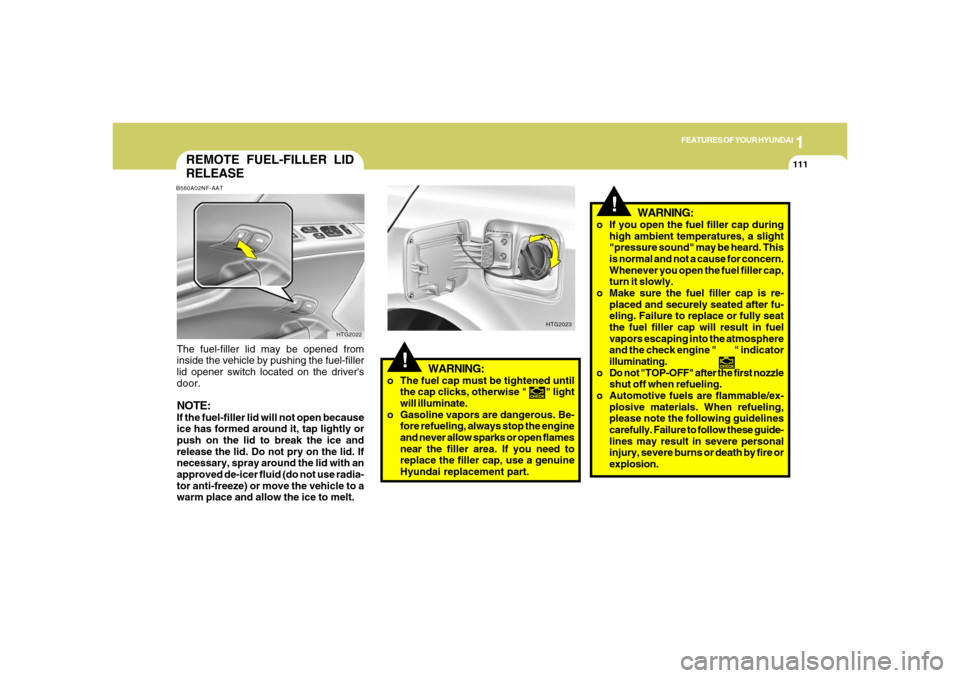
RELEASEB560A02NF-AATThe fuel-filler lid may be opened from
inside the vehicle by pushing the fuel-filler
lid opener switch located on the driver's
door.NOTE:If the fuel-filler lid will not open because
ice has formed around it, tap lightly or
push on the lid to break the ice and
release the lid. Do not pry on the lid. If
necessary, spray around the lid with an
approved de-icer fluid (do not use radia-
tor anti-freeze) or move the vehicle to a
warm place and allow the ice to melt.
HTG2022
WARNING:
o If you open the fuel filler cap during
high ambient temperatures, a slight
"pressure sound" may be heard. This
is normal and not a cause for concern.
Whenever you open the fuel filler cap,
turn it slowly.
o Make sure the fuel filler cap is re-
placed and securely seated after fu-
eling. Failure to replace or fully seat
the fuel filler cap will result in fuel
vapors escaping into the atmosphere
and the check engine " " indicator
illuminating.
o Do not "TOP-OFF" after the first nozzle
shut off when refueling.
o Automotive fuels are flammable/ex-
plosive materials. When refueling,
please note the following guidelines
carefully. Failure to follow these guide-
lines may result in severe personal
injury, severe burns or death by fire or
explosion.
!
Page 126 of 307
1FEATURES OF YOUR HYUNDAI
112
!
WARNING:
- When refueling always shut the en-
gine off. Sparks produced by elec-
trical components related to the
engine can ignite fuel vapors caus-
ing a fire. Always insure that the
engine is OFF before and during
refueling. Once refueling is com-
plete, check to make sure the fuel
filler cap and door are securely
closed, before starting the engine.
- Do not light any fire around a gas
station. DO NOT use matches or a
lighter and DO NOT SMOKE or leave
a lit cigarette in your vehicle while at
a gas station especially during re-
fueling. Automotive fuel is highly
flammable and can, when ignited,
result in explosion by flames.
- If a fire breaks out during refueling,
leave the vicinity of the vehicle, and
immediately contact the manager
of the gas station or contact the
police and local fire department.
Follow any safety instructions they
provide.
!
WARNING:
!
WARNING:
- Before refueling always note the
location of the Emergency Gaso-
line Shut-Off, if available, at the gas
station facility.
- Before touching the fuel nozzle or
fuel filler cap, you should eliminate
potentially dangerous static elec-
tricity discharge by touching an-
other metal part of the front of the
vehicle, a safe distance away from
the fuel filler neck, nozzle, or other
gas source.
- Do not get back into a vehicle once
you have begun refueling. Do not
touch, rub or slide against any item
or fabric (polyester, satin, nylon,
etc.) capable of producing static
electricity. Static electricity dis-
charge can ignite fuel vapors re-
sulting in explosion.If you must re-enter the vehicle, you
should once again eliminate poten-
tially dangerous static electricity
discharge by touching a metal part
of the vehicle, away from the fuel
filler neck, nozzle or other gasoline
source.
- When using a portable fuel con-
tainer be sure to place the con-
tainer on the ground prior to refuel-
ing. Static electricity discharge from
the container can ignite fuel vapors
causing a fire. Once refueling has
begun, contact with the vehicle
should be maintained until the filling
is complete. Use only portable fuel
containers designed to carry and
store gasoline.
- Do not use cellular phones around
a gas station or while refueling any
vehicle. Electric current and/or elec-
tronic interference from cellular
phones can potentially ignite fuel
vapors causing a fire. If you must
use your cellular phone use it in a
place away from the gas station.
Page 129 of 307
1
FEATURES OF YOUR HYUNDAI
115
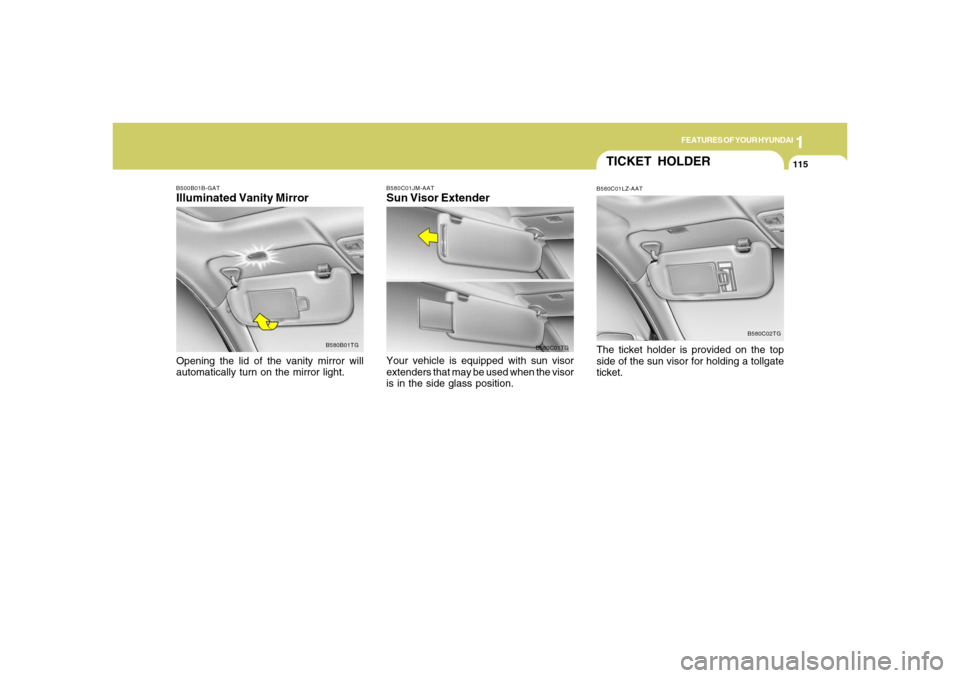
B500B01B-GATIlluminated Vanity MirrorOpening the lid of the vanity mirror will
automatically turn on the mirror light.
B580B01TGB580C01JM-AAT
Sun Visor ExtenderYour vehicle is equipped with sun visor
extenders that may be used when the visor
is in the side glass position.
B580C01TG
TICKET HOLDERB580C01LZ-AATThe ticket holder is provided on the top
side of the sun visor for holding a tollgate
ticket.
B580C02TG
Page 130 of 307
1FEATURES OF YOUR HYUNDAI
116
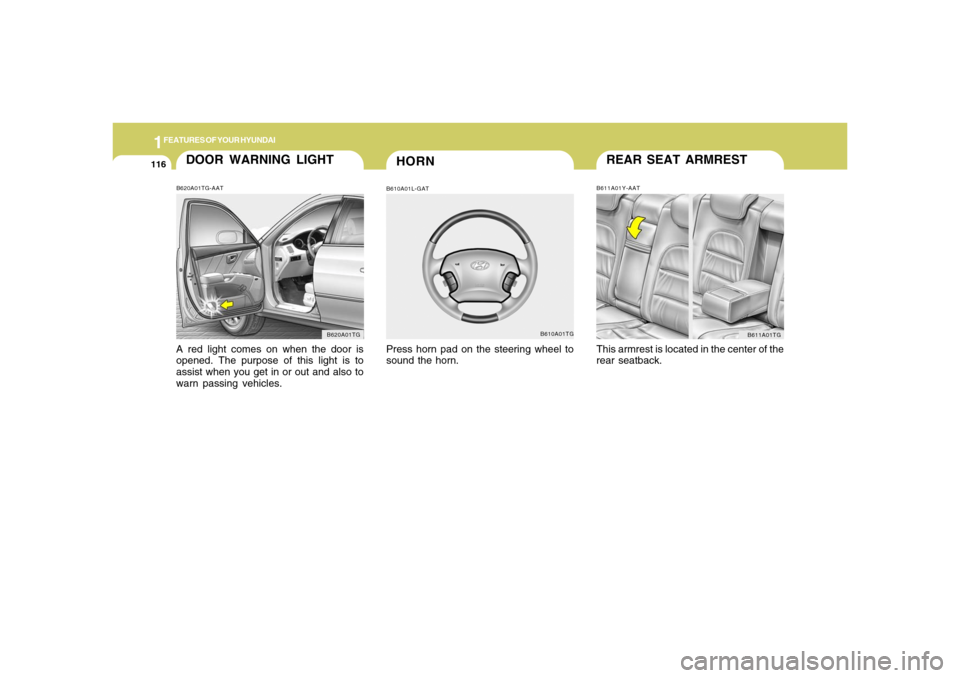
REAR SEAT ARMRESTB611A01Y-AATThis armrest is located in the center of the
rear seatback.
B611A01TG
HORN
DOOR WARNING LIGHTB620A01TG-AATA red light comes on when the door is
opened. The purpose of this light is to
assist when you get in or out and also to
warn passing vehicles.
B620A01TG
B610A01L-GATPress horn pad on the steering wheel to
sound the horn.
B610A01TG
Page 132 of 307
1FEATURES OF YOUR HYUNDAI
118
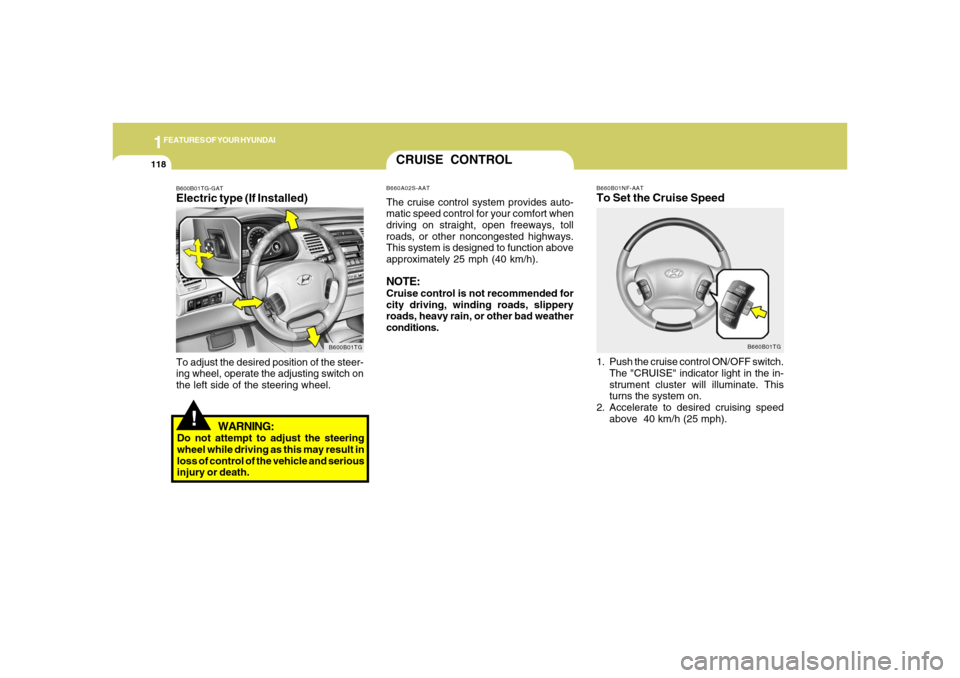
B660B01NF-AATTo Set the Cruise Speed1. Push the cruise control ON/OFF switch.
The "CRUISE" indicator light in the in-
strument cluster will illuminate. This
turns the system on.
2. Accelerate to desired cruising speed
above 40 km/h (25 mph).
B660B01TG
CRUISE CONTROLB660A02S-AATThe cruise control system provides auto-
matic speed control for your comfort when
driving on straight, open freeways, toll
roads, or other noncongested highways.
This system is designed to function above
approximately 25 mph (40 km/h).NOTE:Cruise control is not recommended for
city driving, winding roads, slippery
roads, heavy rain, or other bad weather
conditions.
!
B600B01TG-GATElectric type (If Installed)
B600B01TG
To adjust the desired position of the steer-
ing wheel, operate the adjusting switch on
the left side of the steering wheel.
WARNING:
Do not attempt to adjust the steering
wheel while driving as this may result in
loss of control of the vehicle and serious
injury or death.
Page 133 of 307
1
FEATURES OF YOUR HYUNDAI
119
NOTE:If the vehicle speed decreases more
than 9 mph (15 km/h) below the set speed
or decreases below 25 mph (40 km/h),
the cruise control system will automati-
cally cancel the set speed.
B660B02TG
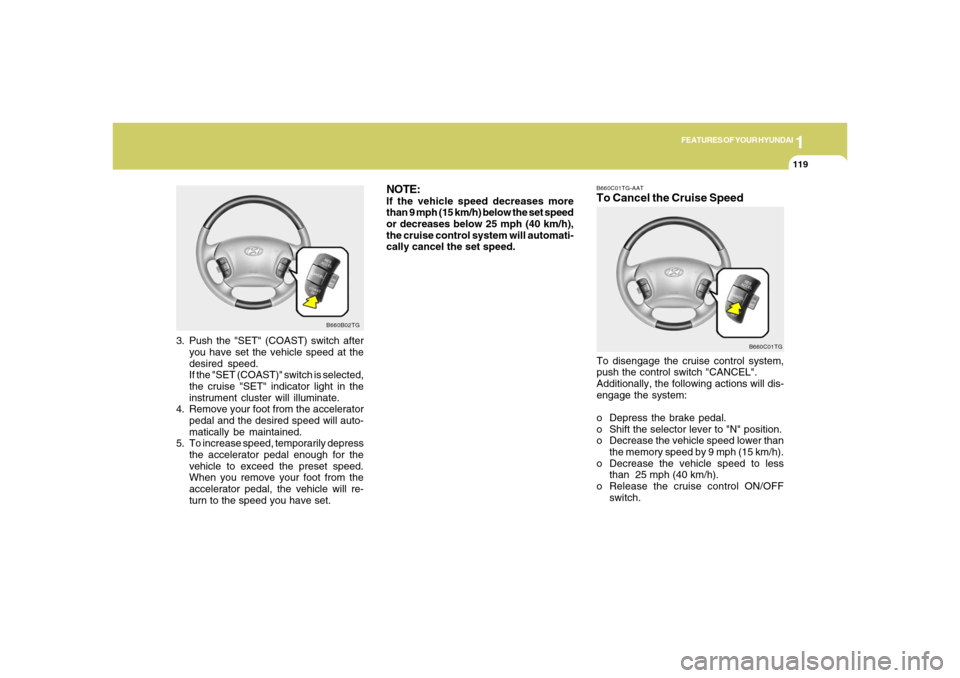
3. Push the "SET" (COAST) switch after
you have set the vehicle speed at the
desired speed.
If the "SET (COAST)" switch is selected,
the cruise "SET" indicator light in the
instrument cluster will illuminate.
4. Remove your foot from the accelerator
pedal and the desired speed will auto-
matically be maintained.
5. To increase speed, temporarily depress
the accelerator pedal enough for the
vehicle to exceed the preset speed.
When you remove your foot from the
accelerator pedal, the vehicle will re-
turn to the speed you have set.
B660C01TG-AATTo Cancel the Cruise SpeedTo disengage the cruise control system,
push the control switch "CANCEL".
Additionally, the following actions will dis-
engage the system:
o Depress the brake pedal.
o Shift the selector lever to "N" position.
o Decrease the vehicle speed lower than
the memory speed by 9 mph (15 km/h).
o Decrease the vehicle speed to less
than 25 mph (40 km/h).
o Release the cruise control ON/OFF
switch.
B660C01TG
Page 134 of 307
1FEATURES OF YOUR HYUNDAI
120
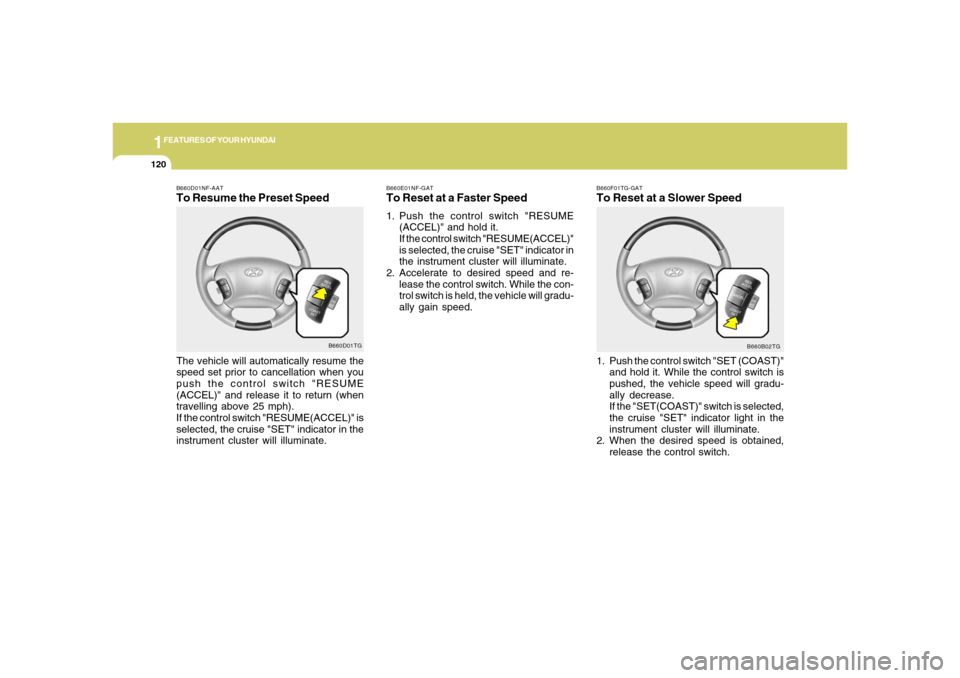
B660F01TG-GATTo Reset at a Slower Speed1. Push the control switch "SET (COAST)"
and hold it. While the control switch is
pushed, the vehicle speed will gradu-
ally decrease.
If the "SET(COAST)" switch is selected,
the cruise "SET" indicator light in the
instrument cluster will illuminate.
2. When the desired speed is obtained,
release the control switch.
B660B02TG B660E01NF-GAT
To Reset at a Faster Speed1. Push the control switch "RESUME
(ACCEL)" and hold it.
If the control switch "RESUME(ACCEL)"
is selected, the cruise "SET" indicator in
the instrument cluster will illuminate.
2. Accelerate to desired speed and re-
lease the control switch. While the con-
trol switch is held, the vehicle will gradu-
ally gain speed.
B660D01NF-AATTo Resume the Preset SpeedThe vehicle will automatically resume the
speed set prior to cancellation when you
push the control switch "RESUME
(ACCEL)" and release it to return (when
travelling above 25 mph).
If the control switch "RESUME(ACCEL)" is
selected, the cruise "SET" indicator in the
instrument cluster will illuminate.
B660D01TG
Page 139 of 307
1
FEATURES OF YOUR HYUNDAI
1251
FEATURES OF YOUR HYUNDAI
125
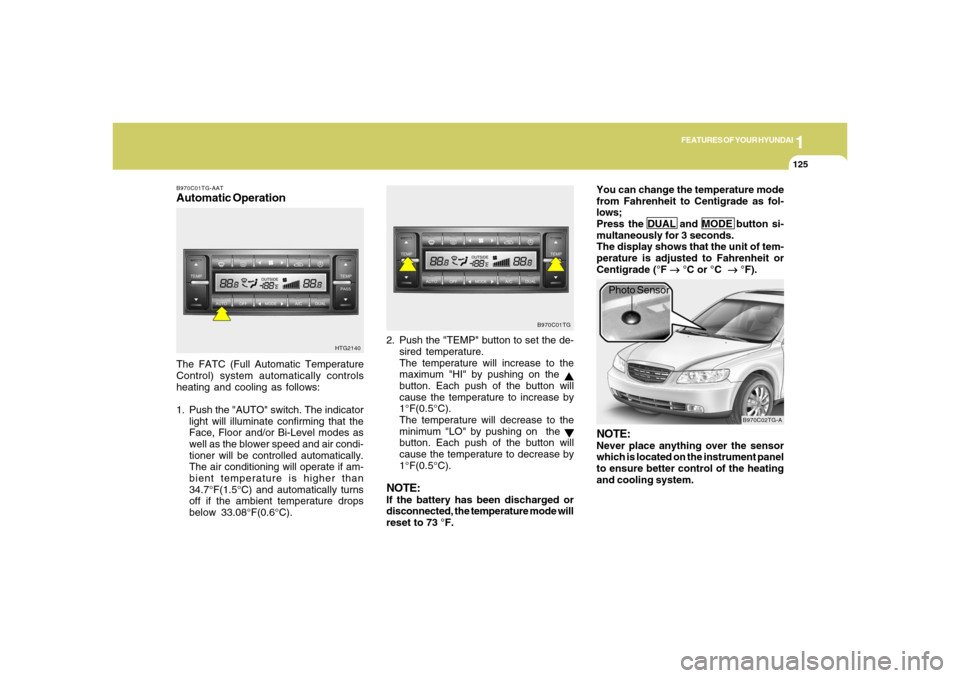
B970C01TG-AATAutomatic OperationThe FATC (Full Automatic Temperature
Control) system automatically controls
heating and cooling as follows:
1. Push the "AUTO" switch. The indicator
light will illuminate confirming that the
Face, Floor and/or Bi-Level modes as
well as the blower speed and air condi-
tioner will be controlled automatically.
The air conditioning will operate if am-
bient temperature is higher than
34.7°F(1.5°C) and automatically turns
off if the ambient temperature drops
below 33.08°F(0.6°C).2. Push the "TEMP" button to set the de-
sired temperature.
The temperature will increase to the
maximum "HI" by pushing on the
button. Each push of the button will
cause the temperature to increase by
1°F(0.5°C).
The temperature will decrease to the
minimum "LO" by pushing on the button. Each push of the button will
cause the temperature to decrease by
1°F(0.5°C).
NOTE:If the battery has been discharged or
disconnected, the temperature mode will
reset to 73 °F.You can change the temperature mode
from Fahrenheit to Centigrade as fol-
lows;
Press the DUAL and MODE button si-
multaneously for 3 seconds.
The display shows that the unit of tem-
perature is adjusted to Fahrenheit or
Centigrade (°F
→ →→ →
→ °C or °C
→ →→ →
→ °F).
HTG2140B970C01TG
B970C02TG-A
Photo Sensor
NOTE:Never place anything over the sensor
which is located on the instrument panel
to ensure better control of the heating
and cooling system.
Page 141 of 307
1
FEATURES OF YOUR HYUNDAI
1271
FEATURES OF YOUR HYUNDAI
127
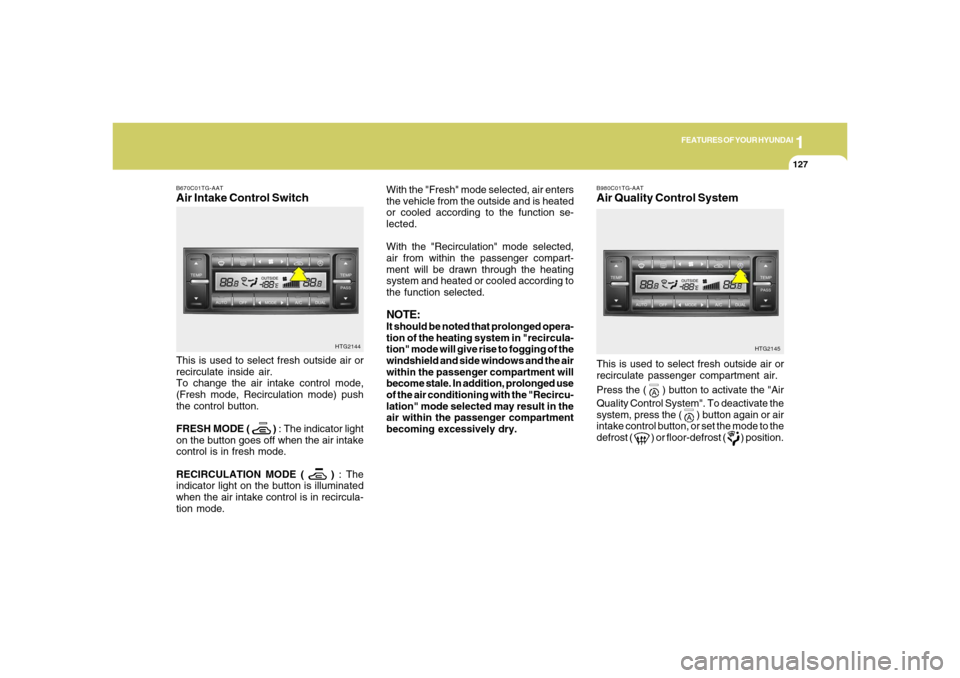
With the "Fresh" mode selected, air enters
the vehicle from the outside and is heated
or cooled according to the function se-
lected.
With the "Recirculation" mode selected,
air from within the passenger compart-
ment will be drawn through the heating
system and heated or cooled according to
the function selected.NOTE:It should be noted that prolonged opera-
tion of the heating system in "recircula-
tion" mode will give rise to fogging of the
windshield and side windows and the air
within the passenger compartment will
become stale. In addition, prolonged use
of the air conditioning with the "Recircu-
lation" mode selected may result in the
air within the passenger compartment
becoming excessively dry.
B670C01TG-AATAir Intake Control SwitchThis is used to select fresh outside air or
recirculate inside air.
To change the air intake control mode,
(Fresh mode, Recirculation mode) push
the control button.
FRESH MODE (
) : The indicator light
on the button goes off when the air intake
control is in fresh mode.
RECIRCULATION MODE (
) : The
indicator light on the button is illuminated
when the air intake control is in recircula-
tion mode.HTG2144
HTG2145
This is used to select fresh outside air or
recirculate passenger compartment air.
Press the (
) button to activate the "Air
Quality Control System". To deactivate the
system, press the (
) button again or air
intake control button, or set the mode to the
defrost (
) or floor-defrost (
) position.
B980C01TG-AATAir Quality Control System
Page 143 of 307
1
FEATURES OF YOUR HYUNDAI
1291
FEATURES OF YOUR HYUNDAI
129
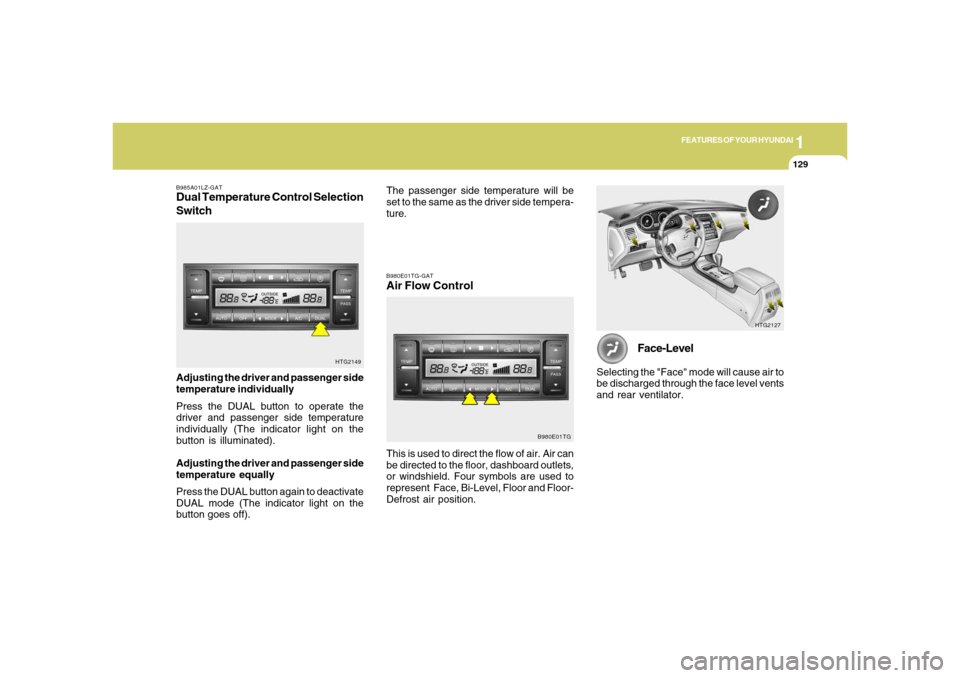
B985A01LZ-GATDual Temperature Control Selection
SwitchAdjusting the driver and passenger side
temperature individually
Press the DUAL button to operate the
driver and passenger side temperature
individually (The indicator light on the
button is illuminated).
Adjusting the driver and passenger side
temperature equally
Press the DUAL button again to deactivate
DUAL mode (The indicator light on the
button goes off).
HTG2149
HTG2127
Face-Level
Selecting the "Face" mode will cause air to
be discharged through the face level vents
and rear ventilator.
B980E01TG-GATAir Flow Control
B980E01TG
This is used to direct the flow of air. Air can
be directed to the floor, dashboard outlets,
or windshield. Four symbols are used to
represent Face, Bi-Level, Floor and Floor-
Defrost air position.The passenger side temperature will be
set to the same as the driver side tempera-
ture.