Inst Hyundai Azera 2008 Owners Manual
[x] Cancel search | Manufacturer: HYUNDAI, Model Year: 2008, Model line: Azera, Model: Hyundai Azera 2008Pages: 345, PDF Size: 14.61 MB
Page 196 of 345
1FEATURES OF YOUR HYUNDAI
182
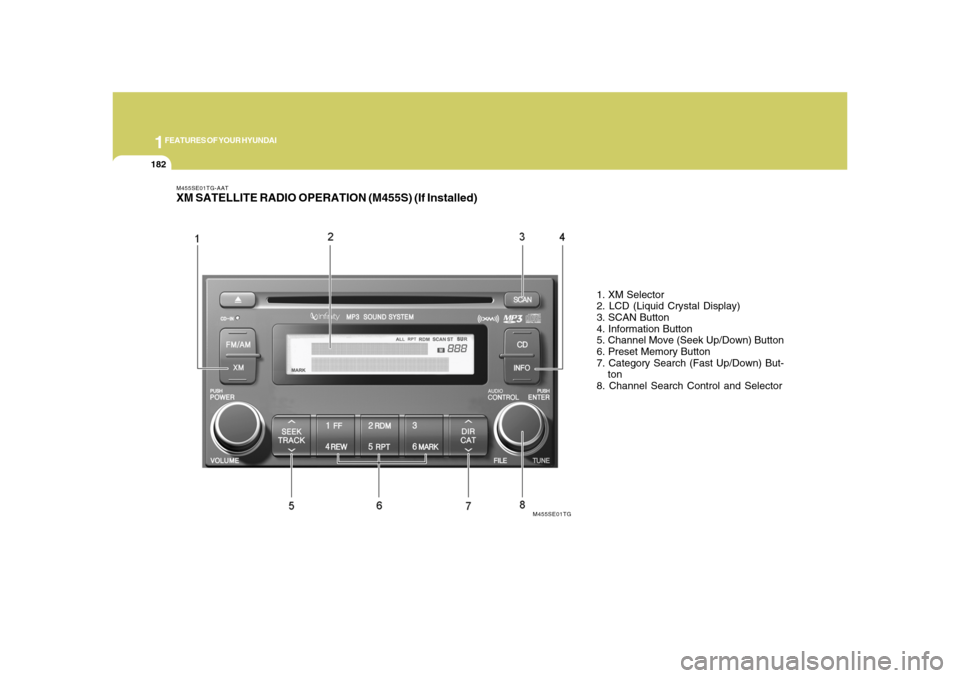
M455SE01TG-AATXM SATELLITE RADIO OPERATION (M455S) (If Installed)
1. XM Selector
2. LCD (Liquid Crystal Display)
3. SCAN Button
4. Information Button
5. Channel Move (Seek Up/Down) Button
6. Preset Memory Button
7. Category Search (Fast Up/Down) But-
ton
8. Channel Search Control and Selector
M455SE01TG
Page 199 of 345
1
FEATURES OF YOUR HYUNDAI
185185
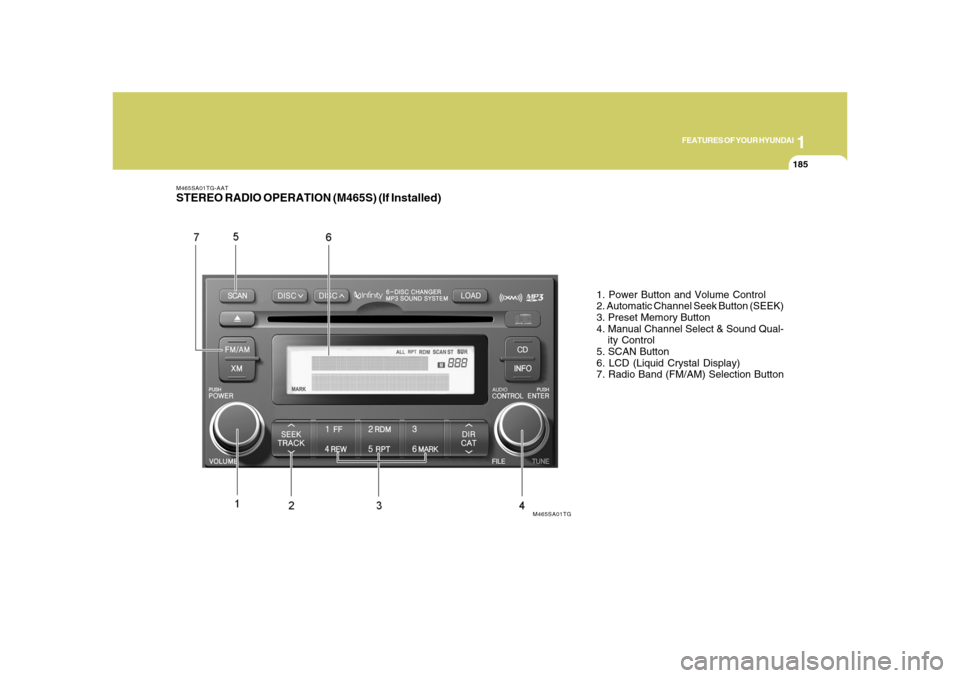
M465SA01TG-AATSTEREO RADIO OPERATION (M465S) (If Installed)
1. Power Button and Volume Control
2. Automatic Channel Seek Button (SEEK)
3. Preset Memory Button
4. Manual Channel Select & Sound Qual-
ity Control
5. SCAN Button
6. LCD (Liquid Crystal Display)
7. Radio Band (FM/AM) Selection Button
M465SA01TG
Page 202 of 345
1FEATURES OF YOUR HYUNDAI
188
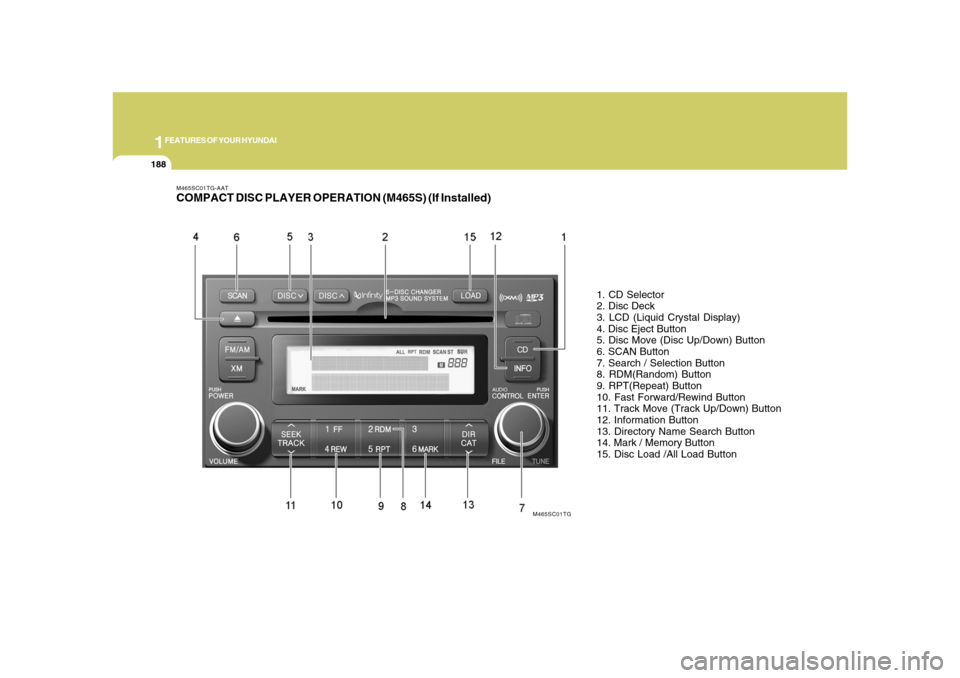
M465SC01TG-AATCOMPACT DISC PLAYER OPERATION (M465S) (If Installed)
1. CD Selector
2. Disc Deck
3. LCD (Liquid Crystal Display)
4. Disc Eject Button
5. Disc Move (Disc Up/Down) Button
6. SCAN Button
7. Search / Selection Button
8. RDM(Random) Button
9. RPT(Repeat) Button
10. Fast Forward/Rewind Button
11. Track Move (Track Up/Down) Button
12. Information Button
13. Directory Name Search Button
14. Mark / Memory Button
15. Disc Load /All Load Button
M465SC01TG
Page 207 of 345
1
FEATURES OF YOUR HYUNDAI
193193
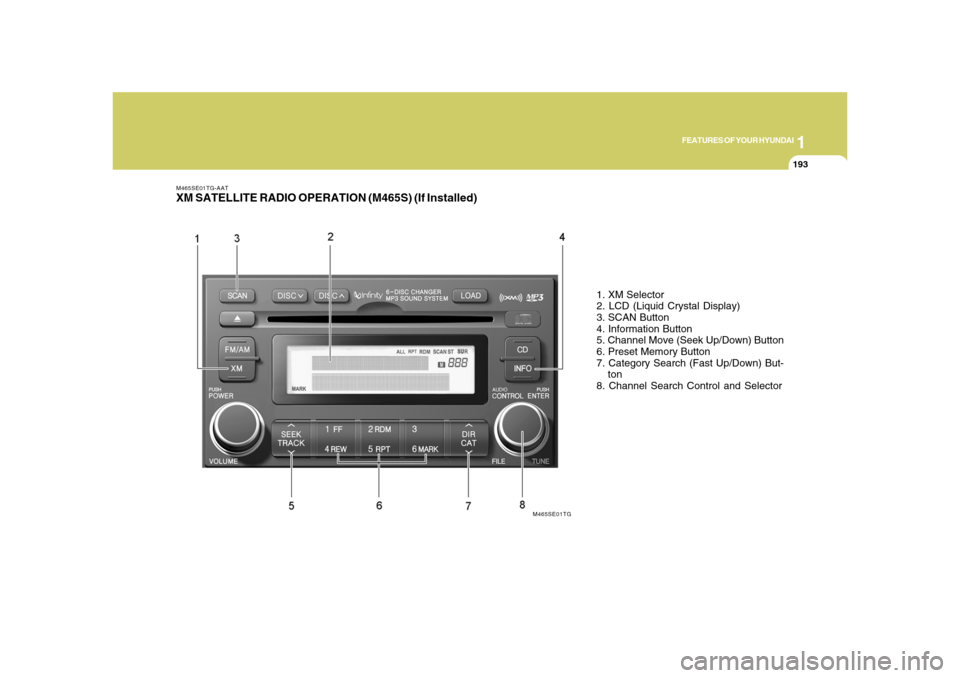
M465SE01TG-AATXM SATELLITE RADIO OPERATION (M465S) (If Installed)
1. XM Selector
2. LCD (Liquid Crystal Display)
3. SCAN Button
4. Information Button
5. Channel Move (Seek Up/Down) Button
6. Preset Memory Button
7. Category Search (Fast Up/Down) But-
ton
8. Channel Search Control and Selector
M465SE01TG
Page 211 of 345
1
FEATURES OF YOUR HYUNDAI
197197
B860A03L
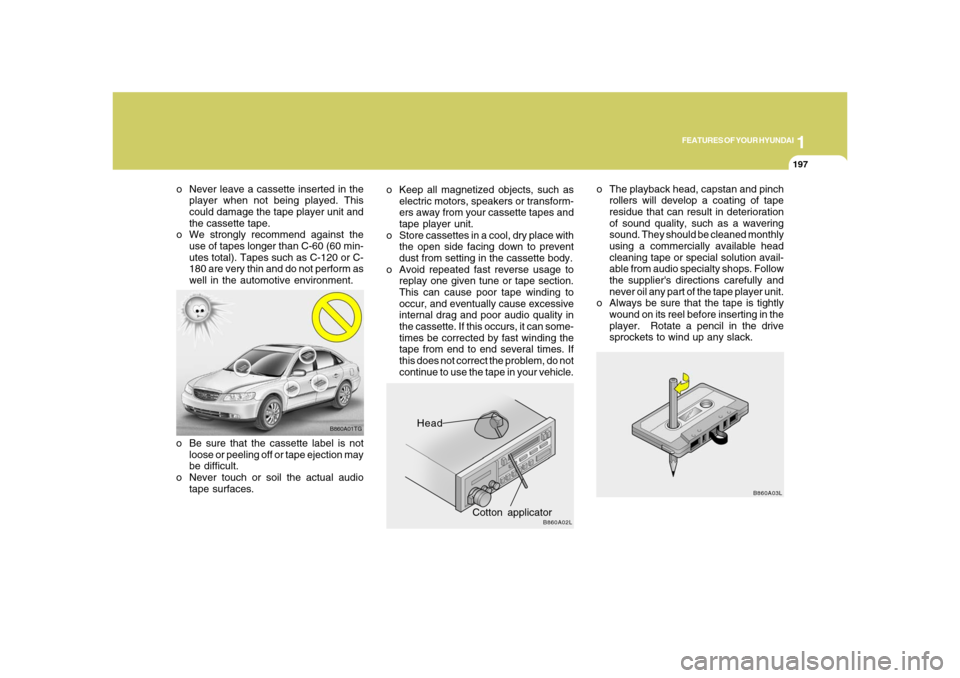
o The playback head, capstan and pinch
rollers will develop a coating of tape
residue that can result in deterioration
of sound quality, such as a wavering
sound. They should be cleaned monthly
using a commercially available head
cleaning tape or special solution avail-
able from audio specialty shops. Follow
the supplier's directions carefully and
never oil any part of the tape player unit.
o Always be sure that the tape is tightly
wound on its reel before inserting in the
player. Rotate a pencil in the drive
sprockets to wind up any slack.
Head
Cotton applicator
B860A02L
o Keep all magnetized objects, such as
electric motors, speakers or transform-
ers away from your cassette tapes and
tape player unit.
o Store cassettes in a cool, dry place with
the open side facing down to prevent
dust from setting in the cassette body.
o Avoid repeated fast reverse usage to
replay one given tune or tape section.
This can cause poor tape winding to
occur, and eventually cause excessive
internal drag and poor audio quality in
the cassette. If this occurs, it can some-
times be corrected by fast winding the
tape from end to end several times. If
this does not correct the problem, do not
continue to use the tape in your vehicle.
B860A01TG
o Be sure that the cassette label is not
loose or peeling off or tape ejection may
be difficult.
o Never touch or soil the actual audio
tape surfaces. o Never leave a cassette inserted in the
player when not being played. This
could damage the tape player unit and
the cassette tape.
o We strongly recommend against the
use of tapes longer than C-60 (60 min-
utes total). Tapes such as C-120 or C-
180 are very thin and do not perform as
well in the automotive environment.
Page 212 of 345
1FEATURES OF YOUR HYUNDAI
198
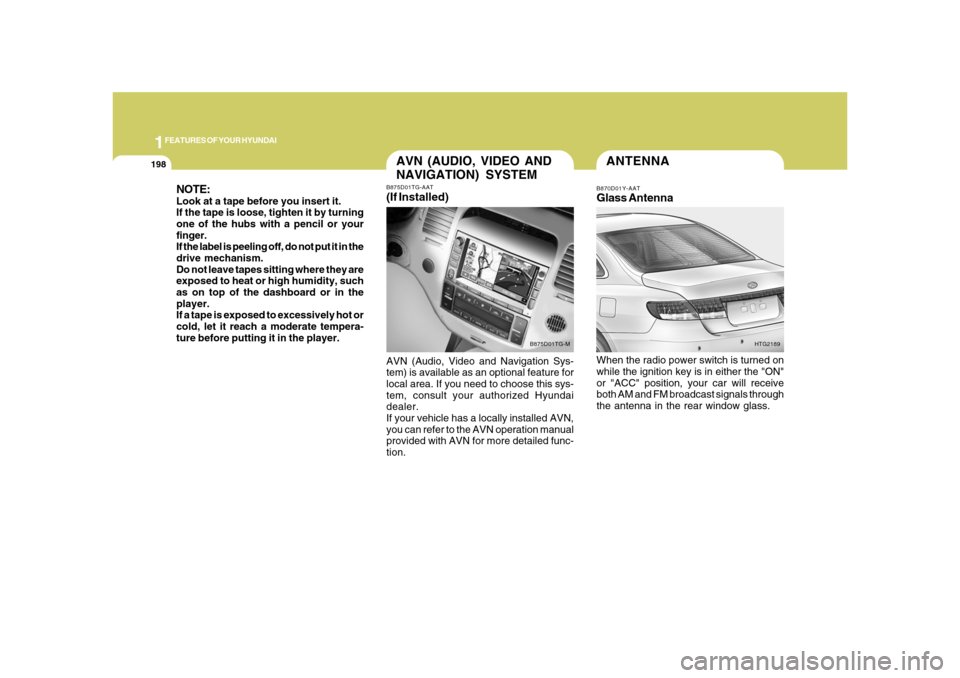
ANTENNAB870D01Y-AATGlass AntennaWhen the radio power switch is turned on
while the ignition key is in either the "ON"
or "ACC" position, your car will receive
both AM and FM broadcast signals through
the antenna in the rear window glass.
HTG2189
NOTE:Look at a tape before you insert it.
If the tape is loose, tighten it by turning
one of the hubs with a pencil or your
finger.
If the label is peeling off, do not put it in the
drive mechanism.
Do not leave tapes sitting where they are
exposed to heat or high humidity, such
as on top of the dashboard or in the
player.
If a tape is exposed to excessively hot or
cold, let it reach a moderate tempera-
ture before putting it in the player.
AVN (AUDIO, VIDEO AND
NAVIGATION) SYSTEMB875D01TG-AAT(If Installed)AVN (Audio, Video and Navigation Sys-
tem) is available as an optional feature for
local area. If you need to choose this sys-
tem, consult your authorized Hyundai
dealer.
If your vehicle has a locally installed AVN,
you can refer to the AVN operation manual
provided with AVN for more detailed func-
tion.
B875D01TG-M
Page 213 of 345
1
FEATURES OF YOUR HYUNDAI
199199
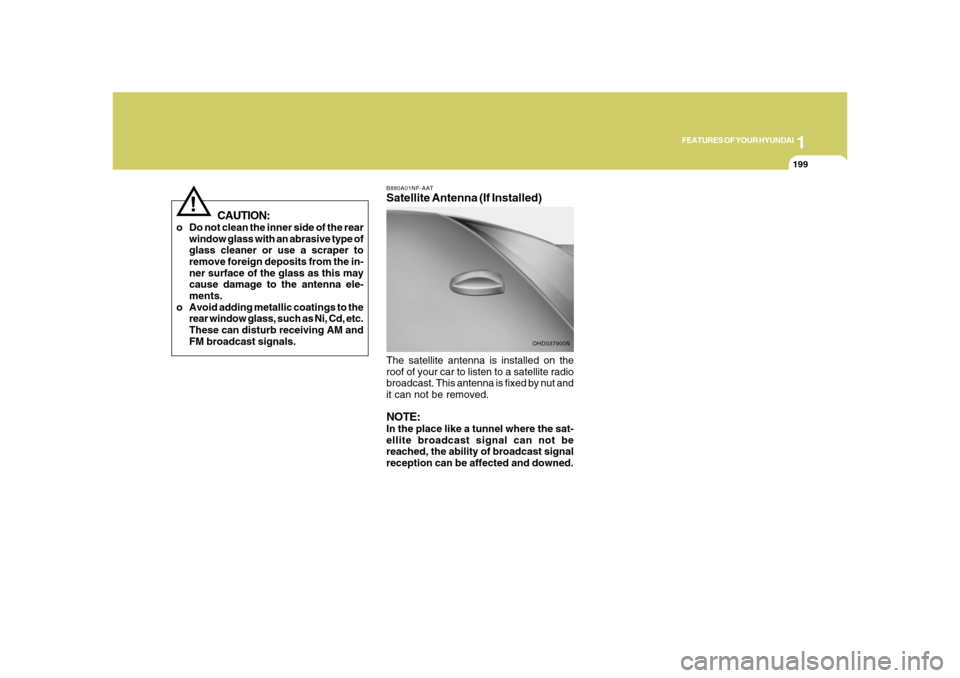
B880A01NF-AATSatellite Antenna (If Installed)The satellite antenna is installed on the
roof of your car to listen to a satellite radio
broadcast. This antenna is fixed by nut and
it can not be removed.NOTE:In the place like a tunnel where the sat-
ellite broadcast signal can not be
reached, the ability of broadcast signal
reception can be affected and downed.
OHD037900N
CAUTION:
o Do not clean the inner side of the rear
window glass with an abrasive type of
glass cleaner or use a scraper to
remove foreign deposits from the in-
ner surface of the glass as this may
cause damage to the antenna ele-
ments.
o Avoid adding metallic coatings to the
rear window glass, such as Ni, Cd, etc.
These can disturb receiving AM and
FM broadcast signals.
!
Page 217 of 345
2
DRIVING YOUR HYUNDAI
4
NOTE:Do not hold the key in the "START" posi-
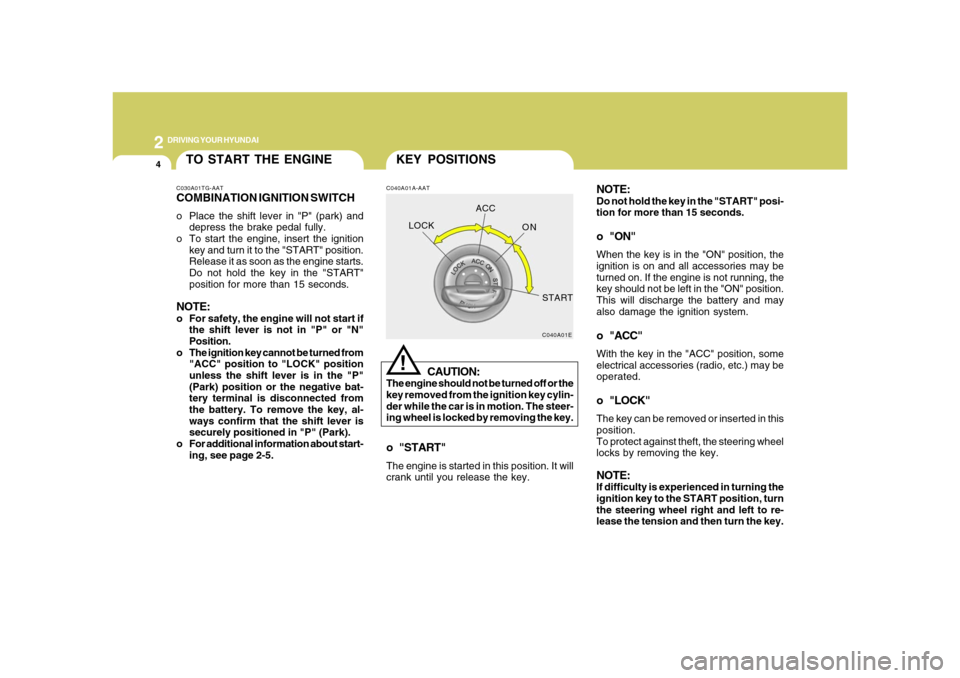
tion for more than 15 seconds.o "ON"When the key is in the "ON" position, the
ignition is on and all accessories may be
turned on. If the engine is not running, the
key should not be left in the "ON" position.
This will discharge the battery and may
also damage the ignition system.o "ACC"With the key in the "ACC" position, some
electrical accessories (radio, etc.) may be
operated.o "LOCK"The key can be removed or inserted in this
position.
To protect against theft, the steering wheel
locks by removing the key.NOTE:If difficulty is experienced in turning the
ignition key to the START position, turn
the steering wheel right and left to re-
lease the tension and then turn the key.
KEY POSITIONSC040A01A-AAT
CAUTION:
The engine should not be turned off or the
key removed from the ignition key cylin-
der while the car is in motion. The steer-
ing wheel is locked by removing the key.
!
o "START"The engine is started in this position. It will
crank until you release the key.
C040A01E
LOCKACC
ON
START
TO START THE ENGINEC030A01TG-AATCOMBINATION IGNITION SWITCHo Place the shift lever in "P" (park) and
depress the brake pedal fully.
o To start the engine, insert the ignition
key and turn it to the "START" position.
Release it as soon as the engine starts.
Do not hold the key in the "START"
position for more than 15 seconds.NOTE:o For safety, the engine will not start if
the shift lever is not in "P" or "N"
Position.
o The ignition key cannot be turned from
"ACC" position to "LOCK" position
unless the shift lever is in the "P"
(Park) position or the negative bat-
tery terminal is disconnected from
the battery. To remove the key, al-
ways confirm that the shift lever is
securely positioned in "P" (Park).
o For additional information about start-
ing, see page 2-5.
Page 219 of 345
2
DRIVING YOUR HYUNDAI
6
!
CAUTION:
Never shift into "R" or "P" position while
the vehicle is moving.
Depress the brake pedal when shift-
ing.
The selector lever can be shifted
freely.
The first few shifts on a new vehicle, or if the
battery has been disconnected, may be
somewhat abrupt. This is a normal condi-
tion, and the shifting sequence will adjust
after shifts are cycled a few times by the
T.C.M (Transaxle Control Module).
C090A01TG
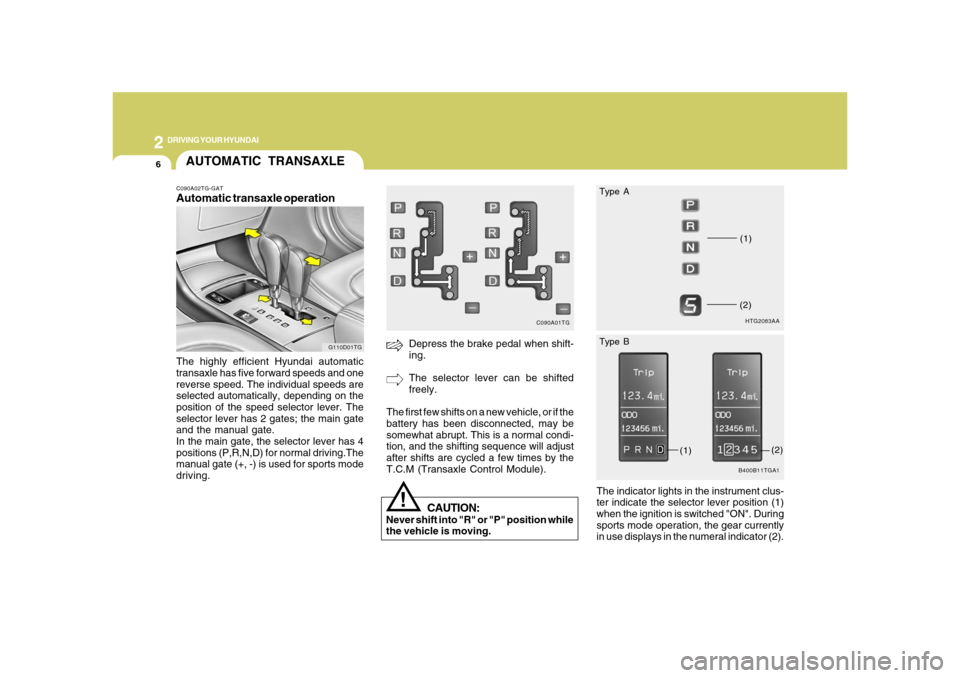
AUTOMATIC TRANSAXLEC090A02TG-GATAutomatic transaxle operationThe highly efficient Hyundai automatic
transaxle has five forward speeds and one
reverse speed. The individual speeds are
selected automatically, depending on the
position of the speed selector lever. The
selector lever has 2 gates; the main gate
and the manual gate.
In the main gate, the selector lever has 4
positions (P,R,N,D) for normal driving.The
manual gate (+, -) is used for sports mode
driving.
G110D01TG
The indicator lights in the instrument clus-
ter indicate the selector lever position (1)
when the ignition is switched "ON". During
sports mode operation, the gear currently
in use displays in the numeral indicator (2).
HTG2083AA(1)(2)B400B11TGA1
(1)
(2) Type A
Type B
Page 223 of 345
2
DRIVING YOUR HYUNDAI
10
!
POWER ADJUSTABLE
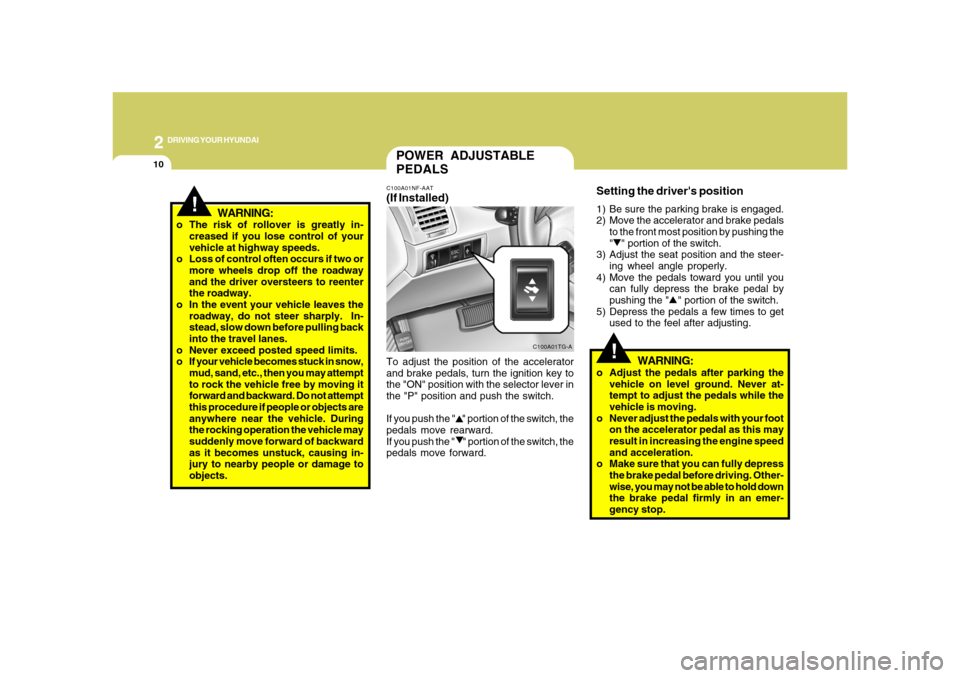
PEDALSC100A01NF-AAT(If Installed)To adjust the position of the accelerator
and brake pedals, turn the ignition key to
the "ON" position with the selector lever in
the "P" position and push the switch.
If you push the " " portion of the switch, the
pedals move rearward.
If you push the " " portion of the switch, the
pedals move forward.
C100A01TG-A
!
Setting the driver's position1) Be sure the parking brake is engaged.
2) Move the accelerator and brake pedals
to the front most position by pushing the
" " portion of the switch.
3) Adjust the seat position and the steer-
ing wheel angle properly.
4) Move the pedals toward you until you
can fully depress the brake pedal by
pushing the " " portion of the switch.
5) Depress the pedals a few times to get
used to the feel after adjusting.
WARNING:
o Adjust the pedals after parking the
vehicle on level ground. Never at-
tempt to adjust the pedals while the
vehicle is moving.
o Never adjust the pedals with your foot
on the accelerator pedal as this may
result in increasing the engine speed
and acceleration.
o Make sure that you can fully depress
the brake pedal before driving. Other-
wise, you may not be able to hold down
the brake pedal firmly in an emer-
gency stop. o The risk of rollover is greatly in-
creased if you lose control of your
vehicle at highway speeds.
o Loss of control often occurs if two or
more wheels drop off the roadway
and the driver oversteers to reenter
the roadway.
o In the event your vehicle leaves the
roadway, do not steer sharply. In-
stead, slow down before pulling back
into the travel lanes.
o Never exceed posted speed limits.
o If your vehicle becomes stuck in snow,
mud, sand, etc., then you may attempt
to rock the vehicle free by moving it
forward and backward. Do not attempt
this procedure if people or objects are
anywhere near the vehicle. During
the rocking operation the vehicle may
suddenly move forward of backward
as it becomes unstuck, causing in-
jury to nearby people or damage to
objects.
WARNING: