Inst Hyundai Azera 2008 Repair Manual
[x] Cancel search | Manufacturer: HYUNDAI, Model Year: 2008, Model line: Azera, Model: Hyundai Azera 2008Pages: 345, PDF Size: 14.61 MB
Page 114 of 345
1FEATURES OF YOUR HYUNDAI
100
!
CAUTION:
o Do not operate the switch continu-
ously for an unnecessary length of
time.
o Scraping ice from the mirror face could
cause permanent damage. To remove
any ice, use a sponge, soft cloth or
approved de-icer.
!
WARNING:
Be careful when judging the size or dis-
tance of any object seen in the passen-
ger side rearview mirror. It is a convex
mirror with a curved surface, and any
objects seen in this mirror are closer
than they appear.
B510C01TG-AATFOLDING THE OUTSIDE REARVIEW
MIRRORS (Manual Type)To fold the outside rearview mirrors, push
them towards the rear.
The outside rearview mirrors can be folded
rearward for parking in narrow areas.
B510C01TG-A
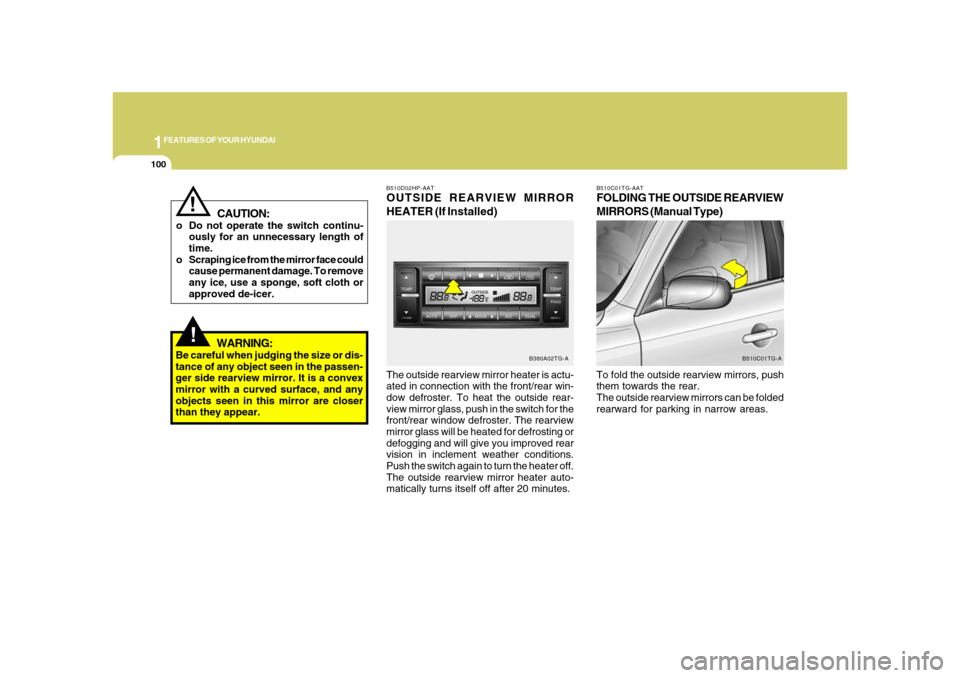
The outside rearview mirror heater is actu-
ated in connection with the front/rear win-
dow defroster. To heat the outside rear-
view mirror glass, push in the switch for the
front/rear window defroster. The rearview
mirror glass will be heated for defrosting or
defogging and will give you improved rear
vision in inclement weather conditions.
Push the switch again to turn the heater off.
The outside rearview mirror heater auto-
matically turns itself off after 20 minutes.B510D02HP-AATOUTSIDE REARVIEW MIRROR
HEATER (If Installed)
B380A02TG-A
Page 115 of 345
1
FEATURES OF YOUR HYUNDAI
101
!
WARNING:
Do not adjust or fold the outside rearview
mirrors while the vehicle is moving. This
could result in loss of control, and an
accident causing death, serious injury
or property damage.
CAUTION:
If the mirror is jammed with ice, do not
adjust the mirror by force. Use an ap-
proved spray de-icer (not radiator anti-
freeze) to release the frozen mecha-
nism or move the vehicle to a warm
place and allow the ice to melt.
!
!
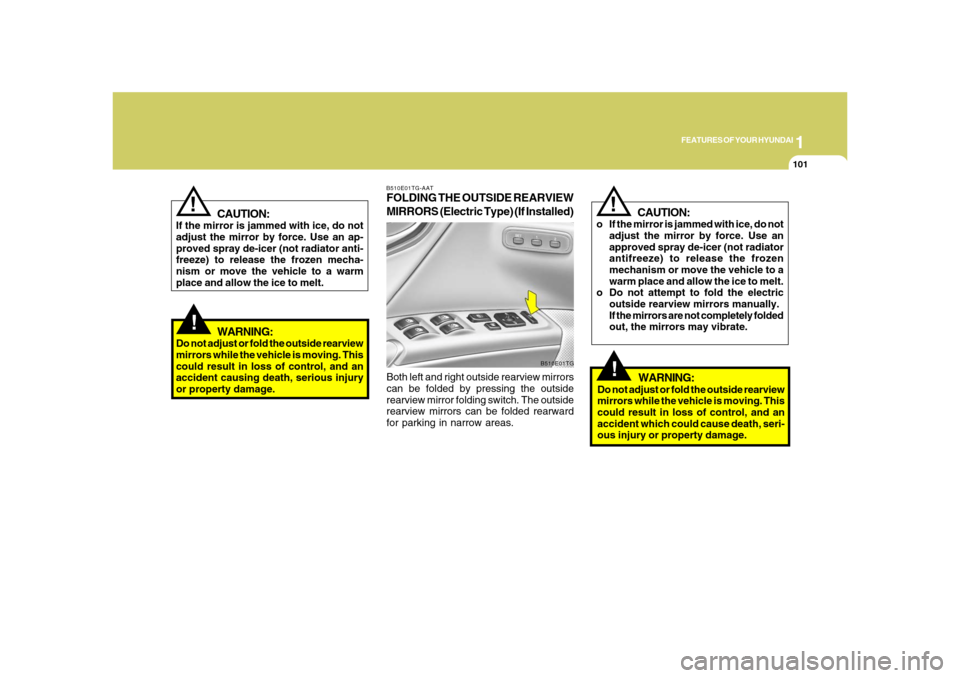
B510E01TG-AATFOLDING THE OUTSIDE REARVIEW
MIRRORS (Electric Type) (If Installed)Both left and right outside rearview mirrors
can be folded by pressing the outside
rearview mirror folding switch. The outside
rearview mirrors can be folded rearward
for parking in narrow areas.
B510E01TG
CAUTION:
o If the mirror is jammed with ice, do not
adjust the mirror by force. Use an
approved spray de-icer (not radiator
antifreeze) to release the frozen
mechanism or move the vehicle to a
warm place and allow the ice to melt.
o Do not attempt to fold the electric
outside rearview mirrors manually.
If the mirrors are not completely folded
out, the mirrors may vibrate.
!
WARNING:
Do not adjust or fold the outside rearview
mirrors while the vehicle is moving. This
could result in loss of control, and an
accident which could cause death, seri-
ous injury or property damage.
Page 118 of 345
1FEATURES OF YOUR HYUNDAI
104
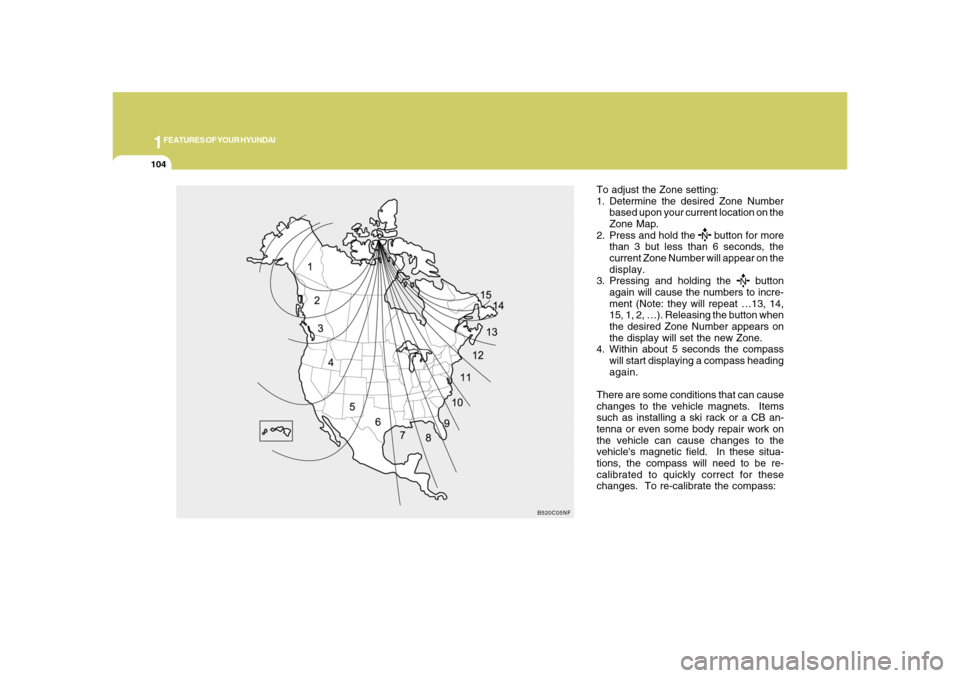
To adjust the Zone setting:
1. Determine the desired Zone Number
based upon your current location on the
Zone Map.
2. Press and hold the
button for more
than 3 but less than 6 seconds, the
current Zone Number will appear on the
display.
3. Pressing and holding the
button
again will cause the numbers to incre-
ment (Note: they will repeat …13, 14,
15, 1, 2, …). Releasing the button when
the desired Zone Number appears on
the display will set the new Zone.
4. Within about 5 seconds the compass
will start displaying a compass heading
again.
There are some conditions that can cause
changes to the vehicle magnets. Items
such as installing a ski rack or a CB an-
tenna or even some body repair work on
the vehicle can cause changes to the
vehicle's magnetic field. In these situa-
tions, the compass will need to be re-
calibrated to quickly correct for these
changes. To re-calibrate the compass:
B520C05NF
Page 120 of 345

1FEATURES OF YOUR HYUNDAI
106
Standard Programming
To train most devices, follow these instruc-
tions:
1. For first-time programming, press and
hold the two outside buttons, HomeLink
®
Channel 1 and Channel 3 Buttons, until
the indicator light begins to flash (after
20 seconds). Release both buttons. Do
not hold the buttons for longer than 30
seconds.
2. Position the end of your hand-held trans-
mitter 1-3 inches (5-14 cm) away from
the HomeLink
® buttons while keeping
the indicator light in view.
3. Simultaneously press and hold both
the HomeLink® and hand-held trans-
mitter button. DO NOT release the but-
tons until step 4 has been completed.
4. While continuing to hold the buttons the
red Indicator Status LED will flash slowly
and then rapidly after HomeLink
® suc-
cessfully trains to the frequency signal
from the hand-held transmitter. Release
both buttons.5. Press and hold the just-trained
HomeLink
® button and observe the red
Status Indicator LED. If the indicator
light stays on constantly, programming
is complete and your device should
activate when the HomeLink
® button is
pressed and released.
6. To program the remaining two
HomeLink
® buttons, follow steps 2
through 5.
Rolling Code Programming
Rolling code devices which are "code-
protected" and manufactured after 1996
may be determined by the following:
o Reference the device owner's manual
for verification.
o The handheld transmitter appears to
program the HomeLink Universal Trans-
ceiver but does not activate the device.
o Press and hold the trained HomeLink
button. The device has the rolling code
feature if the indicator light flashes rap-
idly and then turns solid after 2 seconds.To train rolling code devices, follow these
instructions:
1. At the garage door opener receiver
(motor-head unit) in the garage, locate
the "learn" or "smart" button. This can
usually be found where the hanging
antenna wire is attached to the motor-
head unit. Exact location and color of
the button may vary by garage door
opener brand. If there is difficulty locat-
ing the training button, reference the
device owner's manual or please visit
our Web site at www.homelink.com.
2. Firmly press and release the "learn" or
"smart" button (which activates the "train-
ing light").
NOTE:There are 30 seconds in which to initiate
step3.
3. Return to the vehicle and firmly press,
hold for two seconds and then release
the desired HomeLink
® button. Repeat
the "press/hold/release" sequence a
second time to complete the program-
ming. (Some devices may require you
to repeat this sequence a third time to
complete the programming.)
Page 125 of 345
1
FEATURES OF YOUR HYUNDAI
111
!
CAUTION:
To prevent damage to the goods or the
vehicle, care should be taken when car-
rying fragile or bulky objects in the lug-
gage compartment.
!
WARNING:
Avoid eye injury. DO NOT overstretch.
The luggage net ALWAYS keep your
face and body out of its recoil path. DO
NOT use when the luggage net straps
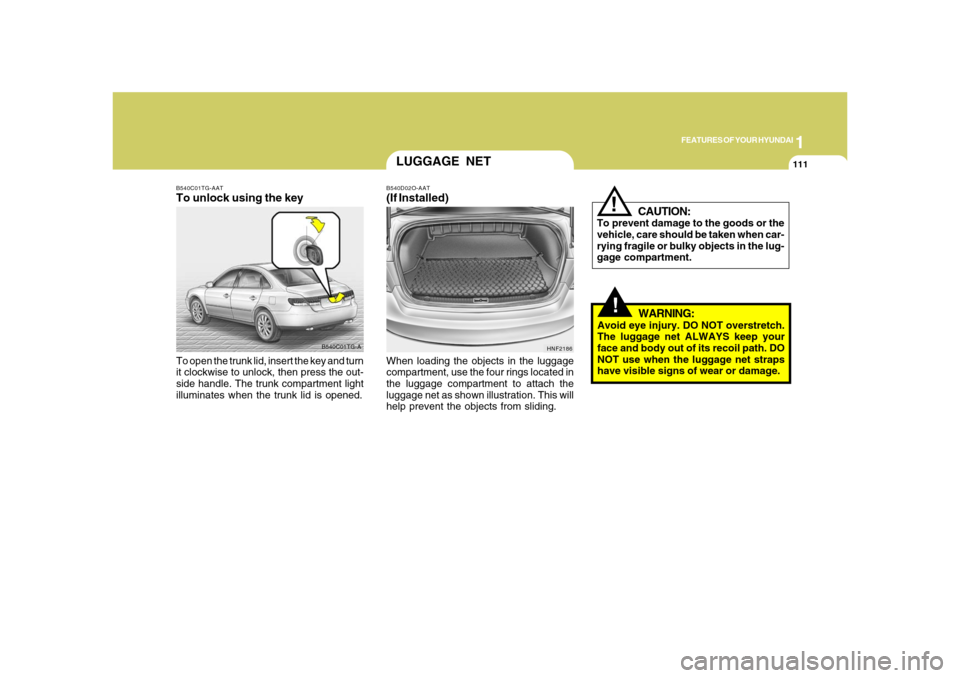
have visible signs of wear or damage. When loading the objects in the luggage
compartment, use the four rings located in
the luggage compartment to attach the
luggage net as shown illustration. This will
help prevent the objects from sliding.
HNF2186
LUGGAGE NETB540D02O-AAT(If Installed)
B540C01TG-A B540C01TG-AAT
To unlock using the keyTo open the trunk lid, insert the key and turn
it clockwise to unlock, then press the out-
side handle. The trunk compartment light
illuminates when the trunk lid is opened.
Page 126 of 345
1FEATURES OF YOUR HYUNDAI
112
HIGH-MOUNTED REAR
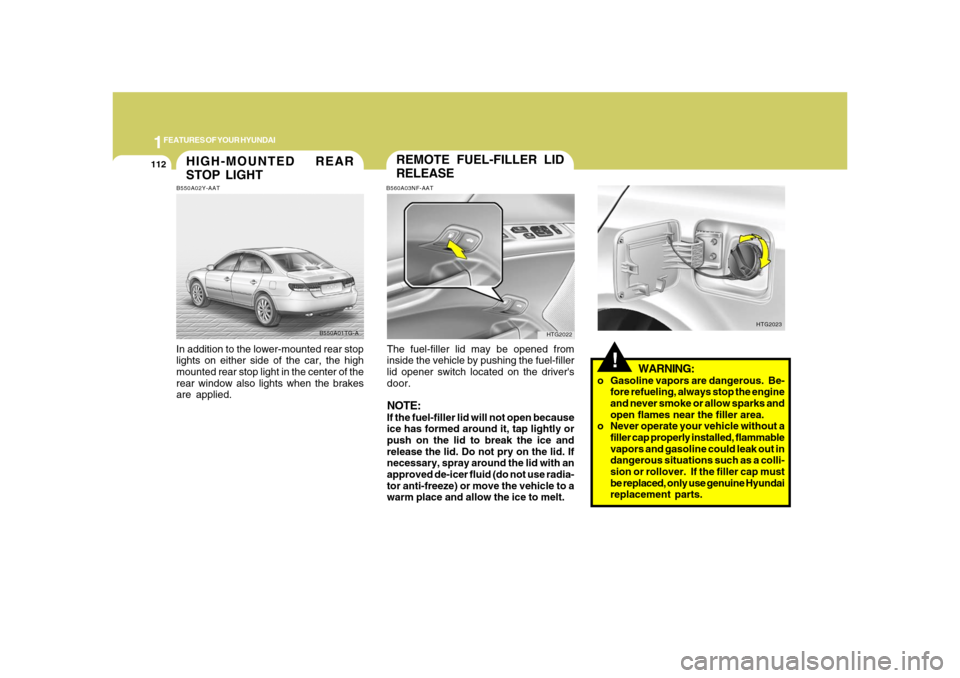
STOP LIGHTB550A02Y-AATIn addition to the lower-mounted rear stop
lights on either side of the car, the high
mounted rear stop light in the center of the
rear window also lights when the brakes
are applied.
B550A01TG-A
!
WARNING:
o Gasoline vapors are dangerous. Be-
fore refueling, always stop the engine
and never smoke or allow sparks and
open flames near the filler area.
o Never operate your vehicle without a
filler cap properly installed, flammable
vapors and gasoline could leak out in
dangerous situations such as a colli-
sion or rollover. If the filler cap must
be replaced, only use genuine Hyundai
replacement parts.
HTG2023
REMOTE FUEL-FILLER LID
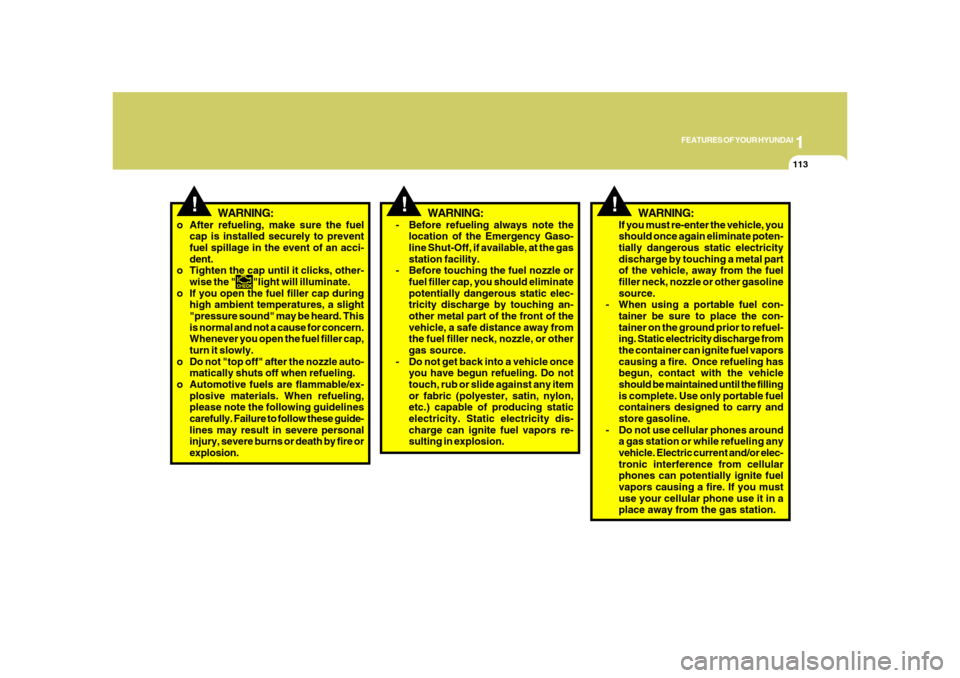
RELEASEB560A03NF-AATThe fuel-filler lid may be opened from
inside the vehicle by pushing the fuel-filler
lid opener switch located on the driver's
door.NOTE:If the fuel-filler lid will not open because
ice has formed around it, tap lightly or
push on the lid to break the ice and
release the lid. Do not pry on the lid. If
necessary, spray around the lid with an
approved de-icer fluid (do not use radia-
tor anti-freeze) or move the vehicle to a
warm place and allow the ice to melt.
HTG2022
Page 127 of 345
1
FEATURES OF YOUR HYUNDAI
113
!
WARNING:
!
WARNING:
- Before refueling always note the
location of the Emergency Gaso-
line Shut-Off, if available, at the gas
station facility.
- Before touching the fuel nozzle or
fuel filler cap, you should eliminate
potentially dangerous static elec-
tricity discharge by touching an-
other metal part of the front of the
vehicle, a safe distance away from
the fuel filler neck, nozzle, or other
gas source.
- Do not get back into a vehicle once
you have begun refueling. Do not
touch, rub or slide against any item
or fabric (polyester, satin, nylon,
etc.) capable of producing static
electricity. Static electricity dis-
charge can ignite fuel vapors re-
sulting in explosion.If you must re-enter the vehicle, you
should once again eliminate poten-
tially dangerous static electricity
discharge by touching a metal part
of the vehicle, away from the fuel
filler neck, nozzle or other gasoline
source.
- When using a portable fuel con-
tainer be sure to place the con-
tainer on the ground prior to refuel-
ing. Static electricity discharge from
the container can ignite fuel vapors
causing a fire. Once refueling has
begun, contact with the vehicle
should be maintained until the filling
is complete. Use only portable fuel
containers designed to carry and
store gasoline.
- Do not use cellular phones around
a gas station or while refueling any
vehicle. Electric current and/or elec-
tronic interference from cellular
phones can potentially ignite fuel
vapors causing a fire. If you must
use your cellular phone use it in a
place away from the gas station.
o After refueling, make sure the fuel
cap is installed securely to prevent
fuel spillage in the event of an acci-
dent.
o Tighten the cap until it clicks, other-
wise the "
"light will illuminate.
o If you open the fuel filler cap during
high ambient temperatures, a slight
"pressure sound" may be heard. This
is normal and not a cause for concern.
Whenever you open the fuel filler cap,
turn it slowly.
o Do not "top off" after the nozzle auto-
matically shuts off when refueling.
o Automotive fuels are flammable/ex-
plosive materials. When refueling,
please note the following guidelines
carefully. Failure to follow these guide-
lines may result in severe personal
injury, severe burns or death by fire or
explosion.
!
WARNING:
Page 128 of 345
1FEATURES OF YOUR HYUNDAI
114
!
WARNING:
- When refueling always shut the en-
gine off. Sparks produced by elec-
trical components related to the
engine can ignite fuel vapors caus-
ing a fire. Always insure that the
engine is OFF before and during
refueling. Once refueling is com-
plete, check to make sure the fuel
filler cap and door are securely
closed, before starting the engine.
- Do not light any fire around a gas
station. DO NOT use matches or a
lighter and DO NOT SMOKE or leave
a lit cigarette in your vehicle while at
a gas station especially during re-
fueling. Automotive fuel is highly
flammable and can, when ignited,
result in explosion by flames.
- If a fire breaks out during refueling,
leave the vicinity of the vehicle, and
immediately contact the manager
of the gas station or contact the
police and local fire department.
Follow any safety instructions they
provide.
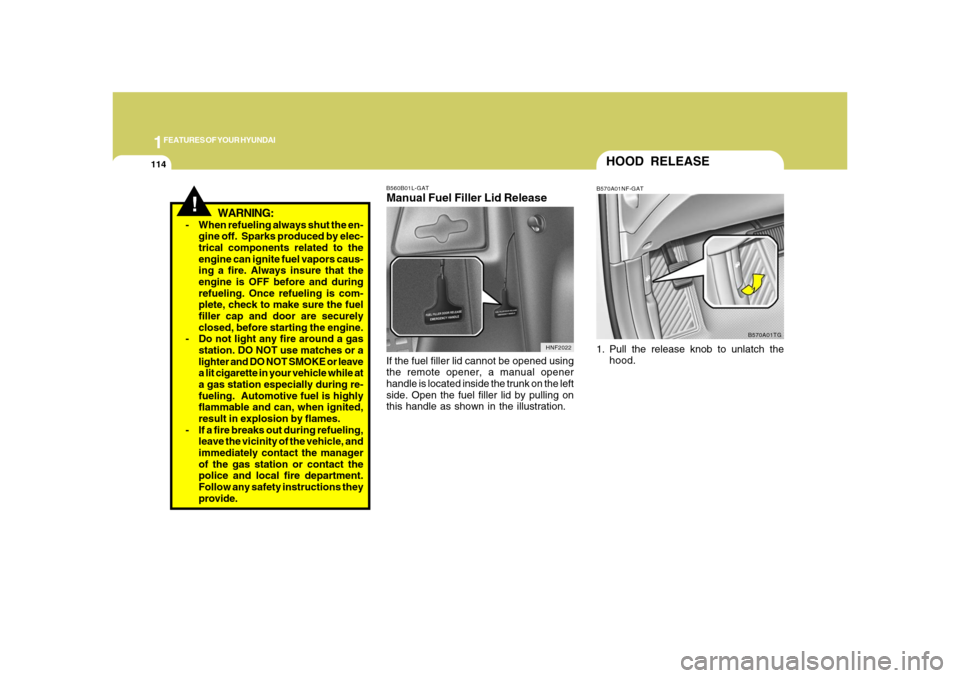
B560B01L-GATManual Fuel Filler Lid ReleaseIf the fuel filler lid cannot be opened using
the remote opener, a manual opener
handle is located inside the trunk on the left
side. Open the fuel filler lid by pulling on
this handle as shown in the illustration.
HNF2022
HOOD RELEASEB570A01NF-GAT1. Pull the release knob to unlatch the
hood.
B570A01TG
Page 132 of 345
1FEATURES OF YOUR HYUNDAI
118
REAR WINDOW CURTAIN
B265C01TG B265C01TG-AAT
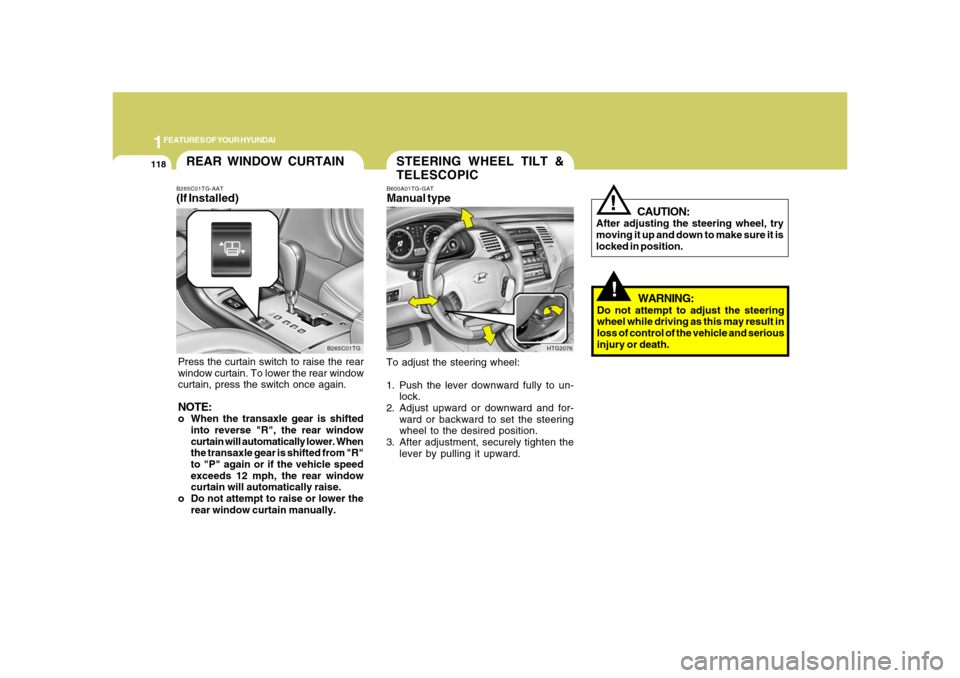
(If Installed)Press the curtain switch to raise the rear
window curtain. To lower the rear window
curtain, press the switch once again.NOTE:o When the transaxle gear is shifted
into reverse "R", the rear window
curtain will automatically lower. When
the transaxle gear is shifted from "R"
to "P" again or if the vehicle speed
exceeds 12 mph, the rear window
curtain will automatically raise.
o Do not attempt to raise or lower the
rear window curtain manually.
STEERING WHEEL TILT &
TELESCOPICB600A01TG-GATManual typeTo adjust the steering wheel:
1. Push the lever downward fully to un-
lock.
2. Adjust upward or downward and for-
ward or backward to set the steering
wheel to the desired position.
3. After adjustment, securely tighten the
lever by pulling it upward.
HTG2076
!!
CAUTION:
After adjusting the steering wheel, try
moving it up and down to make sure it is
locked in position.
WARNING:
Do not attempt to adjust the steering
wheel while driving as this may result in
loss of control of the vehicle and serious
injury or death.
Page 133 of 345
1
FEATURES OF YOUR HYUNDAI
119
!
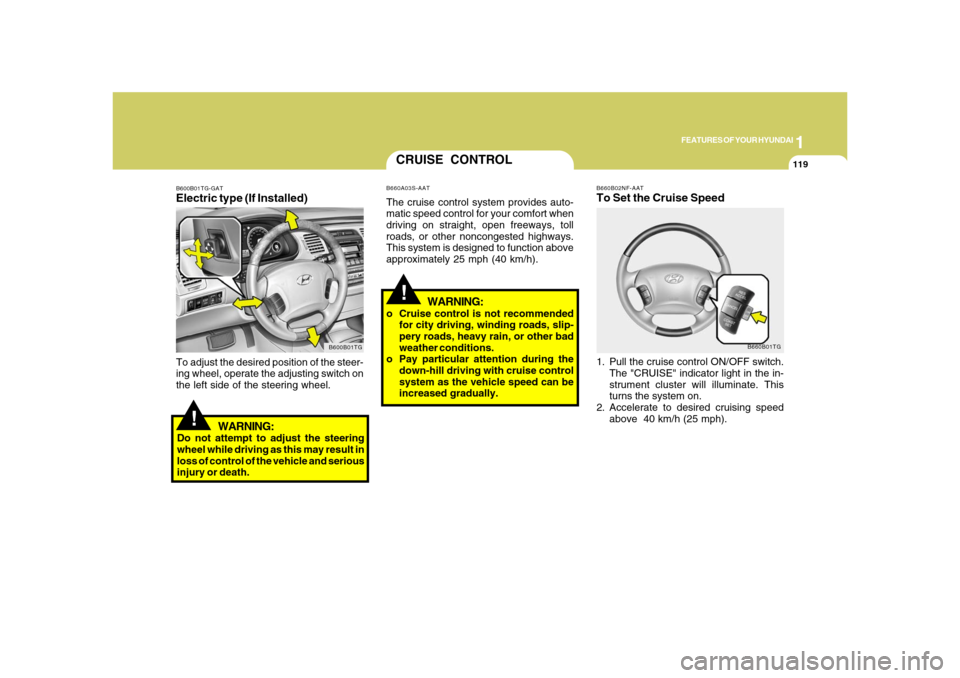
B660B02NF-AATTo Set the Cruise Speed1. Pull the cruise control ON/OFF switch.
The "CRUISE" indicator light in the in-
strument cluster will illuminate. This
turns the system on.
2. Accelerate to desired cruising speed
above 40 km/h (25 mph).
B660B01TG
CRUISE CONTROLB660A03S-AATThe cruise control system provides auto-
matic speed control for your comfort when
driving on straight, open freeways, toll
roads, or other noncongested highways.
This system is designed to function above
approximately 25 mph (40 km/h).
!
B600B01TG-GATElectric type (If Installed)
B600B01TG
To adjust the desired position of the steer-
ing wheel, operate the adjusting switch on
the left side of the steering wheel.
WARNING:
Do not attempt to adjust the steering
wheel while driving as this may result in
loss of control of the vehicle and serious
injury or death.
WARNING:
o Cruise control is not recommended
for city driving, winding roads, slip-
pery roads, heavy rain, or other bad
weather conditions.
o Pay particular attention during the
down-hill driving with cruise control
system as the vehicle speed can be
increased gradually.